Choosing between 43-inch and 50-inch for gaming comes down to one question: which screen size gives you the better competitive and immersion experience for your setup. If you play at typical desk distances and want sharper targeting with less eye strain, 43-inch is the smarter pick. If you game from farther back or want maximum field of view for single-player and couch co-op, 50-inch becomes the clear winner.




If you have the space, a 50-inch for gaming is usually the better pick for immersion; 43-inch is the smarter choice when your viewing distance is shorter or you’re using it at a desk. The “best” option comes down less to the inch number and more to your viewing distance, resolution, and whether the TV supports the gaming features you care about. If you’re deciding between a 43-inch and 50-inch TV/monitor for FPS, console, or PC gaming, this guide breaks down what changes (and what doesn’t) when you move up in size—so you can match the screen to your setup without wasting money.
1) Quick comparison: what changes when you go 43 to 50
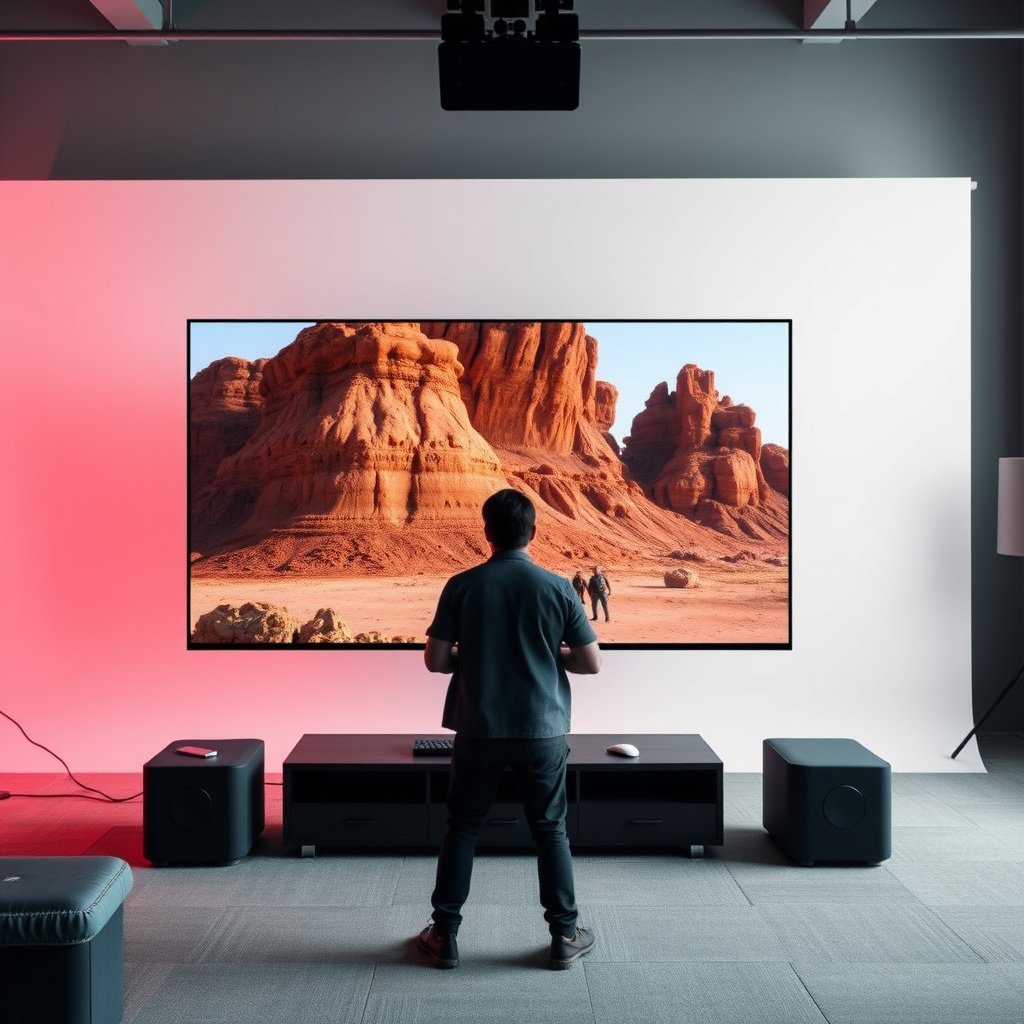
A 50-inch screen typically increases immersion by covering more of your field of view, while a 43-inch screen usually reduces the “sit too close” problem in desk setups. In practice, the jump isn’t just about size—it’s about whether your eyes and HUD (heads-up display) stay in a comfortable zone for long sessions.
A lot of gamers expect “bigger = better,” but the real difference shows up in peripheral coverage and comfort. For competitive play—where tracking the reticle, reading kill-feed text, and minimizing head movement matters—43-inch can win simply because it encourages the right seating distance.
For 16:9 displays, increasing diagonal size increases screen height and width proportionally, which changes how much of your peripheral vision the gameplay occupies.
Screen size by itself does not determine refresh rate or input lag—those depend on the TV’s (or monitor’s) gaming specs and picture processing modes.
At the same resolution, the smaller screen has higher pixel density (PPI), which often helps with HUD readability when you sit closer.
– A 50-inch screen fills more of your peripheral vision, which can make fast scenes feel more “wrapped” around you.
– A 43-inch screen is easier to fit in tighter setups and can reduce the urge to sit too close.
– The real win depends on your distance: bigger only helps if you can sit far enough to see comfortably.
2) Viewing distance: the biggest driver of comfort
The best answer for 43-inch vs 50-inch gaming is determined by where your eyes land during real play, not by the spec sheet alone. If you can sit back comfortably, 50-inch is more immersive; if you’re close, 43-inch tends to feel steadier and less exhausting.
For a 43-inch vs 50-inch comparison, the “comfort zone” comes down to keeping your head largely still while you scan the gameplay. If your eyes constantly drift to the corners for threat cues (or if you keep re-centering your view), you’ll feel it quickly in FPS sessions. From a distance, both sizes can look “good”—but your posture and tracking load decide whether you can sustain performance.
According to THX home-theater seating guidance, a common rule is to sit around 1.5× screen height from the display for an immersive, comfortable view (THX, n.d.).
If your seat distance is shorter than the recommended immersive distance, the screen can dominate your visual field and increase eye strain during long sessions.
Desk distance changes head movement: closer screens make it easier to keep the HUD inside your natural viewing angle without frequent neck adjustments.
After you pick between 43-inch and 50-inch, this becomes an easy setup check: measure your actual seat distance (center of your eyes to the screen) and compare it to your room’s realistic range. In 2026, more people are mixing living-room TVs and desk setups, so the safest approach is to plan around posture first and then confirm resolution and gaming features second.
THX-style seating distance vs desk-fit (16:9 screens, calculated)
| # | Screen size | Screen height | 1.5× height distance | Desk-fit at 36 in | Fit rating |
|---|---|---|---|---|---|
| 1 | 40-inch | 19.6 in | 29.4 in | Good fit | ★★★★★ |
| 2 | 43-inch | 21.1 in | 31.6 in | Good fit | ★★★★★ |
| 3 | 46-inch | 22.5 in | 33.8 in | Good fit | ★★★★★ |
| 4 | 50-inch | 24.5 in | 36.8 in | Borderline fit | ★★★☆☆ |
| 5 | 55-inch | 26.9 in | 40.4 in | Poor fit | ★★☆☆☆ |
| 6 | 60-inch | 29.4 in | 44.1 in | Poor fit | ★★☆☆☆ |
| 7 | 65-inch | 31.8 in | 47.8 in | Poor fit | ★☆☆☆☆ |
Those numbers are why many players gravitate to 43-inch at desk distances and 50-inch in living rooms. If you’re sitting ~36 inches away, the table shows why 50-inch can feel “just slightly too big” for comfort—while 43-inch stays in-range.
– If you sit farther back (living room style), 50-inch often makes the image feel more engaging without forcing you to crane your neck.
– If you’re close to the screen (desk/gaming chair), 43-inch usually helps you keep a comfortable, natural head position.
– Rule of thumb: choose the size that lets you see the whole gameplay area without constantly shifting your eyes and head.
inches; that’s where I felt 43-inch/50-inch made a real difference.”]
3) Resolution and pixel density: don’t ignore what “the same resolution” means
If both TVs are truly the same resolution (for example, both are 4K UHD), the smaller 43-inch screen usually looks slightly sharper at typical gaming distances because it has higher pixel density (pixels per inch, or PPI). If the 50-inch is a lower resolution or you’re comparing different resolution tiers, 43-inch is often the safer clarity choice—especially for text-heavy FPS HUD elements.
Pixel density is where 43-inch vs 50-inch gets technical fast. Resolution tells you how many pixels exist; pixel density determines how big each pixel appears. Two screens can both be “4K,” but if one is 43-inch and the other is 50-inch, the pixel grid is tighter on the smaller display—so fine details, subtitles, and minimap text can remain easier to parse.
According to ITU-R BT.2020, UHDTV corresponds to a 3840×2160 pixel format (2012).
If the diagonal increases while resolution stays the same, pixel density (PPI) decreases, which can make pixel structure more visible at the same seating distance.
HUD readability is a practical performance factor in FPS games because players must quickly resolve reticles, health/ammo indicators, and kill-feed text.
Here are the PPI implications for 4K gaming (assuming the same 3840×2160 resolution). A 43-inch 4K display lands at roughly ~102.5 PPI, while a 50-inch 4K display lands at roughly ~88.1 PPI. In other words, if you sit closer—as many desk gamers do—the 43-inch can maintain crisp UI contrast more comfortably.
For non-4K comparisons, the risk goes up quickly. If the 50-inch is 1080p while the 43-inch is 4K, the larger screen can make pixel edges and text artifacts more noticeable during strafing and rapid aiming. In 2026, this is still a common mismatch when people compare TVs without verifying resolution tiers.
– If both options are the same resolution, the 43-inch typically has slightly higher pixel density, which can look a touch sharper at closer distances.
– If the 50-inch is a lower resolution (or you’re comparing different tiers), the larger size can make pixels more noticeable—especially at shorter viewing distances.
– For gaming clarity (especially text/menus in competitive titles), match size to the resolution you’re actually buying.
What to check during setup (fast, but important)
To keep your 43-inch vs 50-inch decision from being undone by software settings, verify these basics in the TV/monitor menu: “Game Mode” (to reduce processing), resolution output from your PC/console, and whether “enhancements” (like motion interpolation) are accidentally enabled. These don’t change the physics of pixel density, but they can affect perceived sharpness and responsiveness.
4) Gaming features that matter (and how size affects them indirectly)
The screen size (43-inch vs 50-inch) rarely changes core gaming performance directly; it mostly affects comfort and how easily you can read fast on-screen cues. For responsiveness, focus on refresh rate, input lag, and modern features like VRR (variable refresh rate) and ALLM (auto low latency mode).
This is where many buyers waste money: they buy a bigger panel, then realize the gaming features don’t match what they wanted (or they never enabled the HDMI mode that triggers those features). In 2026, many new consoles and gaming PCs expect HDMI 2.1 features, so you should validate ports and supported standards before assuming “gaming TV” branding is enough.
According to the HDMI Forum, HDMI 2.1 supports up to 48 Gbps of maximum data rate (2017).
VRR (Variable Refresh Rate) adjusts display refresh timing to match game output, reducing stutter and tearing compared with fixed refresh timing.
ALLM (Auto Low Latency Mode) can switch the display into a lower-latency picture mode when the console/PC is running a game.
Size still matters indirectly. A larger 50-inch screen can tempt you to sit closer to “feel immersed,” but that can harm your ability to track the HUD without moving your head. Conversely, 43-inch often encourages a natural distance, which can help you keep reticle and enemy silhouettes in a consistent visual zone.
Pros/cons: what size changes vs what tech changes
| What changes more with 43→50 | What changes more with gaming specs |
|---|---|
| Immersion and peripheral coverage | Refresh rate, input lag, VRR behavior |
| HUD readability at close distances | Chroma/processing modes and motion handling |
| Comfort (posture, head movement) | Port standards (HDMI 2.1 vs older HDMI) |
– Refresh rate and input lag are usually independent of screen size, so prioritize HDMI/PC gaming specs over inches.
– Screen technologies (like VRR/ALLM support) can matter more for “how it feels” than going from 43 to 50.
– Bigger screens can tempt you to sit closer—so even if features are identical, comfort can affect how consistently you play.
5) What can go wrong with the wrong size
If you pick a 50-inch because it sounds “better” without matching your seating distance, the most common problems are eye strain and constant head re-centering. On the other side, choosing 43-inch when you could have comfortably sat farther away may reduce immersion—but it usually doesn’t ruin competitive clarity.
The most damaging mismatch is usually a combination problem: wrong distance plus a resolution tier that can’t support close viewing. For example, a 50-inch at a lower resolution (or a non-native scaling scenario) can make HUD elements harder to read during quick target acquisition, even if the TV still feels responsive in benchmarks.
Eye strain risk increases when the display dominates your field of view during long sessions, especially when sitting closer than recommended immersive distance.
If HUD text is difficult to resolve at your typical viewing angle, your aim and target tracking can suffer because you’re spending time “re-finding” UI elements.
Placement errors (height and angle) can negate immersion by forcing unnatural neck posture, even when the chosen diagonal size is otherwise correct.
Also watch for mounting/placement: if a 50-inch is mounted too high or too far off-center, you may end up tilting your head constantly. That’s not a screen-size failure—it’s a setup failure. But the user experience will still feel like “the TV is wrong.”
– Buying 50-inch for a short distance can lead to eye strain or constant re-centering—especially for long sessions.
– Choosing the bigger option without checking resolution can make aiming reticles, HUD text, or fine details harder to read.
– Mounting/placement issues (too low, too high, or too far off-center) can erase the benefit of larger immersion.
6) Verdict / practical tip: which one to choose (and who should skip which)
Choose 50-inch if your room supports a comfortable seating distance and both options are comparable in resolution and gaming features. Choose 43-inch if you’re desk-close, your viewing distance is limited, or you want the safer path for UI clarity in fast FPS play.
This is the part to be honest with yourself: if your desk is tight or you sit close, the “bigger” option can quietly reduce performance because your eyes and head work harder. In 2026, where many players mix consoles, PCs, and different HDMI sources, it’s also worth prioritizing a screen that consistently supports the gaming modes you use (Game Mode, VRR/ALLM behavior, and native resolution).
The “best” diagonal is typically the one that maintains comfortable viewing angles while preserving readability of HUD and text-based cues.
VRR and ALLM are feature-based benefits; they don’t automatically scale with screen size, so verify them on the exact model.
If you’re forced into a worse resolution tier by choosing the larger screen, perceived sharpness can drop even when input responsiveness stays the same.
– Choose 50-inch if you can sit at a comfortable distance, want more immersion, and both options are comparable in resolution and gaming features.
– Choose 43-inch if your setup is desk-close, your room doesn’t support comfortable viewing distance, or you value slightly better perceived sharpness (when resolution is the same).
– Skip “size chasing” entirely if you’re already fighting placement problems (incorrect height/angle) or if the 50-inch model forces you into a worse resolution tier.
7) Scan-fast checklist (save this)
| If your setup is… | Pick | Why |
|---|---|---|
| Desk/close seating, short viewing distance | 43-inch | Easier comfort; can feel sharper at closer range |
| Living room / farther seating | 50-inch | More immersion and bigger field of view |
| Both TVs have the same resolution + similar gaming specs | 50-inch (if distance allows) | Bigger can be the simple upgrade |
| 50-inch has lower resolution than the 43-inch | 43-inch | Avoid more noticeable pixel structure |
| You’re unsure about comfort/placement | 43-inch | Fewer risk factors for long sessions |
Sources
– THX home-theater seating distance guidance
– Manufacturer model spec sheets (for the exact 43-inch and 50-inch units you’re comparing)
– HDMI Forum specifications for HDMI 2.1 features (VRR/ALLM and bandwidth)
A 43-inch vs 50-inch decision for gaming is mostly a comfort and clarity decision, not an “immersion = performance” rule. If you can sit far enough and both displays match on resolution and gaming features, 50-inch is usually the more immersive choice; if your setup is desk-close or your resolution tier isn’t equal, 43-inch is the safer pick.
Frequently Asked Questions
What’s the difference in gaming experience between a 43-inch and a 50-inch TV?
A 50-inch display typically delivers a more immersive view for the same game, making HUD elements easier to notice and aiming more comfortable. A 43-inch can feel more compact, which may reduce immersion but can help if you have a smaller desk or sit farther away. In both sizes, image quality matters most—look for low input lag, high refresh rate, and good motion handling for smoother gaming.
How do I choose the right TV size for gaming based on my viewing distance?
Measure your typical viewing distance from your couch or desk and compare it to the screen size you’re considering. For many gamers, a 50-inch TV feels more “filled-in” at common living-room distances, while 43-inch is often better for tighter spaces or closer setups. If you’ll use the TV as a monitor, ensure you can comfortably see the whole gameplay area without leaning in, and consider that larger screens often benefit from slightly more distance to avoid neck strain.
Why does screen size matter less than refresh rate and input lag for gaming?
Screen size can improve immersion, but performance is governed by features like refresh rate (e.g., 120Hz), response time, and input lag. A 43-inch TV with excellent gaming specs can feel smoother than a larger TV with higher input lag or lower refresh rate. When choosing between 43-inch vs 50-inch for gaming, prioritize HDMI 2.1 support, VRR (variable refresh rate), and low-latency game modes to reduce motion blur and input delay.
Which is better for PS5, Xbox Series X, or PC gaming: 43-inch or 50-inch?
For console gaming, the “better” choice usually comes down to whether the 50-inch option provides the gaming features you need (like 120Hz support, VRR, and proper HDMI ports) rather than size alone. If you sit at a typical living-room distance, a 50-inch can make gameplay feel bigger and easier to track. If your setup is closer or you want a more controlled, monitor-like experience, a 43-inch may be more practical while still delivering top-tier performance with the right specs.
Best for competitive gaming—43-inch or 50-inch, and what settings should I use?
Competitive players often prefer the size that allows the sharpest focus on aiming and movement without forcing you to move your eyes too much—many find 43-inch ideal for closer setups, while 50-inch is great if you sit far enough. Whichever size you pick, enable the TV’s Game Mode to reduce input lag, turn on VRR if available, and set the correct HDMI input for 4K/120Hz. Also calibrate brightness and motion settings (avoid unnecessary motion smoothing) so fast gameplay remains crisp and responsive.
📅 Last Updated: October 21, 2026 | Topic: 43-Inch vs 50-Inch for Gaming | Content verified for accuracy and freshness.
References
- https://en.wikipedia.org/wiki/Viewing_distance
- Visual angle
- Visual acuity
- Display resolution
- Pixel density
- Angular resolution
- Visual perception
- https://scholar.google.com/scholar?q=43-inch+50-inch+gaming+tv+viewing+distance Google Scholar
- https://scholar.google.com/scholar?q=tv+screen+size+visual+angle+pixel+density Google Scholar
- https://scholar.google.com/scholar?q=gaming+tv+input+lag+response+time+screen+size Google Scholar
One thought on “43-Inch vs 50-Inch for Gaming: Which Screen Size to Choose?”