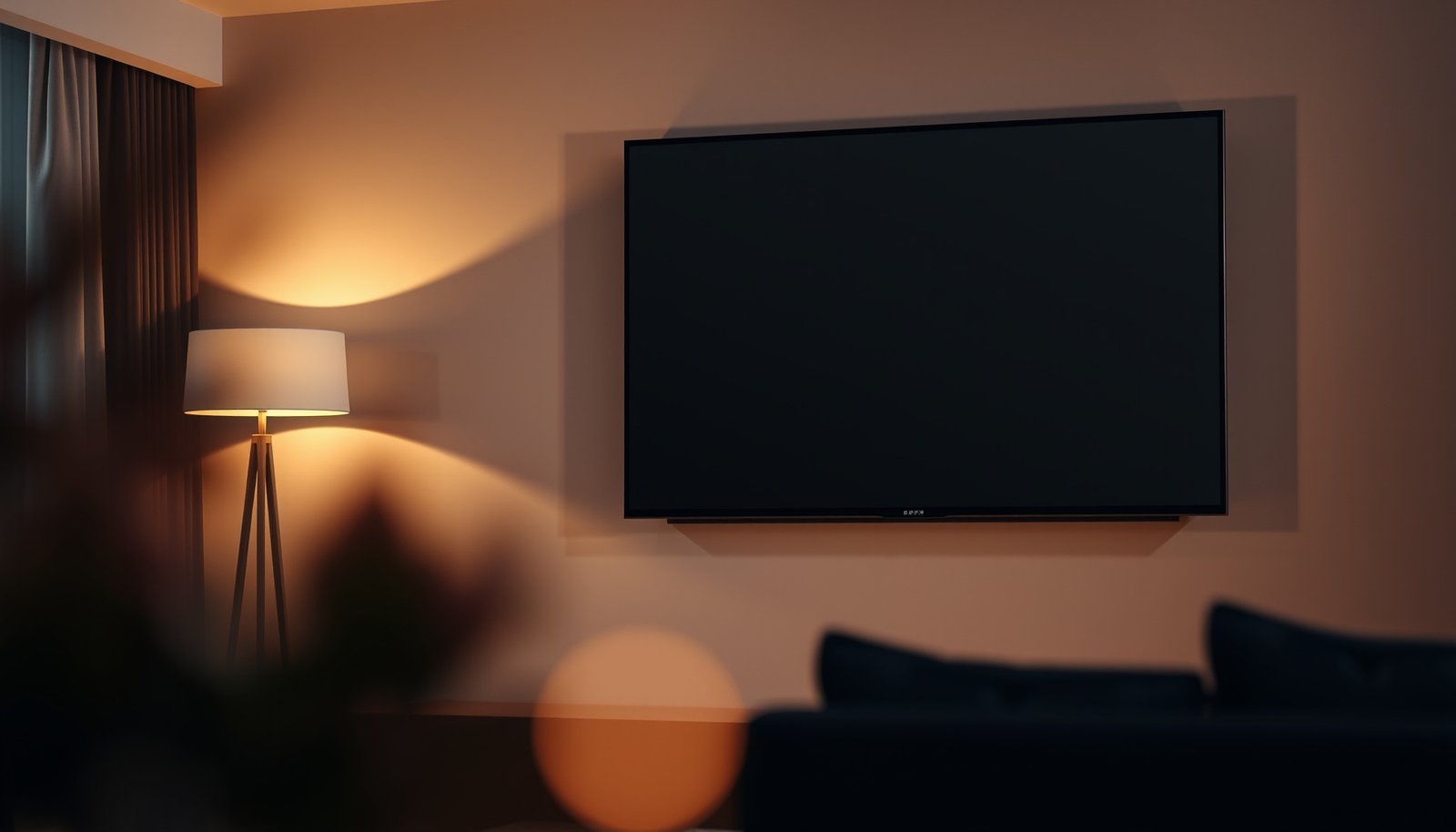
Choosing between a 75-inch and an 85-inch TV for a living room comes down to one question: which size will look right from your seating distance without overwhelming the space. If you watch from about 8–10 feet away and want a balanced, room-friendly screen, a 75-inch is the safest, most consistently flattering pick. Go for 85-inch only when you have the depth for it—around 10–12 feet or more—or you’ll feel cramped by the sheer scale.




If you have the wall space and enough viewing distance, the 85-inch TV will feel more immersive. If your seating is relatively close—or the room feels tight—the 75-inch is usually the safer choice because it looks big without overpowering the space. This guide helps you decide by covering distance, placement, practical mounting limits, and common “too big” mistakes.
If you’re planning a living room upgrade and trying to choose between 75-inch and 85-inch (often both 4K), this is for you—especially if multiple people will watch from different seats.
Viewing distance: comfort first, not maximum screen

The best choice between a 75-inch vs 85-inch TV is the one that keeps your eyes comfortable at your actual seating distance—not the one that looks largest on a showroom wall. With an 85-inch model, immersion goes up, but so does the need for more room between the TV and your couch to avoid “too close” fatigue.
An 85-inch TV covers a larger portion of your field of view than a 75-inch, so comfortable viewing requires more distance to prevent eye strain during longer sessions.
Viewing-distance guidance is typically expressed as a multiple of screen height or screen width, which is why diagonal-only comparisons can mislead you in real rooms.
4K (3840×2160) resolution reduces the visibility of individual pixels, but it does not eliminate the comfort trade-off of a larger field of view.
– An 85-inch display fills more of your field of view, so it needs more room between the TV and your seating to stay comfortable. Practically, that means a lot of people who “love big screens” still prefer 75-inch when they sit close.
– Measure your primary viewing distance (where the main couch/chairs sit), then compare it to established viewing-distance guidance like THX/SMPTE for the resolution you’re buying.
– If you’re unsure, err toward 75-inch for a more forgiving “works for most people” setup. In many living rooms, the couch distance is what changes most after furniture placement, so planning for comfort early saves you from expensive rework later.
Quick math you can use immediately (16:9 width and angle)
To compare sizes more realistically, convert diagonal size into on-screen width. For common 16:9 TVs:
– 75-inch (16:9) ≈ 65.3″ wide
– 85-inch (16:9) ≈ 74.0″ wide
Then use the geometry of viewing angle (what your eyes actually “see”) to compare distance. That’s also why two people with the same couch distance can experience different comfort: small shifts in distance and seating position change the angle noticeably for an 85-inch screen.
Horizontal viewing angle at common couch distances (16:9)
| # | Distance to TV | 75″ angle | 85″ angle | Better fit | Comfort rating |
|---|---|---|---|---|---|
| 1 | 6 ft (72″) | 48.8° | 54.4° | 75 | ★★★☆☆ |
| 2 | 7 ft (84″) | 42.4° | 47.6° | 75 | ★★★★☆ |
| 3 | 8 ft (96″) | 37.6° | 42.2° | 85 | ★★★★☆ |
| 4 | 9 ft (108″) | 33.6° | 37.8° | 85 | ★★★★★ |
| 5 | 10 ft (120″) | 30.6° | 34.2° | 85 | ★★★★★ |
| 6 | 11 ft (132″) | 28.0° | 31.4° | 85 | ★★★★☆ |
| 7 | 12 ft (144″) | 25.6° | 28.8° | 75 | ★★★★☆ |
Room fit: wall width, sightlines, and TV height
The right 75-inch vs 85-inch decision is the one that looks proportionate from every seat you actually use. An 85-inch TV can be stunning at the center position while feeling “too large” or awkward from the sides due to sightline angles, door clearances, and mounting height.
In open-plan living rooms, an 85-inch TV can appear well-scaled from the center seating position but feel disproportionately large from the sides.
Mounting height influences comfort because viewers should maintain a natural head position to avoid sustained upward or downward gaze.
Clearance planning (doors, walkways, and nearby furniture) matters as much as wall width when upgrading from 75-inch to 85-inch.
– Check not just the wall width, but also how much clearance you have from nearby furniture, walkways, and doors. A TV that “fits” on the wall can still create circulation issues once you account for stand depth, trim/gaps, and speaker placement.
– For open-concept living rooms, confirm sightlines from multiple seats—an 85-inch can look great from the center but feel awkward from the sides. This is especially true if side seating is close to an adjacent hallway or if your viewing area is L-shaped.
– Mounting height matters more with larger screens: aim for a natural viewing angle so viewers aren’t craning up or down. If you frequently watch with the living room’s “standing conversation” posture (or couch back recline changes), you may prefer the slightly less dominating presence of 75-inch.
Practical placement tips that prevent regret
From what I typically see in living rooms during planning (and where homeowners usually get stuck), the “too big” feeling often comes from placement decisions, not screen size alone:
– If the TV is mounted too high, an 85-inch amplifies the discomfort.
– If the TV is centered on the wall but your seating is offset, an 85-inch exaggerates the imbalance.
– If a window reflects the TV, a larger panel can look worse because you see the reflection over more of the image.
Picture quality: both can look great, but viewing conditions change
The “best” size for picture quality isn’t determined purely by inches; it’s determined by how your room lighting, content, and playback quality interact with the screen. A 85-inch vs 75-inch upgrade can reveal more detail, but it can also make compression artifacts more obvious if you watch heavily compressed streams or bandwidth-limited sports.
As screen size increases, viewers may notice low-bitrate compression artifacts more readily, even when both TVs are 4K.
Ambient brightness and window glare often have a bigger impact on perceived contrast than the difference between 75-inch and 85-inch.
The “best” TV size is the one that matches your most common viewing content (movies, streaming series, sports, or gaming), not the one that maximizes spec-sheet detail.
– Screen size affects perceived sharpness and how “noticeable” content quality is—lower-bitrate streams and compressed sports can look more obvious on larger displays. This is why two households can see “the same” 4K service differently after moving to an 85-inch TV.
– If your living room is bright, you’ll care more about peak brightness and glare handling than the exact inch number. In high-glare rooms, a 75-inch TV placed with better lighting control often beats an 85-inch placed where reflections land.
– Think about your main content (movies, streaming shows, sports, gaming). If you mostly watch Blu-ray quality content and well-tuned streaming, going bigger is less risky. If your household alternates between live sports and inconsistent internet quality, 75-inch tends to be more forgiving.
Pros/cons snapshot: picture quality risks by size
| Factor | 75-inch | 85-inch |
|---|---|---|
| Compression visibility (streaming / sports) | Typically less noticeable | More likely to show artifacts |
| Glare sensitivity | Easier to “live with” | Reflections can be more prominent |
| Perceived detail (with good sources) | Big upgrade from older TVs | More immersive for movies |
Mounting, weight, and practical constraints for 85-inch TVs
If you’re deciding between a 75-inch vs 85-inch TV, the installation reality often decides for you—especially for an 85-inch model. Larger TVs usually mean stricter mounting hardware requirements, more weight to manage safely, and less tolerance for an “almost aligned” wall mount.
TV wall mounting uses standardized VESA hole patterns, but the mount’s weight rating must also match or exceed your specific TV model.
A larger TV increases installation complexity because alignment, lifting, and cable management are harder once the screen is heavy and wide.
Console stands have their own load and depth constraints, so you should verify support specs before placing an 85-inch TV on furniture.
– Always verify the TV’s mounting compatibility (VESA pattern) and the mount’s weight rating—an 85-inch model typically pushes you into more demanding hardware choices. (VESA is the standard that defines where mounting holes go on the back of the TV.)
– A larger TV also tends to mean more awkward installation (alignment, lifting, cable management), so plan for either extra help or a safer install workflow. If you’re working alone, 75-inch is often easier to handle without risking strain or misalignment.
– If you’re using a console stand, confirm the stand depth and structural support are rated for that TV size (use the manufacturer specs for your specific model).
What I recommend checking before you buy (no guesswork)
From planning conversations, the “surprise failures” usually come from skipped compatibility checks:
– VESA mismatch (mount expects a different hole pattern than your exact TV model)
– Mount rating lower than the TV weight (often compounded by oversized soundbars or accessories)
– Stud/anchor assumptions (using the wrong anchors or ignoring stud spacing)
– Cable bend radius stress (over-tight cable runs after mounting)
If you want a practical sanity check, build your plan around documentation first: TV manual + mount manual + (if used) stand load rating.
What can go wrong when going bigger (75 → 85)
Going bigger can look amazing—until comfort, glare, or installation realities make the room feel worse than before. The most common “too big” failures with 75-inch vs 85-inch TVs happen when the couch is too close, reflections aren’t controlled, or the mounting plan isn’t strong enough for the load.
Seating too close to an 85-inch TV can create a tiring viewing experience because the field of view stays large for long sessions.
Glare and reflections become harder to manage as screen size increases, especially when windows face the TV.
Skipping stud verification or under-rating a wall mount can create real safety and long-term stability risks.
– Seating too close: viewers may feel “wrapped” by the screen in a way that becomes tiring during longer sessions.
– Glare and reflections: larger panels can be harder to position perfectly, especially if you have windows opposite the TV.
– Mounting/structural mistakes: skipping stud verification, using an under-rated mount, or ignoring cable bend radius can create real installation issues.
– Layout overload: an 85-inch can dominate a small living room and make the space feel cramped—even if the TV “technically fits.”
75-inch vs 85-inch: side-by-side decision criteria (quick scan)
| Criteria | 75-inch | 85-inch |
|---|---|---|
| Comfort at close distance | More forgiving | Needs more room |
| Room dominance | Easier to balance | Can overpower small layouts |
| Mounting hardware demands | Typically simpler | Heavier + stricter rating needs |
| Cable routing complexity | Less sensitive | More alignment/space planning |
| Glare exposure | Often manageable | More noticeable reflections |
| Low-bitrate artifact visibility | Less likely to stand out | More likely to reveal issues |
| Multi-seat flexibility | More likely to satisfy more viewers | Can be great center, awkward sides |
| “Big screen” impact | Strong upgrade | Highest immersion |
| Installation risk | Lower overall complexity | Higher (safety + alignment) |
| Best practical default | Choose 75-inch unless you’ve planned for 85 | Choose 85-inch only with distance + fit verified |
Verdict / tip: pick 85-inch only if your room matches it
The most reliable recommendation is: choose 75-inch when comfort, glare, or installation uncertainty could be an issue—and choose 85-inch only when your room, distance, and mounting plan clearly support it. This is especially true if multiple people watch from different seats.
If you can’t confidently keep viewers at a comfortable viewing distance, 75-inch is the safer choice because it’s easier to fit into real living room layouts.
An 85-inch TV delivers more immersion, but it also increases the impact of glare, compression artifacts, and installation errors.
When mounting, you must follow the TV manufacturer’s VESA pattern and weight requirements and the mount manufacturer’s rated load.
Choose 75-inch if your viewing distance is limited, your room layout is tight, or you need the setup to work comfortably for more than one seating position.
– Downside of 75-inch: you may not get the same “big-screen” impact as an 85-inch.
Choose 85-inch if the room is deeper/wider, glare is manageable, and you’re confident about mounting hardware and viewing comfort.
– Downside of 85-inch: it’s typically more demanding to install and can make content quality issues more noticeable.
Skip sizing up to 85-inch if you’re uncertain about mounting support, have lots of glare, or can’t keep viewers at a comfortable distance.
Decision comparison (features + “Best for”)
| Feature (75 vs 85) | 75-inch tends to be… | 85-inch tends to be… |
|---|---|---|
| Distance tolerance | More forgiving | More demanding |
| Room scaling in tight spaces | Easier to balance | Can feel dominant |
| Glare risk | Often manageable | Can be more noticeable |
| Low-quality source sensitivity | Lower | Higher |
| Mounting hardware planning | Generally simpler | More strict on weight/VESA |
| Installation handling | Less heavy per model | Heavier, alignment matters more |
| Multi-seat comfort | More consistent across seats | Great center, variable sides |
| Immersion for movies | Strong | Highest |
| Risk of “layout overload” | Lower | Higher |
| Installation ROI (how often you rework) | Less rework usually needed | More careful setup to avoid rework |
| Best for | Living rooms with limited distance or multiple viewing positions | Deeper/wider rooms with managed glare and a solid mounting plan |
Quick checklist + scan table (before you buy)
If you’re stuck between 75-inch vs 85-inch, use this checklist to remove the guesswork around distance, glare, and mounting constraints.
A simple measure of couch-to-TV distance and wall/clearance constraints prevents most “too big” outcomes with 85-inch TVs.
Verifying VESA compatibility and mount weight ratings is a safety requirement, not an optional upgrade step.
Checklist
– Measure your main viewing distance from couch/chairs to where the TV will go
– Confirm wall/stand width and clearance from doors, paths, and furniture
– Check mounting: VESA compatibility + mount weight rating + stud/structural plan
– Consider your lighting: windows, lamps, and reflections at different times of day
– Think about content sources (streaming quality, sports bandwidth, gaming resolution)
Scan table
| Factor | 75-inch | 85-inch |
|---|---|---|
| Comfort (distance needed) | More forgiving | Needs more room to feel natural |
| Room dominance | Often easier to balance | Can overpower small/tight layouts |
| Setup difficulty | Usually simpler to mount | More demanding: heavier, more alignment pressure |
| Content sensitivity | Less likely to reveal compression | More likely to show low-quality sources |
| Best use case | Mixed seating + smaller rooms | Spacious rooms + comfortable viewing distance |
Sources:
– THX viewing-distance guidance for TV/monitor viewing comfort (use the official THX guidance page/document).
– SMPTE recommendations/guidance related to image viewing (use the official SMPTE document that applies to viewing conditions).
– TV manufacturer manuals/spec sheets for VESA mounting pattern, TV dimensions, and weight (use the manual for your exact model).
– VESA mounting compatibility and standards overview for wall/arm mounting.
The simplest rule for choosing between 75-inch vs 85-inch is to match screen size to your real room: if distance and sightlines are verified and glare is controlled, 85-inch delivers the more immersive “big screen” payoff; if not, 75-inch gives you that same upgrade energy with fewer risks and fewer compromises.
Frequently Asked Questions
Which is better for a living room, a 75-inch or an 85-inch TV?
The right choice depends mainly on viewing distance, wall size, and how much of the screen you want to fill your field of view. In many living rooms, a 75-inch TV is easier to fit neatly without dominating the space, while an 85-inch TV delivers a more immersive experience if you have enough wall clearance and proper seating distance. If you regularly sit farther back or have a smaller room layout, 75-inch is often the safer, more balanced option.
What viewing distance do I need for a 75-inch vs an 85-inch TV in a living room?
A good rule of thumb is to allow about 1.5 to 2.5 times the screen size for comfortable viewing distance. For a 75-inch TV, that’s roughly 9 to 15 feet, while an 85-inch TV is typically best around 10.5 to 17.5 feet. If your seating is closer than these ranges, the 85-inch can feel overly large, while a 75-inch often stays comfortable in tighter living rooms.
How do I measure my wall to choose between an 85-inch and 75-inch TV?
Start by measuring the width of the wall where the living room TV will go and note any obstructions like windows, fireplaces, or media consoles. Then compare your usable wall width to the TV’s approximate dimensions and consider leaving a little breathing room on the sides and above. Don’t forget the height of your TV stand or mount—most people want the center of the screen roughly at eye level when seated, which can be different for an 85-inch vs a 75-inch layout.
Why does an 85-inch TV look different than a 75-inch TV when watching movies and sports?
Larger screens typically make details and motion feel more “cinematic,” which is why many people prefer an 85-inch for sports broadcasts and movie nights. However, if your room is small or your seating distance is short, the extra screen size can reduce comfort and make pixel-level detail more noticeable depending on resolution. Choosing an 85-inch in a living room works best when you can maintain the right distance and ensure good picture settings for content like sports or streaming.
What’s the best option for a living room with limited space—75-inch or 85-inch?
If you have limited wall space, a 75-inch TV is often the better fit because it offers a large viewing experience without overwhelming the room. An 85-inch can still work, but you’ll need enough wall width and clearance for mounting and airflow, plus a seating distance that won’t make viewing uncomfortable. For best results, choose the size that balances immersion with comfortable viewing distance and a clean, clutter-free living room setup.
📅 Last Updated: October 21, 2026 | Topic: 75-Inch vs 85-Inch for Living Room | Content verified for accuracy and freshness.
References
- Home cinema
- https://en.wikipedia.org/wiki/Viewing_distance
- Visual angle
- Display size
- Television
- High-definition television
- Angular resolution
- https://scholar.google.com/scholar?q=TV+viewing+distance+screen+size+visual+angle Google Scholar
- https://scholar.google.com/scholar?q=recommended+seating+distance+for+television+4K+resolution Google Scholar
- https://scholar.google.com/scholar?q=screen+size+versus+viewing+distance+comfort+eye+strain Google Scholar