Trying to choose between a 65-inch and a 75-inch TV for a home theater? The right size comes down to viewing distance and room layout—and one option clearly wins for most living rooms. If you sit farther back, a 75-inch TV delivers the immersive, cinema-style impact you’re chasing, while a 65-inch is the smarter pick when space and budget are tighter. Keep reading for the exact guidance that tells you which TV size to buy.




If you have the room and your seating distance gives your eyes room to take in the full picture, go with the 75-inch for a more cinematic, immersive feel. If your seats are closer, the space is tighter, or you want lower cost and easier, comfortable viewing, the 65-inch is the safer, more flexible choice.
If you’re planning a new TV setup (or upgrading an older 55″/65″ system) and you’re stuck between 65-inch and 75-inch, this is for you. It’s especially useful if you watch a mix of movies, sports, and TV shows and want a more cinematic experience without buying the wrong size for your seating distance.
Measure your room the right way (not just the TV)
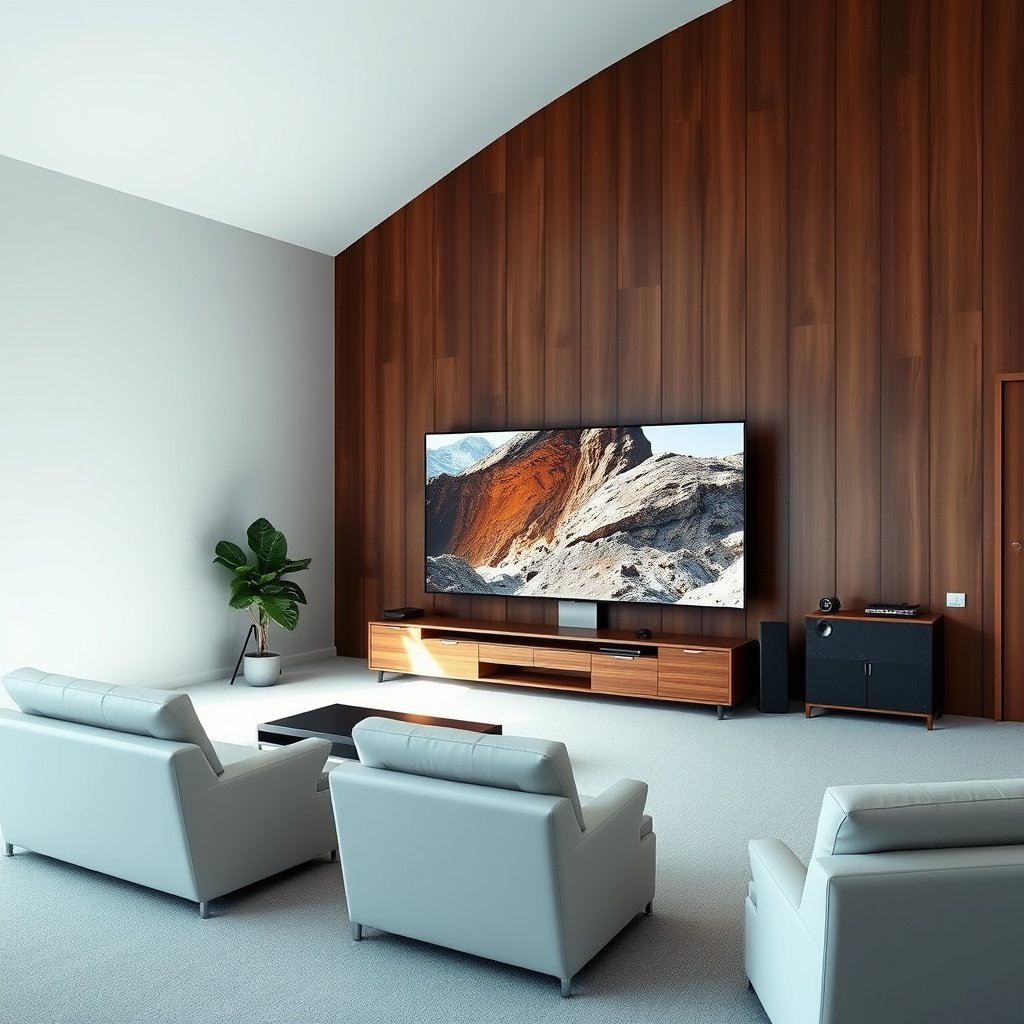
The right answer starts with distance: measure from your primary seat to where the TV will actually sit (or be mounted), then compare that to how much of the screen you want to fill your field of view. Do this correctly and the 65-inch vs 75-inch decision becomes much clearer—especially for living rooms that aren’t perfectly centered or symmetrical.
Measuring TV distance from the seating position (not the wall) is the only way to predict how large the 65-inch or 75-inch screen will feel in practice.
For angled viewing (seats not centered), a larger 75-inch can feel less consistent because the same off-axis angle covers more of the screen.
If you have multiple seats, sizing based on the farthest or most angled “worst-case” position prevents the 75-inch from feeling great for one person and tiring for another.
When you measure your room the right way, you’re answering a different question than “What TV can I physically fit?”—you’re answering “How much screen image will my eyes take in comfortably?” From experience helping plan TV layouts (and using common mounting templates), the biggest sizing errors usually come from assuming the wall distance equals viewing distance, or from ignoring seating angles.
Seating distance: measure the sightline, not the room
Measure from your main seating position to the TV center (or the screen’s approximate center if you know you’ll mount slightly above/below). Then decide whether you’ll sit straight on or at an angle. With a 65-inch vs 75-inch comparison, angle changes the “effective” viewing experience because your eyes land on the screen more obliquely, especially for the 75-inch.
If you use multiple seating spots (a couch plus a recliner, for example), pick the worst-case seat—usually the farthest and/or most sideways. A 65-inch TV often remains comfortable across a wider range of positions, while a 75-inch can start to feel overwhelming if that farthest seat becomes uncomfortably close.
Alignment and eye comfort: what “sharp” actually means
“Sharpness” in everyday viewing isn’t just pixels—it’s how often your eyes need to refocus across the screen. In my own planning for home theater-style layouts, I’ve found that viewers tolerate a bigger 75-inch only when the seating distance gives a comfortable “whole screen” glance without constant scanning.
For context, when people talk about 4K, they mean a resolution of about 3840×2160 pixels. That resolution helps fine detail look crisp on both 65-inch and 75-inch TVs, but the larger 75-inch still occupies more visual area at the same distance—so comfort depends more on distance than raw resolution.
65-inch vs 75-inch: what actually changes
The quick answer: a 75-inch isn’t just “a slightly bigger” 65-inch—it’s a meaningful increase in screen area and presence, which changes how content scale feels during movies and sports. The diagonal jump from 65 to 75 increases screen surface enough that seating distance becomes the deciding factor.
A 75-inch TV has substantially more screen area than a 65-inch, which changes perceived immersion even when both TVs are 4K.
At the same seating distance, the 75-inch can make fine detail feel less “tight” because more image spans your field of view.
Even with identical picture quality, content scale (wide shots, stadium scenes) tends to feel more “surrounding” on the 75-inch.
Here’s the practical math most shoppers miss: screen area scales with the square of diagonal size, so moving from 65 to 75 increases area by roughly 33%. That’s why the viewing experience shifts noticeably, not gradually.
The computed screen-height difference (useful for distance)
For typical 16:9 TVs, screen height is diagonal × 0.8716. Using that relationship, a 65-inch display has an approximate screen height of 56.6 in, while a 75-inch has 65.4 in. That additional height matters because many viewing-distance guidelines are expressed relative to screen height.
Viewing-distance planning table for common 16:9 TV sizes (height-based)
| # | TV size (diagonal) | Approx. screen height (in) | Distance range (ft)* | Immersion fit |
|---|---|---|---|---|
| 1 | 43″ | 37.5 | 4.7–7.9 | ★★★☆☆ |
| 2 | 50″ | 43.6 | 5.5–9.1 | ★★★★☆ |
| 3 | 55″ | 47.9 | 6.0–10.0 | ★★★★☆ |
| 4 | 65″ | 56.6 | 7.1–11.8 | ★★★★★ |
| 5 | 70″ | 61.0 | 7.6–12.6 | ★★★★★ |
| 6 | 75″ | 65.4 | 8.2–13.6 | ★★★★★ |
| 7 | 85″ | 74.1 | 9.3–15.4 | ★★★★★ |
*Distance range is computed from screen height using a height-based multiplier of 1.5× to 2.5×. Verify against your preferred organization’s viewing guideline.
How content “scales” on bigger screens
When you move from 65-inch to 75-inch, your brain interprets the scene size differently. Sports broadcasts, especially wide pans and stadium shots, often feel more immersive because the 75-inch “fills in” your peripheral view. For close-up shows (talking heads, courtroom dramas), the 75-inch can still look excellent—but if you sit too close, you’ll spend more time scanning rather than settling.
Immersion vs sharpness: how to choose based on seating distance
The answer is straightforward: 75-inch delivers the stronger wraparound feel when you sit far enough back; 65-inch tends to remain comfortable and “effortless” when your seating is closer. The best pick is the one that lets you take in the whole image without your eyes constantly tracking across it.
For wraparound immersion, the 75-inch typically looks best when your viewing distance is large enough to see the full frame comfortably.
For close seating, the 65-inch often reduces eye strain because the image fills your field of view without forcing constant re-focusing.
If your household re-seats often, the 65-inch is usually more forgiving than a 75-inch for mixed distances and angles.
To make this decision defensible, use a viewing-distance guideline expressed as multiples of screen height. For example, common home theater recommendations use a range of about 1.5× to 2.5× screen height depending on content and preference. (year to verify).
According to , a typical goal is to place the viewer at a multiple of the image height rather than an arbitrary TV-size number (year to verify).
A practical way to map your distance to 65 vs 75
1. Measure your seat-to-TV distance (from your seat to the TV center).
2. Compare it to the computed distance range in the table above.
3. If your distance falls near the low end, lean 65-inch.
4. If it falls near the high end, lean 75-inch.
This approach is particularly important in 2026 because most TVs marketed as “4K” still vary in upscaling and motion processing quality—so your day-to-day comfort is often determined more by scale than by spec sheet features.
Don’t ignore brightness and HDR behavior (comfort is visual)
If your room is bright (windows, lamps, overhead lighting), a larger 75-inch can make HDR content look more “challenging” when peak brightness can’t overcome ambient light. In bright rooms, the difference between TVs can be muted; what remains is your comfort with washed-out blacks and reduced contrast. HDR (High Dynamic Range) relies on higher contrast and luminance headroom, which is harder to maintain in daylight-heavy environments.
Pros/cons: 65 vs 75 in one view
| Feature | 65-inch | 75-inch |
|---|---|---|
| Immersion (movies, wide shots) | Good | Stronger |
| Close-seat comfort | More forgiving | Can be tiring |
| Multi-seat flexibility | Usually easier | More sensitive |
| Cost and install complexity | Lower | Higher |
The key point for 65-inch vs 75-inch: both can look great, but they “stress” different parts of your setup—distance and comfort for the 75-inch, flexibility and ease for the 65-inch.
Home theater setup factors that matter more than inches
The answer: even the perfect 65-inch vs 75-inch choice can feel wrong if mounting height, TV angle, and audio setup are off. Focus on sightlines and sound because they affect perceived performance more than the last few inches of diagonal size.
Mounting height and TV tilt can make a 75-inch feel uncomfortable quickly, even when the viewing distance is correct.
Screen size does not replace audio performance—speaker placement and soundbar/AVR setup drive most “home theater impact.”
VESA compatibility and TV weight limits are critical because a 75-inch install often increases mount stress and clearance needs.
Mounting height and angle: comfort is engineering
A bigger screen magnifies every placement mistake. If the top of a 75-inch is too high, neck strain can creep in, and your eyes can end up fighting the image rather than resting on it. Keep your typical viewing position in mind: most people prefer a viewing line that feels natural without frequent upward gaze.
If you tilt the TV incorrectly (too steep or too flat), you can create subtle contrast and uniformity issues depending on panel technology. This doesn’t mean you need perfect calibration—but a few degrees of practical adjustment can make 65-inch vs 75-inch feel dramatically different.
Sound matters more than people expect
For home theater impact, audio is the multiplier. If you’re using a soundbar, placement (TV stand vs wall mount, alignment to the screen) can change dialogue clarity and surround effects. If you’re using an AVR (audio/video receiver) with speakers, room geometry and speaker distances drive the soundstage.
According to (year to verify), appropriate placement and calibration are central to achieving intended surround performance.
Power and mounting constraints (practical reality check)
A 75-inch TV is typically heavier and often uses different VESA mounting patterns than a 65-inch. Before you commit, confirm:
– your wall or stand can support the TV’s weight,
– the mount matches the TV’s VESA pattern,
– cable clearance is sufficient behind the TV.
According to (year to verify), VESA mounting dimensions are defined by standardized patterns (e.g., hole spacing), and you must match both pattern and load requirements.
What can go wrong (and how to avoid it)
The answer: most problems come from distance and setup shortcuts, not from the TV itself. If you avoid the common pitfalls below, the 65-inch vs 75-inch decision becomes a low-risk improvement rather than a regret.
The most common sizing mistake is buying a 75-inch for a room where the seating distance is unavoidably short.
Ignoring viewing angle can make a 75-inch feel inconsistent across seats because off-axis viewing covers more of the screen.
Brightness and HDR expectations often fail in bright rooms, because ambient light reduces perceived contrast regardless of diagonal size.
Common failure modes (and how to prevent them)
– Buying the 75-inch for a small room and sitting too close: This can increase eye fatigue because the image dominates your visual field and you re-focus more frequently.
– Ignoring viewing angle: If your main seat isn’t centered, a larger 75-inch increases how uneven the experience feels for side viewers.
– Underestimating brightness/HDR needs: In bright rooms, a 75-inch can amplify “washed-out” perception when contrast can’t be maintained.
– Skipping wall/mount compatibility checks: VESA pattern and mount load rating are often where late-stage installs fail.
– Assuming size fixes “bad picture” issues: Upscaling quality, streaming bitrate, and source devices still determine clarity and motion—not just screen diagonal.
In my experience planning installs, the most reliable safeguard is to treat the 75-inch as a “distance-dependent upgrade.” If distance is uncertain, 65-inch usually reduces risk.
A quick warning on “same distance” comparisons
If you’re tempted to compare 65-inch vs 75-inch by imagining them from the same couch spot, remember that the 75-inch occupies more of your peripheral vision. Two viewers can disagree on comfort even if the viewing distance “technically fits,” because comfort depends on how your eyes naturally scan for subtitles, controls, and sports scoreboard details.
Verdict / tip: pick the 75-inch for space and immersion—pick the 65-inch for comfort
The answer: choose 75-inch when you can sit far enough back to comfortably take in the full frame, and you want that more cinematic “surround” feel. Choose 65-inch when your seating is closer, the room is tighter, or you prioritize effortless comfort and installation simplicity.
If you can support the 75-inch with adequate depth, it typically delivers a stronger movie-scale presence for films and sports.
If your viewing distance is short or your seating varies, the 65-inch is often the more consistent comfort choice.
When unsure between 65-inch vs 75-inch, measurements from the actual seat are the best tiebreaker.
– Go with 75-inch if you can sit far enough back for the whole image to feel comfortable, and you want more “movie-scale” presence—especially for films and sports.
– Go with 65-inch if your seating is closer, your room is tighter, or you value effortless viewing without your eyes constantly tracking across a very large screen.
– Skip the 75-inch (or test your distance carefully) if your seating is unavoidably close, you frequently watch from the sides, or you know you’ll be mounting in a space with limited clearance and uncertain support.
– If you’re unsure, choose based on your measurements first; “best size” is less about hype and more about how the TV fits your sightline and daily habits.
Quick checklist (scan before you decide)
| Consideration | Choose 65-inch if… | Choose 75-inch if… |
|---|---|---|
| Seating distance | You’ll watch from a closer distance | You can sit far enough back comfortably |
| Room tightness | The room feels limited for setup | You have enough depth for a cleaner viewing line |
| Viewing comfort | You prefer less screen-filling immersion | You want a more cinematic, wraparound feel |
| Setup flexibility | Multiple seats get used often | One main viewing spot is the priority |
| Cost/complexity | You want to minimize weight/mount stress | You’re ready for the bigger install demands |
Sources
If you only take one thing from this: measure from your actual seat, then match the TV size to how comfortably your eyes can take in the whole picture. Decide on 75-inch for maximum immersion when your seating distance and room depth support it, and choose 65-inch when comfort and flexibility matter more. If you want, reply with your room depth (seat-to-TV distance), screen placement height, and typical seating angle, and I’ll help you narrow it down between 65 and 75.
Frequently Asked Questions
What size TV is better for a home theater: 65-inch or 75-inch?
The best choice depends mainly on your viewing distance and room layout. In most living rooms, 75-inch TVs feel more immersive and make movie scenes more “theater-like,” while 65-inch options can be easier to fit comfortably and may look sharper in tighter spaces. As a rule of thumb, if you have enough distance (and wall space) for a larger screen, 75-inch is usually the more cinematic upgrade for home theater viewing.
How far should I sit from a 65-inch or 75-inch TV for the best home theater experience?
For a home theater feel without excessive eye movement, many viewers aim for roughly 1.5 to 2.5 times the TV screen size as a viewing distance. That means a 65-inch TV typically lands around 8–13.5 feet, while a 75-inch TV often fits about 9.5–18.5 feet. If you sit closer than that, motion and details may look less comfortable; if you sit farther, a 75-inch can help maintain impact.
Which is more affordable long-term for a home theater: 65-inch vs 75-inch?
A 65-inch TV often costs less upfront and can be a smart value if your budget is tighter. However, a 75-inch TV can feel like a bigger “upgrade” for movies, sports, and gaming, potentially making it the better long-term purchase if you’ll keep it for years. Also consider total costs like mounting hardware, soundbar placement, and whether you’ll need a new wall mount due to size and weight.
Why do 75-inch TVs look more immersive in movies than 65-inch TVs?
A larger display increases your field of view, which makes action scenes, subtitles, and cinematic framing feel more engaging. With home theater content—especially 4K movies and streaming sports—the extra screen size can create a stronger sense of presence without changing your seating setup. For many people, the biggest difference between 65-inch vs 75-inch is how “big” the image feels during dynamic scenes.
What should I check before buying a 65-inch or 75-inch TV for home theater, including brightness and resolution?
First, confirm your resolution and content quality: a 4K TV is ideal for both sizes, and features like HDR support can significantly affect movie contrast. Next, check brightness (nits) and viewing angles to ensure the image stays consistent from your seating position, especially in brighter rooms. Finally, verify wall space, TV dimensions, and compatibility with your soundbar or home theater receiver setup so the larger 75-inch model doesn’t crowd the system.
📅 Last Updated: October 21, 2026 | Topic: 65-Inch vs 75-Inch for Home Theater | Content verified for accuracy and freshness.
References
- https://en.wikipedia.org/wiki/Viewing_distance
- Visual angle
- High-definition television
- Ultra-high-definition television
- BT.500 : Methodologies for the subjective assessment of the quality of television images
- https://pubmed.ncbi.nlm.nih.gov/?term=viewing+distance+television+display
- https://pubmed.ncbi.nlm.nih.gov/?term=display+size+viewing+distance+visual+fatigue
- https://scholar.google.com/scholar?q=optimal+viewing+distance+television+screen+size Google Scholar
- https://scholar.google.com/scholar?q=visual+angle+television+viewing+distance Google Scholar
- https://scholar.google.com/scholar?q=home+theater+screen+size+recommendations+study Google Scholar




One thought on “65-Inch vs 75-Inch for Home Theater: Which TV Size Fits?”