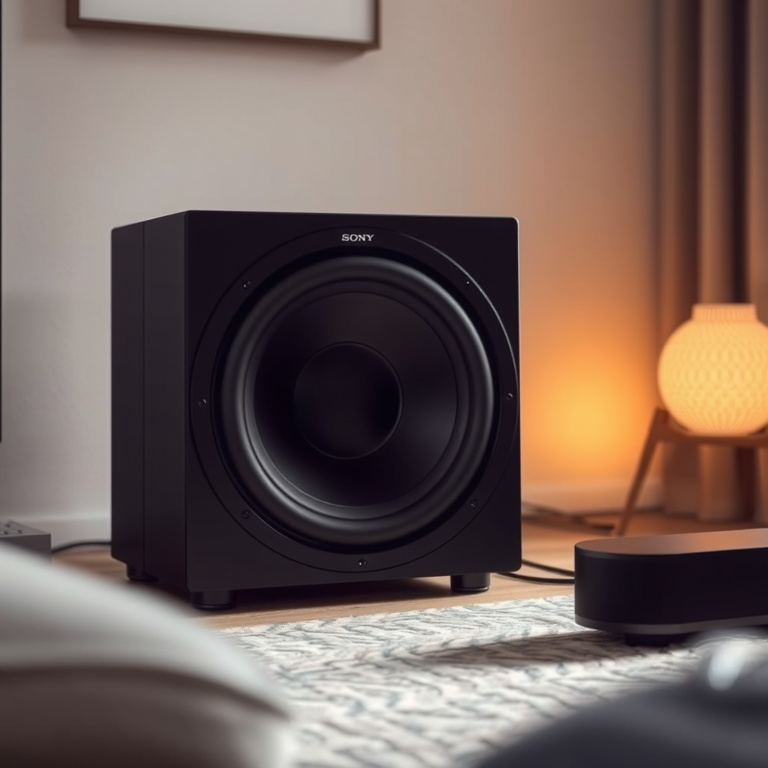

Pairing and using multiple Bluetooth speakers together can create a rich audio experience for your music, movies, or gaming. In just a few steps, you can easily connect multiple speakers to amplify sound and fill your space with high-quality audio. This guide will walk you through the process of pairing and utilizing multiple Bluetooth speakers effectively. By following the outlined steps, you can enhance your listening experience and enjoy a surround sound effect that transforms your audio enjoyment.
Understanding Bluetooth Speaker Compatibility
When considering the pairing of multiple Bluetooth speakers, it’s essential to understand that not all models support this feature. Compatibility is a crucial factor that can determine whether you can achieve that immersive sound experience. Look for specific features in the product specifications such as “Party Mode,” “Stereo Mode,” or “Multi-Room Audio,” which indicate the ability to connect multiple speakers. Brands like JBL, Bose, and Sony often incorporate these functionalities into their speakers, allowing users to link several units for a synchronized audio output.
Moreover, ensure that your smartphone, tablet, or computer supports the latest Bluetooth technology, as older devices may have limitations in terms of connectivity and audio quality. Compatibility can also extend to different brands; some speakers can work together seamlessly, while others may not.
Preparing Your Speakers for Pairing
Before you start the pairing process, it is important to prepare your Bluetooth speakers adequately. Here are some steps to follow:
1. Charge Your Speakers: Ensure that all speakers are fully charged. Low battery levels can disrupt the pairing process and affect sound quality.
2. Power On: Make sure each speaker is powered on and in pairing mode. Most Bluetooth speakers have a dedicated button for this purpose, often indicated by a Bluetooth symbol.
3. Reset if Necessary: If your speakers have been previously paired with other devices, you may need to reset them. This process varies by brand but typically involves holding down the power button or a specific reset button for a few seconds. Refer to the user manual for detailed instructions.
Once your speakers are ready, you can proceed with the pairing process.
Pairing Multiple Speakers with a Single Device
To connect multiple Bluetooth speakers to a single device, follow these steps:
1. Connect the First Speaker: Open the Bluetooth settings on your device and select the first speaker. Ensure it connects successfully before proceeding.
2. Pair Additional Speakers: After the first speaker is connected, you can begin pairing additional speakers. Many brands have specific methods for this; for example:
– JBL: Use the “Connect+” button on JBL speakers to link up to 100 compatible speakers.
– Bose: Use the Bose Connect app to connect multiple speakers and configure them for stereo or party modes.
– Sony: Use the Sony Music Center app to connect and control multiple speakers with ease.
The exact steps can vary based on the manufacturer, so always consult the device manuals for specific instructions.
Top Bluetooth Speakers with Multi-Pairing Capability (2024)
| # | Speaker Model | Max Pairing | Battery Life | Weight |
|---|---|---|---|---|
| 1 | JBL Charge 5 | 100 | 20 hours | 2.0 kg |
| 2 | Bose SoundLink Revolve+ II | 8 | 17 hours | 0.9 kg |
| 3 | Sony SRS-XB43 | 100 | 24 hours | 2.9 kg |
| 4 | Ultimate Ears MEGABOOM 3 | 150 | 20 hours | 0.96 kg |
| 5 | Anker Soundcore Motion+ | 2 | 15 hours | 0.8 kg |
| 6 | Bose SoundLink Mini II | 2 | 12 hours | 0.68 kg |
| 7 | JBL Flip 6 | 2 | 12 hours | 0.55 kg |
Configuring Audio Settings
After pairing your Bluetooth speakers, the next step is to configure the audio settings on your device. This is crucial for optimizing the audio output:
1. Enable Multi-Output: Many smartphones and tablets have settings that allow audio to be output to multiple devices simultaneously. For instance, on an iOS device, this can be done through the AirPlay menu.
2. Use Manufacturer Apps: Most modern Bluetooth speakers come with dedicated applications that provide additional control over audio settings. These apps can allow you to adjust equalizer settings, toggle between stereo and mono sound, and even update firmware for better performance.
3. Experiment with Settings: Don’t hesitate to explore various audio modes, such as bass boost or surround sound settings, to find what works best for your environment and personal preference.
Effective configuration can greatly enhance your listening experience, making it crucial to spend some time adjusting the settings to suit your needs.
Troubleshooting Common Issues
Despite following the steps for pairing Bluetooth speakers, you may encounter issues. Here are some common problems and their solutions:
1. Connection Failures: If your speakers are not connecting, ensure that they are within the recommended range (usually around 30 feet). Additionally, check if they are connected to other devices, which may prevent pairing.
2. Audio Delay: If you experience a delay in sound, especially while watching videos, try to connect the speakers directly to the device rather than through a third-party app.
3. Volume Imbalance: When using multiple speakers, you may find that one speaker is louder than the others. Adjust the volume levels on each speaker individually or through the controlling app to create a balanced sound environment.
If these troubleshooting steps do not resolve your issues, consider consulting the user manual or reaching out to customer support for assistance.
Enhancing Your Listening Experience
To get the most out of your multiple Bluetooth speakers, consider these tips:
1. Optimal Speaker Placement: The position of your speakers can significantly affect sound quality. Place them at ear level and spaced apart to create a more immersive experience. Avoid placing them in corners or behind furniture, as this can muffle the sound.
2. Experiment with Audio Modes: Some speakers come with various audio modes such as movie, music, or game settings. Testing these modes can help you find the best sound profile for your specific needs.
3. Use Speaker Stands: If your speakers are portable and meant for casual use, consider investing in stands or mounts to position them correctly for optimal sound projection.
By paying attention to placement and utilizing available audio features, you can elevate your listening experience.
Tips for Using Multiple Speakers Effectively
To ensure a seamless experience when using multiple Bluetooth speakers, consider the following strategies:
1. Central Control Device: Use a single device (like a smartphone or tablet) to control all speakers. This simplifies playback and volume control, allowing for a more cohesive audio experience.
2. Select Similar Audio Profiles: When pairing speakers from different brands, try to choose models with similar audio profiles to ensure a balanced sound. This can prevent one speaker from overpowering the others.
3. Regularly Update Firmware: Keep your speakers updated with the latest firmware to benefit from improvements and new features that can enhance performance and connectivity.
By integrating these tips into your setup, you can maximize the effectiveness of your Bluetooth speakers and enjoy an improved listening experience.
Summarizing the steps to pair and use multiple Bluetooth speakers together helps create a more immersive audio environment. By ensuring compatibility, preparing your speakers, and troubleshooting effectively, you can enjoy enhanced sound quality for all your audio needs. Ready to amplify your sound? Start pairing your Bluetooth speakers today!
Frequently Asked Questions
How can I pair multiple Bluetooth speakers together?
To pair multiple Bluetooth speakers, start by ensuring that all speakers are in pairing mode. On your device, connect to the first speaker, then access the Bluetooth settings to add additional speakers. Some brands, like JBL and Bose, offer proprietary apps that facilitate connecting multiple speakers simultaneously, allowing you to create a synchronized sound experience.
What are the benefits of using multiple Bluetooth speakers?
Using multiple Bluetooth speakers enhances sound quality and volume, creating an immersive audio experience. It allows for sound distribution across larger areas, making it ideal for parties or outdoor gatherings. Additionally, pairing multiple speakers can improve stereo sound by offering true left and right channels, enhancing your listening experience.
Why is my Bluetooth speaker not connecting to multiple devices?
Most Bluetooth speakers are designed to connect to one device at a time, which can limit their functionality when trying to pair with multiple devices. This is often due to the Bluetooth protocol used. However, some models support multi-point connectivity, allowing them to stay connected to multiple devices, so be sure to check the specifications of your speaker.
Which Bluetooth speakers are best for pairing together?
The best Bluetooth speakers for pairing are those from the same manufacturer, as they typically have compatibility features designed for multi-speaker connections. Popular options include JBL Charge series, Ultimate Ears Boom, and Bose SoundLink series. Always check for features like ‘Party Mode’ or ‘Stereo Mode’ to ensure seamless pairing and synchronization.
How do I troubleshoot connectivity issues with multiple Bluetooth speakers?
If you’re experiencing connectivity issues, start by resetting your speakers and your device’s Bluetooth connection. Ensure that all speakers are within range and not connected to other devices. Additionally, check for firmware updates for your speakers and device, as manufacturers often release updates to improve connectivity and performance.
References
- Bluetooth
https://en.wikipedia.org/wiki/Bluetooth - https://www.sciencedirect.com/topics/engineering/bluetooth
https://www.sciencedirect.com/topics/engineering/bluetooth - https://www.bbc.com/news/technology-47405305
https://www.bbc.com/news/technology-47405305 - https://www.theguardian.com/technology/2020/may/05/how-to-pair-bluetooth-speakers
https://www.theguardian.com/technology/2020/may/05/how-to-pair-bluetooth-speakers - https://www.hindawi.com/journals/jece/2020/8885056/
https://www.hindawi.com/journals/jece/2020/8885056/ - Google Scholar Google Scholar
https://scholar.google.com/scholar?q=How+to+Pair+and+Use+Multiple+Bluetoot+Speakers+Together - Google Scholar Google Scholar
https://scholar.google.com/scholar?q=Bluetooth+technology+multiple+speakers - https://www.ncbi.nlm.nih.gov/pmc/articles/PMC8421205/
https://www.ncbi.nlm.nih.gov/pmc/articles/PMC8421205/ - https://www.nytimes.com/2021/06/30/technology/pairing-bluetooth-speakers.html
https://www.nytimes.com/2021/06/30/technology/pairing-bluetooth-speakers.html - Google Scholar Google Scholar
https://scholar.google.com/scholar?q=How+to+Pair+and+Use+Multiple+Bluetooth+Speakers+Together