If your Audio-Technica system is not producing bass, it may be due to several common issues that can easily be addressed. This article will guide you through troubleshooting steps, potential settings adjustments, and maintenance tips to get your system back to delivering rich, deep sound. From speaker placement to evaluating audio source quality, we’ll explore each factor that can impact your audio experience.



Check Your Speaker Placement

To enhance bass response, experiment with your speaker arrangement. Placing your speakers at ear level and angled towards the listening position can improve sound clarity and depth. Additionally, consider using speaker stands to elevate them from the floor, which can help create a more balanced soundstage.
Adjust EQ Settings

The equalizer (EQ) settings on your audio device play a significant role in how bass is perceived in your sound output. If the EQ is set to a flat or mid-range setting, it is likely that the bass frequencies are being underrepresented. To enhance your listening experience, examine your EQ settings and consider boosting the lower frequencies.
Most audio devices allow you to customize EQ settings. You can adjust the bass levels to your preference, which can make a noticeable impact on your overall sound. For example, increasing the 60 Hz and 120 Hz bands can enhance the warmth and fullness of the bass in your music, making the audio experience more enjoyable.
Inspect Cables and Connections
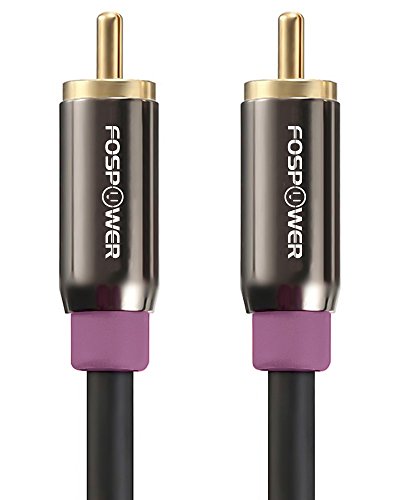
Often overlooked, the quality of cables and connections can significantly affect sound quality, including bass reproduction. Begin by inspecting all cables connected to your Audio-Technica system. Look for any signs of damage, fraying, or loose connections that might interfere with audio signals.
Ensure that all cables are securely connected to the appropriate ports on both the audio source and the speakers. Using high-quality cables can also help prevent signal loss and improve overall sound fidelity. If you’re using adapters or splitters, verify that they are functioning correctly and are compatible with your equipment.
Evaluate Audio Source Quality
The quality of your audio source can greatly influence the bass output of your system. Low-resolution audio files or streaming services with compressed audio formats may not deliver the full depth of sound that your Audio-Technica system is capable of producing.
To assess the quality of your audio, try playing high-resolution audio files or utilize lossless streaming services. Formats like FLAC or WAV will provide a richer listening experience, allowing your system to reproduce deeper bass more effectively. If you’re streaming music, consider upgrading to a service that offers high-quality audio options to fully utilize your system’s capabilities.
Update Firmware and Drivers
Keeping your audio device’s firmware and drivers up to date is essential for optimal performance. Manufacturers frequently release updates that can enhance functionality, improve sound quality, and resolve existing issues.
To check for updates, visit the Audio-Technica website or the support page for your specific model. Follow the instructions provided to download and install any available updates. Regular maintenance in this area can help ensure that your system continues to perform at its best.
Consider Room Acoustics
The acoustics of your room can significantly impact sound quality, including bass response. Hard surfaces such as bare walls, floors, and ceilings can reflect sound waves, which may cause bass frequencies to be diminished or overly resonant.
To improve room acoustics, consider incorporating soft furnishings like rugs, curtains, or upholstered furniture. These elements can absorb sound waves and reduce reflections, resulting in a clearer and more balanced audio experience. Additionally, using acoustic panels strategically placed in your listening area can help manage sound reflections and enhance overall sound quality.
Common Issues Affecting Bass in Audio-Technica Systems
| # | Issue | Impact on Bass | Solution |
|---|---|---|---|
| 1 | Poor Speaker Placement | Reduces bass response | Reposition speakers away from walls |
| 2 | Incorrect EQ Settings | Flat bass output | Adjust EQ to boost lower frequencies |
| 3 | Damaged Cables | Loss of sound quality | Inspect and replace damaged cables |
| 4 | Low-Quality Audio Files | Inadequate bass | Use high-resolution audio files |
| 5 | Outdated Firmware | Performance issues | Update firmware regularly |
| 6 | Poor Room Acoustics | Weak bass impact | Add soft furnishings or acoustic panels |
| 7 | Improper Equipment Testing | Inconclusive results | Test with multiple sources |
Test with Different Equipment
If you have tried all the previous steps and still find that your Audio-Technica system is not producing bass, it may be time to test with different equipment. This can help you determine whether the issue lies within your audio system or the audio source itself.
Begin by swapping out your current audio device with another compatible audio source, such as a different amplifier or audio interface. Additionally, try using different speakers or headphones to see if the bass response improves. This troubleshooting step can isolate the problem and provide insights into whether your system requires repair or if adjustments can be made to your audio setup.
Impact of Different Equipment on Bass Performance
Getting your Audio-Technica system to produce the bass you desire may require a combination of adjustments and troubleshooting. By checking speaker placement, adjusting settings, inspecting connections, and even considering room acoustics, you can significantly improve your audio experience. If issues persist, don’t hesitate to reach out to customer support for further assistance. Your satisfaction and enjoyment of sound are paramount, and the right steps can make all the difference in achieving the rich, deep bass that enhances your listening experience.
Frequently Asked Questions
Why is my Audio-Technica system not producing bass?
If your Audio-Technica system is not producing bass, it could be due to incorrect speaker placement or settings. Ensure that your speakers are positioned correctly to optimize sound quality and that any bass settings on your amplifier or receiver are set appropriately. Additionally, check the audio source and ensure it has adequate bass content.
How can I enhance the bass on my Audio-Technica headphones?
To enhance the bass on your Audio-Technica headphones, try adjusting the equalizer settings on your device. Boost the lower frequencies while ensuring that you don’t compromise the overall sound quality. Using a dedicated headphone amplifier or a DAC with bass enhancement features can also significantly improve bass response.
What settings should I check if my Audio-Technica speakers lack bass?
If your Audio-Technica speakers lack bass, first check the bass level settings on your audio receiver or amplifier. Additionally, verify that the crossover frequency is set correctly, as a too-high crossover can limit bass output. Lastly, ensure that the speakers are not placed too close to walls, which can negatively affect bass performance.
Which Audio-Technica models are best for bass production?
For the best bass production, consider the Audio-Technica ATH-M50x or ATH-WS1100iS models. These headphones are well-known for their robust bass response and overall sound quality. If you are looking for speakers, the Audio-Technica AT-LP60XBT turntable with quality speakers can also deliver great bass performance.
What could be causing my Audio-Technica system to sound thin and lacking in bass?
A thin sound with insufficient bass from your Audio-Technica system may stem from several factors, including improper audio source quality or incompatible equipment. Ensure that you use high-quality audio files and check all connections for any loose wires. Additionally, confirm that your audio source has bass-heavy tracks to test your system effectively.
References
- https://www.audio-technica.com/en-us/support/faq
https://www.audio-technica.com/en-us/support/faq - https://www.hifiengine.com/manuals/audio-technica/
https://www.hifiengine.com/manuals/audio-technica/ - https://www.researchgate.net/publication/319424057_Audio_quality_in_wireless_headphones
https://www.researchgate.net/publication/319424057_Audio_quality_in_wireless_headphones - Google Scholar Google Scholar
https://scholar.google.com/scholar?q=Audio-Technica+system+not+producing+bass - Google Scholar Google Scholar
https://scholar.google.com/scholar?q=Audio+system+bass+issues - https://www.bbc.com/future/article/20200701-how-sound-works-and-why-it-matters
https://www.bbc.com/future/article/20200701-how-sound-works-and-why-it-matters - https://www.sciencedirect.com/topics/engineering/audio-signal-processing
https://www.sciencedirect.com/topics/engineering/audio-signal-processing - https://www.nature.com/articles/s41598-020-69292-9
https://www.nature.com/articles/s41598-020-69292-9 - Google Scholar Google Scholar
https://scholar.google.com/scholar?q=Why+Is+My+Audio-Technica+System+Not+Producing+Bass? - Why Is My Audio-Technica System Not Producing Bass? – Search results
https://en.wikipedia.org/wiki/Special:Search?search=Why+Is+My+Audio-Technica+System+Not+Producing+Bass?



