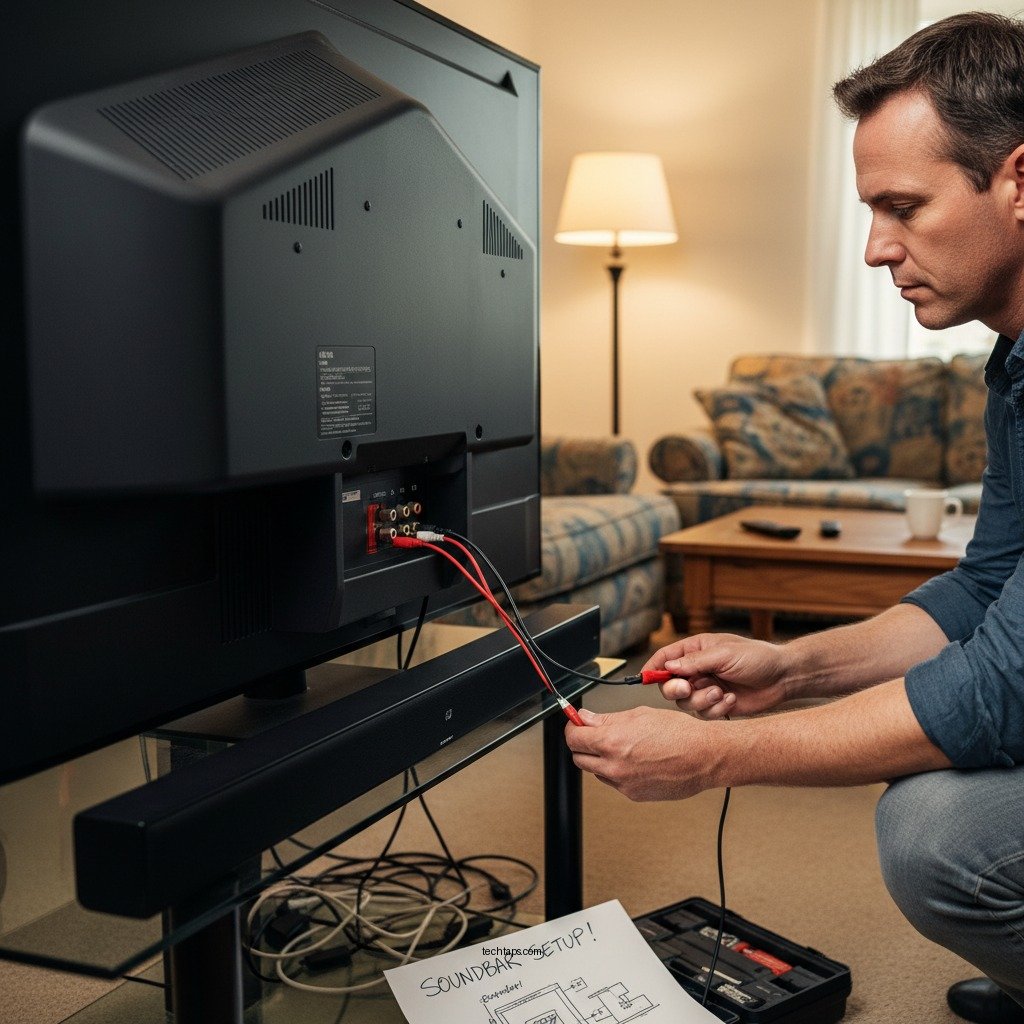

To properly install a soundbar with an older TV, you’ll need to consider the available connections and compatibility options. This guide will walk you through the steps to ensure a successful setup, regardless of the age of your television. By understanding the audio outputs of your TV and the connections available on your soundbar, you can significantly enhance your audio experience without compromising on quality.
Understanding Your TV’s Audio Outputs

Before you begin the installation process, it’s crucial to identify the audio output options available on your older TV. Common outputs include RCA (the red and white connectors), optical audio output, and HDMI ARC (Audio Return Channel). Older models may not have HDMI ports at all, so checking the specifications is essential. Once you have determined the available outputs, check your soundbar’s input options to ensure compatibility. Most modern soundbars support multiple input types, but confirming connectivity will save you time and frustration during setup.
Choosing the Right Connections
When it comes to connecting a soundbar to an older TV, the choice of cables can greatly impact audio quality. If both your TV and soundbar support optical connections, using an optical cable is recommended as it offers superior sound quality and is less prone to interference compared to RCA cables. In cases where an optical output is unavailable, RCA cables can be a viable alternative, though they generally provide lower audio fidelity. Additionally, if your soundbar has Bluetooth functionality, this could offer a wireless solution, though it may introduce slight latency in audio playback.
Setting Up the Soundbar
Proper placement of your soundbar is vital for optimal sound projection. Ideally, position the soundbar below or above the TV, ensuring it is aligned with the screen. Placing it at ear level when seated can significantly enhance your listening experience, as sound will directly reach your ears without distortion. If you choose to mount the soundbar on a wall, ensure it’s securely fastened and that the sound is directed toward your seating area.
Top 7 Soundbar Models for Older TVs (2024)
| # | Soundbar Model | Connectivity Options | Audio Quality Rating | Price |
|---|---|---|---|---|
| 1 | Sonos Beam | HDMI ARC, Optical, Bluetooth | ★★★★☆ | $399 |
| 2 | Vizio SB362An-F6 | HDMI ARC, Optical, RCA | ★★★★☆ | $179 |
| 3 | Samsung HW-Q60T | HDMI ARC, Optical, Bluetooth | ★★★★★ | $499 |
| 4 | JBL Bar 2.1 | HDMI ARC, Optical, RCA | ★★★★☆ | $299 |
| 5 | Bose Soundbar 700 | HDMI ARC, Optical, Bluetooth | ★★★★★ | $799 |
| 6 | Sony HT-S350 | HDMI ARC, Optical, RCA | ★★★★☆ | $248 |
| 7 | TCL Alto 9+ | HDMI ARC, Optical, Bluetooth | ★★★★☆ | $199 |
Configuring the TV Settings
After physically connecting your soundbar, the next step is to configure your TV’s audio settings. This often involves accessing the settings menu and selecting the correct audio output option to ensure sound is routed to the soundbar rather than the TV speakers. If you are using an optical or HDMI ARC connection, the TV should automatically detect the soundbar, but manual selection may be necessary in some cases. Additionally, consider adjusting the audio settings to enhance performance. This could involve turning off the TV’s internal speakers to avoid sound overlap and adjusting any audio enhancements offered by your soundbar.
Troubleshooting Common Issues
Despite careful installation and configuration, you may encounter common issues such as no sound or audio syncing problems. If you experience no sound, first, double-check that all cable connections are secure and that you have selected the correct output on your TV. If sound is still absent, consult the user manuals for both the TV and soundbar for potential compatibility issues. Sometimes, older TVs may require firmware updates to work effectively with newer soundbar technology. If you experience audio lag, consider adjusting the soundbar’s settings or checking for any audio delay settings on your TV.
Enhancing Your Audio Experience
Once your soundbar is successfully installed and configured, consider additional enhancements to elevate your audio experience. If your soundbar supports it, adding a subwoofer can dramatically improve bass response, making movie watching and music listening more immersive. Furthermore, many soundbars come with various sound modes optimized for different types of content, such as movies, music, or gaming. Experimenting with these modes can help you find the best setting for your preferences.
Maintaining Your Soundbar
To ensure long-term performance and reliability, regular maintenance of your soundbar is essential. Periodically check all connections, especially after moving any components of your home theater setup. Maintaining a clean soundbar free from dust and debris will also help preserve sound quality. Consider using a soft cloth and electronics-safe cleaner to gently wipe down the exterior, and avoid placing objects on top of the soundbar that could obstruct its sound projection.
Summarizing the key points will help you successfully set up your soundbar with an older TV. By identifying the right connections and adjusting settings, you can enhance your audio experience. Don’t hesitate to explore additional features of your soundbar to get the most out of your home entertainment system! Investing time in proper installation and configuration will lead to improved sound quality and overall enjoyment of your media content.
Frequently Asked Questions
What cables do I need to install a soundbar with an older TV?
To install a soundbar with an older TV, you typically need an optical audio cable or a 3.5mm audio cable. Many older TVs lack HDMI ARC ports, so optical connections are often the best choice for high-quality sound. Additionally, check if your soundbar has Bluetooth capability for a wireless option if your TV supports it.
How do I connect a soundbar to an older TV without HDMI ARC?
To connect a soundbar to an older TV without HDMI ARC, use the optical audio output from your TV to the optical input on the soundbar. If your TV doesn’t have an optical output, you can use the headphone jack with a 3.5mm cable, but this may result in lower audio quality compared to optical connections.
Why is my soundbar not producing sound when connected to an older TV?
If your soundbar is not producing sound when connected to an older TV, ensure that the correct input source is selected on the soundbar. Also, check the TV’s audio settings to confirm that the audio output is set to the correct connection type, such as optical or auxiliary. Additionally, verify that all cables are securely connected.
What is the best placement for a soundbar when using an older television?
The best placement for a soundbar with an older television is directly below the TV or mounted on the wall, ideally at ear level for optimal sound projection. Ensure that the soundbar is positioned away from any obstructions that could block the speakers, allowing the sound to disperse evenly throughout the room.
Which soundbar features are most important for compatibility with older TVs?
When choosing a soundbar for compatibility with older TVs, look for features such as optical audio input, Bluetooth connectivity, and a built-in amplifier. These features ensure a seamless connection and enhance audio quality. Additionally, consider soundbars that offer multiple input options to accommodate various devices you may connect in the future.
References
- Soundbar
https://en.wikipedia.org/wiki/Soundbar - https://www.sciencedirect.com/topics/engineering/soundbar
https://www.sciencedirect.com/topics/engineering/soundbar - https://www.bbc.com/news/technology-56025812
https://www.bbc.com/news/technology-56025812 - https://www.theguardian.com/technology/2020/dec/15/how-to-set-up-your-soundbar
https://www.theguardian.com/technology/2020/dec/15/how-to-set-up-your-soundbar - https://www.nytimes.com/wirecutter/blog/how-to-set-up-soundbar/
https://www.nytimes.com/wirecutter/blog/how-to-set-up-soundbar/ - Google Scholar Google Scholar
https://scholar.google.com/scholar?q=installing+a+soundbar+with+older+TV - Google Scholar Google Scholar
https://scholar.google.com/scholar?q=soundbar+installation+older+television - Google Scholar Google Scholar
https://scholar.google.com/scholar?q=How+to+Properly+Install+a+Soundbar+with+an+Older+TV - How to Properly Install a Soundbar with an Older TV – Search results
https://en.wikipedia.org/wiki/Special:Search?search=How+to+Properly+Install+a+Soundbar+with+an+Older+TV - https://www.ncbi.nlm.nih.gov/search/research-articles/?term=How+to+Properly+Install+a+Soundbar+with+an+Older+TV
https://www.ncbi.nlm.nih.gov/search/research-articles/?term=How+to+Properly+Install+a+Soundbar+with+an+Older+TV