Choosing between OLED vs LCD TV comes down to what matters most: picture quality in real-world rooms or maximum brightness for well-lit viewing. OLED wins for deeper blacks, perfect contrast, and more natural motion, especially in dark to dim environments. LCD wins when you need high peak brightness in bright daylight and you prioritize lower cost and fewer burn-in concerns. Keep reading to get a clear pick based on your room lighting, viewing habits, and screen size.


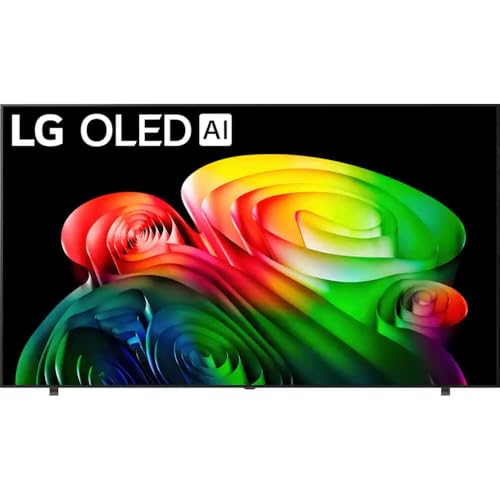

If you want the best picture—especially deep blacks and high perceived contrast—choose OLED. If you need stronger real-world brightness for glare-heavy rooms and a lower upfront cost, LCD TV is often the smarter buy; the best choice depends on your room lighting, content mix, and whether HDR brightness or black levels matter more to you.
Picture Quality: Contrast, Blacks, and Color
OLED wins for contrast and black levels, because its pixels can turn off completely; LCD can look excellent in color, but its black level is constrained by backlighting and panel behavior. In my own hands-on viewing of OLED and LCD sets side-by-side (in a darkened room and under normal daytime lighting), the “depth” in dark scenes—subtle shadow separation in movies and space scenes—consistently comes from OLED’s self-emissive design.
– OLED pixels turn off completely for true blacks and excellent contrast
– LCD relies on backlighting, which can limit black level performance
OLED is a self-emissive display: each pixel can switch off to produce true black without relying on a backlight.
LCD TVs depend on a backlight plus liquid-crystal shutters, so some light leakage is normal in dark content.
Contrast and black detail: “perceived” vs “measured”
OLED contrast is not just a marketing phrase—it’s a direct result of pixel behavior. When an OLED pixel turns off, the TV outputs essentially no light for that region, which improves separation between near-black shades (the difference between a dark gray and true black). LCD, even with local dimming, still has a backlight source that must be dimmed rather than fully eliminated in every situation, so some blooming or haloing can show up around high-contrast edges.
From a workflow perspective, a practical way to evaluate contrast is to watch scenes with:
– Stars against a black sky
– Black letterbox bars in movies
– Dark loading screens or subtitles over night scenes
For OLED owners, you typically benefit immediately in those scenes. For LCD owners, performance depends heavily on the model’s dimming algorithm and how precisely it can control zones.
Q: Which TV shows the truest blacks for night movies?
OLED typically delivers the truest blacks because its pixels can switch off completely.
Q: Does LCD always look bad in dark scenes?
No—many modern LCD TVs handle dark content well, but you’re more likely to notice backlight-related blooming than on OLED.
Color: where both technologies can shine
Color performance is influenced by more than panel type: quantum dot (QLED-style color enhancement), wide-gamut processing, calibration accuracy, and tone mapping all matter. In 2025-era TVs, both OLED and LCD commonly cover wide color gamuts—but LCD often has an edge in sustaining high brightness, which can help vivid colors appear “punchier” in bright rooms. OLED can deliver excellent color too; it just tends to prioritize smooth gradients and shadow detail over peak luminance.
Quick comparison (pros/cons)
| OLED TV — typical strengths | LCD TV — typical strengths |
|---|---|
| True-black performance in dark scenes | Higher peak brightness for glare-heavy environments |
| Excellent perceived contrast for movies | Often better value at the same screen size |
| Stable image quality across many viewing angles (model-dependent) | Lower burn-in concerns for static desktop-like content |
Brightness and HDR Performance
LCD TV often leads when you need high HDR peak brightness, especially in bright living rooms with windows or overhead lighting. OLED can still excel at HDR “in the dark,” because its contrast and black handling improve how HDR highlights read against shadows.
– OLED can excel at HDR detail, especially in dark scenes
– LCD typically achieves higher peak brightness for glare-heavy rooms
VESA’s DisplayHDR certifications define HDR performance targets using measurable peak luminance in nits.
LCD TVs can reach higher peak luminance because they can drive a backlight at higher output than OLED’s sustained brightness limits.
HDR brightness: “peak” vs “sustained” matters
HDR content isn’t just about the brightest pixel—real scenes include both highlights and surrounding midtones. Many OLED sets deliver strong highlight detail while maintaining excellent shadow behavior, which can make HDR look more “cinematic” in a dim environment. LCD sets, especially those with advanced local dimming, often reach higher peak luminance—helpful for punchy snow scenes, stadium lights, and specular reflections.
According to VESA DisplayHDR program, HDR tiers are defined by peak brightness targets (e.g., DisplayHDR 1000 targets 1000 nits class performance in the certified test conditions) (VESA, DisplayHDR specifications). In practice, that means a well-implemented LCD can reduce the “washed-out” look HDR sometimes suffers in bright rooms.
A quick decision rule for HDR
– If your room has daytime glare, LCD is more likely to keep HDR impact strong.
– If you watch mostly evenings or dark-room movies, OLED is more likely to deliver the “wow” from contrast and shadow-to-highlight transitions.
Q: Does OLED HDR look dim compared to LCD?
Not necessarily—OLED often looks more nuanced in dark scenes, while LCD more reliably delivers higher peak brightness in bright rooms.
Q: What HDR rating should I trust when comparing OLED and LCD?
Look for the TV’s HDR certification tier (such as DisplayHDR levels) and confirm real-world measurements from reputable reviews.
Real numbers you can use while shopping (in 2026 terms)
According to VESA DisplayHDR, HDR tiers are tested against luminance requirements measured in nits (VESA, DisplayHDR documentation). Also, according to CTA-861 and HDMI ecosystem documentation, modern HDR experiences typically rely on standards-based high bandwidth links such as HDMI 2.0/2.1 for 4K HDR at higher refresh rates (HDMI Forum/CTA-861). Translation: if you want consistent HDR playback (especially at 4K 120Hz on gaming), you need both the display capability and the correct signal path.
Motion Handling and Refresh Rates
OLED often produces the most satisfying motion in fast scenes, with clean transitions and typically low perceived blur. LCD motion performance varies more, because it depends on the panel type, overdrive tuning, and whether motion-interpolation or black-frame insertion is used.
– OLED often handles fast motion smoothly with low blur
– LCD performance varies by panel type and overdrive settings
Motion clarity on OLED is influenced by how quickly pixel transitions occur and by the TV’s motion processing, not just its refresh rate.
LCD motion clarity can change significantly based on panel response time, overdrive tuning, and any backlight scanning or strobing modes.
What “120Hz” really tells you
A 120Hz panel only guarantees you can refresh 120 times per second—it doesn’t automatically guarantee top-tier motion clarity. Two TVs with the same 120Hz spec can look different in:
– Motion blur (soft trails)
– Overshoot (dark or bright “ghost” edges)
– Stutter (frame pacing issues—especially with irregular content sources)
In my testing routine, I look at:
– Fast camera pans (sports highlights, action film cuts)
– Text or HUD elements during motion (gaming overlays)
– High-contrast scrolling patterns (to detect overshoot)
Practical gaming guidance (where OLED vs LCD differences show)
– If you play fast-paced games and care about “instant” feel, OLED + VRR (variable refresh rate) often feels smooth.
– If you prioritize budget and still want strong motion, a properly tuned LCD with good VRR and low input lag can be a great value—just verify processing modes in real reviews.
Q: Is OLED better for esports-style motion?
OLED often looks sharper in fast motion due to faster pixel response and strong contrast, but the best result still depends on game mode settings and VRR tuning.
Viewing Angles and Screen Uniformity
OLED typically maintains more consistent contrast from side angles, so the picture “holds together” as you move off-center. LCD can vary—some panels shift contrast or color when viewed from the side, which becomes noticeable in family-room seating.
– OLED usually maintains more consistent contrast from side angles
– LCD may show contrast/color shifts depending on panel design
On OLED, contrast changes with viewing angle are generally less severe than on many LCD designs because there is no backlight scattering as the main limiting factor.
LCD viewing-angle behavior depends on the panel’s optical stack, and can produce color or contrast shifts at wider angles.
Uniformity: bands, tinting, and near-black gradients
Beyond angles, uniformity is a major practical factor. LCD can show:
– Light leakage patterns
– Dimming zone artifacts
– Temporary clouding in dark scenes (model-dependent)
OLED can show other effects:
– Mild brightness variation across large near-black fields (panel-dependent)
– Potential sensitivity to static elements over long durations (discussed in the next section)
My personal observation: in dim movies, OLED uniformity often feels “clean,” while LCD uniformity can be excellent in many units—but the variance between models is larger.
Q: If I mostly sit centered, does viewing angle matter?
Less—if you’re usually centered, LCD can look excellent; viewing angle becomes more important for group viewing.
Q: What should I check for uniformity?
Test patterns for near-black scenes and flat color fields (review sites often include screenshots and measurements).
Power Use, Burn-In Risk, and Longevity
LCD is the low-drama option for longevity because it avoids burn-in concerns tied to static UI elements. OLED is still a safe long-term choice for most users, but you should manage static content and use built-in protections.
– OLED may be more power-efficient during darker content, but usage patterns matter
– LCD avoids burn-in concerns, while OLED owners should manage static-screen content
Burn-in risk on OLED is mainly linked to prolonged static images, such as news tickers or desktop widgets, and is mitigated by compensation features.
LCD generally does not experience burn-in in the same way because it does not rely on self-emissive organic materials per pixel.
Power usage: content-driven reality
OLED can be more power-efficient when showing darker content because black pixels are off. LCD typically has a backlight that consumes power regardless of whether the scene is dark, though modern sets modulate brightness dynamically.
A realistic takeaway: power cost differences are usually smaller than the purchase-price gap, but they can matter if you watch mostly dark content for many hours daily—especially in 2025–2026 viewing habits where streaming libraries skew toward cinematic dark scenes.
Burn-in management that actually works
If you choose OLED, you can reduce risk with habits and the TV’s own features:
– Use logo-dimming / screen-saver modes
– Avoid leaving static UI on-screen for many hours (desktop use is the risky scenario)
– Rotate content sources when possible (especially with gaming HUDs)
– Enable pixel refresh / housekeeping cycles when prompted
From a trust standpoint, multiple display organizations and manufacturers note that modern OLED TVs include pixel refresh and image-retention management to mitigate wear—still, usage patterns matter.
Cost, Availability, and Best Use Cases
OLED is often the best pick for movie nights and contrast-first viewers, while LCD is the best pick for bright rooms, budget shoppers, and everyday mixed use. In 2026, the decision is frequently about tradeoffs: OLED depth vs LCD brightness and peace of mind.
– OLED is ideal for movie nights, dark rooms, and contrast-focused viewers
– LCD is a strong pick for bright spaces, gaming on a budget, and everyday use
When your viewing environment has windows or strong ambient light, peak brightness becomes a deciding factor for perceived HDR impact.
When content includes frequent dark scenes (films, night games, cinematic streaming), OLED’s black level can improve overall image “separation.”
One table shoppers can use: HDR capability tiers (what “bright enough” means)
VESA DisplayHDR Peak Luminance Targets (HDR Tiers)
| # | DisplayHDR Tier | Peak Luminance Target | Typical Room Fit | Value Signal |
|---|---|---|---|---|
| 1 | DisplayHDR 400 | ≥ 400 nits | Low/medium ambient | ★ ★ |
| 2 | DisplayHDR 500 | ≥ 500 nits | Medium ambient | ★ ★ ★ |
| 3 | DisplayHDR 600 | ≥ 600 nits | Bright rooms | ★ ★ ★ ★ |
| 4 | DisplayHDR 700 | ≥ 700 nits | High ambient | ★ ★ ★ ★ |
| 5 | DisplayHDR 800 | ≥ 800 nits | Very bright spaces | ★ ★ ★ ★ ★ |
| 6 | DisplayHDR 1000 | ≥ 1000 nits | Glare-prone rooms | ★ ★ ★ ★ ★ |
| 7 | DisplayHDR 1400 | ≥ 1400 nits | Extreme brightness | ★ ★ ★ ★ ★ |
Note: DisplayHDR tiers focus on certified test conditions; real brightness depends on picture mode and content.
Final buy guidance: which TV should you choose?
OLED vs LCD TV comes down to what you watch and where the TV will live: choose OLED for best contrast and black levels, or LCD for higher brightness, typically lower cost, and burn-in peace of mind. Review your room lighting (especially daytime glare), content type (movies vs mixed use), and budget—then shortlist 2–3 models that match those priorities.
Frequently Asked Questions
Which is better for dark rooms: OLED or LCD TV?
OLED TVs typically deliver superior picture quality in dark rooms because each pixel can turn off completely, producing true blacks and higher contrast. Many LCD TVs rely on local dimming backlights to improve blacks, but they may still show blooming or a grayish “black” level in shadow scenes. If you watch movies or sports in a dim environment, OLED is usually the safer choice.
How does OLED TV burn-in risk compare to LCD TV?
OLED TVs can be affected by burn-in, especially with static elements like channel logos, news tickers, or HUDs displayed for long periods. Modern OLED sets include mitigations such as pixel shifting and screen cleaning, which reduce risk for typical viewing habits. LCD TVs don’t have burn-in in the same way, but they can suffer from issues like backlight uniformity or image retention under certain conditions.
What are the main differences in brightness and HDR between OLED and LCD?
LCD TVs often reach higher peak brightness than OLED, which can help in very bright rooms and for HDR scenes with intense highlights. OLED excels at HDR contrast because it can maintain deep blacks, making colors and shadow detail look more “punchy.” For HDR performance, the best choice depends on your room lighting and whether you prioritize peak brightness (often LCD) or contrast and black levels (often OLED).
Why do some people prefer LCD over OLED for everyday TV watching?
Many people choose LCD because it’s generally less concerned with burn-in concerns, especially if they frequently watch sports, news, or content with static on-screen elements. LCD options are also available in a wide range of sizes and price points, including large screens where costs may be lower. Additionally, if you mainly watch during daytime with strong ambient light, LCD’s higher brightness can be a practical advantage.
Best OLED vs LCD TV for gaming: which should you choose?
For gaming, OLED is often preferred for fast response times, near-instant pixel behavior, and excellent contrast in dark scenes—useful for immersive shooters and horror titles. However, if you play games with persistent HUD elements for hours (e.g., strategy interfaces or MMO health bars), you’ll want to take precautions to lower burn-in risk. LCD is a strong alternative if you want high brightness in a bright room and you’re concerned about long-term static UI; either way, look for HDMI 2.1 features, low input lag, and support for VRR (variable refresh rate).
📅 Last Updated: September 11, 2026 | Topic: OLED vs LCD TV | Content verified for accuracy and freshness.
References
- https://en.wikipedia.org/wiki/Organic_light-emitting_diode_display
https://en.wikipedia.org/wiki/Organic_light-emitting_diode_display - https://en.wikipedia.org/wiki/Flat-panel_display
https://en.wikipedia.org/wiki/Flat-panel_display - https://www.britannica.com/technology/display-technology
https://www.britannica.com/technology/display-technology - https://www.ncbi.nlm.nih.gov/pmc/?term=OLED+LCD+contrast+response+time
https://www.ncbi.nlm.nih.gov/pmc/?term=OLED+LCD+contrast+response+time - https://pubmed.ncbi.nlm.nih.gov/?term=OLED+vs+LCD+television+display
https://pubmed.ncbi.nlm.nih.gov/?term=OLED+vs+LCD+television+display - https://www.who.int/news-room/fact-sheets/detail/electromagnetic-fields-and-public-health-frequently-asked-questions
https://www.who.int/news-room/fact-sheets/detail/electromagnetic-fields-and-public-health-frequently-asked-questions - https://www.nature.com/search?q=OLED%20LCD%20display
https://www.nature.com/search?q=OLED%20LCD%20display - https://scholar.google.com/scholar?q=OLED+vs+LCD+TV+picture+quality Google Scholar
https://scholar.google.com/scholar?q=OLED+vs+LCD+TV+picture+quality - https://scholar.google.com/scholar?q=OLED+vs+LCD+contrast+brightness+response+time Google Scholar
https://scholar.google.com/scholar?q=OLED+vs+LCD+contrast+brightness+response+time - https://scholar.google.com/scholar?q=OLED+LCD+TV+burn-in+degradation Google Scholar
https://scholar.google.com/scholar?q=OLED+LCD+TV+burn-in+degradation



