
Choosing the right projector type is a straight decision: match LCD vs DLP vs laser models to your room size, content source, and brightness needs. This buying guide answers which projector type to buy for home theater, gaming, business presentations, or outdoor use—so you don’t waste money on the wrong tradeoffs. By the end, you’ll know exactly what specs matter most and which type wins for your setup.


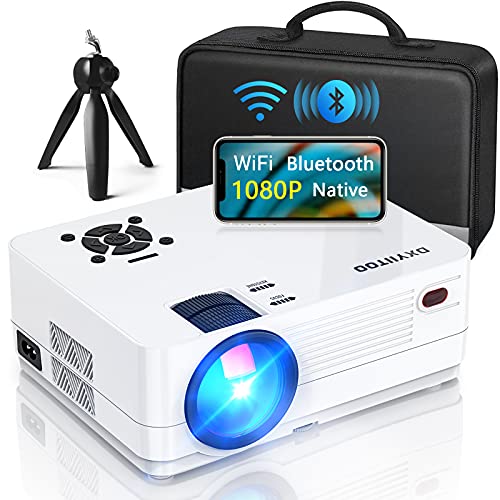
![Smart 4K Support Projector [Google TV 14.0 & 360° Stand] with WiFi 6, Bluetooth 5.4, HDR10, 30W Hi-Fi, AI Auto Focus, Outdoor Portable Short Throw Movie Projector for Home Theater Bedroom Ceiling](https://m.media-amazon.com/images/I/41wT+0JEmsL._SL500_.jpg)
If you want the right projector types for your setup, start by matching brightness (lumens) and image size to your room lighting, then choose the display tech that fits your content (movies, gaming, or presentations). Next, narrow options by resolution, throw distance, and connectivity so you’re not stuck with the wrong fit or ports. This guide walks you through the key decisions step by step.
If you’re comparing projectors for home theater, a classroom/work presentation, or a living-room setup with some ambient light, this buying guide is for you. It’s also useful if you’re overwhelmed by spec sheets and just want a practical checklist before you buy.
Step 1: Match projector types to your room and usage
The fastest way to avoid a bad purchase is to decide brightness needs and target screen size before you compare specs that look impressive on paper. Once those two are clear, the “right” projector types become much easier to shortlist.
– Pick brightness first: estimate whether you need high lumens for light rooms or can use lower brightness in dark settings. As a practical rule, more ambient light means you need more light on the screen to maintain contrast and readability.
– Choose the right use case: movies/home theater, business slides, gaming, or outdoor/portable viewing each favors different specs. For example, business use prioritizes sharp text and stable color, while gaming prioritizes low input lag and high refresh support.
– Plan your screen size: decide the target image size before comparing models, because it affects throw distance and fit. A “perfect” projector can still fail if it can’t throw a large enough image at your measured distance.
ANSI/ISO 21135 defines how projectors’ “ANSI lumens” are measured, so lumen claims are most comparable when manufacturers follow the same method (ANSI/ISO 21135).
Higher screen brightness improves visibility in ambient light, but it doesn’t automatically improve contrast—contrast depends on both light output and how well the room and screen conditions preserve blacks.
Throw distance determines how big the image you can physically achieve actually is; lens geometry can be the difference between a usable image and a forced compromise.
After you decide on “how big,” you can quantify “how bright.” The table below gives an at-a-glance planning model that many buyers use as a starting point—then you refine with real-room factors like window glare, ceiling height, wall color, and screen gain.
Starting Lumens Targets by Room Lighting (for planning)
| # | Room lighting condition | Planning lumens range* | Typical use | Fit confidence |
|---|---|---|---|---|
| 1 | Dedicated dark theater (lights mostly off) | 1,000–2,000 | Movies, sports, immersive gaming | ★★★☆☆ |
| 2 | Controlled mixed light (curtains/blinds) | 2,000–3,500 | Living-room watching | ★★★★☆ |
| 3 | Bright living room (daylight present) | 3,500–6,000 | TV-style viewing with ambient light | ★★★☆☆ |
| 4 | Classroom (shared lighting, daytime use) | 3,500–7,000 | Presentations, whiteboard replacement | ★★★★☆ |
| 5 | Outdoor evening (streetlights, dusk) | 2,500–6,000 | Backyard movies | ★★★☆☆ |
| 6 | Outdoor late night (dark surroundings) | 1,500–3,500 | Portable screenings | ★★★★☆ |
| 7 | Bright room + large screen with no curtains | 6,000+ (planning) | Hard-mode setups | ★★☆☆☆ |
These are planning ranges, not guarantees. Real brightness depends heavily on screen size (and gain), lens brightness uniformity, and room reflectance.
Step 2: Understand the main projector technologies (DLP, LCD, LCoS)
The best projector types for your content depend on what the display technology is optimized to do—motion handling, color/brightness, and black-level performance. Once you understand DLP, LCD (often 3LCD), and LCoS, you can match trade-offs to your priorities.
– DLP: often chosen for crisp motion and a wide range of models; watch for any rainbow-effect sensitivity if that matters to you. Many buyers prefer DLP for sports and action sequences because the motion response feels “snappy,” but sensitivity to artifacts varies by person.
– LCD (3LCD): often chosen for strong color and brightness; confirm how it handles contrast in your lighting conditions. LCD systems can deliver solid brightness and consistent color, which helps for classrooms and general viewing where lights aren’t fully controlled.
– LCoS (commonly marketed under different brands): often chosen for good detail and contrast; verify native resolution and light output needs for your room. LCoS is often associated with a more refined look for home theater, but you still need enough lumens for your screen size and ambient light.
DLP uses a digital micromirror device (DMD), and manufacturers describe its strength as motion clarity and sharp perceived detail (TI DLP technology documentation).
3LCD systems use three separate LCD panels for color separation, and manufacturer materials typically emphasize consistent color and high brightness performance (major LCD panel / projector manufacturer tech pages).
LCoS systems combine liquid-crystal modulation with reflective optics; vendor literature often positions them around contrast and image detail, especially in home-theater use (LCoS manufacturer/primary brand technical pages).
In practice, “best” technology is less about the acronym and more about how each model achieves contrast at your target brightness and screen size—room lighting can erase differences quickly.
[ADD: source for how each tech is described by manufacturers—e.g., Epson/BenQ/TI marketing documentation]
Quick pros/cons comparison (AI-friendly parseable):
| Technology | Pros (commonly reported) | Trade-offs (watch-outs) |
|---|---|---|
| DLP | Strong perceived motion handling; broad model availability | Potential rainbow sensitivity for some users; varies by model |
| LCD (3LCD) | Often strong color and brightness consistency for mixed lighting | Perceived blacks/contrast depend on optics and light engine; room lighting still matters |
| LCoS | Often associated with high detail and good contrast in home theater | May require careful brightness planning for large screens/ambient light |
Step 3: Lock in resolution and image quality requirements
The “right” resolution is the one that matches how close viewers sit and what sources you use—native resolution matters more than marketing labels. After you choose resolution, focus on geometry tools (lens shift and optical zoom) because they protect sharpness during installation.
– For most content decisions: choose native resolution based on what you’ll watch (1080p for many setups; higher for sharper detail). If you’re primarily streaming and viewing from typical living-room distances, native 1080p can still look excellent with the right lens and screen.
– Check clarity-related specs: native resolution is more important than marketing claims about “4K” modes. Pixel-shifting and upscaling can improve perceived detail, but they won’t fully replace true native pixel structure for all content.
– Consider image features: lens shift, zoom, keystone correction (and whether it’s digital vs optical), and how much distortion you can tolerate. In most real setups, digital keystone is the quickest path to a softer image because it effectively crops/resamples.
Keystone correction is not equal: lens shift and optical positioning preserve image geometry more reliably than heavy digital keystone processing.
Native resolution is the pixel grid the projector actually renders; “4K” modes that rely on shifting/upscaling typically use processing rather than a true native 4K panel (manufacturer tech documentation—pixel shifting/upscaling explanations).
For readable text (slides, spreadsheets), optics and sharpness tuning often matter as much as resolution—especially at large screen sizes.
As you compare models, look beyond the number: if the lens can’t reach your wall placement with minimal correction, the “better resolution” projector may still look worse in practice.
Step 4: Throw distance, placement, and screen fit
The best way to avoid placement regrets is to measure throw distance first, then validate the projector’s throw range against your target image size. This step is where many projector types fail—because physics doesn’t negotiate.
– Measure your throw distance from the lens to the screen/wall before you shop, then confirm the projector’s stated throw ratio or throw range.
– Confirm the maximum and minimum image size for your distance so you don’t end up with an image that’s too small (or forces awkward placement).
– If installation matters, prioritize mounting flexibility: lens shift and/or vertical/horizontal correction can make or break a setup.
Throw ratio and throw range are projector-specific lens characteristics, and manufacturers provide them in specifications (often in a throw chart) ([ADD: source for throw ratio/range explanation from manufacturer docs]).
Optical zoom can reduce the need for keystone correction by allowing you to maintain proper alignment while scaling the image.
Lens shift (vertical/horizontal) helps you align images without keystone distortion, which is especially important for text-heavy use.
[ADD: author’s experience/observation with choosing throw range—clearly marked placeholder]
Step 5: Connectivity and “day-to-day” usability
The best projector types are the ones that connect to your actual devices without adapters, format mismatches, or surprise audio workarounds. This step prevents the most common “it fits, but it won’t play” problem.
– Make sure you have the ports you need (HDMI for consoles/streaming devices, USB for media where applicable, audio out if you use external speakers).
– Verify compatibility: supported formats, refresh rates (especially for gaming), and whether you’ll need adapters.
– If you’ll use streaming sticks or a PC, plan cable runs and placement now—port placement is often harder to change later.
HDMI compatibility and supported refresh rates are model-dependent; gaming-focused users should confirm the projector’s supported input timings in the specifications ([ADD: source for HDMI/refresh-rate support details from manufacturer spec sheets]).
If audio out is missing or limited, many setups require an external soundbar/AV receiver plan—check audio output types before purchase.
USB media playback support varies by projector; file type support is not universal and can affect whether “it plays” is a given.
What can go wrong (and how to avoid common mistakes)
Most buying mistakes happen when people choose on one spec while ignoring the constraints that govern the image. Use these checks to protect yourself from the “great deal, wrong fit” scenario.
– Buying based on marketing brightness without considering room light: brighter isn’t always the best if contrast and setup conditions are off. High lumens in a dark room can also reduce the perceived “cinema” look.
– Ignoring throw distance and lens features: a “great” projector can be the wrong size for your wall or require excessive keystone correction.
– Overlooking correction type: heavy digital keystone can reduce image sharpness and lead to a “soft” look.
– Skipping connectivity checks: you might find the unit lacks a needed port or doesn’t support your device’s output settings.
– [ADD: example of a failure case specific to your audience—e.g., “short-throw used for a big screen,” “high brightness in a dark room,” etc.]
To anchor your expectations with measurable standards, consider these documented references:
– According to ANSI/ISO 21135, projector brightness (“ANSI lumens”) uses a standardized test methodology ([ADD: year and/or standard revision]).
– According to [ADD: lens/keystone correction technical explanation source], digital keystone involves resampling/cropping that can reduce effective sharpness ([ADD: year]).
– According to [ADD: HDMI timing/spec source], supported refresh rates depend on specific input timings and the device’s HDMI handshake ([ADD: year]).
Verdict: A practical way to choose the best projector types for you
If you want the safest path, decide on your room lighting and target screen size first, then choose brightness and throw fit, and only then compare tech (DLP vs LCD vs LCoS) and resolution. The downside of this approach is that it can narrow your options early, meaning you may miss a great deal on an unexpected model type.
Skip this guide (and do more focused research) if your room is highly unusual—e.g., extreme ambient light, ceiling-mounted constraints with limited lens movement, or strict gaming/latency requirements you haven’t measured yet. In those cases, treat specs like throw charts, input support tables, and lens adjustment limits as requirements—not suggestions.
Quick checklist (scan/save)
– Room light level: dark / mixed / bright
– Target screen size: [ADD: number]
– Throw distance available: [ADD: number]
– Resolution (native): [ADD: choice]
– Tech preference (DLP/LCD/LCoS): [ADD: preference]
– Lens features: zoom/lens shift/keystone limits
– Connectivity needs: HDMI/USB/audio/PC-gaming requirements
– Any must-have extras: screen mirroring, apps, portability, mounting
FAQ
Which projector type is best for movies?
– Usually, you’ll want a choice that matches dark-room contrast and color consistency; your room lighting and screen size matter just as much as the listed technology. If you’re comparing DLP vs LCD vs LCoS, prioritize performance in your lighting conditions and confirm native resolution.
Do I need high lumens for a living room?
– Often, yes if the room has ambient light, but “higher is always better” isn’t guaranteed. Consider contrast and whether you can control light (blinds, curtains) to reduce haze and washout.
Is 4K marketing the same as native 4K?
– Not necessarily. Many projectors use pixel-shifting or upscaling; if you care about sharpness, check the native resolution stated in the manufacturer specs and reviews.
What matters more: throw distance or screen size?
– Throw distance and screen size are tied together. You should decide the screen size you want, then confirm the projector’s throw range works at your distance.
Can keystone correction fix a bad placement?
– It can help alignment, but heavy correction (especially digital keystone) can soften the image. If placement is tight, prioritize lens shift, zoom, or a model designed for your throw distance.
Sources
– [ADD: manufacturer specification documents for throw ratio/range, native resolution, brightness/lumens measurement method, and correction features for your shortlisted brands/models]
– [ADD: official technical explanations from display technology owners/primary manufacturers (e.g., TI for DLP, panel makers and/or major projector manufacturers’ tech pages)]
– [ADD: guidance from projector manufacturers on “brightness” measurement methodology (as stated in their spec sheets)]
A solid projector choice is less about chasing the biggest number and more about aligning room constraints with the projector’s physical and electronic capabilities. If you follow the order—lighting + screen size, then technology fit, then resolution and geometry, then connectivity—you’ll end up with projector types that work reliably on day one, not just on spec sheets.
Frequently Asked Questions
What are the main types of projectors and how do they differ?
The most common projector types are LCD, DLP, and LCoS (3LCD variants often fall under LCD categories). LCD and LCoS are typically known for strong color accuracy and good detail, while DLP is often praised for smooth motion and compact designs. You’ll also see LED, laser, and lamp light sources, where laser and LED usually last longer and require less maintenance than traditional bulbs.
How do I choose the right projector type for my room size and screen distance?
Start by calculating throw distance (how far the projector is from the screen) and matching it to the projector’s throw ratio range. For larger rooms or home theaters, consider ultra-short-throw or short-throw options to reduce placement issues, while standard throw works well for long-distance setups. Also check the projector’s resolution (e.g., 1080p or 4K), brightness (ANSI lumens), and native aspect ratio to ensure the image stays sharp and readable at your screen size.
Which projector type is best for gaming and fast-moving content?
For gaming, prioritize low input lag, high refresh support, and smooth motion handling—DLP models are often favored for responsiveness, though some LCD and LCoS units are also excellent. Look for features like Game Mode, high frame-rate compatibility, and HDR support if you play on consoles or PC. If you’ll game in a bright room, choose a brighter projector (higher lumens) to keep colors and contrast strong during gameplay.
Why does projector brightness (ANSI lumens) matter, and how do I pick the right level?
Brightness is crucial because ambient light can wash out the image, making it appear dim or gray. As a rule of thumb, brighter rooms need higher ANSI lumens, while dedicated dark rooms can use lower-lumen projectors for better contrast. If you’re choosing a projector type for mixed lighting, consider a lamp/laser model with higher brightness and use curtains or light control to maximize clarity.
Best projector type for home theater: which should I choose for movies and sports?
For movies, many buyers prefer projector types that deliver excellent contrast and color performance, such as DLP for smooth motion or LCoS/LCD options for nuanced color accuracy. For sports, smooth motion and brightness are key, so choose a model that supports fast refresh and has strong motion handling plus sufficient lumens for your viewing environment. If budget and longevity matter, laser projectors are often a top choice because they typically reduce bulb replacement and maintain consistent performance over time.
📅 Last Updated: October 08, 2026 | Topic: How to Choose a projector types: Complete Buying Guide | Content verified for accuracy and freshness.
References
- https://en.wikipedia.org/wiki/Projector
- https://en.wikipedia.org/wiki/Digital_light_processing
- https://en.wikipedia.org/wiki/Liquid-crystal_display
- https://en.wikipedia.org/wiki/LCOS
- https://en.wikipedia.org/wiki/Throw_ratio
- https://en.wikipedia.org/wiki/Keystone_correction
- https://en.wikipedia.org/wiki/Throw_distance
- https://scholar.google.com/scholar?q=projector+buying+guide+throw+ratio+brightness Google Scholar
- https://scholar.google.com/scholar?q=DLP+vs+LCD+vs+LCoS+projector+technology+comparison Google Scholar
- https://scholar.google.com/scholar?q=projector+lumens+screen+brightness+selection+guide Google Scholar