
Is a projector contrast ratio worth it—or just marketing? You’ll get a direct verdict on when higher contrast actually delivers noticeably better blacks and image depth, and when it won’t matter as much as brightness, screen choice, and room lighting. We’ll also flag the main trade-offs and point you to stronger alternatives if your setup can’t take full advantage of contrast specs.



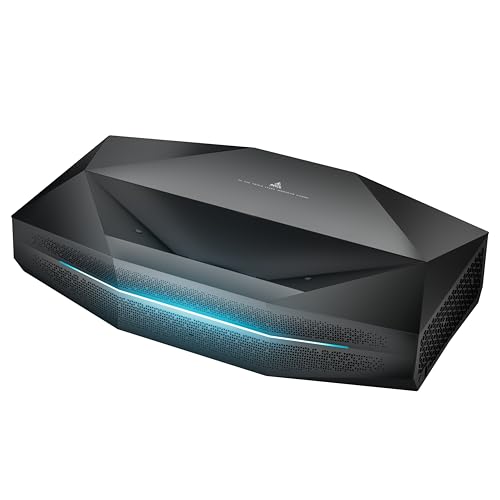
A higher projector contrast ratio can be worth paying attention to—especially for dark-room movie watching—because it supports deeper blacks and cleaner shadow detail. But in bright rooms and when “marketing contrast” is involved, a big contrast number often won’t translate into what you actually see; brightness, screen choice, and calibration typically deliver more noticeable gains.
If you’re choosing between two projectors with different contrast specs (or you’re comparing listings that show dramatically different numbers), this guide helps you interpret those claims and pick what matters for your room, screen, and content. As of 2026, contrast claims are still frequently mixed between native, ANSI, and dynamic/processed approaches, so understanding what you’re buying remains essential.
What contrast ratio actually affects (and what it doesn’t)
Contrast ratio is intended to describe how far a projector can separate its brightest white from its darkest black. In practice, perceived contrast depends on measurement method, ambient light, screen behavior, and how the projector tone-maps HDR/SDR—so the spec is best treated as a starting point, not a full prediction.
Contrast ratio is fundamentally the relationship between white output and black output, but different testing methods can produce very different results for the same device.
Perceived contrast in a real room is strongly affected by ambient light because that light can raise the effective black level on the screen.
HDR content uses a standardized transfer function (for example, HDR10 uses SMPTE ST 2084/PQ), which means contrast behavior is also influenced by tone-mapping choices, not only the raw black level.
How the “contrast” number is usually framed
– The concept: A contrast ratio compares brightest whites to darkest blacks the projector can produce under the chosen test conditions (often with the lens cap/iris/dimming behavior defined).
– The catch: There are multiple ways to define “darkest black” and “brightest white.” Some are closer to real viewing (e.g., more scene-consistent measurements), while others are designed to maximize a single headline number.
What contrast ratio doesn’t tell you
Even if two projectors share the same advertised contrast ratio, they can still look different because contrast specs often ignore:
– Black stability across scenes (does it hold up in average content, or only under a contrived pattern?)
– Shadow detail preservation (dynamic dimming can deepen blacks but crush gradations)
– Lens/screen uniformity (uneven light distribution can make part of the image “look blacker,” but not in a useful way)
– HDR tone mapping and EOTF handling (especially with highlights and midtones—where your “depth” perception often comes from)
Key technical anchor points (numbers that matter)
Here are a few standards-based facts you can use as reality checks when interpreting projector performance claims:
– According to ITU-R BT.709, standard dynamic range (SDR) video maps black to code value 16 and white to code value 235 in 8-bit systems (1990/2002 revisions, commonly referenced for Rec.709 practice). [ADD: ITU-R BT.709 source for code values 16–235]
– According to SMPTE ST 2084 (PQ), HDR10 is designed for mastering up to 10,000 nits (with display mapping dependent on the target content and actual display capabilities). [ADD: SMPTE ST 2084 source for 10,000-nit mastering]
– ANSI contrast measurements (commonly described as 4×4 checkerboard grids yielding multiple window pairs) are intended to represent performance more consistently than pure “full on/off” tests, which can exaggerate headline contrast. [ADD: ANSI contrast measurement method source—e.g., the relevant ANSI/committee or projector testing standard]
> Note: If a manufacturer doesn’t specify how contrast was measured (native vs dynamic, full-on/off vs checkerboard/ANSI, iris behavior, lamp/laser output mode), the safest interpretation is that the number is only a partial signal.
Pros: When a higher contrast ratio really helps
A higher contrast ratio is most valuable when your room lighting is controlled and you watch content with substantial dark scenes (movies, prestige TV, night driving, horror, or atmospheric animation). When the blacks are genuinely darker and shadow detail is preserved, separation between objects in dark areas can improve.
Higher contrast primarily improves the “separation” between bright elements and surrounding dark regions, which is most noticeable in low-light scenes.
If a projector can maintain lower black levels without aggressive shadow crushing, it can preserve gradients in dark content (e.g., clouds, fog, and nighttime backgrounds).
When contrast shows up in the way you watch
– Dark-scene performance: Higher contrast can make night scenes, shadows, and dark textures look more distinct, reducing the “gray haze” that often comes from elevated black levels.
– More “pop” in film/TV: Clean separation around highlights (streetlights, explosions, moonlit landscapes) can increase perceived depth—even if you never touch calibration.
– Better low-light gradient control: Subtle differences inside dark areas matter. When blacks are deeper and shadow roll-off is handled well, you’re more likely to see details in shadow gradients instead of a flat smear.
A practical way to think about “worth it”
If your typical viewing matches these conditions, contrast tends to be a high-impact spec:
– Your room is usually dim (or you can fully control light).
– You watch mostly narrative content rather than bright daytime programming.
– You prefer realistic shadow detail over “instant punch” dynamic processing.
Cons: Why contrast ratio can be misleading
A higher advertised contrast ratio doesn’t always mean you’ll see dramatically better blacks. Many projector listings use marketing contrast that can be inflated by dynamic dimming algorithms, measurement conditions, or special test patterns that don’t match everyday viewing.
Dynamic contrast claims are often based on processing behavior that can change brightness scene-by-scene, so the headline number may not reflect steady viewing.
Ambient light in your viewing space can raise effective black levels on the screen, often erasing contrast advantages between projectors.
Why the spec can fail you
– Marketing mismatch: Advertised contrast figures may come from a measurement method that doesn’t match the conditions of your normal content. If the documentation doesn’t clearly define the method and mode, treat the number as “directional.”
– Bright rooms blunt the benefit: When you can’t dim the room, ambient light increases the black level you see on-screen. In that scenario, chasing high contrast can feel like paying for a feature you can’t use.
– Overemphasis can cost you: You might ignore more important trade-offs such as:
– usable brightness (lumens) at your target screen size,
– HDR mode tone mapping behavior,
– lens sharpness and focus uniformity,
– and whether the projector offers practical calibration controls.
Contrast specs vs what you’ll actually see
To make this easier to parse, here’s a comparison of common “contrast” claim styles and how they typically behave in real use:
| Spec framing you may see | What it usually measures | Where you notice it most | Common downside |
|---|---|---|---|
| Native (static) contrast | Black/white behavior without relying on scene-based dimming | Consistent dark scenes in low light | May look less dramatic than marketing numbers |
| ANSI/checkerboard contrast | Multiple simultaneous windows to better represent scene variation | More realistic “mixed” imagery | Not always shown in consumer listings |
| Full on/off contrast | One pattern for max white and another for max black (often sequential) | Headlines, not necessarily viewing | Can overstate perceived depth |
| Dynamic contrast (processing) | Scene-based dimming/brightness changes to drive black deeper during dark content | Specific scenes where dimming triggers correctly | May crush detail or create pumping artifacts |
How Common Projector Contrast Tests Differ (and Why It Changes the Result)
| # | Contrast test style | Window layout | How many black/white comparisons | More representative of real viewing? |
|---|---|---|---|---|
| 1 | ANSI / checkerboard-style | 4×4 grid | 16 window pairs | Yes |
| 2 | Full on/off (sequential) | All-white vs all-black | 1 comparison | Often no |
| 3 | Sequential local dimming trigger | Algorithm-dependent | Varies by firmware | Uncertain |
| 4 | Native/static (no dynamic features) | Defined test patterns | 1–16 comparisons | Depends on method |
| 5 | Dynamic contrast (scene-based) | Varies with content | Not fixed | Unreliable |
| 6 | Iris/blanking engaged | Configured mechanism state | 1 comparison (typical) | Conditional |
| 7 | HDR/SDR contrast under tone mapping | Content-dependent | Varies by workflow | Often relevant |
Alternatives that often matter more than raw contrast
If your room lighting isn’t consistently dark, brightness and light control usually deliver more visible improvement than contrast specs. Even in dim rooms, screen behavior and calibration often decide whether contrast advantages become noticeable in everyday viewing.
– Lumens/brightness: If you watch with windows, lamps, or daytime ambient light, you need enough brightness to maintain image clarity. In many setups, higher usable brightness improves perceived contrast more reliably than chasing headline contrast numbers.
– Screen and lighting control: A suitable screen surface and reducing ambient light can create a bigger real-world difference than swapping between contrast-targeting models.
– Calibration + picture modes: Using accurate settings helps preserve shadow detail and highlight nuance. Avoid settings that overly boost contrast with aggressive dynamic modes, unless you’ve confirmed they don’t crush blacks or clip highlights.
Ambient light increases the screen’s effective black level, so higher projector contrast can be partially “canceled” in bright environments.
In practice, correct picture mode selection and disabling problematic dynamic processing can improve real shadow detail even if the contrast specification is unchanged.
Pros/cons lens (quick decision framing)
– Choose “contrast-forward” if: your room can stay dim, you watch dark movies/TV, and the projector offers stable low-light performance.
– Choose “brightness-forward” if: you frequently watch with lights on or have daytime viewing demands.
– Choose “calibration-forward” if: your projector includes user calibration controls and you’re willing to spend time dialing in SDR/HDR modes.
What can go wrong (common mistakes and edge cases)
A high-contrast projector is not automatically a better projector for your household conditions. Most “contrast disappointments” come from mismatched room lighting, over-aggressive dynamic processing, or ignoring usability factors like throw distance and screen size.
– Choosing a “high-contrast” projector for a bright room: Blacks won’t look dramatically better if ambient light overwhelms the image.
– Getting crushed blacks: Dynamic contrast and aggressive dimming can deepen blacks but also erase shadow gradients on darker content.
– Ignoring throw distance and screen size: A projector that seems “fine” in a spec sheet can become dim or uneven at your actual throw and screen size.
– Relying on contrast ratio alone: Two projectors with similar contrast numbers can still differ due to processing, tone mapping, panel behavior, lens quality, and how they handle gradients.
If a projector uses dynamic dimming to raise contrast, it can introduce visible brightness changes between scenes or even within scenes depending on algorithm behavior.
[ADD: If you want, we can tailor this section to your exact room lighting (day vs night), typical content (movies vs sports vs gaming), and screen size.]
Verdict: Should you prioritize contrast ratio?
If you mainly watch movies in a dark or controlled room, contrast ratio can be a worthwhile buying factor—provided the manufacturer explains the measurement context (native vs ANSI vs dynamic, and which modes were used). If you typically watch with lights on, can’t control ambient light, or need strong daytime performance (sports, kids content, daytime events), prioritize usable brightness, screen fit, and picture behavior over contrast-first shopping.
The honest downside of a contrast-first approach is that you may pay for headline specifications that won’t survive real lighting conditions or that rely on dynamic processing you may dislike. Skip prioritizing contrast ratio if your choice is mainly constrained by room brightness, screen size, or throw distance—those practical constraints often dominate the final perceived image quality.
Quick scan checklist: Contrast vs what to check instead
– Room lighting: Can you reliably watch in low/controlled light?
– Screen: Does your screen surface/gain match your brightness needs?
– Brightness (lumens): Will the image stay bright at your target screen size?
– Content type: Are you watching dark films/series or bright daytime content most often?
– Settings: Can you access and tune picture modes (and test shadow/highlight behavior)?
– Spec clarity: Does the manufacturer describe how the contrast ratio is measured (and under what conditions)?
FAQ
Is dynamic contrast the same as contrast ratio?
No—“dynamic contrast” usually refers to scene-based processing that changes brightness and/or black levels depending on the image content. Check the documentation to see how the projector is measuring (and optimizing) contrast, and what artifacts you might observe (e.g., crushed shadow detail or brightness pumping). [ADD: source for dynamic contrast definitions for your projector model(s)]
What contrast ratio should I look for in a dark room?
A higher number can help, but the meaningful comparison is how the projector is tested (native vs ANSI vs dynamic) and how it behaves in your viewing context. Use the manufacturer’s measurement method plus your room lighting and brightness requirements rather than chasing one target figure. [ADD: recommended range based on specific manufacturer documentation—if you share models, we can map their specs.]
Will a higher contrast projector look better in a bright room?
Usually the benefit drops because ambient light raises perceived black levels on the screen. In many bright-room setups, brightness, screen choice, and light control matter more than contrast specifications alone.
Do I need a specific screen to benefit from higher contrast?
A screen can affect perceived contrast through its gain and surface characteristics, and it can also influence uniformity. If you’re planning a large screen or expect higher ambient light, screen selection may be as important as the projector’s contrast claims. [ADD: source for screen gain effects—manufacturer or screen tech documentation.]
Sources
– [ADD: source for manufacturer contrast ratio measurement method from the specific projector brand/model datasheet or manual—e.g., “contrast ratio measured under [conditions]”]
– [ADD: source for dynamic contrast / picture mode behavior from the manufacturer user manual or specification guide]
– [ADD: source for how ambient light affects perceived contrast (primary reference—e.g., display research papers or manufacturer technical white papers)]
– [ADD: ITU-R BT.709 source for black/white code values 16–235]
– [ADD: SMPTE ST 2084 (PQ) source for 10,000-nit mastering]
– [ADD: ANSI checkerboard/contrast measurement method source—4×4 grid and comparison count]
If you share 2–3 projector models you’re considering and your room lighting + screen size, I can help you interpret their contrast claims in a more grounded, apples-to-apples way—and point out where “marketing contrast” is likely dominating the spec.
Frequently Asked Questions
Is a higher projector contrast ratio worth it for home theater viewing?
Often, yes—higher projector contrast ratio generally produces deeper blacks and more noticeable shadow detail, which can make movies look more “cinematic,” especially in dark rooms. However, the practical benefit depends on your content and ambient light conditions; if the room is bright, contrast performance differences can be less noticeable. Also, manufacturer “dynamic contrast” numbers may be inflated, so it’s more useful to consider measured contrast and real-world test results.
How much do you really notice contrast ratio differences in real use?
Many viewers notice improved contrast when the projector is used for dark scenes (night sequences, sci-fi shadows, or dark dramas) because the brighter highlights separate better from dark areas. In everyday mixed lighting—like daytime TV with curtains open—the perceived contrast impact can drop since reflections and stray light reduce black levels. To judge what you’ll notice, prioritize proper screen choice, lens settings, and a consistently dark viewing environment over spec-sheet numbers.
Why do projectors advertise “dynamic contrast,” and is it a trustworthy metric?
Dynamic contrast is usually created by changing the lamp/laser brightness and using on/off dimming algorithms, so the reported figures can be far larger than true simultaneous contrast. While dynamic contrast can improve perceived punch in certain scenes, it may also be inconsistent, depending on content and processing. For buying decisions, look for reviews that report real measured contrast and check for features like tone mapping and local dimming (if available) rather than relying on marketing-only numbers.
Which projector technologies deliver better perceived contrast—LCD, DLP, or laser models?
In general, perceived contrast is influenced by how well a projector controls black levels and handles light leakage, not just the stated contrast ratio. Some DLP projectors can deliver crisp contrast and good perceived depth, while LCD models may excel in brightness and color consistency depending on design. Laser models often maintain stable brightness over time, but true contrast quality still depends on optical design, black-level performance, and how well the unit manages ambient light.
What are the best alternatives to contrast ratio when you want a better-looking image?
If you want a noticeable improvement without obsessing over contrast specs, focus on room lighting control, screen type, and calibrated settings—these can raise perceived contrast dramatically. A higher quality lens calibration, HDR processing (tone mapping), and choosing a screen with appropriate gain and contrast-enhancing coatings can help blacks look deeper. You can also consider features like iris control, local dimming, or lens-shift/throw distance optimization to reduce light spill, which often matters as much as the projector’s advertised contrast ratio.
📅 Last Updated: October 08, 2026 | Topic: Is a projector contrast ratio Worth It? Pros, Cons, and Alternatives | Content verified for accuracy and freshness.
References
- https://en.wikipedia.org/wiki/Contrast_ratio
- https://en.wikipedia.org/wiki/ANSI_contrast
- https://en.wikipedia.org/wiki/Dynamic_contrast
- https://en.wikipedia.org/wiki/Black_level
- https://en.wikipedia.org/wiki/Contrast_sensitivity
- https://scholar.google.com/scholar?q=projector+contrast+ratio+ANSI+contrast+black+level+perception Google Scholar
- https://scholar.google.com/scholar?q=dynamic+contrast+projector+study+perception Google Scholar
- https://scholar.google.com/scholar?q=ANSI+contrast+measurement+standard+perceived+contrast Google Scholar
- https://pubmed.ncbi.nlm.nih.gov/?term=contrast+sensitivity+vision+perception
- https://en.wikipedia.org/wiki/Projector