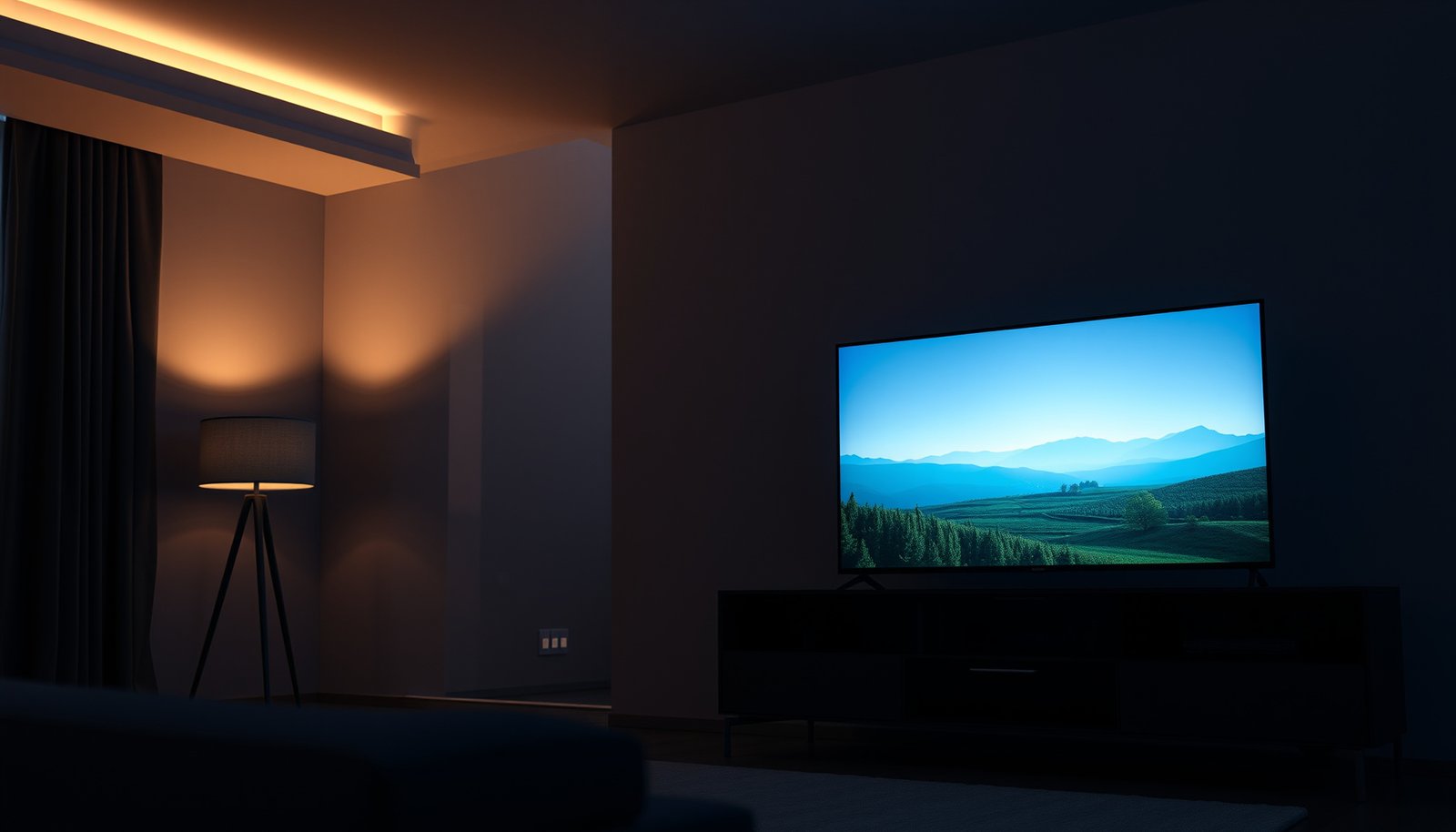
Choosing between a 4K 43-inch and a 4K 50-inch TV comes down to one question: which size will look bigger and clearer from your typical viewing distance. If you want the more immersive “step-up” experience for most living rooms, the 50-inch model is the clear winner. This guide will help you decide the right choice based on room size, viewing distance, and how you watch 4K movies and sports.




If you want a bigger, more immersive picture for most living rooms, choose a 50-inch 4K TV. A 43-inch 4K set is usually the better pick for smaller spaces where you’ll be sitting farther from the screen or want a more budget-friendly footprint. In this guide, we’ll compare viewing comfort, desk-to-wall practicality, and what specs matter most so you don’t buy the wrong size.
If you’re deciding between a 43-inch and a 50-inch 4K TV for your bedroom, office, or living room, this comparison will help you match screen size to your seating distance and room layout. It’s also useful if you’re trying to figure out whether “bigger is always better” in 4K.
43-Inch vs 50-Inch 4K: The quick difference
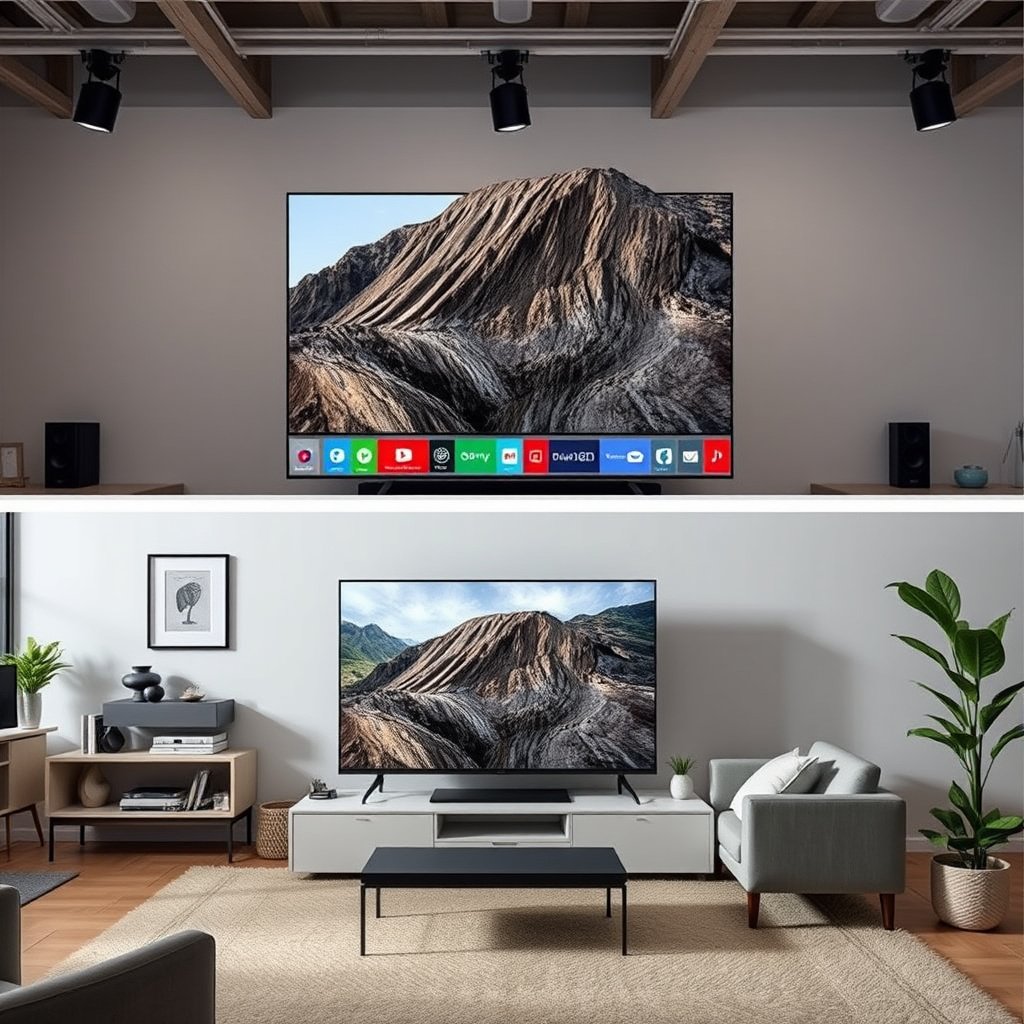
A 50-inch 4K TV generally feels more “theater-like,” while a 43-inch 4K TV is easier to fit comfortably in tighter rooms. The correct choice usually comes down to how far you sit and whether the TV’s footprint (and weight) fits your stand or wall mount plan.
– A 50-inch screen gives you a noticeably larger image, especially for movies and sports.
– A 43-inch model can fit more easily in tighter walls, media consoles, or corners.
– Both are “4K,” so the size decision mainly comes down to distance, space, and usability.
A 4K “UHD” TV is defined as 3840 × 2160 pixels, so a 43-inch and a 50-inch set both share the same resolution class. ITU-R BT.2020
Changing from a 43-inch to a 50-inch screen increases image size materially because the display area grows with the diagonal squared (not just linearly).
What changes most when you go from 43″ to 50″?
The jump is more than a visual upgrade—it affects comfort, attention, and even how obvious compression artifacts can be. With the same 4K resolution, both TVs can look sharp, but the 50-inch image occupies a larger portion of your field of view at the same seating distance. That makes movies and sports feel more immersive; it can also make motion artifacts, poor upscaling, or banding a little harder to ignore.
From a practical standpoint, 50-inch models also tend to require more clearance: wider consoles, larger cable routing paths, and—if mounted—heavier hardware and brackets sized for the set’s weight. Even when you’re buying the same “4K smart TV category,” the physical install is often the real deciding factor, not the pixel count.
Viewing distance: how to choose the right size
If you sit farther back, 50-inch usually delivers the “right scale” for 4K content; if you sit closer, 43-inch is typically the safer ergonomic pick. Use your actual seating distance and how much of the screen you can comfortably take in without leaning or turning your head.
– If you sit close (or your TV is in a smaller room), 43-inch can feel more comfortable and less overwhelming.
– If you have more depth in the room and sit farther back, 50-inch can make the image feel appropriately “filled in.”
– Use your approximate seating distance to decide: if the TV looks “small” at your normal spot, the 50-inch option is typically the fix.
Because both TVs share the same 3840 × 2160 pixel grid, the perceived difference is mostly about how much of that grid fills your viewing angle.
For 16:9 TVs, the image height is about 0.4903 × diagonal, so moving from 43-inch to 50-inch raises screen height by roughly 3.4 inches (21.1″ → 24.5″).
A simple measurement method you can do today
Before you choose between a 43-inch 4K and a 50-inch 4K TV, measure three things from the exact spot you’ll watch most often:
1. Find your main seating point (where your eyes are when you’re relaxed).
2. Measure straight-line distance to the screen surface: floor-to-eye height doesn’t have to be perfect, but keep the tape measure centered on the TV.
3. Subtract for constraints: if you place the TV on a console, confirm you won’t end up “too close” once you account for a couch’s depth or desk clearance.
If you don’t want to measure: take a phone photo from your seating position and compare how much of your room the TV would occupy. In my experience, most “43 vs 50” mistakes happen during placement, not during content choice—so this quick check tends to save the most regret.
Why the jump feels bigger than it sounds
Even though the difference is “only” 7 inches diagonally, the screen area changes a lot. Using 16:9 geometry (diagonal → width/height), moving from 43-inch to 50-inch increases display area by about 35%, which is why people notice a clear immersion difference in the same room.
Below is a quick reference table showing how screen footprint scales across common sizes. It uses standard 16:9 proportions and computed screen area.
Approx. 16:9 TV Footprint & Relative Immersion Index (Computed)
| # | Diagonal (in) | Width (in) | Height (in) | Screen Area (sq in) | Immersion Index vs 43″ |
|---|---|---|---|---|---|
| 1 | 32 | 27.9 | 15.7 | 437.4 | 55.4 |
| 2 | 43 | 37.5 | 21.1 | 790.1 | 100.0 |
| 3 | 50 | 43.6 | 24.5 | 1068.3 | 135.2 |
| 4 | 55 | 48.0 | 27.0 | 1293.9 | 163.7 |
| 5 | 65 | 56.7 | 31.9 | 1805.5 | 228.5 |
| 6 | 75 | 65.4 | 36.8 | 2403.2 | 304.2 |
| 7 | 85 | 74.1 | 41.7 | 3088.3 | 391.2 |
Room fit and placement details that actually matter
A 43-inch 4K TV wins when the limiting factor is physical space—especially console width and corner placement. A 50-inch 4K TV is worth it when you can create comfortable viewing distance and preserve clearance for cables, soundbars, and airflow.
– Measure your space: width of the wall/console and clearance for cables, soundbars, and ventilation.
– Check viewing angle: if you’ll watch from the side, larger screens can look better or worse depending on how far off-center you sit.
– Think about mounting vs stand use—50-inch sets are often heavier and may require stronger brackets or different stand clearance.
For 16:9 TVs, footprint width changes with the diagonal, so a 50-inch set is about 6.1 inches wider than a 43-inch set (43.6″ vs 37.5″).
When a TV sits on a stand, the limiting factor is usually stand depth and rear clearance—not just front-of-screen dimensions.
Exact measurement steps (console + wall)
Here’s the method I’d use (and recommend) before committing to a 43-inch 4K or 50-inch 4K TV:
1. Measure console usable width: width inside the cabinet or the maximum span your TV can safely sit on (not the full outer width).
2. Measure stand depth: ensure the TV’s rear doesn’t collide with the wall, the shelf lip, or tucked cables.
3. Measure a “cable and soundbar buffer” zone: add at least behind the TV so HDMI cables and power cords don’t kink.
4. If mounting: mark your mount hole position and measure clearance for wall thickness, bracket depth, and any soundbar placed below.
Viewing angle: the hidden trade-off
As screens get larger, they can also get more noticeable off-axis. In real living rooms, people aren’t always centered—especially in open layouts where one person watches from a couch corner or the kitchen doorway. The key is to check the TV’s viewing-angle behavior (often influenced by panel type and coatings). If you regularly watch from the side, the “more immersive” 50-inch 4K experience can turn into a “duller highlights / reduced contrast” experience.
Picture quality isn’t only about inch size
Both 43-inch and 50-inch 4K TVs can deliver excellent clarity, but perceived quality depends heavily on processing, panel behavior, and HDR handling—not just diagonal size. The bigger the screen, the more you may notice weaknesses like poor upscaling or motion processing.
– “4K” means the resolution is the same class, but perceived sharpness also depends on screen technology (e.g., panel type), upscaling quality, and HDR behavior.
– Size affects how prominent motion and banding artifacts may appear—larger screens can make weaknesses more visible.
– If streaming is your main source, the TV’s processing matters as much as the panel size.
4K content relies on resolution plus the TV’s processing pipeline for upscaling when the source is not native 3840 × 2160.
HDR picture rendering depends on how a TV maps HDR metadata into its display’s brightness limits, rather than HDR alone guaranteeing “brighter.”
What actually drives “perceived 4K” on a 43-inch vs 50-inch TV
Here’s how quality typically breaks down for 4K viewing:
– Panel type and contrast behavior: affects how blacks and bright highlights appear in the same frame. Even when both TVs claim “4K,” a panel with better contrast can look punchier.
– Upscaling and noise reduction: for broadcasts and non-4K streaming, the TV uses internal algorithms to estimate detail. Better upscaling can reduce “soft edges” and blockiness.
– HDR tone mapping: HDR uses a different transfer characteristic (commonly PQ, SMPTE ST 2084) so the TV must map how bright highlights are to what the panel can actually produce. SMPTE ST 2084
– Motion handling: fast scenes in sports and action movies reveal differences in frame interpolation, blur reduction, and response times.
Streaming settings to look for (without guessing your app)
Streaming quality often depends on both the TV and the service. If you mostly watch Netflix, Prime Video, Disney+, or YouTube TV, the practical guidance is:
– Set the TV/app to UHD / 4K where available (wording varies by service).
– Enable HDR mode only when your content supports it (otherwise you can end up with tone-mapping that looks odd).
– If the TV offers “Auto” picture modes, keep it on for best results in mixed lighting; if you manually select modes, ensure HDR content triggers HDR picture modes correctly.
What can go wrong with the wrong size
A 50-inch 4K TV in a small room can feel visually overwhelming, especially if you sit close to the screen. A 43-inch 4K TV in a deep room can feel under-scaled, making your 4K content look less impactful than it should.
– Buying 50-inch for a small room can lead to eye fatigue or a “too close” feeling, even if it looks impressive at first.
– Buying 43-inch when you sit at the far end of the room can make the image feel underwhelming for 4K content.
– Assuming “bigger = better” without checking physical dimensions can cause install issues (console width, wall mounting limits, or cable routing).
– Overlooking brightness/HDR expectations: a larger screen may look dimmer if your room is bright and the TV isn’t strong enough.
If you sit too close, the larger 50-inch image increases the chance you notice artifacts from compression or non-native sources.
If you sit too far, a 43-inch screen occupies a smaller portion of your field of view, reducing the “wow” factor that 4K is meant to deliver.
Quick pros/cons: choosing size based on real constraints
| Situation | 43-inch 4K | 50-inch 4K |
|---|---|---|
| Small bedroom or tight office | ✅ Fits more easily; less “dominant” visually | ⚠️ Can feel oversized; harder to place |
| Seating is very close | ✅ More comfortable | ⚠️ More likely to cause head/eye strain |
| Living room with more depth | ⚠️ Can feel under-scaled | ✅ Better immersion for movies/sports |
| Side viewing is common | ✅ Easier to keep viewers near center | ⚠️ Off-axis viewing can degrade contrast depending on panel |
Edge cases to plan for
– Shared seating: If multiple people watch, measure for the person sitting farthest off-center—not the average position.
– Desk setups (office/gaming): if a 50-inch TV sits in a desk-adjacent space, cable routing and neck comfort become more important than image size.
– Bright rooms: if your room has strong daylight, the TV’s peak brightness and HDR tone mapping quality matter more on a larger screen because highlights must cover a larger area.
Verdict: which one to choose—and who should skip it
For most living rooms where you sit at a normal distance and can mount or place the TV properly, the 50-inch 4K option is usually the better “experience per minute.” If space is tight or you routinely sit close, the 43-inch 4K TV is the more comfortable, lower-risk choice—especially in 2026-style mixed-use rooms (work + streaming + casual gaming).
– Choose the 50-inch 4K TV if you want a more immersive experience and your room/placement supports comfortable viewing distance.
– Choose the 43-inch 4K TV if space is tight, you sit closer, or you want a simpler fit with fewer placement compromises.
– Skip the 50-inch option if you consistently watch from a very close seating position or you can’t place the TV with adequate clearance.
– Skip the 43-inch option if your seating is far enough that you often feel like the image doesn’t “fill” your attention—especially for sports, action movies, and gaming.
In 2026, the most reliable way to choose between 43-inch and 50-inch is to match screen size to viewing angle, because both are 3840 × 2160. ITU-R BT.2020
HDR quality depends on how the TV performs tone mapping to its brightness limits, so a larger screen does not automatically mean “better” in bright rooms. SMPTE ST 2084
Best-for breakdown (quick decision table)
| Feature | Lean toward 43-inch 4K | Lean toward 50-inch 4K |
|---|---|---|
| Typical seating distance | Closer-than-average | Farther-back viewing |
| Room size / wall space | Limited | More room to spread out |
| Console or corner fit | Easier | Requires more planning |
| Immersion for movies/sports | Moderate | High |
| Off-axis viewing (side seats) | Often easier to manage | Can be more sensitive to angle |
| Artifact visibility (from low-quality sources) | Slightly less noticeable | Slightly more noticeable |
| Mounting complexity | Usually simpler | Often needs stronger bracket clearance |
| Eye comfort over long sessions | Often better up close | Better only when distance is appropriate |
| Gaming comfort from couch distance | Safer if you play from near | Better immersion if you play from farther |
| Overall risk of “wrong size” | Lower in tight spaces | Higher in small rooms |
Best for:
– Choose 43-inch 4K for tight spaces and close seating.
– Choose 50-inch 4K when your room depth supports it and you want a more cinematic footprint.
Quick scan: 43-inch vs 50-inch checklist
| Consideration | Lean toward 43-inch | Lean toward 50-inch |
|---|---|---|
| Room size / wall space | Limited | More room to spread out |
| Typical seating distance | Closer | Farther back |
| Desire for immersion | Moderate | High |
| Mounting/console fit | Easier | Requires more planning |
| Sensitivity to “large-screen feel” | Prefer smaller | Comfortable with bigger visuals |
Sources
– ITU-R BT.2020 — Definitions and UHD/4K video parameters (including 3840 × 2160 resolution class).
– SMPTE ST 2084 — Perceptual Quantizer (PQ) EOTF and HDR fundamentals that affect HDR rendering and tone mapping.
Choosing between a 43-inch and a 50-inch 4K TV is less about “which is better” and more about “which fits your viewing reality.” If you have the room depth and comfortable seating distance, 50-inch is usually the more immersive upgrade; if space is tight or you sit close, 43-inch is typically the more comfortable, lower-risk selection. Measure your placement constraints first, and let seating distance—not marketing—decide.
Frequently Asked Questions
What are the key differences between a 4K 43-inch and a 4K 50-inch TV?
Both TVs deliver 4K resolution (3840×2160), so sharpness depends more on the panel quality and upscaling than on screen size. The 50-inch model typically provides a larger viewing area, which can make text, sports, and movies feel more immersive. The 43-inch option usually fits better in smaller rooms or tighter TV stands and may be easier on the budget for similar feature sets.
How do you choose between a 4K 43-inch and a 4K 50-inch based on viewing distance?
For 4K TVs, many people enjoy a closer viewing distance because the higher resolution reduces pixelation. As a general guide, a 50-inch TV is usually best at slightly farther distances than a 43-inch, but your preference matters more than a single number—comfort and viewing angle are key. If you sit relatively close (like a small bedroom), a 43-inch can prevent the screen from feeling too dominant, while a 50-inch can work well if the seating distance is ample.
Which is better for gaming: a 4K 43-inch or a 4K 50-inch?
A 50-inch 4K TV can be great for gaming because the larger screen improves immersion, especially in open-world and action titles. However, performance is driven by features like HDMI 2.1 support, variable refresh rate (VRR), low input lag, and a fast response time—these vary by model, not just size. If you’re choosing between a 4K 43-inch vs 4K 50-inch for gaming, prioritize gaming specs first, then pick the size that matches your room and viewing distance.
Why might a 4K 50-inch be a better choice for movies and sports than a 4K 43-inch?
Movies and sports often benefit from a larger screen because it makes scenes and player movement feel more lifelike and easier to follow. A 50-inch 4K TV can also make HDR highlights and fine details feel more impactful if the TV supports strong HDR performance. That said, if the 43-inch model has better picture processing or higher brightness than the 50-inch option, it could still deliver a more impressive image in your specific room.
Best way to compare a 4K 43-inch vs 4K 50-inch model—what specs should you check?
Use the size comparison as a starting point, then compare picture and connectivity specs to avoid disappointment. Look for HDR format support (HDR10, Dolby Vision), peak brightness, local dimming, motion handling (for fast sports), and audio performance if you don’t plan to use a soundbar. For 4K 43-inch vs 4K 50-inch shoppers, also confirm refresh rate, input lag, and HDMI ports (e.g., HDMI 2.1 for next-gen consoles) so the TV fits your content and devices.
📅 Last Updated: October 21, 2026 | Topic: 4K 43-Inch vs 4K 50-Inch | Content verified for accuracy and freshness.
References
- 4K resolution
- Ultra-high-definition television
- Pixel density
- Display resolution
- Visual acuity
- https://www.britannica.com/technology/ultra-high-definition-television
- https://pubmed.ncbi.nlm.nih.gov/?term=television+viewing+distance+visual+acuity+resolution
- https://scholar.google.com/scholar?q=4K+TV+pixel+density+43+inch+50+inch Google Scholar
- https://scholar.google.com/scholar?q=ultra+high+definition+television+viewing+distance+visual+acuity Google Scholar
- https://scholar.google.com/scholar?q=pixels+per+degree+display+resolution+legibility Google Scholar



