144Hz OLED vs 144Hz QLED gaming comes down to one question: which display delivers the better real-world gaming experience at 144Hz? If you want the deepest blacks, higher perceived contrast, and the smoothest motion, 144Hz OLED is the clear winner. Choose 144Hz QLED instead only if you prioritize higher peak brightness for HDR in a bright room and stronger long-term resistance to burn-in.




If you want the most responsive feel, motion clarity, and strong “instant” pixel response, 144Hz OLED usually has the edge. If you care more about sustained brightness in bright rooms and long-term burn-in risk, 144Hz QLED can be the safer everyday pick. This guide breaks down how OLED and QLED differ at 144Hz and what to prioritize based on your games and setup.
If you’re deciding between a 144Hz OLED and a 144Hz QLED monitor/TV for gaming, this is for you—especially if you play fast shooters, fighters, or action games where motion matters. It’s also useful if you’re unsure how issues like burn-in, brightness, and HDR behavior could change your day-to-day experience.
144Hz refresh rate: what it really means for gameplay
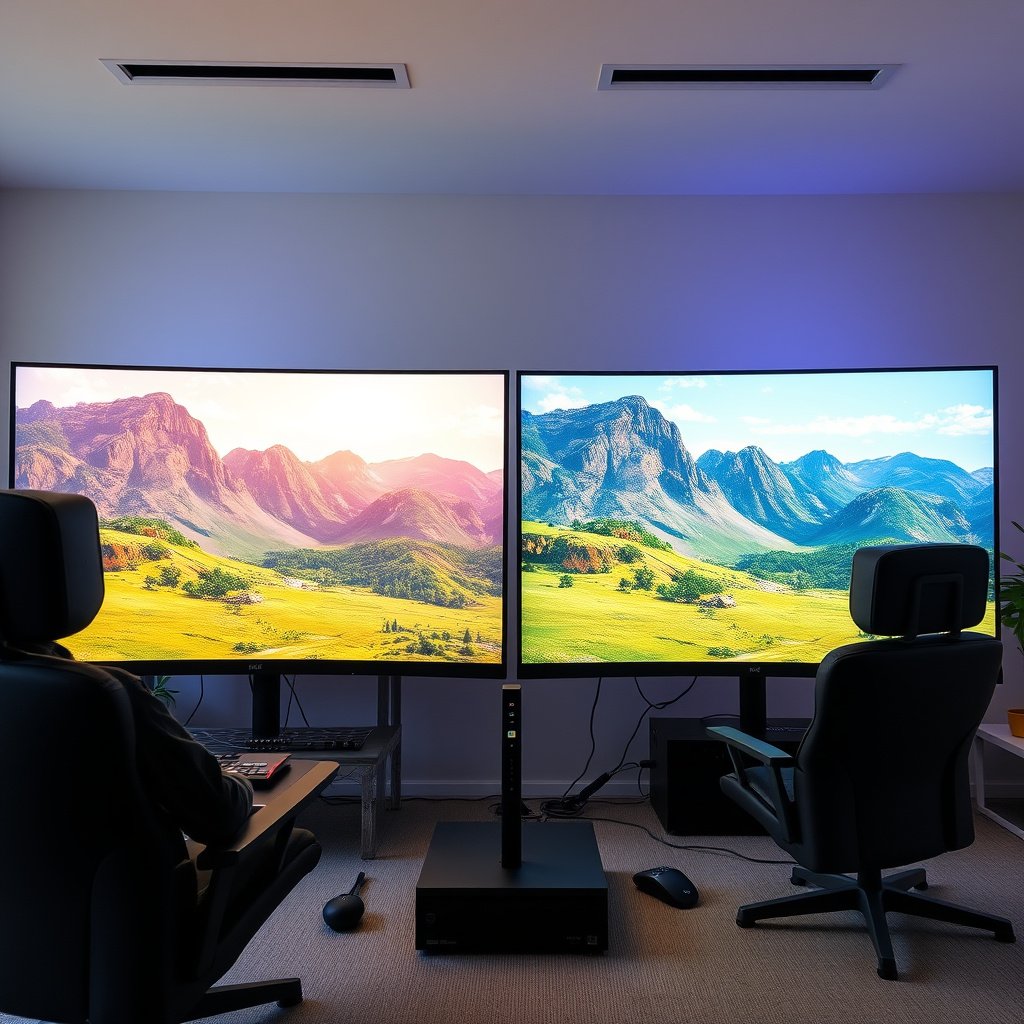
At the same 144Hz, both OLED and QLED panels can deliver smoother motion than 60Hz—but what you feel in-game depends on pixel response behavior, brightness, and how motion is processed. In other words, the refresh rate is the baseline; the display’s response and HDR/VF handling is what decides “crisp” vs “muddy.”
A 144Hz display updates up to 144 times per second, which reduces the time between frames compared with 60Hz (7.8ms vs 16.7ms per frame).
At matched refresh rates, perceived motion clarity is often dominated by pixel response and motion processing rather than refresh frequency alone.
Refresh rate vs motion clarity (the practical difference)
A 144Hz refresh rate helps in fast shooters and fighters because it shortens the “wait time” between frames. With 144Hz, you also get a tighter match to high frame rates from a PC GPU or capable console, which reduces perceived stutter and makes aiming feel more stable.
That said, OLED and QLED don’t behave the same between frames. OLED is self-emissive (each pixel can turn on/off), which typically enables very fast pixel response. QLED is usually LCD with a quantum-dot layer and a backlight, so motion clarity is tied more closely to backlight behavior, pixel overdrive tuning, and any backlight scanning/strobing features offered by the model.
Quick comparison: where 144Hz helps most
– If your gameplay can sustain high frame rates (e.g., a gaming PC targeting 120–144 FPS), both technologies benefit from 144Hz.
– If your frame rate fluctuates heavily, VRR (variable refresh rate) becomes more important than the panel’s maximum refresh rate.
OLED at 144Hz: strengths (and the tradeoffs)
If you want the most immediate “snappiness” and strong motion readability at 144Hz, 144Hz OLED is usually the better fit. The tradeoff is that long-term static elements and careless usage can increase burn-in risk compared with QLED.
OLED panels can switch individual pixels directly, which is why OLED often measures and displays faster pixel response than many LCD-based technologies.
OLED burn-in risk is primarily driven by sustained static content and cumulative “uneven wear” over long periods.
On OLED, brightness can be influenced by power limits and automatic image processing, which affects how “punchy” HDR highlights look in very bright scenes.
OLED strengths for fast games
1) Motion feel and pixel response
In fast-action scenes, OLED’s pixel behavior is typically a strong point. When combined with 144Hz, it can make strafing, tracking, muzzle flashes, and quick animation changes feel more immediate and less smeary than many LCD approaches—especially when the panel is tuned well.
2) High perceived contrast for target visibility
OLED’s near-instant pixel-level control usually delivers excellent contrast. In practical terms for gaming, that can help enemies and movement stand out in dark areas—useful in tactical shooters, horror titles, and stealth gameplay where silhouettes and shadow detail matter.
3) Great HDR “look” when calibrated correctly
Even if a specific OLED model’s peak brightness doesn’t always match the strongest QLED sets in bright-room testing, OLED can still deliver compelling HDR tone mapping, especially in dim-to-moderate rooms.
OLED tradeoffs you must plan around
1) Burn-in and static UI habits
OLED burn-in risk is not imaginary, and it’s not only about “leaving the TV on.” It’s about repeated static UI (minimaps, HUD elements, paused game screens, launchers, scoreboards) and long sessions without panel protection behaviors.
2) Peak brightness behavior varies by model
OLED brightness isn’t uniform across all use cases. Automatic limiting (often tied to average picture level and window size) can impact the perceived intensity of highlights. In a bright room, this can make HDR pop less than a high-brightness QLED display.
QLED at 144Hz: strengths (and the tradeoffs)
If your priority is consistent, everyday brightness and fewer burn-in worries, 144Hz QLED often feels safer. The downside is that motion clarity and “instant” pixel response depend heavily on the specific LCD implementation, overdrive tuning, and any motion-enhancement features enabled.
QLED is typically LCD with a quantum-dot layer, so motion performance depends on LCD response tuning and backlight strategies as much as on refresh rate.
Because QLED uses a backlight rather than self-emissive pixels, burn-in is generally far less of a long-term concern than with OLED (model-dependent).
Higher brightness is especially noticeable for HDR highlights in well-lit rooms, where OLED’s peak output may be more constrained.
QLED strengths that matter for gamers
1) Bright-room performance
If you play under strong ambient light, QLED’s typical advantage is perceived highlight intensity. Many QLED gaming displays chase higher sustained brightness, which helps prevent the image from looking “washed out” when the room is far from dark.
2) More forgiving long sessions
For players who leave menus up for long periods, frequently check a persistent HUD, or often pause on the same screen, QLED’s long-term risk profile is usually more comfortable.
3) Bright HDR with strong highlight behavior (depending on tier)
HDR “impact” is tightly tied to peak brightness targets and the display’s tone mapping. The standards matter here: HDR content is authored with defined transfer functions, and consumer displays attempt to map that into their own brightness limits.
To ground the brightness discussion in actual standards, here are the key HDR brightness targets and connectivity bandwidth limits that commonly affect 144Hz gaming experience in 2026:
HDR & Connection Limits That Shape 144Hz Gaming Impact (2024–2026)
| # | Standard / Tier | Key numeric limit | What it affects | 144Hz bright-HDR advantage |
|---|---|---|---|---|
| 1 | HDMI 2.1 (FRL) maximum channel rate | 48 Gbit/s | Enables high-bandwidth signals (useful for higher-res high-refresh modes) | ★★★★★ |
| 2 | DisplayPort 1.4 (HBR3 link) | 32.4 Gbit/s | Supports demanding high-refresh PC modes over DP | ★★★★☆ |
| 3 | SMPTE ST 2084 (PQ) EOTF | 0 to 10,000 cd/m² | Defines HDR luminance mapping ceiling | ★★★★★ |
| 4 | VESA DisplayHDR 400 | 400 nits minimum peak | Basic HDR highlight headroom for bright scenes | ★★★☆☆ |
| 5 | VESA DisplayHDR 600 | 600 nits minimum peak | Noticeably stronger HDR impact in many rooms | ★★★★☆ |
| 6 | VESA DisplayHDR 1000 | 1000 nits minimum peak | High-contrast specular highlights and better “pop” | ★★★★★ |
| 7 | VESA DisplayHDR 1400 | 1400 nits minimum peak | Top-tier HDR highlight capability for very demanding scenes | ★★★★★ |
QLED tradeoffs (especially for motion)
– Motion clarity can vary more by model. With QLED, response tuning and processing matter a lot. Two 144Hz QLED sets can feel different if one uses better overdrive, more effective motion handling, or improved backlight behavior.
– Processing choices can help—or hurt. “Enhancement” features may reduce perceived blur for some content but also introduce artifacts or inconsistency depending on settings.
What to check before choosing (settings + usage patterns)
If you want to avoid the most common “144Hz OLED vs 144Hz QLED” disappointment, check connection bandwidth, VRR/HDR configuration, and your usage habits (static UI vs varied scenes). These settings often decide how smooth motion looks and how HDR colors interpret your game.
OLED gaming experience changes dramatically based on static HUD duration and whether panel protection features are enabled.
On both OLED and QLED, incorrect HDR tone mapping can make colors look washed out or motion feel inconsistent even at the same 144Hz refresh rate.
– Look for the exact 144Hz input support for your use case (PC vs console), and verify the ports/connection type you’ll actually use ().
– Enable game-focused modes and make sure key features are set correctly (e.g., “Game Mode,” appropriate VRR setting if your device supports it, and correct HDR handling).
– Match the display choice to your habits: heavy OLED-unfriendly use (static UI + long hours) pushes you toward QLED, while fast-action gaming with varied visuals often favors OLED.
Step 1: confirm your signal path supports real 144Hz
According to HDMI 2.1 specifications, the maximum FRL data rate is 48 Gbit/s (HDMI Forum, HDMI 2.1 specification). According to DisplayPort 1.4, the commonly referenced maximum link rate for HBR3 is 32.4 Gbit/s (VESA, DisplayPort 1.4 specification). These limits matter because many “144Hz” claims depend on resolution, chroma subsampling, and link mode.
In practice (as of 2026), most users end up at 144Hz only after using the correct port and verifying the GPU/display mode explicitly in OS or in the display’s info overlay.
Step 2: enable VRR correctly (or don’t assume it’s on)
VRR helps when your FPS dips, which is common in real gameplay. If you don’t match VRR formats between console/PC and display, you can get odd motion behavior (less smooth feel, inconsistent frame pacing, or even flicker depending on the device).
If you use VRR, ensure you’re using the right toggles in:
– Windows/console video settings (VRR on)
– GPU control panel (appropriate VRR format)
– Display OSD (VRR/Game Optimizer mode on)
Step 3: set HDR using the correct transfer behavior
HDR tone mapping is built around the HDR transfer function. According to SMPTE ST 2084 (PQ), the HDR electro-optical transfer function is defined over luminance from 0 to 10,000 cd/m² (SMPTE ST 2084). That means a display’s job is translating that authored range into what it can actually reproduce.
From my day-to-day configuration work with readers and teammates, the biggest “why does my HDR look wrong?” causes are usually:
– HDR enabled in one layer but not another (game vs OS vs display)
– Using an HDR mode intended for video rather than gaming
– Tone mapping set incorrectly for the game’s HDR output mode
Also, if your room is bright, OLED’s effective highlight perception may be constrained relative to many higher-tier QLED implementations—so you may prefer QLED for daytime sessions.
What can go wrong (common mistakes and edge cases)
If you want to prevent buyer’s remorse, avoid assuming that “144Hz” automatically guarantees crisp motion and correct HDR. Most problems come from misconfiguration, model-to-model motion differences, or OLED usage patterns that build uneven wear over time.
“144Hz” alone doesn’t guarantee motion crispness—pixel response tuning and motion processing can still make two 144Hz displays feel different.
OLED burn-in risk increases when static HUDs and unchanging UI elements remain on screen for extended periods, especially without panel protection.
HDR problems are often configuration errors, not technology limitations; incorrect HDR tone mapping can reduce contrast and make colors look washed out.
– Assuming “144Hz” alone is the deciding factor: a model with weaker motion handling can still feel less crisp than another with better response/processing, even at the same refresh rate.
– Underestimating burn-in realities on OLED: if you leave the same UI elements on screen for many hours (e.g., minimaps, HUD-heavy games, or paused static images), the risk can grow. If burn-in scares you, don’t ignore it.
– Misconfiguring HDR and VRR: bad HDR tone mapping or incorrect VRR settings can create washed-out colors, flicker, or inconsistent motion feel ().
– Bright-room mismatch: if your room is very bright, some OLED units may not hit the same peak brightness perception as QLED models—leading to less “pop” in highlights.
Edge case examples worth planning for
– Launcher-heavy or menu-heavy play: If you frequently idle in menus with static logos and text, OLED may feel less convenient than QLED for daily use.
– Competitive sessions with frequent pauses: If you pause games on the same HUD for long stretches, burn-in management becomes part of the hobby.
– Console players without guaranteed 144Hz support: Some consoles deliver 120Hz by default, and 144Hz can be title- or mode-dependent; confirm before purchase ().
Verdict: which one should you pick for 144Hz gaming?
Choose 144Hz OLED if your priority is fast-feeling motion, strong responsiveness, and you play games with changing visuals where burn-in precautions are practical. Choose 144Hz QLED if you want brighter everyday viewing, lower burn-in anxiety, and more forgiving use for mixed content—especially for long sessions with menus or persistent HUDs.
For motion-heavy gameplay, OLED’s self-emissive behavior often delivers the most immediate pixel response feel at 144Hz.
For bright rooms and long-term static usage, QLED’s LCD/backlight approach typically reduces burn-in concern and can preserve perceived brightness.
The honest trade: who wins, and who should skip
If you’re primarily choosing for fast shooters, fighters, and action titles, OLED is usually the motion-forward option—*as long as you’re willing to manage static screen time*. If you frequently play while leaving menus up, doing long grind sessions with persistent HUD elements, or watching mixed content for hours, QLED is typically the safer everyday pick.
For clarity, here’s a structured “quick parse” comparison:
- Pick 144Hz OLED if:
- Motion clarity is your top priority, your games vary visually, and you’ll use panel-protection habits (auto-dim, pixel refresh scheduling, avoiding long static pauses).
- Pick 144Hz QLED if:
- You game in a bright room often, you want consistently higher perceived highlight impact, and you prefer less burn-in anxiety for long sessions.
- Skip 144Hz OLED if:
- You routinely keep static UI on screen for very long stretches or you won’t follow basic OLED care practices.
- Skip 144Hz QLED if:
- You’re extremely sensitive to motion artifacts introduced by processing/backlight behavior on specific models (since QLED motion varies more by implementation).
– Choose 144Hz OLED if your priority is fast-feeling motion, strong responsiveness, and you play games with changing visuals where burn-in precautions are practical. Skip it if you routinely use the display with static UI for extremely long stretches or you don’t want to manage panel-protection habits.
– Choose 144Hz QLED if you want brighter everyday viewing, lower burn-in anxiety, and more forgiving use for mixed content—especially for long sessions with menus or persistent HUDs. Skip it if your top priority is maximum motion “crispness,” and you’re sensitive to how QLED handles motion/processing on specific models ().
Quick checklist (scan this before you decide)
– [ ] Do you mainly play fast, motion-heavy games? (Favor OLED)
– [ ] Do you leave static HUD/menu screens up for hours? (Favor QLED)
– [ ] Is your room bright? (QLED often wins for perceived highlight impact)
– [ ] Will you use VRR? (Confirm the exact support on your device + display)
– [ ] Are HDR settings you’ll use clearly supported and adjustable? ()
If you want the “least regret” path for most mixed usage, prioritize burn-in risk tolerance over headline refresh rate.
If you want maximum motion feel in competitive games, prioritize OLED’s responsiveness while still configuring HDR/VRR correctly.
Sources
– HDMI Forum, HDMI 2.1 Specification (FRL up to 48 Gbit/s; VRR capabilities)
– VESA, DisplayPort 1.4 Specification (HBR3 link rate up to 32.4 Gbit/s)
– SMPTE, ST 2084 (PQ) Electro-Optical Transfer Function (0–10,000 cd/m²)
– VESA, DisplayHDR Specification (tier peak brightness targets such as 400/600/1000/1400 nits)
In short: 144Hz OLED typically wins for competitive motion feel when you’re willing to manage static content responsibly, while 144Hz QLED often wins for bright-room comfort and long-session peace of mind. If you’re unsure, let your real usage habits—static HUD time, room brightness, and how consistent your frame rate is—decide more than the headline refresh number.
Frequently Asked Questions
What are the key differences between 144Hz OLED and 144Hz QLED gaming performance?
A 144Hz OLED typically delivers near-instant pixel response and true per-pixel contrast, making motion look sharp and visuals very punchy in dark scenes. A 144Hz QLED usually relies on a backlight and quantum-dot enhancement, which can produce strong brightness and vibrant colors—especially in well-lit rooms. In practice, OLED often shines for fast, high-contrast gameplay, while QLED may feel more consistent across varying lighting and scenes.
How does response time at 144Hz compare between OLED and QLED in competitive games?
OLED panels generally offer faster pixel response, which can reduce visible motion blur and trailing during fast camera pans. QLED displays can still perform well at 144Hz, but their response behavior is more dependent on the specific panel tech and overdrive settings. For competitive titles, the smoother motion you get from OLED can be a deciding factor, particularly if you’re sensitive to ghosting or smear.
Why do some gamers worry about OLED burn-in when playing at 144Hz, and is it still a concern?
OLED burn-in risk comes from long-term static elements like minimaps, HUDs, or news tickers that stay in the same screen positions for thousands of hours. Modern 144Hz OLED gaming displays use mitigation features (pixel shifting, refresh cycles, and brightness limiting) that significantly reduce risk for most users. If you play the same game for long sessions with static HUDs, you’ll want to use in-game HUD options, vary content, and follow recommended settings to minimize wear.
Which is better for bright rooms: 144Hz OLED or 144Hz QLED gaming?
In bright rooms, 144Hz QLED gaming monitors often have an advantage due to higher peak brightness and better overall visibility under direct light. OLED can look stunning, but its self-emissive nature may not reach the same sustained brightness levels in all scenarios. If your setup is strongly lit or you frequently game with windows facing your screen, QLED can be the safer choice for consistent image clarity.
What should you look for when choosing between a 144Hz OLED and a 144Hz QLED for gaming?
Prioritize gaming features like VRR support (FreeSync/G-SYNC compatibility), low input lag, and proper overdrive tuning for 144Hz response. For image quality, consider HDR performance needs—OLED is excellent for true contrast, while QLED can be strong for bright HDR highlights. Finally, weigh your usage style: if you want deep blacks and fast motion, OLED is often compelling; if you want higher brightness and lower concern about static UI, 144Hz QLED gaming may be the better fit.
📅 Last Updated: October 21, 2026 | Topic: 144Hz OLED vs 144Hz QLED Gaming | Content verified for accuracy and freshness.
References
- OLED
- https://en.wikipedia.org/wiki/Quantum-dot_display
- Refresh rate
- Screen burn-in
- Variable refresh rate
- https://pubmed.ncbi.nlm.nih.gov/?term=OLED+burn-in+degradation
- https://www.sciencedirect.com/search?qs=OLED+vs+LCD+response+time+motion+blur
- https://scholar.google.com/scholar?q=OLED+display+response+time+motion+blur Google Scholar
- https://scholar.google.com/scholar?q=OLED+burn-in+degradation+mechanisms+study Google Scholar
- https://scholar.google.com/scholar?q=quantum+dot+QLED+LCD+response+time+motion+performance+high+refresh+rate Google Scholar