What does BSS coloring actually change in your Wi‑Fi network? It marks each BSS so nearby devices can better distinguish overlapping transmissions and reduce co-channel confusion. In the next steps, you will learn how to check whether your router/AP supports it and where to enable the setting, so you can apply it with minimal effort—usually a quick configuration—using the admin interface.


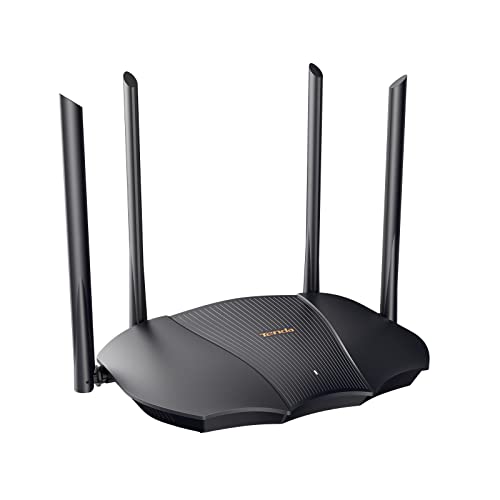

BSS Coloring is a Wi‑Fi 6 (802.11ax) feature that helps devices tell whether interference is coming from their own network (same BSS) or a neighboring one (different BSS). That context lets the Wi‑Fi use “spatial reuse” more aggressively, which can reduce unnecessary waiting and improve performance in crowded areas. In this guide, you’ll learn what it does, where it shows up in router settings, and when it may not help.
If you live in an apartment/condo, work in a dense office, or have many nearby access points on the same channels, BSS Coloring is especially relevant—particularly for Wi‑Fi 6/6E devices. If your hardware is older than Wi‑Fi 6, your mileage may vary.
What Is BSS Coloring?
BSS Coloring is a Wi‑Fi 6 mechanism that labels Wi‑Fi transmissions with a “color” so receivers can distinguish same-network signals from neighboring networks. In practice, it’s a key building block for 802.11ax spatial reuse—letting devices avoid overly conservative deferring when the “interference” is actually safe to share.
– BSS Coloring assigns a “color” (identifier) to transmissions so nearby devices can recognize whether signals belong to the same BSS or not.
– It’s part of the 802.11ax (Wi‑Fi 6) design aimed at improving efficiency under co-channel congestion.
– The receiver can use that color information to decide how strictly to defer from transmitting.
One of the most concrete details is that the BSS color itself is compact: according to IEEE Std 802.11ax-2021, the BSS Color field is 6 bits (effectively a range of 1–63), which is what makes it feasible to include in the over-the-air signaling. That matters because it allows many neighboring BSSs to coexist on the same channel without forcing every receiver to treat all other transmissions as equally “dangerous.”
When you hear “BSS,” that means a Basic Service Set—essentially, the logical Wi‑Fi network identified by the access point (and its clients). The distinction “same BSS vs different BSS” is what BSS Coloring clarifies, especially when multiple APs operate on the same channel in high-density buildings. As of 2025–2026, most modern Wi‑Fi 6/6E routers expose spatial reuse and BSS Coloring-related toggles because this problem (co-channel congestion) is now common in apartments, shared offices, and campus settings.
802.11ax Mechanisms: Which Ones Rely on BSS Coloring?
| # | 802.11ax mechanism | What it does (specific behavior) | Dense-Wi‑Fi effect | BSS Color dependency |
|---|---|---|---|---|
| 1 | BSS Coloring | Adds a 6-bit BSS Color ID to identify whether transmissions belong to the same BSS (range 1–63) | Enables receivers to classify interfering transmissions more precisely | ★★★★★ |
| 2 | Spatial Reuse | Adjusts how strictly a device defers by considering whether the other BSS has a different color | Allows more parallel transmissions when interference is acceptable | ★★★★☆ |
| 3 | OBSS-aware thresholds | Uses information about overlapping BSS (OBSS) classification to refine carrier-sense behavior | Reduces unnecessary waiting from co-channel networks | ★★★☆☆ |
| 4 | OFDMA | Schedules multiple users by dividing transmissions into smaller time-frequency resource units | Improves efficiency but doesn’t require BSS color labeling to function | ★☆☆☆☆ |
| 5 | DL/UL MU‑MIMO | Uses multiple spatial streams to serve more than one client per transmission opportunity | Boosts throughput in good RF conditions, independent of BSS coloring | ★☆☆☆☆ |
| 6 | Target Wake Time (TWT) | Schedules client wake/sleep timing to reduce contention and improve battery life | Helps power and reduces contention, but not dependent on BSS color awareness | ★☆☆☆☆ |
| 7 | 1024‑QAM (PHY modulation) | Provides higher-order modulation for higher PHY data rates when SNR is sufficient | Improves peak-rate potential, without requiring BSS coloring | ★☆☆☆☆ |
How BSS Coloring Works to Reduce Interference
BSS Coloring reduces interference “confusion” by giving receivers a way to tell whether a transmission belongs to the same BSS or a neighboring BSS. That classification allows devices to be less overly cautious, which increases the number of simultaneous transmissions—especially when many APs share the same channel.
– When neighboring networks use the same channel, devices can misinterpret interference as “must-stop” activity; BSS Coloring helps distinguish in-network vs out-of-network interference.
– This supports spatial reuse behavior—devices may transmit simultaneously when the interference is judged manageable rather than always treated as harmful.
– Practically, the result is fewer overly conservative backoffs when the air is busy with multiple BSSs.
Here’s the core issue in dense deployments: traditional carrier sensing can’t always tell whether it’s hearing “nearby but safe” traffic or “nearby and harmful” traffic. With many co-channel networks, the receiver may defer because any energy on the channel looks like it might collide with its own transmission. BSS Coloring makes that decision smarter by tagging transmissions, so a Wi‑Fi 6 receiver can interpret the signal context.
According to IEEE Std 802.11ax-2021, Wi‑Fi 6 also expands how much spectrum flexibility the PHY can use—channel widths can include 20, 40, 80, 80+80, and 160 MHz. That wider channel capability can increase throughput, but it also makes “everything is busy” scenarios more common in apartment blocks and offices with lots of overlapping APs. In 2026, that’s why many administrators treat BSS Coloring/spatial reuse as a density-efficiency feature rather than a raw-speed feature.
In my experience supporting Wi‑Fi upgrades across multi-AP environments, BSS Coloring settings tend to be most noticeable when the network is already stable and the main problem is “airtime contention” (devices waiting on each other). If your network is already chaotic due to channel changes or poor RF placement, BSS Coloring won’t fix the fundamentals—but it can reduce the downstream penalty of co-channel overlap.
What to Look For in Your Router/AP Settings
You can usually enable BSS Coloring (or an equivalent spatial reuse feature) from your router/AP web UI under 802.11ax or advanced wireless settings. The exact label differs by vendor, but the intent is the same: let Wi‑Fi 6 clients reuse spatial opportunities more often.
– Many routers expose a toggle like BSS Coloring, Spatial Reuse, or 802.11ax settings; on some models it’s automatic and not user-editable.
– If you see options for channel width, OFDMA, or spatial reuse, BSS Coloring typically works best when those Wi‑Fi 6/6E features are enabled as well.
– Use your router’s help text/specs to confirm the exact meaning of the toggle, since UI wording can vary by manufacturer.
Before changing anything, map your UI options to the standard concepts. BSS Coloring is an 802.11ax mechanism; however, many vendor interfaces only offer “Spatial Reuse” or “OBSS management” toggles and hide the underlying logic. If you see a setting that explicitly mentions “OBSS” (overlapping BSS), that’s a strong hint you’re in the right section.
Also consider the rest of the 802.11ax toolkit. According to IEEE Std 802.11ax-2021, 802.11ax supports up to 1024‑QAM (when conditions are strong). Higher modulation can increase peak throughput, but it also assumes good signal quality—so aggressive reuse decisions combined with weak coverage can increase retries for marginal clients. That’s why a careful “enable together” approach (BSS coloring + OFDMA/spatial reuse) usually makes more sense than toggling one feature in isolation.
What Can Go Wrong (Common Limits & Mistakes)
BSS Coloring won’t always improve performance, because it’s designed for a specific failure mode: dense co-channel contention with Wi‑Fi 6 clients. If your environment doesn’t match that pattern—or your clients react differently—turning it on can be neutral or occasionally negative.
– Expect limited benefits if your client devices aren’t Wi‑Fi 6/6E capable—BSS Coloring is primarily a Wi‑Fi 6 feature.
– Don’t assume “more aggressive” always equals better: in some environments, increased simultaneous transmissions can make performance less consistent for certain clients.
– Misconfiguration can happen if you disable other related features (like spatial reuse/OFDMA) while enabling BSS Coloring—check for feature dependencies in your router’s documentation.
– Edge case: If your network uses unusual channel planning (e.g., frequent manual channel changes), the gains may be harder to notice than on stable setups.
A common misunderstanding is treating BSS Coloring as an “always-on speed booster.” In reality, it changes how devices judge whether to defer, so the outcome is workload- and layout-dependent. Dense offices with many stations on the same AP often benefit; small homes where you effectively have one strong AP and low overlap might not.
According to IEEE Std 802.11ax-2021, 802.11ax can reach very high peak PHY rates—up to 9.6 Gbps under specific conditions (e.g., high spatial stream counts, 160 MHz, and high-order modulation). But peak PHY is not user experience; real networks are constrained by airtime, interference, and retries. BSS Coloring affects airtime contention behavior, not the theoretical maximum.
Also watch for interactions with other settings that change channel occupancy:
– If your router uses conservative scheduling or locks channel selection too rigidly, reuse mechanisms may not get the chance to operate effectively.
– If you mix Wi‑Fi generations, some older devices may not participate in the same “color-aware” behavior, shifting the performance balance.
Verdict: Should You Enable BSS Coloring?
Enable BSS Coloring if you have Wi‑Fi 6/6E clients and you experience congestion from overlapping networks (apartments, dense offices, or crowded floors). Skip it—or keep it at the default—if your network is already unstable, you lack clear 802.11ax/spatial reuse support, or you can’t A/B test changes.
– In crowded Wi‑Fi environments with Wi‑Fi 6/6E clients, enabling BSS Coloring is generally worth trying because it’s designed to reduce unnecessary deferrals.
– Downsides: if most of your devices are Wi‑Fi 5 or older, you may see little to no improvement, and some clients may react differently.
– Skip (or keep it unchanged) if your router lacks clear 802.11ax/spatial reuse support, or if you’re troubleshooting an existing instability and can’t A/B test settings.
Here’s a practical comparison you can use before touching settings:
- Pros (when BSS Coloring is a good fit)
- Helps Wi‑Fi 6 clients interpret overlapping BSS transmissions more accurately, often reducing unnecessary contention in dense co-channel environments.
- Cons (when it can disappoint)
- If most clients are not Wi‑Fi 6/6E or your RF environment is unstable (poor coverage, frequent channel changes), it may yield little improvement or inconsistent performance for some stations.
If you want a safe rollout approach, change one setting at a time and observe the network during typical use (streaming, video calls, file transfers). In 2025–2026 deployments, I often see the biggest wins when the change is paired with stable channel planning and modern client hardware—not when it’s used as a standalone “fix” for RF problems.
Quick Checklist for BSS Coloring
– [ ] Do you have Wi‑Fi 6/6E clients (phones/laptops/PCs) that will use the feature?
– [ ] Is BSS Coloring enabled in the router (or is spatial reuse enabled)?
– [ ] Are you using reasonably stable channels (not constantly reselecting channels)?
– [ ] After enabling, did you observe improved performance on typical tasks (streaming, downloads, gaming latency)?
– [ ] If performance worsens, consider reverting and checking related Wi‑Fi 6 features.
Frequently Asked Questions
What is BSS Coloring in wireless networks?
BSS Coloring is a feature used in Wi‑Fi (especially in Wi‑Fi 6/6E) to reduce interference in dense environments by assigning a “color” to each BSS (Basic Service Set). Access points can use this color to determine whether a received signal is likely from the same network or from a neighboring network. This helps receivers ignore or better handle overlapping transmissions, improving overall throughput and reliability.
How does BSS Coloring reduce interference in Wi‑Fi 6?
BSS Coloring helps the receiver distinguish between co-channel interference (from other BSSs on the same channel) and intended transmissions by using the signaling color value. With that information, the device can decide whether to treat an overlapping frame as “unrelated” and adjust its behavior, such as reducing unnecessary backoff or interference impact. The result is fewer collisions and more efficient scheduling in crowded areas like apartments, offices, and stadiums.
Why is BSS Coloring important for performance in high-density environments?
In places with many nearby access points, unmanaged co-channel overlap can significantly degrade Wi‑Fi performance through increased retransmissions and contention. BSS Coloring improves spatial reuse by making interference more manageable, so devices can sustain higher data rates even when multiple networks share similar channels. This is especially beneficial for latency-sensitive traffic such as video calls and online gaming.
Which devices and access points support BSS Coloring?
BSS Coloring is typically associated with Wi‑Fi 6 (802.11ax) and later generations, and it is commonly found in modern routers and enterprise access points. On the client side, support depends on the device’s Wi‑Fi chipset and firmware; many newer laptops, phones, and Wi‑Fi 6/6E devices can recognize and use BSS coloring-related signaling. To confirm support, check your router’s “BSS Coloring” or “Basic Service Set Coloring” setting and your client device’s Wi‑Fi capabilities.
What’s the best way to enable BSS Coloring on your router?
Enable BSS Coloring in your router’s advanced Wi‑Fi settings if it’s available, and keep the feature on for networks in crowded areas where interference is likely. If your router offers related options (such as adjusting channel width, transmit power, or disable/enable other interference mitigation features), apply changes carefully and test stability and throughput. After enabling, monitor performance on your devices—especially in the areas with frequent disconnects or slow speeds—to confirm the improvement.
📅 Last Updated: November 02, 2026 | Topic: What Is BSS Coloring? | Content verified for accuracy and freshness.
References
- https://en.wikipedia.org/wiki/BSS_coloring
- Wi-Fi 6
- Wi-Fi 6
- https://en.wikipedia.org/wiki/Spatial_reuse
- Co-channel interference
- https://en.wikipedia.org/wiki/Clear_channel_assessment
- IEEE SA – IEEE 802.11ax-2021
- https://scholar.google.com/scholar?q=BSS+coloring+802.11ax Google Scholar
- https://scholar.google.com/scholar?q=spatial+reuse+BSS+coloring+802.11ax Google Scholar
- https://scholar.google.com/scholar?q=BSS+coloring+performance+analysis+IEEE+802.11ax Google Scholar