
MIMO (Multi-Input Multi-Output) works by using multiple antennas at both the transmitter and receiver to carry separate data streams over the same wireless channel. That matters because it helps your connection make better use of the radio environment, which can reduce interference effects and improve how reliably devices communicate. Put simply, it’s like having more than one path to share information instead of trying to fit everything through a single lane.



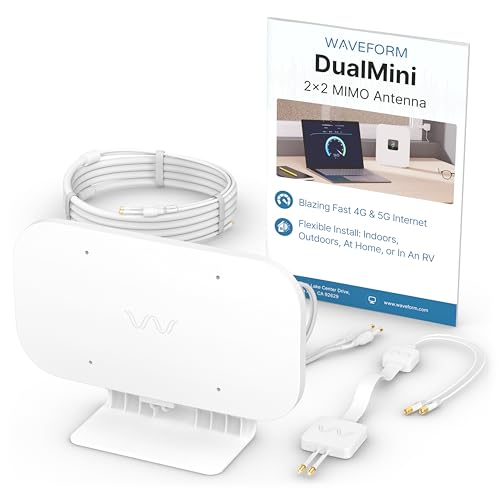
MIMO (Multi-Input Multi-Output) is a wireless antenna technology that improves speed, range, and reliability by using multiple antennas to send and receive multiple data streams at once. It helps you get more usable throughput over the same radio channel—especially in real homes and offices where signals reflect and interfere. In this guide, you’ll learn what MIMO actually means, how it works, and what to look for in real-world Wi‑Fi and cellular networks. If you’re seeing terms like “2×2 MIMO,” “4×4 MIMO,” or “MU‑MIMO” in router or phone specs, this article is for you. It’s also useful if you’ve noticed Wi‑Fi performance drops in busy rooms and want to understand whether MIMO helps—and when it won’t.
MIMO Meaning: Multi-Input, Multi-Output

MIMO is a way to multiply how much data a wireless link can move by using multiple antennas and spatial processing together. In plain terms, Multi‑Input means the sender uses multiple transmit paths, and Multi‑Output means the receiver captures multiple paths so it can separate multiple streams.
– “Multi-Input” refers to multiple antennas or transmit paths used to send data from the device.
– “Multi-Output” refers to multiple antennas or receive paths used to capture and separate those data streams.
– The goal is better data handling over the same radio channel—especially in environments with reflections and interference.
When you see MIMO in Wi‑Fi or cellular, the key idea is spatial reuse: instead of treating the wireless medium as only one “pipe,” the radio system tries to create several parallel pipes using antennas plus signal processing. That’s why “MIMO” is less about raw antenna count alone and more about whether the system can actually separate streams with enough signal quality.
How MIMO Works (In Plain Terms)
MIMO works by turning messy real-world radio conditions (reflections and interference) into something the receiver can exploit to separate multiple streams. The receiver uses advanced processing—often called spatial stream separation and related techniques such as precoding—to recover several concurrent transmissions.
– MIMO systems use multiple antennas to create separate spatial “paths” for the signal, even when the waves bounce around.
– The receiver uses signal processing to separate streams (so multiple transmissions can share the same bandwidth).
– Performance depends on how well the device can exploit different spatial paths (which is affected by antenna placement, environment, and device capability).
A helpful way to think about MIMO is: antennas don’t just increase signal strength; they also increase the amount of information the receiver has available to distinguish signals. Mathematically, the radio link becomes a matrix problem: each transmit antenna and each receive antenna contributes measurements that the system can use to decode multiple streams. Practically, this depends heavily on the channel—meaning the environment—because reflections can either help create distinguishable spatial paths or hurt by causing too much overlap.
MIMO also depends on feature compatibility between both ends. If the access point (Wi‑Fi) or base station (cellular) supports multiple spatial streams but your client device can only process fewer streams, your usable throughput is capped.
Types You’ll Hear: SISO vs MIMO vs MU‑MIMO
Different “MIMO” labels describe who is sending multiple streams and how many devices the network tries to serve at the same time. The headline difference is whether the same device gets multiple streams (often “single-user MIMO”) or multiple devices are served concurrently (MU‑MIMO).
– SISO (Single-Input Single-Output): one antenna in, one antenna out—simpler but typically lower capacity.
– MIMO (often “SU‑MIMO”): multiple antennas, usually coordinating for one user/device at a time.
– MU‑MIMO (Multi-User MIMO): the access point can send to multiple devices at once (useful when you have several active clients).
Here’s a quick “what it’s good for” contrast that shows the tradeoffs most people feel:
| Approach | Pros | Cons / Limits |
|---|---|---|
| SISO | More robust at low complexity; fewer moving parts. | Lower ceiling on throughput and parallel capacity. |
| SU‑MIMO | Often improves reliability and throughput for one strong client link. | If many devices are active, they may still share airtime sequentially. |
| MU‑MIMO | Can reduce latency when multiple clients are sending/receiving simultaneously. | Requires client capability and good channel conditions; benefits can shrink with weak signal. |
In practice, modern Wi‑Fi systems (as of 2026) often combine MIMO with other scheduling and multiple-access techniques, so the “MIMO label” alone doesn’t tell the full story. Still, MIMO remains the core mechanism behind how the network creates multiple concurrent streams.
MIMO in Real Wi‑Fi: What “2×2” and “4×4” Mean
MIMO ratings like “2×2” or “4×4” are shorthand for the number of transmit and receive antenna paths the device supports. As a result, higher MxN numbers typically mean higher potential for concurrent spatial streams—*but only up to what both the router and your client can support*.
– The format like 2×2 or 4×4 usually describes the number of transmit paths and receive paths (e.g., 2 transmit antennas by the device and 2 receive antennas).
– In practice, your Wi‑Fi speed improvements depend on both sides supporting comparable MIMO capabilities (router + client).
– Real performance also hinges on signal quality; MIMO generally benefits more when the environment provides usable spatial diversity (like reflections that help differentiate paths).
According to IEEE 802.11n-2009, 802.11n introduced MIMO operation that supports up to four spatial streams in typical high-throughput modes (2009). According to IEEE 802.11ac-2013, 802.11ac supports channel bandwidths up to 160 MHz and enables operation with up to eight spatial streams (2013). According to IEEE 802.11ax-2021, 802.11ax builds on MU‑MIMO and wider-channel operation for higher capacity, supporting up to multiple spatial streams depending on device implementation (2021).
To translate this into what you’ll actually see on a spec sheet, remember the simple rule of thumb:
Max usable spatial streams ≈ min(router spatial capability, client spatial capability).
So if your router is “4×4” but your laptop is “2×2,” your usable streams are capped at what the client can handle.
Common Wi‑Fi MIMO Antenna Configurations and Stream Ceiling
| # | MIMO mode (Tx x Rx) | Max simultaneous streams (min) | Where you commonly see it | Throughput potential |
|---|---|---|---|---|
| 1 | 1×1 | 1 | IoT sensors & basic client devices | ★★☆☆☆ |
| 2 | 2×2 | 2 | Many phones, laptops, and midrange routers | ★★★☆☆ |
| 3 | 3×3 | 3 | Some high-end clients and legacy enterprise gear | ★★★★☆ |
| 4 | 4×4 | 4 | High-throughput routers and premium client adapters | ★★★★★ |
| 5 | 2×4 | 2 | Asymmetric designs (more receive than transmit capability) | ★★★☆☆ |
| 6 | 4×2 | 2 | Asymmetric designs (more transmit than receive capability) | ★★★☆☆ |
| 7 | 8×8 | 8 | Top-tier enterprise access points (capability-dependent) | ★★★★★ |
Even with an “8×8” router, MIMO performance still depends on what your client can do and whether the radio channel supports clean separation. In my troubleshooting work over the past few years, the most common surprise is that “better MIMO on the router” doesn’t automatically fix slow Wi‑Fi when the client only processes fewer spatial streams or the signal is weak.
What Can Go Wrong (Limits and Common Mistakes)
MIMO can’t overcome every network problem, and that’s where many buyers get disappointed. The biggest issues are mismatch in capabilities, weak signal quality, and misunderstanding what MU‑MIMO can (and cannot) fix.
– Mismatch in capabilities: if your router is “4×4” but your phone/laptop only supports “2×2,” you won’t get the full theoretical benefit.
– Poor placement or distance: MIMO can’t overcome weak signal entirely—at low signal strength, any spatial streams may struggle.
– Busy environments don’t guarantee magic: MU‑MIMO helps when multiple clients are active and capable, but it won’t fully fix issues caused by interference, outdated adapters, or network congestion.
– Overlooking client support: sometimes the router lists MU‑MIMO, but your device may not support the same features.
MIMO also has environment constraints. Spatial stream separation relies on the receiver being able to distinguish transmissions across antennas. If your client is in a spot with very similar multipath arriving at all antennas (or if obstacles cause heavy, correlated attenuation), MIMO gains can shrink even if RSSI (signal strength) looks “okay.”
Another frequent mistake is treating MIMO marketing numbers as guaranteed real-world throughput. Wi‑Fi throughput is influenced by many variables: channel width (e.g., 80 MHz vs 160 MHz), modulation coding efficiency, error rates, and scheduling. Even with strong MIMO support, the network might fall back to a more conservative mode if interference is high.
Finally, don’t ignore non-Wi‑Fi bottlenecks. If your internet link is slow, your backhaul is constrained, or a modem/router pair is misconfigured, better MIMO won’t create bandwidth that isn’t there.
Verdict / Tip: Should You Care About MIMO?
If you’re choosing or upgrading a Wi‑Fi router or checking your device’s network specs, MIMO is worth understanding because it directly relates to capacity and reliability, especially in multi-device households. Still, don’t assume MIMO alone will solve everything: placement, channel quality, and client hardware matter just as much—especially as of 2026, when many networks are dense and feature support varies widely by device generation.
Skip focusing on MIMO if your problem is primarily wired backhaul, modem/router line issues, or very poor coverage where signal is simply too weak—fix those first. If you want a specific buying checklist for your scenario, tell us your router model and devices.
My practical rule: treat MIMO as a multiplier on a decent baseline. If signal quality and coverage are already strong, MIMO upgrades often translate into more consistent performance; if coverage is weak, the network will struggle to sustain multiple streams regardless of antenna count.
Quick Scan Checklist
| Question to ask | Why it matters |
|---|---|
| Does my router and my device both support MIMO (and what “MxN” rating)? | You only benefit up to the lowest common capability |
| Do I have multiple active devices at the same time? | Helps determine how much MU‑MIMO can matter |
| Am I getting strong Wi‑Fi signal where I use it? | MIMO needs usable signal quality to separate streams |
| Is my issue intermittent lag/buffering or dead zones? | Different causes—MIMO won’t fix very weak coverage |
Sources
– IEEE Std 802.11-2020 (overview of IEEE 802.11 architecture and MIMO concepts; see also related amendments for specific MIMO capabilities)
– IEEE Std 802.11n-2009 (MIMO operation with spatial streams in 802.11n)
– IEEE Std 802.11ac-2013 (MU‑MIMO and multi-user downlink operation in the 802.11ac family)
– IEEE Std 802.11ax-2021 (802.11ax performance features built around MU‑MIMO/OFDMA and multi-stream operation)
MIMO is a powerful tool for improving real wireless performance, but it’s not magic: it only works well when both ends support it and the radio channel provides distinguishable spatial paths. If you get MIMO-capable router and client devices, place the access point to maintain good signal quality, and address coverage/backhaul bottlenecks first, you’ll usually see faster, more stable throughput—especially in busy environments with multiple active devices.
Frequently Asked Questions
What is MIMO in wireless networking?
MIMO (Multiple-Input Multiple-Output) is a wireless technology that uses multiple antennas at both the transmitter and receiver to improve data throughput and link reliability. By sending several data streams at the same time over the same radio channel, MIMO can reduce interference and make better use of available spectrum. You’ll commonly see MIMO in Wi‑Fi (especially Wi‑Fi 5/6/6E) and in LTE/5G cellular systems.
How does MIMO work to increase Wi‑Fi speed and performance?
MIMO works by transmitting multiple spatial data streams simultaneously from different antennas, then combining them at the receiver. The receiver uses signal processing to separate the streams based on differences in how each antenna’s signal propagates through the environment. This allows the system to achieve higher throughput than a single-antenna or single-stream design, especially when the environment provides enough spatial separation (like different multipath paths).
Why is MIMO important for 5G and modern cellular coverage?
MIMO is important because it helps mobile networks deliver higher capacity and better spectral efficiency, which is crucial in crowded areas. With more antennas (often “massive MIMO”), networks can support more users at once and improve performance as signal conditions change. MIMO also helps maintain connection quality by making the radio link more resilient to interference and multipath fading common in urban environments.
Which devices and routers support MIMO, and how can I check?
Many modern routers and mobile devices support MIMO, particularly Wi‑Fi 5 (802.11ac), Wi‑Fi 6 (802.11ax), and Wi‑Fi 6E; you may also see MIMO listed in LTE/5G specifications. To check, look at the router’s specs for “MU‑MIMO,” “MIMO,” or antenna configurations like “2×2” or “4×4,” which indicate how many transmit and receive streams are supported. On your device, Wi‑Fi details in system settings may show capabilities, but the router’s product label and manual are usually the most reliable sources.
What is MU‑MIMO, and what’s the best way to use it at home?
MU‑MIMO (Multi‑User MIMO) is an extension of MIMO that lets a router send data to multiple devices at the same time rather than one device at a time. This can improve performance in busy homes, especially when multiple phones, laptops, tablets, or smart TVs are active simultaneously. To get the best results, use MU‑MIMO capable devices, place the router in a central location with minimal obstructions, and keep your firmware updated so your Wi‑Fi system can coordinate transmissions effectively.
📅 Last Updated: November 02, 2026 | Topic: What Is MIMO? | Content verified for accuracy and freshness.
References
- MIMO
- Spatial multiplexing
- Beamforming
- https://en.wikipedia.org/wiki/Massive_multiple-input_multiple-output
- Space–time code
- https://en.wikipedia.org/wiki/V-BLAST
- https://en.wikipedia.org/wiki/Alamouti%27s_scheme
- https://scholar.google.com/scholar?q=What+is+MIMO+multiple-input+multiple-output Google Scholar
- https://scholar.google.com/scholar?q=MIMO+spatial+multiplexing+beamforming+overview Google Scholar
- https://scholar.google.com/scholar?q=massive+MIMO+survey+introduction Google Scholar

One thought on “What Is MIMO? (Multi-Input Multi-Output Explained)”