
Ethernet is better than Wi‑Fi for gaming, especially for players who want the most consistent matchmaking and action-to-display timing. The deciding factor is latency stability: a wired link avoids wireless interference and signal fluctuations that can cause jitter and sudden lag spikes.
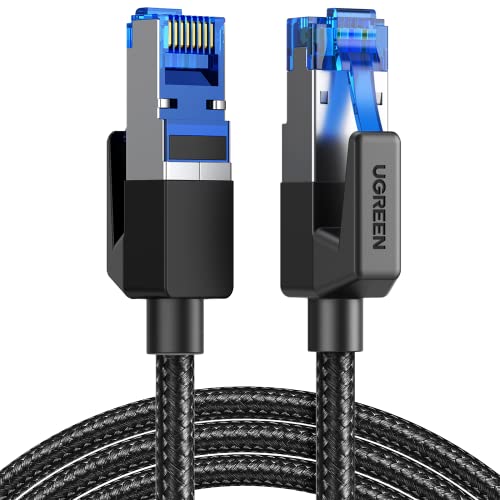



For most competitive gaming, Ethernet is usually the better choice because it tends to deliver lower, more consistent latency and reduces the chance of connection hiccups. Wi‑Fi can feel “good enough” for many players, but performance is more affected by interference, distance, and router congestion. In this guide, we’ll compare both options and help you choose (and set up) the one that fits your setup.
If you’re dealing with stutters, rubber-banding, high ping spikes, or “it’s fine sometimes but not others,” this is for you. It’s also for anyone deciding whether running an Ethernet cable is worth it—or whether improving Wi‑Fi will solve the problem.
What matters in gaming (latency, jitter, packet loss)

For gaming responsiveness, you’re not just looking for a low ping average—you’re looking for predictable delivery under real-world conditions. Ethernet typically helps because it reduces the variables that cause spikes, but Wi‑Fi can be tuned if your environment is stable.
– Latency affects how fast your inputs reach the game/server, which matters most in competitive play. For interactive games, even a few extra milliseconds can translate into “late” shots or delayed movement.
– Jitter (ping that constantly fluctuates) can cause inconsistent feel even if your “average ping” looks okay. Jitter is the reason you can be fine for 30 minutes and then suddenly feel sluggish for a few rounds.
– Packet loss / connection instability shows up as stutter, delayed actions, or sudden lag spikes. Loss can trigger retransmissions (or application-level recovery), which may feel like rubber-banding or teleportation.
According to ITU‑T G.114, one-way delays around 150 ms are acceptable for conversational traffic, while delays beyond ~400 ms are considered unacceptable (2003) (ITU‑T G.114, 2003). While games don’t work exactly like voice calls, this is a useful boundary for why “sometimes high ping” feels worse than a steady, moderate delay.
Also, Wi‑Fi latency is influenced by contention timing. According to IEEE 802.11 specifications, the OFDM slot time is 9 µs on many 5 GHz OFDM configurations (2016) (IEEE 802.11-2016). Every time your device has to wait to transmit, those micro-delays accumulate into jitter—especially when multiple clients are active.
Best-Case Game Packet Serialization Time vs Link Rate (300B UDP Payload)
| # | Link type | Max rate (Mbps) | Payload send time (300B) | Responsiveness | Speed vs 54 Mbps |
|---|---|---|---|---|---|
| 1 | Ethernet (10/100 base-T, 10 Mbps) | 10 | 0.240 ms | ★★★☆☆ | 0.185× |
| 2 | Ethernet (100 Mbps) | 100 | 0.024 ms | ★★★★☆ | 1.852× |
| 3 | Ethernet (1 Gbps) | 1000 | 0.0024 ms | ★★★★★ | 18.519× |
| 4 | Ethernet (2.5 Gbps) | 2500 | 0.00096 ms | ★★★★★ | 46.296× |
| 5 | Wi‑Fi (802.11g class, 54 Mbps) | 54 | 0.0444 ms | ★★★☆☆ | 1.000× |
| 6 | Wi‑Fi (802.11n class, 300 Mbps) | 300 | 0.0080 ms | ★★★★☆ | 5.556× |
| 7 | Wi‑Fi (802.11ac class, 867 Mbps) | 867 | 0.00277 ms | ★★★★★ | 16.056× |
*Note:* These values are best-case payload serialization times for a 300-byte UDP payload at the stated link rates; real gaming latency still includes Wi‑Fi contention, retransmissions, and router/switch buffering.
Why Ethernet is often the safer bet
Ethernet is usually the safer choice when you care about consistent, low-latency gameplay. Here’s why Ethernet tends to produce fewer “mystery” spikes even when average ping looks similar.
– More consistent delivery: Wired connections typically introduce less variance than wireless, which helps keep gameplay smooth. In practice, this means fewer “sudden bad seconds” during ranked matches.
– Less interference risk: Wi‑Fi has to share airwaves with neighbors, walls, and other devices—Ethernet avoids that. Even modern Wi‑Fi can struggle when the same channels are crowded.
– Fewer “mystery” variables: You generally won’t see the same swings caused by signal strength changes. Ethernet links typically remain stable as long as the cable and port are healthy.
From a technical standpoint, the underlying media access method is different. Ethernet is designed for predictable link behavior on a physical cable (especially in full-duplex operation), while Wi‑Fi uses contention-based access (CSMA/CA). That contention doesn’t mean Wi‑Fi is “bad”—it means Wi‑Fi latency naturally varies with traffic and environment.
According to IEEE 802.3, the Ethernet frame has a minimum frame size of 64 bytes (including headers and padding) (2018) (IEEE Std 802.3-2018). This matters because the on-wire packet structure is deterministic on a wired link; the bigger variability comes from higher-layer buffering and network congestion, not from radio contention.
Quick comparison: where Ethernet “wins” in real matches
Even when your Wi‑Fi signal looks strong, Ethernet tends to reduce two issues: burstiness and retransmission cascades. If you’ve ever watched ping spike exactly when someone starts streaming, Ethernet often breaks that coupling.
Here’s how the trade typically looks:
| Factor | Ethernet (typical) | Wi‑Fi (typical) |
|---|---|---|
| Latency under idle conditions | Stable | Stable if environment is quiet |
| Latency under household traffic | More predictable | Can spike during contention |
| Interference sensitivity | Low | High (walls, neighbors, congestion) |
| Troubleshooting speed | Faster (link is “either up or not”) | Slower (signal/driver/router variables) |
| Gaming “feel” consistency | Often better | Often mixed unless optimized |
When Wi‑Fi can be just as good (or close)
Wi‑Fi can match Ethernet when your wireless environment is controlled and your router setup is optimized. If you nail band selection, placement, and traffic prioritization, Wi‑Fi can be “close enough” for many competitive players.
– Strong signal + the right band: Staying on a faster band (often 5 GHz or 6 GHz, depending on your gear) can noticeably reduce issues compared to crowded older bands. The practical goal is a consistently strong connection with minimal retransmissions.
– Good router placement: If your router is far, blocked by walls, or cramped in a closet, Wi‑Fi quality usually suffers. Router placement often determines whether latency stays consistent or becomes “lottery-like.”
– Lower congestion in your environment: If many people/clients stream or download on the same network, gaming traffic may feel worse even with good Wi‑Fi hardware.
In 2026, Wi‑Fi 6 and Wi‑Fi 6E are common enough that many gamers can get strong results—but “fast” is not the same as “stable.” Wi‑Fi can have low average ping while still producing jitter bursts from contention and re-transmits, which is what you feel in-game.
Practical rule: if jitter is low, Wi‑Fi is viable
Wi‑Fi is often viable for shooters and MOBAs when your ping is not only low on average but also doesn’t swing wildly between frames. If your telemetry (in-game or via network tools) shows jitter spikes aligned with specific moments (like someone starting a download), Ethernet will likely outperform every time—unless you fix congestion and prioritization.
Setup steps that actually improve results
If you want lower ping spikes and smoother gameplay, the best setup is the one that removes buffering, contention, and misconfigured network features. The steps below focus on measurable changes you can verify after you tweak Ethernet or Wi‑Fi settings.
For Ethernet
– Use a direct wired connection to your router (or a reputable switch in between), rather than bouncing through extra hops when possible. Every extra device can add buffering behavior; a clean wired path is typically the simplest path to stable results.
– Use a cable appropriate for your run length and avoid visibly damaged cables. A cable that works “most of the time” can still cause link resets, renegotiation, or intermittent packet loss—symptoms that look like random lag.
– In your device/network settings, check for features that could affect responsiveness (for example, power-saving options on network adapters). Power saving can delay packet handling, which increases effective latency and jitter under load.
If you see “link up/down” events in your system logs when gaming, that’s a strong sign your Ethernet path needs attention (cable, port, or switch).
For Wi‑Fi
– Connect your gaming device to the best available network your router offers (prioritize the faster band if available). If your router uses band steering, confirm your console/PC is actually on the intended band.
– Reposition the router to reduce obstruction and avoid placing it behind the biggest physical barriers. Line-of-sight (or fewer walls) usually reduces retransmissions and jitter. Router height also matters for coverage patterns.
– If your router supports it, review settings for traffic prioritization (commonly called QoS / prioritization features), and use your router’s guidance for gaming/video devices. For Wi‑Fi, look for Wi‑Fi Multimedia (WMM) support and ensure gaming traffic isn’t being treated like background traffic.
What I recommend you verify first (no guessing)
Even without advanced tooling, you can get signal quickly:
– Test a short session over Ethernet, then compare the same game mode over Wi‑Fi.
– If you can, watch for packet loss indicators in your game/network stats.
– If you have a router app, check for active clients and background usage during match times.
What can go wrong (and how to spot it)
Even Ethernet and “optimized” Wi‑Fi can still produce stutters if the underlying network is unstable. The key is to separate link-layer problems (cables/ports/signal) from higher-layer congestion (downloads, uploads, buffering).
– Bad Ethernet cable or faulty switch ports can cause drops or negotiation issues—if wired is worse than expected, try a different cable/port to isolate the problem. If Ethernet still shows packet loss, the issue may not be wireless at all.
– Mesh Wi‑Fi and wireless backhaul can add extra variability if your mesh nodes talk to each other over Wi‑Fi rather than using wired backhaul (this can hurt gaming consistency). A mesh can be great for coverage, but gaming benefits most when backhaul is wired or at least not competing with your gaming client.
– Powerline adapters (using your home’s electrical wiring) are sometimes convenient, but performance can be inconsistent depending on your building’s wiring—if you see spikes, don’t assume it’s “the same as Ethernet.” Powerline can behave “fine” until a load changes (microwave, HVAC cycles) and latency jumps.
– Everything else on the network still matters: Background downloads, cloud sync, and other heavy traffic can cause lag-like symptoms on both Ethernet and Wi‑Fi. Even if your link is perfect, congestion elsewhere can introduce bufferbloat and delay.
A useful troubleshooting mindset: if you observe ping spikes + jitter spikes together, think contention or retransmissions. If you observe packet loss indicators, think link instability or congestion-driven drops.
Verdict / tip: which should you choose?
Pick Ethernet if you play competitive games, you’re sensitive to ping spikes/jitter, or you’ve already tried basic Wi‑Fi improvements and the connection still feels unstable. Pick Wi‑Fi if running a cable is unrealistic and you can optimize placement and band selection—and if your games are more forgiving of fluctuating latency.
Ethernet is not perfect—its downside is setup friction (cable routing, clean placement, and avoiding trip hazards). If your device can’t be reliably cabled (setup would be unsafe or impractical), forcing Ethernet may create more problems than it solves.
Wi‑Fi can be the right choice when:
– your router supports modern features (band options like 5 GHz/6 GHz, and meaningful QoS),
– your gaming device is close enough for strong, consistent signal,
– and you’re not competing with heavy background traffic during matches.
The best path is often the simplest experiment: do a short Ethernet match (even temporarily), then compare against Wi‑Fi. If Ethernet instantly feels smoother, your bottleneck is almost certainly wireless consistency—not your game or your PC/console.
Quick checklist: Ethernet vs. Wi‑Fi for gaming
| Item | Ethernet | Wi‑Fi |
|---|---|---|
| Best for consistency | ✅ Yes | ⚠️ Depends on environment |
| Sensitivity to interference | ✅ Low | ❌ Higher |
| Setup effort | ⚠️ More effort up front | ✅ Easier initially |
| Main downside | Cable/placement hassle | Signal + congestion issues |
| Choose it if… | You need stable ping/jitter | You can improve placement/band selection |
Fast decision: If your ping spikes or gameplay feels inconsistent, start with Ethernet (even temporarily). If it suddenly becomes smooth, you’ve learned the key issue is wireless consistency—not the game or your device.
In short, Ethernet usually delivers the stability competitive players want because it minimizes wireless contention and interference variables. Wi‑Fi can absolutely be competitive in 2026 when your placement, band choice, and prioritization are tuned, but it remains more sensitive to congestion and radio conditions. If your experience is “good sometimes, bad other times,” Ethernet is the fastest way to eliminate uncertainty—then you can decide whether improving Wi‑Fi is worth the continued effort in your specific setup.
Frequently Asked Questions
What makes Ethernet better than Wi-Fi for gaming latency?
Ethernet typically delivers lower latency and more consistent response times than Wi-Fi, which helps reduce input lag and improves responsiveness in fast games. Because wired connections aren’t affected by signal interference, roaming, or congestion from other devices, your connection stays stable during gameplay. If you’re sensitive to ping spikes in competitive multiplayer, a wired Ethernet connection is often the better choice.
How can I tell if my Wi-Fi is causing lag or packet loss while gaming?
Look for symptoms like sudden ping spikes, rubber-banding, or high jitter (rapid changes in ping) when you play on Wi-Fi. You can test by running a speed/latency test to your game server and comparing results on Ethernet versus Wi-Fi, or using an in-game network stats panel to monitor packet loss and ping stability. If Ethernet consistently shows steadier ping and fewer packet loss indicators, your Wi-Fi is likely the bottleneck.
Why do Wi-Fi networks get worse during peak hours for online gaming?
Wi-Fi bandwidth is shared among devices, so during peak usage your router may become congested, increasing latency and jitter. Additionally, wireless interference from neighboring networks, appliances, and walls can cause retransmissions that lead to packet loss and “stutter” gameplay. Wired Ethernet avoids most of these wireless issues, making it more reliable for online gaming sessions.
Which connection type—Ethernet, 5 GHz Wi-Fi, or 6 GHz Wi-Fi—is best for gaming?
Ethernet is usually the most consistent option for gaming because it provides a dedicated wired link and minimizes interference. If Ethernet isn’t possible, 5 GHz Wi-Fi generally performs better than 2.4 GHz due to faster throughput and typically lower congestion, while 6 GHz can offer even lower interference in compatible setups. However, even with modern Wi-Fi, distance, device placement, and interference can still cause latency variation that Ethernet largely avoids.
What’s the best way to set up Ethernet for gaming if my PC or console is far from the router?
If you can’t run a direct cable, consider alternatives like a wired Ethernet wall drop, a long Ethernet run using Cat6/Cat6a, or Powerline Ethernet (PLC) depending on your home wiring quality. For apartments or multi-floor homes, you can also use a mesh system with a wired backhaul (“wired backhaul mesh”), which improves gaming stability compared to wireless backhaul. The goal is to keep your gaming device on Ethernet or, at minimum, ensure the path between your router and access point is wired to reduce Wi-Fi latency spikes.
📅 Last Updated: November 17, 2026 | Topic: Is Ethernet Better Than Wi-Fi for Gaming? | Content verified for accuracy and freshness.
References
- Ethernet
- Wi-Fi
- Network delay
- Packet loss
- Jitter
- IEEE 802.3
- IEEE 802.11
- https://scholar.google.com/scholar?q=Ethernet+vs+Wi-Fi+latency+packet+loss+gaming Google Scholar
- https://scholar.google.com/scholar?q=802.11+latency+jitter+wireless+real-time+applications Google Scholar
- https://scholar.google.com/scholar?q=wireless+interference+packet+loss+impact+online+gaming Google Scholar

One thought on “Is Ethernet Better Than Wi-Fi for Gaming? Latency & Stability”