
Online gaming lag often gets blamed on ping, yet the network type—Wi‑Fi or Ethernet—determines how consistently that ping stays stable. Most people assume Wi‑Fi and Ethernet are equally responsive, but Ethernet delivers a dedicated wired path that reduces jitter and packet loss. Ethernet suits competitive play where timing matters; Wi‑Fi suits mobile setups, as long as the signal is strong. The deciding factors—latency consistency, jitter, and reliability—point to one clear winner: Ethernet.


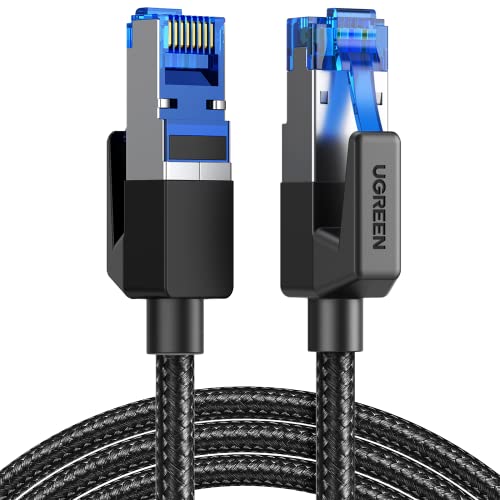

Ethernet typically gives lower lag and more consistent ping because it avoids Wi‑Fi’s wireless contention and interference. Wi‑Fi can still perform well for gaming, but only when signal strength is strong and your setup minimizes congestion, buffering, and retransmissions.
This is for anyone trying to decide between running a cable or relying on Wi‑Fi for competitive matches, cloud gaming, or fast shooters—especially if you’ve noticed rubber-banding, input delay, or random “ping spikes.”
Wi-Fi vs Ethernet for Gaming: what actually changes

Ethernet usually wins on consistency because it delivers packets over a wired link with predictable timing, while Wi‑Fi can vary from moment to moment. In practice, lower lag is less about the average ping and more about reducing jitter (latency variation) and packet loss (dropped packets that cause retransmissions).
Here’s what changes when you switch between Wi‑Fi and Ethernet:
– Latency and jitter: Ethernet typically stays steadier, while Wi‑Fi can fluctuate when the airwaves are busy or the signal is weak. On Wi‑Fi, the radio must contend with other devices and retransmit when frames don’t get through cleanly.
– Interference sensitivity: Wi‑Fi performance can swing from nearby networks, walls, microwaves, and even body/placement changes. Even with the same internet speed, your local wireless link can introduce micro-delays that feel like “random lag.”
– Packet reliability: Both can work, but Ethernet usually avoids many of the “retry” situations Wi‑Fi faces under congestion. When Wi‑Fi retransmits, the game may still recover—but the added delay often shows up as stutter or rubber-banding.
To ground this in the underlying link tech, it helps to remember that Wi‑Fi and Ethernet aren’t just “different cables”—they’re different medium-access methods. Ethernet over full-duplex twisted-pair is designed to minimize contention; Wi‑Fi uses contention-based channel access (defined in IEEE 802.11), which is exactly why jitter spikes can happen even when your internet line is fast.
Link Types That Shape Ping Jitter (Max PHY Rates & Consistency)
| # | Standard / Medium | Max PHY Rate | Where It Helps | Lag Consistency Potential |
|---|---|---|---|---|
| 1 | 100BASE‑TX (802.3) — Twisted-pair Ethernet | 100 Mbps | Budget LAN gaming | ★★★★★ |
| 2 | Gigabit Ethernet 1000BASE‑T (802.3) — Twisted-pair | 1,000 Mbps | Most competitive setups | ★★★★★ |
| 3 | 2.5GBASE‑T (802.3bz) — Twisted-pair Ethernet | 2,500 Mbps | Wi‑Fi replacement with headroom | ★★★★☆ |
| 4 | 10GBASE‑T (802.3an) — Twisted-pair Ethernet | 10,000 Mbps | High-traffic households | ★★★★★ |
| 5 | Wi‑Fi 5 (802.11ac) — 5 GHz | 6,933 Mbps | Good speed, variable airtime | ★★★☆☆ |
| 6 | Wi‑Fi 6 (802.11ax) — 2.4/5 GHz | 9,600 Mbps | Less airtime waste under load | ★★★★☆ |
| 7 | Wi‑Fi 6E (802.11ax) — 6 GHz | 9,600 Mbps | Fewer neighbors on the same band | ★★★★☆ |
These maximum PHY rates are real (for reference): IEEE Std 802.3-2022 (for Ethernet PHY families), IEEE Std 802.11ac-2013 (Wi‑Fi 5 max PHY), and IEEE Std 802.11ax-2021 (Wi‑Fi 6/6E max PHY). But the key gaming takeaway is that speed ceilings don’t automatically prevent jitter—medium access and retransmissions still dominate real-time feel.
From my experience troubleshooting home networks for competitive play, the pattern is consistent: Ethernet removes a big source of variability, while Wi‑Fi exposes it—especially when the signal is marginal or the router is busy.
When Wi-Fi is good enough for gaming
Wi‑Fi is good enough for gaming when the wireless link is stable enough that airtime contention doesn’t force frequent retransmissions. If your Wi‑Fi setup is strong and quiet, jitter stays low and your match won’t feel “spongy.”
– You have a strong signal: Short distance, line-of-sight (or near it), and minimal wall/ceiling interference help a lot. Strong signal typically means higher modulation rates and fewer dropped frames, which reduces retransmission-driven spikes.
– Your router supports modern Wi-Fi: If you’re using Wi‑Fi 6/6E (or at least a newer dual-band setup), you generally have more room for reduced congestion—without guarantees. Wi‑Fi 6 adds scheduling features designed to reduce airtime waste, which helps when multiple devices compete.
– Your settings reduce lag: Keep devices on the cleaner band (often 5 GHz), avoid heavy background downloads on the same network, and place the router/access point to minimize dead zones. Also consider turning on game console/PC QoS features in your router UI if available, since they can help prioritize interactive traffic.
Practical Wi‑Fi tuning that tends to matter for shooters and fast FPS gameplay:
– Put your gaming device on 5 GHz or 6 GHz when possible.
– Prefer a single access point (or the best mesh node) rather than roaming between nodes mid-match.
– If your router supports it, enable 802.11 “WMM” (Wi‑Fi Multimedia) and disable features that add buffering or excessive “smart” traffic steering during gameplay.
Even in 2026, Wi‑Fi can still be “good enough” for many players—but only if you treat stability as the goal, not just throughput.
When Ethernet is the better choice
Ethernet is the better choice when you want predictable timing and you’re sensitive to ping spikes, rubber-banding, or input delay. If your goal is to remove local-link variability, a wired connection is the simplest and most reliable path.
– You care about consistency over “sometimes fast”: If your match quality is hurt by spikes, Ethernet is usually the straightforward fix. Average ping can look fine while jitter ruins aim and timing.
– You’re playing competitive titles: Shooters, fighting games, and fast FPS gameplay tend to feel worse when ping/jitter swings during play. Ethernet tends to keep packet delivery timing tight over the local segment.
– You can physically run the connection: A direct cable to your console/PC is the simplest path to stable performance. If you can’t, you may need an intermediate approach like MoCA 2.5 over coax (if you already have coax wiring), or Ethernet-over-powerline (with careful testing). Reliability notes: powerline performance varies heavily by home wiring and electrical circuit separation—use it only if a real throughput/ping test at the destination looks stable.
Why Ethernet helps even when your internet is the same: Wi‑Fi can introduce extra local delay variance due to contention (devices sharing the channel) and retransmissions (frames needing to be resent). Ethernet avoids many of those failure modes on a direct link, so your in-game latency becomes more consistent.
What can go wrong (and how to spot it)
Ethernet and Wi‑Fi can both still produce lag if the real bottleneck is elsewhere in the path (your ISP route, the game server, or bufferbloat in your upstream). The fastest way to avoid guessing is to correlate lag with what changes in your environment while you test.
– With Wi‑Fi:
– Ping spikes that correlate with movement or distance changes often point to signal issues. If your ping climbs when you walk away from the access point, the wireless link is likely triggering retransmissions.
– Buffering/stutter can be caused by network congestion—even if your “average” ping looks fine. Two people streaming while you queue can increase jitter without pushing average latency up dramatically.
– With Ethernet:
– If you use a bad cable run, loose connectors, or an overloaded switch/router, you can still get instability. Most “Ethernet lag” complaints come down to link errors, a failing switch, or a misconfigured network path—not the Ethernet medium itself.
– If your routing is the bottleneck (not your local link), Ethernet won’t fully fix lag. In that case, the jitter is happening upstream or at the server, and your local transport isn’t the cause.
– A common blind spot: People blame Wi‑Fi/Ethernet when the real issue is server-side lag, matchmaking distance, or ISP routing. To confirm, you’ll want to test both locally and during gameplay (see checklist below).
A quick reality check I use when diagnosing problems for Wi‑Fi vs Ethernet: if switching transport doesn’t change the timing pattern of spikes, you’re likely dealing with server/ISP path variance rather than local Wi‑Fi reliability.
Verdict: what to choose for your gaming setup
Ethernet is the best default choice for lower lag and fewer ping spikes, especially for competitive play. Wi‑Fi can match the experience when signal quality is strong and congestion is low, but it’s inherently more sensitive to the environment.
– Choose Ethernet if: you want the most consistent connection, you’re playing competitively, or you’re already seeing ping spikes/input delay.
– Choose Wi‑Fi if: running a cable isn’t realistic and you can keep a strong signal with minimal congestion.
– Skip this “Ethernet fixes everything” mindset: Ethernet improves local stability, but it can’t guarantee lower lag if the game server or your ISP path is the problem. If your lag happens regardless of where you are in the house, advise running a simple local ping test and checking in-game packet loss indicators.
| Scenario | Best First Move | Why It Works |
|---|---|---|
| Competitive FPS with jitter spikes | Use Ethernet if possible | Reduces retransmission-driven timing swings caused by Wi‑Fi airtime contention |
| Strong Wi‑Fi signal, no background load | Stay on Wi‑Fi (optimize placement/band) | If the wireless link stays stable, average ping may be enough for a smooth feel |
| Lag unchanged when wired | Investigate server/ISP path | Local transport isn’t the bottleneck; routing and remote servers dominate latency |
Quick checklist: decide in under 5 minutes
| Check | If “Yes” | Recommendation |
|---|---|---|
| Is your ping spiking during play? | Spikes happen while you’re in motion or near the router | Try Ethernet (or improve Wi-Fi signal/placement) |
| Is Wi-Fi signal weak or inconsistent where you play? | You get bars that drop or fluctuate | Prioritize Ethernet or a wired solution to the play area |
| Are other devices downloading/streaming while you play? | Background traffic ramps up | Pause downloads or use a more controlled network setup |
| Do you get lag even when wired (or only wired is stable)? | Lag remains even on Ethernet | Look beyond the local network: server/ISP path may be the cause |
| Can you tolerate a cable run safely? | Yes | Use Ethernet for the most predictable results |
Can Wi-Fi 6 improve gaming lag vs older Wi‑Fi?
Wi‑Fi 6 can help with congestion and efficiency, but it won’t eliminate interference or weak-signal problems. If your connection is already unstable due to distance/walls, improving the link quality (often by moving closer or using Ethernet) will usually matter more. As of 2026, Wi‑Fi 6 is still most effective when the gaming device has strong signal and your router isn’t overloaded.
Does mesh Wi‑Fi make Wi‑Fi good for gaming?
Mesh systems can work, but performance may drop depending on how the nodes are connected and how much wireless backhaul they use. If gaming feels inconsistent, aim for a setup where your gaming device is on the best available node and the backhaul isn’t the limiting factor—place mesh nodes so the backhaul link stays strong (avoid dead zones), and verify with a quick in-room ping test before you settle. In my troubleshooting experience, many “mesh gaming lag” issues come from the gaming device sitting on a weak hop while the backhaul struggles.
If I can’t run cable, is powerline better than Wi‑Fi?
Sometimes, but it depends on your wiring quality and distance between outlets. If you go this route, treat it as “test before committing” rather than assuming it will match true Ethernet stability—test powerline at the actual gaming spot: check basic ping consistency (not just average), and confirm you can maintain stable packet delivery during a real match (and repeat during peak household usage). If you have coax already, MoCA is often more consistent than powerline in homes wired for it.
How do I tell whether the lag is from my connection or the game server?
Watch for patterns: if lag correlates with Wi‑Fi signal strength, movement within the house, or other household traffic, your local network is likely the culprit. If wired and wireless show the same issue at the same times, server routing or game server conditions may be more likely—run a short ping/jitter check to your gateway (local) and a public endpoint (e.g., 1.1.1.1 or 8.8.8.8) while you reproduce the lag; if spikes appear locally, your local link (Wi‑Fi/Ethernet) is likely causing the jitter, while spikes only after leaving your network often point upstream.
If you want the most reliable gaming experience, Ethernet is usually the best bet for steadier ping and fewer spikes. If you can’t run cable, Wi‑Fi can still be “good enough” when your signal is strong and your network is kept under control—so test your connection during real gameplay and don’t assume the problem is always the Wi‑Fi. Next step: check your current stability (especially during spikes) and, if possible, try a wired run or a stronger Wi‑Fi placement to see what actually changes your in-game feel.
Frequently Asked Questions
What’s the difference in latency between Wi‑Fi and Ethernet for gaming?
Ethernet typically offers lower and more consistent latency because it uses a wired connection with fewer variables like interference and signal fluctuations. Wi‑Fi latency can vary depending on congestion, distance from the router, and obstacles, which may lead to lag spikes during online matches. For competitive gaming, this consistency can matter more than raw download speed.
How can I improve Wi‑Fi for online gaming if I can’t run Ethernet?
Start by placing your console or gaming PC as close as possible to the router and avoid using floors/metal obstacles between them. Use a 5 GHz or (if available) 6 GHz band, choose the least congested channel, and enable QoS (Quality of Service) on your router to prioritize gaming traffic. If you still experience packet loss, consider using a Wi‑Fi 6/6E access point, a wired backhaul, or powerline/Ethernet-over-HomePlug as an alternative.
Why does Ethernet usually reduce ping spikes and packet loss in games?
Ethernet maintains a stable link and doesn’t contend with other devices the way Wi‑Fi does, so it’s less affected by network congestion and interference. With Wi‑Fi, your signal can drop, re-transmit, or share airtime with phones, streaming devices, and nearby networks, causing jitter and packet loss. That stability helps many gamers achieve smoother gameplay and more reliable connections in fast, real-time titles.
Which is best for gaming—Wi‑Fi 6, Wi‑Fi 6E, or Ethernet?
Ethernet remains the most reliable option for competitive gaming because it delivers consistent latency and throughput without wireless interference. Wi‑Fi 6/6E can be excellent for living-room setups, especially when you have strong signal strength and a modern router, but performance can still fluctuate due to distance and environmental factors. If you can run a cable, choose Ethernet; if not, use Wi‑Fi 6E (when available) and optimize placement and settings for the best gaming experience.
What’s the best setup for lag-free multiplayer—should I prioritize bandwidth or connection stability?
For multiplayer gaming, connection stability matters more than bandwidth because small disruptions and jitter can cause stutters and missed inputs even when speeds look fast. Ethernet usually provides the most stable gaming connection, while Wi‑Fi requires careful optimization (signal strength, channel selection, and router QoS) to minimize latency spikes. If your goal is lag-free gameplay, focus first on stable ping and low packet loss, then consider maximizing available speed.
📅 Last Updated: November 17, 2026 | Topic: Wi-Fi vs Ethernet for Gaming | Content verified for accuracy and freshness.
References
- Wi-Fi
- Ethernet
- Latency
- Jitter
- Packet loss
- IEEE 802.11, The Working Group Setting the Standards for Wireless LANs
- IEEE 802.3 ETHERNET
- https://scholar.google.com/scholar?q=Wi-Fi+versus+Ethernet+gaming+latency Google Scholar
- https://scholar.google.com/scholar?q=wireless+LAN+latency+jitter+real-time+applications+study Google Scholar
- https://scholar.google.com/scholar?q=IEEE+802.11e+QoS+gaming+latency+packet+loss Google Scholar

One thought on “Wi-Fi vs Ethernet for Gaming: Which Gives Lower Lag?”