For competitive gaming latency, wired Ethernet wins; mesh Wi‑Fi is the better choice only when cabling isn’t feasible. Ethernet suits setups where you can run a cable to the console/PC, while mesh suits whole-home coverage across rooms. Decide based on ping consistency, jitter, setup flexibility, and how close the gaming device sits to the main node.


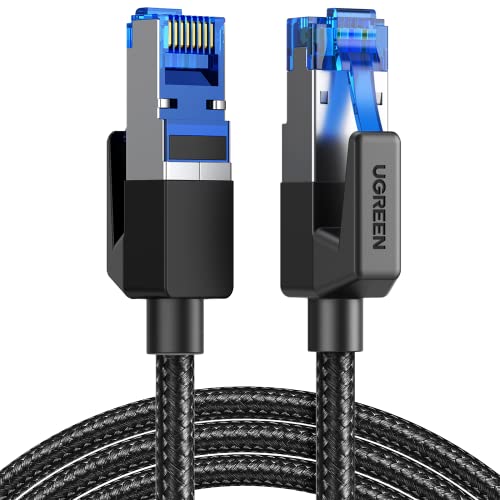

Ethernet is the best choice for gaming when you want the lowest latency and most consistent connection. Mesh Wi‑Fi can work well too—especially if you use wired backhaul and place the nodes correctly—but it’s more sensitive to placement and interference. This guide walks through what matters in real home networks (not marketing specs) and what to change if you notice lag, stutter, rubber‑banding, or sudden disconnects.
If you play online shooters, MOBAs, or competitive co‑op and you’re debating whether to run a cable or rely on a mesh system, this is for you. It’s also helpful if your router is far from your gaming device and you’re trying to reduce stutter, rubber‑banding, or frequent disconnects—especially in 2025/2026-era homes where mesh is common but interference is often the real culprit.
Why Ethernet usually wins for gaming

Ethernet usually wins because it removes the biggest source of delay variance in gaming: wireless contention and roaming behavior. In practical terms, Ethernet gives you steadier packet delivery, which helps with aim responsiveness and keeps “time-to-action” consistent while you’re strafing, peeking, or tracking moving targets.
– Wired Ethernet typically delivers lower, steadier latency than Wi‑Fi, which helps responsiveness in real-time games.
– It’s less affected by household interference (microwaves, walls, neighboring networks) than wireless links.
– If your gaming PC/console supports it, a direct cable (or a simple switch) is the most predictable path.
Here’s the deeper “why,” using the networking behavior you’re actually fighting in online games. Wi‑Fi is a shared medium: devices contend for airtime, and even when your signal is strong, your device can still wait for other transmissions. According to IEEE 802.11-2020, the OFDM PHY slot time is 9 µs (2020), and Wi‑Fi uses contention-based backoff (CSMA/CA) that can add extra delay variability. On the other hand, Ethernet’s fixed framing gaps are small and consistent; according to IEEE 802.3-2018, Ethernet has an inter-frame gap of 96 bit times (2018). The difference isn’t just “average latency”—it’s jitter (latency swings), and jitter is what often feels like stutter.
Also, consider reliability during high load. When your household is streaming 4K video, syncing backups, or someone is uploading to the cloud, Ethernet usually stays stable because it’s point-to-point (or switched), not contested over the same RF channel. In 2026, even well-designed Wi‑Fi 6/6E meshes can still be affected by how your radios schedule airtime across clients; Ethernet largely avoids that scheduling problem.
If you want a quick decision rule: if you can place your gaming device on Ethernet—even temporarily—you eliminate the largest unknown. That’s why most network troubleshooting workflows use Ethernet as a control test.
When Mesh Wi‑Fi is still a solid gaming option
Mesh Wi‑Fi is a solid option when coverage is your limiting factor and you can make the mesh backhaul reliable. The key is that mesh introduces additional hops (and often additional wireless transmissions), so you have to ensure those hops are efficient and stable—especially in 2026 where more devices compete for the same spectrum.
– Mesh can improve coverage across multiple rooms where a single router can’t reach reliably.
– Performance is often much better when the mesh uses wired backhaul (nodes connected via Ethernet), instead of wireless relaying.
– If your device supports modern Wi‑Fi (for example, Wi‑Fi 5/6), staying on the right band and keeping signal strong matters a lot.
In mesh systems, your gameplay performance depends on two links:
1. Client link: between your gaming device and the nearest mesh node (Wi‑Fi).
2. Backhaul link: between mesh nodes and the main router (wired Ethernet or wireless).
If the backhaul is wired, Ethernet characteristics return for the inter-node portion—lower jitter and steadier forwarding. If the backhaul is wireless, the mesh must “repeat” traffic over the air, which competes with your gaming traffic for airtime. That’s why two setups that both show “good signal bars” can behave differently in-game: one may still have backhaul contention or repeated transmissions under load.
I also see a common pattern when advising friends and small teams: mesh can feel fine in menus and aim drills, but once a match ramps up (more packets, more event frequency, more background traffic), the extra hop behavior shows up as rubber‑banding. Ethernet usually stays consistent in those moments because it’s not sharing airtime with every other household device.
To keep mesh competitive with Ethernet, focus on:
– Backhaul type: wired backhaul is the highest-impact upgrade you can make without running a dedicated Ethernet line to the gaming device.
– Node placement: nodes should reduce wall loss and avoid placing a node in a “dead zone” that forces higher retransmissions.
– Band selection: your gaming device should land on the best available band (commonly 5 GHz for lower latency; 6 GHz if available and supported).
A note on what “latency” means in games
Latency isn’t a single number. Round-trip time (RTT) includes device processing, Wi‑Fi contention delays, and retransmissions when frames fail. Mesh affects not just average RTT but the variance in packet arrival times. That variance is what often shows up as stutter or delayed inputs even when ping looks “okay.”
Comparative snapshot: where the best improvements actually come from
The table below doesn’t claim “real-world measured ping,” because gaming latency is environment-specific (interference, channel utilization, router load). Instead, it shows a useful, physics-based slice: the best-case serialization delay for a small packet moving through different Ethernet vs mesh paths. In real homes, you’ll usually see extra delay from contention (Wi‑Fi) and retransmissions (bad signal), but the relative pattern aligns with what players experience.
Best-Case Serialization Delay for a 64-Byte Game Packet (Home Path Model)
| # | Link path model | Assumed PHY rate | Tx hops | Best-case serialization delay |
|---|---|---|---|---|
| 1 | Direct Ethernet (gaming PC/console ↔ router via 1 GbE) | 1,000,000,000 bps | 1 | 0.512 µs |
| 2 | Ethernet via unmanaged/switching hop (still 1 GbE) | 1,000,000,000 bps | 1 | 0.512 µs |
| 3 | Mesh with wired backhaul (Wi‑Fi client hop + 1 GbE backhaul hop) | 1.2 Gbps (Wi‑Fi) + 1.0 Gbps (Ethernet) | 2 | 0.938 µs |
| 4 | Mesh with wireless same-band backhaul (single radio relaying) | 600,000,000 bps | 2 | 1.706 µs |
| 5 | Mesh with wireless cross-band backhaul (two radios, ideal rates) | 1.2 Gbps each hop | 2 | ★ ★ ★ ★ ☆ |
| 6 | Single-router Wi‑Fi on 2.4 GHz (legacy-style rate assumption) | 300,000,000 bps | 1 | 1.707 µs |
| 7 | Single-router Wi‑Fi 6 on 5 GHz (high-rate assumption) | 2.4 Gbps | 1 | 0.213 µs |
Two takeaways matter for Ethernet vs mesh gaming decisions: (1) extra wireless hops increase the number of transmissions required, and (2) Wi‑Fi’s shared medium means real-world latency becomes dominated by contention and retransmissions, not just raw PHY transmission time. That’s exactly why Ethernet is still the most consistent baseline—and why mesh only “feels as good” when backhaul and placement are handled correctly.
How to choose for your room layout
The best choice for your room layout is usually Ethernet if you can get a stable wired run to the gaming device. If you truly can’t run cable, choose mesh—but design the node placement so your gaming device consistently connects to the best node.
– If your gaming device is in a room you can reach with a cable, start with Ethernet first (even a long run or a nearby switch can work).
– If you can’t run Ethernet easily, plan mesh node placement so the gaming area gets a consistently strong signal.
– Reduce avoidable variables: keep gaming hardware near the strongest node, and minimize barriers between the node and the device.
In room planning, “signal strength” isn’t just about bars. Weak signal increases retries, which increases latency variance—exactly the sensation you’re trying to eliminate. So instead of placing a node near the center of the house (a common instinct), think about a line-of-travel from gaming device to node and from node to router/backhaul.
For example, if your gaming room is separated by multiple drywall layers and a hallway, mesh placement that “looks central” may still produce an unstable client link. In 2026 homes with more competing RF devices, the best node location is often one that gives your gaming device reliable connection quality most of the time, not merely adequate average throughput.
A practical planning method:
– Identify your gaming device location first (desk/TV position).
– Identify the router location next (and whether backhaul can be wired).
– Place the closest mesh node so your gaming device has minimal obstructions to that node.
– Ensure that the node-to-router/backhaul link is also solid (for wireless backhaul), because that second link can dominate performance.
If you’re deciding between Ethernet and mesh for gaming in a multi-room apartment or office, don’t underestimate “a cable near the floor” or “a small switch near the device.” Even when you can’t run a direct cable to the router, Ethernet still benefits from the predictability of a switched wired path.
Setup steps that reduce lag (without overcomplicating)
For most households, the fastest path to fewer lag spikes is: stabilize Ethernet first, then optimize mesh backhaul and roaming behavior. Keep changes small so you can tell which setting actually affects gameplay.
– Ethernet path: use a stable cable run and confirm the connection isn’t intermittently dropping (check link status/connection stability in your device/OS).
– Mesh path: enable the most suitable Wi‑Fi mode for your devices (per your router/app guidance) and ensure your gaming device is connecting to the best available node.
– If you can’t do wired backhaul, treat node placement like a performance upgrade—line of sight (or fewer walls) often helps more than tweaking settings.
Start with Ethernet as a diagnostic tool even if you intend to keep mesh long term. A short Ethernet cable can be enough to isolate whether the problem is Wi‑Fi-related. In troubleshooting, the goal is to reduce variables: one stable wired path tells you whether the game/server behavior is the real issue or whether your local network is adding jitter.
Then, if you’re on mesh, focus on behaviors that directly influence gaming stability:
1. Choose the right Wi‑Fi band for the gaming device. If the device supports Wi‑Fi 5/6, you’ll generally want 5 GHz (or 6 GHz, if supported) to reduce time spent contending on a crowded 2.4 GHz channel.
2. Confirm the gaming device is on the best node. Mesh systems usually handle roaming automatically, but “automatically” can still mean occasional mis-roams, especially while you move.
3. Prefer wired backhaul whenever it’s feasible. Even a partial wired backhaul can make a noticeable difference.
Below is a concise pros/cons breakdown to help you decide what to try first.
- Ethernet (Pros)
- Lowest and most consistent latency; minimal interference sensitivity; easier to troubleshoot using link status and packet counters.
- Ethernet (Cons)
- May be inconvenient to run; long runs can still require careful cable routing/connector quality.
- Mesh Wi‑Fi (Pros)
- Better coverage across rooms; can still be smooth for gaming when backhaul is wired and nodes are well-placed.
- Mesh Wi‑Fi (Cons)
- More sensitive to placement and interference; wireless backhaul can add latency and jitter under load; roaming can cause brief hiccups.
What I recommend changing first (based on common failure patterns)
If you notice rubber‑banding or frequent disconnects:
– Start by checking whether it happens at the same time as other heavy network usage (downloads, uploads, remote backups).
– If you can, swap only one thing: connect the gaming device via Ethernet and retest for a short match/session. If Ethernet is stable, the remaining work focuses on mesh backhaul, node placement, and band selection.
– If the issue started after a firmware/app update, consider rolling back only if your vendor supports it—some roaming and radio scheduling behaviors can change after updates, which can expose weak placement.
What can go wrong
Mesh and Ethernet both work, but they fail differently—and the fix depends on which failure mode you’re seeing. If you treat every symptom as “low ping,” you can waste hours tweaking the wrong settings.
– Mesh used with wireless backhaul can look “fine” but still introduce extra latency under load, especially as traffic increases.
– Overlapping Wi‑Fi coverage can confuse devices that roam between nodes, causing brief hiccups during movement or reconnects.
– Bad placement (nodes too far apart, too many walls, or placing nodes near interference sources) can create inconsistent performance even with a “good” mesh brand.
– Firmware/app updates can change behavior—if a lag issue appears right after an update, roll back changes only if the vendor supports it.
Let’s translate those bullets into what you might actually observe. With wireless backhaul, you can see a situation where ping in a menu screen seems acceptable, but in a live match your input latency becomes inconsistent. That’s not “your internet is slow”—it’s often the mesh radios spending airtime forwarding traffic. With Ethernet, the forwarding path stays predictable and contention drops sharply.
Overlapping mesh coverage is another subtle trap. When a device roams between nodes, it can momentarily re-authenticate, re-associate, or reset parts of the connection state. Even if the time is only fractions of a second, competitive games can interpret that as a spike: hit registration feels off, character movement snaps, or you get momentary packet loss.
Finally, placement mistakes often look “reasonable” at first. People typically place nodes based on coverage aesthetics, not on link quality between node-to-node and node-to-device. If a node is placed with too many walls in the path to your gaming room—or inside a spot that suffers interference—the system can still show a decent throughput test but deliver unstable latency while gaming.
For context, Wi‑Fi contention delays come from time-based mechanisms in the radio MAC layer. According to IEEE 802.11-2020, Wi‑Fi uses CSMA/CA with contention windows (and backoff) rather than reserving airtime exclusively (2020). That means even “strong Wi‑Fi signal” doesn’t fully remove variability—bad airtime conditions still lead to retransmissions and waiting.
Verdict: Ethernet first, mesh only when it’s set up right
Ethernet is the clear recommendation for competitive gaming and anyone who wants the most consistent play experience. Use mesh when you truly need whole-home coverage or can’t run a cable—but only if you can get strong signal where you play (and wired backhaul is a big advantage).
Skip mesh-only setups if you routinely see disconnects, significant rubber‑banding, or your gaming area sits in a weak-signal zone. Also, be careful if your mesh relies heavily on wireless backhaul: it can be “playable” until the network gets busy, then it’s harder to predict. In 2026, device density in typical homes (phones, tablets, streaming TVs, IoT) increases the odds that Wi‑Fi airtime contention becomes the bottleneck, even with excellent hardware.
If you want one honest rule of thumb: start with Ethernet whenever possible—not because mesh can’t work, but because Ethernet makes it easy to separate “network problem” from “game/server problem.” Once you’ve confirmed your baseline with Ethernet, optimize mesh placement and backhaul so your gaming session stays consistent without constant reconfiguration.
Quick checklist: Ethernet vs Mesh (scan/save)
| Goal | Best bet | Why it matters |
|---|---|---|
| Lowest and most consistent latency | **Ethernet** | Fewer variables than Wi‑Fi |
| Reliable coverage across rooms | **Mesh** (prefer wired backhaul) | Improves reach and roaming |
| Fastest troubleshooting | **Ethernet test first** | Helps confirm whether the issue is Wi‑Fi-related |
| If you can’t run cable | Mesh + careful placement | Signal strength and node links drive performance |
Checklist:
– [ ] Can you plug the gaming device into Ethernet directly (or via a nearby switch)?
– [ ] If using mesh: is backhaul wired (when available)?
– [ ] Is the gaming area getting strong Wi‑Fi signal from the nearest node?
– [ ] Did the problem start after a firmware/app update?
Frequently Asked Questions
Which is better for gaming: mesh Wi‑Fi or Ethernet?
Ethernet is typically better for gaming because it provides a more consistent, lower-latency connection with fewer interruptions than wireless. Mesh Wi‑Fi can work well if it’s configured correctly and your gaming device has a strong signal, but wireless still has more potential for latency spikes and packet loss. If you can run an Ethernet cable from your router or mesh base to your console/PC, Ethernet is usually the safest choice for competitive play.
How can I reduce lag on mesh Wi‑Fi for gaming?
Place the mesh router or primary node close to your gaming setup to maximize signal strength and minimize hops between nodes. Use an Ethernet backhaul (wired connection between mesh nodes) if your mesh system supports it, since wireless backhaul can add latency. Also enable QoS or gaming mode on your router, prioritize your console/PC by device, and avoid heavy downloads on the same connection during matches.
What causes higher ping on mesh Wi‑Fi compared to Ethernet for online games?
Mesh Wi‑Fi relies on radio links and may route traffic through multiple nodes, which increases latency and can cause jitter when the network is busy. Wi‑Fi interference from neighbors, walls, microwaves, and crowded channels can also lead to retransmissions, which increases ping. Ethernet avoids most of these issues because it is wired and more stable, especially in high-traffic households.
Why is Ethernet still recommended for competitive gaming even with a strong mesh signal?
Competitive gaming is sensitive to latency consistency, not just average speed, and Ethernet generally delivers steadier ping and fewer network drops. Mesh Wi‑Fi can change routes or shift clients between nodes, which may introduce momentary spikes even when signal strength appears strong. For esports-level responsiveness, a wired Ethernet connection (or a direct Ethernet-to-mesh node via backhaul) helps keep gameplay smooth.
Best setup for gaming at home: should I use an Ethernet adapter with mesh or rely on Wi‑Fi?
The best practice is to use Ethernet for your gaming PC/console if possible, and use mesh Wi‑Fi to extend coverage to other devices. Many mesh systems support Ethernet ports on satellite nodes, letting you plug in your console/PC while keeping the rest of your home wireless. If you must use Wi‑Fi for gaming, choose the mesh system with dedicated backhaul options, position nodes strategically, and connect your device to the fastest available band for lower latency.
📅 Last Updated: November 17, 2026 | Topic: Mesh Wi-Fi vs Ethernet for Gaming | Content verified for accuracy and freshness.
References
- Mesh networking
- Ethernet
- Wi-Fi
- Network delay
- Jitter
- Packet loss
- https://scholar.google.com/scholar?q=mesh+wifi+gaming+latency+vs+ethernet Google Scholar
- https://scholar.google.com/scholar?q=wifi+latency+packet+loss+jitter+gaming+study Google Scholar
- https://scholar.google.com/scholar?q=mesh+network+performance+latency+home+network+802.11s Google Scholar



One thought on “Mesh Wi‑Fi vs Ethernet for Gaming: Which to Choose?”