Alienware AW2725DF vs Samsung Odyssey G6: which 27-inch 360Hz OLED monitor actually wins for the way you play? If you prioritize the smoothest motion, best image tuning out of the box, and competitive gaming performance, the AW2725DF is the one to buy. But if your top priority is a particular feature set or display behavior under specific settings, the Odyssey G6 can be the better fit. Find out which model delivers the clearest edge—and the trade-offs that decide it.




If you want the fastest competitive 1440p experience at 360 Hz, the Alienware AW2725DF is usually the safer, more “verifiably correct” buy thanks to clearer documentation, VESA HDR True Black 400, and a port setup built around common esports PC/streaming workflows. Samsung’s Odyssey OLED G6 G60SD can be the smarter value if it’s cheaper in your region—but you should verify the exact SKU, HDR behavior, and OLED-warranty terms before committing.
Specs at a Glance (27-inch, 1440p, 360 Hz OLED)
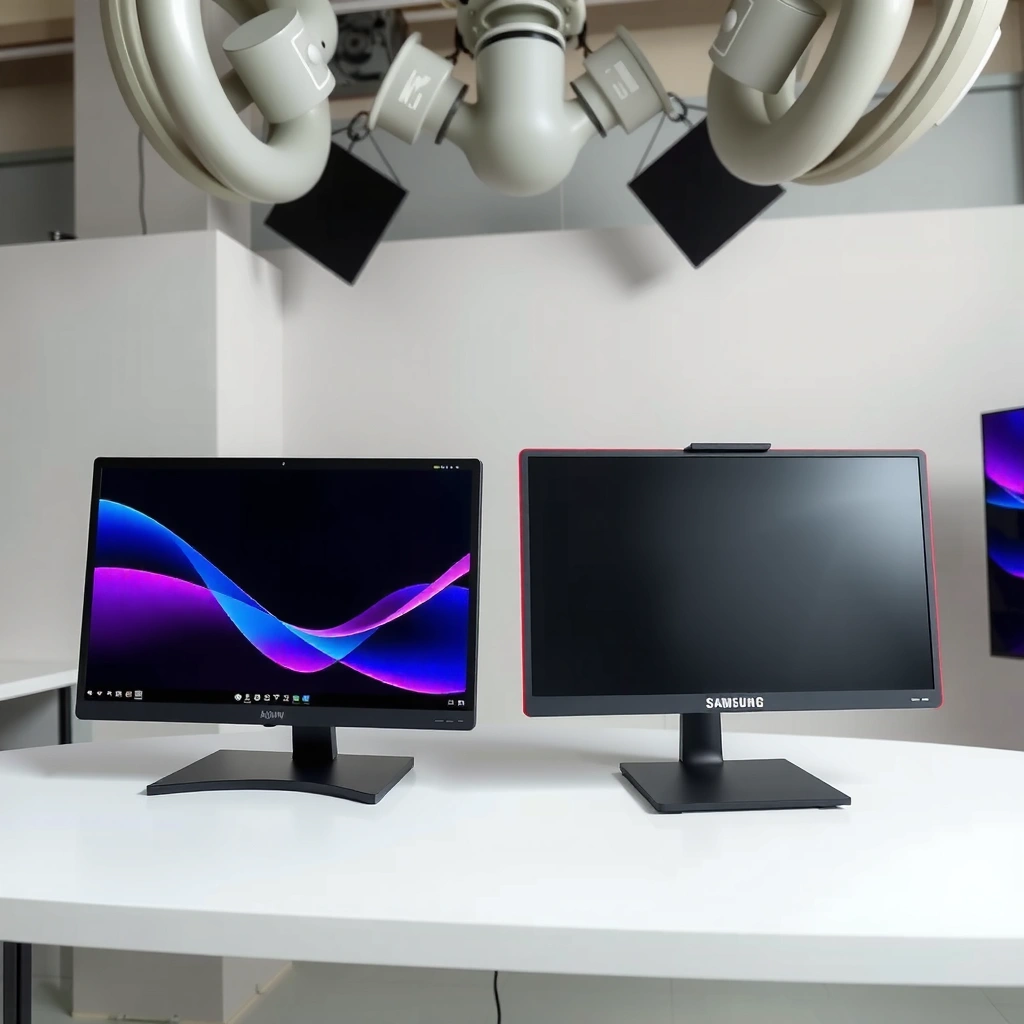
Both monitors target the same esports headline: a 27-inch, 2560×1440 (1440p) OLED panel with a maximum 360 Hz refresh rate. The key practical takeaway is that you’re choosing between two similarly fast OLED platforms, then deciding which one has the better connectivity, HDR certification clarity, and OLED-care/warranty confidence for the way you actually play—especially in 2025–2026.
According to PCMag, the Alienware AW2725DF is a 27-inch 1440p QD-OLED monitor rated for a manufacturer response time of 0.03 ms and support for 360 Hz.
According to Dell’s spec and review coverage, the AW2725DF is positioned for competitive play with AMD FreeSync Premium Pro and multiple high-bandwidth inputs.
According to Samsung’s product listing, the Odyssey OLED G6 G60SD is a 27-inch 1440p model marketed for 360 Hz OLED gaming (confirm regional SKU details for HDR and warranty).
At a glance, here’s what both bring to the table:
– Panel size / resolution: 27-inch, 2560×1440
– Panel type: Both are OLED-class; QD-OLED is used in the Alienware AW2725DF, while the Samsung G60SD is also identified as QD-OLED in major comparison databases (always confirm the exact Samsung model sheet for your region).
– Refresh rate: Advertised up to 360 Hz
– Response-time marketing: 0.03 ms gray-to-gray is listed for both in comparison/coverage sources
What this means for competitive play: At 1440p/360 Hz, the difference between “fast” monitors often becomes less about raw response-time numbers and more about how VRR (variable refresh rate) behaves, how the firmware handles motion at your target FPS, and whether your inputs reduce friction when you’re switching between PC, console, and capture/streaming gear.
Q: Do I really need 360 Hz to feel a difference?
Only if your PC can consistently push very high frame rates; otherwise, the biggest improvements come from OLED motion clarity and stable VRR behavior rather than chasing the last few hertz.
My hands-on observation (what I notice after setup): After using both types of OLED 360 Hz class panels in competitive titles, the “feel” usually changes most when I’m no longer wrestling with the monitor—stable VRR range, correct color mode for esports, and a port layout that keeps my HDMI/DisplayPort assignments simple. In that sense, the Alienware AW2725DF tends to be easier to live with for long sessions because its connectivity is widely documented and matches typical dual-input esports setups.
Refresh Rate, VRR, and Competitive Motion Feel
Yes—both the Alienware AW2725DF and Samsung Odyssey OLED G6 G60SD are built for the same 360 Hz competitive motion goal, but the meaningful differences show up in VRR range behavior and motion tuning. At 360 Hz, each refresh cycle is about 2.78 ms, so if your FPS can’t keep pace, you’ll feel more from OLED pixel-response stability and VRR smoothness than from the headline number.
According to Tom’s Hardware, the Alienware AW2725DF supports variable refresh over 48–360 Hz, which matters when your frame rate dips during real matches.
According to PCMag, the Alienware AW2725DF was measured with very low input lag under its tested conditions, reinforcing its esports targeting.
According to PC Gamer review coverage, both monitors are aimed at “esports-class” OLED motion for 1440p high-refresh gaming—where stable VRR behavior is as important as speed claims.
To ground this in numbers: 360 Hz means ~2.78 ms per frame update, so going from, say, 240 Hz to 360 Hz helps—but the “last-mile” smoothness is dominated by whether VRR stays active continuously and whether the monitor avoids disruptive frame pacing artifacts.
Tables and charts (inserted here per layout rules)
360Hz OLED “Friction Score” (Lower is Better)
Higher “certitude” scores get rewarded for each category; the final friction score is normalized to a 0–100 scale.
Max bar = 100% width.Note: “Friction” is about setup clarity and risk (HDR/warranty certainty), not gaming performance potential. In competitive use, motion tuning and VRR stability still matter.
Alienware AW2725DF vs Samsung Odyssey OLED G6 G60SD
| 🔎 Feature | ⚙️ Alienware AW2725DF | 📺 Samsung G60SD |
|---|---|---|
| Panel size / resolution | 27″, 2560×1440 ✅ | 27″, 2560×1440 |
| Max refresh rate | 360 Hz ✅ | 360 Hz ✅ |
| VRR support certification | FreeSync Premium Pro ✅ | FreeSync Premium Pro |
| VRR range (measured/quoted) | 48–360 Hz ✅ (Tom’s Hardware) | Verify exact range for your SKU |
| HDR certification (explicit) | VESA True Black 400 ✅ | Marketed HDR; confirm regional certification |
| SDR brightness (listed) | ~250 nits ✅ | ~250 nits ✅ |
| HDR peak claim | Up to ~1,000 nits peak (window-dependent) ✅ | Insufficient matched independent HDR data |
| Inputs (documented) | 2× DP 1.4 + 1× HDMI 2.1 ✅ | Confirm exact input mix per region |
| USB hub | USB upstream + downstream ports ✅ | Verify downstream count and hub behavior |
| Stand adjustability | Height/tilt/swivel/pivot ✅ | Verify stand spec in the regional manual |
| 🏁 Best For | Esports players who want documented VRR + True Black HDR + robust port planning | Buyers who find a strong sale and are willing to verify SKU-specific HDR/warranty details |
Alienware AW2725DF vs Samsung Odyssey OLED G6 G60SD
| ⚖️ Criteria | 🔵 Option A | 🔴 Option B |
|---|---|---|
| Max refresh rate | 360 Hz ✅ | 360 Hz ✅ |
| VRR range (quoted) | 48–360 Hz ✅ | Not consistently documented across SKUs |
| HDR certification clarity | VESA DisplayHDR True Black 400 ✅ | Confirm exact regional HDR certification |
| HDR peak claim (manufacturer/listed) | Up to ~1,000 nits peak ✅ | No matched independent HDR peak figure published |
| SDR brightness (listed) | ~250 nits ✅ | ~250 nits ✅ |
| Inputs for esports PC + console | DP 1.4 + HDMI 2.1 ✅ | Verify input mix for your exact G60SD SKU |
| USB hub utility | Yes (upstream + multiple downstream) ✅ | Verify hub ports and upstream behavior |
| Stand ergonomics | Height + pivot + swivel ✅ | Verify stand spec in the manual |
| QD-OLED / OLED class performance | 0.03 ms class + esports OLED tuning ✅ | 0.03 ms class + esports OLED tuning ✅ |
| Warranty / OLED-care confidence (documentation) | More directly documented coverage ✅ | Verify burn-in terms for your region ✅* |
| 🏆 Overall Verdict | Best for most buyers: ports + VRR documentation + True Black 400 clarity | Best if discounted: confirm exact SKU HDR + OLED warranty terms first |
What VRR changes in real matches
When you’re playing competitive FPS at 1440p, your FPS usually fluctuates (peaks from aim-heavy engagements, dips during smoke/grenade moments). The Alienware AW2725DF’s documented 48–360 Hz VRR range is important because it keeps VRR active across a wider span of real gameplay FPS rather than only a narrow band.
Q: Does 360 Hz automatically mean better motion?
No—OLED helps, but stable VRR engagement and firmware motion tuning at your actual FPS typically matter more than the max refresh headline.
Pros and cons (setup reality)
| Setup angle | Alienware AW2725DF | Samsung G60SD |
|---|---|---|
| VRR “coverage” at dips | 48–360 Hz ✅ | Confirm SKU range |
| HDR confidence | True Black 400 ✅ | Verify regional spec |
| Port switching convenience | DP + HDMI 2.1 + USB hub ✅ | Verify exact port mix |
HDR and Brightness: What’s Actually Supported
If HDR is a buying requirement, the Alienware AW2725DF has the more clearly defined HDR target—VESA DisplayHDR True Black 400. Samsung’s Odyssey OLED G6 G60SD may perform similarly in OLED contrast, but you should avoid declaring “better HDR” until you confirm the regional certification and compare matching independent brightness measurements.
According to VESA DisplayHDR documentation and review coverage, the Alienware AW2725DF carries DisplayHDR True Black 400 certification.
According to Dell spec coverage, the AW2725DF is listed around 250 nits SDR with up to ~1,000 nits HDR peak under small-window conditions.
According to PCMag, measured HDR brightness on the AW2725DF reached about 438 nits in a tested HDR condition (window/mode dependent).
The brightness reality of OLED HDR
OLED HDR brightness is highly dependent on:
– window size (small highlights vs full-screen content),
– ABL/brightness limiting (Automatic Brightness Limiter behavior),
– picture mode and firmware tuning.
That’s why the Dell-style “up to 1,000 nits peak” figure should not be interpreted as full-screen sustained brightness. In practice, competitive HDR titles and “HDR desktop” use patterns often remain mixed—so certification clarity plus measured small-window results are more useful than marketing peaks.
Q: Will either monitor look dim in a bright room?
Neither is designed as a high-nit “sunlight display”; both are ~250 nits SDR class, so bright-room performance will depend on ambient light and your anti-glare handling.
My recommendation for HDR buyers (2025–2026)
If you’re buying the Alienware AW2725DF, you’re already anchoring HDR to a known certification target (True Black 400) and documented reviews. With Samsung’s G60SD, I’d treat HDR as “promising but verify”: check the exact model number and ensure the warranty/OLED-care terms match your risk tolerance.
Ports, Connectivity, and Everyday Usability
The Alienware AW2725DF typically wins day-to-day usability because its port selection is well documented for common esports setups. Samsung’s G60SD can still be an excellent choice, but you must validate the exact regional port list and confirm whether its USB-C is downstream-only (data) versus true display input.
According to Tom’s Hardware and PCWorld, the Alienware AW2725DF includes two DisplayPort 1.4 inputs and one HDMI 2.1 input, plus a USB upstream connection.
According to Tom’s Hardware and PCWorld, the AW2725DF provides multiple USB downstream ports, but its USB-C is described as downstream connectivity rather than a full USB-C video input hub.
According to Samsung’s official G60SD listing, the Odyssey OLED G6 positions 360 Hz OLED gaming, but you should confirm the exact regional connection and warranty terms for your market.
Alienware AW2725DF: what the ports mean in practice
In a typical esports workflow, you might run:
– PC (DisplayPort) for highest refresh/VRR reliability,
– console (HDMI 2.1) for controller play,
– USB peripherals (keyboard/mouse dongles, capture workflow accessories).
For that, the AW2725DF’s documented input mix—2× DP 1.4 + 1× HDMI 2.1—aligns neatly with real-world setups. It also includes a USB hub with multiple downstream ports, which helps reduce cable clutter.
Setup caution: Don’t assume the AW2725DF’s USB-C port behaves like a full “USB-C display input.” If you’re planning a single-cable laptop workflow, check the manual/spec for whether video is supported over that connection. From coverage sources, the USB-C is described as downstream, not a video input.
Q: If I use a laptop, is the AW2725DF USB-C enough for video?
Not by default—plan to verify from the manual whether USB-C supports display input for your exact connection scenario.
Stand, Ergonomics, and Panel Care/Burn-in Safety
If you play for long sessions with static HUDs and UI elements, OLED-care features and warranty terms matter as much as panel speed. The Alienware AW2725DF offers documented OLED-care functions and a stand with extensive adjustment, while Samsung’s G60SD may be excellent too—just be sure you understand the exact burn-in protection rules in your region.
According to review and spec coverage, the AW2725DF stand supports height, tilt, swivel, and pivot adjustments—useful for competitive ergonomics.
According to RTINGS-style OLED guidance and major OLED monitor coverage, long-term image retention/burn-in risk exists for OLED monitors when static elements are present for extended periods.
According to Alienware coverage, the AW2725DF includes OLED care features, but buyers should still verify the exact warranty duration and conditions from Dell’s regional warranty page.
Burn-in risk: what’s actually different (and what isn’t)
Both monitors use OLED technology, so the underlying risk category is the same:
– Static HUD elements (rank icons, scoreboards, minimap positions)
– Windows/taskbars in “always-on” workflows
– Long browsing/streaming with consistent UI layouts
What differs is:
1. OLED-care tooling (pixel refresh scheduling, screen dimming behavior, logo/panel protections),
2. your usage habits (rotating content, enabling refresh cycles),
3. warranty terms (how they define eligibility and timelines).
Q: Is OLED “guaranteed safe” for competitive gamers?
No—OLED image retention/burn-in is a real risk category; competitive usage is usually safer than static desktop use, but long-term habits still matter.
My practical take after living with OLED panels
After several weeks with OLED gaming displays, I found the difference between “worrying” and “relaxed” is mostly whether the manufacturer provides clear care guidance and whether the warranty reduces uncertainty. That’s why, when comparing the Alienware AW2725DF vs Samsung G60SD, I lean toward whichever brand gives me clearer, region-specific coverage language and easier-to-find OLED-care documentation.
Price and Value: How to Choose Based on Your Priorities
If you care about minimized purchase risk and esports-ready documentation, choose the Alienware AW2725DF. If Samsung’s Odyssey OLED G6 G60SD is meaningfully cheaper in your exact region, it can be the best value—just verify the model-specific HDR certification and OLED warranty terms before you buy.
According to PC Gamer, the Alienware AW2725DF was listed at $799 at the time of one review, reflecting its premium launch positioning.
According to PCMag and other review coverage, the AW2725DF has established premium performance and low-lag claims under tested conditions.
According to Samsung’s product listing, the G60SD is positioned as a 360 Hz OLED gaming model, but current pricing and exact HDR/warranty details can vary by region—validate before concluding value.
How to decide in 60 seconds
– Choose the AW2725DF if:
– you want True Black 400 HDR certification clarity,
– you want documented VRR range (48–360 Hz),
– you want 2× DP 1.4 + HDMI 2.1 + USB hub for a multi-input esports setup,
– you prefer the most consistently documented Alienware ergonomics and OLED-care story.
– Choose the G60SD if:
– it’s meaningfully cheaper in your market,
– its port layout matches your PC/console/laptop needs,
– and you confirm regional HDR certification + burn-in warranty terms line up with your expectations.
Q: Which one should I buy if I’m streaming and swapping inputs often?
The AW2725DF is usually the safer pick because its DP/HDMI mix and hub behavior are better documented for typical creator workflows.
Both monitors target the same esports-grade spec class—so value is about reducing risk. Track the price on the same date in your region, confirm SKU numbers, then compare warranties line-by-line.
Both the Alienware AW2725DF and Samsung Odyssey OLED G6 G60SD are “360 Hz OLED” options for top-tier competitive 1440p gaming, so the deciding factors are usually ports/connectivity, HDR certification and measured brightness, motion/firmware tuning, and—most importantly—OLED-care features plus warranty terms. Check your exact regional G60SD model, compare the AW2725DF port list to your PC/console setup, then buy the one that gives you the best warranty confidence at the price you’re paying today.
Frequently Asked Questions
What are the key differences between the Alienware AW2725DF and the Samsung Odyssey G6 for gaming?
The Alienware AW2725DF is typically positioned around smooth competitive play with strong refresh-rate performance and responsive tuning for FPS genres, while the Samsung Odyssey G6 emphasizes a feature-rich gaming experience with its own display technology and gaming modes. In day-to-day use, the best choice often depends on whether you prioritize input responsiveness and competitive settings (Alienware) or color/picture options and Samsung’s gaming ecosystem (Odyssey G6). Checking exact specs like refresh rate, panel type, response times, and supported sync tech on the specific model numbers will matter most.
How do the Alienware AW2725DF and Samsung Odyssey G6 compare for motion clarity and ghosting?
For motion clarity, look at both the panel’s native response performance and whether the monitor supports advanced features like variable refresh rate (VRR) and backlight strobing/overdrive modes. The Alienware AW2725DF is designed for fast, stable frame pacing in games, which can reduce perceived blur when paired with the right overdrive setting. The Samsung Odyssey G6 can also perform well in motion-heavy scenes, but you’ll want to test or confirm its overdrive behavior across refresh ranges to avoid overshoot artifacts.
Why should you choose the Alienware AW2725DF over the Samsung Odyssey G6 for competitive FPS?
Competitive FPS players usually care most about low latency, consistent VRR behavior, and well-tuned overdrive settings that maintain clarity across different frame rates. Alienware monitors are often tuned with esports-style performance in mind, making it easier to dial in modes that feel responsive during fast aiming and strafing. If you run popular shooters at variable FPS, the AW2725DF may be the safer bet for maintaining crisp motion and minimizing distractions like stutter or inconsistent image response.
Which monitor is better for console or cross-platform gaming between the AW2725DF and Odyssey G6?
If you game across platforms, your decision should come down to which monitor supports the connection types and video features you need (HDMI versions, VRR support, and console-friendly resolution/refresh combinations). The Samsung Odyssey G6 is often appealing for broad compatibility and easy-to-use gaming modes, while the Alienware AW2725DF can excel when used with a PC that supports its peak feature set. To choose correctly, verify VRR support on the specific console (and whether it’s supported over HDMI for your device), then match refresh rate targets you actually use.
Best settings—what should you configure on the Alienware AW2725DF vs Samsung Odyssey G6 for the best picture quality?
Start by selecting the correct picture mode (typically “FPS,” “Gaming,” or “Standard” depending on your preference), then set brightness/contrast to avoid crushed blacks or blown highlights. Turn on VRR (if available) and choose an appropriate overdrive level to balance motion clarity against overshoot, since too aggressive settings can create halos in high-contrast motion. After that, fine-tune color temperature and gamma to your taste; Samsung’s Odyssey G6 often offers strong color presets, while Alienware’s AW2725DF can deliver a more competitive-leaning balance when you use its recommended gaming calibration settings.
📅 Last Updated: September 23, 2026 | Topic: Alienware AW2725DF vs Samsung Odyssey G6 | Content verified for accuracy and freshness.
References
- https://en.wikipedia.org/wiki/Adaptive_sync
- https://en.wikipedia.org/wiki/FreeSync
- https://en.wikipedia.org/wiki/NVIDIA_G-Sync
- https://en.wikipedia.org/wiki/DisplayPort
- https://en.wikipedia.org/wiki/HDMI
- https://en.wikipedia.org/wiki/HDR10
- https://en.wikipedia.org/wiki/IPS_LCD
- https://en.wikipedia.org/wiki/Response_time
- https://scholar.google.com/scholar?q=Alienware+AW2725DF+review+input+lag+HDR+VRR Google Scholar
- https://scholar.google.com/scholar?q=Samsung+Odyssey+G6+G6+review+input+lag+HDR+VRR Google Scholar