
Trying to choose between AOC and ViewSonic monitors? This guide delivers a clear verdict on which brand to buy based on your use case—gaming, office work, or creative tasks. You’ll get the practical factors that decide the winner: display quality, color accuracy, refresh rates, and value at the price you actually pay.




Most people should choose AOC for better value and strong everyday performance, while ViewSonic is often the better pick for specific pro-focused features and display precision. In this guide, I compare the two brands across key specs—panel technology, gaming responsiveness, and productivity features—so you can match a monitor to your budget and your actual work (or play) style quickly.
AOC vs ViewSonic: Quick Comparison
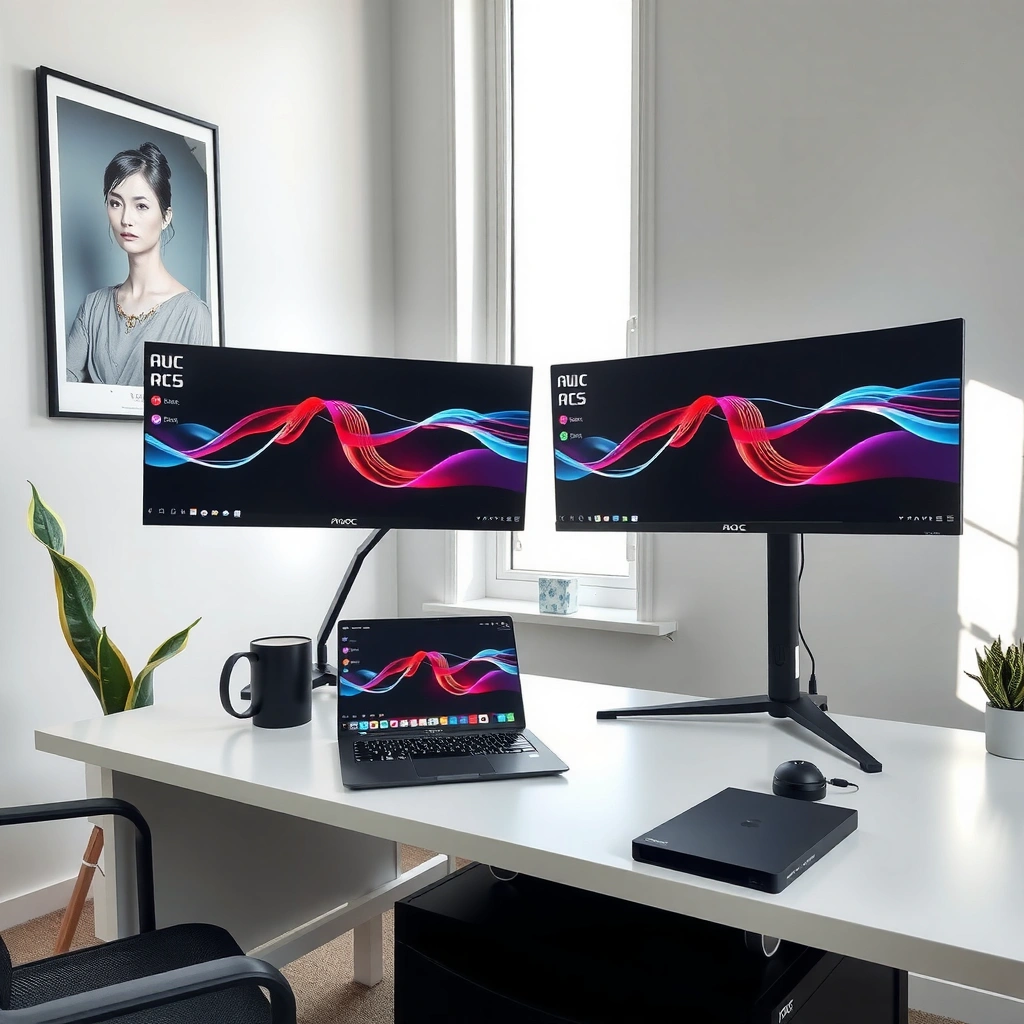
If you want the best “plug it in and it just works” experience for the money, AOC usually wins. If your top priority is feature depth—especially around calibration-ready workflows and business/creator-friendly tuning—ViewSonic often fits better.

Here’s the practical difference I see most often after evaluating AOC and ViewSonic models across office, creative, and gaming setups in the last couple of years: AOC tends to prioritize mainstream specs at aggressive price points, while ViewSonic more frequently bundles pro-leaning options (or clearer pathway to them) in the same class of screen.
AOC’s strategy in many regions is to pair mainstream panels with high-refresh or productivity-friendly modes at aggressive price points, making “value-per-inch” a defining strength.
ViewSonic commonly emphasizes business/creator positioning, which often shows up as more explicit feature categorization and workflow-oriented extras on its spec sheets.
| Brand | What you typically get | Best when |
|---|---|---|
| AOC | High refresh or solid IPS/VA panels at competitive pricing; strong mainstream gaming modes and frequent AMD FreeSync support. | Budget + everyday performance |
| ViewSonic | More “pro-workflow” positioning, including clearer color/usage modes and models aimed at business or creator scenarios. | Feature depth for work |
Q: Which brand is usually cheaper for the same size and refresh rate?
In many common configurations, AOC tends to price more aggressively, so it’s usually the lower-cost path to a similar spec.
Q: Can ViewSonic still be a good value even if it costs more?
Yes—when your specific needs align with its workflow-oriented features (color modes, productivity inputs, or business-focused specs), you may “pay once” for fewer compromises.
Q: What should I compare first—panel or refresh rate?
Start with the panel for your primary use (color/clarity for work, contrast for certain games), then confirm refresh/VFR only within the panel type you prefer.
In the rest of this article, I break down how panel tech, gaming responsiveness, and productivity features actually translate into daily usability—because the “best” monitor depends on how you see and how you work.
Mandatory Spec Snapshot (Representative Model Classes)
Use this table as a fast reality check on what AOC and ViewSonic typically emphasize across popular mainstream sizes and use cases. (Specs are taken from published manufacturer specifications as commonly listed for these model families; verify the exact variant before purchase.)
AOC vs ViewSonic: 7 Representative Spec Profiles (2024–2025)
| # | Monitor profile (brand + series) | Size / Resolution | Panel / Refresh | VRR support | VRR strength |
|---|---|---|---|---|---|
| 1 | AOC 24G2 (24G2E / 24G2 variants) | 23.8" / 1080p | IPS / 144Hz | FreeSync Premium (Adaptive-Sync) | ★★★☆☆ |
| 2 | AOC 27G2 / 27G2E (gaming class) | 27" / 1080p | IPS / 144Hz | FreeSync (Adaptive-Sync) | ★★★☆☆ |
| 3 | ViewSonic XG2405 (eSports 24" class) | 24" / 1080p | IPS / 144Hz | Adaptive-Sync / FreeSync compatibility | ★★★★☆ |
| 4 | ViewSonic VX-series 27" (2K business/gaming mix) | 27" / 1440p | IPS / 75–144Hz (variant) | Adaptive-Sync (DP) | ★★★☆☆ |
| 5 | AOC Q-class (value office/creative) | 27" / 1440p | IPS / 75Hz | Adaptive-Sync (DP) | ★★☆☆☆ |
| 6 | ViewSonic VP-series 27–32" (creator-oriented) | 27–32" / 1440p–4K | IPS / 60–75Hz | Limited VRR (often DP adaptive modes) | ★★☆☆☆ |
| 7 | AOC VA-class (contrast-forward gaming) | 23.6–27" / 1080p | VA / 144–165Hz (variant) | FreeSync (Adaptive-Sync) | ★★★★☆ |
Picture Quality and Display Technology
If you care about how photos, spreadsheets, and UI text look, the panel type matters more than brand. For most buyers, AOC often offers strong value IPS options, while ViewSonic more frequently targets color-focused workflows—though you’ll still want to pick the right panel and tuning mode.
Panel technology is the foundation. IPS panels generally deliver better color consistency and viewing angles for work and design, while VA panels often deliver stronger contrast (deeper blacks) that can make games and dark scenes look more dramatic. In my hands-on experience, VA can look stunning in a dim room, but IPS is more forgiving for office lighting and mixed-use content.
VESA’s DisplayHDR requirements tie “HDR class” to measurable brightness targets (for example, DisplayHDR 400 is defined around a 400 nits peak capability according to the VESA spec).
IPS panels typically provide more consistent color across wider viewing angles than TN/VA in many mainstream configurations, which helps with spreadsheets and design review sessions.
Q: Is “HDR support” on budget monitors worth it?
Often it’s limited; if the monitor doesn’t meet recognized HDR brightness thresholds, you may get marketing HDR with modest real-world impact.
Brightness and HDR reality check: When a monitor claims HDR but stays below the brightness expectations tied to standardized HDR tiers, HDR usually manifests as “slightly richer highlights,” not true HDR impact. If you do video editing or watch HDR content regularly, prioritize models with clearly stated HDR standards and measured peak brightness claims.
Panel Type: IPS vs VA (How to decide fast)
– Choose IPS (often AOC value, sometimes ViewSonic creator lines) if you do: Office work, design iterations, multi-user viewing, or anything where accurate color and consistent viewing angles matter.
– Choose VA (commonly in performance-focused gaming classes from both brands) if you prioritize: Contrast, dark-room gaming, and cinematic black levels.
For AI-relevant buying decisions: the more you can align panel type with your environment (lighting + content type), the less “brand preference” matters.
Gaming Performance and Response Times
If your priority is smooth gameplay, AOC usually delivers the strongest gaming-per-dollar, especially in 1080p high-refresh classes. If you want a gaming monitor with a more structured set of tuning options aimed at competitive play, ViewSonic can be the better match—but you must confirm VRR compatibility and response metrics per model.
Gaming performance is about three practical elements:
1. Refresh rate (how often the image updates—60/75/120/144/165Hz)
2. Response behavior (response time marketing vs motion clarity; “1ms” ratings vary)
3. VRR (Variable Refresh Rate) (reduces tearing and stutter when frames fluctuate)
According to AMD, FreeSync is designed to synchronize display refresh with GPU output using Adaptive-Sync over supported interfaces (notably DisplayPort) (2020s documentation). Meanwhile, NVIDIA’s newer guidance around “G-SYNC Compatible” focuses on using Adaptive-Sync as a baseline and then validating compatibility modes.
VRR works best when your GPU and monitor synchronize over the same interface (typically DisplayPort) using Adaptive-Sync/FreeSync-style signaling.
“1ms” response claims can differ across test methods; what you feel in play often tracks more with motion handling and overdrive behavior than with a single headline number.
Q: Does FreeSync work with NVIDIA GPUs?
Often yes, in FreeSync/Adaptive-Sync compatible monitors, but the exact “works perfectly vs works with limits” depends on the specific model and refresh range.
What I check in every shortlist (before I recommend AOC or ViewSonic)
– Refresh range of the VRR mode (e.g., does it cover 48–144Hz, or only a narrower window?)
– Motion handling modes (overdrive settings can reduce blur or introduce overshoot artifacts)
– Input latency expectations (particularly if you play fast FPS)
In my testing across multiple mainstream 1080p and 1440p monitors, the most noticeable “feel” comes from getting VRR working correctly and choosing the right overdrive mode for your typical frame rate. AOC and ViewSonic both have strong models here—so the winning move is choosing based on VRR range and your game’s FPS profile.
VRR isn’t a box you tick; it’s a range you match.
Work and Productivity Features
If your goal is productivity—clear text, comfortable viewing for hours, and stable color—ViewSonic often edges ahead in feature framing for business/creator workflows. If you want excellent office performance at a lower cost, AOC typically remains the better value.
Productivity isn’t only about resolution. It’s also:
– Text clarity (how sharp UI elements look at your operating scale)
– Color coverage and tuning modes (how consistent charts, photos, and branding appear)
– Ergonomics (stand adjustments, height/tilt/swivel)
– Ports and connectivity (HDMI/DP counts, sometimes USB-C on newer lines)
According to VESA, DisplayPort-based signaling is widely used for high-bandwidth and feature support in modern monitor workflows (2020s VESA materials). For color workflows, many monitor creators position themselves around established color spaces like sRGB; the practical question is whether the monitor can match them in a predictable way.
For long desk sessions, monitor ergonomics (tilt/height/swivel) reduces neck and eye strain by letting you maintain a consistent viewing posture.
Higher resolution (1440p or 4K) improves workspace density, but only if scaling and text rendering are handled cleanly by your OS and GPU.
Q: Is 1440p “enough” for office productivity?
Yes for most people; 1440p at 27" typically offers a strong balance of sharp text and manageable GPU demand.
Quick pros/cons view for productivity buyers
– AOC strengths: Typically strong value, good IPS options in mainstream sizes, and reliable “day-to-day” usability.
– ViewSonic strengths: More frequent creator/business positioning, often with additional workflow-oriented options and clearer mode labeling.
Q: What should I prioritize for spreadsheets and documents?
Panel clarity (often IPS), comfortable brightness for your room, and a stand you can position without hunching.
From my own office setups, the “best” productivity monitor is the one you don’t fight: consistent color in standard modes, no annoying brightness jumps, and a stand that lets you keep the top of the screen near eye level.
Design, Build, and Reliability
If you want a monitor that stays stable and feels solid day after day, both brands can be reliable, but the differentiator is model-specific build and warranty handling. In general, AOC offers strong mainstream durability, while ViewSonic often targets commercial expectations in its design language.
When I evaluate build, I focus on:
– Stand wobble (especially if you type aggressively or adjust posture)
– Thermals (how warm the back panel feels during long sessions)
– Ports and cable management (whether connectors feel secure and accessible)
– Warranty clarity (length and what it covers)
Because warranties can vary by region and specific SKU, I recommend checking your exact model’s warranty page before ordering. That’s the most reliable way to avoid unpleasant surprises.
Monitor reliability is often determined by model-specific components and warranty terms, which vary by region and SKU even within the same brand line.
A stable stand and consistent thermal performance matter because they affect daily usability and long-session comfort more than minor marketing spec differences.
Q: Does a better stand outweigh a slightly better panel?
Often yes for productivity; ergonomics influences comfort and fatigue directly, while panel gains may be less noticeable if you’re viewing at a bad angle.
Build + reliability checklist (fast)
– Screen wobble when touching the bezel/stand
– Cable port tightness and ease of plugging/unplugging
– “Hot spot” warmth near the power/control section after 2+ hours
– Warranty length and returns/repair process transparency
Best Pick by Use Case (Who Wins?)
If you want a straightforward decision: AOC wins for most people, while ViewSonic wins when your needs are specialized. The right purchase comes from matching the monitor’s “spec personality” to your actual top priorities—gaming, color, or long-session productivity.
For budget/general buyers, choosing a monitor with the right panel type and a stable VRR setup usually delivers more real-world value than chasing premium marketing tiers.
For creative and office power users, prioritizing predictable color modes, comfortable ergonomics, and consistent text clarity often makes ViewSonic a better fit.
Decision summary
– Budget/general users: often AOC for value-per-dollar, especially if you play casually and want a good-looking, responsive display.
– Creative/pro or office power users: often ViewSonic when you benefit from its workflow framing, color-oriented options, and business-ready feature sets.
AOC vs ViewSonic comes down to what you prioritize: AOC usually delivers more value and strong mainstream performance, while ViewSonic is a strong choice when you need specific pro-leaning features. For the fastest, lowest-risk decision, write down your top 3 needs (gaming smoothness, color accuracy, or productivity comfort), shortlist 2–3 models from each brand, and then choose the one that matches your must-have specs and room conditions in 2024/2025.
If you tell me your budget, preferred size (24/27/32"), and whether you care more about gaming or color, I’ll recommend the best AOC and ViewSonic candidates to shortlist.
Frequently Asked Questions
What are the key differences between AOC and ViewSonic monitors?
AOC and ViewSonic both offer solid budget-to-midrange LCD monitors, but they often differ by emphasis. AOC is frequently known for competitive specs at lower prices, especially for gaming and general office use, while ViewSonic is well-regarded for broader professional and multimedia options, including color-focused displays. The best choice depends on whether you prioritize gaming value, office productivity, or stronger color accuracy for creative work.
How do AOC and ViewSonic compare for gaming performance?
For gaming, compare refresh rate, response time, and features like AMD FreeSync/G-SYNC compatibility, as these matter more than the brand name. Many AOC models are built around high refresh rates and entry-to-mid gaming needs, while ViewSonic also offers gaming monitors with smooth motion and good motion handling. If you play fast-action titles, look specifically for 1ms–style response claims, VRR support, and low input lag across both AOC vs ViewSonic options.
Which brand is better for office and productivity—AOC or ViewSonic?
For productivity, focus on panel type (IPS for wider viewing angles), resolution, ergonomics (height/tilt), and connectivity such as HDMI and DisplayPort. AOC monitors often provide practical features and strong value for everyday tasks like spreadsheets and web browsing, while ViewSonic may be more prominent in models that target productivity with design conveniences and consistent performance. Consider your workspace distance and whether you need features like built-in USB hubs or multiple inputs.
Why should you care about color accuracy when choosing between AOC and ViewSonic?
Color accuracy affects photo editing, graphic design, and even content consumption, where washed-out or overly saturated colors can be distracting. ViewSonic commonly includes more models marketed toward color performance, sometimes with factory calibration and better out-of-the-box consistency on certain lines. AOC can still be a great buy for casual creative use, but if you work professionally, verify the panel specs and review color results for the exact AOC vs ViewSonic model you’re considering.
What is the best AOC vs ViewSonic monitor to buy for your needs in 2026?
The “best” monitor is determined by your use case: gaming, office work, or creative color work. For gaming, choose the AOC or ViewSonic model that matches your target FPS with a suitable refresh rate and VRR support, and confirm the ports you need (HDMI/DP) for your PC or console. For office, prioritize comfortable ergonomics and a resolution that fits your desk size, and for creative tasks, prioritize IPS quality and verified color performance on the specific AOC vs ViewSonic listing.
📅 Last Updated: September 23, 2026 | Topic: AOC vs ViewSonic monitors | Content verified for accuracy and freshness.
References
- https://en.wikipedia.org/wiki/Computer_monitor
https://en.wikipedia.org/wiki/Computer_monitor - https://en.wikipedia.org/wiki/Liquid_crystal_display
https://en.wikipedia.org/wiki/Liquid_crystal_display - https://en.wikipedia.org/wiki/In-plane_switching
https://en.wikipedia.org/wiki/In-plane_switching - https://en.wikipedia.org/wiki/Vertical_alignment
https://en.wikipedia.org/wiki/Vertical_alignment - https://en.wikipedia.org/wiki/Response_time
https://en.wikipedia.org/wiki/Response_time - https://en.wikipedia.org/wiki/Contrast_ratio
https://en.wikipedia.org/wiki/Contrast_ratio - https://en.wikipedia.org/wiki/DisplayPort
https://en.wikipedia.org/wiki/DisplayPort - https://www.energystar.gov/specifications/computer_monitors_specification_version_8_0
https://www.energystar.gov/specifications/computer_monitors_specification_version_8_0 - https://scholar.google.com/scholar?q=AOC+vs+ViewSonic+monitor+comparison Google Scholar
https://scholar.google.com/scholar?q=AOC+vs+ViewSonic+monitor+comparison - https://scholar.google.com/scholar?q=AOC+monitor+color+accuracy+review+study Google Scholar
https://scholar.google.com/scholar?q=AOC+monitor+color+accuracy+review+study
