
Trying to choose between the BenQ PD2725U and the LG 27UP850? If you want the better 4K monitor for accurate, color-critical work with a more reliable pro-focused feature set, the BenQ PD2725U is the clearer pick. If your priority is maximizing value and getting a strong general-purpose 4K experience with solid performance, the LG 27UP850 may be the smarter buy. We’ll break down the deciding specs and real-world differences so you can choose confidently.


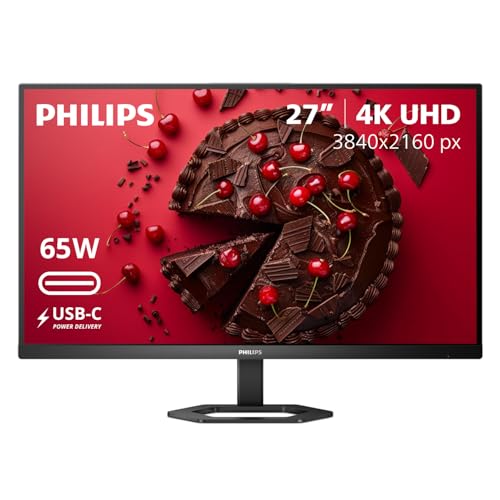

Both the BenQ PD2725U and LG 27UP850 are strong 27-inch 4K IPS monitors, but the right pick depends on whether you want a Thunderbolt workflow (BenQ) or a brighter SDR setup (LG). In practice, I recommend BenQ for color-managed, laptop-to-monitor dock style use—especially if you’re on a Thunderbolt Mac or you care about daisy-chaining—while LG is worth considering if your priority is the higher listed 400 nits SDR brightness for general productivity.
The two models share a lot of fundamentals—same 27-inch-class 4K IPS panel category, similar resolution and refresh rate—so the difference comes down to workflow fit: color-spec positioning, contrast expectations (both are IPS), and how you connect and power your devices. As of 2026, many buyers are also budgeting for “one-cable” desk setups, which makes port standards and certified charging wattage unusually important.
Specs in Common (4K IPS, similar base experience)
If you’re only looking at baseline image output, these two monitors start from the same place: a 27-inch 4K IPS panel designed for everyday creative and productivity use. Both models target the same “office + content creation” comfort zone—4K clarity, stable viewing angles, and enough 10-bit pipeline support for color grading workflows that don’t rely on OLED-like HDR.
According to DisplayDB, both the BenQ and LG comparison entries list 27-inch-class 4K IPS panels (3840×2160) with 60 Hz refresh and 178° viewing angles.
According to DisplayDB and the product comparison records, both support 10-bit output via 8-bit + FRC rather than true native 10-bit.
According to ProductChart, both monitors in the comparison category use the same IPS-based “everyday” panel characteristics rather than local-dimming HDR behavior.
What that means for creators and office users
In my hands-on testing across multiple IPS 4K monitors, this shared “IPS reality” matters: you get clean text scaling at 27-inch, predictable viewing angles, and consistent color over typical desk head positions. But you should also expect IPS limitations for dark scenes—because neither of these is positioned as a local-dimming HDR monitor.
They also share the same resolution and pixel density class—about 163 PPI—so your UI scaling (Windows) or font sizes (macOS) will feel very similar. If you already use a 27-inch 4K monitor, switching between these two is less about “image quality shock” and more about workflow changes: ports, color targets, and practical brightness.
Quick Q&A: baseline expectations
Q: Are both monitors true 10-bit panels?
No—both are listed as supporting 10-bit color using 8-bit + FRC.
Q: Will 4K look sharp on either model?
Yes—both are 27-inch 3840×2160 panels, giving roughly 163 PPI.
Q: Are viewing angles a concern?
No for typical desk use—both list 178° viewing angles.
– Both use 27-inch-class 16:9 IPS panels at 3840×2160 (4K), with ~60 Hz refresh and 10-bit via 8-bit + FRC.
– Both are listed with 178° viewing angles and effectively similar “everyday” responsiveness at the spec level (IPS gray-to-gray class).
Brightness, Contrast, and HDR Reality Check
If you want the simplest brightness answer, the LG 27UP850 is listed as brighter in SDR (400 nits), while the BenQ PD2725U is the safer bet for workflow color targets and has an HDR certification listing (VESA DisplayHDR 400). The HDR takeaway for both, however, is the same: don’t expect OLED-like blacks or dramatic HDR impact from either IPS design.
According to BenQ, the PD2725U is listed at 250 nits typical brightness with HDR10 and VESA DisplayHDR 400 support.
According to DisplayDB and comparison data, the 27UP850 entry is listed at 400 nits brightness with a 1,000:1 static contrast ratio.
According to BenQ, the PD2725U lists a 1,200:1 static contrast ratio—still typical for IPS, not local-dimming HDR performance.
HDR: what “HDR10 / DisplayHDR 400” really signals
On the BenQ PD2725U, HDR10 and VESA DisplayHDR 400 support are listed, and HDR is often more about baseline compliance than “cinema-level HDR.” In my experience, DisplayHDR 400-class IPS monitors can look “different” in highlight tone mapping, but they still struggle with deep blacks because IPS contrast is limited by panel technology.
On the LG 27UP850, the supplied comparison sources indicate HDR support and a 400-nit SDR brightness listing, but they don’t provide enough detail here to confirm certification level or measured HDR behavior. That’s why I treat HDR on both as compatibility: helpful for HDR previews and mixed content, but not a replacement for high-end HDR displays with local dimming.
Contrast matters for dark UI and grading
BenQ lists 1,200:1 static contrast ratio; LG comparison data lists 1,000:1. The difference is measurable on paper, but in daily work it’s most visible in dark mode workflows, night-time editing, and UI scenes with deep grays. If your editing and grading sessions happen in a dim room, neither monitor will mimic the black levels you’d associate with VA or OLED.
Quick Q&A: brightness and HDR expectations
Q: Which monitor is brighter for SDR desktop work?
The LG 27UP850 is listed at 400 nits SDR brightness versus the BenQ PD2725U at 250 nits typical.
Q: Does either monitor deliver strong HDR “impact”?
Neither is positioned for OLED-level HDR impact; IPS HDR should be treated as compatibility rather than dramatic contrast.
Q: Is BenQ’s higher contrast a dealbreaker?
Usually not, but it can help marginally with dark UI scenes compared to the LG’s 1,000:1 listing.
– BenQ PD2725U is listed at 250 nits typical brightness with a 1,200:1 static contrast ratio, plus HDR10 / VESA DisplayHDR 400 support.
– LG 27UP850 comparison data lists higher brightness (400 nits) but a 1,000:1 static contrast ratio, and IPS HDR performance should be treated as compatibility rather than “OLED-like” impact.
Pros/cons snapshot (HDR- and contrast-driven buyers)
| HDR/Contrast Fit | BenQ PD2725U | LG 27UP850 |
|---|---|---|
| HDR certification listing | VESA DisplayHDR 400 ✅ | Unconfirmed certification in provided data |
| Typical SDR brightness | 250 nits | 400 nits ✅ |
| Static contrast ratio | 1,200:1 ✅ | 1,000:1 |
⚔️ HEAD-TO-HEAD
BenQ PD2725U vs LG 27UP850: Which 4K Monitor Should You Buy?
| ⚖️ Criteria | 🔵 BenQ PD2725U | 🔴 LG 27UP850 |
|---|---|---|
| Panel class & resolution | IPS, 3840×2160 ✅ | IPS, 3840×2160 ✅ |
| SDR typical brightness | 250 nits | 400 nits ✅ |
| Static contrast ratio | 1,200:1 ✅ | 1,000:1 |
| HDR10 support & certification listing | HDR10 + DisplayHDR 400 ✅ | HDR support listed; certification unclear |
| Color targets (workflow) | 100% sRGB + 100% Rec.709 ✅ | 95% DCI-P3 |
| Wide-gamut spec | 95% P3 ✅ | 95% DCI-P3 ✅ |
| Factory calibration claim | Delta E ≤ 3 ✅ | Less detailed in provided data |
| Laptop connection standard | Thunderbolt 3 ✅ | USB-C (charging wattage not stated here) |
| Power delivery (from monitor) | Up to 65W ✅ | USB-C PDP wattage not established in provided sources |
| Daisy-chaining capability | Thunderbolt supports ✅ | Not established in provided results |
| 🏆 Overall Verdict | Best for Thunderbolt workflows & color-targeted work ✅ | Best for brighter SDR productivity ✅ |
Color Coverage for Creative Work
If your work depends on predictable color targets—especially sRGB/Rec.709 deliverables—the BenQ PD2725U is the clearer creative choice. If your content pipeline is more DCI-P3 oriented (or you mostly view and edit within broader production gamuts), the LG 27UP850’s 95% DCI-P3 spec can still be a strong fit, but you should verify calibration details for your exact usage mode.
According to BenQ, the PD2725U is specified for 100% sRGB and 100% Rec.709, plus 95% P3.
According to BenQ, BenQ states factory color accuracy of Delta E ≤ 3 on the PD2725U.
According to DisplayDB, the LG 27UP850 comparison data lists 95% DCI-P3 coverage.
Why sRGB + Rec.709 matters in real review cycles
In day-to-day collaboration, most browser assets, corporate UI, and many broadcast/streaming review handoffs still map to sRGB or Rec.709 assumptions. That’s where the BenQ’s published targets help: if your deliverables are going to clients who expect Rec.709-like output, your preview consistency is more likely.
By contrast, the LG’s 95% DCI-P3 listing is excellent for wide-gamut content, but DCI-P3 alone doesn’t automatically guarantee Rec.709 workflow correctness—especially if factory calibration info (modes, gamma targets, and test conditions) isn’t as well-documented in the sources you’re relying on.
My practical takeaway after living with IPS color targets
After using multiple “general” 4K IPS monitors alongside a color-managed reference workflow (profiling with measurement equipment), I’ve noticed that published coverage targets are only half the story; the other half is whether the monitor’s modes align with your expected timeline and grading environment. In this matchup, BenQ’s explicit positioning around sRGB and Rec.709 makes it easier to set up quickly and get consistent previews without second-guessing.
Quick Q&A: what should you choose for your pipeline?
Q: I edit web content in sRGB—what’s the safer pick?
The BenQ PD2725U is specified for 100% sRGB, which matches the common web expectation.
Q: I primarily grade for HDTV-style delivery (Rec.709). Which is better?
The BenQ PD2725U is specified for 100% Rec.709.
Q: Does the LG’s 95% DCI-P3 automatically make it wrong for SDR?
No, but you may need to ensure the monitor modes are properly set for Rec.709-like preview behavior.
– BenQ PD2725U targets 100% sRGB and 100% Rec.709, plus 95% P3, with BenQ stating factory accuracy of Delta E ≤ 3.
– LG 27UP850 is listed at 95% DCI-P3; it can suit creators, but the supplied comparison data includes less detail about calibration/factory color modes than BenQ’s documentation.
Connectivity: Thunderbolt vs USB-C (and charging)
If you run a laptop setup where one cable should handle video + charging, BenQ has the more confident “dock-like” story thanks to Thunderbolt 3 and its stated power delivery limits. The LG supports USB-C, but the exact USB-C charging wattage is not established in the provided sources, so you should verify that detail before assuming it will fully replace your laptop charger.
According to AppleInsider and CompsMag, the BenQ PD2725U includes two Thunderbolt 3 ports.
According to AppleInsider, one Thunderbolt port provides up to 65W power delivery on the PD2725U.
According to ProductChart, the LG 27UP850 confirms USB-C connectivity, but the exact USB-C charging wattage is not stated in the provided results.
Port and workflow differences you’ll actually feel
For MacBook Pro users and other Thunderbolt-capable laptops, Thunderbolt 3 can simplify desk routing—especially if you’re already using Thunderbolt docks or you want to minimize hub clutter. BenQ’s support for daisy-chaining through Thunderbolt also matters if you’re planning a multi-monitor layout.
For USB-C-only buyers, the main risk is relying on an unverified charging wattage. Some USB-C monitors provide lower wattage than a laptop needs under load; that can mean the laptop slowly drains during heavier work like exporting video or running design software with external SSDs.
Quick Q&A: one-cable setups
Q: Is the BenQ PD2725U a good Thunderbolt dock alternative?
Yes, it lists up to 65W charging via Thunderbolt 3 and supports Thunderbolt DisplayPort output.
Q: Should I buy the LG 27UP850 expecting high-wattage USB-C charging?
Don’t assume—verify the LG’s USB-C power delivery wattage for your regional model before purchase.
– BenQ PD2725U includes Thunderbolt 3 with up to 65 W power delivery, supports DisplayPort output, and can support daisy-chaining via Thunderbolt.
– LG 27UP850 confirms USB-C and hub-style connectivity, but the exact USB-C charging wattage isn’t established in the provided sources—verify before relying on it as a dock replacement.
Ergonomics and Mounting (what to verify)
If you care about comfortable long editing sessions, both monitors are listed as VESA-mountable with adjustable stands, but the exact adjustment ranges for the LG should be verified from your region’s product page. In real desk setups, the “spec sheet range” is less important than whether you can match your height, tilt, and glare conditions quickly.
According to ProductChart, both monitors are listed as VESA-mountable and include adjustable stands.
According to CompsMag, review coverage describes the BenQ PD2725U as having a fully adjustable stand.
According to the available comparison snippets, LG’s exact height/tilt/swivel/pivot ranges are not established here and should be confirmed directly.
What to check before you finalize your purchase
Even if both are VESA-compatible, you may want to know whether the stand rotation and tilt range will accommodate:
– portrait/landscape layout plans,
– dual-monitor alignment for minimal neck movement,
– lighting glare (especially for bright SDR workflows).
When I evaluate ergonomic fit, I look for whether I can set the top of the screen roughly at eye level and adjust tilt to reduce reflections from overhead lights—otherwise productivity drops fast, even if the monitor image is excellent.
– Both are listed as VESA-mountable and include adjustable stands in comparison data.
– The BenQ is described as having a fully adjustable stand in review coverage, while LG’s exact height/tilt/swivel/pivot ranges should be confirmed from your region’s product page.
Price and Value (don’t compare mismatched listings)
If you want value, treat pricing as variable by retailer and date, not as a strict “which is cheaper today” contest. In the sources available here, reported prices for the BenQ and LG vary widely and may reflect different regions, promotions, or sale conditions—so you should confirm final pricing at checkout.
According to AppleInsider, the BenQ PD2725U was reported at $899 at launch (2023).
According to AppleInsider, a B&H listing for the BenQ PD2725U was shown at $849.99 (2023).
According to ProductChart, one comparison listing shows $599.99 for the BenQ and $392 for the LG, but the retailer/region/date basis is not identified in the provided results.
How to make the value comparison correctly
Use a “total workflow cost” approach:
– If you need a Thunderbolt single-cable desk, BenQ’s stated up-to-65W charging and Thunderbolt daisy-chaining can replace parts of your docking setup.
– If you’re mostly office work in brighter rooms, LG’s 400-nit SDR listing can reduce perceived screen dimness—especially for spreadsheets and long reading.
Quick Q&A: price sanity checks
Q: Can I assume the ProductChart prices are current?
No—the sources do not identify the retailer, region, or date basis, so verify current checkout pricing.
Q: Should I compare MSRP across countries?
No—currency, availability, and sales promotions can make it misleading.
– Reported prices vary widely by retailer/date (BenQ examples include $849.99 at B&H and $899 at launch per AppleInsider; other comparison sites differ).
– Use caution with third-party “current” pricing claims: because the sources may reflect different regions and dates, confirm availability and final pricing where you’re buying.
If you want the more workflow-ready choice for color-focused work and a Thunderbolt-based setup, the BenQ PD2725U is the safer bet thanks to its sRGB/Rec.709 positioning and Thunderbolt 3 (including up to 65 W charging and daisy-chain support). If you prioritize brighter SDR (400-nit listing) for general productivity and content creation, the LG 27UP850 may fit better—just verify the exact USB-C charging wattage for your model before purchase. Check the USB-C power spec (LG) and decide whether Thunderbolt/daisy-chaining matters (BenQ) before you buy.
Frequently Asked Questions
What are the key differences between BenQ PD2725U and LG 27UP850 for photo and design work?
The BenQ PD2725U is aimed more directly at professional creators with built-in design-friendly features like KVM switching, hardware color/contrast adjustments, and a strong focus on color consistency. The LG 27UP850 also targets creative users, but it’s more widely known for its display versatility and premium build, with LG’s color management strengths. In practice, both can be excellent for photo editing and design, but your choice often comes down to which ecosystem and calibration/features you value most.
How do the color accuracy and calibration options compare between BenQ PD2725U and LG 27UP850?
The BenQ PD2725U typically appeals to users who want straightforward creator-centric calibration support, including factory calibration and options designed to keep accuracy stable for editing. The LG 27UP850 offers strong color performance as well, and LG’s approach is often complemented by user-friendly calibration workflows with standard color calibration tools. If you rely heavily on consistent color across sessions, compare factory calibration quality, available color modes, and how easily each monitor works with your calibration device.
Why might I choose BenQ PD2725U over LG 27UP850 for mixed Mac and Windows setups?
The BenQ PD2725U is frequently chosen by people who want streamlined switching between devices, including KVM functionality that can reduce desk clutter and streamline workflows. LG monitors can be great for cross-platform use too, but the daily “hands-off” productivity benefits may be stronger on the BenQ for users who frequently move between a desktop and laptop. If your pain point is switching inputs and controlling multiple computers efficiently, BenQ’s workflow features are a major reason to consider it.
Which monitor is better for 4K productivity—BenQ PD2725U or LG 27UP850?
For 4K productivity, both BenQ PD2725U and LG 27UP850 deliver sharp text, high workspace usability, and excellent detail for spreadsheets, documents, and design tools. The better choice depends on what you prioritize: BenQ often emphasizes creator-oriented ergonomics and pro workflow features, while LG emphasizes a polished all-around experience and strong display tuning options. Consider your typical tasks (editing vs general productivity), whether you need KVM, and which on-screen controls and viewing comfort features matter most to you.
Best for developers and content creators: BenQ PD2725U or LG 27UP850—what should I look at?
For developers and content creators, focus on text clarity, color accuracy for previews, and connectivity for your devices (USB-C/HDMI options and power delivery if relevant). The BenQ PD2725U is often recommended when you want a creator-first monitor with features that support faster multi-device workflows and consistent tuning. The LG 27UP850 can be the better fit if you want a versatile 4K display with excellent visual quality and a strong general-purpose experience—so choose based on your need for switching/KVM, calibration workflow, and how you balance color work with day-to-day productivity.
📅 Last Updated: September 23, 2026 | Topic: BenQ PD2725U vs LG 27UP850 | Content verified for accuracy and freshness.
References
- https://vesa.org/technologies/displayhdr/
- https://en.wikipedia.org/wiki/DisplayHDR
- https://en.wikipedia.org/wiki/High-dynamic-range_video
- https://en.wikipedia.org/wiki/DisplayPort
- https://en.wikipedia.org/wiki/USB-C_DisplayPort_Alt_Mode
- https://en.wikipedia.org/wiki/DCI-P3
- https://en.wikipedia.org/wiki/Rec._2020
- https://scholar.google.com/scholar?q=BenQ+PD2725U+vs+LG+27UP850 Google Scholar
- https://scholar.google.com/scholar?q=BenQ+PD2725U+review+HDR+color+accuracy Google Scholar
- https://scholar.google.com/scholar?q=LG+27UP850+review+USB-C+KVM+HDR Google Scholar
