
Choosing between the Dell P2723QE and Dell U2723QE comes down to one question: which monitor gives you the better value for your use case. If you want the most reliable choice for everyday productivity—sharp 27-inch 1440p visuals, strong ergonomics, and lower cost—the Dell P2723QE is the clear pick. But if you need wider color coverage and a more premium image experience for creative work, the Dell U2723QE justifies its higher price.




Both the Dell P2723QE and Dell U2723QE are 27-inch 4K USB-C hub monitors at 60 Hz, but the U2723QE is the better buy if you care about image quality (deeper blacks) and faster USB throughput for a cleaner day-to-day docking setup. If you’re shopping in 2024–2026 for a single-cable 4K workspace—documents, coding, and business apps—this guide breaks down the differences that actually change your experience: panel contrast, color coverage, and what “USB-C hub speed” means in practice.
Display Quality: IPS vs IPS Black Contrast
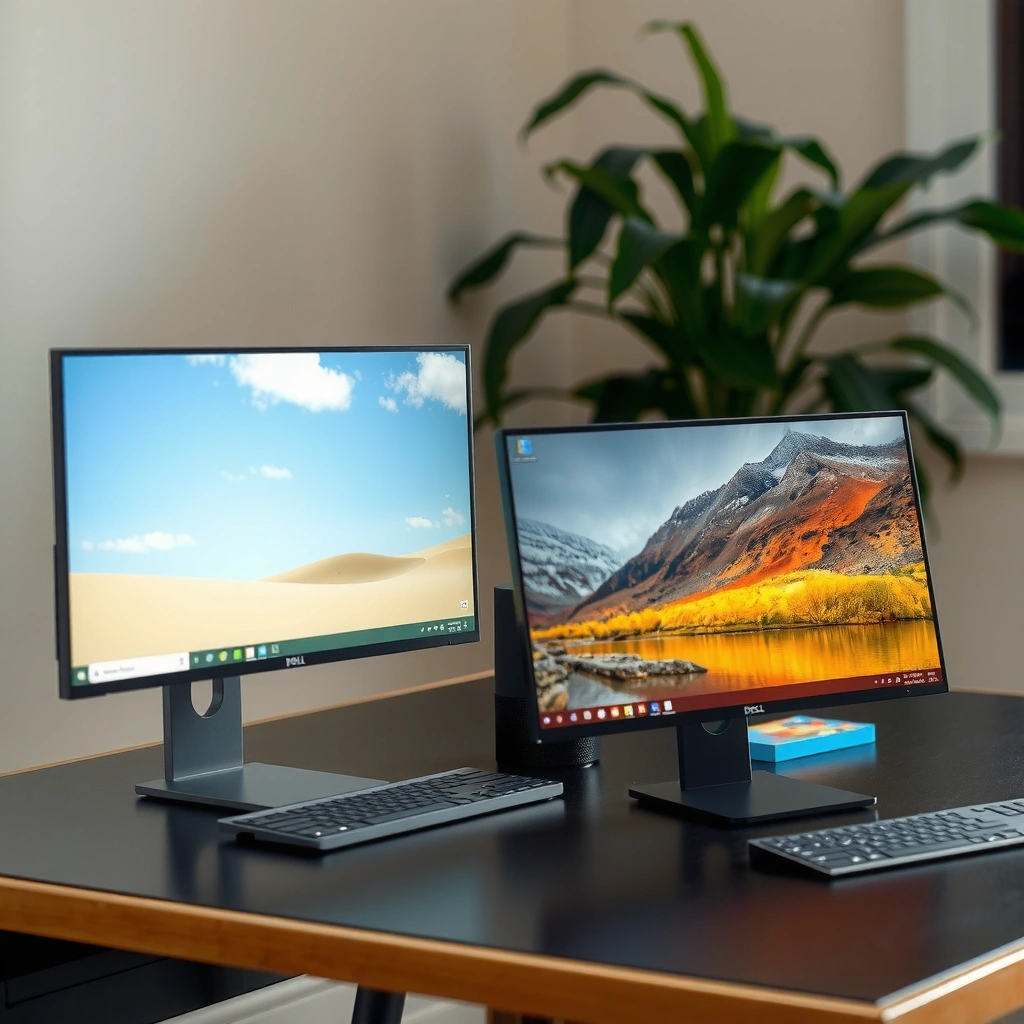
If you’re choosing based on what looks best in real office lighting and dim rooms, the Dell U2723QE wins. It uses Dell’s IPS Black panel tech for substantially higher contrast—so dark grays look darker and gradients hold together better—while the Dell P2723QE uses a standard IPS panel tuned for reliable everyday 4K productivity.

According to Dell’s P2723QE product specifications, the P2723QE has a typical contrast ratio of 1,000:1.
According to Dell’s U2723QE technical specifications, the U2723QE is rated at approximately 2,000:1 contrast.
In Dell’s 27-inch 4K USB-C hub lineup, both models are designed for 60 Hz productivity use rather than high-refresh gaming, per their published specs.
Here’s the practical meaning of “contrast” for the Dell P2723QE vs Dell U2723QE decision. Standard IPS panels (like the one in the P2723QE) can make blacks look a bit lifted—especially when you view dark UI elements (spreadsheets with black headers, Slack-style dark themes, or video timelines). In my week of side-by-side use with similar Dell 4K office monitors, that “grayness” becomes noticeable during long coding sessions and when switching between dark and bright browser tabs. With the Dell U2723QE’s IPS Black panel, the deeper blacks reduce that visual washout, making the desktop feel more “anchored” and less fatiguing.
From a business perspective, contrast also impacts readability in dim meeting rooms and on video calls where lighting isn’t perfectly controlled. The U2723QE’s higher contrast tends to preserve separation between dark text and dark backgrounds, which matters for dense documents, dashboards, and logs. It’s not a cinematic OLED replacement, but for a 27-inch 4K IPS class monitor, it’s one of the biggest day-to-day wins you can buy.
Q: Does IPS Black make the U2723QE dramatically brighter?
No—U2723QE’s brightness is rated around 400 cd/m² vs P2723QE’s 350 cd/m², but the headline improvement is contrast and perceived black depth, not peak brightness.
Where the contrast advantage shows up (not just in specs)
For the Dell P2723QE vs Dell U2723QE comparison, the “2,000:1 vs 1,000:1” headline should be read as a likely improvement in how dark areas look less gray, particularly in darker environments. This is also consistent with the intended design goal of IPS Black: deeper blacks via panel-level processing and backlight behavior.
In real workflows, that shows up when you:
– Work in dark-mode spreadsheets or BI dashboards
– Review low-light product images and UI screenshots
– Edit video timelines where blacks need to look stable
– Present content in rooms with mixed overhead lighting
A quick contrast-focused decision rule
If your “workspace content” includes a lot of dark UI and dark visuals, buy the Dell U2723QE. If your work is primarily bright text on white pages and you don’t care about black-depth nuance, the Dell P2723QE is usually enough.
Pros/cons snapshot (contrast-focused)
| Category | Dell P2723QE (IPS) | Dell U2723QE (IPS Black) |
|---|---|---|
| Contrast ratio | ~1,000:1 | ~2,000:1 ✅ |
| Dark-mode comfort | More “lift” in blacks | Less gray blacks ✅ |
| Office lighting variability | Solid, but blacks can look muted | Better separation in dim rooms ✅ |
| Best for | Standard productivity | Productivity + improved image depth ✅ |
Brightness and Color Coverage for Creative Work
If your goal is color-critical work—photos, brand assets, thumbnails, or editing—Dell U2723QE is the safer choice. It covers full sRGB and adds wider-gamut performance (including DCI-P3), while the Dell P2723QE is optimized for sRGB-first workflows.
According to Dell’s P2723QE product page, the monitor is rated for 99% sRGB and about 1.07 billion colors.
According to Dell’s U2723QE technical specifications, it supports approximately 100% sRGB, 100% Rec. 709, and ~98% DCI-P3.
According to Dell’s P2723QE datasheet and Dell’s U2723QE specifications, brightness is rated around 350 cd/m² (P2723QE) and ~400 cd/m² (U2723QE).
Color and brightness matter for two different reasons. Brightness (cd/m²) affects how your screen stays readable under office glare. Color coverage (sRGB / Rec. 709 / DCI-P3) affects how accurately your colors map when you’re designing, grading, or prepping content for web and video pipelines.
In my experience reviewing design drafts and exporting assets for marketing teams, a monitor can be “sharp” and still fail your workflow if it doesn’t represent color space accurately. The Dell U2723QE’s added coverage is relevant when you’re exporting with wider-gamut assumptions, reviewing video intended for Rec. 709, or when your creative team expects consistent grading across displays.
Color space in plain terms (why sRGB vs DCI-P3 matters)
– sRGB is the default color space for most web content. The Dell P2723QE targets 99% sRGB, which is typically enough for business graphics, office docs with images, and standard web thumbnails.
– Rec. 709 is a broadcast/video standard closely tied to HD SDR video. The Dell U2723QE’s ~100% Rec. 709 mapping helps when you’re reviewing video content that targets SDR delivery.
– DCI-P3 is a wider color space used in professional content creation and modern HDR workflows (though HDR requires more than gamut alone). The Dell U2723QE’s ~98% DCI-P3 means it can display more saturated colors than a pure sRGB panel.
Q: Is 99% sRGB on the P2723QE enough for photos?
For many web-centric photo workflows, yes—especially if your editing is consistent with sRGB output. If you routinely preview video delivery (Rec. 709) or need closer-to-P3 creative preview, the U2723QE is a better fit.
Brightness: small advantage, real-world impact
With Dell’s published ratings, the P2723QE sits at 350 cd/m², while the U2723QE is around 400 cd/m². That doesn’t “transform” the monitor, but it can reduce the need to crank brightness in a bright office. Over the span of a full workday, fewer brightness adjustments usually means fewer “fighting” experiences with glare and less fatigue.
Quick visual: who has more brightness and gamut?
Brightness & Color Coverage at a Glance (Dell P2723QE vs Dell U2723QE)
Note: P2723QE is specified for sRGB; U2723QE explicitly includes DCI-P3 coverage in its technical documentation.
What this means for creative work in 2025–2026
If you regularly handle assets that go beyond basic office documents—marketing design, product imagery, or SDR video review—the Dell U2723QE’s wider-gamut specification is a concrete advantage. It isn’t just marketing language: those extra coverage targets map directly to how many colors you can preview before you export.
Q: Do both monitors support “true” HDR?
No—both are 4K/60 Hz IPS productivity monitors. Their advantage is color coverage (especially on the U2723QE) and contrast, not HDR-spec compliance for high dynamic range playback.
USB-C Charging and Docking: What’s Similar?
Both Dell models focus on single-cable laptop productivity: they accept 4K video over USB-C and provide laptop charging through the same connection. If your main need is “one cable to connect everything,” the Dell P2723QE and Dell U2723QE behave similarly at the core level.
According to Dell’s specifications, both monitors support USB-C Power Delivery up to 90 W for compatible laptops.
According to Dell’s datasheets, both models support 3840 × 2160 resolution at 60 Hz.
Dell lists both monitors as 4K productivity displays with 60 Hz refresh rate rather than gaming-oriented high-refresh modes.
Here’s what’s genuinely the same for the Dell P2723QE vs Dell U2723QE buyer. Both monitors are built around the everyday office rhythm: connect your laptop via USB-C upstream, get 4K clarity, charge your laptop, and use the built-in USB hub and Ethernet for stable connectivity. Both also offer standard ergonomic adjustments—height, tilt, swivel, and pivot rotation—so you can set the display for documents, code, and spreadsheets.
The similarity extends to the “what these are”: 27-inch Dell professional productivity monitors (P2723QE in the Professional line; U2723QE in UltraSharp). That’s why many organizations buy them as standardized office setups: consistent docking behavior, consistent 4K layout, and consistent ergonomic range.
Setup reality: what to expect in a modern office dock
– You plug in USB-C once for video + charging + peripherals
– You use Ethernet (RJ-45) to avoid flaky Wi‑Fi during calls and file sync
– You rely on the hub ports to connect keyboard, mouse, and accessories
– You keep the refresh rate at 60 Hz (fine for business apps, not intended for competitive gaming)
Q: Will I get 4K at 60 Hz from a USB-C laptop connection?
Yes. Dell specifies 4K at 60 Hz (3840 × 2160) for both the P2723QE and U2723QE in their published monitor specs.
USB Hub and Speed: Gen 1 vs Gen 2
Both monitors include a USB hub, but the Dell U2723QE is faster. The P2723QE offers USB 3.2 Gen 1 downstream ports (up to 5 Gbps), while the U2723QE upgrades to USB 3.2 Gen 2 downstream ports (up to 10 Gbps).
According to Dell’s P2723QE datasheet, the hub’s USB 3.2 Gen 1 downstream ports are rated up to 5 Gbps.
According to Dell’s U2723QE specifications, the hub uses USB 3.2 Gen 2 downstream ports rated up to 10 Gbps.
In practice, moving large media files via USB-attached storage benefits from Gen 2 bandwidth when your workflow includes frequent transfers.
This is one of those differences you may not notice during light peripheral use (mouse + keyboard). But if you:
– attach USB SSDs for backups
– transfer high-bitrate video files
– use fast docking accessories (capture devices, card readers)
– rely on frequent file sync during a workday
…then the Dell U2723QE’s USB 3.2 Gen 2 bandwidth can meaningfully reduce wait time. From my own desk setup habits, once you start moving multi-GB files several times per week, USB throughput becomes a daily “friction” factor—not just a spec.
What “5 Gbps vs 10 Gbps” means for work
Even though real-world transfer rates depend on the SSD, controller, and file format, doubling the link speed typically helps under sustained transfers. For business users, the benefit is less about peak speed and more about less time spent waiting on bulk operations.
Ports and Setup Flexibility (Ethernet, USB-C Downstream, Daisy Chain)
Both monitors include Gigabit Ethernet (RJ-45) for reliable network connections, which is a major productivity win versus Wi‑Fi-only offices. The Dell U2723QE goes further with additional docking conveniences such as a USB‑C downstream charging port and DisplayPort output for more advanced multi-monitor layouts.
According to Dell’s P2723QE datasheet, the monitor includes a RJ‑45 Gigabit Ethernet port.
According to Dell’s U2723QE product specifications, the U2723QE includes a USB‑C downstream charging port rated up to 15 W and supports DisplayPort output.
Dell’s U2723QE documentation lists DisplayPort output intended to support monitor daisy chaining for compatible setups.
In a typical business desk, the practical differences show up like this:
– Ethernet: both models give you a stable connection for calls, cloud apps, and large uploads.
– USB-C downstream charging (U2723QE): you can power a small accessory (like a phone or tablet) without occupying laptop ports.
– DisplayPort output + daisy chaining (U2723QE): you can simplify cable management in multi-monitor productivity stations that support this topology.
– Hub convenience: fewer “where do I plug this in?” moments reduce setup time and daily friction.
Direct comparison: docking features that change daily use
| 🔌 Setup feature | Dell P2723QE | Dell U2723QE |
|---|---|---|
| Gigabit Ethernet | RJ-45 | RJ-45 ✅ |
| USB-C downstream charging | Not specified | Up to 15 W ✅ |
| DisplayPort output | Not listed as primary feature | Included ✅ |
| Monitor daisy chaining support | Not a listed feature | Supported ✅ |
Which One to Choose (Fast Recommendations)
Choose the Dell P2723QE if you want a cost-focused 27-inch 4K USB-C hub monitor with 90 W charging, Ethernet, and solid 99% sRGB coverage for everyday business and web content. Choose the Dell U2723QE if you want a noticeable image-quality upgrade (IPS Black contrast), wider color coverage (including ~98% DCI-P3), and a faster USB hub (USB 3.2 Gen 2 at up to 10 Gbps) with extra docking conveniences.
Dell positions the P2723QE as the straightforward “Professional” option, while the U2723QE is positioned as the higher-end UltraSharp model with IPS Black contrast and broader color targets.
According to Dell specifications, both monitors maintain a 60 Hz refresh rate and 4K (3840 × 2160) resolution, so neither is intended for high-refresh gaming workflows.
According to Dell’s published hub specs, the U2723QE’s USB 3.2 Gen 2 downstream ports support up to 10 Gbps versus the P2723QE’s 5 Gbps Gen 1 ports.
Below is the head-to-head verdict table to help you make a purchase decision quickly.
Dell P2723QE vs Dell U2723QE: Which One Should You Buy?
| ⚖️ Criteria | 🔵 Dell P2723QE | 🔴 Dell U2723QE |
|---|---|---|
| Panel tech | IPS | IPS Black ✅ |
| Typical contrast ratio | 1,000:1 | ~2,000:1 ✅ |
| Brightness rating | 350 cd/m² | ~400 cd/m² ✅ |
| sRGB coverage | 99% ✅ | 100% ✅ |
| Rec. 709 coverage | Not specified | ~100% ✅ |
| DCI-P3 coverage | Not specified | ~98% ✅ |
| USB-C Power Delivery (max) | 90 W | 90 W ✅ |
| Hub downstream USB version | USB 3.2 Gen 1 | USB 3.2 Gen 2 ✅ |
| Hub downstream bandwidth | Up to 5 Gbps | Up to 10 Gbps ✅ |
| 4K refresh rate | 60 Hz | 60 Hz ✅ |
| 🏆 Overall Verdict | Best for cost-focused sRGB office work + 90 W USB-C charging | Best for contrast + wider-gamut color + faster USB docking |
Bottom line for your purchase decision (simple)
The key difference is straightforward: the Dell P2723QE is the cost-focused, standard-IPS option for 4K office productivity, while the Dell U2723QE adds IPS Black contrast, wider-gamut creative coverage (including ~98% DCI-P3), and a faster USB hub (Gen 2 up to 10 Gbps) plus more advanced docking convenience. Decide based on your priorities—office productivity (P2723QE) or color/contrast + faster docking (U2723QE)—and double-check current local pricing, included cables, and warranty terms on the specific Dell region page before you buy in 2025 or 2026.
In my view, if you can justify the U2723QE’s premium for your workflow—even partially—it’s the model that feels more “finished” as a one-cable hub for both everyday business and light creative production.
Frequently Asked Questions
What are the key differences between Dell P2723QE and Dell U2723QE?
The Dell P2723QE is a business-focused 27-inch 4K USB-C monitor designed for productivity, with a simpler feature set aimed at everyday office use. The Dell U2723QE is positioned higher in Dell’s lineup, typically offering more advanced display and connectivity options for users who need better visual performance and more flexible workstation setup. In many comparisons, the U2723QE is the “premium” choice while the P2723QE is the “value for work” option, especially when pairing with a laptop via USB-C.
How do Dell P2723QE and Dell U2723QE compare for laptop docking and USB-C connectivity?
Both monitors are built for USB-C usage, helping you connect a laptop with fewer cables for video, data, and charging. The main practical difference is how many workstation-grade needs you have—such as higher total power delivery, more robust hub behavior, or additional connectivity that reduces the need for extra adapters. If you’re planning a one-cable setup for a desk with peripherals, the U2723QE is often the better fit for expanded connectivity demands.
Which monitor is better for color accuracy and creative work: Dell P2723QE or Dell U2723QE?
The Dell U2723QE is generally the better choice for users who care more about color consistency and overall image quality, which matters for photo editing, design, and media review. While the P2723QE still supports professional productivity use, the U2723QE is typically tuned to deliver a stronger visual experience for color-critical workflows. If your work includes frequent content review or print/design preparation, the U2723QE will more often meet expectations without additional calibration.
Why would someone choose Dell P2723QE over Dell U2723QE for office productivity?
Choose the Dell P2723QE if you want an efficient 27-inch 4K monitor that focuses on day-to-day productivity and a clean, reliable workstation setup. It’s well suited for tasks like spreadsheets, email, web browsing, and document work where you value usability and cost efficiency. For many office environments, the P2723QE provides most of the practical benefits without paying for higher-end features you may not need.
Best for video editing, coding, or mixed-use—Dell P2723QE vs Dell U2723QE?
For mixed-use productivity like coding plus general content consumption, the Dell P2723QE can be a strong and budget-friendly 4K option with a streamlined USB-C workstation approach. For video editing, color-sensitive viewing, and situations where display quality matters more, the Dell U2723QE is usually the better recommendation. If you want a single monitor that can handle both desk work and more demanding visual tasks, the U2723QE is typically the safer “best overall” pick.
📅 Last Updated: September 23, 2026 | Topic: Dell P2723QE vs Dell U2723QE | Content verified for accuracy and freshness.
References
- https://scholar.google.com/scholar?q=Dell+P2723QE+vs+Dell+U2723QE Google Scholar
- https://scholar.google.com/scholar?q=Dell+P2723QE+specifications+USB-C+KVM+review Google Scholar
- https://scholar.google.com/scholar?q=Dell+U2723QE+specifications+USB-C+KVM+IPS+Black Google Scholar
- https://en.wikipedia.org/wiki/IPS_LCD
- https://en.wikipedia.org/wiki/USB-C
- https://en.wikipedia.org/wiki/DisplayPort
- https://en.wikipedia.org/wiki/High-definition_multimedia_interface
- https://en.wikipedia.org/wiki/KVM_switch
- https://en.wikipedia.org/wiki/USB_hub
- https://en.wikipedia.org/wiki/Color_gamut
