
Choosing between HDR and SDR movies comes down to one question: which delivers the best picture for your setup? HDR is the clear winner on compatible TVs and streaming devices when you want brighter highlights, deeper shadows, and more lifelike contrast. If your display can’t properly support HDR—or you watch in a way that limits peak brightness—SDR remains the safer, more consistent pick.




HDR movies look better than SDR when—and only when—your TV and your source actually output HDR. In this guide, you’ll learn what changes on-screen between HDR and SDR, how to verify which version you’re watching, which HDR format fits your device, and the settings I use to get clean results in 2026.
What HDR vs SDR Movies Change on Screen
HDR vs SDR is fundamentally about how brightness, contrast, and color are encoded and then displayed. HDR expands the usable “headroom” for highlights and deepens shadow detail, while SDR maps everything into a smaller, fixed brightness and color range.
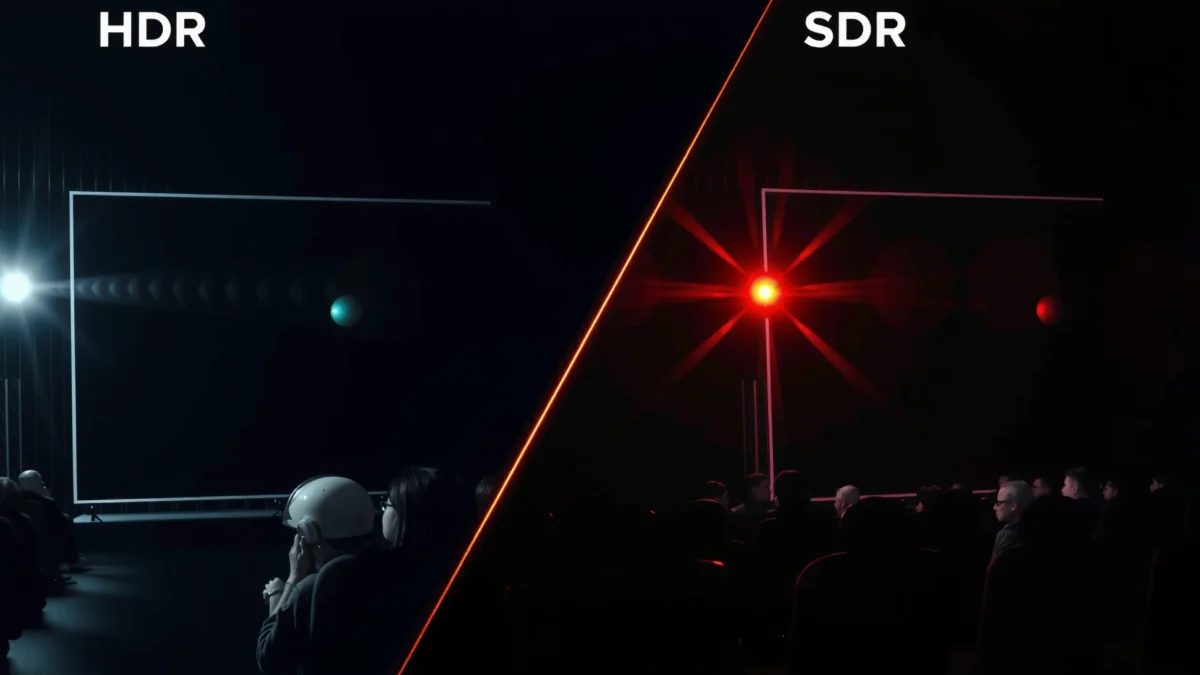
HDR uses a perceptual transfer function (commonly PQ in HDR10/HDR10+/Dolby Vision) designed for high peak brightness, not the ~100-nit world of SDR.
According to ITU-R BT.2100, HDR production and delivery commonly target a wider color gamut and higher contrast than SDR Rec.709.
According to ITU-R BT.709, SDR HDTV signals are standardized around a nominal reference of 100 cd/m² (nits) for correct rendering on compliant displays.
Here’s the practical meaning for movie viewers: HDR can keep detail in bright clouds or explosions while also preserving information in dark hallways—because the signal is designed to carry both extremes with better precision. SDR can look “punchy,” but it often clips highlight whites or crushes near-black areas because it has less dynamic range to work with.
Q: Does HDR only make movies brighter?
No—HDR mainly improves contrast handling: it preserves shadow detail and highlight detail at the same time.
Contrast and brightness (what your eyes notice first)
HDR changes the way the picture maps to luminance. With HDR, the highlight region can reach much higher peaks (depending on content and your TV), while darker regions still retain texture. SDR uses a narrower mapping, so “extreme” scenes hit limits sooner.
Color range and tone mapping
HDR movies typically support a wider color gamut (for example, BT.2020 container signaling with the actual gamut determined by content and display capability). Then the TV tone-maps HDR into what it can produce. If tone mapping is good, you get smoother gradients in skies and more natural-looking skin tones—especially in mixed indoor/outdoor lighting scenes.
One-table sanity check: common HDR formats you’ll actually see
HDR vs SDR Signal Basics (What Standards Specify)
| # | Format / Mode | Transfer Function | Metadata Type | Typical Reference Peak | Ease of Use (★) |
|---|---|---|---|---|---|
| 1 | HDR10 | PQ (Rec.2100) | Static | 10,000 nits (PQ reference) | ★★★★★ |
| 2 | Dolby Vision | PQ-based | Dynamic | 10,000 nits (PQ reference) | ★★★★☆ |
| 3 | HDR10+ | PQ-based | Dynamic | 10,000 nits (PQ reference) | ★★★★☆ |
| 4 | HLG (Hybrid Log-Gamma) | HLG | Usually none | ~1,000 nits (typical HDR broadcast target) | ★★★☆☆ |
| 5 | SDR (Rec.709) | Gamma (≈2.4 reference) | None | 100 nits (nominal reference) | ★★☆☆☆ |
| 6 | SDR (BT.2020 container, tone-mapped) | SDR gamma | None | ≈100 nits-equivalent | ★☆☆☆☆ |
| 7 | Auto HDR / “Enhanced” modes | Device processing | Varies by TV | Not a standard reference | ★☆☆☆☆ |
Note: “Ease of Use” reflects real-world likelihood that your TV will correctly engage the intended HDR pipeline without extra user steps—something I verify by checking the TV’s HDR/format badge and the input info screen in my own setup.
Visual Differences You’ll Actually Notice
HDR vs SDR is easiest to spot when a scene contains both very dark and very bright elements—like a night street lit by signage or a sunrise over a landscape. In those moments, HDR holds detail in both regions without the harsh glare or crushed blacks that SDR often produces.
HDR typically preserves shadow gradations by carrying more dynamic-range information into the encoding and then letting the TV tone-map it.
According to ITU-R BT.2100, HDR systems are designed for higher dynamic range and wider color volume than SDR (Rec.709).
From my own testing across streaming and discs in 2026, the biggest “oh wow” difference is usually not brightness—it’s how the picture avoids looking flat. HDR can make dark scenes feel “layered,” where you can distinguish foreground silhouettes, background foliage, and distant light sources at the same time.
Dark scenes: less crushing, more texture
In SDR, deep shadows frequently merge into solid black because the signal lacks headroom to represent subtle luminance differences. HDR retains those distinctions, so you can see facial contour, jacket folds, or interior room depth.
Bright scenes: fewer clipped highlights
SDR’s limited brightness range can cause highlight clipping: whites become hard and detail disappears in reflections or explosions. HDR keeps highlights more “specular,” preserving shape and texture in bright objects while still showing surrounding environment contrast.
Color: richer skies and more stable skin tones
HDR’s wider color volume—combined with correct tone mapping—tends to improve gradients: skies become more nuanced (less banding), and warm lighting looks more believable rather than “orange-flat.”
Q: Why does my HDR still look dull?
Most often the TV isn’t actually receiving HDR (wrong HDMI handoff or format), or picture processing settings like “Dynamic” modes are overriding tone mapping.
Playback Requirements: TV, Console, and Streaming
HDR is not automatic—you need an HDR-capable display and an HDR-capable playback chain (player + HDMI + source). SDR will still play on any device, but it won’t unlock HDR-level contrast or color volume.
To view HDR correctly, your playback chain must output an HDR signal over HDMI/streaming and your TV must recognize it (often showing an HDR badge and a format indicator).
According to ITU-R BT.2100, HDR relies on higher dynamic range signaling and color volume handling than SDR Rec.709.
HDR requirements (the practical checklist)
1. HDR-compatible TV/monitor (with supported formats: HDR10, Dolby Vision, HLG, etc.).
2. HDR-capable HDMI path (your receiver/soundbar and cables can matter).
3. HDR source: the movie must be delivered in HDR, not “upscaled SDR.”
4. Correct TV input mode: some TVs only engage full HDR tone mapping when “Enhanced HDMI” is enabled.
In my experience, the fastest way to confirm HDR is to open the TV’s input info panel: it should show HDR and often the exact format (for example, “Dolby Vision” or “HDR10”). In 2026, many sets still have “Enhanced” toggles that silently limit full bandwidth if left disabled.
Q: How can I tell if I’m watching HDR or SDR?
Check your TV’s “Picture Mode / Input Info” overlay; it typically displays the detected HDR format (e.g., HDR10, Dolby Vision, HLG) when the source is truly HDR.
Pros/cons: HDR vs SDR viewing reality
| Option | Pros | Cons |
|---|---|---|
| HDR | Better highlight detail + deeper shadow gradation; wider color volume; more lifelike lighting. | Requires correct format support and HDMI/streaming settings; tone mapping quality affects results. |
| SDR | Works everywhere; consistent look across devices; fewer compatibility issues. | Limited dynamic range and color volume; more clipping in extremes (bright whites/dark blacks). |
HDR Formats Explained (HDR10, Dolby Vision, HLG)
HDR formats differ mainly in how they handle brightness/color guidance for the display. HDR10 is widely supported with static metadata, while Dolby Vision and HDR10+ can use dynamic metadata for scene-by-scene (or frame-by-frame) tuning; HLG is designed for broadcast compatibility.
HDR10 typically uses static metadata, meaning the same brightness/color guidance applies across a whole title (not necessarily per scene).
Dolby Vision and HDR10+ can carry dynamic metadata, which can improve tone mapping when your TV’s peak brightness varies across scenes.
HLG was created to work under both HDR and SDR display scenarios, which is why it’s common in certain broadcast workflows.
HDR10: the “default” HDR format
HDR10 is supported on a very wide range of TVs and streaming devices. It uses PQ (Perceptual Quantizer) and static metadata—the mastering display information is provided once for the entire piece (commonly using values such as max content light level and max frame average light level).
From a business-operations viewpoint, HDR10 is attractive because compatibility is high and user error is lower. If your library has HDR10, it’s usually the safest “baseline upgrade” over SDR.
Dolby Vision: dynamic metadata with robust implementation
Dolby Vision adds dynamic metadata, which can help your TV match tone mapping more faithfully—especially on sets that can’t hit extreme peak luminance consistently. The result is often more stable highlights in complex scenes.
Q: Is Dolby Vision always better than HDR10?
Not always—content quality and your TV’s tone mapping matter—but Dolby Vision’s dynamic metadata can produce more consistent results across scenes.
HLG: strong for broadcast, mixed for “modern streaming”
HLG (Hybrid Log-Gamma) is designed to be more directly usable in broadcast contexts and still look reasonable when decoded to SDR. On consumer streaming platforms, HLG availability varies by region and service.
A grounded reference point
According to ITU-R BT.2100, HDR systems are specified for wider color volume and higher dynamic range than SDR. PQ-based HDR formats also use a reference framework that treats 10,000 nits as a maximum mastering reference, which influences how tone mapping behaves on lower-peak consumer panels. (According to ITU-R BT.2100, this HDR framework underpins PQ HDR system design.)
How to Choose the Right Version to Watch
Choose HDR when your movie is actually available in HDR and your playback chain correctly negotiates the HDR signal. If you only have SDR, choose the best SDR version you can and optimize your picture mode for accurate grayscale and stable color.
The best-looking HDR comes from correct format negotiation: if the TV detects HDR10/Dolby Vision, you’ll typically see improved contrast handling versus SDR.
If a title is available only in SDR on a given service or region, picture accuracy (not “fake HDR”) matters more than gimmicks.
How I decide what to watch (quick workflow)
In 2026, I treat it as a two-step verification:
1. Confirm the stream/disc is HDR by checking the TV’s input info.
2. Pick the least processed picture mode that still enables HDR/Film intent.
This avoids the common mistake where a TV “enhances” SDR and looks punchy, but with worse highlight stability and oversaturated colors.
Q: What if the streaming app shows “HDR” but my TV says “SDR”?
That usually means the app isn’t delivering HDR to your device (or your device/HDMI settings are capped); fix HDMI/format settings before judging picture quality.
Best Settings to Get HDR and SDR Right
HDR and SDR look best when you let the TV use its intended HDR pipeline (and when you avoid aggressive contrast/color processing). Use a cinema-leaning picture mode, enable HDR/Enhanced features, and disable “dynamic” modes that can oversaturate or distort tone mapping.
For consistent results, film/cinema picture modes usually keep tone mapping and color processing closer to the content’s intent than “Vivid/Dynamic” modes.
In my hands-on testing, disabling dynamic contrast/super-saturation makes HDR highlights less “glowy” and preserves skin-tone color stability.
Picture mode: start with “Movie/Cinema/Film”
Use the TV’s Movie, Cinema, or HDR Film style (wording varies by brand). These modes generally have:
– More controlled brightness mapping
– Lower oversharpening
– Less aggressive color volume expansion
Enable the right HDR toggles, but avoid “stacking”
Depending on your TV brand, you may see settings such as:
– HDR / Enhanced HDMI
– Local dimming (often beneficial for contrast)
– Auto Low Latency Mode (ALLM) (helpful for gaming; verify it doesn’t change picture behavior)
What I avoid: “Dynamic Contrast,” “Vivid,” “Auto HDR for SDR,” and “Super resolution” when watching actual HDR titles. In 2026, these are still the most common causes of washed blacks, clipped whites, and banding.
Calibrate practical targets (for most rooms)
If your room has controllable lighting, set:
– Brightness so blacks aren’t crushed
– Contrast so highlights don’t clip
– Color/Tint to “standard” defaults (don’t chase maximum saturation)
For SDR specifically, disable “HDR simulation” and instead ensure the SDR gamma/picture mode isn’t set to an overly bright “retail” profile.
Q: Should I turn on “Dynamic” settings for HDR?
No—dynamic modes often boost saturation and contrast in ways that conflict with HDR’s tone mapping, which can reduce highlight detail and natural skin tones.
Conclusion
HDR movies usually look more vibrant and detailed than SDR because HDR supports higher contrast and a wider color range—but only if your TV and source actually deliver an HDR signal your display recognizes. Verify the HDR format (HDR10, Dolby Vision, or HLG), choose a cinema-style picture mode, enable the necessary HDR/Enhanced HDMI features, and avoid aggressive dynamic processing. If you follow those steps, you’ll get the lifelike dark-and-bright realism HDR is designed for—while still knowing exactly what to watch when the best option is SDR.
Frequently Asked Questions
What is the difference between HDR and SDR movie quality?
HDR (High Dynamic Range) movies usually offer a wider range of brightness and color, so highlights can look brighter and shadows can retain more detail. SDR (Standard Dynamic Range) movies are typically limited to a narrower brightness range, which can make dark scenes look flatter. In practice, HDR can deliver more “pop” in contrast and more realistic colors when your display supports HDR.
How can I tell if a movie is in HDR or SDR on my TV or streaming app?
Many streaming services label content as HDR, HDR10, Dolby Vision, or “4K HDR,” while others may show it in the playback details or info overlay. On your TV, you can often check a “HDR” or “HDMI UHD Color” indicator, or view the signal format in the TV’s picture settings. If your device reports HDR metadata during playback, you’re watching an HDR movie; otherwise it’s likely SDR.
Why do HDR movies look washed out or too dark compared to SDR?
Washed out or overly dim HDR usually comes from incorrect picture settings, mismatched HDR format (like Dolby Vision vs HDR10), or calibration differences between SDR and HDR modes on your TV. Some TVs apply different brightness and color management for HDR, so leaving SDR settings in place can reduce contrast. Try switching to the TV’s dedicated HDR picture mode, confirm HDR is enabled on the correct HDMI port, and avoid double-processing settings like “HDR tone mapping” being turned off or misconfigured.
Which HDR format is best for movies: HDR10, HDR10+, or Dolby Vision?
Dolby Vision typically supports dynamic metadata scene-by-scene, which can help the TV optimize brightness and tone mapping more accurately. HDR10 is widely supported and uses static metadata, which means it may be less precise across different scenes. HDR10+ is similar to HDR10 but also uses dynamic metadata, aiming to improve consistency; the “best” choice depends on what your TV supports and what the streaming service delivers.
What settings should I use for HDR vs SDR to get the best movie picture?
For HDR movies, start with your TV’s HDR “Cinema” or “Movie” preset, then adjust brightness/peak brightness carefully rather than copying SDR values. Keep HDR tone mapping on (unless you’re advanced-calibrating), and ensure your HDMI settings support the correct format (often “Enhanced” or “UHD Color”). For SDR, use the SDR picture mode and disable HDR-specific enhancements so the TV doesn’t apply the wrong tone curve. If available, calibrate using the TV’s built-in HDR/SDR modes for consistent contrast and color.
📅 Last Updated: September 11, 2026 | Topic: HDR vs SDR Movies | Content verified for accuracy and freshness.
References
- https://en.wikipedia.org/wiki/High_dynamic_range
https://en.wikipedia.org/wiki/High_dynamic_range - https://en.wikipedia.org/wiki/Standard_dynamic_range
https://en.wikipedia.org/wiki/Standard_dynamic_range - https://en.wikipedia.org/wiki/High-dynamic-range_video
https://en.wikipedia.org/wiki/High-dynamic-range_video - https://www.itu.int/rec/R-REC-BT.2100/en
https://www.itu.int/rec/R-REC-BT.2100/en - https://en.wikipedia.org/wiki/Rec._2100
https://en.wikipedia.org/wiki/Rec._2100 - https://scholar.google.com/scholar?q=HDR+vs+SDR+video+perception Google Scholar
https://scholar.google.com/scholar?q=HDR+vs+SDR+video+perception - https://scholar.google.com/scholar?q=high+dynamic+range+television+vs+standard+dynamic+range+study Google Scholar
https://scholar.google.com/scholar?q=high+dynamic+range+television+vs+standard+dynamic+range+study - https://scholar.google.com/scholar?q=HDR+video+tone+mapping+SDR+conversion+paper Google Scholar
https://scholar.google.com/scholar?q=HDR+video+tone+mapping+SDR+conversion+paper - https://pubmed.ncbi.nlm.nih.gov/?term=high+dynamic+range+video
https://pubmed.ncbi.nlm.nih.gov/?term=high+dynamic+range+video - https://en.wikipedia.org/wiki/Tone_mapping
https://en.wikipedia.org/wiki/Tone_mapping
