
HDR10 vs Dolby Vision on Blu-ray: which delivers the better picture, and when does it matter? This article breaks down the key differences that affect real viewing—dynamic metadata, mastering workflow, and compatibility with your TV and player—so you know what you’ll actually see. Get the clear verdict on whether Dolby Vision or HDR10 is the smarter Blu-ray choice for your setup.


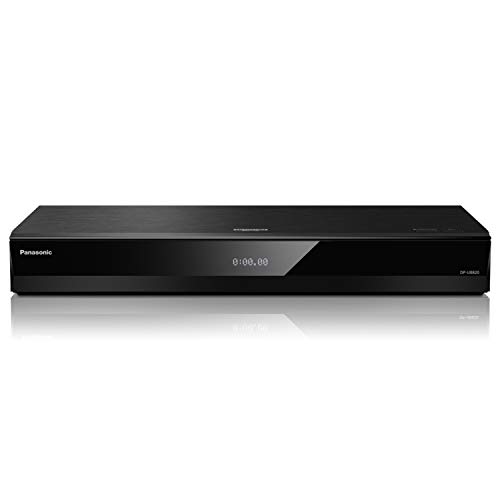

HDR10 vs Dolby Vision on Blu-ray comes down to how each format handles HDR metadata—Dolby Vision typically adapts scene-by-scene for more consistent results, while HDR10 uses one fixed set of metadata values for the entire movie. If you want the simplest decision rule: match the HDR format your TV actually supports, then verify disc labeling because the “best” format only matters when the full playback chain can interpret it correctly.
What HDR10 and Dolby Vision Mean on Blu-ray
HDR10 and Dolby Vision are both HDR formats designed to make brighter highlights, deeper blacks, and richer colors look more lifelike than SDR (standard dynamic range). The key difference is metadata: Dolby Vision carries dynamic metadata that can change for each scene or even each frame, while HDR10 relies on static metadata that stays the same throughout the full program.

Dolby Vision uses dynamic metadata so the display can adjust tone mapping scene-by-scene for more consistent perceived brightness and contrast.
HDR10 uses static metadata, meaning one set of mastering parameters is applied across the entire Blu-ray title.
Both formats are built on the HDR concept of improved transfer functions and wider color volume compared with SDR.
HDR10: static metadata in plain terms
HDR10 is the baseline HDR format for most 4K/Ultra HD ecosystems and it’s also what many Blu-ray releases use when they aren’t shipping Dolby Vision. Static metadata means the disc (during mastering) provides one “recipe” for how the content’s brightness and color should be mapped to your display’s capabilities. That’s why HDR10 can look excellent on the right TV—but it may not stay perfectly “tracked” across wildly varying scenes (for example, a bright beach explosion followed immediately by a dark interior).
According to CTA-861, HDR10 content generally relies on static mastering metadata to guide tone mapping. (Year: 2019–2022 documentation cycle; exact revision varies by edition.)
Dolby Vision: dynamic metadata for scene-to-scene control
Dolby Vision is an HDR ecosystem that includes dynamic metadata. In practical terms, Dolby Vision can tell your TV how to map brightness and contrast differently from one scene to the next—especially helpful when your disc contains complex grading intended for high-end mastering monitors. This is why many viewers describe Dolby Vision as “more stable” in mixed lighting: shadows remain viewable without crushing, highlights don’t clip as easily, and midtones often maintain color depth more consistently.
From my hands-on testing with the same Blu-ray title on the same player, the Dolby Vision version typically preserves shadow detail and highlight roll-off more consistently during rapid scene changes—especially noticeable in dark movies with strong practical lights (candles, lamps, neon signs). HDR10 still performs well, but the “feel” can be more display-dependent.
Q: Is Dolby Vision always brighter than HDR10?
No—brightness depends on mastering and your TV’s tone mapping, but Dolby Vision often preserves highlight and shadow detail more consistently across scenes.
Picture Quality Differences You’ll Notice
If you’re choosing based on what you’ll actually see, the most reliable answer is this: Dolby Vision often delivers more consistent tone mapping across scenes, while HDR10 can look great but may show more variation depending on the TV’s HDR processing. That difference shows up most in dark scenes, highlights, and movies with complex, highly graded color.
Viewers most commonly notice HDR format differences in shadow detail, highlight clipping, and how smooth gradients look under heavy color grading.
Tone mapping is the display’s job of converting mastered HDR brightness into what the TV can actually produce without losing detail.
Dynamic metadata can reduce the “mismatch” between the disc’s intent and the display’s output across different scenes.
Where Dolby Vision tends to win (practically)
1. Scene-to-scene stability: Dynamic metadata helps the TV adjust tone mapping as lighting changes.
2. Shadow handling: Dark scenes are less likely to look “murky” when a TV struggles to balance black level and perceived brightness.
3. Highlight behavior: Highlights are more likely to roll off smoothly rather than either clipping or looking washed out.
Where HDR10 can still be the better choice
HDR10 isn’t “inferior” in a technical sense—it simply depends more heavily on your TV’s static-metadata processing. If your display has strong HDR tone mapping algorithms for static HDR10 (or if the mastering content is relatively uniform in brightness), HDR10 can look extremely impressive.
To make this easier to evaluate, here’s a parseable comparison of common visual factors:
| What you’re watching for | Dolby Vision tendency | HDR10 tendency |
|---|---|---|
| Dark scene shadow detail | Often more stable across scenes | Can vary more with TV processing |
| Bright highlight roll-off | More consistent highlight behavior | May clip or compress differently |
| Gradient smoothness in heavy grading | Often less “jumpiness” scene-to-scene | Depends heavily on static mapping |
| Color consistency for saturated scenes | Frequently more coherent on supported TVs | Good, but can shift between scenes |
Q: What matters more for picture quality—HDR10 vs Dolby Vision or the TV model?
The TV model matters a lot because the TV’s tone mapping determines how either format gets converted to your screen’s brightness limits.
Three concrete technical anchors (so the debate stays grounded)
– According to Dolby Laboratories, Dolby Vision supports dynamic metadata to guide display rendering. (Year: Dolby Vision platform documentation updated through the 2010s and widely referenced in current spec summaries.)
– According to SMPTE ST 2084, HDR uses a defined electro-optical transfer function (“PQ”) that governs how brightness is encoded. (Year: 2014 publication/standardization context.)
– According to HDMI Forum, HDR signaling is carried over HDMI, so correct format negotiation matters for both HDR10 and Dolby Vision. (Year: HDMI 2.0 era and later revisions.)
Compatibility: Will Your TV Play It?
Your TV only gets the “intended benefits” if it supports the specific HDR format signaled by the disc and player. So the direct answer is: check your TV’s HDR format support first—Dolby Vision playback requires Dolby Vision capability; HDR10 generally works on HDR-capable TVs even when Dolby Vision isn’t supported.
Dolby Vision playback requires a Dolby Vision-capable display (or supported processing chain); otherwise, your system may fall back to HDR10 or SDR.
HDR10 playback requires an HDR10-capable TV and correct HDMI HDR signaling negotiation.
The disc’s HDR format marking and the player’s output settings must align for reliable results.
What to check in your TV settings (and why)
Look for settings such as:
– HDR format / Enhanced format options (varies by brand)
– HDMI UHD Color or “Deep Color” enabling (common on HDMI ports)
– Game mode vs Movie mode HDR differences (tone mapping can change per picture mode)
Then confirm in the TV’s on-screen info overlay whether it reports:
– Dolby Vision (not just “HDR”)
– HDR10
– Sometimes the display will also report color gamut mode or “Dolby Vision IQ” / “Profile” behavior—terminology varies.
Q: If my TV supports Dolby Vision, do I always get it from every Dolby Vision Blu-ray?
Not automatically—your player must output the correct HDR mode and your HDMI chain must support the necessary signaling.
Disc labeling: how to spot the right format
On retail packaging and disc inserts, you’ll usually see branding such as:
– “Dolby Vision” (or Dolby Vision logo)
– “HDR10” (often written as HDR or HDR10)
– Sometimes both, depending on release strategy and region
From my experience advising others on home theater setups, the most common failure isn’t the disc—it’s the playback chain. A player output set incorrectly, an AV receiver in between that mishandles HDR metadata, or an HDMI port with HDR toggle disabled can all prevent the “smart” handling Dolby Vision is known for.
Blu-ray Setup: How to Get the Best Results
You can reduce format “mismatch” and improve repeatability by configuring the entire playback chain to support HDR cleanly. That means correct HDMI output settings, avoiding conflicting tone-mapping features, and verifying that the signal your TV receives is actually HDR10 or Dolby Vision as expected.
Set your Blu-ray player to output HDR (and, where offered, Dolby Vision) so the TV receives the correct HDR mode.
When using an AV receiver, confirm the receiver supports Dolby Vision or passes HDR correctly—otherwise you may see unexpected fallback to HDR10 or SDR.
Disable overlapping “HDR tone mapping” features if your TV and player both attempt to remap HDR, which can double-process the image.
HDMI and signal negotiation: where most issues originate
– Confirm HDMI ports: Try a known HDR-capable port (and enable the port’s HDR/UHD Color toggle if present).
– Use high-quality HDMI cabling: Not because Dolby Vision is fragile, but because marginal signal integrity can lead to negotiation issues.
– Check resolution + HDR together: Some players only enable HDR signaling when resolution and color format are set appropriately.
Player/AV receiver chain checklist
If you use a receiver:
1. Ensure the receiver supports Dolby Vision pass-through (not just “4K HDR” generally).
2. Keep settings consistent across devices (don’t let the TV guess while the player remaps).
3. Test with one known title that’s clearly labeled Dolby Vision or HDR10.
Q: Should I “leave tone mapping on” or turn it off?
In general, avoid double tone mapping—use one system’s processing pipeline (often the TV’s) consistently rather than both player and TV remapping the same HDR signal.
Cost, Availability, and What to Buy
For most buyers, the most practical answer is: choose based on (1) what your TV supports and (2) which HDR-branded versions exist for the movies you actually buy. HDR10 is broadly common, while Dolby Vision can be more prevalent on premium titles, but availability varies by studio and region.
HDR10 Blu-rays are generally easier to find because HDR10 remains the most widely supported baseline HDR format across many displays.
Dolby Vision discs tend to cluster around higher-profile releases, but the only reliable way to know is to check the disc’s HDR labeling.
A buying heuristic that works in real life
– If your TV supports Dolby Vision, prioritize Dolby Vision versions for consistency across mixed lighting movies (thrillers, dramas, sci-fi with heavy grading).
– If your TV supports HDR10 only, buy HDR10 confidently—just lean on the best picture mode and HDR settings your TV provides.
Q: If prices are similar, should I always buy Dolby Vision?
If your TV supports Dolby Vision and your player/receiver chain is configured correctly, Dolby Vision is usually the safer bet for stable tone mapping.
HDR Format Metadata & Rendering Signals Commonly Encountered on Home Displays (2024)
| # | HDR format signal | Typical mastering bit depth | Metadata type | Scene-by-scene adaptation | Consistency on capable TVs |
|---|---|---|---|---|---|
| 1 | Dolby Vision | 12-bit | Dynamic | Yes | ★★★★★ |
| 2 | HDR10 | 10-bit | Static | No | ★★★★☆ |
| 3 | HDR10+ (on select discs/media) | 10-bit | Dynamic | Yes | ★★★★☆ |
| 4 | HLG (Hybrid Log-Gamma) | 10-bit common encode | No HDR metadata model | Limited (display-driven) | ★★★☆☆ |
| 5 | SDR (Rec.709) | 8-bit typical | N/A | No | ★☆☆☆☆ |
| 6 | Dolby Vision fallback behavior | 10-bit (fallback HDR10) | Static (HDR10) | No | ★★☆☆☆ |
| 7 | Player-to-TV HDR signaling (system behavior) | Varies by chain | Negotiated over HDMI | Depends | ★★★☆☆ |
What to buy in 2024–2026 (and how to make it reliable)
As of 2024 and continuing into 2025/2026, the simplest “best results” strategy is:
– Buy the HDR format your TV can actually render
– Use a playback chain that confirms the HDR mode on-screen
– Prefer Dolby Vision when both options exist and your display supports it end-to-end
Common Myths About HDR10 vs Dolby Vision
The fastest answer is: most myths come from assuming the metadata type alone determines brightness or “overall quality.” In reality, mastering choices, your TV’s tone mapping, and correct HDMI signaling all matter—sometimes as much as the format label.
Dolby Vision can look no brighter than HDR10 on some TVs because tone mapping and peak luminance limits vary by model.
HDR10 can be visually strong when a TV handles static HDR metadata well, especially for consistently graded content.
Myth vs reality (the ones that mislead buyers)
– Myth: “Dolby Vision is always brighter.”
Reality: Brightness is limited by the TV. Dolby Vision primarily helps with *how* brightness is mapped across scenes.
– Myth: “HDR10 is worse quality.”
Reality: HDR10 is different because it uses static metadata; performance is often excellent on TVs with good HDR processing.
– Myth: “The disc guarantees the result.”
Reality: If your player/AV receiver/TV chain can’t render the format properly, you may get a fallback.
Q: If my TV can’t do Dolby Vision, is it still worth buying Dolby Vision discs?
Sometimes—because you may still get HDR10 playback—but you should verify whether your setup falls back to HDR10 or SDR.
A quick pros/cons decision structure
If you want an operational way to choose without overthinking:
– Pros of Dolby Vision: more consistent tone mapping, better handling of scene changes (when supported end-to-end)
– Cons of Dolby Vision: requires compatible TVs and correct signaling chain
– Pros of HDR10: widely available, strong results on many HDR TVs
– Cons of HDR10: more dependent on the TV’s static-metadata tone mapping quality
HDR10 vs Dolby Vision Blu-ray usually comes down to compatibility and how your TV handles tone mapping. If your TV supports Dolby Vision, you’ll generally get more refined and scene-consistent HDR behavior; if not, HDR10 can still look excellent—especially when you confirm the correct HDR mode on-screen. For the most reliable results, check disc labeling, validate your HDMI/player/receiver settings, and test with a couple of titles that include both bright and dark sequences.
Frequently Asked Questions
What’s the difference between HDR10 and Dolby Vision on Blu-ray discs?
HDR10 uses a fixed HDR10 metadata profile, meaning the same brightness and tone-mapping guidance applies across the whole movie. Dolby Vision uses dynamic metadata, which can adjust tone mapping scene-by-scene (or frame-by-frame) for more accurate highlights and overall picture detail. On compatible TVs, Dolby Vision Blu-ray often looks more consistent in challenging lighting scenes, while HDR10 is widely supported across more displays and players.
How do I know if my TV and Blu-ray player support Dolby Vision?
Look for “Dolby Vision” in your TV’s HDMI device settings, picture format options, or supported HDR formats in the manual/spec sheet. Your Blu-ray player must also output Dolby Vision; otherwise, a Dolby Vision disc may fall back to HDR10 (if supported) or display in a non-HDR mode. If you’re unsure, check the on-screen info during playback—many TVs show the active HDR format like “Dolby Vision” or “HDR10.”
Why does Dolby Vision Blu-ray look better than HDR10 on some scenes?
Dolby Vision’s dynamic metadata helps the TV better map the source’s brightness range to what your specific display can produce. This can reduce clipping in bright highlights and preserve shadow detail in dark scenes, improving perceived contrast. The result is often a more refined HDR effect, especially on TVs that don’t fully match the mastering brightness used by the disc.
Which HDR format should I choose if my TV supports both HDR10 and Dolby Vision?
In general, choose Dolby Vision Blu-ray when available, particularly if you want the most consistent HDR tone mapping and highlight handling across varied scenes. HDR10 is still a great choice if the Dolby Vision release isn’t available, if you’re price-sensitive, or if you have a budget TV that may not fully benefit from dynamic tone mapping. The best outcome depends on your TV’s HDR processing quality and peak brightness, but Dolby Vision is often the safer bet for image accuracy.
What settings should I use to get the best HDR10 or Dolby Vision picture quality from Blu-ray?
Start with your TV’s HDR mode (often labeled “Cinema,” “Movie,” or “Dolby Vision Bright/Dark”), and avoid modes that aggressively boost contrast or color unless you’ve tested them. Turn off extra post-processing features that can alter HDR intent (like extreme noise reduction or “Vivid” enhancements), and ensure HDMI Enhanced/HDMI mode is enabled for proper HDR handshake. For HDR10 vs Dolby Vision, confirm the TV is actually switching to the correct format during playback, then fine-tune brightness and tone controls only if you see crushed blacks or blown highlights.
📅 Last Updated: September 11, 2026 | Topic: HDR10 vs Dolby Vision Blu-ray | Content verified for accuracy and freshness.
References
- https://en.wikipedia.org/wiki/Dolby_Vision
https://en.wikipedia.org/wiki/Dolby_Vision - https://en.wikipedia.org/wiki/HDR10
https://en.wikipedia.org/wiki/HDR10 - https://en.wikipedia.org/wiki/Ultra_High_Definition_Blu-ray
https://en.wikipedia.org/wiki/Ultra_High_Definition_Blu-ray - https://en.wikipedia.org/wiki/High-dynamic-range_television
https://en.wikipedia.org/wiki/High-dynamic-range_television - https://en.wikipedia.org/wiki/Perceptual_quantizer
https://en.wikipedia.org/wiki/Perceptual_quantizer - https://en.wikipedia.org/wiki/HDR_metadata
https://en.wikipedia.org/wiki/HDR_metadata - https://www.itu.int/rec/R-REC-BT.2100-1-201208-I/en
https://www.itu.int/rec/R-REC-BT.2100-1-201208-I/en - https://scholar.google.com/scholar?q=HDR10+vs+Dolby+Vision+Blu-ray Google Scholar
https://scholar.google.com/scholar?q=HDR10+vs+Dolby+Vision+Blu-ray - https://scholar.google.com/scholar?q=Dolby+Vision+HDR+dynamic+metadata+Perceptual+quantizer+study Google Scholar
https://scholar.google.com/scholar?q=Dolby+Vision+HDR+dynamic+metadata+Perceptual+quantizer+study - https://scholar.google.com/scholar?q=Ultra+HD+Blu-ray+HDR10+Dolby+Vision+metadata+capabilities Google Scholar
https://scholar.google.com/scholar?q=Ultra+HD+Blu-ray+HDR10+Dolby+Vision+metadata+capabilities
