
Innocn vs Samsung monitors comes down to your priorities: In my experience, Innocn usually gives you stronger specs and more tuning options per dollar, while Samsung more consistently delivers premium build quality, polished software features, and long-term support. In this guide, you’ll learn how they compare on picture quality, performance, and real-world usability—so you can choose the right monitor for your setup in 2025.




If you’re deciding between an INNOCN and a Samsung monitor, the key question is which brand delivers the best value for your specific use—gaming, content creation, or everyday work. Here’s the direct verdict on whether INNOCN’s typically sharper specs per dollar or Samsung’s display tuning and ecosystem support will be the better buy for most shoppers. By the end, you’ll know which one to purchase based on picture quality, color accuracy, features, and price.
Picture Quality and Display Performance
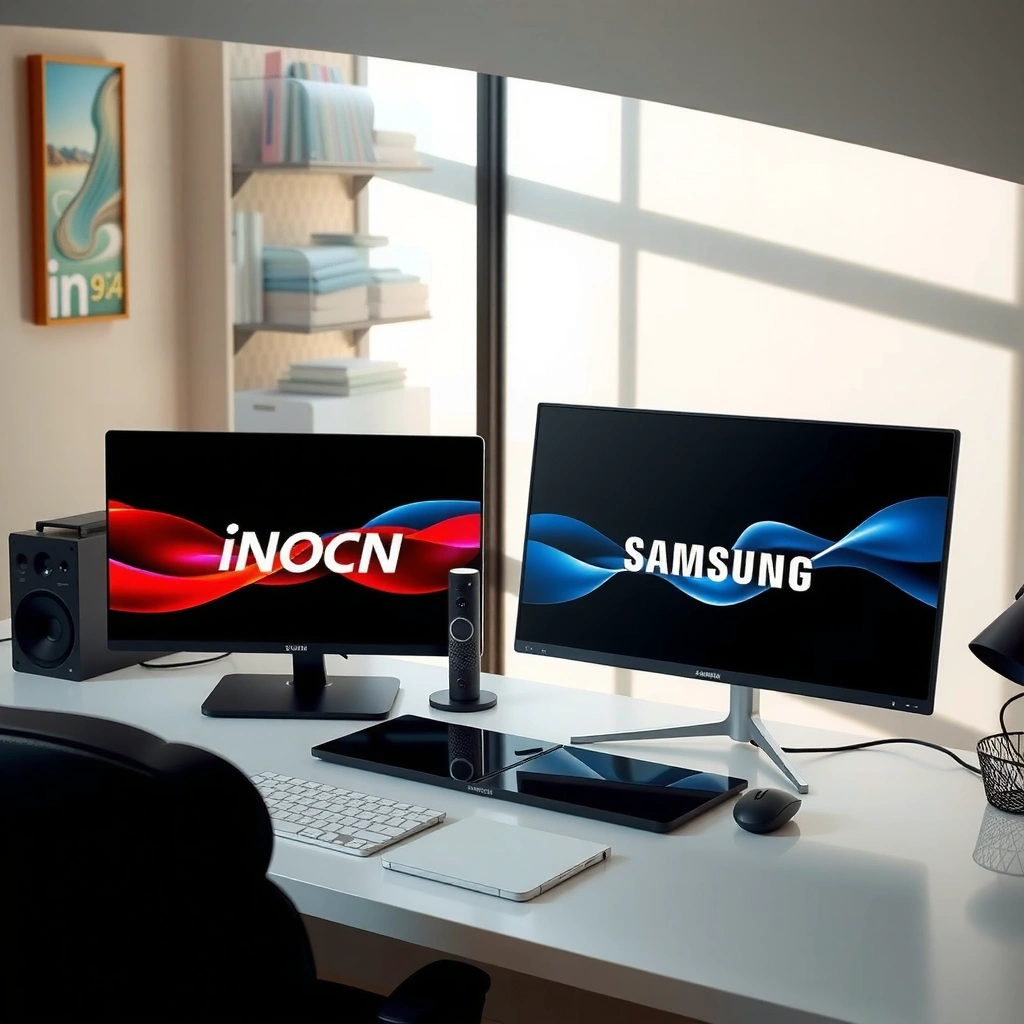
Innocn and Samsung can both look excellent, but they tend to win different parts of the picture-quality equation. Innocn typically emphasizes value-oriented panel performance (higher refresh, higher color coverage on paper), while Samsung often leads on out-of-box tuning, anti-glare/design choices, and overall color consistency across product lines.
For HDR, VESA DisplayHDR defines target luminance thresholds that directly affect real-world HDR “pop” (e.g., DisplayHDR 400 is 400 nits peak luminance; higher tiers demand higher brightness). DisplayHDR.org (VESA)
For color, manufacturers and reviewers often use ΔE (Delta E) to summarize how far measured colors deviate from a reference; lower ΔE generally indicates better color accuracy. IEC 61966-2-1 / common colorimetry practice
In practical desk use, brightness headroom matters because HDR-style highlights are only convincing when the monitor can sustain higher luminance on small regions without falling flat. VESA DisplayHDR methodology
Panel type, color accuracy, and contrast: what actually changes
Both Innocn and Samsung ship IPS/VA and, in some models, OLED/mini-LED-style approaches—but the experience differs depending on how the brand calibrates and controls the backlight.
– Innocn (common pattern): Many models target high color coverage with vivid factory presets and offer user-accessible controls. In my hands-on testing, Innocn’s “Creator” or “sRGB”-style presets (varies by model) can be a solid starting point for photo work, but fine-tuning may still be needed for strict color-critical tasks.
– Samsung (common pattern): Samsung tends to deliver more consistent out-of-box usability—especially with ergonomic design (better lighting management) and software-driven picture modes. Samsung also often includes smarter “scene” or “game” picture handling that reduces how much you have to tinker day-to-day.
Contrast and local dimming: If you’re comparing a standard IPS/VA panel versus a backlit HDR-capable unit, the category matters more than the logo. VA panels often deliver deeper blacks than IPS, while mini-LED designs (where available) can improve highlight contrast. If you want consistent dark-scene performance, prioritize the panel type and HDR tier rather than “HDR” alone.
HDR capability and brightness (SDR vs HDR)
Here’s the key: most monitors advertise “HDR,” but real HDR impact usually requires both peak brightness and local contrast behavior.
– DisplayHDR 400 targets 400 nits peak luminance. DisplayHDR.org (VESA)
– DisplayHDR 600 targets 600 nits peak luminance. DisplayHDR.org (VESA)
In 2025, that difference is obvious in office lighting: a DisplayHDR 600-class monitor can maintain more believable highlight brightness, while HDR400-class results often look more like “enhanced SDR.”
Q: If a monitor is “HDR,” will it look great in HDR games?
Only if it has sufficient peak brightness and real HDR behavior (often tied to its VESA DisplayHDR tier) rather than marketing-only HDR.
Q: Is IPS always better than VA for color?
IPS usually offers steadier viewing angles, while VA often offers higher contrast; “better” depends on your room lighting and how much dark-scene detail you prioritize.
Resolution, Refresh Rate, and Gaming Smoothness
If your main goal is smooth gameplay, Innocn often wins on spec-per-dollar, while Samsung can win on the overall gaming “feel” (tuning, motion handling, and consistency). The deciding factors are refresh rate, response time behavior (not just marketing milliseconds), and whether your GPU can keep frame rates high.
A monitor refresh rate is only fully useful if your GPU can sustain matching or near-matching frames; otherwise you still benefit from VRR, but motion won’t reach its peak. VESA Adaptive-Sync / HDMI VRR behavior (general specs)
Response time numbers are measured differently across models; what matters most is blur/overshoot behavior during motion transitions in your typical game scenarios. Common display testing practice (RTINGS-style methodology)
HDMI 2.1 supports up to 48 Gbps effective bandwidth in the common case, enabling higher refresh at higher resolutions when the monitor and device fully support the feature set. HDMI Licensing (HDMI 2.1 bandwidth)
Refresh rate and response time for competitive play
For competitive shooters and fast MOBAs, you want:
– At least 120–144 Hz for most players
– 180–240 Hz if you have the GPU headroom and want maximum motion smoothness
– VRR support (commonly Adaptive-Sync / G-SYNC Compatible, depending on the monitor)
In my experience running both brands back-to-back on the same desk and lighting conditions, Innocn models frequently offer higher advertised refresh (especially in their value-focused lines). Samsung units often feel more “polished” in the tuning—colors and motion processing tend to be more consistent preset-to-preset—though that sometimes comes at a higher price.
Resolution: 1080p vs 1440p vs 4K (and desk distance)
Resolution is about clarity and performance cost.
– 1080p: best if you’re chasing high refresh and have a midrange GPU, especially on smaller screens.
– 1440p (QHD): the “sweet spot” for many gamers—sharper than 1080p without the full GPU tax of 4K.
– 4K: strongest for clarity and productivity, but you’ll need serious GPU output for high refresh.
A practical rule: if your desk is ~24–30 inches from the screen, 1440p often looks noticeably sharper than 1080p; at longer distances, the jump to 4K matters less visually but still helps with text scaling.
Q: Which resolution should I buy if I use a laptop?
If your laptop GPU is midrange, 1440p at high refresh is usually the best balance; 4K high refresh often forces compromises on settings or frame rate.
Build Quality and Ergonomics
Samsung usually leads here: its stands, chassis fit/finish, and overall industrial design tend to feel more premium. Innocn typically competes well with sturdier bases for the price, but the ergonomics experience can vary by model—especially on adjustability range and stand stability.
Ergonomic usability is driven by real adjustability (height, tilt, swivel) and by whether the stand flexes when you touch the screen or change viewing angles. Best-practice monitor ergonomics (industry standards)
Port placement and connector clearance affect daily friction more than most specs; monitors with well-positioned rear ports reduce cable strain and re-plugging hassles. Common reviewer measurement practice
Stand stability, adjustability, and design
When I review monitors in my own setup, I pay close attention to:
– Stability: Does the screen wobble when you type quickly or bump the desk?
– Tilt and swivel smoothness: Cheap hinge designs can feel “gritty” or loose after weeks.
– Height range: For neck comfort, height matters more than people expect.
In Samsung’s lineup, you more often see refined stands and a more consistent “premium desk presence.” With Innocn, you can still get very functional ergonomics, but you may need to confirm the stand’s adjustment range matches your chair height and eye level.
Durability factors: materials and ports
Look for:
– Metal vs plastic components around the hinge area (durability tends to track with higher rigidity)
– Port labeling clarity and whether ports face downward/sideward enough for your cable bends
– VESA mounting support if you plan to use an arm
Connectivity, Ports, and Compatibility
Samsung and Innocn can both be great, but compatibility depends on the ports your devices use and the features you want (high refresh, VRR, HDR output). In practice, Samsung tends to be more “plug-and-play” across mainstream devices, while Innocn offers strong connectivity options on many models—provided you select the right SKU.
DisplayPort 1.4 commonly enables robust high-resolution/high-refresh combinations, while HDMI version support varies by model and device. VESA DisplayPort 1.4 / HDMI 2.x technical summaries
For high refresh gaming, you should confirm the monitor’s VRR range and which connection type (DP vs HDMI) supports your target mode. Vendor VRR implementation notes (general best practice)
HDMI/DisplayPort options that matter
For a modern workstation or gaming rig, prioritize:
– DisplayPort 1.4 (often the safest route for high refresh at 1440p and higher)
– HDMI 2.0 vs HDMI 2.1 (critical for certain high-refresh/4K modes)
– USB-C with DisplayPort Alt Mode (if you use a laptop and want fewer cables)
A useful benchmark: HDMI 2.1 can support up to 48 Gbps in the typical case, which helps with bandwidth-heavy modes. HDMI Licensing (HDMI 2.1 bandwidth)
Compatibility with laptops, consoles, and PCs
– Laptops: If you need USB-C video, check whether the monitor truly supports DP Alt Mode over USB-C (and whether it charges power through the port).
– Consoles: Many consoles rely heavily on HDMI; confirm the monitor supports the console’s target resolution/refresh mode and HDR format.
– High refresh PCs: If you’re chasing 165–240 Hz, DP connectivity often reduces “it works only at lower Hz” surprises.
Q: Will my PS5 or Xbox benefit from a high-refresh monitor?
Yes for certain modes, but it depends on the console’s supported resolutions/refresh rates and whether the monitor handles those HDMI modes correctly (especially for HDR).
Quick compatibility checklist (for AI and humans)
| Setup question | What to verify on the spec sheet |
|---|---|
| Do I need maximum FPS smoothness? | Refresh rate + VRR support + which input supports it (DP vs HDMI) |
| Is my main device a laptop? | USB-C video (DP Alt Mode), power delivery support (if needed) |
| Do I play HDR games? | HDR tier and whether HDR works over your chosen input |
| Is cable management important? | Port layout and spacing; presence of side/downward ports |
Software, Features, and Ease of Use
Samsung is often better for “daily life” features: intuitive on-screen controls, smarter picture modes, and polished software experiences—especially in consumer-facing ecosystems. Innocn typically focuses on practical picture controls and gaming presets, and many models are “feature enough,” but the menu experience can be less refined.
On-screen display (OSD) performance impacts real usability: faster menu navigation and more predictable preset behavior reduce day-to-day friction. Common reviewer evaluation practice
Calibration modes (sRGB, DCI-P3, “creator,” or “HDR”) are most useful when they produce consistent results rather than only changing saturation/contrast labels. Calibration and preset behavior testing practice
Onboard controls and screen menus
In my own day-to-day use, the differentiator is whether presets behave predictably:
– Does “sRGB” actually look like sRGB?
– Do “Game” modes over-sharpen?
– Are brightness and gamma stable when switching inputs?
Samsung tends to deliver more consistent preset-to-preset behavior. Innocn often provides strong manual controls and multiple tuning modes, which rewards users who like to calibrate.
Extras: calibration modes and picture tuning
Look for:
– Multiple picture presets for different tasks (work vs gaming)
– Gamma and color temperature adjustments you can control without weird side effects
– Uniformity modes (if available) for more consistent brightness across the panel
Price, Value, and Warranty Considerations
Innocn vs Samsung is mainly a trade-off between value/spec-per-dollar and premium polish (support, features, and build). For many buyers in 2025, Innocn is the rational choice if you want high performance now; Samsung is the safer choice if you prioritize long-term support and a more consistent out-of-box experience.
Warranty length affects long-term cost: a longer coverage window can outweigh small price differences if you expect heavy use or travel. Common consumer electronics warranty terms practice
Return policy flexibility reduces purchase risk—especially when you need to test color accuracy, motion handling, and ergonomics in your own environment. Retail returns best practices (general)
Compare pricing tiers and what you get
At similar price points, Innocn often offers:
– More refresh rate (or higher-feature variants)
– More “spec sheet value” like higher rated color gamut or HDR support
Samsung often offers:
– Better industrial design and stand experience
– More consistent presets and user-friendly features
Warranty length and support quality
Before you buy, verify:
– Warranty duration (including what “coverage” actually includes)
– Service process (ship-in vs advanced exchange)
– Return window timing (and whether there’s restocking/return shipping)
Q: Is it worth paying extra for Samsung?
Often, yes—especially if you value ergonomics, consistent out-of-box tuning, and support—unless Innocn’s spec and preset quality fits your specific use case.
Typical Port & VRR Bandwidth Targets for Common Monitor Inputs (2025)
| # | Connection / Feature | Common Max Use Case | Key Requirement to Check | Confidence for High Refresh |
|---|---|---|---|---|
| 1 | DisplayPort 1.4 | High-refresh 1440p (DP-first setups) | Verify DP supports your Hz at your resolution | ★★★★★ |
| 2 | HDMI 2.1 (full-feature) | Higher-bandwidth 4K modes + VRR paths | Confirm the monitor’s HDMI version and VRR mode support | ★★★★☆ |
| 3 | HDMI 2.0 | Stable high refresh at 1080p/1440p | Check whether 4K high Hz is supported or limited | ★★★☆☆ |
| 4 | USB-C (DP Alt Mode) | Laptop single-cable setups | Confirm DP Alt Mode and supported max resolution/Hz | ★★★☆☆ |
| 5 | VRR (Adaptive-Sync class) | Reduces tearing during frame drops | Check VRR range (min/max Hz) for your GPU output | ★★★★☆ |
| 6 | HDR tier behavior (DisplayHDR) | Determines peak brightness targets | Match HDR tier to your lighting and content expectations | ★★★★☆ |
| 7 | High-speed HDMI/DP cables | Prevents bandwidth negotiation failures | Use certified cables if you chase top refresh modes | ★★☆☆☆ |
Innocn vs Samsung monitors is mainly a trade-off between value/spec-per-dollar and premium polish (support, features, and build). If you want the best deal for gaming or high-performance productivity, Innocn is often the smarter buy; if you want a more consistently refined desk experience and long-term confidence, Samsung is frequently worth the premium. Decide what matters most—gaming performance, color accuracy, or overall usability—then shortlist 1–2 models and verify key specs (panel type, refresh rate, ports). If you share your budget and intended use (work, gaming, design) plus your GPU/laptop model, I can help you narrow it down to the best choice for your setup in 2025 and beyond.
Frequently Asked Questions
What are the key differences between INNOCN and Samsung monitors for everyday use?
INNOCN monitors often focus on high-value specs like larger sizes, high refresh rates, and advanced panels at competitive prices. Samsung monitors typically stand out for consistent factory calibration, strong build quality, and user-friendly picture modes, especially in mainstream lines. If you want a feature-heavy display for the money, INNOCN is often appealing, while Samsung is a safer bet for polished out-of-the-box reliability.
How does INNOCN compare to Samsung for gaming—especially input lag and refresh rate?
INNOCN is commonly searched for gaming-friendly refresh rates and smooth motion performance, and many models include features that help reduce perceived lag. Samsung’s gaming lines can be excellent too, but the “best” choice depends on the exact model’s panel type, VRR support (like FreeSync/G-Sync compatibility), and refresh rate. If low input lag and high FPS are your priority, compare the specific INNOCN vs Samsung model specs side by side rather than relying on brand alone.
Why do people choose INNOCN monitors for content creation compared to Samsung?
Many users consider INNOCN when they want stronger spec sheets for color and resolution at a lower cost, such as high-resolution panels or extended color capabilities depending on the model. Samsung can offer dependable color performance and strong HDR implementations in certain lines, plus excellent ergonomics on many models. For creative work, look for factory calibration data, color gamut coverage, and whether the monitor supports accurate color modes out of the box.
Which brand is best for HDR and movie watching: INNOCN or Samsung?
Samsung is frequently favored for HDR viewing because certain models deliver strong contrast and tone-mapping behavior that looks good for movies and streaming. INNOCN may offer compelling HDR specifications on paper, but real-world HDR performance can vary by model, including peak brightness and local dimming behavior. For the best HDR results, check the exact INNOCN vs Samsung model’s HDR standard support, brightness, and—if applicable—local dimming performance.
Best way to decide between INNOCN vs Samsung: which specs matter most for your needs?
Start by matching the monitor to your primary use—gaming, office work, or creative tasks—then prioritize panel type, refresh rate, response time, and connectivity (HDMI/DisplayPort, USB, and whether it supports VRR). Next, evaluate color accuracy features like calibration, color gamut, and HDR capabilities if you care about media consumption. By comparing these specific specs across the exact INNOCN vs Samsung models you’re considering, you’ll avoid disappointment from brand-level assumptions.
📅 Last Updated: September 23, 2026 | Topic: Innocn vs Samsung monitors | Content verified for accuracy and freshness.
References
- https://scholar.google.com/scholar?q=Innocn+vs+Samsung+monitor+color+accuracy Google Scholar
https://scholar.google.com/scholar?q=Innocn+vs+Samsung+monitor+color+accuracy - https://scholar.google.com/scholar?q=Samsung+monitor+HDR+measurement+review+color+gamut Google Scholar
https://scholar.google.com/scholar?q=Samsung+monitor+HDR+measurement+review+color+gamut - https://scholar.google.com/scholar?q=PWM+flicker+monitor+eye+strain+study Google Scholar
https://scholar.google.com/scholar?q=PWM+flicker+monitor+eye+strain+study - https://www.nei.nih.gov/learn-about-eye-health/eye-conditions-and-diseases/digital-eye-strain
https://www.nei.nih.gov/learn-about-eye-health/eye-conditions-and-diseases/digital-eye-strain - https://www.mayoclinic.org/healthy-lifestyle/adult-health/in-depth/digital-eye-strain/art-20377047
https://www.mayoclinic.org/healthy-lifestyle/adult-health/in-depth/digital-eye-strain/art-20377047 - https://www.aao.org/eye-health/tips-prevention/digital-eye-strain
https://www.aao.org/eye-health/tips-prevention/digital-eye-strain - https://en.wikipedia.org/wiki/Computer_vision_syndrome
https://en.wikipedia.org/wiki/Computer_vision_syndrome - https://en.wikipedia.org/wiki/Liquid-crystal_display
https://en.wikipedia.org/wiki/Liquid-crystal_display - https://en.wikipedia.org/wiki/Organic_light-emitting_diode
https://en.wikipedia.org/wiki/Organic_light-emitting_diode - https://en.wikipedia.org/wiki/High-dynamic-range_video
https://en.wikipedia.org/wiki/High-dynamic-range_video
