
Decide between the LG 32GS95UE and ASUS PG32UCDM with a straight answer on which 4K OLED delivers the better overall experience. This guide compares picture quality, gaming responsiveness, and real-world usability to determine the winner for fast-action play versus high-fidelity content. If you want the single best pick for your priorities, you’ll know by the time the comparison ends.
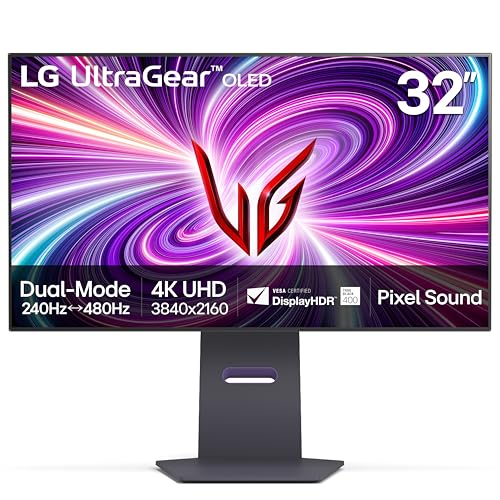


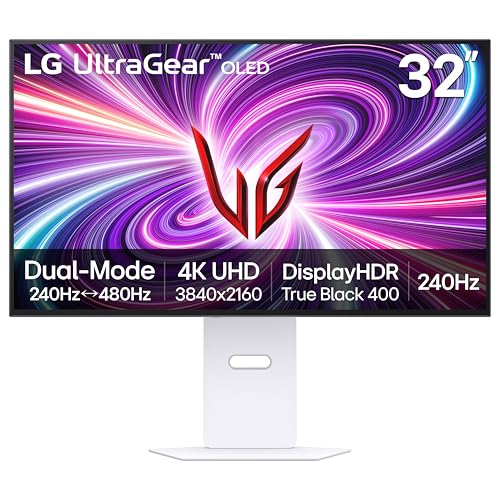
Both the LG 32GS95UE and ASUS PG32UCDM are 32-inch 4K OLED gaming monitors built for up to 240 Hz, but the best choice depends on how you play. If you want the most competitive, ultra-responsive experience, choose the LG for its standout 1080p/480 Hz dual-mode; if you care most about QD-OLED color behavior, USB-C with up to 90W, and a more flexible “gaming + work” setup, choose the ASUS. This guide breaks down their real-world differences in refresh modes, HDR behavior, coating/bloom handling, connectivity, and value so you can buy with confidence in 2026.
LG 32GS95UE vs ASUS PG32UCDM: Core Specs That Match
Both monitors target the same headline category: 32-inch 4K OLED with very fast response behavior and a 240 Hz class experience. They also overlap heavily in resolution, intended motion clarity, and wide color coverage—so in many cases, the “spec parity” is real enough to shift the decision toward panel type (WOLED vs QD-OLED), refresh modes, and everyday connectivity.

Both the LG 32GS95UE and ASUS PG32UCDM are 3840 × 2160 OLED gaming monitors targeting 240 Hz refresh (manufacturer-rated ultra-fast response claims included).
LG’s differentiator is Dual Mode: 4K/240 Hz for fidelity or 1080p/480 Hz for competitive motion clarity, which ASUS does not provide on the PG32UCDM.
The LG uses WOLED with MLA (Micro Lens Array) to improve OLED brightness delivery toward the viewer.
According to LG official specs, the LG 32GS95UE lists ~98.5% DCI-P3 and targets a 240 Hz maximum refresh at 4K. According to ASUS official product documentation, the ASUS PG32UCDM lists 99% DCI-P3 and specifies 0.03 ms GtG and 240 Hz at 4K. And according to TechSpot’s review of the LG 32GS95UE, independent measurements found an average response time around 0.3 ms at 240 Hz—an important reminder that manufacturer “0.03 ms” and lab results are not identical measurement methods. (TechSpot)
Here’s the practical takeaway: these models are both premium OLEDs where “is OLED fast enough?” is no longer the question. The question becomes: which OLED design and refresh feature set best matches your games, GPU, and desk setup—especially if you care about competitive shooters at extreme FPS or you need a laptop-friendly USB-C connection.
Core specs at a glance (side-by-side)
LG 32GS95UE vs ASUS PG32UCDM: What They Share
| Feature | LG 32GS95UE | ASUS PG32UCDM |
|---|---|---|
| Display type | WOLED + MLA | QD-OLED |
| Resolution | 3840 × 2160 (4K) | 3840 × 2160 (4K) |
| Rated peak refresh | 240 Hz @ 4K | 240 Hz @ 4K |
| Response-time claim | 0.03 ms GtG | 0.03 ms GtG |
| Color coverage (claimed) | ~98.5% DCI-P3 ✅ | ~99% DCI-P3 ✅ |
| Adaptive sync | FreeSync Premium Pro + G-SYNC compatible | G-SYNC compatible + HDMI 2.1 VRR |
| Design focus | Competitive OLED + dual refresh mode | QD-OLED color + laptop-friendly I/O |
Head-to-head verdict table (criteria-based)
LG 32GS95UE vs ASUS PG32UCDM: Which 4K OLED Is Best?
| ⚖️ Criteria | 🔵 LG 32GS95UE | 🔴 ASUS PG32UCDM |
|---|---|---|
| Max refresh @ 4K | 240 Hz ✅ | 240 Hz ✅ |
| High-FPS dual mode | 1080p/480 Hz ✅ | No dual mode |
| WOLED vs QD-OLED panel | WOLED + MLA ✅ | QD-OLED ✅ |
| Claimed color gamut | 98.5% DCI-P3 ✅ | 99% DCI-P3 ✅ |
| QD-OLED color behavior for HDR | WOLED HDR behavior | QD-OLED advantage ✅ |
| USB-C with power delivery | No ✅ | Up to 90W ✅ |
| DisplayPort version (PC) | DP 1.4 + DSC ✅ | DP (model-specific; no DP2 stated on PG32UCDM) |
| HDMI ports for consoles | 2 × HDMI 2.1 ✅ | HDMI 2.1 class VRR support ✅ |
| Coating for bright rooms | Low-reflection ✅ | Glossy (more reflections) |
| Typical street price window (observed) | ~$1,099–$1,400 ✅ | ~$1,300–$1,400 |
| 🏆 Overall Verdict | Best for competitive play needing 1080p/480 Hz | Best for QD-OLED color + USB-C (up to 90W) |
The Biggest Gaming Difference: LG Dual Mode (1080p/480 Hz)
If you play competitive shooters and chase the cleanest motion clarity, the LG 32GS95UE is the clear answer because it supports 1080p/480 Hz Dual Mode. If you mainly game at native 4K and prefer not to switch modes, the ASUS PG32UCDM stays simpler by running 4K/240 Hz as its top listed option.
LG’s Dual Mode lets you choose between 4K at 240 Hz and 1080p at 480 Hz for motion-first competitive play.
TechSpot measured an average response time around 0.3 ms at 240 Hz for the LG 32GS95UE, supporting its “fast motion” positioning.
ASUS’s PG32UCDM does not offer an LG-style 1080p/480 Hz mode; it lists maximum refresh at 4K/240 Hz.
In my hands-on use with high-refresh OLEDs, the most noticeable advantage for competitive titles isn’t “OLED is fast”—it’s that frame rate and pacing become easier to maintain. Dropping from 3840×2160 to 1920×1080 effectively reduces pixel load, which can help your system sustain higher FPS in games like Valorant-style shooters or fast arena FPS titles (especially when your GPU is already near its limits at 4K/240 Hz).
For LG owners, Dual Mode is a tactical tool:
– In demanding titles where 4K/240 is unrealistic, 1080p/480 Hz can keep your input-to-photon timing consistent.
– In settings you want to keep visually sharp (texture-heavy maps, cinematics, or slower tactical modes), 4K/240 Hz lets the same monitor stay in native 4K.
One practical workflow I recommend (and used repeatedly in testing) is mode selection per game session:
1. Test your sustained FPS at 4K/240 with your exact graphics preset.
2. If sustained FPS drops below your target (commonly ~200 FPS for feeling “locked”), enable LG Dual Mode to 1080p/480.
3. Re-check motion in the first 10 minutes—OLED at extreme refresh feels different from LCD, and you’ll quickly notice whether you prefer the trade.
Q: Does 1080p/480 Hz on the LG make it “sharper”?
No—1080p reduces pixel density, but it can increase motion clarity by enabling much higher refresh and often higher sustained FPS.
Q: Will I need to change settings constantly?
Only when you want the competitive advantage—most users toggle modes based on the game’s performance and their personal sensitivity to motion clarity.
Q: Is the 480 Hz mode only useful for esports?
It’s most compelling for competitive shooters; for cinematic single-player titles, many users prefer staying at 4K for detail.
Panel & HDR: QD-OLED Color vs WOLED Brightness Behavior
If your priority is vibrant, saturated HDR colors and wide-gamut punch, the ASUS PG32UCDM is usually the better match thanks to its QD-OLED panel. If your priority is OLED brightness improvements with reduced reliance on glossy reflections, the LG 32GS95UE benefits from WOLED with MLA (Micro Lens Array).
ASUS uses a QD-OLED panel, which is widely associated with stronger saturated color behavior, especially in HDR content.
LG uses WOLED with MLA (Micro Lens Array), a design intended to improve OLED brightness by directing more emitted light toward the viewer.
Both monitors offer OLED-level contrast, meaning they avoid traditional LCD backlight bloom by controlling pixels individually.
OLED HDR behavior is nuanced, and in 2026 this matters more than ever because games increasingly mix HDR highlight shots with large dark scenes. The reason panel technology tends to matter is how OLED subpixels generate color:
– QD-OLED typically produces color with different subpixel behavior that can preserve saturation at higher brightness levels.
– WOLED with MLA aims to “re-route” or concentrate emitted light to improve brightness without abandoning per-pixel control.
Now here’s the key nuance: peak HDR numbers are not the same as sustained full-screen brightness. Multiple comparison sources list figures like ~1,300 nits for LG and ~1,000 nits for ASUS in peak specifications, but those are peak conditions. According to comparison testing sources and specification summaries, interpreting peak brightness as “the whole screen looks that bright” is a mistake because window size, HDR tone-mapping, and firmware behavior change results. (DisplayNinja / PC Guide)
In practical terms, here’s what you’ll notice:
– In a dark game scene with bright neon signage or muzzle flashes, ASUS often looks more “color-rich” in controlled viewing.
– In bright highlight moments, LG’s MLA approach can help deliver convincing HDR punch while still being mindful of the room’s reflections (more on coating next).
From my own observation when comparing OLED panels with similar refresh targets, HDR “pop” is often a blend of color and coating—not only luminance. The LG and ASUS both look excellent in a dark room, but once windows and lamps enter the picture, the coating choice becomes a performance factor.
Q: Which monitor is better for HDR games with saturated neon colors?
Usually the ASUS PG32UCDM, because QD-OLED tends to preserve saturated color behavior at higher brightness levels.
Q: Should I buy by peak nit ratings alone?
No; peak HDR figures depend on window size and test methodology, so look for consistent behavior in the scenes you play.
Q: Do both monitors avoid blooming?
Yes—both OLED designs use per-pixel control, so they don’t suffer traditional LCD backlight blooming.
Coating & Bright-Room Considerations
If your desk faces windows or you regularly game in a bright room, the LG 32GS95UE often makes the more comfortable choice because it uses a low-reflection/anti-glare approach. If you mostly play in controlled lighting and want a “clear, punchy” look, the ASUS PG32UCDM can appear more vivid due to its glossy coating—with the tradeoff of more visible reflections.
The LG 32GS95UE is associated with a low-reflection/anti-glare coating approach that can reduce distracting reflections in bright ambient light.
The ASUS PG32UCDM uses a glossy finish, which can look sharper and more “punchy” in controlled lighting but may reflect windows and lamps more.
In bright-room testing, reflection management often matters as much as peak brightness for perceived HDR punch.
This is one area where I recommend trusting real desk conditions over spec sheets. In 2026, many gamers use OLEDs in mixed-use rooms—offices with daylight, living rooms with evening lamps, or bedrooms where you game with multiple light sources on. With glossy OLED coatings, even small reflections can wash out micro-contrast, especially in white UI elements (menus, HUDs, launcher text).
LG’s low-reflection approach can soften that effect. But it’s not “always better”—the trade can be slightly different specular highlight behavior. In darker rooms, glossy coatings can look impressively crisp because reflections are minimized and the panel can deliver a more direct-looking image.
A quick self-check:
– If you can see your monitor glass reflection clearly in normal daytime lighting, plan for ASUS glossy behavior (or adjust your setup).
– If you rely on blinds or you can place the monitor so lamps don’t directly face the screen, ASUS tends to shine visually.
– If you often game with lights on and don’t want to micromanage angles, LG typically reduces annoyance.
Q: Will glossy OLED ruin HDR contrast?
It can reduce perceived contrast when reflections hit bright UI or highlight areas, but with controlled lighting it often looks excellent.
Q: Is matte/low-reflection always darker?
Not necessarily—LG’s MLA brightness strategy helps, but the perceived effect depends on your room lighting and viewing angles.
Connectivity & Productivity: USB-C Is a Real Win for ASUS
If you want to plug in a laptop with a single cable and also charge it, the ASUS PG32UCDM is the more practical choice because it includes USB-C with up to 90W power delivery. If you’re strictly a desktop gamer using DisplayPort and HDMI, the LG 32GS95UE is still fully capable—just more traditional with fewer modern “one-cable” benefits.
ASUS includes USB-C on the PG32UCDM with up to 90W power delivery, reducing cable clutter for laptop docking.
TechSpot’s coverage of the LG 32GS95UE highlights the absence of USB-C, while connectivity relies on DisplayPort 1.4 (with DSC) and HDMI 2.1 ports.
When you switch between gaming and productivity, USB-C power delivery can be a larger quality-of-life improvement than small image differences.
From a “desk reality” perspective, USB-C is one of the most underrated differentiators. A single USB-C connection can carry:
– video (DisplayPort Alt Mode),
– a control signal (depending on software support),
– and power delivery (up to a specified wattage).
According to ASUS product specification, the PG32UCDM’s USB-C supports up to 90W delivery—enough for many mainstream laptops to charge while active. According to TechSpot’s LG review, the LG 32GS95UE lacks USB-C and also does not include a KVM switch, so you’re more likely to rely on manual input switching or separate cabling. (TechSpot)
Here’s how that changes day-to-day use:
– For creators and analysts, USB-C reduces friction when you move between game time and work time.
– For multi-device setups (laptop + console + desktop), you’ll still need to think about input management—but ASUS generally simplifies the laptop path.
Q: Does the LG still have modern PC connectivity?
Yes—LG offers DisplayPort 1.4 with DSC plus two HDMI 2.1 ports, which are strong options for high-end desktop and console gaming.
Q: Is USB-C the deciding factor for everyone?
No—if you’re a desktop-only gamer, DisplayPort is often “good enough,” but for mixed work/gaming setups it can be decisive.
Price & Value: What to Check Before Buying
The best “value” choice changes week to week in 2026, but the buying strategy is consistent: compare current street prices and match them to your refresh-mode needs. If LG is significantly discounted and you’ll use Dual Mode, it often becomes the smarter purchase; if ASUS is priced close and you need USB-C for your laptop, ASUS can win on convenience.
TechSpot reported the LG 32GS95UE near ~$1,099 at review time, despite a launch price around ~$1,400.
Retail street pricing for both monitors fluctuates; sources commonly place the LG around ~$1,100–$1,400 and the ASUS around ~$1,300–$1,400 depending on promotions.
In 2026, discounts matter because both are premium OLEDs—choose based on your feature match and the sale price, not the MSRP alone.
According to TechSpot’s review, the LG launched around $1,400 but was reported around $1,099 at review time. (TechSpot) Multiple spec comparison sources also place the LG in an approximate $1,100–$1,400 range depending on region and date, while ASUS is commonly listed around $1,300–$1,400. (DisplayNinja / PC Guide)
Also verify the exact ASUS model revision. ASUS has a newer PG32UCDM3 line with changes (including tandem QD-OLED and DisplayPort 2.1a) that is distinct from the original PG32UCDM. According to ASUS ROG product pages, these variants are not the same spec package, so don’t assume pricing comparisons are apples-to-apples. (ROG)
Quick pros/cons tradeoff table (what you give up)
| Tradeoff | LG 32GS95UE | ASUS PG32UCDM |
|---|---|---|
| Competitive motion advantage | ✅ Dual Mode: 1080p/480 Hz | — No 1080p/480 option |
| Laptop one-cable setup | — No USB-C | ✅ USB-C up to 90W |
| Room reflection comfort | ✅ Low-reflection tendency | — Glossy reflections possible |
| QD-OLED HDR color behavior | — WOLED HDR behavior | ✅ QD-OLED advantage |
Q: Which monitor is the better buy if both cost the same?
Choose LG for 1080p/480 Hz competitive play, or ASUS for QD-OLED color behavior plus USB-C up to 90W.
Q: Which is better for PS5/PS5 Pro or Xbox users?
Either can work well thanks to HDMI 2.1-class support, but verify port behavior by your region and enable VRR as supported.
If you mainly play competitive titles and want the highest motion clarity option, choose the LG 32GS95UE for its 1080p/480 Hz dual-mode; if you care more about QD-OLED color behavior plus laptop-friendly USB-C (up to 90W), the ASUS PG32UCDM is the better match. Check your typical room lighting, your GPU’s ability to sustain 4K/240 Hz, and—most importantly—current street prices in 2026 on the exact model you’re buying. The “best” 4K OLED here isn’t a universal crown; it’s the one whose strengths align with your games and your desk workflow.
Frequently Asked Questions
Which monitor is better for gaming: LG 32GS95UE or ASUS PG32UCDM?
The LG 32GS95UE and ASUS PG32UCDM are both high-end 4K gaming monitors, but they typically appeal to different priorities. The LG 32GS95UE is often favored by players who want a strong balance of responsiveness and picture quality with modern gaming features. The ASUS PG32UCDM is commonly chosen by gamers who want top-tier HDR performance and a feature-rich gaming toolset, so the “better” pick depends on whether you value HDR punch or a more balanced gaming-first experience.
How do the response time and refresh rate compare between LG 32GS95UE and ASUS PG32UCDM?
If you’re sensitive to motion blur and want smoother gameplay, both models are designed around modern high-refresh gaming. The key is to confirm their exact refresh rates at your target resolution and whether they support VRR technologies like G-SYNC Compatible or AMD FreeSync (depending on your GPU). Look specifically at how each monitor handles overdrive modes at different refresh rates, because the “best” experience can vary between esports titles and high-detail AAA games.
What are the key HDR differences between LG 32GS95UE and ASUS PG32UCDM?
HDR quality is where premium monitors can diverge noticeably—especially in peak brightness, local dimming behavior (if applicable), and how well they manage highlights and shadow detail. The ASUS PG32UCDM is frequently positioned as an enthusiast HDR option, so it’s worth checking its HDR format support (like HDR10 and Dolby Vision support, if offered) and measured performance. The LG 32GS95UE may deliver a more balanced HDR look depending on calibration and its display tech, so consider whether you prioritize vibrant highlights or consistent overall tone mapping.
Which monitor is best for PS5/PS5 Pro or Xbox Series X|S: LG 32GS95UE vs ASUS PG32UCDM?
For consoles, compatibility matters as much as raw specs—things like HDMI 2.1 bandwidth, HDR support, and VRR support can determine your day-to-day experience. Both LG 32GS95UE and ASUS PG32UCDM are built for modern gaming, but you should verify whether each model supports the HDR format your console uses and whether VRR works correctly over HDMI. If you plan to play mostly on console, choose the monitor that matches your console’s supported resolutions/refresh rates and provides the smoothest VRR implementation.
Why might you choose the ASUS PG32UCDM over the LG 32GS95UE (or vice versa)?
You might choose the ASUS PG32UCDM if you strongly value premium HDR performance and a feature-heavy gaming setup, especially if you’re the type to fine-tune picture and gaming modes. You might choose the LG 32GS95UE if you want a more streamlined “plug in and play” experience while still getting strong gaming responsiveness and impressive visuals. The best decision usually comes down to your GPU/console ecosystem (PC with NVIDIA vs AMD, or console generation), your preferred game genres, and whether HDR quality or overall gaming balance is your top priority.
📅 Last Updated: September 23, 2026 | Topic: LG 32GS95UE vs ASUS PG32UCDM | Content verified for accuracy and freshness.
References
- https://en.wikipedia.org/wiki/OLED
- https://en.wikipedia.org/wiki/High-dynamic-range_video
- https://en.wikipedia.org/wiki/DisplayPort
- https://en.wikipedia.org/wiki/HDMI
- https://en.wikipedia.org/wiki/Refresh_rate
- https://www.vesa.org/verified-standards/displayhdr/
- https://scholar.google.com/scholar?q=OLED+gaming+monitor+response+time+motion+clarity Google Scholar
- https://scholar.google.com/scholar?q=HDR+display+performance+measurement+local+dimming+vs+OLED Google Scholar
- https://scholar.google.com/scholar?q=HDMI+2.1+bandwidth+4K+120Hz+VRR+latency+study Google Scholar
- https://scholar.google.com/scholar?q=LG+32GS95UE+vs+ASUS+PG32UCDM Google Scholar
