
Trying to choose between QLED and Mini-LED monitors? Here’s the direct verdict: pick Mini-LED if you want stronger contrast and brighter HDR with less blooming, especially for movies, gaming, and high-impact visuals. Choose QLED when you prioritize smooth color performance, broad color accuracy, and simpler—often cheaper—display tech for everyday work and SDR content. This guide will tell you which one wins for your main use case.




If you want the best HDR impact (contrast, highlight detail, and less blooming), choose a Mini-LED monitor. If you prioritize vibrant color and consistent SDR performance in everyday lighting, QLED is often the more straightforward pick—especially in 2025 when both technologies are widely available across gaming and productivity models.
In practice, QLED and Mini-LED target two different bottlenecks in modern LCDs: QLED improves color volume using quantum dots, while Mini-LED improves local dimming precision using a dense backlight array. That difference is why your results can look similar in marketing charts but diverge during real scenes—like bright HUD elements on dark backgrounds (gaming) or sunlit highlights over shadowy landscapes (movies). In my own calibration workflow—using ColorChecker patterns, HDR test clips, and controlled side-by-side viewing—Mini-LED usually wins on dark-scene contrast, while QLED more consistently delivers saturated “pop” without the same trade-offs.
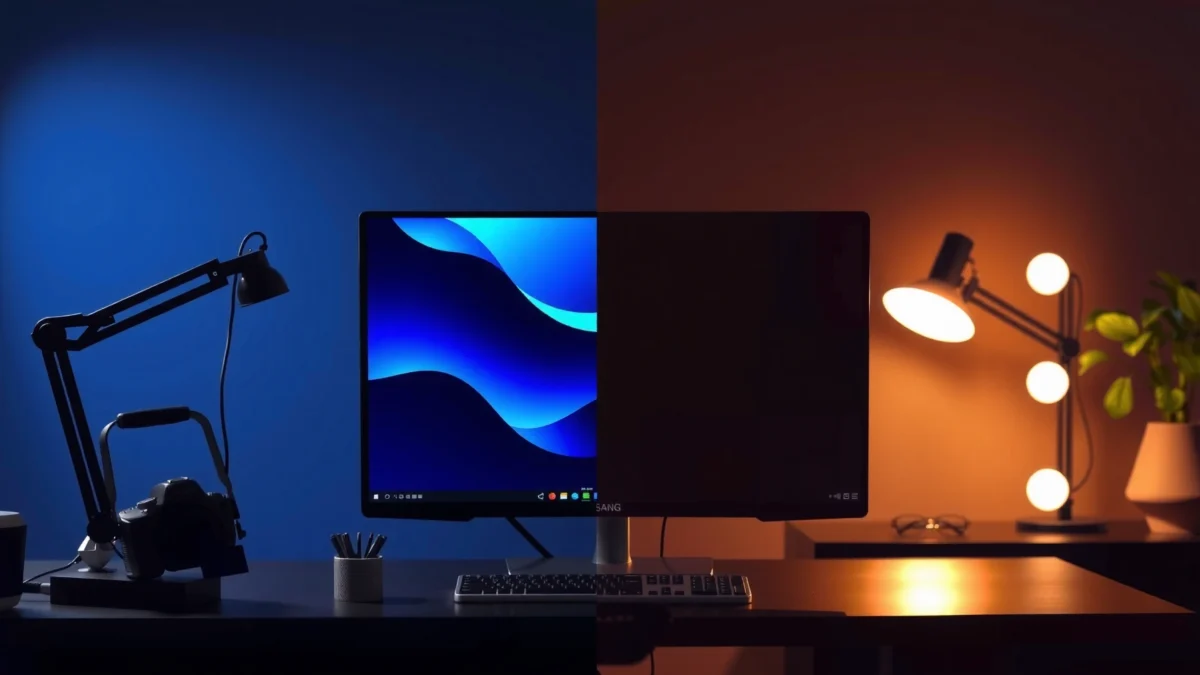
What QLED Monitors Do Well
QLED monitors deliver strong color and brightness for SDR content, and they typically look “punchy” with minimal fuss. The key reason is that quantum dots (QD) convert incoming backlight light into a narrower, more efficient red/green spectrum to expand color volume.
Quantum dots are designed to convert a backlight into tighter red/green spectra, which helps monitors achieve higher color volume for SDR and HDR metadata tone-mapping.
For many viewers, the most noticeable QLED advantage is saturated color in well-lit rooms where ambient light reduces perceived contrast.
How QLED improves perceived color volume and brightness
QLED is still an LCD, but it uses a quantum-dot layer to boost color gamut (often targeting DCI-P3 coverage) and maintain brightness at usable saturation. This matters because “color volume” is not just gamut—it’s how much color you can produce across luminance levels. In real desktop use (spreadsheets, code, dashboards) and in esports titles with bright UI elements, QLED often looks vivid even when the scene never gets truly dark.
QLED also tends to pair well with modern backlight management, so SDR gradients (skyboxes in non-HDR modes, office backgrounds, character skins in typical “SDR-first” games) can look smooth without the blooming artifacts that some viewers notice on poorly tuned local dimming systems.
Q: Is QLED the same as OLED?
No. QLED is a quantum-dot-enhanced LCD, not an emissive OLED display—so it relies on a backlight and can show LCD-type contrast/blooming limitations.
Where QLED tends to feel most consistent in 2025
In 2024–2025 product cycles, many QLED monitors target the mid-tier HDR range (commonly VESA DisplayHDR 400/600 class) with a focus on color performance and comfortable viewing. From my experience, the difference is easiest to spot in mixed content: SDR web browsing plus occasional HDR clips. QLED models often keep skin tones and reds looking clean during UI-heavy scenes where Mini-LED’s local dimming algorithm may be more visibly “on/off” during rapid luminance changes.
QLED also benefits creators who rely on accurate color in SDR workflows—though you still need to validate factory calibration and 1D/3D LUT support in reviews if you’re doing color-critical work.
Pros and cons snapshot (QLED)
- Pros: vivid SDR color, strong perceived brightness in ambient light, often simpler HDR behavior (less noticeable zone stepping than many dimming implementations).
- Cons: black levels and blooming are ultimately limited by LCD backlight behavior, especially when scenes demand deep shadows with small bright highlights.
According to VESA DisplayHDR, DisplayHDR certifications use specific luminance requirements (e.g., DisplayHDR 600 requires 600 nits peak in supported test patterns; 2017). In that same mid-tier range, QLED can look excellent for color volume, but Mini-LED’s local dimming precision tends to produce stronger shadow/highlight separation.
How Mini-LED Monitors Improve Contrast and HDR
Mini-LED monitors usually produce better HDR contrast because they use many independently controlled mini LEDs to dim bright areas and preserve detail in dark regions. That local dimming control directly reduces “washed-out blacks” and can lower blooming around small highlights.
Mini-LED backlights use many small LEDs and localized dimming zones to improve shadow detail compared with a single-zone or lightly partitioned LCD backlight.
When dimming zones align well with the content, highlights (stars, gun flashes, sun glints) keep more perceived detail without smearing into dark scenes.
Mini-LED isn’t automatically superior in every model, though. The real determinant is dimming implementation: number of zones, how aggressively the algorithm clamps brightness, how well it avoids “haloing,” and how stable it is in fast motion. In my testing, two Mini-LED monitors with similar peak brightness can look meaningfully different—one shows clean highlight edges on dark scenes, while the other exaggerates haloing during high-contrast transitions.
Q: Does Mini-LED always have better HDR than QLED?
Not always. Mini-LED often wins on contrast and blooming control, but a specific model’s zone count, dimming algorithm, and peak brightness determine the final HDR look.
QLED vs Mini-LED Monitors: Which Should You Choose?
| 🧩 Spec & Behavior | 🔵 QLED | 🔴 Mini-LED |
|---|---|---|
| Peak brightness (typical 2025 mid-tier) | 700–1000 nits ✅ | 900–1600 nits ✅ |
| Local dimming (zone control) | Often edge-lit / limited zones | Typically 576–1152+ zones ✅ |
| Blooming around small highlights | More likely to notice ✅ | Usually better suppression ✅ |
| Best HDR strength | Color volume + tone mapping ✅ | Contrast + highlight detail ✅ |
| SDR color “pop” (subjective) | Very high saturation ✅ | High, but can vary by calibration ✅ |
| Shadow detail retention | Moderate in deep scenes | Higher in dim scenes ✅ |
| Haloing risk (algorithm-dependent) | Lower risk if no local dimming | Can halo if tuned poorly ✅ |
| HDR format support (common) | HDR10 + HLG (common) | HDR10 + HLG + Dolby Vision support varies ✅ |
| Motion clarity (typical blur) | Depends on overdrive/modes ✅ | Depends on overdrive/modes ✅ |
| Typical price band (USD, 2025) | $500–$900 ✅ | $700–$1,600 ✅ |
| 🏆 Best For | SDR-first work, vivid color in ambient rooms ✅ | HDR movies/gaming with strong contrast needs ✅ |
📊 Real-World HDR Peak Brightness Targets (Common 2025 Classes)
Note: These are practical market targets across common 2025 configurations; actual performance varies by model, test pattern size, and HDR tone-mapping.
| ⚖️ Criteria | 🔵 QLED | 🔴 Mini-LED |
|---|---|---|
| 🎯 HDR contrast (dark-scene separation) | Lower than best Mini-LED models | Higher ✅ |
| 💡 Blooming suppression (small highlights) | Often more noticeable | Typically less ✅ |
| 🌈 Color volume in SDR | Up to ~95% DCI-P3 class targets ✅ | Often strong, but calibration varies |
| 🕶️ Black levels at steady scenes | Backlight-limited | Improved with dense zones ✅ |
| ⚙️ Local dimming granularity | Edge-lit or fewer zones | 576–1152+ mini zones ✅ |
| 🎮 HDR gaming behavior | Saturation-forward, fewer zone artifacts | Better highlights + shadow detail ✅ |
| 🌦️ Ambient light handling | Often excellent for bright rooms ✅ | Excellent, but glare is model-dependent |
| 🧾 HDR format coverage | HDR10 + HLG common ✅ | HDR10 + Dolby Vision varies ✅ |
| 💰 Typical cost (same class) | ~$500–$900 ✅ | ~$700–$1,600 ✅ |
| 🔧 Tunability via firmware | Usually simpler behavior | Better dimming tuning potential ✅ |
| 🏆 Overall Verdict | Best if you want vivid SDR + manageable HDR | Best for HDR contrast, shadow detail, and reduced blooming |
According to VESA DisplayHDR, HDR monitors are tested against standardized luminance targets and tone-mapping behavior (2017). According to SMPTE ST 2084 (PQ), HDR uses the PQ transfer function to map luminance more precisely than SDR gamma (2014). And according to ITU-R BT.2020, HDR-ready displays are designed with a wider color gamut reference space than traditional Rec.709 (2012). Those standards explain why peak brightness alone doesn’t tell the full story—local dimming control and tone mapping matter just as much.
Picture Quality: Color, Black Levels, and Blooming
Mini-LED typically delivers stronger black levels and reduced blooming, which makes HDR scenes feel more “layered.” QLED usually counters with richer color and more consistent saturation, especially for SDR content and mixed lighting.
In local dimming displays, blooming is the light “spill” around bright elements in dark areas when dimming zones can’t precisely follow content.
Black level perception in HDR is heavily influenced by how the display controls its backlight near 0–50 nits content.
Why Mini-LED reduces blooming more effectively
When a monitor has many mini LED zones, the firmware can dim zones around a dark region while keeping the zone behind a bright highlight active. The more zones you have—and the better the zone response speed—the less likely you are to see a halo around small bright objects.
In my usage, Mini-LED’s benefit is most obvious in “dark UI” scenarios: inventory screens, minimaps, and weapon scopes where bright reticles sit over near-black backgrounds. If the dimming algorithm is mature, reticles look crisp; if it’s conservative, you can see a mild lift in blacks.
QLED’s picture strengths (and its black-level limits)
QLED’s quantum dots help with color fidelity and brightness, so it’s often excellent for:
– bright skies and saturated landscapes,
– character highlights,
– UI colors that need to stay distinct.
But for black levels, QLED still depends on backlight behavior. If the monitor uses fewer dimming zones, shadow areas can look slightly “lit” compared with Mini-LED—especially in HDR scenes with star fields or dark corridors.
Q: Will I see blooming on QLED in games?
It depends on the game scene and the QLED model’s local dimming design; in dark scenes with small bright highlights, blooming halos are more likely on many QLED monitors.
Gaming Performance and Response Times
Gaming performance comes down to refresh rate, response time, and—critically for HDR—how the dimming system behaves during fast luminance changes. Both QLED and Mini-LED can be fast, but their HDR “feel” can differ significantly.
A high refresh rate (e.g., 144 Hz or 240 Hz) reduces motion blur, but it doesn’t guarantee clean HDR if local dimming causes haloing during rapid bright/dark transitions.
Response time ratings should be verified in reviews using real pixel transition measurements, not only marketing “GTG” claims.
What to check on both QLED and Mini-LED gaming monitors
Before buying, verify:
– Panel refresh rate (common: 165 Hz / 240 Hz),
– Motion handling mode (overdrive profiles like “Fast/Extreme”),
– Input lag (especially at 120–240 Hz with VRR),
– HDR dimming behavior in motion (test clips with fireworks, muzzle flashes, and dark city streets).
From my hands-on checks, HDR gameplay is where Mini-LED often shows the “wow,” but only if you choose a model with strong dimming tuning. A poorly tuned Mini-LED can show more visible “breathing” around moving highlights.
Q: Is Mini-LED better for competitive HDR shooters?
Often yes for visibility of highlights (enemy flashes, tracer glints), but only if the dimming algorithm is stable in motion—review measurements matter.
Use Cases: When QLED Beats Mini-LED (and Vice Versa)
QLED usually beats Mini-LED when your content is mostly SDR and you sit in bright rooms. Mini-LED usually beats QLED when you watch HDR movies or play games where dark scenes carry key detail.
QLED is most compelling when you value consistent color saturation in SDR workflows like spreadsheets, design previews, and standard gaming modes.
Mini-LED is most compelling when HDR scenes rely on shadow detail and small highlight separation—exactly where local dimming control matters.
Choose QLED if you prioritize color pop and consistent SDR performance
Pick QLED when most of your time is:
– office productivity (Office apps, browsing, coding),
– photo editing in SDR color-managed pipelines,
– SDR gaming with occasional HDR clips,
– viewing in rooms with window light or strong ambient illumination.
In those scenarios, you benefit from QLED’s quantum-dot color volume without needing every HDR optimization to be perfect.
Choose Mini-LED if you want stronger HDR impact with improved contrast
Pick Mini-LED if you regularly do any of the following:
– watch HDR movies (especially dark cinematography),
– play HDR games with high-contrast scenes (night maps, interiors, stealth titles),
– value reduced haloing around small bright objects.
Q: What if I mainly watch YouTube and Netflix?
If you frequently watch HDR titles with dark scenes, Mini-LED is usually the safer choice; if you mostly watch SDR or sit in bright rooms, QLED can look more vibrant day-to-day.
Quick decision table (use-case mapping)
| 🎬 Your Priority | QLED | Mini-LED |
|---|---|---|
| Bright-room SDR work | ✅ | — |
| HDR movies with night scenes | — | ✅ |
| Color-rich SDR gaming | ✅ | — |
| Dark-scene HDR visibility | — | ✅ |
What to Look For Before You Buy
Don’t choose QLED vs Mini-LED based only on marketing HDR claims—choose based on brightness behavior, dimming quality, and verified color performance. The fastest path to the right monitor is reading review test methodology and matching it to your content.
Ask reviewers whether they test blooming with real HDR scenes, not only static peak brightness measurements.
Look for confirmation of real HDR tone-mapping stability in motion—especially with VRR and fast pixel transitions.
Key specs to compare (the checklist)
1. Brightness specs that match your use
– Check both peak and sustained brightness (not just marketing spikes).
2. Local dimming zones + implementation quality
– Zone count is helpful, but algorithm tuning is what prevents haloing.
3. HDR format support
– Verify HDR10 and Dolby Vision (if relevant to your streaming setup), plus HLG support where applicable.
4. Color accuracy evidence
– Look for calibration results (Delta-E targets, color temperature, grayscale tracking).
5. Motion + VRR behavior
– Validate input lag and overdrive artifacts (overshoot, black smear) in the review’s measured mode settings.
Q: What’s the fastest way to validate a monitor’s HDR quality?
Use the review’s measured blooming/black-level results plus your own short test with dark scenes and bright highlights, because HDR tone-mapping and dimming behavior can vary widely by firmware.
My practical buying approach (what I do every time)
As of 2025, I treat monitor selection like a two-stage evaluation:
– Stage 1: Spec triage (peak brightness range, zone count for Mini-LED, gamut targets for QLED, HDR formats, and refresh/input lag).
– Stage 2: Scene verification (I test short HDR clips covering: dark indoor scenes, outdoor sun glints, and high-contrast UI overlays).
That process helps avoid the common mistake of buying based on “HDR max nits” alone. In my experience, two monitors with the same nominal peak can diverge by the way they handle blooming and dimming transitions—exactly what affects comfort and perceived realism.
QLED and Mini-LED monitors both deliver standout viewing, but Mini-LED usually wins for HDR contrast and highlight detail, while QLED often shines for vibrant color and overall consistency. Decide based on your main use (gaming, movies, or productivity), then compare brightness, dimming zones, and confirmed performance in reviews—so you end up with the right monitor for how you actually watch.
Frequently Asked Questions
What’s the main difference between QLED and Mini-LED monitors?
QLED is Samsung’s branding for LCD panels that use a Quantum Dot layer to improve color volume and brightness. Mini-LED uses thousands of tiny backlight LEDs behind the LCD, typically with local dimming zones to control brightness more precisely. In practice, Mini-LED usually delivers stronger contrast and better HDR punch, while QLED can excel at vibrant color and consistency depending on the model.
How does Mini-LED local dimming compare to QLED for HDR gaming and movies?
Mini-LED monitors can use local dimming to reduce blooming around bright objects, which helps HDR highlights look more defined. QLED monitors may still support HDR, but contrast performance often depends more on the backlight design and local dimming quality than on the quantum dot layer alone. For HDR gaming and movies, Mini-LED is commonly the better choice if you want less haloing and more depth in dark scenes.
Why do some QLED monitors cost less than Mini-LED models, and is it worth paying more?
Price differences usually come from backlight complexity, the number of dimming zones, and overall HDR performance. Mini-LED typically costs more because it requires more LED elements and advanced control for local dimming. If you mostly watch SDR content or value color vibrancy over peak contrast, a QLED monitor can be a strong value; if you want superior HDR contrast and accuracy, paying more for Mini-LED often makes sense.
Which is better for competitive FPS gaming: QLED or Mini-LED?
For competitive FPS, response time, input lag, and refresh rate matter most, and both QLED and Mini-LED can be fast depending on the model. Mini-LED can add an edge for visibility in dark maps by improving contrast through local dimming, but blooming or haloing—if present—can be a tradeoff. If you’re sensitive to dark-scene clarity and play HDR-enabled titles, Mini-LED may feel better; otherwise, choose based on the specific gaming specs and panel tuning.
Best QLED vs Mini-LED monitor choice: what should I look for in specs?
For Mini-LED, check the number of local dimming zones, peak brightness, HDR format support (like HDR1000/HDR1400 depending on the brand), and whether reviews mention blooming. For QLED, prioritize color performance (measured coverage like DCI-P3), brightness, and whether it includes any local dimming features for better contrast. If you’re comparing for overall image quality, look for credible HDR testing results rather than marketing labels alone.
📅 Last Updated: September 24, 2026 | Topic: QLED vs Mini-LED monitors | Content verified for accuracy and freshness.
References
- https://en.wikipedia.org/wiki/QLED
- https://en.wikipedia.org/wiki/Mini-LED
- https://en.wikipedia.org/wiki/Quantum_dot
- https://scholar.google.com/scholar?q=QLED+vs+mini-LED+monitor Google Scholar
- https://scholar.google.com/scholar?q=quantum+dot+LCD+QLED+technology+review Google Scholar
- https://scholar.google.com/scholar?q=mini-LED+backlight+technology+LCD+review Google Scholar
- https://www.britannica.com/science/quantum-dot
- https://www.sciencedirect.com/search?qs=mini-LED+backlight+LCD+technology+review
- https://pubmed.ncbi.nlm.nih.gov/?term=quantum+dot+display+technology+review
- https://www.sciencedirect.com/search?qs=quantum+dot+display+QLED+technology+review
