Skip to content
Friday, November 6, 2026
Game Mode vs Filmmaker Mode: Which Picture Setting to Use?
Cloud Gaming TV vs Console Gaming TV: Which Is Better?
How to Optimize Wi-Fi for Uploads: Improve Upload Speeds
PC Gaming TV vs Console TV: Which Should You Choose?

TechTaps

Technology at Fingertips

Newsletter
Random News
  • Display and Video
  • Sound and Music
  • General Tech
  • Monitor
  • Modem And Routers
Game Mode vs Filmmaker Mode: Which Picture Setting to Use?
Cloud Gaming TV vs Console Gaming TV: Which Is Better?
How to Optimize Wi-Fi for Uploads: Improve Upload Speeds
PC Gaming TV vs Console TV: Which Should You Choose?

TechTaps

Technology at Fingertips

Newsletter
Random News
  • Display and Video
  • Sound and Music
  • General Tech
  • Monitor
  • Modem And Routers
  • Home
  • gaming display

gaming display

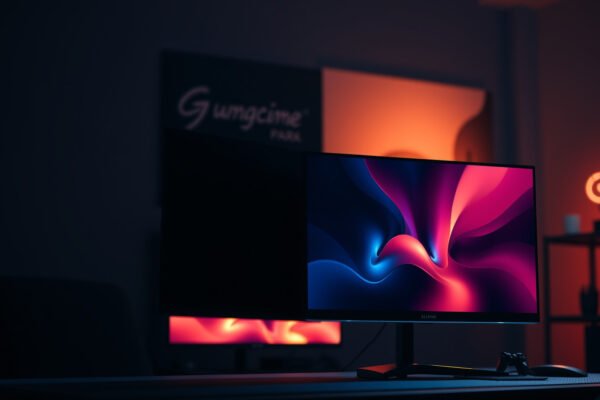
Comparison of 120Hz OLED and QLED displays for gaming performance
  • Display and Video

120Hz OLED vs 120Hz QLED Gaming: Which Display Wins?

John Abraham5 days ago013 mins

If you’re choosing between 120Hz OLED and 120Hz QLED for gaming, the winner depends on what you value most—response speed or peak brightness. For players chasing the smoothest motion with near-instant pixel response in dark scenes, 120Hz OLED is the clear pick. If your priority is sustained high brightness for HDR and well-lit rooms, a…
Read Full News
Comparison of 4K OLED and 4K QLED displays for gaming performance and visuals
  • Display and Video

4K OLED vs 4K QLED Gaming: Which Display Wins for Play?

John Abraham6 days ago017 mins

Choosing between 4K OLED and 4K QLED for gaming isn’t a generic spec showdown—it’s about which panel delivers the better play when it matters most: motion clarity, contrast in dark scenes, and response time. If you want the sharpest highlights, deepest blacks, and the fastest pixel transitions for competitive and visually rich games, 4K OLED…

Read Full News
Comparison of OLED and Mini-LED displays for gaming, highlighting motion, contrast, and burn-in.
  • Monitor

OLED vs Mini-LED for Gaming: Motion, Contrast, and Burn-In Explained

John Abraham2 weeks ago019 mins

Choosing OLED vs Mini-LED for gaming comes down to one question: which display delivers the better motion, contrast, and overall image reliability for your play style. OLED usually wins on pixel response and near-infinite contrast, but Mini-LED is the safer pick if you binge static HUDs and want to minimize burn-in risk. Here’s the clear…

Read Full News
Comparison of cheap 120Hz and expensive 60Hz screens highlighting performance differences.
  • Smart TV

Cheap 120Hz vs Expensive 60Hz: Which Screen Feels Better?

John Abraham1 month ago114 mins

Cheap 120Hz monitors almost always feel better than expensive 60Hz screens when you’re watching fast motion, gaming, scrolling, or moving windows around all day. If your content is mostly static—documents, spreadsheets, slow video—or you’re buying a top-tier 60Hz panel with far superior color and sharpness, expensive 60Hz can win on image quality. This guide gives…

Read Full News
Comparison of 1080p TV and 4K Monitor for better viewing experience and quality
  • Smart TV

1080p TV vs 4K Monitor: Which One Should You Choose?

John Abraham2 months ago115 mins

1080p TV vs 4K monitor comes down to one choice: which delivers the sharper, more satisfying image for your viewing distance and use. If you want crisp detail up close for work, gaming, or browsing, a 4K monitor is the clear winner. If you’re watching from farther away on a budget, a 1080p TV often…

Read Full News
Comparison of 120Hz Mini-LED and 60Hz Mini-LED displays highlighting refresh rate differences
  • Smart TV

120Hz Mini-LED vs 60Hz Mini-LED: Which Refresh Rate Wins?

John Abraham2 months ago013 mins

120Hz Mini-LED generally wins for smoother motion and more responsive interaction—especially for gaming and fast scenes—while 60Hz mini-LED can still be a smart, lower-cost option for mostly casual viewing. The reason is simple: refresh rate changes how often your display updates the image, which directly affects perceived blur, judder (uneven motion), and how quickly the…

Read Full News
Comparison of 27-inch IPS and 32-inch OLED monitors for better viewing experience
  • Monitor

27-inch IPS vs 32-inch OLED Monitors: Which Is Better?

John Abraham2 months ago115 mins

Choosing between a 27-inch IPS monitor and a 32-inch OLED monitor comes down to what you do most: competitive gaming, movies, or everyday work. This guide delivers a clear verdict on which panel type and size wins for image quality, motion handling, productivity comfort, and long-term practicality. By the end, you’ll know exactly which option…

Read Full News
Comparison of 1080p IPS and VA monitors for gaming and productivity.
  • Monitor

1080p IPS vs 1080p VA Monitors: Which One Should You Buy?

John Abraham2 months ago015 mins

Trying to choose between a 1080p IPS and a 1080p VA monitor for your next screen? The best pick depends on what you do most—so you’ll get a clear verdict for gaming, fast motion, and everyday office use. If you want the most consistent color and viewing angles at 1080p, IPS is usually the winner;…

Read Full News
Comparison of 4K VA and 4K OLED monitors highlighting their features and differences.
  • Monitor

4K VA vs 4K OLED Monitors: Which Should You Choose?

John Abraham2 months ago014 mins

If you’re choosing between 4K VA and 4K OLED monitors, the better pick depends on what you do most—work and spreadsheets, or dark movies and high-contrast gaming. This guide delivers a clear verdict on which panel type wins for sharp text, motion clarity, response time, and long-session comfort. You’ll also get the tradeoffs that matter—burn-in…

Read Full News
Comparison of Black IPS and OLED monitors for choosing the best display technology.
  • Monitor

Black IPS vs OLED Monitors: Which One Should You Choose?

John Abraham2 months ago16 mins

If you’re deciding between a black IPS vs OLED monitor, the winner depends on what you care about most—and you’ll get the clear pick for gaming, movies, and everyday use. OLED is the better choice for deep blacks and high-contrast viewing, but black IPS is the safer bet for long work sessions with consistent brightness…

Read Full News
  • 1
  • 2

Latest Release

  • Cutting-Edge Portable Displays and Air Cursor Screens
  • Devices Blending AR with Daily Tech: Trends for 2026
  • Wearables That Track Health Stats Independently from Phones
  • AI Fitness Wearables with Real-Time Coaching: Transform Your Workouts
  • Next-Gen Smart Rings for Monitoring Blood Pressure

Recent Posts

  • Comparison of Game Mode and Filmmaker Mode picture settings for optimal viewing experience.
    Game Mode vs Filmmaker Mode: Which Picture Setting to Use?
  • Comparison of Cloud Gaming TV and Console Gaming TV for gaming performance and experience.
    Cloud Gaming TV vs Console Gaming TV: Which Is Better?
  • A person optimizing their Wi-Fi settings to improve upload speeds for better performance.
    How to Optimize Wi-Fi for Uploads: Improve Upload Speeds
  • Comparison of PC gaming TV and console TV setups for optimal gaming experience.
    PC Gaming TV vs Console TV: Which Should You Choose?
  • Comparison of Nintendo Switch OLED TV and LED TV for gaming performance and visuals.
    Nintendo Switch OLED TV vs LED TV: Which Screen Is Better?
  • Comparison of Nintendo Switch connected to a TV and a gaming monitor for optimal gaming experience.
    Nintendo Switch TV vs Gaming Monitor: Which Fits Your Setup?
  • Illustration of Wi-Fi optimization techniques for faster downloads and fewer interruptions.
    How to Optimize Wi-Fi for Downloads: Faster Speeds and Fewer Drops
  • About Us
  • Privacy Policy
  • Disclaimers
  • Terms and Conditions
  • Sitemap
  • Contact Us
Newsmatic - News WordPress Theme 2026. Powered By BlazeThemes.