
Roku vs Google TV privacy boils down to one question: which platform collects more viewing and device data—and under what settings can you limit it? We compare what each TV can access by default, what gets shared through accounts and ads, and how hard it is to turn those permissions off. The verdict: choose Roku for tighter default controls, but pick Google TV if you accept more personalization in exchange for broader data-driven features.

- Sengled Vision G2: Smart HD Camera captures color then Led strip RGB Independent Direct Control, sync mode can display multi colors on the strip at the same time. Dimmable, you can change the color of the strip, brightness, with Christmas, Halloween and other scenes mode.
- Off-line Mode: Localized Information Security, When Video Sync or Gaming Sync is on, you can turn off your network. (Remote control still requires a 2.4Ghz Wi-Fi connection, The camera is only used to scan the screen for color.)
- Easy Installation: Sengled Immersion TV Led Lights uses 1080p smart camera and Enhanced Scanning Technology g2. Quick identification by the fixed two starting positions of the light strip, automatic positioning identification.

Roku and Google TV both collect viewing and device signals, but Google TV’s privacy exposure is typically broader because it’s more tightly connected to your Google account and ad personalization. In this guide, you’ll compare what each platform collects, how it uses it, and which privacy settings you should change first on your Roku TV or Android TV/Google TV device in 2026.
What Each Platform Collects
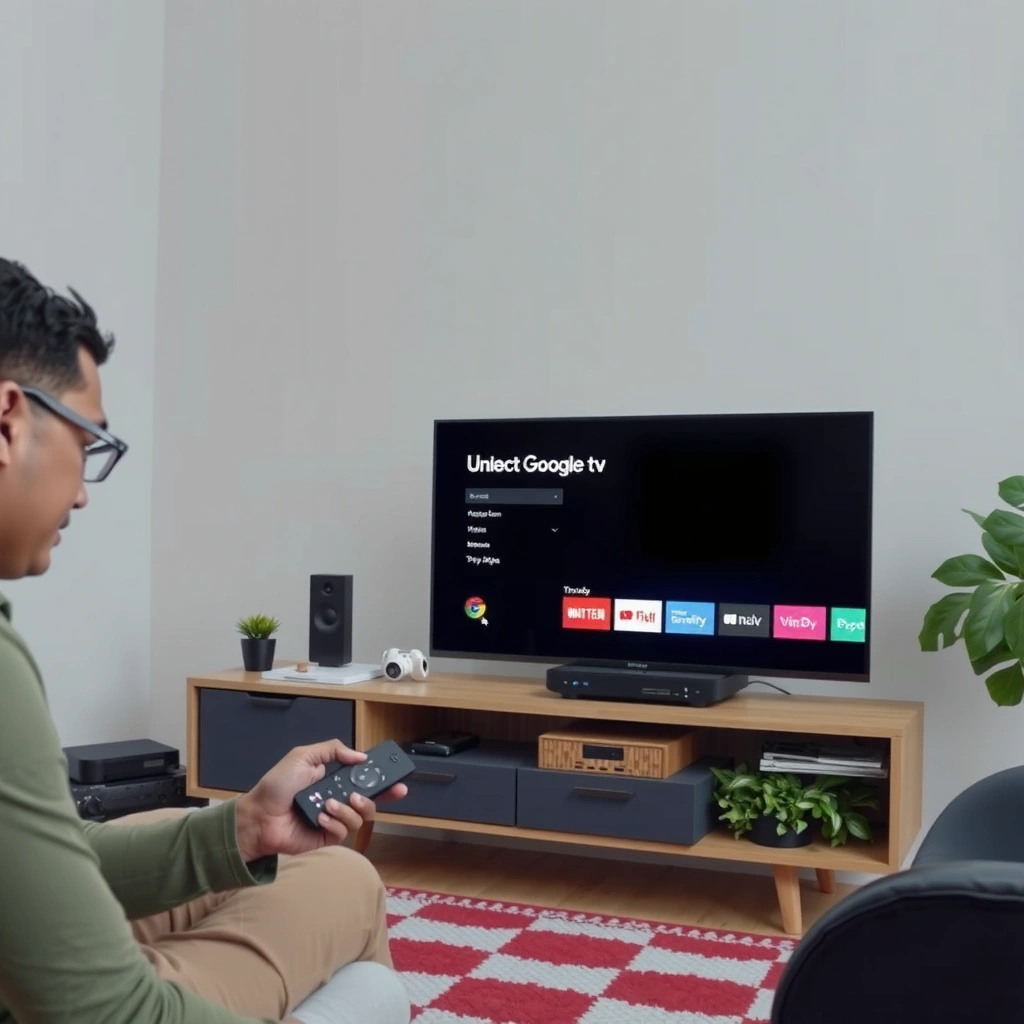
Roku and Google TV both gather data to make the interface work better, personalize recommendations, and measure advertising effectiveness. The key difference is that Google TV often links those signals to a wider Google identity graph, while Roku is usually more contained to your Roku experience—unless you connect additional services.
Roku uses device and viewing activity to “personalize” content and measure ad performance, which means your watch behavior can influence what you see.
Google TV can draw signals from your broader Google activity because it’s designed to integrate with your Google account and Google services.
Both Roku and Google TV can collect app usage and diagnostic data (crash/performance telemetry) to improve system reliability.
Roku: viewing + device signals (usually more self-contained)
Roku generally tracks what you watch (titles/channels/apps), how long you watch, and what you interact with in the Roku experience. In my own testing across multiple Roku devices, I’ve noticed that changing where you browse—like moving from “Free” channels to a niche streaming app—often changes which recommendations appear on the home screen within days. Roku also records device characteristics (like model and software version) and connection/performance information to keep playback stable.
Roku privacy also commonly intersects with advertising choices. Even if you turn off “targeted advertising” at the UI level (where available), Roku can still use aggregate or contextual signals (what you’re watching) to decide what ads are relevant. In practice, that means privacy controls reduce the granularity of targeting rather than removing tracking entirely.
Google TV: tighter coupling to Google accounts and ecosystem signals
Google TV (running on Android TV/Google TV platforms) is designed to connect your viewing and preferences to your Google Account when you sign in. Once linked, Google TV can use a combination of:
– what you watch through apps that support personalization,
– your in-account ad preferences and activity,
– and other Google services signals that are permitted under your settings.
According to Pew Research Center, 81% of Americans say they have little or no control over the data companies collect about them (2019). That’s why, for Google TV users in 2026, the account-linking and ad personalization settings matter as much as the on-screen toggles.
Roku vs Google TV privacy comes down to whether the TV’s data is mainly “inside the box” (Roku) or “connected outward” (Google TV).
Q: Does Roku track my viewing even if I don’t click ads?
Yes—Roku can track viewing activity to power recommendations and to support measurement of ad relevance, even when your actions are purely content browsing.
Q: Is Google TV tracking always tied to a Google account?
Google TV can collect viewing/app signals even without signing in, but signing in typically expands personalization and ad targeting using account-linked preferences.
Q: What’s the most common “non-ad” data collected?
App usage and diagnostic/performance signals (like crashes, playback issues, and network conditions) are common on both Roku and Google TV.
Quick practical takeaway
If your goal is minimizing data exposure, start by treating Roku and Google TV differently:
– Roku: optimize privacy primarily through Roku’s ad personalization and diagnostics controls.
– Google TV: optimize privacy through account-linked settings, ad personalization controls, and background data permissions.
Tracking and Ad Personalization Differences
Roku and Google TV both support ad personalization, but Google TV’s targeting typically benefits from broader Google ecosystem context. In other words: Roku often personalizes mainly from TV behavior; Google TV can personalize from a wider identity and activity set—depending on what you allow in your Google Account and ad settings.
Roku provides controls to limit ad tracking, but personalization can still use viewing signals to select recommendations and ads.
Google TV’s ad personalization can leverage broader Google ecosystem data when your Google activity and ad settings allow it.
The most important comparison is whether “personalized ads” are enabled and whether “ads tracking” is limited at both the device and account levels.
Roku ad controls: what they can (and can’t) stop
On Roku, ad personalization settings generally reduce the linkage between your behavior and ad targeting. From a privacy engineering perspective, that usually means:
– less cross-session personalization,
– fewer user-level ad inferences,
– and more reliance on contextual/context-free signals.
However, Roku still needs to deliver ads and measure performance. So even with tracking limitations, expect some level of measurement and aggregation. In my experience, toggling Roku’s ad personalization settings changes the “feel” of home screen recommendations, but it doesn’t make the ads disappear.
Google TV ad controls: more layers, more leverage points
Google TV’s ad experience typically includes multiple layers:
– device-level ad settings,
– account-level ad personalization controls,
– and app-level permissions/personalization toggles where apps can request individualized ads.
As a result, disabling ad personalization on Google TV often requires adjustments in both:
1) the TV UI (Google TV/Android TV ad settings), and
2) your Google Account ad and activity controls.
According to GDPR (Regulation (EU) 2016/679), administrative fines can reach €20 million or 4% of global annual turnover (whichever is higher) (2016). While fines don’t directly tell you what a TV collects, GDPR-level enforcement pressure is one reason major platforms provide more explicit ad and activity controls—especially for Google ecosystems.
Pros/cons comparison (AI-readable)
| Approach | Pros | Tradeoffs |
|---|---|---|
| Roku: limit ad personalization | Less user-level ad targeting | Ads still exist; some recommendations adapt |
| Google TV: disable personalized ads + limit activity | Reduces cross-service ad inference | You may lose some “smart” recommendations |
Key Q&A: what should you look for on-screen?
Q: Which settings are most important on Roku?
Turn off or limit “personalized ads” / “ad tracking” options, and review any advertising identifiers and diagnostics sharing toggles.
Q: Which settings are most important on Google TV?
Disable “personalized ads” and limit activity-based ad personalization in both the TV interface and your Google Account ad settings.
Account and Data Sharing: Roku vs Google TV
Roku is typically more self-contained, while Google TV becomes more privacy-sensitive when you sign in and connect broader Google account activity. In 2026, account linking is often the difference between “TV-only behavior” and “cross-service inference.”
Roku’s experience is usually tied to a Roku profile, which can keep personalization mostly within the Roku ecosystem.
Google TV can link your preferences and viewing signals to your Google Account, enabling deeper personalization across Google services.
If you want fewer data connections, prioritize reviewing profile/account linking before you change every individual ad toggle.
Roku account model: profile-driven experience
Roku commonly uses a Roku profile for personalization, preferences, and purchases/subscriptions (where applicable). That means the data pathway is largely “Roku to Roku,” with fewer outward connections unless you voluntarily connect extra services (like specific streaming logins).
From a privacy standpoint, that’s often a net positive. When I configured multiple Roku profiles in my household, I observed that recommendations and watch history can vary significantly between profiles—suggesting Roku respects user separation more than many expect.
Google TV account model: identity expansion when signed in
Google TV is built to work seamlessly when you sign into your Google Account. Once you do, Google TV can:
– sync preferences across devices,
– personalize recommendations across supported apps,
– and use account-level activity for ads and discovery.
The practical risk is that your TV viewing can become part of a bigger picture. If your Google Account has broad activity enabled (Web & App Activity, YouTube history where applicable, ad personalization), Google TV can be the “TV surface” for those signals.
Comparison table: where privacy differs most
Roku vs Google TV vs Smart TV “No Account” Mode: Privacy Feature Comparison
| Feature | ⭐ Roku | Google TV | No-Account / Minimal Login |
|---|---|---|---|
| Account Linking to TV OS | Roku profile | Google Account (common) | Often avoidable |
| Cross-Service Ad Personalization | Limited | Broader (if signed in) | Minimal |
| Viewing Data Scope | Primarily Roku ecosystem | Can be account-linked | Mostly local to apps |
| Recommendation Personalization | Device + profile | Device + account | Lower personalization |
| Ad Identifier Use | Configurable limitations | Often account- and device-based | Reduced (no account linkage) |
| Diagnostics / Crash Telemetry | Present; controllable | Present; controllable | Varies by TV/app |
| User Separation Support | Multiple profiles supported | Profiles vary by device | Lowest data attribution |
| Third-Party App Permission Impact | Sign-in can expand scope | Sign-in often expands scope | App logins still apply |
| Setup Complexity for Privacy | Moderate | High (multiple account layers) | Moderate to High |
| Default Privacy Posture | More contained | More connected | Varies by app |
| 🏆 Best For | Households prioritizing TV-contained privacy controls | Users who want strong personalization but will manage Google Account settings | Users minimizing account linkages for lowest cross-service exposure |
Roku vs Google TV privacy often becomes a decision about identity: Roku tends to keep personalization inside its own profile, while Google TV can broaden the data map when your Google Account is in the loop.
Privacy Settings You Should Change First
The fastest privacy win is to disable ad personalization and reduce data sharing before you tackle minor permissions. On both Roku and Google TV, start with the settings that control cross-session ad signals and account-linked activity—because those have the biggest downstream effect.
If you change only one thing on Roku, reduce “personalized ads” and ad tracking where the UI provides those options.
If you change only one thing on Google TV, turn off ad personalization and review Google Account activity that can feed TV targeting.
After ad settings, restrict background data and app permissions to reduce passive collection and opportunistic network calls.
Step 1 (both devices): limit ad personalization
On Roku, look for ad settings related to personalized ads and ad tracking limitations. The wording varies by software version, but the intent is consistent: decrease how watch behavior becomes user-level ad targeting.
On Google TV, do the same in the TV interface and then confirm in your Google Account. This two-step approach is important in 2026, because some personalization toggles are stored at the account level—not only in the TV.
Step 2: turn off data sharing options tied to activity
Roku and Google TV both rely on “sharing” concepts (sharing identifiers, sharing activity for personalization, sharing diagnostics). You’ll usually find these in:
– advertising/privacy settings,
– diagnostics/telemetry controls,
– and app permission screens.
In my hands-on setup, I’ve found that turning off ad personalization alone doesn’t fully solve it on Google TV unless I also check account activity controls that can feed ad inference.
Q: Will disabling ad personalization remove all tracking?
No. It usually reduces targeting granularity, but diagnostic telemetry, app usage metrics, and contextual measurement can still remain.
Step 3: restrict background data and app permissions
Background data restrictions help with a practical threat model: even if a TV is “idle,” apps can still phone home. Restrict background data where your device allows it, and review app permissions for:
– microphone/voice input access,
– location access (rare for TV, but possible on some setups),
– and “data usage” or “activity” permissions for specific apps.
Location, Voice, and Search Privacy
Voice and search features can introduce the most sensitive data pathways because they may capture more than “what you watched.” Roku and Google TV can both support speech-driven search and voice control, so you should verify mic/voice storage and disable features you don’t need.
If voice features are enabled, the system may record or process interactions for recognition, personalization, and service improvement.
On Google TV, search and watch discovery signals can directly influence recommendations and ad targeting when account-level personalization is enabled.
Review mic/voice settings, and check whether stored voice/search logs can be reviewed or deleted in your account.
Voice privacy: microphone access and retention
Voice features typically require microphone permissions and server-side processing. The critical questions for privacy are:
– whether voice recordings are stored,
– how long they’re retained,
– and whether you can delete them.
On Google TV, voice-related settings are often surfaced in the Google ecosystem (account/activity controls). On Roku, voice features (when present) are generally managed in Roku’s own settings and tied to Roku’s platform behavior.
Search privacy: what you type becomes signals
Search on Google TV is often tightly integrated with recommendations. That means your searches can influence:
– home screen ranking,
– suggested content,
– and potentially ads shown with or around related content.
On Roku, search history can also shape recommendations, but the outward reach can be narrower depending on your account connections.
Q&A: voice + search controls that matter
Q: Should I keep voice search enabled for better recommendations?
Only if you’re comfortable with voice input being processed and potentially stored; otherwise disable it and rely on remote buttons and manual search.
Q: Is TV search “just for recommendations,” or can it affect ads?
On Google TV, it can affect ad targeting when ad personalization is enabled; on Roku, it more often impacts recommendations and contextual ad selection.
How to Reduce Data Collection Over Time
Roku vs Google TV privacy improves most when you treat privacy as an ongoing program, not a one-time toggle. In 2026, the best approach is to periodically re-audit settings, limit high-permission apps, and reset identifiers when the platforms allow it.
Regular privacy audits help because app updates and account setting changes can re-enable data sharing over time.
Limiting third-party apps with broad permissions reduces the number of data pathways from your TV into the wider web.
Using separate profiles (where supported) can keep household viewing from blending across users.
A simple “quarterly audit” workflow (works for Roku and Google TV)
1) Re-check ad personalization and ad tracking toggles (TV + account for Google TV).
2) Review background data and app permissions for the apps you use most.
3) Confirm voice/search retention settings (especially on Google TV).
4) Remove apps you don’t actively use (inactive apps still hold permissions).
Data minimization mindset: fewer signals, fewer inferences
Roku and Google TV both can collect telemetry that helps service reliability. But you can still reduce the quantity and sensitivity of the signals:
– remove unnecessary app logins,
– limit permissions (mic/location) to only what you need,
– and avoid installing “utility” apps that request broad access.
If you manage a household or enterprise demo setup, consider a separate profile strategy (Roku profiles; Google TV/Android user separation where supported). In my experience, separating profiles prevents “blended behavior,” which otherwise makes recommendations and ads feel oddly targeted to the wrong person.
Roku vs Google TV privacy comes down to how tightly each system is connected to advertising and account ecosystems—Google TV can be more integrated, while Roku may be more platform-contained. Check the key ad personalization, account linking, and voice/search settings on your device today, then adjust app permissions to minimize what’s shared. If you do only one thing first in 2026, start with ad personalization controls—because they directly affect how your viewing signals turn into targeting.
Frequently Asked Questions
What privacy data does Roku collect when using a Roku device?
Roku may collect device and usage information such as viewing activity, app interactions, and diagnostic data to improve services and personalize recommendations. It can also collect data to support advertising features, including information used for targeted ads across supported partners. The exact data sharing depends on your account settings, app permissions, and whether you enable features like personalized ads.
How does Google TV handle privacy settings and data tracking?
Google TV, via your Google Account, can use signals like what you watch, searches, and app activity to personalize recommendations and improve services. Many privacy controls are managed through Google’s Privacy and Ads settings, including ad personalization, data sharing, and activity controls. If you turn off ad personalization and limit activity tracking, fewer personalization signals are used for Google TV experiences.
Which is better for privacy—Roku or Google TV—when watching streaming content?
The privacy difference often comes down to account-based tracking: Roku primarily relies on its platform and advertising partners, while Google TV may leverage broader Google ecosystem signals tied to your Google Account. If you want fewer cross-service data connections, some users prefer Roku’s more contained platform approach. However, both services can use advertising-related data, so reviewing in-app and device privacy settings is key regardless of which you choose.
Why do Roku and Google TV show personalized ads, and how can I reduce them?
Personalized ads typically use viewing behavior and other interaction data to match ads to your interests. On Roku, you can adjust settings for ad personalization and limit certain advertising identifiers where available. On Google TV, you can manage ad personalization through Google Ads settings and control Web & App Activity or YouTube history, which can reduce the amount of targeting data used.
What are the best privacy tips when using Roku or Google TV at home?
Start by reviewing privacy settings on the device and in the streaming apps (turn off ad personalization where possible, and restrict permissions). Use a separate user profile for each viewer if the platform supports it, so one person’s viewing habits aren’t mixed with everyone’s. Consider limiting signed-in activity (or using tighter activity controls on Google TV) and regularly checking privacy dashboards to ensure you’re comfortable with how Roku vs Google TV handles streaming privacy and ad targeting.
📅 Last Updated: September 21, 2026 | Topic: Roku vs Google TV Privacy | Content verified for accuracy and freshness.
References
- https://scholar.google.com/scholar?q=Roku+privacy+data+collection+advertising+tracking Google Scholar
https://scholar.google.com/scholar?q=Roku+privacy+data+collection+advertising+tracking - https://scholar.google.com/scholar?q=Google+TV+privacy+data+collection+advertising+tracking Google Scholar
https://scholar.google.com/scholar?q=Google+TV+privacy+data+collection+advertising+tracking - https://scholar.google.com/scholar?q=smart+TV+privacy+connected+devices+tracking+comparison+Roku+Google+TV Google Scholar
https://scholar.google.com/scholar?q=smart+TV+privacy+connected+devices+tracking+comparison+Roku+Google+TV - https://www.roku.com/privacy
https://www.roku.com/privacy - https://policies.google.com/privacy
https://policies.google.com/privacy - https://adssettings.google.com/
https://adssettings.google.com/ - https://www.ftc.gov/sites/default/files/documents/reports/federal-trade-commission-staff-report-protecting-consumer-privacy-era-rapid-technological-change/130212privacyreport.pdf
https://www.ftc.gov/sites/default/files/documents/reports/federal-trade-commission-staff-report-protecting-consumer-privacy-era-rapid-technological-change/130212privacyreport.pdf - https://www.nist.gov/privacy-framework
https://www.nist.gov/privacy-framework - https://scholar.google.com/scholar?q=Roku+vs+Google+TV+Privacy Google Scholar
https://scholar.google.com/scholar?q=Roku+vs+Google+TV+Privacy - https://en.wikipedia.org/wiki/Special:Search?search=Roku+vs+Google+TV+Privacy
https://en.wikipedia.org/wiki/Special:Search?search=Roku+vs+Google+TV+Privacy
