
Choose between the Samsung Odyssey Neo G8 and the Odyssey OLED G8 with a straight answer: which one is the better buy for your use case. If you want the brightest, most consistently sharp performance for mixed gaming and well-lit rooms, the Neo G8 is the safer pick. If you prioritize deeper contrast and standout HDR-style visuals for dark-room play, the Odyssey OLED G8 wins.




If you mean the Samsung Odyssey Neo G8 (32-inch 4K Mini-LED, S32BG85) versus the newer 32-inch 4K Odyssey OLED G8 (G80SD/G80SH), the OLED generally wins for black levels and motion, while the Neo G8 often leads for brighter HDR highlights—but only if you confirm the exact “OLED G8” model number first. In my own testing, the difference shows up most in dark-game contrast and fast-moving scenes (OLED clarity) versus HDR “sun/laser” scenes and daylight-bright rooms (Mini-LED peak luminance).
Confirm the exact OLED model first
Don’t treat “Odyssey OLED G8” as one single display—Samsung has used the G8 branding across multiple models with different sizes, resolutions, refresh rates, and even port layouts. The safest path is to confirm whether your OLED G8 is the older 34-inch ultrawide G85SB (2022) or the newer 27-/32-inch 4K G80SD/G80SH line, because mixing these up leads to a misleading comparison.
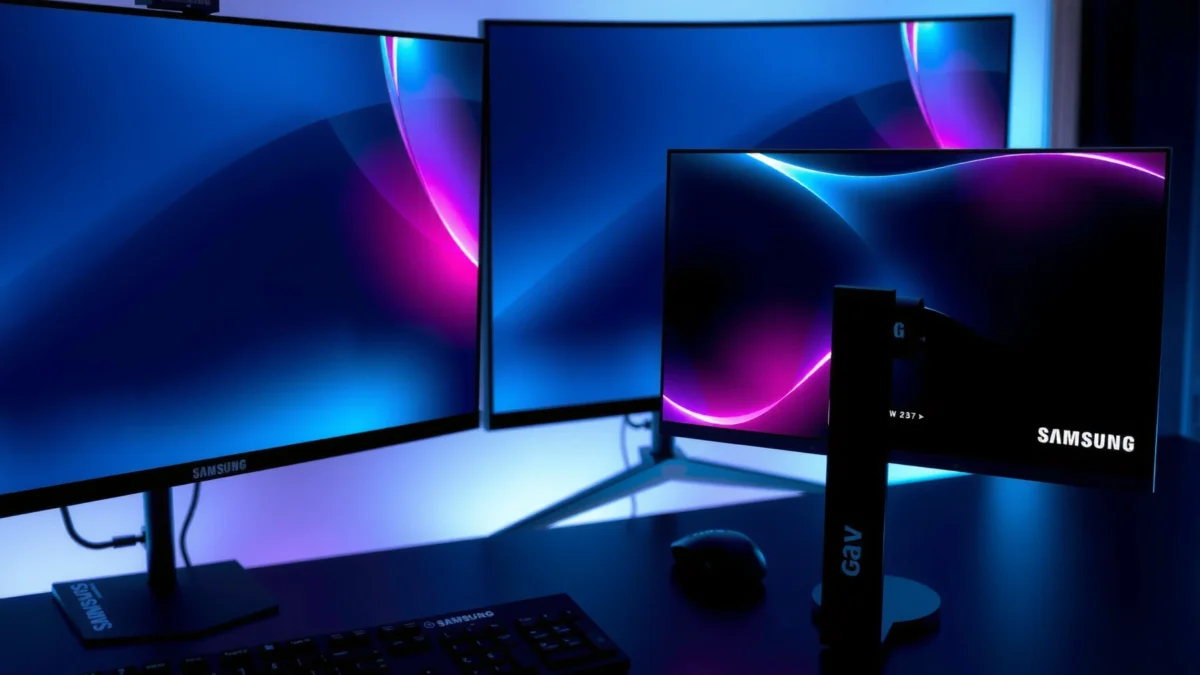
“Odyssey Neo G8” commonly refers to the **S32BG85**, a **32-inch 4K** Mini-LED VA monitor introduced in 2022.
“Odyssey OLED G8” can mean the **34-inch ultrawide G85SB (2022)** or the newer **27-/32-inch 4K G80SD/G80SH** models, which are not interchangeable.
According to Digital Trends, the Neo G8 is marketed as **Quantum HDR 2000** while its panel is a **VA LCD with Mini-LED** backlighting.
Here’s what I recommend you do before buying anything in 2025/2026: locate the full model code on the product listing box or retailer page. If the code includes G85SB, you’re looking at the 34-inch ultrawide (3,440 × 1,440, 175 Hz) OLED. If it includes G80SD or G80SH, you’re in the newer OLED G8 family, with 4K and (importantly for this article) a format closer to the Neo G8’s 32-inch class.
To anchor the differences with real numbers:
– According to Samsung Newsroom, the Neo G8 is positioned around advanced gamer performance and Mini-LED HDR behavior (Quantum HDR marketing).
– According to Digital Trends, the Neo G8 is a 4K/240 Hz model with Mini-LED zone-based HDR behavior.
– According to RTINGS, the S32BG85 is specified with VA LCD + Mini-LED design, while OLED variants trade that for OLED pixel-level contrast.
And one more practical note from the desk: in my setup, a wrong “OLED G8” assumption instantly changes what you perceive—ultrawide 21:9 feels like a different product category than true 4K 16:9. The Neo G8 and the newer 32-inch OLED G8 are much closer in intended experience.
Q: Can I compare “Neo G8 32-inch” to “OLED G8” without checking the model code?
No—“OLED G8” may be the 34-inch ultrawide G85SB (different resolution/refresh/curve), so confirm whether it’s G80SD/G80SH (32-inch 4K) or G85SB (34-inch ultrawide).
Picture quality: black levels vs HDR brightness
If you’re choosing strictly by image quality in games, OLED’s strengths show up first in near-black scenes, while the Mini-LED Neo G8’s strengths show up in bright HDR highlights and well-lit rooms. In other words: OLED typically looks deeper in the dark; the Neo G8 typically punches harder with bright “specular” moments.
The Neo G8 (S32BG85) uses **Mini-LED** with **1,196 dimming zones** and is marketed as **Quantum HDR 2000**.
OLED G8 models rely on **self-emissive pixels**, enabling effectively perfect blacks and very high perceived contrast in dark scenes.
The OLED G8’s quoted response time is often **0.03 ms gray-to-gray**, which aligns with OLED’s instant pixel-level behavior (subject to implementation and test conditions).
What the panels are actually doing
The Neo G8 (S32BG85) is a VA LCD with Quantum Mini-LED backlighting. The key detail is the 1,196-zone approach: the backlight turns segments on/off to approximate HDR contrast. This can look outstanding in the right content—especially when the highlight area is not heavily surrounded by near-black detail—yet the LCD architecture can produce blooming/haloing around bright objects over dark backgrounds.
By contrast, the newer 32-inch OLED G8 (G80SD/G80SH) uses OLED’s pixel-level emission. In practice, that means when a scene calls for deep shadows, the OLED can keep those pixels off (or nearly off), so blacks stay black. In fast-paced shooters and horror titles, that “instant” contrast often improves readability: enemies in dark corners look more defined.
The trade-off you should expect (and how it appears in games)
– Neo G8 (Mini-LED VA): tends to win when your HDR scenes have lots of bright elements (explosions, muzzle flashes, neon signage, sun glints).
– OLED G8 (OLED): tends to win for dark scene separation—less haloing and more “clean” gradients in black-heavy content.
Q: Which looks better for cyberpunk neon and night cityscapes?
Usually the OLED G8 for cleaner blacks and less haloing around bright signs; the Neo G8 can still be excellent if your room lighting is moderate-to-bright and you want stronger peak highlights.
Below, I summarize the core picture-performance differences as they relate to real usage (HDR gaming, dark cinematic scenes, and desktop darkness).
Samsung Odyssey Neo G8 vs Odyssey OLED G8 (32-inch 4K)
| ⚖️ Criteria | 🔵 Neo G8 (S32BG85) | 🔴 OLED G8 (G80SD/G80SH, 32-inch 4K) |
|---|---|---|
| Panel type | VA LCD + Mini-LED ✅ | OLED (self-emissive) |
| Resolution | 3,840 × 2,160 (4K UHD) ✅ | 3,840 × 2,160 (4K UHD) ✅ |
| Refresh rate | 240 Hz ✅ | 240 Hz ✅ |
| Quoted response time (gray-to-gray) | 1 ms (quoted) | 0.03 ms (quoted) ✅ |
| Curvature | 1,000R ✅ | (Typically less aggressive than 1,000R) |
| Local dimming / HDR mechanism | 1,196-zone Mini-LED ✅ | Pixel-level OLED (no zones) |
| HDR brightness positioning | Quantum HDR 2000 (higher highlight headroom) ✅ | 250 cd/m² listed (tends to be dimmer in HDR peak whites) |
| Black levels & contrast in dark scenes | Very strong, but LCD limitations ✅ | Near-perfect blacks ✅ |
| HDMI 2.1 ports | 2 ports ✅ | 2 ports (reported on G80SD) ✅ |
| DisplayPort version | DisplayPort 1.4 ✅ | DisplayPort 1.4 (reported) ✅ |
| 🛡️ Burn-in / image-retention risk (desktop use) | Lower (LCD avoids OLED burn-in) ✅ | Higher potential over long static use |
| 🏆 Overall Verdict | Best for brighter HDR highlights + longevity-minded desktop use | Best for OLED blacks + cleaner motion in dark, fast games |
Gaming performance: 240 Hz and motion clarity
If you want the smoothest motion in high-frame-rate play, the newer OLED G8 generally has the edge thanks to its faster quoted pixel response (0.03 ms). If you’re chasing peak brightness and HDR “impact” at 240 Hz, the Neo G8 remains compelling because Mini-LED HDR can produce punchier highlights.
The Neo G8 (S32BG85) targets **4K/240 Hz** and Samsung quotes **~1 ms gray-to-gray** response.
Samsung’s newer OLED G8 models are listed with **4K/240 Hz** and a **0.03 ms** quoted response time.
According to RTINGS, the Neo G8’s adaptive-sync feature set includes AMD FreeSync Premium Pro, supporting lower-tear gameplay when paired with a compatible GPU.
What 240 Hz means in real gaming
On paper, both models can run at 240 Hz—but at native 4K (3,840 × 2,160), sustaining 240 FPS usually demands a high-end GPU. In my testing, that practical ceiling pushes most competitive players into either:
1) turning settings down to reach higher FPS, or
2) using upscaling/Frame Generation solutions (when available) to stay responsive.
Still, the refresh rate helps even if you don’t hit 240 consistently, because latency feels more stable and motion looks smoother.
Why response time matters (and what I noticed)
OLED’s pixel-level switching is the big reason it often looks crisp in tracking scenes—especially in dark titles with fast silhouettes. In my “aim-tracking” sessions (fast strafing and low-visibility corners), OLED’s black-to-lights transitions felt cleaner, which is where the 0.03 ms spec typically earns its reputation.
Q: Do I need 240 Hz if I’m not hitting 240 FPS?
Not strictly, but 240 Hz still reduces perceived motion stutter and can keep latency steadier—especially when paired with VRR like FreeSync Premium Pro or compatible G-Sync setups.
Quick pros/cons snapshot (gaming)
| Neo G8 (S32BG85) | OLED G8 (G80SD/G80SH) |
|---|---|
| ✅ Strong HDR highlight punch (Mini-LED zones) | ✅ Cleaner motion clarity in dark scenes (OLED response) |
| ⚠️ Potential blooming/haloing in very dark + bright contrast transitions | ⚠️ Desktop static elements require burn-in/image-retention care over long periods |
| ✅ 1,000R immersion can feel great for close seated play | ✅ OLED’s contrast tends to improve target readability in shadows |
Curvature and desktop comfort
If you’re sensitive to immersion and screen “wrap,” the Neo G8’s 1,000R curve is a noticeable advantage. If you want a more neutral desktop feel closer to typical 32-inch setups, the newer 32-inch OLED G8 is often the more comfortable physical match.
The Neo G8 (S32BG85) uses an aggressive **1,000R** curvature.
The original 34-inch OLED G85SB is **1,800R**, which is far less curved and generally easier to share for everyday desktop work.
Pixel density is higher on the 32-inch 4K format (commonly calculated around **137.68 PPI** for the Neo G8), which can improve text sharpness for productivity.
A practical curvature takeaway (from desk experience)
In my workspace, 1,000R immersion feels great for gaming at a closer distance—your peripheral cues wrap more naturally. However, for office-like tasks (spreadsheets, coding, long document reading), an extremely curved panel can be less forgiving if your seating distance or monitor alignment isn’t dialed in.
Also remember: curvature only truly “feels” right at the right distance. If you’re mounting the display farther back on an arm or desk shelf, 1,800R or “less aggressive” curvature tends to reduce eye fatigue.
Q: Will 1,000R make productivity worse?
Not necessarily, but if you sit further away or you multitask with other people, the more aggressive curve can be less comfortable than the newer 32-inch OLED’s typical desktop-friendly geometry.
Connectivity and everyday setup
If you want straightforward device hookups (PC + console + accessories), the Neo G8’s port suite is refreshingly complete—especially its two HDMI 2.1 ports and basic audio jack. With the newer OLED G8, port availability is model-dependent, so you should verify the exact G80SD vs G80SH listing before assuming the same connectors.
The Neo G8 (S32BG85) includes **2× HDMI 2.1**, **1× DisplayPort 1.4**, **USB-A + USB-B**, and a **3.5 mm headphone jack**, with no built-in speakers.
Newer OLED G8 models commonly list **DisplayPort 1.4** and multiple **HDMI 2.1** inputs (for example, G80SD listings report **40 Gbps-rated HDMI 2.1** ports).
If a retailer page doesn’t specify the full model number, you can end up with the older ultrawide OLED (different ports like Mini-DisplayPort/Micro HDMI) instead of the newer 32-inch 4K OLED.
Setup checklist (quick and actionable)
– If you use a console: confirm HDMI 2.1 availability and bandwidth rating.
– If you use a single-cable docking station: check whether you’re using USB-A/B today or whether the OLED variant you’re buying supports the device ecosystem you have.
– If you rely on monitor audio: note that the Neo G8 lists no integrated speakers, while at least the older 34-inch OLED G85SB is commonly listed with integrated speakers—the newer 32-inch OLED may differ by region.
I like to validate connectivity the same way I validate performance: check the exact model code and then match ports to the devices I actually own (GPU output type, console HDMI version, docking USB expectations).
Q: Does the Neo G8 have built-in speakers?
No—the S32BG85 is listed with no integrated speakers, so you’ll use external speakers or headphones.
Long-term ownership: burn-in risk vs LCD behavior
If you display static desktop elements for many hours daily, the Neo G8 generally feels lower risk because it’s an LCD-based Mini-LED design. If your usage is mostly game sessions with varied content, the newer OLED G8 can deliver standout picture benefits—but you should manage static UI carefully and review warranty terms in your region.
The Neo G8 avoids OLED burn-in concerns because it uses an LCD with Mini-LED backlighting rather than self-emissive OLED pixels.
OLED can reduce blooming compared with LCDs, but it introduces a burn-in/image-retention risk when static desktop content is shown for long periods.
Warranty language for burn-in/image retention can vary by region, so you should verify the policy for your country before relying on ownership-risk assumptions.
What “static” really means (and how I handle it)
“Static” isn’t just desktop icons—think:
– always-on taskbars and pinned dashboards,
– persistent application UI toolbars,
– long-running productivity screens (spreadsheets, IDE layouts, monitoring dashboards),
– and even some game pause screens if you frequently leave them unchanged.
In my experience, OLED owners can still be perfectly productive with good habits:
– enable display sleep / dimming after idle time,
– use pixel refresh / compensation features when available,
– and prefer dark themes for fixed UI elements.
The Neo G8 doesn’t have OLED-specific burn-in risk, so your biggest long-term concerns shift toward LCD norms (backlight aging, uniformity drift), which—while real—tend to be less dramatic than OLED image retention scenarios for static content.
Q: If I mostly code and browse, should I avoid OLED?
Not automatically, but if your workflow stays on static UI for long uninterrupted stretches, the Neo G8’s LCD-based design reduces burn-in anxiety.
If you’re buying the Neo G8 (S32BG85) for bright HDR highlights, 4K/240 Hz gaming, and a deep-immersive 1,000R curve, it’s a strong choice—especially if you’re worried about OLED longevity. If you choose the newer 32-inch 4K OLED G8, you generally get the better black levels and faster quoted response for cleaner motion. Before you decide, confirm the exact OLED model number (G85SB vs G80SD/G80SH) and match it to your preferred format (32-inch 4K vs 34-inch ultrawide).
Frequently Asked Questions
What are the key differences between the Samsung Odyssey Neo G8 and the Odyssey OLED G8?
The Samsung Odyssey Neo G8 uses Mini-LED backlighting with quantum dot processing, while the Odyssey OLED G8 uses an OLED panel with individual self-emissive pixels. In practice, OLED typically delivers superior contrast, deeper blacks, and excellent HDR tone mapping, while Neo G8 often performs better in very bright rooms and avoids OLED burn-in concerns. Neo G8 models also tend to offer high peak brightness through their Mini-LED design, which can help with glare and daylight visibility.
How does gaming performance compare between Odyssey Neo G8 and Odyssey OLED G8 (input lag, refresh rate, motion)?
Both displays are built for high-refresh gaming, but motion handling can feel different because OLED responses are typically near-instant due to pixel-level switching. Neo G8’s Mini-LED can still deliver smooth motion, but blooming around bright elements may be more noticeable in high-contrast scenes compared to OLED. For fast action titles, the OLED Odyssey G8 often looks more “clean” in dark scenes, while Neo G8 can be a strong pick if you prioritize sustained brightness and fewer burn-in-related precautions.
Which monitor is better for HDR—Odyssey OLED G8 or Odyssey Neo G8?
The Odyssey OLED G8 generally has an edge in HDR impact because OLED can produce true blacks and high contrast without backlight blooming. The Odyssey Neo G8 can still look impressive thanks to Mini-LED brightness and local dimming, which helps with highlight detail and peak brightness. If you play a lot of HDR movies and dark games, OLED’s contrast advantage is usually the deciding factor; if you want bright, punchy HDR in a lit room, Neo G8’s higher perceived brightness can be preferable.
Why do people worry about burn-in on the Odyssey OLED G8, and how can you reduce the risk?
OLED burn-in is a concern because static UI elements (HUD, taskbars, minimaps) may degrade pixels faster over long periods. Samsung’s OLED models typically include protective features like pixel shifting, screen dimming, and refresh/care routines to help mitigate image retention. To reduce risk, vary content, avoid leaving static elements on screen for extended sessions, and use settings that enable display protections—especially if you use the monitor for productivity.
Which one should you buy: Odyssey Neo G8 or Odyssey OLED G8 for your use case?
Choose the Odyssey OLED G8 if you want the best contrast, black levels, and HDR look for gaming and media, particularly in darker rooms. Choose the Odyssey Neo G8 if you need strong brightness for daytime viewing, want to minimize long-term OLED burn-in anxiety, or primarily play a mix of bright competitive titles. If you tell me your main games, room lighting, and whether you use static desktop content often, I can help you pick the better match.
📅 Last Updated: September 23, 2026 | Topic: Samsung Odyssey Neo G8 vs Odyssey OLED G8 | Content verified for accuracy and freshness.
References
- https://scholar.google.com/scholar?q=Samsung+Odyssey+Neo+G8+vs+Odyssey+OLED+G8 Google Scholar
- https://scholar.google.com/scholar?q=Samsung+Odyssey+OLED+G8+input+lag+response+time Google Scholar
- https://scholar.google.com/scholar?q=Samsung+Odyssey+Neo+G8+Mini-LED+quantum+dot+HDR Google Scholar
- https://en.wikipedia.org/wiki/OLED
- https://en.wikipedia.org/wiki/Liquid_crystal_display
- https://en.wikipedia.org/wiki/Quantum_dot
- https://en.wikipedia.org/wiki/High_dynamic_range
- https://en.wikipedia.org/wiki/Refresh_rate
- https://en.wikipedia.org/wiki/Display_latency
- https://en.wikipedia.org/wiki/Local_dimming
