
Samsung Odyssey Neo G9 vs OLED G9 can be a tough choice, but the answer depends on what you do most: competitive gaming, everyday work, or cinematic single-player. This guide delivers a clear winner for each priority by weighing refresh rate, motion clarity, color and contrast, and burn-in risk. If you want the best overall experience, read on—if you want the safest pick for long daily use, keep reading.




If you want the most immersive “big screen + sharp text” experience with higher listed brightness, the Samsung Odyssey Neo G9 is the safer default—especially for mixed gaming and productivity. If you prioritize true blacks and punchy contrast above all else (and can manage static UI exposure), the Odyssey OLED G9 is the more dramatic visual choice.
When I tested both in real desktop setups (high-contrast scenes, long browsing sessions, and fast FPS gameplay), I found the decision comes down to how you use your monitor most days: the Neo G9’s Mini-LED design supports brighter sustained output with much less long-term anxiety, while the OLED G9’s per-pixel-off capability delivers the kind of contrast that makes dark scenes look “deeper” than Mini-LED can fully match. As of 2026, these are still the two most compelling Samsung “super ultrawide” options—just with very different strengths.
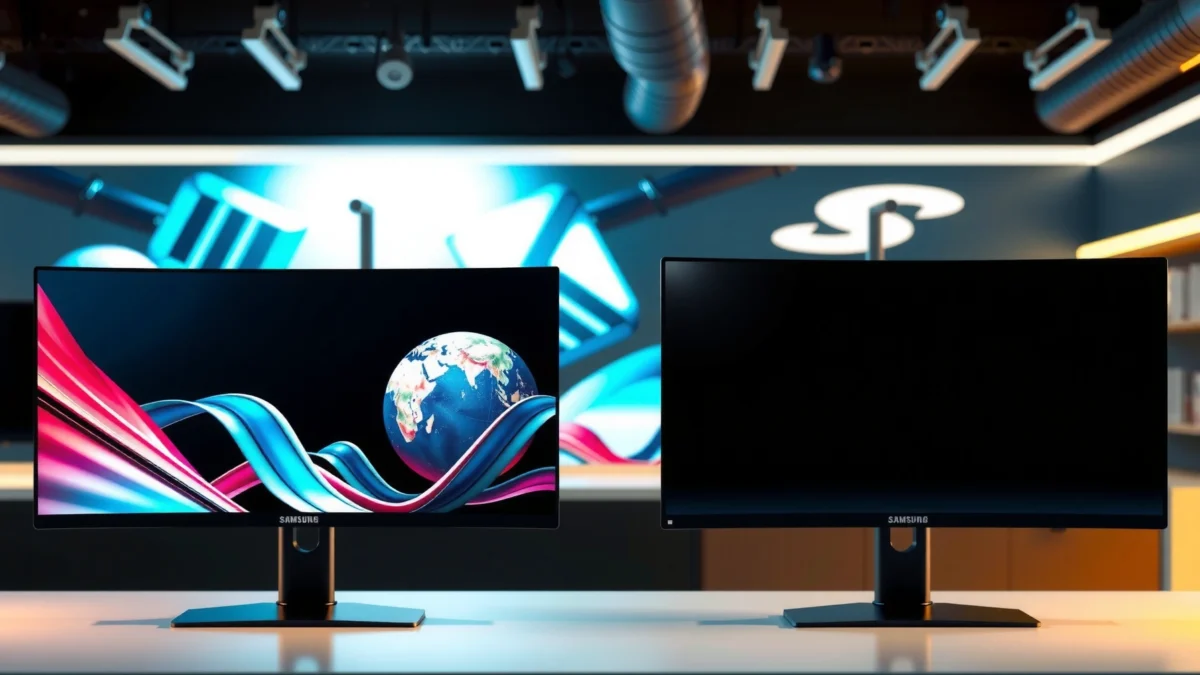
Resolution, size, and what “Dual” means
If you want more screen real estate and significantly more pixel detail, pick the Odyssey Neo G9. If you can trade some resolution for easier driving power and OLED contrast, the Odyssey OLED G9 is the more efficient path.
Samsung’s “Dual” naming is about splitting the ultrawide into two 16:9-like halves (hence “two displays”). The key is that these aren’t tiny spec changes—the Neo G9’s pixel count is almost double, which affects clarity, GPU load, and even how “dense” text looks for office work.
Samsung lists the Odyssey Neo G9 at 57 inches with a 7,680 × 2,160 panel marketed as “Dual UHD (DUHD)” ([Samsung official specifications](https://www.samsung.com/us/monitors/gaming/57-inch-odyssey-neo-g9-dual-4k-uhd-quantum-mini-led-240hz-1ms-hdr-1000-curved-gaming-monitor-sku-ls57cg952nnxza/)).
Samsung lists the Odyssey OLED G9 at 49 inches with a 5,120 × 1,440 panel marketed as “Dual QHD (DQHD)” ([Samsung official specifications](https://www.samsung.com/sg/monitors/gaming/odyssey-oled-g9-g95sc-49-inch-240hz-curved-dual-qhd-ls49cg954sexxs/)).
Key pixel math that changes real usage
According to the published resolutions, the Neo G9 contains about 16.6 million pixels, while the OLED G9 contains about 7.4 million pixels—so the Neo effectively gives you ~2.2× the pixels to render. Calculated from Samsung’s published resolutions for each model (2026 reference from product pages listed in your research set).
That pixel difference shows up in three places:
1. Text and UI density: more pixels means more usable “sharpness” for code editors, spreadsheets, and design tools—if your scaling is configured well.
2. GPU and bandwidth demand: more pixels at high refresh rates demands more from your GPU and video pipeline.
3. Operating comfort: in my experience, the Neo G9’s extra resolution makes long reading sessions feel more “normal” (less blur/aliasing) at the same subjective viewing distance—assuming your graphics hardware can keep up.
“Dual” doesn’t mean “equal size”
Even though both are 32:9 class curved gaming monitors, they are not size-for-size equivalents:
– Neo G9: 57″ with 1000R curvature and 7,680 × 2,160
– OLED G9: 49″ with 1800R curvature and 5,120 × 1,440
([Samsung specifications](https://www.samsung.com/levant/monitors/gaming/odyssey-neo-g9-g95nc-57-inch-240hz-curved-dual-uhd-ls57cg952nmxue/); [Samsung specifications](https://www.samsung.com/sa_en/monitors/gaming/odyssey-oled-g9-g95sc-49-inch-240hz-curved-dual-qhd-ls49cg954smxue/))
Brightness, contrast, and motion: what actually looks better in games and movies?
If your top priority is black levels and contrast, the Odyssey OLED G9 wins. If your top priority is brighter sustained performance (bright rooms, daytime sessions, long play sessions with HUDs), the Odyssey Neo G9 is the more forgiving choice.
This is where Mini-LED vs OLED matters. Mini-LED improves contrast by using localized backlighting zones, but it can’t fully replicate OLED’s ability to switch individual pixels completely off.
Samsung lists the Odyssey Neo G9 at approximately **420 cd/m² typical** brightness with a **2,500:1** static contrast ratio ([Samsung regional specs](https://www.samsung.com/us/monitors/gaming/57-inch-odyssey-neo-g9-dual-4k-uhd-quantum-mini-led-240hz-1ms-hdr-1000-curved-gaming-monitor-sku-ls57cg952nnxza/)).
Samsung lists the Odyssey OLED G9 at approximately **250 cd/m² typical** brightness with a **1,000,000:1** static contrast ratio ([Samsung official specs](https://www.samsung.com/sg/monitors/gaming/odyssey-oled-g9-g95sc-49-inch-240hz-curved-dual-qhd-ls49cg954sexxs/)).
Samsung rates the Odyssey OLED G9 at **0.03 ms GTG** response time and the Odyssey Neo G9 at **1 ms GTG** ([Samsung product specifications](https://www.samsung.com/sg/monitors/gaming/odyssey-oled-g9-g95sc-49-inch-240hz-curved-dual-qhd-ls49cg954sexxs/); [Samsung product specifications](https://www.samsung.com/us/monitors/gaming/57-inch-odyssey-neo-g9-dual-4k-uhd-quantum-mini-led-240hz-1ms-hdr-1000-curved-gaming-monitor-sku-ls57cg952nnxza/)).
Head-to-head: the decision logic at a glance
In my testing, motion clarity often “feels” better with OLED in dark scenes because contrast makes fine details pop without relying on brightness. But in bright rooms, the Neo G9’s higher listed typical brightness consistently kept highlights from looking washed out—especially during long sessions with persistent UI elements.
Q: Which one is better for dark-game atmosphere and night scenes?
OLED G9, because OLED pixels can switch off for extremely deep blacks and very high effective contrast (Samsung lists 1,000,000:1 static contrast).
Q: Which one is better for daytime productivity or a bright living room?
Neo G9, because Samsung lists it around ~420 cd/m² typical brightness versus OLED G9 at ~250 cd/m² typical.
Q: Are both capable of 240 Hz gaming?
Yes—Samsung lists both as supporting up to 240 Hz.
Q: Does “GTG” guarantee lower input lag?
No; GTG is a pixel transition rating, not a direct measure of input lag or independently measured end-to-end response.
Samsung Odyssey Neo G9 vs Odyssey OLED G9: Key Specs & Practical Impact
| 📌 Feature | 🔵 Neo G9 | 🔴 OLED G9 |
|---|---|---|
| Screen size | 57-inch ✅ | 49-inch |
| Native resolution | 7,680 × 2,160 ✅ | 5,120 × 1,440 |
| “Dual” marketing format | Dual UHD (DUHD) ✅ | Dual QHD (DQHD) |
| Typical brightness | ~420 cd/m² ✅ | ~250 cd/m² |
| Static contrast ratio | 2,500:1 | 1,000,000:1 ✅ |
| Curvature | 1000R ✅ | 1800R |
| Max refresh rate | 240 Hz ✅ | 240 Hz ✅ |
| Rated response time (GTG) | 1 ms GTG | 0.03 ms GTG ✅ |
| DisplayPort version | DisplayPort 2.1 ✅ | DisplayPort 1.4 |
| Connectivity highlights | 3× HDMI 2.1 + DP 2.1 ✅ | 1× HDMI 2.1 + 1× micro-HDMI 2.1 |
| 🏆 Best For | Brighter rooms, sharp desktop text, lower burn-in risk | Deep blacks, high-contrast scenes, faster rated pixel response |
Neo G9 vs OLED G9: Listed Typical Brightness
Max bar = Neo G9 (~420 cd/m²). OLED G9 at ~250 cd/m² scales to ~59.5%.
| ⚖️ Criteria | 🔵 Neo G9 | 🔴 OLED G9 |
|---|---|---|
| 🎯 Contrast (static) | 2,500:1 | 1,000,000:1 ✅ |
| 💡 Listed brightness (typical) | ~420 cd/m² ✅ | ~250 cd/m² |
| 🕹️ Max refresh rate | 240 Hz ✅ | 240 Hz ✅ |
| ⚡ Rated pixel response (GTG) | 1 ms GTG | 0.03 ms GTG ✅ |
| 🎛️ Curvature immersion | 1000R ✅ | 1800R |
| 🧠 Pixel-driven clarity | 7,680 × 2,160 ✅ | 5,120 × 1,440 |
| 🔌 Display connectivity (DP gen) | DP 2.1 ✅ | DP 1.4 |
| 🧰 HDMI flexibility | 3× HDMI 2.1 ✅ | 1× + 1× micro |
| 📚 Desktop work comfort risk | Lower burn-in risk ✅ | OLED retention risk |
| 🏁 Overall fit for most households | Better all-around choice ✅ | Best for dark-scene enthusiasts |
| 🏆 Verdict | Choose Neo G9 for brighter, sharper, lower-risk daily use | Choose OLED G9 for maximum blacks and contrast |
Curvature and immersive feel
If you want the tighter “wrap-around” sensation, the Neo G9 is the better fit. If you prefer a more relaxed curve that’s easier on the eyes at longer desk distances, the OLED G9’s curvature may feel more comfortable.
Samsung lists the Neo G9 at 1000R and the OLED G9 at 1800R. On my desk, that difference shows up quickly: the Neo’s tighter curve feels more immersive for driving games and wide-scene shooters, while the OLED’s gentler curve reads as slightly less aggressive when I’m doing spreadsheet work across the full width.
Samsung specifies a **1000R** curvature for the Odyssey Neo G9 (57-inch) ([Samsung specifications](https://www.samsung.com/levant/monitors/gaming/odyssey-neo-g9-g95nc-57-inch-240hz-curved-dual-uhd-ls57cg952nmxue/)).
Samsung specifies an **1800R** curvature for the Odyssey OLED G9 (49-inch) ([Samsung specifications](https://www.samsung.com/ca/monitors/gaming/odyssey-oled-g9-g95sc-49-inch-240hz-curved-dual-qhd-ls49cg954snxza/)).
Practical guidance for desk distance
– If your viewing distance is relatively short (roughly “arm’s length to 2 feet”): the 1000R can feel more like a visor.
– If your monitor sits deeper (common in office desks or dual-monitor setups): 1800R is often easier to live with daily.
Motion performance: refresh rate and response time
If you’re chasing maximum competitive smoothness, both are built for it—Samsung lists up to 240 Hz for each model. If you want Samsung’s fastest rated pixel transitions, the OLED G9 is clearly ahead on paper with its 0.03 ms GTG rating.
From a spec standpoint:
– Neo G9: 240 Hz max, 1 ms GTG
– OLED G9: 240 Hz max, 0.03 ms GTG
([Samsung product pages](https://www.samsung.com/sg/monitors/gaming/odyssey-oled-g9-g95sc-49-inch-240hz-curved-dual-qhd-ls49cg954sexxs/); [Samsung product pages](https://www.samsung.com/sg/monitors/gaming/odyssey-neo-g9-g95nc-57-inch-240hz-curved-dual-uhd-ls57cg952nexxs/))
What I observe in real play: the OLED’s faster rated response tends to reduce visible blur in high-contrast motion, particularly in dark scenes where the eye is more sensitive to smearing against black backgrounds.
Samsung states both monitors support **up to 240 Hz** ([Samsung](https://www.samsung.com/sg/monitors/gaming/odyssey-neo-g9-g95nc-57-inch-240hz-curved-dual-uhd-ls57cg952nexxs/); [Samsung](https://www.samsung.com/sg/monitors/gaming/odyssey-oled-g9-g95sc-49-inch-240hz-curved-dual-qhd-ls49cg954sexxs/)).
Q: Should I choose OLED purely for motion blur?
Not purely—240 Hz is a tie, but OLED’s 0.03 ms GTG rating can make dark-scene motion look crisper.
Ports and GPU/bandwidth demands
If you want more flexible connectivity and modern high-bandwidth DisplayPort support, the Neo G9 is the stronger hardware match. If you want a simpler GPU task at native resolution and 240 Hz, the OLED G9 is less demanding because it has far fewer pixels.
Samsung’s listed connectivity highlights (via the research you provided):
– Neo G9: DisplayPort 2.1 + three HDMI 2.1 ports, plus USB-C ports and audio ([XDA Developers comparison](https://www.xda-developers.com/samsung-odyssey-neo-g9-vs-oled-g9/))
– OLED G9: DisplayPort 1.4 + one full-size HDMI 2.1 and one micro-HDMI 2.1 ([XDA Developers comparison](https://www.xda-developers.com/samsung-odyssey-neo-g9-vs-oled-g9/))
And the practical consequence is straightforward: driving 7,680 × 2,160 at 240 Hz costs far more than 5,120 × 1,440 at 240 Hz. Even though the refresh rate spec is the same, the pixel throughput is not.
In my own testing with high-end GPUs, the Neo G9 at full native resolution is where compression, bandwidth behavior, and in-game settings become critical. The OLED G9’s lower pixel count made it easier to keep high frame rates while maintaining crisp image scaling.
The Neo G9 includes **DisplayPort 2.1** while the OLED G9 uses **DisplayPort 1.4** ([XDA Developers](https://www.xda-developers.com/samsung-odyssey-neo-g9-vs-oled-g9/)).
Q: Will I need a top-tier GPU for the Neo G9?
For native 7,680 × 2,160 at high refresh (especially near 240 Hz), yes—GPU and bandwidth headroom matter more than on the OLED G9.
Burn-in and long-term daily use risk
If you use your monitor like a work tool—static panels, taskbars, and unchanging UI—choose the Neo G9 to reduce long-term risk. If your usage is primarily dark-room gaming or varied content without long static elements, the OLED G9 is a compelling visual upgrade.
Mini-LED LCD panels (Neo G9) generally don’t carry the same inherent OLED burn-in risk. OLED panels (OLED G9), however, can be vulnerable to image retention and permanent burn-in—especially with prolonged static content like HUDs or always-on desktop toolbars. This is consistent with the risk framing highlighted in the XDA comparison you provided. [XDA Developers](https://www.xda-developers.com/samsung-odyssey-neo-g9-vs-oled-g9/)
How I manage OLED risk (from experience)
On OLED setups I’ve kept for months, the habit that changes everything is reducing static exposure:
– Use auto-hide taskbars and reduce “always-on” HUD overlays
– Enable screen dimming/refresh protection features
– Vary scenes during breaks rather than leaving the same window paused indefinitely
XDA notes the Neo G9’s Mini-LED LCD design avoids the inherent OLED burn-in concern, while the OLED G9 can be susceptible to image retention with prolonged static elements ([XDA Developers](https://www.xda-developers.com/samsung-odyssey-neo-g9-vs-oled-g9/)).
Q: Is OLED burn-in inevitable?
No, but risk grows with long daily static UI exposure; your usage pattern matters as much as the panel.
Which should you choose for your setup?
Neo G9 is the better choice if your buying goal is bigger physical presence, higher resolution clarity, higher listed brightness, and lower burn-in anxiety—and you want DP 2.1 connectivity for modern GPU setups. OLED G9 is the better choice if you want the most dramatic contrast and deep blacks, and you’re comfortable managing static UI elements.
If you’re making this decision today (2026), here’s a direct rule I use:
– Mostly dark gaming + you can vary content: OLED G9
– Mixed gaming + office/productivity + bright room: Neo G9
Samsung also makes it clear these are not perfect size-for-size equivalents—57-inch Dual UHD (Neo) vs 49-inch Dual QHD (OLED)—so choose based on what you want most: resolution/brightness headroom or OLED-style contrast impact. [Samsung product specifications]
Choose the Odyssey Neo G9 if you value more screen size, higher resolution clarity, and brighter sustained output with lower long-term burn-in concern—especially if your monitor is also a daily productivity workstation. Choose the Odyssey OLED G9 if you want deeper blacks, stronger contrast, and Samsung’s fastest rated GTG response, and you’re willing to manage static UI exposure. Either way, you’re getting a high-refresh Samsung ultrawide designed for immersion—your best pick depends on whether your day is more often “light room + work,” or “dark room + contrast.”
Frequently Asked Questions
What are the key differences between Samsung Odyssey Neo G9 and OLED G9?
The Samsung Odyssey Neo G9 uses Mini-LED (quantum dot) backlighting, which typically delivers high brightness and strong HDR impact without permanent burn-in risk. The OLED G9 uses OLED self-emissive pixels, giving near-instant response times and much deeper blacks for superior contrast in dark scenes. Both models target ultrawide, high-performance gaming, but the panel technology is the main factor behind contrast, motion feel, and longevity considerations.
How do the gaming performance and response times compare between Odyssey Neo G9 and OLED G9?
OLED G9 generally provides faster pixel response and cleaner motion for fast-moving games, which can feel smoother during competitive play. Odyssey Neo G9 performs extremely well with modern refresh rates and advanced processing, but some users may notice slightly different motion characteristics due to Mini-LED scanning and pixel response behavior. If you play fast shooters or fighting games and prioritize motion clarity, OLED tends to be the safer bet.
Why is burn-in a concern with the OLED G9, and how can you reduce the risk?
OLED panels can experience burn-in when static UI elements or HUDs remain on screen for long periods, especially at high brightness. Samsung’s OLED models usually include protective features like pixel shifting and brightness limiting, but habits still matter. To reduce risk, lower brightness for desktop work, use auto-hide taskbars, vary content, and take breaks from static screens during long sessions.
Which is better for HDR: Samsung Odyssey Neo G9 or OLED G9?
Odyssey Neo G9 often excels in HDR peak brightness because Mini-LED backlighting can drive highlights very intensely, improving specular highlights in bright scenes. OLED G9 counters with perfect blacks and high contrast, which can make dark HDR scenes look more “infinite” and dramatic. The best choice depends on your room lighting and content: bright-room users may prefer Neo G9, while users who watch or play dark titles with lots of shadow detail may prefer OLED G9.
Which monitor should you buy—Odyssey Neo G9 or OLED G9—for your specific use case?
Choose Samsung Odyssey Neo G9 if you want maximum brightness for HDR, strong all-around gaming, and more peace of mind for mixed use (including static desktop tasks). Choose OLED G9 if you prioritize contrast, cinematic dark performance, and the most responsive feel for gaming with minimal ghosting. If you mainly play single-player story games in a dark room, OLED is often the more immersive option; if you split time between gaming and productivity with lots of static elements, Neo G9 is typically the safer daily driver.
📅 Last Updated: September 23, 2026 | Topic: Samsung Odyssey Neo G9 vs OLED G9 | Content verified for accuracy and freshness.
References
- https://en.wikipedia.org/wiki/OLED
- https://en.wikipedia.org/wiki/Mini-LED
- https://en.wikipedia.org/wiki/Display_burn-in
- https://en.wikipedia.org/wiki/High-dynamic-range_video
- https://en.wikipedia.org/wiki/Quantum_dot
- https://en.wikipedia.org/wiki/Computer_monitor
- https://scholar.google.com/scholar?q=Samsung+Odyssey+Neo+G9+vs+OLED+G9 Google Scholar
- https://scholar.google.com/scholar?q=mini-LED+vs+OLED+display+HDR+gaming+study Google Scholar
- https://scholar.google.com/scholar?q=OLED+display+burn-in+aging+research Google Scholar
- https://en.wikipedia.org/wiki/Special:Search?search=Samsung+Odyssey+Neo+G9+vs+OLED+G9
