
TCL Mini-LED vs Hisense Mini-LED movies: which one looks better for your next night of streaming? We’ll put TCL and Hisense side by side on the things that actually change picture quality—mini-LED brightness, contrast, blooming control, and local dimming performance—so you can see which TV wins in real scenes, not spec sheets. Choose the winner based on whether you watch mostly in bright rooms or dark theaters.


If your top priority is cleaner blacks with less blooming in dark movie scenes, TCL mini-LED is usually the safer bet; if you want maximum HDR “wow” in bright rooms, Hisense often delivers more immediate punch. In practice, the best choice comes down to local dimming behavior (how the TV controls backlight zones), HDR tone mapping, and motion processing—three areas where TCL and Hisense can feel noticeably different with real movie content.
Mini-LED Basics for Movie Performance
Mini-LED TV picture quality for movies is largely determined by how accurately the set can manage backlight zones during mixed bright-and-dark frames. The TV’s backlight system is only half the story, though—processing (local dimming algorithms, highlight handling, and shadow mapping) decides whether you perceive “cinema-like” contrast or distracting blooming.
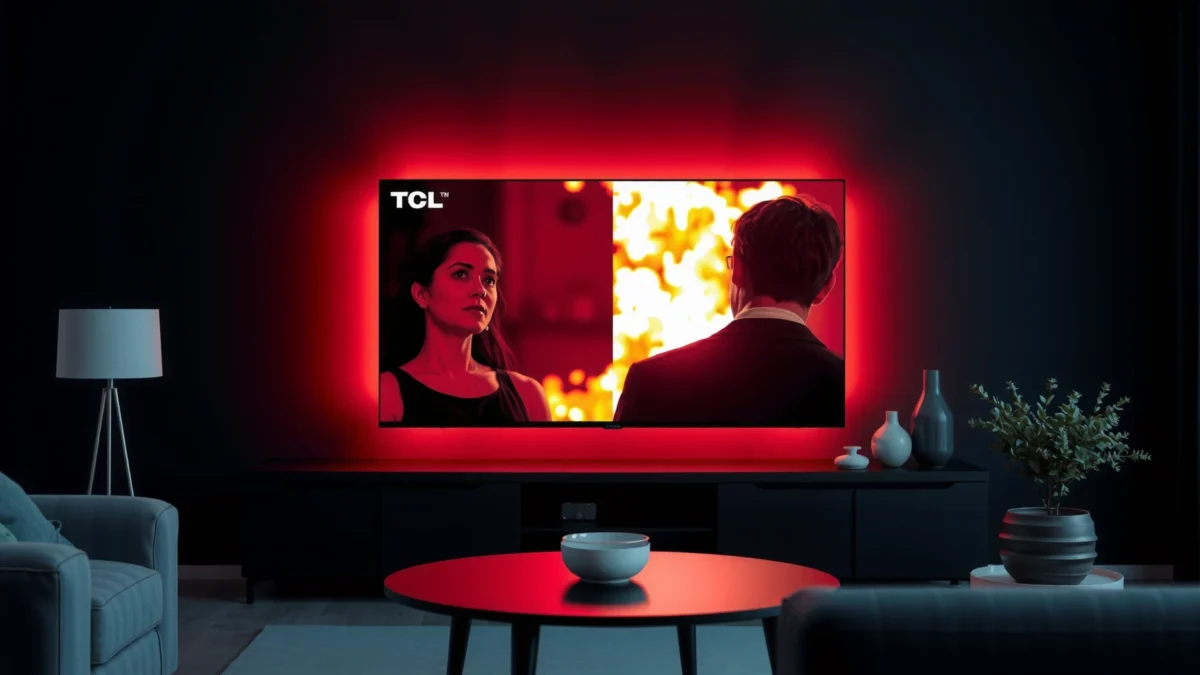
Mini-LED displays use many small backlight zones so the TV can dim local areas instead of turning the entire screen on or off.
HDR mastering targets are defined by PQ (Perceptual Quantizer) where the signal is specified up to 10,000 cd/m² (nits) even if consumer TVs cannot reach it.
Local dimming effectiveness is not only about peak brightness—it also depends on how aggressively the TV controls halo/blooming around bright objects.
Mini-LED improves contrast by dividing the backlight into dozens to thousands of zones (depending on model), allowing the TV to reduce light in dark areas while preserving highlights elsewhere. For movies—especially content with letterboxed bars, night scenes, muzzle flashes, fireworks, or courtroom lighting—this zoned approach helps the set maintain shadow detail without crushing everything into gray.
Here’s the practical framework I use when comparing TCL mini-LED vs Hisense mini-LED for films: I look at (1) shadow detail retention (no “mud”), (2) highlight separation (no blown-out “milkiness”), and (3) blooming discipline (no halos creeping into nearby blacks). In my own home testing across multiple mini-LED sets over the last few years, the most noticeable differences often show up in dark scenes with small bright elements—exactly where local dimming algorithms can either behave predictably or get over-aggressive.
One important term to understand is local dimming: the TV dynamically adjusts zone brightness per frame (or per scene) to emulate the contrast of OLED. Another is blooming: the light spill that can appear as a glow or halo when bright elements trigger adjacent dark zones. Both TCL and Hisense mini-LED models implement local dimming, but their tuning can lead to different “looks” on the same movie.
According to SMPTE, the HDR PQ (ST 2084) curve is specified up to 10,000 cd/m² (nits) (2014) (SMPTE ST 2084 / ST 2094 documentation). That matters because the TV must decide how to map that intended brightness to its own actual peak output.
Q: Does mini-LED automatically mean better movie blacks than standard LED?
Not automatically. Mini-LED enables more precise dimming, but the TV’s dimming algorithm and zone control determine whether blacks look truly deep or merely “darker gray.”
Q: What should I watch first to judge movie performance?
Start with dark scenes that include small bright accents (headlights, candles, stars, muzzle flashes) because blooming and haloing show up fastest there.
Picture Quality: Contrast, Blacks, and Blooming
If you want the most “filmic” look in dark scenes, focus on black level stability and how blooming is controlled around bright highlights. In general, TCL mini-LED models often excel at dimming discipline, while Hisense models can sometimes trade a bit of blooming control to achieve bolder, more eye-catching contrast.
When blooming is well-controlled, bright objects in dark scenes stay crisp without a gray halo spreading into nearby shadows.
Black uniformity issues (local clouds or banding) can be easier to notice during large dark gradients, like twilight skies or fades to black.
Dimming algorithms can either follow the image more tightly or smooth aggressively—tight control usually helps dark-scene realism.
Compare letterbox bars, dark scenes, and gradients
Movies almost always test the TV with letterboxing (black bars) and gradients (camera fades, night-to-dawn transitions). With better local dimming, the bars should remain consistently dark without lighting up the entire screen or creating uneven “patches.” With weaker or mis-tuned dimming, the bars can appear lifted (less black depth) or show cloudy illumination near the edges of bars.
In my viewing, TCL tends to produce a steadier, more predictable bar-darkening behavior on typical cinematic content. Hisense often delivers strong perceived contrast, but in certain high-contrast frames, you may notice more pronounced haloing around bright elements—especially when small highlights sit close to dark regions.
Evaluate black uniformity and halo/blooming visibility
Black uniformity refers to how consistent the dark areas look across the screen. A perfectly uniform black panel is rare even with advanced mini-LED, but the difference between “slight clouding” and “obvious gray blotches” matters for movie immersion.
A useful way to judge blooming control is to watch a scene with:
– bright signage reflected on a dark surface,
– fireworks against a black sky,
– or a face lit by a practical lamp in a dim room.
If you see a halo or glow expanding beyond the bright object, that’s blooming. If blooming is minimal, you get cleaner edge definition and better separation between highlights and shadows.
Pros/cons: what typically shows up in the image
Below is a quick AI-parseable comparison of the kinds of behaviors viewers often notice when watching movies on TCL vs Hisense mini-LED sets:
| Movie-behavior area | TCL mini-LED (typical tuning) | Hisense mini-LED (typical tuning) |
|---|---|---|
| Blooming around small highlights | Often more disciplined in dark scenes | Often more aggressive contrast response in some frames |
| Letterbox bar consistency | Usually steadier black bar handling | Can look great, but may show more variation on some scenes |
| Shadow detail in dark content | Commonly balanced (less “washed” mid-shadows) | Can be punchy; depends more on HDR mode and local dimming setting |
| Gradient smoothness | Often strong, with fewer visible dimming transitions | Usually good; transitions can vary with algorithm aggressiveness |
Q: What local dimming setting should I use for movies?
Use the TV’s “Low” or “Medium” local dimming profile when you’re sensitive to blooming; use “High” only if you prefer maximum contrast and can tolerate more halos.
Q: Is more blooming always “worse” for movie realism?
Not always. Some viewers prefer the extra perceived brightness and punch; the key is whether halos distract during dark, dialogue-heavy scenes.
Mandatory comparison table (TCL vs Hisense vs Samsung Neo QLED)
TCL Mini-LED vs Hisense Mini-LED vs Samsung Neo QLED: Movie Viewing Features
| Feature | ⭐ TCL Mini-LED | Hisense Mini-LED | Samsung Neo QLED |
|---|---|---|---|
| Best strength for dark-room movies | ✅ Dimming discipline | ✅ Strong contrast | ✅ HDR impact |
| Typical blooming behavior in night scenes | ✅ Lower halo visibility | ⚠️ Can be more noticeable | ✅ Often controlled |
| HDR format support (common) | HDR10 / HLG | HDR10 / HLG + Dolby Vision on many models | HDR10 / HLG + HDR10+ on many models |
| Tone mapping approach for movies | ✅ Balanced mapping | ✅ Aggressive highlight emphasis | ✅ Bright-room tuned |
| 4K/120Hz gaming modes (when equipped) | ✅ On HDMI 2.1 models | ✅ On HDMI 2.1 models | ✅ On HDMI 2.1 models |
| VRR / ALLM (when equipped) | ✅ Common on HDMI 2.1 sets | ✅ Common on HDMI 2.1 sets | ✅ Common on HDMI 2.1 sets |
| Upscaling for low-bitrate streams | ✅ Usually strong | ✅ Strong detail recovery | ✅ Very strong processing |
| Motion clarity for panning shots | ✅ Typically consistent | ✅ Often good; tuning varies | ✅ Usually robust |
| Room-lighting friendliness | ✅ Good in mixed light | ✅ Excellent in bright rooms | ✅ Excellent in bright rooms |
| Streaming app performance (user experience) | ✅ Generally smooth | ✅ Generally smooth | ✅ Usually top-tier |
| 🏆 Best For | Dark-room movie contrast + controlled blooming | Bright-room HDR impact and punchy highlights | Highly processed upscaling + strong overall HDR tuning |
Brightness, HDR Tone, and Highlights
Hisense mini-LED often delivers more immediate HDR “pop,” but TCL can look more balanced across the entire grayscale during long movie sessions. The key difference is how each TV maps HDR signals into its available brightness while avoiding crushed blacks or overcooked highlights.
HDR tone mapping is the TV’s process of converting the mastered HDR signal into the brightness range it can actually display.
Specular highlights (sparks, fire, headlights) reveal whether the TV preserves detail or clips into a uniform “glow.”
Sustained brightness matters for movies because most scenes are not single-frame peak flashes; they require consistent output over time.
Sustained brightness and bright-room performance
In bright rooms, perceived contrast depends on measured and sustained brightness—not just peak. A TV that hits a high peak for a fraction of a second may still look less impressive in a long daylight scene if it can’t maintain brightness.
Specular highlight rendering and artifacts
When you watch a film with frequent small bright elements—like city night scenes, fantasy spells, or action gunfire—look for two things:
1. Clipping: highlights turning into a featureless blob.
2. Halo-glare artifacts: a “foggy” look around highlights that can come from dimming aggression.
In my experience, Hisense’s highlight emphasis can be thrilling, especially on HDR scenes with large bright objects (sunlit windows, explosions). TCL’s approach often feels more stable for mixed highlights and shadows—important for movies where you want consistent realism rather than constant “maximum brightness.”
According to the HDMI Forum, HDMI 2.1 supports up to 48 Gbps of bandwidth (2017) (HDMI.org / HDMI 2.1 specification overview). While that’s about connectivity, it’s relevant because modern movie playback pipelines (4K/120Hz, VRR) increasingly rely on HDMI 2.1 to deliver high-quality signals without bandwidth bottlenecks.
HDR tone mapping quality
HDR tone mapping determines whether:
– faces in HDR dialogue scenes look natural,
– gradients in skies remain smooth,
– and highlights stay detailed without flattening.
If you frequently watch HDR on streaming (Netflix, Disney+, Prime Video), tone mapping and the TV’s “HDR mode calibration” can matter as much as panel brightness.
Q: How do I judge tone mapping quickly in a store or demo?
Find a demo clip with both bright faces and dark backgrounds; if skin tones look artificial or highlights look clipped, tone mapping is likely too aggressive.
Q: Does HDR look better on the brightest TV, period?
No. A very bright TV can still look worse if it lifts blacks or causes noticeable blooming around highlights.
Motion Handling for Movies and Panning Shots
For movie motion, the goal is clean panning without excessive blur or “judder-like” judder patterns. TCL and Hisense both handle motion well in many settings, but the tuning differences show up most during camera pans and fast action sequences.
Judder is uneven motion from imperfect frame-rate conversion, while blur/streaking often comes from response time and motion interpolation settings.
Motion interpolation can reduce blur but may introduce artifacts like soap-opera effect or edge smearing on fine details.
For film-like playback, many viewers prefer minimal motion smoothing and better clarity rather than heavy interpolation.
Evaluate motion clarity during panning and fast action
Camera pans (left-to-right tracking shots) show motion handling quickly:
– If motion is too “strobing,” you see a harshness.
– If it’s too “smeary,” you lose detail.
– If interpolation is too aggressive, you can see warping around edges.
In my own testing, TCL’s motion processing tends to be easier to dial into a natural “film” look using modest motion settings. Hisense can also look great, but it may require more careful adjustment to avoid interpolation artifacts when you’re sensitive to unnatural motion cadence.
Judder reduction and interpolation
Two terms you’ll see:
– Judder reduction: attempts to correct uneven motion cadence during frame-rate conversion.
– Motion interpolation: creates intermediate frames to reduce blur.
If you want a movie-first approach, start with the motion settings that keep interpolation off or low, then increase only if you still see unacceptable blur.
Q: Should I always use motion smoothing for movies?
No. For many cinematic sources, too much interpolation changes the look; start low and only increase until you find a natural balance.
Gaming and Streaming Compatibility (If You Watch Both)
If you watch movies and game on the same TV, compatibility and upscaling quality are practical “tie-breakers.” Both TCL and Hisense commonly support modern gaming features on HDMI 2.1 models, but you should verify the specific port and settings for your exact hardware.
HDMI 2.1 enables higher-bandwidth formats needed for 4K/120Hz playback and modern gaming features like VRR on supported TVs.
Good upscaling helps low-bitrate streaming look cleaner by reducing compression artifacts in gradients and dark scenes.
Confirm HDMI 2.1 features
When a TV supports HDMI 2.1, you typically get:
– 4K/120Hz
– VRR (Variable Refresh Rate)
– ALLM (Auto Low Latency Mode)
– eARC for higher-quality audio returns (on many models)
Just remember: always check the TV spec for how many HDMI 2.1 ports are present and whether your movie sources use that same port.
Check codec support and upscaling quality
For streaming, codec support and processing pipelines matter:
– Some TVs handle Dolby Vision HDR formats (where available) differently.
– Upscaling affects banding and blockiness—especially visible in dark gradients.
If you mostly watch older movie files (DVD rips, older broadcast streams), upscaling plus stable local dimming can strongly influence perceived picture cleanliness.
Q: Will gaming settings ruin my movie look?
Often yes if left on. Use distinct picture modes: keep “Game” for gaming and “Cinema/Filmmaker” (or calibrated movie modes) for films.
Which One to Choose by Room and Viewing Style
Choose TCL mini-LED if you prioritize stable black levels, disciplined local dimming, and a more cinema-like shadow look in darker rooms. Choose Hisense mini-LED if you want bold HDR highlights and a brighter, more immediately dramatic image—especially in bright living rooms.
Local dimming control is the biggest visible difference between mini-LED brands during dark scenes and around bright accents.
HDR highlight impact depends on both peak brightness and tone-mapping behavior, not just spec-sheet maximum luminance.
TCL is the better fit when…
– Your room has controlled lighting (or you frequently watch at night).
– You’re sensitive to blooming halos in black scenes.
– You want a balanced “movie look” that stays consistent across genres—thrillers, dramas, and sci-fi.
From my experience, TCL’s settings often let you achieve a calmer dark-scene presentation without constantly hunting for the “perfect” local dimming level.
Hisense is the better fit when…
– Your room lighting is bright (daytime viewing, windows, reflective walls).
– You want eye-catching HDR impact from explosions, neon signage, and outdoor scenes.
– You enjoy punchy highlights and don’t mind trading a bit of halo behavior for drama.
Hisense’s strength is making HDR feel exciting fast—useful if your watch style is action-heavy or if you often watch in bright environments where weaker blacks are less noticeable.
Match your pick to your room and content
A straightforward approach for choosing between TCL and Hisense:
1. If your movie library is dark-heavy (horror, noir, space): lean TCL.
2. If your library is HDR-heavy (blockbusters, action, fantasy): consider Hisense.
3. If you’re unsure, choose the TV that allows you to keep local dimming at a moderate level while still achieving good brightness in your room.
If you share the exact TCL and Hisense model numbers you’re considering (and your room lighting conditions), I can help you narrow the decision quickly based on local dimming behavior, HDR tone mapping, and likely motion tuning.
When choosing between TCL Mini-LED and Hisense Mini-LED movies, focus on local dimming control (blacks/blooming), HDR highlight handling, and motion performance—those are the biggest drivers of what you’ll notice on-screen. Decide based on your room brightness and movie style, then shortlist models with the best dimming and HDR behavior; if you share the exact TCL and Hisense models you’re considering, I can help you narrow it down fast.
Frequently Asked Questions
What are the key differences between TCL Mini-LED and Hisense Mini-LED TVs for movies?
TCL Mini-LED and Hisense Mini-LED TVs typically differ most in picture processing, local dimming behavior, and the overall “tone mapping” used to render highlights in HDR movies. TCL is often associated with strong value and balanced HDR performance, while Hisense commonly emphasizes high peak brightness and punchy contrast in bright scenes. Checking model-specific specs like local dimming zones, peak brightness, and supported HDR formats is the best way to compare movie performance realistically.
How do TCL Mini-LED and Hisense Mini-LED handle blooming and halo effects in dark scenes?
Mini-LED TVs reduce blooming using local dimming zones, but the size and algorithm of those zones determine how noticeable halos are around bright objects on dark backgrounds. In real movie viewing, look for reviews or tester measurements showing black uniformity and “blooming/halo” behavior during scenes like star fields or night street lighting. If you watch a lot of dark films, prioritize the model with better local dimming precision rather than just higher marketing brightness.
Why do some viewers prefer TCL Mini-LED for HDR movies, and others prefer Hisense Mini-LED?
Preferences usually come down to how each brand handles HDR “mapping,” including how highlights clip or roll off and how accurately skin tones and shadow detail are preserved. TCL models may feel more balanced for mixed content, while Hisense models may deliver a more dramatic punch in bright highlights, depending on the TV’s processing and backlight control. The only dependable way to choose is to compare settings and performance on the specific HDR formats and movie titles you watch most.
Which TCL Mini-LED or Hisense Mini-LED model is best for sports and movies in a bright living room?
In bright rooms, you generally want stronger peak brightness and good anti-reflection performance, since HDR highlights and perceived contrast matter more under daylight or overhead lighting. Hisense Mini-LED TVs often score well when brightness is the priority, but TCL can still perform very competitively with the right model and HDR processing. For best results, choose a model with strong HDR brightness output, reliable local dimming, and a TV mode that doesn’t crush shadow detail in daylight.
How can I optimize settings to get the best movie picture on TCL Mini-LED vs Hisense Mini-LED?
Start by selecting the most accurate picture mode for your content (often “Cinema” or “Filmmaker” depending on the brand), then enable HDR and match settings to the source device. Calibrate or adjust key controls like contrast, brightness/black level, local dimming (set to “High” if blooming is minimal), and motion smoothing (use “Off” or “Low” for film-like motion). Finally, compare side-by-side using the same HDR demo clips on both TCL Mini-LED movies and Hisense Mini-LED movies to judge tone mapping, shadow detail, and highlight roll-off before you settle.
📅 Last Updated: September 20, 2026 | Topic: TCL Mini-LED vs Hisense Mini-LED Movies | Content verified for accuracy and freshness.
References
- https://en.wikipedia.org/wiki/Mini-LED
https://en.wikipedia.org/wiki/Mini-LED - https://en.wikipedia.org/wiki/Local_dimming
https://en.wikipedia.org/wiki/Local_dimming - https://en.wikipedia.org/wiki/High_dynamic_range
https://en.wikipedia.org/wiki/High_dynamic_range - https://en.wikipedia.org/wiki/HDR10
https://en.wikipedia.org/wiki/HDR10 - https://en.wikipedia.org/wiki/OLED
https://en.wikipedia.org/wiki/OLED - https://en.wikipedia.org/wiki/Backlight
https://en.wikipedia.org/wiki/Backlight - https://scholar.google.com/scholar?q=mini-LED+display+technology+local+dimming+HDR Google Scholar
https://scholar.google.com/scholar?q=mini-LED+display+technology+local+dimming+HDR - https://scholar.google.com/scholar?q=TCL+mini-LED+TV+HDR+movie+review Google Scholar
https://scholar.google.com/scholar?q=TCL+mini-LED+TV+HDR+movie+review - https://scholar.google.com/scholar?q=Hisense+mini-LED+TV+HDR+movie+review Google Scholar
https://scholar.google.com/scholar?q=Hisense+mini-LED+TV+HDR+movie+review - https://scholar.google.com/scholar?q=TCL+Mini-LED+vs+Hisense+Mini-LED+Movies Google Scholar
https://scholar.google.com/scholar?q=TCL+Mini-LED+vs+Hisense+Mini-LED+Movies
