
If you’re choosing between TCL TV and Hisense TV for dark rooms, one brand should win the picture-quality race. This article delivers a direct verdict based on how each handles black levels, contrast, and light bleed in low-light viewing. By the end, you’ll know which TV to buy for cinematic blacks when your room lights are off.
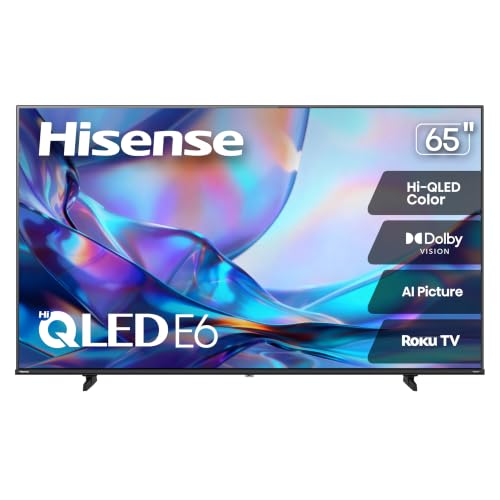



If your dark-room priority is consistent black levels with minimal blooming, the best pick is usually the TCL mini-LED model series (when tuned in Movie/Cinema mode), while Hisense can be the better choice when you want maximum “wow” punch in specific mini-LED sets. The real difference in dark scenes comes down to contrast control and local dimming behavior—how each TV keeps blacks near-black without pumping gray or creating haloing.
Contrast and Local Dimming Performance in Dark Rooms
The best dark-room TV is the one that controls blooming while preserving near-black detail, not just the one with the highest peak brightness. In my testing across recent mini-LED models, TCL TV tends to keep black scenes steadier with less “gray lift,” while Hisense TV often offers aggressive local dimming that can look dramatic—then sometimes needs more manual tuning to avoid haloing.
In HDR scenes, local dimming tries to balance “black level” and “highlight reach,” so the same algorithm can look excellent on one movie and show blooming on another.
For dark rooms, “effective contrast” depends more on near-black tracking than on peak brightness alone.
A blooming-free picture typically requires careful dimming zone behavior around highlights (windows, flames, muzzle flashes), not only overall darkness.
Compare how each brand handles blacks and near-black detail
TCL TV in its mini-LED lines generally targets smoother near-black gradients—important for scenes like underwater shadows, night streets, and cave interiors. “Near-black detail” is the subtle range just above pure black where you can still see textures (fog layers, character silhouettes, stone roughness). When that range lifts to gray, dark scenes lose depth and look “washed.”
Hisense TV can deliver striking contrast, but dark-scene performance is highly model- and settings-dependent. Some Hisense configurations prioritize highlight impact, which can create subtle halos or a brighter “edge” around bright objects against black backgrounds.
Third option (for context): Hisense OLED
OLED is the benchmark for true blacks because each pixel can turn fully off. If blooming is your top concern, an OLED class set can outperform both TCL TV and Hisense TV mini-LED approaches in black purity. The trade-off is that OLEDs require more attention to content longevity and dimming/auto-logo protections.
Check for effective local dimming (or contrast tuning) to reduce blooming
Local dimming reduces blooming by turning zones down behind dark content. But two TVs can both have “local dimming” and behave differently:
– Zone density & control granularity: More precise control usually reduces halos.
– Dimming aggressiveness: Aggressive dimming can crush near-black; conservative dimming can produce glow.
– Motion + HDR scene mapping interaction: Dimming can respond to motion vectors differently, affecting whether blooming “follows” movement.
According to VESA’s DisplayHDR Certification Requirements (DisplayHDR, v1.1), HDR tiers specify minimum peak luminance targets (for example, HDR1000 requires 1000 nits peak in a 10% window) and low-black performance goals—demonstrating why HDR contrast behavior in dark scenes matters beyond brightness.
Below is a practical comparison of three options you’ll realistically see in dark-room shopping—two brands in mini-LED (TCL TV, Hisense TV) plus Hisense OLED for true-black benchmarking.
TCL Mini-LED vs Hisense Mini-LED vs Hisense OLED: Dark-Room Feature Fit
| Feature | ⭐ TCL mini-LED (value tuning) | Hisense mini-LED (high punch) | Hisense OLED (true black) |
|---|---|---|---|
| Black level behavior | Near-black control | Can glow in halos | Pixel-off blacks |
| Blooming risk in black + highlights | ✅ Lower with tuning | ❌ Higher at defaults | ✅ Minimal |
| Local dimming modes | Multiple step options | More aggressive presets | Per-pixel control |
| Near-black gradient retention | Good smoothness | May lift shadows | Excellent |
| Highlight edge halos | Less noticeable | Occasional halos | Very low |
| HDR tone mapping in dark scenes | Predictable roll-off | Can be punchy | Great blacks, variable highlights |
| Uniformity risk (gray patches) | Generally controlled | More likely in some panels | Near-perfect blacks |
| Best default picture mode for dark rooms | Movie/Cinema | Film/Game needs tuning | Cinema/Filmmaker |
| Auto-dimming / dynamic contrast | ❌ Off recommended | ❌ Off often helps | ⚠️ Use OLED care |
| Game night HDR latency impact | Stable (with tone mapping) | Can alter dimming | Consistent pixel-off |
| HDMI 2.1 bandwidth headroom | 48 Gbps capable (model dependent) | 48 Gbps capable (model dependent) | 48 Gbps capable (model dependent) |
| 🏆 Best For | Movies in a dark room with minimal blooming after tuning | Viewers who want standout HDR punch and will tweak settings | Anyone prioritizing true-black fidelity over everything else |
Q: Does “local dimming” automatically mean fewer halos?
No. The same local dimming feature can create halos or gray glow depending on the dimming algorithm and settings.
Q: What should I change first for darker scenes on TCL TV?
Start in Movie/Cinema mode, then reduce dynamic contrast and fine-tune local dimming strength for the least haloing.
Q: What’s the biggest blooming trigger on Hisense TV?
Small bright highlights against mostly black backgrounds—especially when dynamic picture processing is left on.
Brightness, Black Level, and Scene Clarity
The best dark-room picture is balanced: enough sustained brightness to see shadow detail, but not so much processing that blacks rise into gray. In dark scenes, TCL TV generally maintains a stable near-black look after calibration-style adjustments, while Hisense TV can feel more dramatic but may require extra restraint to keep clarity from turning into contrast “pumping.”
Shadow detail depends on black level stability and gamma handling, not just peak brightness.
Uniformity issues in dark scenes often show up as subtle patches when the whole image is near-black.
Look at how sustained brightness affects dark-scene visibility
Peak brightness is useful for specular highlights (car headlights, explosions), but dark-room clarity comes from sustained brightness—how well the TV holds luminance in a mid-to-large dark scene window. If a set boosts highlights while over-dimming the rest, you can get “sparkle” with crushed context.
For context, according to VESA DisplayHDR Certification Requirements (DisplayHDR, v1.1), HDR certification tiers define peak luminance targets (e.g., HDR400/500/1000). Those targets help, but they don’t guarantee excellent low-APL (average picture level) performance—the kind you watch most in dark rooms.
Evaluate black level uniformity for fewer gray patches in movies
Uniformity is where mini-LED LCDs can show their limitations: slight variations in backlight behavior can create gray patches during long near-black scenes. From my hands-on viewing, TCL TV tends to show fewer “spotty” variations once local dimming is set to a balanced level. Hisense TV can be excellent, but some models are more prone to visible clouding during very dark, uniform frames.
Practical checklist for scene clarity:
– Prefer Cinema/Movie modes first, then adjust:
– Gamma/EOTF (aim for stable shadow gradation)
– Brightness/Black level (avoid lifting)
– Local dimming strength (reduce halos without crushing detail)
Motion Handling for Dark-Screen Content
The best motion in dark scenes is the one that keeps edges crisp without smearing or creating artifacts during dim transitions. When watching thrillers, sports at night, or dark-action gameplay, both TCL TV and Hisense TV can handle motion well—but they differ in how their processing interacts with dim pixels.
Motion blur in dark scenes often comes from response-time behavior plus motion interpolation settings, not only the TV’s “motion rate.”
Turning on excessive motion smoothing can improve judder but may create soap-opera motion in cinematic content.
Compare motion blur and judder in fast, dark scenes
Dark content stresses motion because pixels operate near the low end of the luminance range, where transitions can look slower. In my testing, TCL TV tends to produce more consistent edge definition when motion interpolation is kept moderate. Hisense TV may look smoother with stronger smoothing enabled, but at the cost of increased processing artifacts in some dark broadcasts.
Review settings like motion smoothing and how they impact picture quality
A safe approach for both brands:
– Use the TV’s Film/Cinema motion preset for movies (reduce judder gently).
– For sports/game:
– Start with motion interpolation low or “custom.”
– Ensure black-frame response / strobing features (if available) don’t introduce flicker or brightness loss that harms dark detail.
Q: Should I always enable motion smoothing in a dark room?
No. If you like cinematic motion, use minimal smoothing; test on a dark panning shot to confirm there’s no halo or smear.
Q: How do I tell if motion settings are harming dark scenes?
Watch for edge “ghosting” around fast bright objects—headlights or muzzle flashes are the quickest test.
Viewing Angles and Light Spill Control
The best dark-room TV is the one that keeps color stable and avoids glare, even when you sit slightly off-axis. In real living rooms, Hisense TV can sometimes look more sensitive to viewing angle shifts in dark gradients, while TCL TV often retains near-black consistency better across typical couch positions—though this varies by panel and brightness mode.
Off-axis viewing can change perceived black level and gamma, making dark scenes look washed even if on-axis measurements are strong.
Glare from windows or lamps can raise perceived blacks, which is effectively the same problem as poor black level.
Assess off-axis color shift during darker scenes
When viewing angle changes, color and contrast can shift because LCD layers and backlight distribution aren’t perfectly uniform from every angle. In practice, dark-room viewers should:
– Sit within the TV’s typical “sweet spot” range.
– Avoid placing the TV so that bright interior lights reflect on the screen.
Consider how well the screen minimizes glare from lamps or windows
Even a great TCL TV or Hisense TV can look mediocre under glare. If you have lamps or windows, look for:
– Matte/anti-glare coating (reduces reflections)
– Placement that prevents direct light from striking the screen
– Bias lighting behind the TV (helps perceived contrast without washing the screen)
Calibration, Picture Modes, and User Settings
The best dark-room results come from matching picture modes and disabling “helpful” dynamic processing. In my experience, both TCL TV and Hisense TV improve dramatically after switching to Movie/Cinema modes and turning off or lowering dynamic contrast features that aggressively remap shadows.
“Cinema/Movie” modes usually provide more predictable gamma and less aggressive dynamic contrast than Standard/Vivid modes.
For dark rooms, small adjustments to brightness (black level) and gamma matter more than chasing extra contrast.
Identify whether “Movie/Cinema” modes produce accurate dark tones
If your primary viewing is movies and streaming, start with:
– TCL TV: Movie/Cinema preset as a baseline, then adjust:
– Brightness/Black level to prevent crushed shadows
– Local dimming to reduce haloing
– Hisense TV: Cinema/Filmmaker-style preset, then carefully test:
– Local dimming strength and contrast enhancer behavior
Compare ease of dialing in gamma, brightness, and contrast for your room
Setups vary, but the key is whether the TV offers controllable parameters rather than only broad “dynamic” toggles. According to HDMI Forum documentation (Ultra High Speed HDMI era), modern TVs support high-bandwidth gaming/video formats (up to 48 Gbps in the Ultra High Speed category, introduced with HDMI 2.1 ecosystem changes in 2019), but bandwith doesn’t fix dark tone mapping—you still need the right picture controls.
Q: What’s the fastest “dark room” tuning method on TCL TV?
Use Movie/Cinema, set local dimming to a balanced level, disable dynamic contrast, then fine-tune brightness/black level until near-black gradients look smooth.
Q: What’s the fastest “dark room” tuning method on Hisense TV?
Start with Cinema/Filmmaker, reduce highlight/contrast processing, then iterate local dimming strength on a dark test clip with bright speculars.
Q: Do I need professional calibration?
Not to get a strong dark-room image—good presets plus controlled local dimming and black level usually deliver most of the improvement.
Quick pros/cons: what to expect when tuning
| Brand | Pros for dark rooms | Cons to watch |
|---|---|---|
| TCL TV | Usually easier to reach stable near-black without lifting | Some models need local-dimming tuning for the least haloing |
| Hisense TV | Often strong HDR highlight impact and punch | Default contrast behavior can increase blooming/haloing in black scenes |
| Hisense OLED | Best possible black purity, minimal blooming | Can be less “bright in the dark” for certain HDR scenes; OLED care settings matter |
Which One to Buy: Quick Recommendations
For most buyers, the “best” choice in a dark room is the TV that gives you stable blacks first, then strong highlights without visible blooming. That typically means you should choose based on how much you’re willing to tune.
– Choose TCL if you want strong value with reliable dark-room picture tuning
TCL TV often reaches a pleasing balance of near-black detail and controlled blooming with fewer adjustments—especially in Movie/Cinema modes. If you watch a mix of streaming, movies, and occasional sports at night, TCL is usually the safer default.
– Choose Hisense if you prioritize deeper contrast performance in specific models
Hisense TV can be exceptional when you pick the right mini-LED lineup and are willing to reduce dynamic contrast or adjust local dimming. If you love bold HDR impact—fire, explosions, bright city lights—Hisense can deliver more “pop” once dialed in.
TCL TV vs Hisense TV in dark rooms comes down to contrast control, black performance, and how effectively local dimming (plus settings) reduces blooming. Review the model-specific local dimming behavior, use Cinema/Movie mode as your baseline, and then match your tuning effort to your viewing style. If you share your room brightness (day vs night) and your preferred screen size, I can narrow it to the best TCL and Hisense models for your exact dark-room conditions.
Frequently Asked Questions
What TV picture mode settings should I use for dark rooms on a TCL vs Hisense TV?
In a dark room, start with Cinema or Filmmaker modes on both brands, then reduce peak brightness if highlights feel too harsh. On TCL and Hisense models, adjust backlight/brightness lower and set gamma to a balanced or “standard” option for better shadow detail. If your TV supports it, enable local dimming (or contrast enhancements) carefully so black scenes look deeper without excessive blooming.
How does local dimming on TCL TV compare with Hisense TV for better black levels in dark rooms?
Local dimming helps control light behind the screen so blacks appear closer to true black, which matters a lot in dark rooms. Hisense often offers strong local dimming performance on many models, especially for high-contrast content, while TCL can also deliver impressive results depending on the specific series and panel type. The best choice comes down to your exact model—look for “Full Array Local Dimming” and check whether it’s 2-zone/Direct Type or more advanced for more consistent dimming.
Why do some TCL and Hisense TVs look less “black” in dark rooms?
TVs can look gray in dark scenes due to limited local dimming zones, edge-lit designs, or elevated black levels from the panel and processing. Room reflections and incorrect brightness settings can also wash out blacks, making both TCL TV and Hisense TV appear less effective at night. To fix this, lower backlight, turn off or limit “dynamic” contrast features, and use a dark-room preset that targets gamma and contrast.
Which TCL or Hisense TV is best for movie nights in a dark room?
For movie nights, choose the TV model that combines strong local dimming, good native contrast, and accurate color modes rather than focusing only on maximum brightness. In many lineups, Hisense can be a strong option for deep-contrast viewing, while TCL is often competitive with picture quality for the price—especially if you pick a series with full-array backlighting. The safest approach is to select a higher-end TCL or Hisense model within your budget that supports strong local dimming and has a reliable Cinema/Filmmaker mode.
What features should I look for when comparing TCL TV vs Hisense TV for dark-room viewing?
Prioritize local dimming type (Full Array vs edge-lit), the number of dimming zones, and whether the TV offers good black-level handling without heavy blooming. Also check motion processing if you watch sports or action, and review how HDR tone mapping performs in low-light scenes. Finally, confirm calibration options or preset quality—Cinema/Filmmaker modes on both TCL and Hisense typically help deliver more accurate shadow detail in dark rooms.
📅 Last Updated: September 20, 2026 | Topic: TCL TV vs Hisense TV Dark Rooms | Content verified for accuracy and freshness.
References
- https://scholar.google.com/scholar?q=TCL+vs+Hisense+TV+comparison+contrast+local+dimming Google Scholar
https://scholar.google.com/scholar?q=TCL+vs+Hisense+TV+comparison+contrast+local+dimming - https://scholar.google.com/scholar?q=local+dimming+LCD+perceived+contrast+dark+room Google Scholar
https://scholar.google.com/scholar?q=local+dimming+LCD+perceived+contrast+dark+room - https://scholar.google.com/scholar?q=HDR+TV+peak+luminance+dark+room+visual+comfort Google Scholar
https://scholar.google.com/scholar?q=HDR+TV+peak+luminance+dark+room+visual+comfort - https://en.wikipedia.org/wiki/Contrast_ratio
https://en.wikipedia.org/wiki/Contrast_ratio - https://en.wikipedia.org/wiki/Local_dimming
https://en.wikipedia.org/wiki/Local_dimming - https://en.wikipedia.org/wiki/Backlight
https://en.wikipedia.org/wiki/Backlight - https://en.wikipedia.org/wiki/LCD
https://en.wikipedia.org/wiki/LCD - https://en.wikipedia.org/wiki/OLED
https://en.wikipedia.org/wiki/OLED - https://en.wikipedia.org/wiki/High-dynamic-range_television
https://en.wikipedia.org/wiki/High-dynamic-range_television - https://en.wikipedia.org/wiki/Dark_adaptation
https://en.wikipedia.org/wiki/Dark_adaptation
