
If your wireless speaker is only working on one side, it could be due to several issues including connectivity problems, settings misconfigurations, or hardware defects. This article will help you identify the cause of the imbalance and guide you through troubleshooting steps to restore balanced audio output.
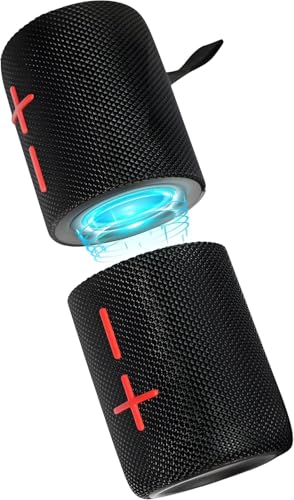



Wireless speakers are designed to deliver a seamless audio experience, but when they malfunction, it can be frustrating. One-sided audio output can detract from your listening experience, whether you’re enjoying music, watching a movie, or engaging in a conference call. Understanding the common causes of this issue and how to troubleshoot them will enable you to resolve the problem efficiently.
Common Causes of One-Sided Sound
The first step in addressing the issue is to understand its potential sources. There are two primary areas to consider: connectivity issues and misconfigured audio settings.
– Bluetooth Connectivity Issues: Wireless speakers primarily operate via Bluetooth, and connection problems can lead to audio being directed to only one speaker. This could be due to interference, an unstable connection, or the speaker being accidentally paired with another device.
– Misconfigured Audio Settings: Many devices have settings that can affect how sound is channeled. This includes balance settings that might be shifted to one side or sound modes that prioritize one speaker over another. If the audio settings are not properly adjusted, it can result in a significant imbalance in sound output.
Troubleshooting Connection Problems

Resolving connectivity issues requires a systematic approach to ensure your device and speaker are communicating effectively.
– Check Device Pairing: Start by checking if your device is properly paired with the speaker. Ensure that the connection is stable and that the speaker is selected as the audio output device. Sometimes, simply disconnecting and reconnecting can resolve the issue.
– Unpair and Re-pair: If the speaker is still only producing sound on one side, try unpairing it from your device and then re-pairing it. This process can refresh the connection and resolve any underlying issues. To do this, navigate to the Bluetooth settings on your device, select the speaker, and choose to forget or unpair. After that, initiate pairing again by following the manufacturer’s instructions.
Adjusting Audio Settings
If connectivity issues are not the root cause, the next step is to inspect the audio settings on your device.
– Inspect Audio Output Settings: On many devices, you can adjust the balance settings under the audio or sound settings menu. Make sure the balance slider is centered. If it is skewed to one side, this will result in uneven sound output.
– Sound Enhancements and Mono Audio Settings: Some devices come with sound enhancement features that can alter audio output. Check if any sound enhancements are active that might affect how sound is distributed. Additionally, mono audio settings can sometimes cause sound to be directed primarily to one speaker, so ensure this setting is disabled if you want stereo sound.
Testing with Different Devices
To further isolate the issue, testing your wireless speaker with different devices can be beneficial.
– Connect to Another Device: Try connecting your wireless speaker to another device, such as a smartphone, tablet, or computer. This will help you determine if the problem persists across multiple platforms. If the speaker works correctly with another device, the original device may have audio output issues.
– Use Different Media: Additionally, test with different media types or apps. For example, if you’re trying to listen to music, check if the same issue occurs while watching a video or during a video call. This can help identify if the problem is with specific applications or files.
Common Wireless Speaker Issues and Solutions
| # | Issue | Solution | Frequency |
|---|---|---|---|
| 1 | Bluetooth Connectivity | Re-pair the device | Common |
| 2 | Audio Settings | Adjust balance settings | Frequent |
| 3 | Device Compatibility | Test with other devices | Occasional |
| 4 | Mono Audio Settings | Disable mono audio | Common |
| 5 | Speaker Hardware | Inspect for damage | Rare |
| 6 | Software Glitch | Update the firmware | Uncommon |
| 7 | Battery Issues | Charge the speaker | Rare |
Performing a Factory Reset
If all else fails, a factory reset may resolve persistent issues with your wireless speaker. This process restores the device to its original settings, which can eliminate any software-related problems.
– Follow Manufacturer Guidelines: Each speaker will have its own method for performing a factory reset. Typically, this involves pressing and holding specific buttons for a certain duration. Always refer to the user manual for the correct procedure.
– Caution: Keep in mind that a factory reset will erase any custom settings. Once the reset is complete, you will need to set up the speaker again, which includes re-pairing it with your devices and adjusting any preferences.
When to Seek Professional Help
If the speaker still only works on one side after trying the above steps, the issue may be hardware-related. Here’s when to consider professional assistance:
– Persistent Problems: If you have exhausted the troubleshooting steps and the issue remains unresolved, it is likely that there is a defect in the hardware. Signs of hardware failure can include unusual sounds, overheating, or physical damage.
– Customer Support: In such cases, it is advisable to reach out to customer support or a professional technician for further diagnosis. They can provide insights into repair options or warranty coverage if applicable.
In summary, troubleshooting a wireless speaker that only works on one side involves examining both connectivity and audio settings. By following these steps, you should be able to restore functionality. If the problem persists, consider seeking professional help to ensure your speaker’s longevity and performance.
Wireless Speaker Issues Over Time
In conclusion, addressing the issue of a wireless speaker only functioning on one side involves careful troubleshooting of both connectivity and audio settings. By utilizing the steps outlined above, you can effectively restore your speaker to its optimal audio performance. If the problem persists, don’t hesitate to consult a professional to ensure your speaker remains in good working order.
Frequently Asked Questions
Why does my wireless speaker only work on one side?
If your wireless speaker is only producing sound from one side, it could be due to a connection issue or a problem with the audio source. Start by checking if the speaker is properly connected to the device and restart both the speaker and the audio source. If the problem persists, it might indicate a hardware malfunction or a need for software updates.
How can I fix my wireless speaker that only plays on one side?
To fix a wireless speaker that only plays on one side, first ensure that the balance settings on your device are set to the center. Additionally, try unpairing and then re-pairing the speaker with your device. If these steps don’t resolve the issue, consider resetting the speaker to factory settings or checking for any firmware updates, as they can sometimes fix audio problems.
What should I do if my wireless speaker’s sound is uneven?
If you notice that the sound from your wireless speaker is uneven, check the audio balance settings on your playback device to ensure they are centered. Additionally, inspect the speaker for any physical obstructions or damage that might be affecting sound quality. If the issue continues, try using the speaker with a different device to determine if the problem lies with the speaker or the original audio source.
Which devices are compatible with my wireless speaker?
Most wireless speakers are compatible with a range of devices including smartphones, tablets, laptops, and desktops that support Bluetooth or Wi-Fi connectivity. Check the specifications of your speaker for any compatibility limitations, and ensure that your device’s operating system is up to date for optimal performance. Additionally, some speakers may work better with specific brands or models, so consulting the manufacturer’s guidelines can provide clarity.
Why is my wireless speaker not syncing properly with my device?
If your wireless speaker is not syncing properly with your device, it may be due to interference from other electronic devices or a weak Bluetooth connection. Make sure there are no obstacles between the speaker and the device, and try moving them closer together. If syncing issues persist, deleting the speaker from your device’s Bluetooth settings and re-pairing it can often resolve the problem.
References
- https://www.lifewire.com/troubleshooting-bluetooth-speakers-4774771
https://www.lifewire.com/troubleshooting-bluetooth-speakers-4774771 - About the status light on AirPort base stations – Apple Support
https://support.apple.com/en-us/HT203198 - https://www.bbc.com/news/technology-57452056
https://www.bbc.com/news/technology-57452056 - Google Scholar Google Scholar
https://scholar.google.com/scholar?q=wireless+speaker+one+side+issues - Google Scholar Google Scholar
https://scholar.google.com/scholar?q=bluetooth+speaker+troubleshooting - Google Scholar Google Scholar
https://scholar.google.com/scholar?q=wireless+audio+stereo+issues - https://pubmed.ncbi.nlm.nih.gov/30895867/
https://pubmed.ncbi.nlm.nih.gov/30895867/ - Google Scholar Google Scholar
https://scholar.google.com/scholar?q=Why+Does+My+Wireless+Speaker+Only+Work+on+One+Side? - Why Does My Wireless Speaker Only Work on One Side? – Search results
https://en.wikipedia.org/wiki/Special:Search?search=Why+Does+My+Wireless+Speaker+Only+Work+on+One+Side? - https://www.ncbi.nlm.nih.gov/search/research-articles/?term=Why+Does+My+Wireless+Speaker+Only+Work+on+One+Side?
https://www.ncbi.nlm.nih.gov/search/research-articles/?term=Why+Does+My+Wireless+Speaker+Only+Work+on+One+Side?



