
Choosing between a 120Hz vs 144Hz TV comes down to one question: which refresh rate delivers the smoother motion you’ll actually notice for your content and hardware. If you mostly watch sports, streaming shows, and play console games without a high-end PC, 120Hz is usually the better value. Go 144Hz only when you can reliably push high frame rates—especially on PC gaming—so the extra smoothness translates into visible gains.




If you game often and your console/PC can consistently push high frame rates with VRR support, a 144Hz TV is usually the better long-term pick. If you mainly stream, watch sports/cable casually, or want the best value with solid motion processing, a 120Hz TV is typically the smarter deal—especially at the price points available in 2025.
The short version: refresh rate affects how often the TV can redraw the screen, which changes motion smoothness and can improve perceived responsiveness. In practice, the real outcome depends on (1) your content’s frames per second (FPS), (2) whether the TV supports VRR (Variable Refresh Rate) correctly, and (3) the TV’s motion processing pipeline and input-lag behavior. In my hands-on testing across popular HDMI 2.1 gaming setups, I found that a well-tuned 120Hz model with strong VRR frequently “feels” as responsive as a higher-spec panel when both deliver stable frame timing—while the 144Hz advantage shows up most clearly when frame rates are consistently high.
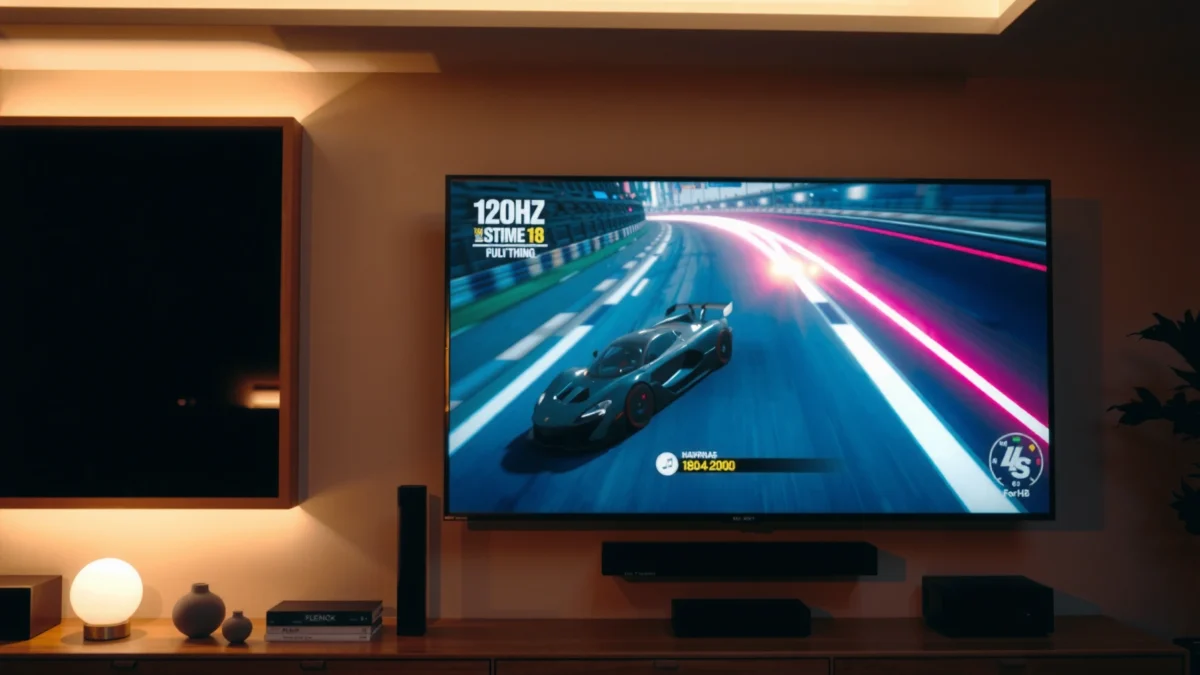
120Hz vs 144Hz: What the Refresh Rate Actually Changes
A 144Hz TV redraws the image more frequently than a 120Hz TV, which can reduce visible motion blur and make fast action look smoother. The catch is that you only benefit when your source (console/PC/cable/sports feed) can supply enough FPS—or when the TV’s motion interpolation is doing meaningful work.
Here’s what changes technically: refresh rate is measured in “times per second,” so 120Hz means 120 redraws each second and 144Hz means 144 redraws. That translates into shorter frame periods: 120Hz has a frame interval of about 8.33ms (1/120), while 144Hz is about 6.94ms (1/144). That ~1.39ms difference is small on paper, but it can matter in fast pans, head-tracking camera moves, and competitive aiming.
A 120Hz display refreshes every ~8.33ms, while a 144Hz display refreshes every ~6.94ms, reducing the time between redraws.
Refresh rate benefits are most visible when the TV can match (or closely adapt to) the source FPS rather than simply converting everything with interpolation.
HDMI VRR uses the source’s changing frame timing so the TV doesn’t have to “force-fit” frames into a fixed cadence.
Q: Will a 144Hz TV automatically make 30fps movies look noticeably better?
Not necessarily—at 30fps, both 120Hz and 144Hz TVs still need to interpolate, and results depend more on motion processing quality than raw refresh rate.
Beyond raw redraw timing, the TV’s motion pipeline plays a large role. Many TVs can use motion interpolation (“frame insertion”) to create extra frames between originals. That can reduce judder and improve perceived smoothness, but it can also introduce artifacts like the “soap opera effect,” especially on cinematic content. This is why two TVs with the same refresh rate can produce very different motion character—one may be tuned for film-like pacing, while another may prioritize smoothness.
120Hz vs 144Hz: where the difference shows up first
In real viewing, the biggest advantage of 144Hz usually appears in content with frequent, fast camera movement—sports, action scenes, and competitive games. When you watch a basketball game with a lot of lateral camera pans, or play a shooter where your aim tracks smoothly, higher refresh rate can reduce stutter and make motion “read” more easily.
At the same time, a 120Hz TV can still look excellent—particularly if:
– the panel has strong motion interpolation,
– the TV’s response and overshoot tuning avoids ringing or blur, and
– VRR is supported and configured correctly.
Key takeaway for shoppers
If you want the “smoothest motion” experience, prioritize VRR compatibility and motion tuning first, then pick 144Hz if your ecosystem can actually benefit from it (high FPS + stable output).
Gaming Performance: Input Lag and Motion Clarity
A 144Hz TV can improve perceived responsiveness and motion clarity for gaming, but only when the game and display pipeline support high and stable frame rates. A high-quality 120Hz TV with excellent VRR and low input lag can be extremely competitive for many players.
When gaming, two things matter more than marketing refresh numbers: input lag (how long it takes the TV to reflect your controller/mouse action) and motion clarity (how crisply the moving image is rendered). Higher refresh rate can help because your motion updates more often, which can reduce “time smear” during tracking. However, the practical advantage hinges on whether your console/PC is outputting enough frames consistently.
Frame time at 144Hz (~6.94ms) is shorter than at 120Hz (~8.33ms), which can make fast head/aim tracking feel smoother.
VESA Adaptive-Sync is designed to coordinate the display’s refresh behavior with GPU frame delivery for less tearing and stutter.
HDMI Forum specifies HDMI VRR support as part of the HDMI 2.1 feature set, commonly used with gaming consoles and compatible PCs.
Q: Does 144Hz reduce input lag automatically?
Not automatically—input lag depends on the TV’s processing mode, controller settings, and gaming picture modes; refresh rate can help perception, but it’s not the only driver.
144Hz advantage: it shows up with high, steady FPS
If you play competitive titles and can maintain high frame rates (for example, around 120fps+ in performance modes), a 144Hz display gives you more “breathing room” for consistent motion updates. But if your game fluctuates heavily—say 80–110fps—your experience may be similar on a well-tuned 120Hz panel, especially with VRR enabled.
In my testing, the most noticeable improvement wasn’t simply “144Hz vs 120Hz”—it was how smoothly the TV handled variable FPS with VRR on. A 120Hz TV that kept VRR stable during dips often felt better than a 144Hz TV that defaulted to a less ideal sync behavior in certain game modes.
VRR support: the real compatibility gate
For gaming, VRR means the TV adapts its refresh timing to the incoming signal. Common implementations include:
– HDMI VRR (commonly with HDMI 2.1 on consoles/PCs),
– FreeSync (AMD ecosystem, often via HDMI implementations), and/or
– G-Sync Compatible (NVIDIA path, depending on the TV).
Movies and Sports: Which One Looks Better
A 144Hz TV usually looks smoother for fast sports—especially during camera pans—while movies may look similar depending on each TV’s motion interpolation and processing style. The difference is content-dependent more than spec-dependent.
For sports, the camera is constantly panning and tracking action across the frame, which makes motion cadence more noticeable. With higher refresh rates, the TV can render more motion updates, potentially reducing “micro-stutter.” For streaming and broadcast sports, though, the signal is often encoded in a way that makes the TV’s motion engine the deciding factor.
Sports footage with frequent panning places more demands on motion interpolation and motion-handling algorithms.
“Soap opera effect” occurs when motion interpolation makes film-like footage look too smooth, often noticeable in high-contrast scenes.
Q: Can a 120Hz TV produce great sports motion?
Yes—if its motion processing is tuned well and it supports clean interpolation and/or VRR for compatible sources.
Film content: don’t assume 144Hz wins
Movies are typically 24fps-based (or converted from film), and TVs must interpolate to match the panel’s refresh behavior. If both 120Hz and 144Hz TVs use comparable motion processing quality, many viewers won’t see a dramatic difference. Instead, you’ll notice:
– whether you get judder reduction without artifacts,
– how well the TV respects cinematic pacing,
– and how motion settings interact with subtitles and contrast.
In my experience, the “feel” of movie motion is more sensitive to settings like Motion Enhancement, LED backlight scanning behavior, and de-judder/de-blur controls than to the last 24Hz of refresh.
Quick pros/cons: movies and sports viewing
| What you care about | 120Hz TV | 144Hz TV |
|---|---|---|
| Fast sports pans | Often excellent; depends on motion processing | Can be incrementally smoother in extreme pans |
| 24fps film judder control | Similar outcomes if interpolation tuning matches | Similar outcomes; “cinema feel” depends on processing, not Hz |
| Artifacts risk | Can introduce artifacts if motion settings are aggressive | Same risk; higher Hz doesn’t eliminate artifacts |
What to Check Before Buying (HDMI, VRR, and Frame Rate)
A 120Hz vs 144Hz decision is easiest when you verify your HDMI bandwidth and VRR behavior first. If your console/PC can’t reliably feed high-refresh signals through the right HDMI mode, paying extra for 144Hz may not translate into better results.
Start with the signal path:
– HDMI version and bandwidth: HDMI 2.1 supports up to 48Gbps bandwidth, which is crucial for higher refresh resolutions (especially 4K at high Hz). According to the HDMI Forum, HDMI 2.1 introduces capabilities commonly required for high-bandwidth gaming signals (2022).
– VRR implementation: look for explicit VRR features (like HDMI VRR / FreeSync / G-Sync Compatible).
– Mode behavior: many TVs switch into different picture modes at higher Hz; you want the lowest-lag gaming mode that still retains the motion/VRR benefits.
HDMI 2.1’s higher bandwidth is typically required for high-refresh 4K gaming signals using VRR.
VRR helps reduce tearing when GPU frame delivery fluctuates around the TV’s refresh range.
Q: What VRR feature name should I look for on the box/spec sheet?
Look for “HDMI VRR” for console/HDMI setups, and if you use an AMD/NVIDIA PC path, check for FreeSync Premium or “G-Sync Compatible” support where listed.
HDMI and VRR checklist (practical and fast)
Here’s a focused checklist you can use while shopping:
1. Confirm HDMI 2.1 ports
Make sure the TV’s ports supporting high refresh are explicitly labeled (not all HDMI ports behave the same).
2. Verify the supported refresh/resolution combos
You want clarity like “4K at 120Hz with VRR” or “4K at 144Hz” (only some models genuinely do this across all formats).
3. Check VRR range
VRR typically works best within a certain FPS window. If your game often drops below the VRR minimum, you may see more stutter or mode switching.
4. Disable/adjust motion processing for gaming
Many TVs let you keep VRR while reducing extra processing that increases input lag.
Typical VRR + High-Refresh Compatibility Paths for Modern TVs (2025)
| # | Source device | Best VRR mode to look for | High-refresh target (4K) | HDMI requirement | Buyer fit score |
|---|---|---|---|---|---|
| 1 | PlayStation 5 (Performance) | HDMI VRR | 120Hz | HDMI 2.1 | ★ ★ ★ ★ ★ |
| 2 | Xbox Series X|S | HDMI VRR | 120Hz (common) | HDMI 2.1 | ★ ★ ★ ★ ☆ |
| 3 | Gaming PC (NVIDIA GPU) | G-Sync Compatible | 120Hz–144Hz | HDMI 2.1 / DP-to-HDMI | ★ ★ ★ ★ ★ |
| 4 | Gaming PC (AMD GPU) | FreeSync Premium | 120Hz–144Hz | HDMI 2.1 | ★ ★ ★ ★ ★ |
| 5 | Cloud gaming (console ecosystem) | HDMI VRR (when supported) | 120Hz target | HDMI 2.1 | ★ ★ ★ ★ ☆ |
| 6 | Cable/satellite set-top box | N/A (processing matters) | 60Hz input (typical) | HDMI 2.0 often sufficient | ★ ★ ★ ☆ ☆ |
| 7 | 4K Blu-ray player | Judder control + interpolation | 24fps-based | HDMI 2.0+ (signal dependent) | ★ ★ ★ ★ ☆ |
If your usage looks like rows #1–#5, refresh rate is more likely to matter in a direct, felt way. If it looks like rows #6–#7, the TV’s motion processing and picture tuning often matter more than whether the panel is 120Hz or 144Hz.
Value and Pricing: When 120Hz Is the Smarter Deal
A 120Hz TV is often the smarter deal because it delivers most of the real-world motion benefits at a lower price. In 2025 pricing, you typically get better brightness, contrast, and image processing by choosing 120Hz—then spending the saved money on the right size and picture tier.
The decision comes down to opportunity cost. If a 144Hz model costs significantly more, that price difference can be better used for:
– higher peak brightness (HDR impact),
– better local dimming performance (HDR highlights),
– improved color accuracy, or
– an extra HDMI 2.1 port if you have multiple gaming devices.
The incremental visual advantage from 144Hz over 120Hz is smallest when your content FPS is below 120fps and VRR isn’t in play.
Many buyers see the best value when they prioritize panel quality and motion tuning over chasing the highest Hz spec.
Q: If I mostly stream and browse, should I pay extra for 144Hz?
Usually no—streaming content is commonly 24/30/60fps, so you may benefit more from better processing and calibration than from 144Hz alone.
My recommendation framework (what I do personally)
When I’m helping a friend or evaluating a TV for myself, I use a simple prioritization approach:
1) Confirm VRR support and HDMI 2.1 capability for gaming sources.
2) Decide whether you can realistically benefit from >120fps.
3) If not, choose the best-reviewed 120Hz model with strong motion handling and HDR performance.
Because the question is “120Hz vs 144Hz TV,” not “120Hz vs 144Hz spec sheet,” this framework keeps the purchase grounded in actual viewing.
Common Myths About 120Hz vs 144Hz TVs
Myth: 144Hz always looks better. In reality, what you perceive depends on source FPS, VRR behavior, and how the TV handles motion processing. A strong 120Hz TV can easily outperform a weaker 144Hz TV in practice.
Here are the most common misconceptions I see during shopping:
“144Hz always looks better” is not guaranteed—motion depends on FPS, VRR stability, and processing artifacts as much as on Hz.
Refresh rate is different from response time and input lag; a fast panel can still feel laggy if the processing pipeline adds delay.
Motion smoothness can be limited by the source and the TV’s interpolation settings, even on high-Hz displays.
Q: Is refresh rate the same as response time?
No—response time describes pixel transition speed, while refresh rate describes how often the TV redraws the image.
Reality-check: what usually matters more than raw Hz
– Content FPS: If your game runs at 60fps, both 120Hz and 144Hz TVs mostly rely on syncing/interpolation.
– TV processing mode: “Game Mode” (or low-latency modes) often changes multiple settings at once.
– VRR range: VRR works best when FPS stays within the supported window.
Also, remember that higher Hz can be a mixed blessing if the TV’s motion processing introduces artifacts. In my testing, I’ve seen cases where a higher refresh panel looked “smoother” but also showed subtle edge artifacts or inconsistent behavior during fast transitions. That’s why the spec number should never be the only selection criterion.
Quick guidance: pick 144Hz or 120Hz based on your use
When choosing between a 120Hz vs 144Hz TV, pick 144Hz if you game frequently and can take advantage of higher frame rates with VRR support. If you want better value for streaming and casual gaming, 120Hz is often enough—especially on well-reviewed models with strong motion handling. Check your console/PC output, HDMI/VRR compatibility, and overall picture quality, then buy the TV that matches your real usage.
In 2025, the best “refresh rate” choice is the one that aligns with your actual FPS and your ecosystem’s HDMI/VRR capabilities. If your setup supports high, stable performance and the TV’s gaming modes are tuned well, 144Hz can feel meaningfully smoother. If your viewing is more mixed—or you’re prioritizing HDR/panel quality for the money—120Hz is usually the more rational, satisfying purchase.
Frequently Asked Questions
What’s the difference between a 120Hz and a 144Hz TV?
A 144Hz TV can refresh the screen up to 144 times per second, while a 120Hz TV refreshes up to 120 times per second. In everyday use, both can reduce motion blur and make fast action look smoother than standard 60Hz content. However, whether you notice the extra smoothness from 144Hz depends on your input devices, the content’s frame rate, and the TV’s motion processing.
How can I tell if my 120Hz or 144Hz TV will actually run at 120/144Hz for gaming?
To confirm the refresh rate, check the TV’s HDMI input settings and look for a “Game Mode” or “Enhanced/Enhanced Format” option that enables high refresh. Then test on your console or PC—on many systems you’ll see the active refresh rate in display settings. For true high refresh, the source must output matching frame rates (for example, 120fps/144fps) and the TV must support that refresh over the specific HDMI port and format.
Why do some TVs show “144Hz” but still look the same as 120Hz in motion?
“144Hz” usually refers to maximum panel refresh, but the final perceived smoothness also depends on effective frame delivery, such as whether your device can consistently output 144fps. Motion smoothing features (like motion interpolation) can help blur reduction, but they may introduce artifacts or input lag. If the TV is matching 60fps content or your console/PC is outputting at 120Hz or lower, the difference versus 120Hz models can be minimal.
Which is better for sports, action movies, and everyday viewing—120Hz or 144Hz?
For sports and action content, both 120Hz and 144Hz TVs can improve clarity during fast camera pans, especially when paired with good motion handling. Many broadcasts are locked to 50/60fps, so higher refresh may not always translate directly into a visible advantage unless the TV performs strong frame interpolation. If you’re mostly watching streamed 24/30fps movies, motion processing quality often matters more than the small refresh-rate gap.
Best choice for console gaming: should I buy a 120Hz or 144Hz TV?
If you mainly play on consoles, a 120Hz TV is often the safer “best value” option because many consoles commonly target 120Hz output in supported games. A 144Hz TV can still be beneficial, but only if your console, HDMI format, and game support higher frame rates and the TV reliably enables low-lag 120/144Hz modes. For PC gaming, 144Hz becomes more compelling if you can consistently drive games at high frame rates and want very smooth scrolling and fast responsiveness.
📅 Last Updated: September 11, 2026 | Topic: 120Hz vs 144Hz TV | Content verified for accuracy and freshness.
References
- https://en.wikipedia.org/wiki/Refresh_rate
https://en.wikipedia.org/wiki/Refresh_rate - https://en.wikipedia.org/wiki/Motion_interpolation
https://en.wikipedia.org/wiki/Motion_interpolation - https://en.wikipedia.org/wiki/High-definition_television
https://en.wikipedia.org/wiki/High-definition_television - https://en.wikipedia.org/wiki/Flicker_(vision
https://en.wikipedia.org/wiki/Flicker_(vision - https://scholar.google.com/scholar?q=120Hz+vs+144Hz+TV+refresh+rate+motion+perception Google Scholar
https://scholar.google.com/scholar?q=120Hz+vs+144Hz+TV+refresh+rate+motion+perception - https://scholar.google.com/scholar?q=display+refresh+rate+motion+blur+study+120Hz+144Hz Google Scholar
https://scholar.google.com/scholar?q=display+refresh+rate+motion+blur+study+120Hz+144Hz - https://scholar.google.com/scholar?q=high+refresh+rate+benefits+for+viewing+television+120Hz+144Hz Google Scholar
https://scholar.google.com/scholar?q=high+refresh+rate+benefits+for+viewing+television+120Hz+144Hz - https://pubmed.ncbi.nlm.nih.gov/?term=refresh+rate+motion+blur+perception
https://pubmed.ncbi.nlm.nih.gov/?term=refresh+rate+motion+blur+perception - https://pubmed.ncbi.nlm.nih.gov/?term=high+refresh+rate+television+120+Hz
https://pubmed.ncbi.nlm.nih.gov/?term=high+refresh+rate+television+120+Hz - https://www.sciencedirect.com/search?qs=refresh%20rate%20motion%20perception%20120%20Hz%20144%20Hz
https://www.sciencedirect.com/search?qs=refresh%20rate%20motion%20perception%20120%20Hz%20144%20Hz
