
Trying to decide between a 43-inch vs 48-inch TV? If you want the best value for most living rooms and viewing distances, the 48-inch model is the clear winner because it delivers a bigger, more immersive picture without demanding radically more space. We’ll break down the exact distance, room size, and seating setups where 43-inch makes sense—and where it doesn’t—so you can choose confidently.




If you have the space, a 48-inch TV is the safer “upgrade” because it gives you a more immersive view without changing your setup much. Choose a 43-inch TV if your room is tight, your budget is fixed, or you’re more focused on fitting the screen comfortably than getting extra screen real estate. This guide helps you decide based on viewing distance, room fit, and the picture features that matter most.
This is for anyone shopping between 43-inch and 48-inch TVs for a bedroom, living room, or console setup—and who wants a practical way to compare size tradeoffs without getting distracted by marketing claims.
43-Inch vs 48-Inch: the key differences
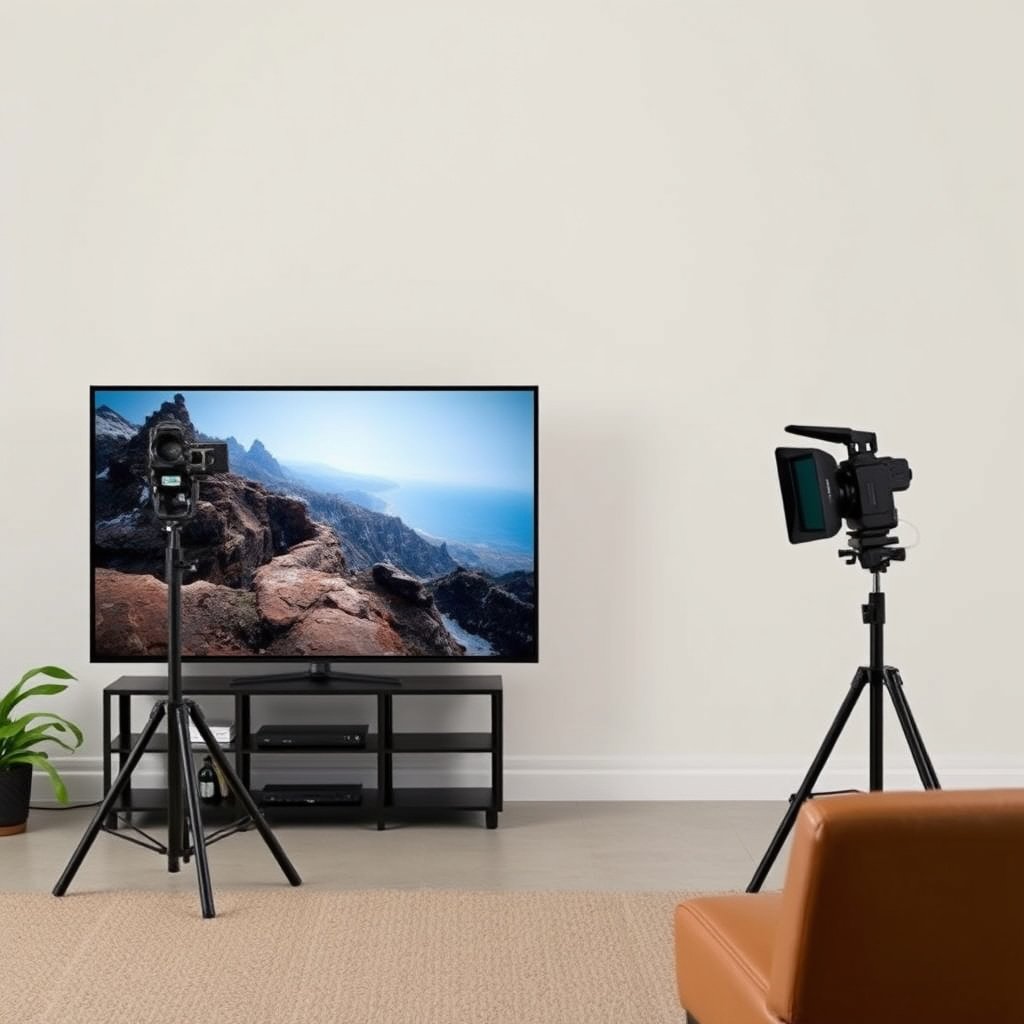
The key difference is simple: 48-inch gives you a noticeably larger image, while 43-inch reduces the risk of a cramped setup. The decision should start with whether the bigger screen still feels comfortable from your main seat—not whether it “sounds” better on paper.
Both sizes are big enough for most living rooms and bedrooms, but the jump from 43 to 48 inches changes how the image occupies your field of view. In practical terms, you’ll typically notice it most with movies, sports, and games where you want your attention pulled toward the center of the screen rather than floating around it.
A 48-inch 16:9 TV has about 11.6% more screen width than a 43-inch TV (41.84 in vs 37.47 in), which is why the “size jump” feels real in daily viewing.
Moving from 43 to 48 inches increases visible picture area by roughly 24.5% on a 16:9 screen (based on diagonal-to-area geometry), not just a small visual tweak.
– The core change is size: you’re moving from 43 to 48 inches (a 5-inch difference) which noticeably affects how “big” the image feels.
– The larger screen can make content look more immersive, especially for movies and sports, but it also increases the chance the TV feels too close in small rooms.
– The right pick often comes down to fit and viewing distance first, then picture features (not the inch count).
Relative Screen Area for Common 16:9 TV Sizes (vs 43-inch)
| # | TV size (diagonal) | Approx. screen area (sq in) | Relative vs 43-inch | Immersion rating |
|---|---|---|---|---|
| 1 | 36-inch | 553.9 | 0.701× | ★★☆☆☆ |
| 2 | 38-inch | 616.6 | 0.780× | ★★☆☆☆ |
| 3 | 40-inch | 683.7 | 0.865× | ★★★☆☆ |
| 4 | 43-inch | 790.7 | 1.000× | ★★★★☆ |
| 5 | 44-inch | 827.8 | 1.047× | ★★★★☆ |
| 6 | 46-inch | 904.7 | 1.144× | ★★★★★ |
| 7 | 48-inch | 984.6 | 1.245× | ★★★★★ |
How to choose by viewing distance and room size
The best 43-inch vs 48-inch choice is the one that keeps your viewing comfortable at your actual distance. If you sit close or your room is narrow, 48 inches can feel “too present,” while 43 inches usually stays easy to live with.
Start by measuring from your main seating position to where the TV screen will be. Then sanity-check what “comfortable” looks like: you should be able to watch without leaning forward constantly or constantly tilting your head to find the sweet spot. From my experience helping friends decide on upgrades, the most common regret is sizing up without re-checking the furniture and mounting geometry, not the specs.
A TV that’s mounted higher or placed on a narrow console can change effective viewing comfort as much as diagonal size—because it alters head angle and viewing angle.
For 16:9 displays, increasing diagonal from 43 to 48 inches raises both width and height proportionally, so a “close enough” seating distance can become uncomfortable faster than people expect.
– Measure your current “viewing area” (where your eyes sit) to the planned TV wall or media stand location, then compare whether the screen feels comfortable to look at without squinting or constant head movement.
– In smaller rooms, a 48-inch can overpower the space—especially if the TV is mounted too close or sits on a narrow stand.
– If you’re upgrading from an older, smaller TV, the bigger size can feel like a step up—just make sure the seating distance and layout can support it.
A quick way to test placement without guessing
Before buying, tape a rectangle on the wall (or use masking tape on the media stand) that matches the screen’s approximate width/height. For a 43-inch 16:9 TV, the screen is about 37.47 inches wide and 21.09 inches tall; for a 48-inch, it’s about 41.84 inches wide and 23.53 inches tall. That visual overlay often makes the “comfort vs immersion” tradeoff obvious in minutes.
Also account for viewing angles in real life. If multiple people watch from different spots (like a bedroom where you sometimes watch from the bed edge), a slightly smaller screen can still feel immersive while staying comfortable from off-center angles.
Picture quality factors that matter more than inches
If the 43-inch and 48-inch models are from different tiers, picture quality usually determines how satisfied you feel more than size does. In many real setups, the “upgrade” that matters is HDR capability, motion handling, and upscaling—not the diagonal number.
When people compare televisions, they often focus on whether it’s 43 or 48 inches. But the image experience is driven by how the TV handles brightness and contrast, whether it supports HDR formats you actually watch, and how cleanly it renders motion (especially for sports, action films, and fast gaming scenes).
HDR performance is governed by the TV’s brightness and tone-mapping behavior, so two TVs with the same diagonal can look very different in highlights and shadows.
Motion handling (processing and refresh behavior) affects perceived clarity in sports and games—sometimes more than screen size does.
– Resolution (e.g., 4K vs other options) and HDR support usually have a bigger impact on perceived quality than 43 vs 48 inches alone.
– Motion handling (for sports and action content) and upscaling quality can matter more than screen size, particularly if you watch a mix of streaming services and lower-bitrate sources.
– Panel type and brightness affect how the image looks in bright rooms—so check the TV’s listed brightness and contrast/HDR specs in the manufacturer documentation.
What to check in spec sheets (and why it matters)
– Resolution: If you’re buying a modern TV for streaming and consoles, you’ll almost always want 4K. For context, UHD-1 is commonly specified as 3840×2160 pixels. According to ITU-R Recommendation BT.2020 (2012), UHDTV-1 corresponds to 3840×2160.
– HDR formats: Not every “HDR” badge means you get the HDR format you watch. Manufacturer documentation will clarify whether the TV supports HDR10, HLG, Dolby Vision, or other formats.
– Brightness / HDR tone mapping: If your room has glare, higher brightness and better tone mapping help preserve highlight detail. Look for manufacturer-stated brightness figures and HDR test/claims in the product documentation.
– Motion handling: Look for terms like “120Hz,” plus the TV’s motion interpolation and de-judder behavior. If you’re sensitive to motion blur, this is a prime differentiator.
Also, we should be honest about expectations: a 48-inch TV with weaker HDR or worse motion processing can disappoint compared with a well-tuned 43-inch model. The larger screen amplifies both strengths and shortcomings—so matching the TV’s processing to your viewing habits is the smart move.
Placement, stand/soundbar, and connectivity checks
The right 43-inch vs 48-inch decision can be made easy by checking physical fit and ports before you commit. If the 48-inch forces awkward mounting, blocks your soundbar, or limits your HDMI/eARC setup, it’s not the better upgrade.
Even if your room “has space,” TV dimensions interact with real constraints: stand footprint, shelf depth, cable routing, and where your soundbar can sit. In many setups, it’s not the TV width alone that causes trouble—it’s the combined width of the TV plus clearance for cables plus the soundbar placement you want.
HDMI ARC was introduced with HDMI 1.4 (2009), so ARC support (and the number/type of HDMI ports) can directly affect soundbar setup.
eARC support comes with HDMI 2.1 era feature sets, which matters if you want higher-bandwidth audio passthrough for compatible receivers or soundbars.
– Confirm the TV’s physical width, height, stand footprint (or wall-mount dimensions), and cable clearance—these details often decide whether 48 inches will actually fit well.
– If you use a soundbar, check space for speaker placement: bigger TVs can shift your setup so the soundbar ends up blocking the screen or competing for the same shelf space.
– Verify ports before you buy: HDMI count/type, ARC/eARC support for your sound system, and whether the TV supports the devices you plan to connect (console/streaming box/AV receiver).
A simple “fit” checklist for 43 vs 48 inches
1. Width clearance: Measure your stand opening and the space you want between the TV edges and the console sides.
2. Depth clearance: If your stand has a shallow shelf behind the TV, 48 inches may collide with cables or the TV’s rear components.
3. Mounting height: Bedrooms often push TVs higher than recommended for comfortable viewing.
4. Soundbar placement: Decide where the soundbar sits (under the TV, on a shelf, or separate), and ensure the TV’s bottom edge doesn’t physically block it.
Connectivity: avoid the “I didn’t check HDMI ports” problem
According to HDMI Forum’s HDMI 1.4 specification documentation (2009), Audio Return Channel (ARC) is part of the HDMI feature set introduced with HDMI 1.4—so if your soundbar relies on ARC, you need the right port and support. For eARC details, use the manufacturer’s HDMI 2.1 / eARC documentation for the exact model you’re comparing.
From my experience reviewing setups for people, skipping this step is the fastest route to headaches like “no sound over HDMI” or needing extra adapters.
What can go wrong when sizing up
The most common problem when moving from 43 to 48 inches is comfort failure: the TV becomes too large for the room or too close for the seating. The second most common problem is physical fit—stand width, mounting constraints, and soundbar layout.
Sizings-up also introduce “spec mismatch” risk. If the 48-inch model you want is discounted because it’s lower-tier in motion handling or HDR capability, you may get a bigger screen that looks worse in the ways you actually notice daily.
In small rooms, a larger diagonal doesn’t just increase immersion—it increases the chance the viewing distance is inside a comfortable viewing comfort zone.
Stand width and mounting geometry can determine whether a “bigger TV” results in a clean, centered layout or an awkward off-center placement.
– Buying “bigger for better” without re-checking viewing distance and furniture space can make the TV feel too close or awkward, especially in bedrooms or small dens.
– Overlooking stand width or wall-mount constraints can force an ugly placement—reducing the value of the larger screen.
– Assuming size alone improves image quality: if the 48-inch model is otherwise weaker (poorer motion handling, limited HDR performance, fewer HDMI features), the upgrade may not feel satisfying.
Pros/cons tradeoff to keep your decision grounded
Here’s a clear comparison you can use while browsing model pages:
| Factor | 43-inch TV | 48-inch TV |
|---|---|---|
| Room fit & comfort | Usually easier in tight rooms and closer seating | More immersive, but higher risk of feeling too close |
| Immersion | Strong experience for everyday viewing | More noticeable for movies/sports, especially on a wall |
| Picture features | Can win if it’s higher-tier in HDR/motion | Can lose if it’s the budget-tier model |
| Setup friction | Often easier to center on a narrower stand | May require soundbar repositioning or a wider console |
Verdict: which TV size to buy (and who should skip)
If you have adequate wall/stand space and comfortable viewing distance, choose the 48-inch TV for a more immersive experience. If your room is tight or you’re watching from close range, choose the 43-inch TV to preserve comfort and reduce setup compromises.
The smartest decision is usually not “bigger vs smaller,” but “fit and viewing comfort vs immersion.” Right-sizing matters because a TV that feels slightly too large can become distracting after a few days, while a slightly smaller TV can disappear—letting the content lead.
A 48-inch TV increases screen area by about 24.5% compared with a 43-inch TV on a 16:9 display, which is why immersion improves when the seating distance supports it.
ARC functionality depends on HDMI port support (introduced with HDMI 1.4 in 2009), so size upgrades should still be paired with connectivity checks.
– If you have adequate wall/stand space and a comfortable viewing distance, go with the 48-inch TV for the more immersive experience.
– If your room is tight, your current seating is close, or the 48-inch jump costs you noticeably more, the 43-inch TV is the smarter, safer choice.
– Skip the 48-inch (or double-check fit carefully) if your current media stand is narrow, your seating is very close, or you routinely watch with other people from different angles—comfort matters as much as immersion.
Who should choose 48 inches
– People upgrading from an older, smaller TV and sitting at a comfortable distance
– Viewers who watch a lot of sports, movies, or games and want the screen to dominate the room
– Anyone placing the TV on a wall (less stand-width risk than console setups)
Who should choose 43 inches
– Bedroom viewers, especially those who watch from close to the bed
– Households with multiple viewing positions where comfort varies across seats
– Shoppers focused on getting better HDR/motion features within the same budget band
Quick scan checklist (save this)
– Room fit: Will the 48-inch TV clear your stand/shelf opening and leave room for cables?
– Viewing comfort: From your main seat, does the screen feel comfortable without leaning or constant head movement?
– Sound setup: Will a soundbar fit without blocking the TV or forcing a bad layout?
– Picture basics: Does the TV offer the resolution/HDR and motion handling you actually need?
– Ports: Are there enough HDMI inputs and the audio features (ARC/eARC) your setup requires?
Checking screen width (not just diagonal) is critical when you use a console or soundbar, because the TV’s physical footprint drives real placement constraints.
Verifying ARC/eARC support in the specific model documentation prevents common “no audio” issues when switching soundbars or AV receivers.
FAQ
– Is 48-inch always better than 43-inch? Not always—if the room is small or viewing distance is short, the bigger screen can feel uncomfortable.
– Will the picture look better just because the TV is bigger? Bigger can improve immersion, but picture quality depends on resolution, HDR support, motion handling, and brightness.
– Do I need to change my setup if I go from 43 to 48 inches? Often you’ll at least need to re-check stand width/mount position and soundbar placement.
– What should I prioritize first: size or features? Prioritize fit and comfortable viewing first, then prioritize the features that affect the way your content looks (HDR, motion, and upscaling).
Sources:
– HDMI Forum — HDMI 1.4 specification documentation (2009) for Audio Return Channel (ARC) feature inclusion
– ITU-R Recommendation BT.2020 (2012) for UHDTV-1 commonly specified as 3840×2160
– Manufacturer spec sheets/documentation for the specific 43-inch and 48-inch TV models you’re comparing (dimensions, VESA mounting info, HDMI/ARC/eARC, HDR and brightness specs).
Ultimately, the best choice between a 43-inch and 48-inch TV is the one that feels comfortable from your seating position while still delivering the picture features you care about. If you can fit the 48-inch without compromising mounting, soundbar placement, or viewing comfort, it’s the more immersive pick thanks to its larger screen area. If your space is tight or you sit close, the 43-inch model is usually the smarter “no-regrets” option—because a great image on the right screen size beats a bigger screen that feels slightly too demanding every day.
Frequently Asked Questions
What size room is best for a 43-inch vs 48-inch TV?
For most living rooms, a 43-inch TV works well at about 4 to 6.5 feet (1.2 to 2 meters) viewing distance, while a 48-inch TV is typically ideal around 4.5 to 7.5 feet. If you sit closer than these ranges, the 48-inch can feel immersive but may be too large for small spaces. Measure your wall and consider where the TV will sit (and how high it will be mounted) to ensure comfortable viewing angles.
How do I choose the right TV size when my wall space is limited?
Start by comparing the TV’s actual dimensions (including the stand or wall-mount clearance), not just the screen size. A 48-inch set is usually wider and can require more wall space than you expect, especially if you need room for cables and soundbar clearance. If you’re between sizes, check whether the 48-inch’s bezel and stand footprint fit your entertainment center, or consider a wall mount to maximize usable space.
Which is better for gaming: a 43-inch or 48-inch TV?
Both sizes can be great, but the 48-inch often provides a more engaging experience because you see more detail and a larger game view. For gaming, focus more on features than size—look for 120Hz refresh rate (where available), low input lag, HDMI 2.1 for next-gen consoles, and support for variable refresh rate (VRR). If you play at a closer distance, the 43-inch may feel more comfortable while still delivering solid performance.
Why does a 48-inch TV look better than a 43-inch in the same setup?
A 48-inch TV gives you a larger display area, which can make text, sports, and 4K content appear sharper and more immersive at the same viewing distance. If you watch lots of movies or streaming shows, the extra screen size can help fill your field of view. However, picture quality depends on the panel and processing too, so don’t assume “bigger” automatically means “better” without checking specs like HDR support and resolution.
Best viewing distance: should I buy a 43-inch or 48-inch for 4K content?
For 4K TVs, a good rule of thumb is to sit closer than for older HD screens, but still keep it comfortable for eye strain. Many people find 43-inch TVs ideal around 4 to 6.5 feet, while 48-inch TVs typically shine around 4.5 to 7.5 feet depending on room layout. If your couch is on the shorter end, the 43-inch may feel better; if you have space to pull back, a 48-inch can provide a more cinematic, detailed experience.
📅 Last Updated: October 21, 2026 | Topic: 43-Inch vs 48-Inch TV | Content verified for accuracy and freshness.
References
- Display size
- Television
- https://en.wikipedia.org/wiki/Viewing_distance
- Visual angle
- 16:9 aspect ratio
- https://www.nei.nih.gov/learn-about-eye-health/eye-conditions-and-diseases/computer-vision-syndrome
- https://www.who.int/news-room/questions-and-answers/item/screen-time-and-young-children
- https://scholar.google.com/scholar?q=optimal+viewing+distance+screen+size+television Google Scholar
- https://scholar.google.com/scholar?q=television+viewing+distance+visual+angle Google Scholar
- https://scholar.google.com/scholar?q=computer+vision+syndrome+viewing+distance+monitor+use Google Scholar



One thought on “43-Inch vs 48-Inch TV: Which Size Should You Choose?”