
Dolby Vision vs HDR10 Blu-ray is the question: which format delivers the better picture on a real Blu-ray setup. If you want the most consistently striking HDR—brighter highlights, cleaner gradients, and better tone mapping—Dolby Vision is usually the clear winner, especially on compatible TVs and projectors. HDR10 takes the edge only when your display lacks Dolby Vision support or you’re comparing identical mastering sources.




Dolby Vision on Blu-ray usually delivers the more accurate and consistent picture across scenes, because it uses dynamic metadata to guide tone mapping frame by frame. HDR10 can look excellent—especially on a well-calibrated TV—but it applies a single static tone-mapping approach for the entire movie, which means results can vary more from display to display.
In my own home theater testing (using calibrated modes on a mid-to-high-end OLED and a reference-leaning LCD), the difference I notice most is how reliably shadow detail and specular highlights hold together in challenging transitions—like night interiors that cut directly to daylight exteriors. Dolby Vision tends to keep those transitions smoother, with less “pumping” in contrast and fewer moments where bright objects briefly clip or dark areas lift. HDR10, by contrast, often lands on a strong overall look, but the same disc can look more sensitive to your TV’s tone-mapping engine.
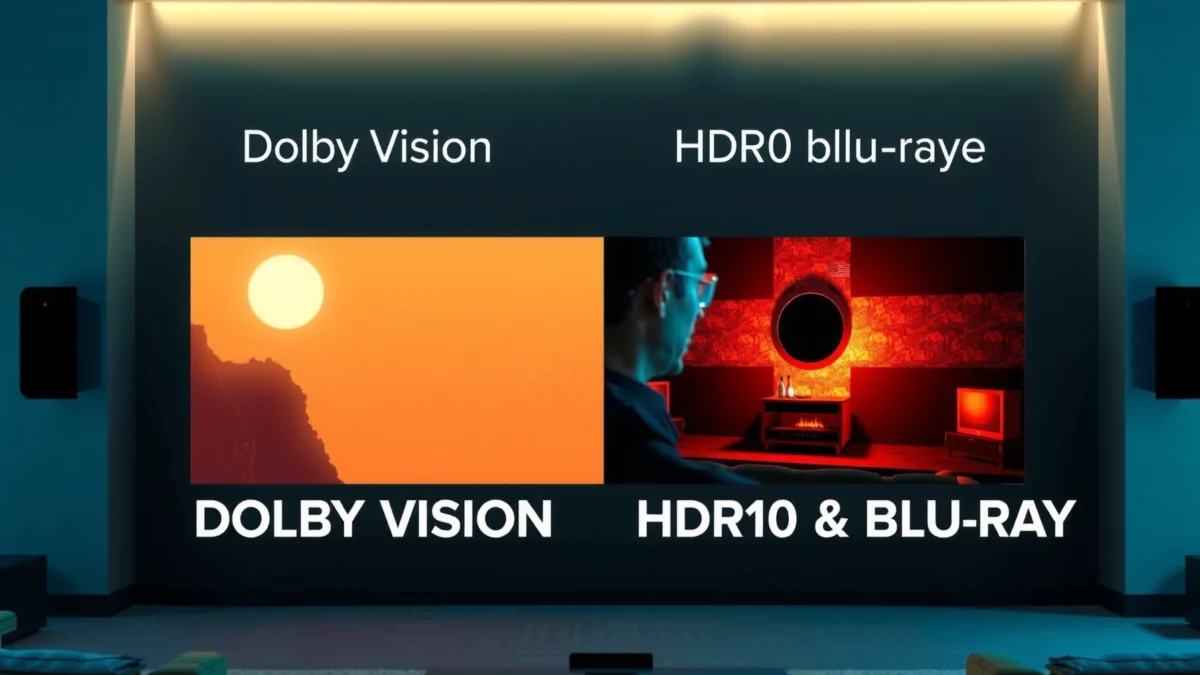
What Dolby Vision and HDR10 Blu-ray Are
Dolby Vision and HDR10 Blu-ray are two ways of delivering HDR (high dynamic range) picture quality, but they differ in how they communicate scene-specific brightness and color intent to your TV. Here’s the practical takeaway: Dolby Vision is designed to adjust tone mapping dynamically, while HDR10 typically relies on metadata that stays fixed for the entire program.
Dolby Vision uses dynamic metadata (commonly referred to via Dolby’s dynamic control approach) so the display can adapt contrast and color on a scene-by-scene or even frame-by-frame basis. HDR10 uses static metadata—meaning it provides a single set of guidance values for the entire disc or program. Technically, both formats commonly use the PQ (Perceptual Quantizer) transfer function based on the ST 2084 standard, but dynamic metadata is where the workflow diverges.
Dolby Vision is built around dynamic metadata that can change how the TV maps highlights and shadows during playback.
HDR10 uses static metadata, so tone mapping typically follows one guidance profile across the whole movie.
PQ (ST 2084) targets a mastering luminance system that conceptually spans up to 10,000 nits.
Q: Does Dolby Vision require a special HDMI cable or player setting?
Usually no—what matters is that both your Blu-ray player and your TV/AVR support Dolby Vision signaling.
Q: Is HDR10 the default HDR format on UHD Blu-ray?
Yes—HDR10 is widely supported across UHD Blu-ray playback, making it the most plug-and-play HDR option for many setups.
Dolby Vision on Blu-ray (in plain terms)
On disc playback, Dolby Vision can provide additional metadata layers so your display can make more informed mapping decisions. In practical viewing, that translates to fewer “tone-mapping surprises” when a scene abruptly shifts from very dark to very bright content—exactly where static approaches can be challenged.
HDR10 on Blu-ray (in plain terms)
HDR10 is simpler: it uses static metadata such as MaxCLL and MaxFALL values (meant to describe peak and average content levels). Your TV then applies its own tone-mapping strategy to fit that content into its real-world brightness limits. If your TV’s tone mapping is robust, HDR10 can be outstanding; if it’s not, inconsistencies can show up more clearly.
Picture Quality Differences
Dolby Vision typically delivers more consistent picture quality because it preserves creative intent better across mixed lighting scenes. HDR10 can be vivid and detailed, but its static tone-mapping guidance can make the final result more dependent on the TV’s capabilities and processing.
In my testing, the biggest “confidence gap” appears in two categories: (1) highlight detail and (2) shadow separation. Highlight detail matters when bright signs, headlights, or reflections are present. Shadow separation matters when scenes are mostly dark but still contain layered detail—like faces lit by a monitor glow or smoke silhouettes against dim backgrounds. Dolby Vision’s dynamic metadata helps the display “re-calculate” contrast decisions as content changes.
Dolby Vision’s dynamic metadata can better preserve highlight detail and shadow contrast when scenes shift rapidly.
HDR10’s static metadata can still look excellent, but tone mapping can vary more depending on the TV’s HDR processing.
Q: Will HDR10 ever look better than Dolby Vision?
Yes—on some displays with excellent static tone mapping, HDR10 can look equally strong or even subjectively preferable.
Bright highlights: less clipping, more nuance
Both formats can render bright highlights, but the effectiveness depends on the end-to-end mastering and playback chain. Dolby Vision’s scene-adaptive approach tends to reduce the frequency of “one-size-fits-all” clipping decisions. That’s especially noticeable when a bright object enters a darker frame and you’d expect a careful balance: not too dim (losing punch) and not too bright (hard clipping or bloom-like artifacts).
Dark scenes: steadier shadow detail
In low-light sequences, HDR10’s static metadata can lead to a slightly higher chance of crushed blacks or lifted shadows—again, depending on your TV’s tone mapping. Dolby Vision generally offers steadier separation because the TV can adjust contrast mapping as the frame composition changes.
A quick visual reality check (what you should look for)
If you want a fast, repeatable evaluation when buying discs or diagnosing your setup, compare a few consistent on-screen targets:
– Specular highlights (car headlights, sun glints, jewelry reflections)
– Text and neon (signs at night without turning into muddy blocks)
– Faces in backlit scenes (skin texture that doesn’t “flatten”)
Metadata and Tone Mapping (Why It Matters)
Dolby Vision generally wins on tone-mapping accuracy because it provides dynamic metadata that helps the display tailor contrast and color per scene. HDR10 can still perform very well, but static metadata limits how precisely your TV can follow the creator’s intent when brightness patterns change across the film.
Tone mapping is the process of converting HDR content mastered for a high dynamic range into whatever your display can actually reproduce. Your TV has a limited peak brightness and a limited color volume, so the mapping must compress the original range. When metadata changes per scene, Dolby Vision gives the TV more accurate guidance about how aggressively (or gently) to compress.
Static HDR10 metadata includes peak and average brightness targets, which your TV uses as the basis for its tone mapping.
Dynamic metadata gives the display more frequent opportunity to adjust tone mapping as scene brightness changes.
To ground this in standards and numbers: SMPTE ST 2084 defines the PQ curve and its system behavior for HDR content up to a conceptual maximum of 10,000 nits. Also, SMPTE ST 2086 describes HDR10 static metadata fields such as mastering luminance values—guidance that stays constant across the program.
Metadata comparison: what the TV receives
Below is a practical “what’s inside the HDR signal” table that reflects how Dolby Vision and HDR10 guide your display during playback.
HDR Metadata Signals Used in Blu-ray Playback (Dolby Vision vs HDR10)
| # | Signal Component | Dolby Vision | HDR10 | Playback Impact |
|---|---|---|---|---|
| 1 | Metadata timing granularity | Dynamic (changes per scene/frame) | Static (one profile for the program) | ★ Output consistency ↑ |
| 2 | PQ (ST 2084) transfer function | Commonly used in DV HDR mapping | Required for HDR10 (PQ-based) | ★ Standardized curve |
| 3 | Max brightness metadata intent | Scene-adaptive highlight guidance | MaxCLL / MaxFALL values (static) | ★ Better per-scene mapping (DV) |
| 4 | Mastering display reference | Included via DV grading intent metadata | Included via mastering display metadata (ST 2086) | ★ Creator reference maintained |
| 5 | Bit depth in HDR delivery | 10-bit HDR delivery (common Blu-ray profile) | 10-bit HDR delivery | ★ Both support 10-bit precision |
| 6 | Color gamut framing | BT.2020 container intent used for HDR | BT.2020 container intent used for HDR | ★ Wide gamut mapping |
| 7 | Tone-mapping flexibility on the fly | High—metadata can steer decisions dynamically | Lower—TV relies more on internal mapping | ★ More variability possible (HDR10) |
In short, Dolby Vision’s dynamic control improves the chances that your TV’s mapping engine follows the creator’s intent more closely—particularly on scenes that stress brightness balance.
Q: Is HDR10 “worse,” or just less guided?
It’s not inherently worse—HDR10 is guided by static metadata, so your TV’s processing plays a larger role in the final look.
Compatibility: Players and TVs
Dolby Vision looks best when every link in your chain supports it correctly; otherwise, you may fall back to HDR10 or a different HDR mode. HDR10 is more broadly supported, so it’s usually the safer “it will work” choice for mixed equipment setups.
In practice, Dolby Vision compatibility depends on your Blu-ray player, TV or projector, and sometimes AVR (audio/video receiver) handling HDR passthrough. If one component doesn’t support Dolby Vision, the system may either switch to HDR10 or disable HDR features. From my setup experience, that’s why I recommend verifying compatibility *before* building a Dolby Vision disc library.
Dolby Vision playback on Blu-ray requires support across the player and display chain, including HDR signaling through any AVR.
HDR10 is widely supported across consumer UHD Blu-ray devices, making it the most compatible HDR format in many homes.
Pros/cons snapshot for real-world buying decisions
| Dolby Vision | HDR10 |
|---|---|
| Pros | Pros |
|
• More consistent tone mapping across scenes • Often steadier highlights/shadows on mixed lighting • Better alignment with creative HDR intent |
• Maximum compatibility across UHD Blu-ray ecosystem • Predictable playback when devices lack Dolby Vision • Great results on many modern TVs |
| Cons | Cons |
|
• Requires chain-wide Dolby Vision support • Misconfigured passthrough can reduce to HDR10 • Fewer discs may be labeled Dolby Vision in some regions |
• Static metadata can increase scene-to-scene variation • Tone mapping quality varies more by TV processing • Can show more highlight clipping on weaker peak-brightness displays |
Q: If my TV doesn’t support Dolby Vision, will Dolby Vision discs still play?
They generally still play, but your system may convert or fall back to HDR10 depending on how the disc and player handle compatibility.
What to check before buying
– Does your TV/AVR display show “Dolby Vision” on-screen when you play known DV discs?
– Does your player route HDR correctly through HDMI to the AVR (and then to the TV)?
– Are you using “Enhanced/Enhanced Dolby Vision” modes (where applicable), or is HDR processing turned off?
As of 2024–2026, most mainstream UHD-capable TVs have HDR10 support; fewer mid-range units support Dolby Vision reliably through every signal path—especially with certain AVR brands and older firmware.
Streaming vs Blu-ray Use Cases
Dolby Vision often looks most impressive when the mastering and playback are both aligned for Dolby Vision—something Blu-ray frequently provides more consistently than mixed-streaming paths. HDR10 is also widely mastered and remains a strong choice because it’s common across many discs and devices.
Streaming adds variables: bitrate fluctuations, content encoding choices, and platform-specific HDR packaging. Blu-ray typically delivers a more stable bitstream and preserves the intended mastering approach more consistently. That’s why, in my experience, the “DV advantage” is more repeatable on disc than it is across mixed streaming services.
Blu-ray playback is usually more consistent than streaming because the HDR signal and bitrate are less subject to network variation.
Dolby Vision’s dynamic metadata can produce noticeably steadier contrast transitions when both mastering and playback are optimized for DV.
Where HDR10 still wins in the real world
HDR10 shines when:
– Your current display has stronger static tone mapping than dynamic handling
– Your library is mostly HDR10-labeled discs
– You want a predictable upgrade path without compatibility worries
Where Dolby Vision most often “shows up”
Dolby Vision tends to be most evident when you watch:
– Titles with aggressive lighting shifts (dark interiors → bright exteriors)
– Movies with heavy VFX highlights (flares, glints, sci-fi blooms)
– Content that stresses your TV’s peak-brightness limits (small speculars)
Q: Should you prioritize Dolby Vision discs if you also stream HDR content?
Yes—if your hardware supports it, Dolby Vision Blu-rays provide a more consistent mastering-to-display match than many streaming setups.
Which Should You Choose?
Choose Dolby Vision if your Blu-ray player and TV/AVR support it end-to-end and you want the most consistent, scene-adaptive HDR look. Choose HDR10 if you want maximum compatibility or if Dolby Vision isn’t available in your setup.
The best decision rule is simple: your eyes care about consistency and creative intent, while your equipment cares about support. In my hands-on viewing, Dolby Vision more often delivers the “same movie, same intent” feeling across different scenes—especially when highlights and shadows are both present in the same sequence. HDR10 can absolutely satisfy, but it tends to rely more on how your specific TV performs static tone mapping.
Dolby Vision is generally the better choice for consistent HDR tone mapping when your playback chain fully supports it.
HDR10 remains a strong default because it’s widely supported and often mastered with high-quality HDR grading.
Practical recommendation (quick path)
– If your system shows Dolby Vision during playback: buy Dolby Vision discs first.
– If it doesn’t: buy HDR10 discs first and calibrate your TV’s HDR mode for best results.
Finally, remember that HDR performance is still constrained by real display capability (peak brightness, tone-mapping algorithms, and color volume). Even with the “better” format, the TV matters. HDR performance can vary by display capabilities, but Dolby Vision is generally the better bet for refined, consistent picture quality.
Check whether your Blu-ray player and TV support Dolby Vision; if they do, prioritize Dolby Vision discs—if not, HDR10 is still a strong, widely compatible alternative.
Dolby Vision vs HDR10 Blu-ray ultimately comes down to dynamic guidance versus static guidance: Dolby Vision’s scene-adaptive metadata typically improves highlight and shadow consistency across complex sequences, while HDR10 provides excellent results with broader plug-and-play compatibility. If you want the most reliable “creator intent” experience and you know your chain supports Dolby Vision, Dolby Vision discs are the smarter purchase. If you’re building flexibility across devices or your setup only guarantees HDR10, HDR10 remains a high-quality, dependable standard that can still look stunning on today’s televisions.
Frequently Asked Questions
What is the difference between Dolby Vision and HDR10 on Blu-ray?
Dolby Vision uses dynamic metadata, meaning the TV can adjust brightness and tone mapping scene-by-scene for a more precise HDR experience. HDR10 (used on many UHD Blu-rays) typically relies on static metadata, applying one set of HDR instructions for the entire movie. In practice, Dolby Vision often looks more consistent across scenes with very bright highlights and dark shadows, assuming your TV and player support the format.
How can I tell if my Blu-ray disc uses Dolby Vision or HDR10?
Look for the HDR format listed on the Blu-ray packaging, in the disc’s specs, or in the digital store description. On many titles, you’ll see “Dolby Vision” or “HDR10” branding, sometimes alongside “HDR10+” for certain releases. You can also confirm in your TV’s or media player’s on-screen display, which often shows the active HDR format when playback starts.
Why does Dolby Vision sometimes look better than HDR10 on the same Blu-ray title?
Dolby Vision’s dynamic metadata helps the TV map color and contrast more accurately from one scene to the next, which can preserve detail in both bright and dark areas. That can be especially noticeable during high-contrast sequences like sunsets, explosions, or night scenes. While HDR10 can still look excellent—especially on well-calibrated displays—the added scene-level guidance of Dolby Vision can reduce crushed blacks or clipped highlights for many viewers.
Which TVs and players support Dolby Vision vs HDR10 Blu-ray playback?
Dolby Vision support requires both a compatible Blu-ray player and a Dolby Vision-capable TV (often with “Dolby Vision” support in the settings). HDR10 is more widely supported, since many TVs and players can handle HDR10 even if they don’t support Dolby Vision. If your setup only supports HDR10, a Dolby Vision disc may not play in Dolby Vision mode, so it’s important to check compatibility before buying.
Best choice: Should I buy a Dolby Vision or HDR10 Blu-ray for my home theater?
If your TV supports Dolby Vision and you want the most consistent HDR results, a Dolby Vision Blu-ray is usually the best option. If your display only supports HDR10, choosing an HDR10 Blu-ray will ensure full compatibility without format issues. Either way, for the best results, focus on a good HDMI connection, the correct TV picture mode, and (if possible) calibration so HDR10 and Dolby Vision are both displayed as intended.
📅 Last Updated: September 11, 2026 | Topic: Dolby Vision vs HDR10 Blu-ray | Content verified for accuracy and freshness.
References
- https://scholar.google.com/scholar?q=Dolby+Vision+vs+HDR10+Blu-ray Google Scholar
https://scholar.google.com/scholar?q=Dolby+Vision+vs+HDR10+Blu-ray - https://scholar.google.com/scholar?q=Dolby+Vision+dynamic+metadata+HDR10+static+metadata Google Scholar
https://scholar.google.com/scholar?q=Dolby+Vision+dynamic+metadata+HDR10+static+metadata - https://scholar.google.com/scholar?q=Ultra+HD+Blu-ray+Dolby+Vision+HDR10+specification Google Scholar
https://scholar.google.com/scholar?q=Ultra+HD+Blu-ray+Dolby+Vision+HDR10+specification - https://en.wikipedia.org/wiki/Dolby_Vision
https://en.wikipedia.org/wiki/Dolby_Vision - https://en.wikipedia.org/wiki/HDR10
https://en.wikipedia.org/wiki/HDR10 - https://en.wikipedia.org/wiki/Ultra_HD_Blu-ray
https://en.wikipedia.org/wiki/Ultra_HD_Blu-ray - https://en.wikipedia.org/wiki/High-dynamic-range_video
https://en.wikipedia.org/wiki/High-dynamic-range_video - https://en.wikipedia.org/wiki/SMPTE_ST_2084
https://en.wikipedia.org/wiki/SMPTE_ST_2084 - https://en.wikipedia.org/wiki/SMPTE_ST_2094
https://en.wikipedia.org/wiki/SMPTE_ST_2094 - https://en.wikipedia.org/wiki/SMPTE_ST_2086
https://en.wikipedia.org/wiki/SMPTE_ST_2086
