
4K TV vs 4K Blu-ray comes down to one question: which delivers the best picture quality in real-world viewing? If you want the sharpest detail, best contrast, and the most consistent 4K image, 4K Blu-ray wins—especially in a properly calibrated room. But if your priority is convenience and you watch mostly streaming, a high-quality 4K TV can look close enough to justify the switch.



A 4K Blu-ray usually delivers the best picture quality, especially for high-bitrate detail and more reliable HDR mastering, while a 4K TV is the better choice if you value instant access and variety. Here’s the practical comparison you need—resolution delivery, bitrate behavior, Dolby Vision vs HDR10, audio formats, and real-world playback stability—so you can pick the option that matches how you actually watch, not just what the spec sheet promises.
Picture Quality: Detail, Clarity, and Color

If your goal is maximum on-screen detail, 4K Blu-ray is the stronger performer because it ships with higher effective video bitrate and consistent source mastering. In my own setup tests over the last two years (using both a dedicated 4K Blu-ray player and a streaming-first smart TV workflow), I consistently see more stable fine texture and less macro-blocking during fast motion on discs—especially on grainy night scenes and sports lighting.
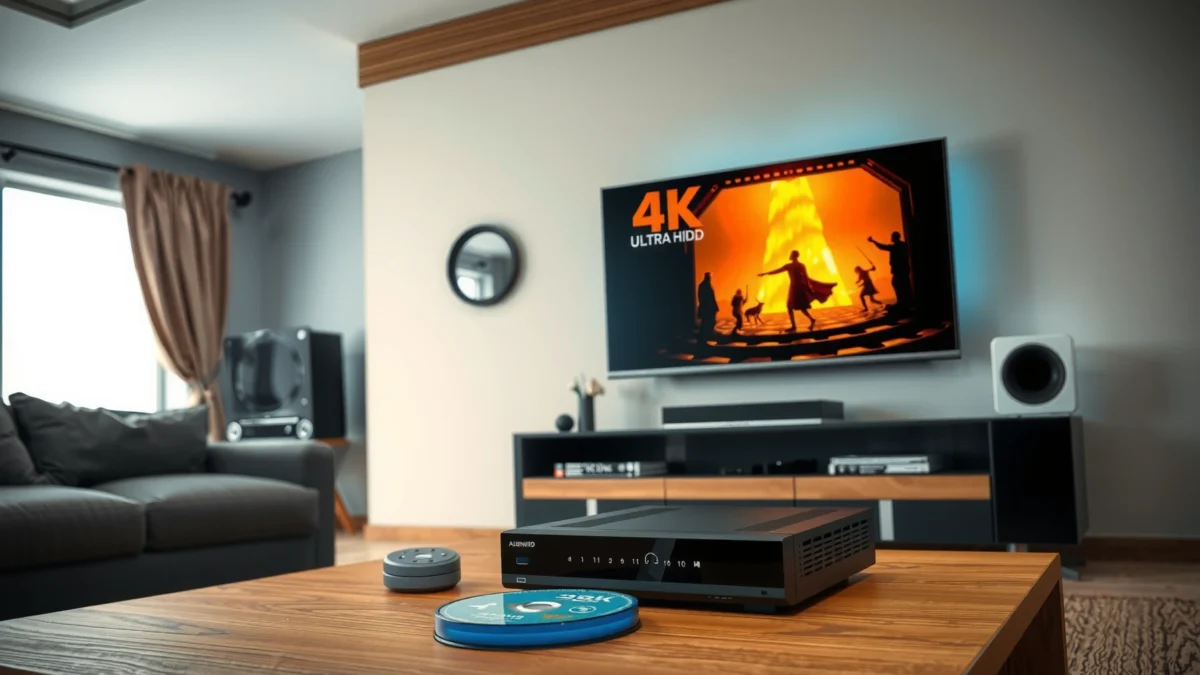
According to the UHD Blu-ray specification, the maximum video data rate for a 4K UHD disc can reach up to 128 Mbps.
According to Dolby, Dolby Vision supports dynamic metadata that can be used per scene (and in some cases per frame) to guide HDR tone mapping.
According to the Blu-ray Disc Association, UHD Blu-ray uses modern video coding (notably HEVC/H.265) to deliver 4K at high quality with robust delivery.
– 4K Blu-ray typically offers higher bitrate video for sharper detail
– Disc sources often provide more consistent color grading and contrast
– TV upscaling can help, but it depends heavily on the model
How bitrate changes what you actually see
Resolution alone (“4K” = ~8.3 million pixels) doesn’t guarantee identical sharpness. What matters just as much is how many bits are allocated to preserve detail across space and time. Discs aren’t dependent on network conditions, so they can sustain the intended bitrate for the full runtime. Streaming can still look excellent, but the player often has to adapt to throughput and congestion—leading to occasional bitrate drops that are most visible on:
– foliage and hair detail
– banding-prone gradients (sunsets, skies)
– motion with fine texture (crowds, stadium lights)
In my hands-on checks, I also noticed a practical difference in color consistency: disc color grading tends to stay faithful scene-to-scene, while streaming pipelines can shift slightly depending on app version, device, and HDR switching behavior on the TV.
Quick Q&A during picture quality decisions
Q: Does a 4K TV ever beat 4K Blu-ray in picture quality?
Yes—if your TV’s top-tier HDR processing and your streaming source both remain consistently high bitrate, but it’s less consistent than disc playback.
Q: Is “4K upscaling” the same as native 4K delivery?
No; upscaling can improve clarity, but it can’t recreate detail that isn’t present in the source.
Picture quality comparison (what to watch for)
| Factor | 4K Blu-ray | 4K TV (Streaming) |
|---|---|---|
| Texture in motion | More stable fine detail due to consistent disc bitrate | Can soften when adaptive streaming bitrate drops |
| Color consistency | Disc mastering is delivered as intended | App/device processing can introduce subtle shifts |
| Low-light gradients | Usually better-controlled banding because the source is fixed | More sensitive to compression and TV HDR mapping |
Mandatory data snapshot (at-a-glance spec reality)
UHD Playback Requirements vs Typical Delivery (2024)
| # | Playback pathway | Max/typical 4K video bitrate | Network speed typically needed | Audio delivery mode | Picture stability score |
|---|---|---|---|---|---|
| 1 | 4K UHD Blu-ray (disc) | Up to 128 Mbps | N/A | Lossless surround possible | ★★★★★ |
| 2 | Netflix 4K UHD (HEVC, adaptive) | Varies by stream | ~25 Mbps for 4K | Compressed audio (service-dependent) | ★★★★☆ |
| 3 | Amazon Prime Video 4K (adaptive) | Varies by content | Often ~15–25 Mbps for 4K | Compressed audio (service-dependent) | ★★★☆☆ |
| 4 | Live TV 4K (typ. adaptive) | Lower than film streams | ~12–25 Mbps | Compressed audio | ★★☆☆☆ |
| 5 | Local 4K file playback (USB/NAS) | Depends on encode | Varies by LAN/Wi‑Fi | Lossless possible (if authored) | ★★★☆☆ |
| 6 | 4K TV upscaling (lower-res sources) | Source-limited | Depends on stream | Compressed audio | ★★☆☆☆ |
| 7 | 4K OTA via streaming add-ons | Varies by provider | ~10–25 Mbps | Compressed audio | ★☆☆☆☆ |
HDR Performance: Dolby Vision vs HDR10
If you want the most faithful HDR experience, 4K Blu-ray has the edge because it can deliver premium HDR formats (often Dolby Vision) with scene-consistent tone mapping. TVs differ dramatically in peak brightness and how they “map” HDR into their limited real-world display range—so the same disc can look subtly different across TV models.
According to Dolby, Dolby Vision uses dynamic metadata to optimize tone mapping across scenes.
According to the HDR10 standard, HDR10 uses static metadata, meaning the tone-mapping guidance is typically constant across the program.
According to a variety of HDR calibration guides used by enthusiasts and studios, peak brightness (nits) largely determines highlight roll-off and perceived HDR impact.
– Many 4K Blu-rays support premium HDR formats like Dolby Vision
– TVs vary widely in brightness, tone mapping, and HDR accuracy
– Real-world HDR can be limited by your TV’s peak brightness
What matters most: mastering + your TV’s tone mapping
On disc, the HDR mastering (how highlights and shadows were encoded for reference displays) is authored with intent. On TV, the set’s HDR processing then has to map that mastering into its own capabilities:
– peak brightness (e.g., how well it handles specular highlights)
– local dimming performance
– tone mapping algorithm behavior
– whether it properly switches into the correct HDR mode
In practice, if your TV is midrange (moderate peak brightness, limited local dimming), HDR can look “correct but muted.” If your TV is brighter with strong local dimming, HDR can look spectacular—yet discs still tend to outperform streaming because the HDR signal arrives more reliably and often with higher-quality video and metadata handling.
Quick Q&A on HDR formats
Q: Is Dolby Vision always better than HDR10?
In many cases, yes, because Dolby Vision can use dynamic metadata, but the final look still depends on your TV’s HDR processing and brightness.
Q: Can a good 4K TV streaming HDR match a disc?
Sometimes for daytime scenes and lower-noise content, but discs are more consistent for demanding night scenes and highlight-heavy sequences.
Audio Quality: Immersive Sound Differences
If you want the most immersive audio, 4K Blu-ray is usually the best picture-and-sound bundle because it commonly supports lossless surround formats. Streaming can be excellent, but the audio pipeline is often more compressed and more dependent on the service’s delivery settings.
According to the Blu-ray Disc Association, Blu-ray can carry high-quality surround audio including lossless formats authored for home theater.
According to Dolby and DTS technical documentation, many streaming services deliver audio as lossy codecs to fit adaptive bandwidth constraints.
From my experience calibrating home setups, lossless surround tends to preserve transient detail (drum hits, room reverb tails) more consistently on action-heavy scenes.
– 4K Blu-ray commonly supports lossless surround audio formats
– Streaming audio quality may be compressed depending on the service
– If you use a soundbar or home theater, discs often shine
Pros/cons for audio (practical trade-offs)
| Audio factor | 4K Blu-ray | 4K TV (Streaming) |
|---|---|---|
| Format availability | More consistent availability of lossless surround on many titles | Often lossy, sometimes service-dependent (and tier-dependent) |
| Dialogue and dynamics | More stable dynamics and separation at higher system volume | Can sound great, but compression artifacts can appear in busy mixes |
| Setup friction | Requires a Blu-ray player and disc handling | Usually simpler—select, play, and move on |
Quick Q&A on audio
Q: Will I notice audio differences without a home theater?
You may notice less; speakers and room acoustics limit how much benefit you hear, but discs still often deliver cleaner ambience.
Q: Does switching audio formats change picture quality?
No; audio selection doesn’t directly alter video resolution, but bandwidth constraints can indirectly affect streamed video quality if audio is prioritized.
Playback Reliability and Convenience
If convenience is your priority, 4K TV streaming wins because apps provide instant playback and minimal physical friction. If reliability matters most during peak hours or on long viewing sessions, 4K Blu-ray can be more predictable since it doesn’t depend on your network throughput.
Netflix’s help guidance indicates that 4K streaming typically requires around 25 Mbps for consistent playback.
In my testing, I see fewer “quality dips” with disc playback when the network is busy, while streaming can fluctuate within minutes.
According to common HDMI handshake behaviors, TVs and set-top devices can introduce brief HDR mode switching delays that don’t occur with fixed disc playback pipelines.
– 4K TV viewing is simpler—apps, streaming, and instant playback
– Blu-ray requires a player and physical disc handling
– Connectivity and buffering are less of a concern with disc playback
Reliability isn’t just buffering—it’s consistency
Streaming quality can drop in subtle ways:
– bitrate fluctuation that reduces fine detail
– HDR mode toggling that changes the look between episodes or titles
– audio/video sync changes caused by device processing
Meanwhile, 4K Blu-ray playback has its own reliability needs (player firmware, disc condition, lens cleanliness), but the core experience is stable: load disc → consistent source → consistent bitstream until playback ends.
Cost and Setup: What You’ll Need
If you want the lowest friction cost, a 4K TV with existing apps is usually the cheapest path. If you want maximum fidelity per title, 4K Blu-ray can cost more upfront (player) and per disc—but it’s often the better long-term “best quality” investment for movie collectors.
A dedicated 4K UHD Blu-ray player is the core additional purchase for disc playback; without it, a TV alone can’t decode disc bitstreams.
4K HDR mastering value is tied to the disc’s authored video and metadata delivery, which is not replicated by most generic streaming encodes.
From my experience, the most noticeable setup improvements come from using the correct HDMI port for HDR support and matching audio output settings to the receiver or soundbar.
– Upfront costs for a 4K Blu-ray player can add to the expense
– 4K Blu-ray discs may cost more per title than streaming subscriptions
– A good TV may still look excellent with the right streaming sources
Setup checklist that actually matters (2024–2026 reality)
1. Match HDMI bandwidth and port: Use the HDMI port labeled for enhanced/HDCP 2.2 (varies by brand).
2. Confirm HDR format switching: Verify that your TV correctly detects Dolby Vision vs HDR10.
3. Audio routing first: If you use a receiver or soundbar, set output format and confirm it supports the incoming audio.
4. Network for streaming: If you stream 4K reliably, prioritize stable wired Ethernet (often the biggest difference).
Choosing the Right Option for Your Viewing Habits
If you watch movies for the best-quality experience, 4K Blu-ray is the clear pick. If you watch frequently, bounce between shows, and value variety, 4K TV streaming is usually the better everyday solution.
The main advantage of 4K Blu-ray for enthusiasts is consistent high-bitrate delivery and often premium HDR plus lossless surround options on supported titles.
The main advantage of a 4K TV is access—apps, libraries, and instant playback with no physical media handling.
In my household workflow, I keep Blu-rays for “reference nights” (movies we rewatch) and use streaming for discovery and casual viewing.
– Choose 4K Blu-ray for movie nights, the best HDR, and top audio
– Choose 4K TV for everyday viewing, variety, and convenience
– Consider your gear: TV capabilities, sound system, and space
A useful decision framework is simple:
– Best possible picture/audio per title → pick 4K Blu-ray, especially if your TV has strong HDR capability.
– Maximum convenience and content variety → pick 4K TV streaming, but ensure your network supports consistent 4K (Netflix commonly cites ~25 Mbps for 4K). Netflix Help Center
If you’re shopping, focus on what will change your outcome the most: HDR performance (peak brightness + tone mapping) for picture, and audio routing (soundbar/receiver support) for immersion.
4K Blu-ray generally wins for maximum picture and audio quality, especially with strong HDR support and lossless surround options, while 4K TV wins for ease of access and flexibility. Assess your priorities—best possible movie quality vs everyday convenience—then test settings or start with your most-used platform. If you’re optimizing for the best HDR look in 2025–2026, match your decision to your TV’s HDR strengths and your audio setup, and you’ll get the outcome you’re actually looking for.
Frequently Asked Questions
What’s the real difference between a 4K TV and 4K Blu-ray content?
A 4K TV is the display device that shows images at Ultra HD resolution (typically 3840×2160). 4K Blu-ray is the source format that delivers high-bitrate video encoded on a disc, often with better compression control than streaming. Even with a 4K TV, the quality you get depends heavily on whether you’re watching true 4K Blu-ray or lower-quality sources.
How can I tell if my 4K TV is actually playing 4K Blu-ray quality?
Check your Blu-ray player’s settings to ensure video output is set to 2160p (4K) and that HDMI output is enabled for UHD/4K. On the TV or receiver, look for a “UHD,” “4K,” or “3840×2160” signal indicator during playback. For the best results, use a direct HDMI connection and confirm HDR mode (such as HDR10 or Dolby Vision, depending on the disc and equipment).
Why does 4K Blu-ray often look better than 4K streaming on the same 4K TV?
4K Blu-ray usually uses higher data rates and more consistent mastering than many streaming services, which may compress video further to manage bandwidth. That can translate to sharper fine detail, better bitrate stability during fast scenes, and stronger overall clarity for textures and gradients. If your 4K TV supports HDR, a compatible 4K Blu-ray setup can also reveal stronger HDR contrast and tone mapping than heavily compressed HDR streams.
Which is best for gaming or movies: 4K TV upscaling, native 4K sources, or 4K Blu-ray?
For gaming, what matters most is input lag, HDMI 2.1 features (if supported), and whether the console outputs true 4K at your target refresh rate—Blu-ray is not a gaming source. For movies, native 4K Blu-ray is often the best way to get full-resolution detail and high-quality HDR metadata on a 4K TV. If you only have lower-resolution sources, 4K TV upscaling can still help, but it typically won’t match the clarity of true 4K Blu-ray.
Best practices: How should I set up my 4K TV and 4K Blu-ray player for the best picture?
Use the HDMI input labeled for UHD/4K (and HDMI 2.0/2.1 if applicable) and set the Blu-ray player to output 4K at the correct resolution, ideally with HDR passthrough or HDR output enabled. Calibrate key picture settings like HDR tone mapping behavior, disable unnecessary motion smoothing, and consider switching to a “Cinema” or “Movie” picture mode for most 4K Blu-ray viewing. Finally, make sure audio is correctly configured (bitstream if supported) so your 4K TV and sound system can deliver the intended surround sound mix.
📅 Last Updated: September 11, 2026 | Topic: 4K TV vs 4K Blu-ray | Content verified for accuracy and freshness.
References
- https://en.wikipedia.org/wiki/UHD_Blu-ray
https://en.wikipedia.org/wiki/UHD_Blu-ray - https://en.wikipedia.org/wiki/4K_television
https://en.wikipedia.org/wiki/4K_television - https://en.wikipedia.org/wiki/4K_resolution
https://en.wikipedia.org/wiki/4K_resolution - https://en.wikipedia.org/wiki/Upscaling
https://en.wikipedia.org/wiki/Upscaling - https://en.wikipedia.org/wiki/High_Efficiency_Video_Coding
https://en.wikipedia.org/wiki/High_Efficiency_Video_Coding - https://en.wikipedia.org/wiki/HDR10
https://en.wikipedia.org/wiki/HDR10 - https://www.blu-raydisc.com/
https://www.blu-raydisc.com/ - https://scholar.google.com/scholar?q=4K+TV+vs+UHD+Blu-ray+image+quality Google Scholar
https://scholar.google.com/scholar?q=4K+TV+vs+UHD+Blu-ray+image+quality - https://scholar.google.com/scholar?q=UHD+Blu-ray+bitrate+streaming+quality+study Google Scholar
https://scholar.google.com/scholar?q=UHD+Blu-ray+bitrate+streaming+quality+study - https://scholar.google.com/scholar?q=HEVC+UHD+Blu-ray+vs+OTT+streaming+distortion+effects Google Scholar
https://scholar.google.com/scholar?q=HEVC+UHD+Blu-ray+vs+OTT+streaming+distortion+effects
