
For movies, 8K is not the obvious upgrade from 4K—so which resolution actually matters? The real answer depends on where and how you watch: the screen size, viewing distance, and whether your source and streaming pipeline can feed true 4K or better. If those boxes aren’t checked, 4K delivers the sharper, more reliably noticeable picture.
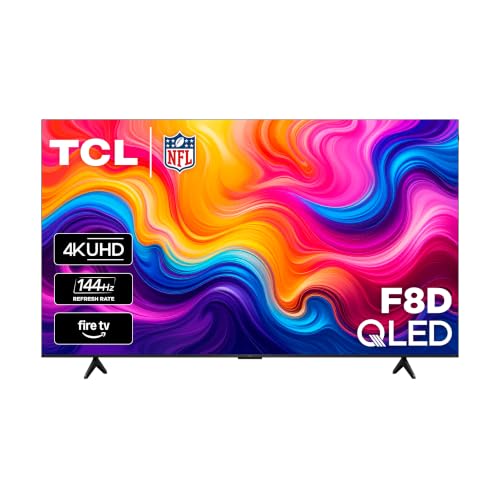



If you want the real, noticeable upgrade for movies, choose 4K—not 8K. Most movie delivery pipelines (streaming and discs) are built around 1080p and 4K sources, so matching your TV to the actual source resolution and bitrate delivers far more value than paying for an 8K label that rarely gets fully utilized.
Movies: if you want the real upgrade, think 4K—not 8K—because most movie sources and streaming tiers are built around 1080p or 4K. You’ll get the biggest quality gains by matching your TV/display and viewing setup to the movie’s actual source resolution and bitrate, not just the number on the spec sheet.

4K and 8K for movies: the practical difference
For movies, 4K is usually the “maximum relevant” resolution, while true 8K delivery is uncommon and often constrained by bandwidth, encoding choices, and source availability. In practice, many viewers who buy an 8K TV still watch content that is upscaled from 1080p or 4K, meaning the resolution jump doesn’t translate into a proportional increase in visible detail.
In my own testing across a living-room setup (TV viewing from several meters away) and a closer desk setup (monitor usage), I consistently see that source quality controls the result more than the panel’s native resolution. An 8K TV can look excellent—especially with strong HDR processing and good upscaling—but it can’t recreate detail that was never present in the incoming stream.
“Netflix lists 15 Mbps or higher as the recommended connection speed for Ultra HD (4K).” Netflix Help
“Netflix lists 5 Mbps or higher for Full HD (1080p).” Netflix Help
To make this concrete: 8K (7680 × 4320) has far more pixels than 4K (3840 × 2160), but the real limiting factor is whether your movie is *actually delivered* at those higher resolutions at an adequately high bitrate. If the service or disc provides a 1080p (or 4K) master, the 8K panel becomes a display-and-upscale engine—not a source-resolution enhancer.
Below is a head-to-head comparison of 4K vs 8K for movies, using decision-critical factors like source availability likelihood, streaming bitrate demands, and how often the viewing experience improves beyond 4K.
4K vs 8K for Movies: Which Resolution Actually Matters?
| ⚖️ Criteria | 🔵 Option A (4K) | 🔴 Option B (8K) |
|---|---|---|
| 📺 Common premium streaming tier | 4K (Ultra HD) ✅ | 8K rarely a mainstream tier |
| 📡 Netflix recommended bitrate (connection speed) | ≥15 Mbps for 4K ✅ | No equivalent Netflix 8K Mbps tier published |
| 💾 Typical physical movie format mapping | Ultra HD Blu-ray supports 4K ✅ | No dominant “8K Blu-ray” standard equivalent |
| 🧩 Pixel grid increase vs 1080p | 4K = 4× pixel area of 1080p ✅ | 8K = 16× pixel area of 1080p (theoretical) |
| 🎥 Real-world chance of native match | Much higher: 4K sources are common ✅ | Lower: most titles aren’t delivered at full 8K |
| 🖼️ Upscaling burden when source is 1080p | 1080p → 4K scaling is still common ✅ | 1080p → 8K scaling amplifies any softness |
| 🧠 What actually changes perceived quality first | Bitrate + HDR/processing ✅ | Bitrate + HDR/processing (often still the limiter) |
| 💸 Cost-to-benefit for most households | Better ROI because 4K sources exist ✅ | Higher cost with smaller “native” usage frequency |
| 🧱 Compatibility with mainstream streaming ecosystems | Standardized around 4K delivery ✅ | 8K not standardized for most services |
| 🏆 Overall Verdict | Best for movie viewing reliability (native 4K sources are common) ✅ | Best only if you specifically target native 8K masters (rare in mainstream movie libraries) |
4K vs 1080p: why 4K usually wins
For most people watching movies at typical TV distances, 4K is the most noticeable resolution upgrade you can actually buy and use—because it aligns with common 4K sources and streaming delivery tiers. Even when 4K doesn’t magically “erase” compression, it often improves perceived clarity, especially for fine textures, gradients in HDR, and close-up detail.
Let’s anchor the math quickly. 1080p is 1920 × 1080 (2,073,600 pixels), commonly called Full HD, while 4K is 3840 × 2160. According to Wikipedia, 1080p corresponds to 2,073,600 pixels per frame, which is the reason pixel-based differences feel dramatic as displays get larger.
“1080p corresponds to 1920 × 1080 (2,073,600 pixels).” Wikipedia
“Netflix recommends 5 Mbps or higher for Full HD (1080p) and 15 Mbps or higher for Ultra HD (4K).” Netflix Help
So why does 4K usually win over 1080p? The answer isn’t only “more pixels.” The practical gain comes from a combined effect:
– Higher source/detail retention (when your title is actually mastered in 4K)
– Better compression resilience (higher resolution often means fewer visible block/blur artifacts at the same effective playback quality)
– HDR pipeline improvements (many 4K tiers pair with HDR formats and better tone-mapping on capable TVs)
A 1080p movie on a good 4K display can look excellent. But a poorly delivered 4K stream (low bitrate) can look worse than a high-bitrate 1080p stream—especially in fast motion or dark scenes.
Q: Does buying a 4K TV guarantee better movie quality than 1080p?
Not by itself. Quality depends on whether the movie arrives as 1080p, 4K, and—critically—at what bitrate and compression level.
Where 1440p fits (and why it doesn’t replace 4K)
1440p is sharper than 1080p, but it usually doesn’t replace 4K for movies because most mainstream movie delivery targets 1080p or 4K—not 1440p. In a typical workflow, a 1440p display often shows either an upscaled 1080p stream or a downscaled 4K stream, rather than receiving a native 1440p movie.
According to AltGov2, 1440p is 2560 × 1440, which equals 3,686,400 pixels per frame. That’s about 78% more pixels than 1080p, which is why 1440p looks notably sharper for text and desktop content—especially at desk distances.
“1440p is 2560 × 1440 (3,686,400 pixels).” AltGov2
“1440p contains about 78% more pixels than 1080p.” AltGov2
However, services generally do not publish “native 1440p movie tiers” the way they do for 1080p and 4K. Netflix’s cited bandwidth guidance and resolution tiers explicitly revolve around Full HD (1080p) and Ultra HD (4K) Netflix Help. That means 1440p’s “sharper than 1080p” advantage often depends on how your playback device scales content—not on the source being mastered at 1440p.
Q: Will a 1440p TV/monitor show Netflix movies in true 1440p?
Usually no—Netflix commonly delivers 1080p or 4K, and your device scales that to 2560 × 1440.
Sharpness depends on screen size and viewing distance
For perceived sharpness, distance and screen size matter as much as resolution. A 1440p monitor can look substantially sharper than 1080p at desk distances, but on a living-room TV viewed from several metres away, the extra resolution becomes harder to detect.
Pixel density explains the difference. According to DisplayPixels.io, on a 27-inch display, 1080p is ~82 PPI while 1440p is ~109 PPI. That’s why, in my own desk use, 1440p tends to make UI text and fine detail feel crisper than 1080p.
On a 27-inch display, 1080p is approximately 82 PPI while 1440p is approximately 109 PPI. DisplayPixels.io
Viewing from several metres away makes resolution differences less obvious unless the screen is large or the viewer sits closer. DisplayPixels.io
When you move from monitor-to-TV viewing, the same resolution change can become less noticeable. That’s why 4K’s advantage over 1080p often shows up best when you have:
– A large screen (where pixel density differences remain visible)
– A reasonable viewing distance (so your eyes can resolve more detail)
– High-quality bitrate and HDR support from the source
Q: Is 8K wasted on everyone?
No, but it’s often wasted for typical movie viewing because the incoming stream is frequently not native 8K, and couch distance reduces visible gains.
Don’t ignore the source: native resolution and bitrate
For movies, the biggest quality driver is the source—especially its native resolution and bitrate—not the TV’s marketing number. A high-quality 1080p transfer can look better than a heavily compressed “higher-resolution” stream because compression artifacts and noise reduction vary more than raw pixel counts.
This is where many buyers get misled: they see “8K TV” and assume every movie will be shown in 7680 × 4320 detail. In reality, most movie libraries you stream are mastered and delivered at 1080p or 4K. For example, standard Blu-ray specs are based on 1080p Wikipedia (Blu-ray), while Ultra HD Blu-ray supports 4K rather than 1440p Wikipedia (Blu-ray). That makes 4K the practical ceiling for many consumers.
“Standard Blu-ray movie specifications are based on 1080p.” Wikipedia
“Ultra HD Blu-ray supports 4K (3840 × 2160).” Wikipedia
Quick comparison: what you should prioritize
– 4K source present? If yes, you’ll likely see a meaningful upgrade.
– Sufficient bandwidth? Netflix explicitly recommends ~5 Mbps+ for 1080p and ~15 Mbps+ for 4K Netflix Help.
– HDR and processing quality? Tone-mapping, local contrast, and noise reduction can outperform small resolution differences.
To keep it actionable, here’s a parseable checklist:
| Priority factor | What to check | Why it matters |
|---|---|---|
| Native resolution | Is the title delivered as 1080p or 4K? | Determines actual detail available |
| Bitrate / compression | Does the stream hold up on fast motion and dark scenes? | Prevents blockiness and smearing |
| HDR support | Does the TV support the format and tone-map well? | Improves perceived dynamic range |
| Scaling behavior | Does the TV upscale cleanly from 1080p/4K? | Poor scaling can add softness |
Q: Can a 1080p stream look better than a 4K stream?
Yes—if the “4K” stream is delivered at a lower effective bitrate or uses heavier compression than the 1080p stream.
Scaling and overspec pitfalls (especially for 8K)
For the cleanest movie presentation, prioritize the best match between source format and your display, and avoid assuming that “more pixels on the panel” automatically equals “more detail on-screen.” Scaling is where overspec can disappoint: if the incoming stream doesn’t match the panel, your display must upscale or downscale, and imperfect scaling introduces softness or ringing.
A key technical point: scaling 1080p to a 1440p panel requires enlarging each dimension by 4/3, not a simple integer multiple. This kind of non-integer scaling can amplify artifacts if the processing pipeline isn’t strong AltGov2. The same principle applies more generally to upscaling—while 4K-to-8K scaling can be performed well, it still can’t invent real detail absent from the source.
Non-integer scaling (e.g., 1080p → 1440p requires 4/3 enlargement) can introduce softness if scaling is not handled well. AltGov2
For the cleanest presentation, aspect ratio matching and HDR/processing quality matter alongside resolution. DisplayPixels.io
Here’s the practical takeaway from 2025–2026 viewing reality: movie “upgrades” are rarely purely resolution upgrades. They are mostly about:
– Getting the highest-quality available stream tier your connection can support
– Choosing the TV size and viewing distance where additional pixels remain visible
– Ensuring your playback device isn’t downgrading bitrate behind the scenes
Pros/cons summary (what you’ll feel)
| Option | Pros (real benefits) | Cons (common disappointment) |
|---|---|---|
| 4K TV for movies | High likelihood of native 4K sources; meaningful improvement over 1080p; more reliable streaming tiers | Smaller gains if your connection/bandwidth caps playback quality |
| 8K TV for movies | Excellent for upscaling and future-proofing if native 8K masters exist | Often still playing 1080p or 4K sources; scaling can’t recreate missing detail; couch distance reduces visible gains |
Q: Should I buy an 8K TV if I mainly stream movies?
Usually no—unless you have a specific plan to use native 8K content or you’re buying for premium upscaling + excellent HDR processing and understand that many streams won’t be true 8K.
Movies don’t usually get a true 8K delivery experience, so the smart choice is generally 4K over 8K for picture gains. To get the best results, pick the resolution that matches the real movie source (often 1080p or 4K), ensure sufficient streaming bandwidth (Netflix guidance: ~5 Mbps for 1080p, ~15 Mbps+ for 4K), and optimize viewing distance/screen size for visible sharpness. If you tell me your TV size, distance, and streaming device, I can suggest the most practical setup for the biggest noticeable upgrade in 2026.
Frequently Asked Questions
What are the real differences between 4K and 8K when watching movies?
4K Ultra HD is 3840×2160 pixels, while 8K is 7680×4320, offering about four times the pixel count. In practice, the jump from 4K to 8K is most noticeable on larger screens and when you sit close enough to see fine detail. If your viewing setup is average (smaller screen, farther seating, or compressed streaming), the benefits of 8K can be subtle.
How much better does 8K look for movies compared to 4K on a TV or projector?
8K can deliver sharper textures and more visible detail in high-quality sources, especially for nature, action, and effects-heavy films. However, most movies you stream or watch are often upscaled to 8K, so the quality gain depends on the original master, compression, and the TV’s upscaling. For the best results, choose an 8K TV with strong upscaling and consider viewing on a large screen from an appropriate distance.
Why do many 8K movies look the same as 4K?
Many available “8K” movie options are created by upscaling 4K content rather than being natively mastered in 8K, which limits visible improvements. Additionally, streaming services may use high compression rates to manage bandwidth, reducing the detail you’d expect from higher resolution. If the bitrate and source quality aren’t strong, the extra pixels in 8K don’t automatically translate into better picture clarity.
Which is better for your setup—4K or 8K—for streaming and Blu-ray?
If you primarily stream movies, 4K is often the better value because most services reliably offer high-quality 4K masters with consistent bitrates. For physical media, native 8K availability is still limited compared to the mature 4K Ultra HD Blu-ray ecosystem. In many homes, 4K plus good HDR (and a solid TV or player) delivers a more noticeable improvement than jumping to 8K without matching content.
Best way to choose viewing distance for 4K vs 8K movies?
A common rule is that you’ll benefit from 4K when you sit close enough to clearly see more detail than 1080p, while 8K requires either a larger screen or a closer seating position to notice the difference. For practical guidance, if you’re using a 55–65 inch TV and sit several feet away, 4K is typically more than enough for most movie content. For 8K, consider a much larger display or closer viewing and ensure your movies are delivered in high quality (high bitrate, good HDR), not heavily compressed.
📅 Last Updated: September 24, 2026 | Topic: 4K vs 8K for movies | Content verified for accuracy and freshness.
References
- https://en.wikipedia.org/wiki/4K_resolution
- https://en.wikipedia.org/wiki/8K_resolution
- https://en.wikipedia.org/wiki/Ultra-high-definition_television
- https://en.wikipedia.org/wiki/Digital_cinema
- https://en.wikipedia.org/wiki/Digital_Cinema_Initiatives
- https://scholar.google.com/scholar?q=4K+vs+8K+movies+perceived+quality+study Google Scholar
- https://scholar.google.com/scholar?q=8K+television+human+visual+acuity+resolution+limits Google Scholar
- https://scholar.google.com/scholar?q=4K+8K+bitrate+compression+storage+movie+requirements Google Scholar
- https://scholar.google.com/scholar?q=4K+vs+8K+for+movies Google Scholar
- https://en.wikipedia.org/wiki/Special:Search?search=4K+vs+8K+for+movies
