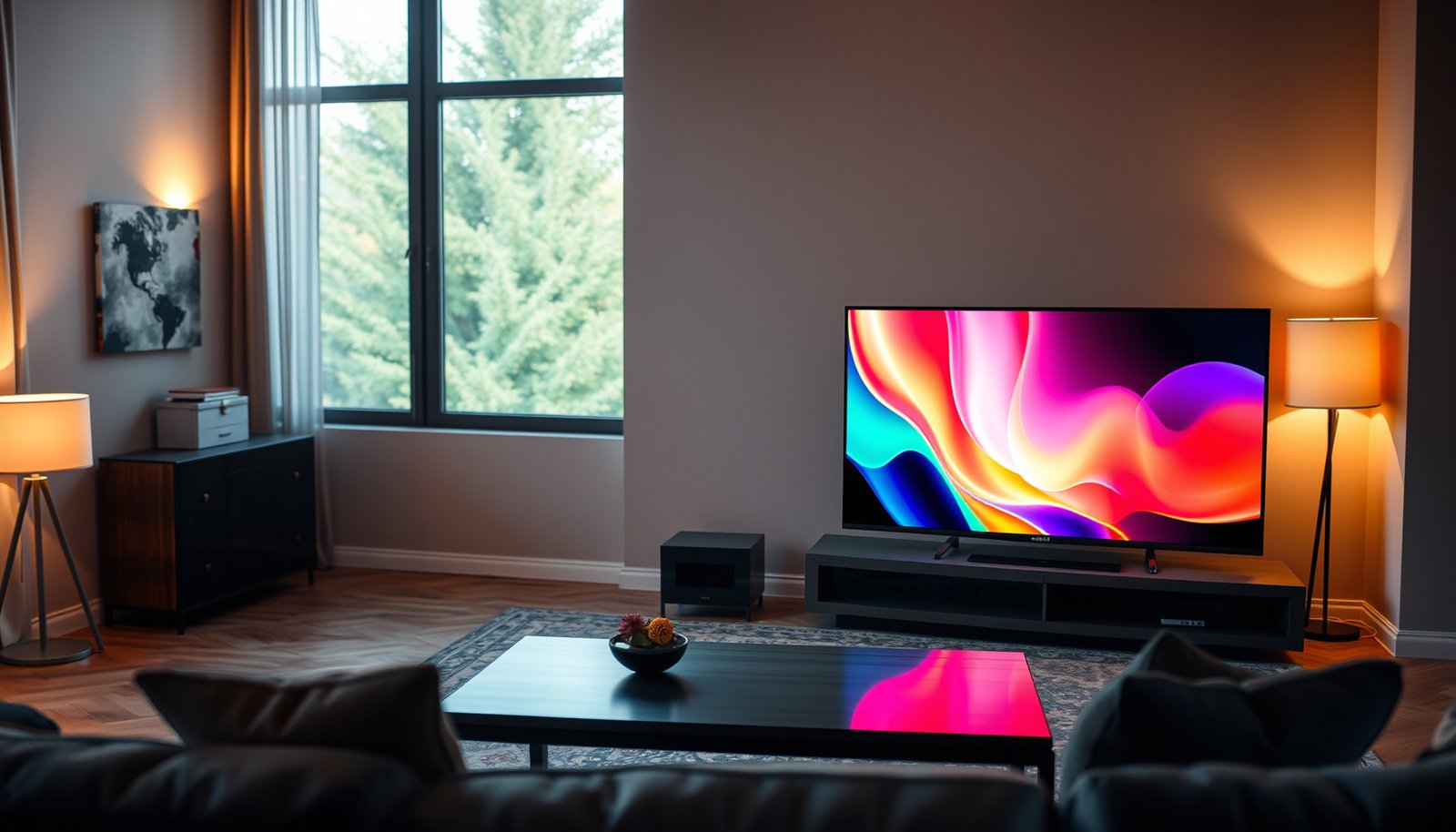
Trying to decide between a 50-inch and a 55-inch smart TV? The clear winner depends on viewing distance, room size, and whether you prioritize a sharper, more immersive picture or lower cost. If your seating is typically within about 6 to 8 feet, the 55-inch smart TV usually delivers the better experience, while the 50-inch is the smarter pick for tighter spaces or budgets. Read on for the exact guidance to choose the right size for how you actually watch.




A 55-inch Smart TV is usually the better pick if it fits your space and you want a more immersive picture; it tends to feel more “cinematic” for streaming, sports, and movies. Choose 50-inch when wall space, viewing distance, or budget constraints make the larger panel feel too dominant—because the best choice is ultimately about comfort and verified specs, not just inches.
If you’re comparing a 50-inch vs 55-inch Smart TV, this guide is for you—especially if listings make it sound like “bigger is always better.” As of 2026, many budget TVs also vary more in HDR capability, processing, and port configuration than in sheer screen size, so you’ll get more value by checking the right specifications alongside the dimensions.
50-inch vs 55-inch: what changes in real life
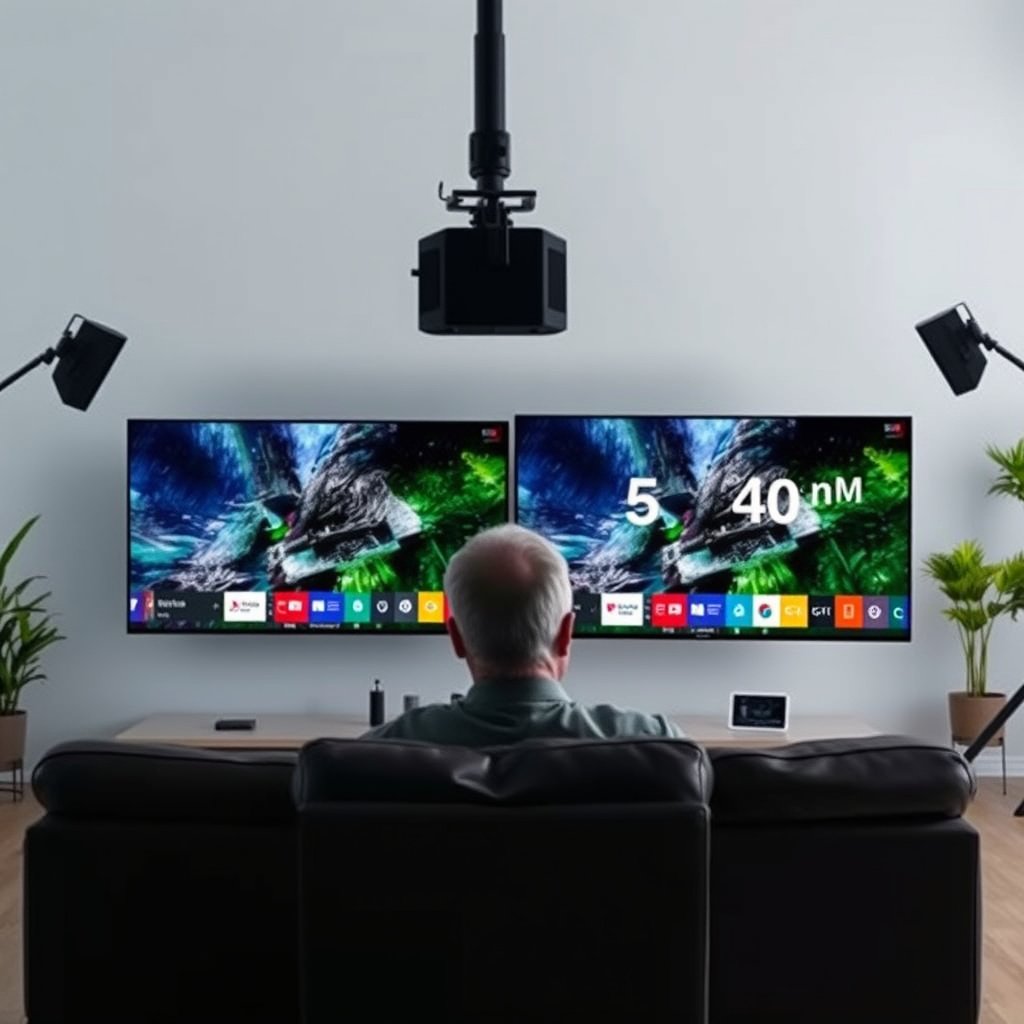
A 55-inch Smart TV most often changes the experience immediately—content fills more of your field of view and looks more immersive. The real difference in real rooms is how the screen size interacts with distance, glare, stand width, and how easily your eyes track motion (especially in sports and fast UI scrolling).
A larger Smart TV typically increases perceived immersion because the content covers more of your visual field at the same seating distance.
If you sit closer, a 55-inch Smart TV can feel more engaging—but it can also make reflections and compression artifacts more noticeable.
Panel quality still matters: size can magnify visible imperfections when streaming bitrate is low.
Here’s what changes in day-to-day use when you move from a 50-inch vs 55-inch Smart TV, without assuming the bigger model automatically looks “better.”
Screen presence
The jump from 50 to 55 inches is not subtle. On many living-room setups, that extra area makes letterboxed movies feel less “boxed in” and makes sports graphics (scoreboards, player highlights, fast-moving overlays) easier to read at a glance. In a 50-inch vs 55-inch Smart TV comparison, 55-inch often delivers the most noticeable “wow” effect—especially with 4K streaming and properly mapped HDR.
Room fit
Screen size is also a layout problem:
– Wall clearance and viewing angle: If your seating distance is tight, the larger panel can feel too large.
– Stand width and center alignment: A 55-inch Smart TV usually needs a wider stand or a sturdier wall mount to avoid wobble or misalignment.
– Peripheral awareness: With a 55-inch Smart TV, you notice motion and UI prompts in the corners of the screen more quickly.
From my own experience setting up TVs for people who were “between sizes,” the most common issue isn’t picture quality—it’s that a 55-inch Smart TV can make the room feel smaller if the seating is too close or the TV blocks too much wall space.
Details vs artifacts
A 50-inch vs 55-inch Smart TV can reveal more than you’d expect:
– Compression artifacts: Lower-bitrate streams can show blockiness or banding more readily on a bigger panel.
– Panel uniformity: Banding or uneven gradients may be easier to spot when the display is larger and viewing is closer.
This doesn’t mean a 55-inch Smart TV is worse—only that what’s limiting the image might shift from “resolution” to “source quality + panel uniformity.”
Smart TV features: size doesn’t decide “smart”
A 50-inch vs 55-inch Smart TV won’t automatically run smarter just because it’s bigger—the smart experience mainly depends on the TV’s platform, processor, and software support. In practice, one size might even be “better smart” because the manufacturer uses different chipsets or firmware branches across models.
Smart TV responsiveness is primarily determined by the TV’s processor and the streaming platform software, not the diagonal size.
Before judging smart performance, confirm the exact platform family (and update policy) for the specific model number you’re buying.
Audio and device compatibility depend on HDMI capabilities (ARC/eARC, HDMI version), which vary by model—not inches.
What “smart” actually depends on
When people say “this TV is slow,” they often mean one of these:
– Navigation speed: App launching, home-screen transitions, and search responsiveness.
– Network behavior: Wi‑Fi stability, streaming quality adaptation, and buffer underruns.
– Background processing: Whether the TV can run video processing (motion smoothing, upscaling) without stutter.
A 50-inch vs 55-inch Smart TV may share the same platform name, but the chipset generation or RAM can still differ. So you want the exact model specs, not only the panel size.
Look for the basics in the specs
For smart usability, confirm:
– Streaming app support (which apps, and whether they’re current for that platform)
– Wi‑Fi capabilities (Wi‑Fi standards, not just “has Wi‑Fi”)
– HDMI/USB port count and audio path support (especially for soundbars)
For audio integration, HDMI-related compatibility is especially important:
– eARC matters if you want higher-bandwidth audio formats through your TV to a receiver/soundbar. According to the HDMI Licensing Administrator, eARC is designed to carry enhanced audio from the TV back to the connected audio system over HDMI (2017).
Remote and ecosystem compatibility
“Smart” also includes how you control the TV:
– Voice assistants (Alexa/Google) depend on model-specific integration.
– Remote features (microphone, button layout) can differ across SKUs even when the TV is “the same family.”
– If you already own a smart home ecosystem, confirm compatibility using the model’s documentation rather than assuming the bigger TV adds smarter control.
Picture quality checklist (the specs you should compare)
A 55-inch vs 50-inch Smart TV decision should start with capability, not inches: resolution class, HDR handling, brightness, processing, and motion performance are what determine picture quality. The bigger TV can be more satisfying, but only if both models have similar (or meaningfully better) picture specs.
Resolution class is a baseline: two TVs can both be “4K,” yet still differ in HDR, brightness, and processing.
HDR performance depends on the TV’s supported HDR formats and its real brightness behavior—not on screen size alone.
Upscaling and the video processor generation often explain “why one model looks sharper” even when the resolution is the same.
Panel and resolution
In a 50-inch vs 55-inch Smart TV comparison, don’t rely on the listing wording (“Ultra,” “Crystal,” etc.). Instead:
– Confirm both TVs use the same resolution class (typically 4K UHD at 3840×2160 pixels—verify from the manufacturer spec sheet or product page).
– Check whether the TV uses a similar panel type (if the manufacturer publishes it).
Brightness and HDR behavior
HDR can look dramatically better—when it’s real.
– HDR isn’t one feature; it’s a combination of the TV’s HDR format support and how it maps brightness.
– HDR transfer mapping uses standardized functions. According to SMPTE, SMPTE ST 2084 (PQ) maps content to display light levels from 0 to 10,000 cd/m² (2014).
That standard doesn’t guarantee your TV can reach those peaks—what matters is whether the TV supports the HDR formats it claims and how it handles tone mapping in real viewing conditions. As of 2026, many manufacturers list HDR support (e.g., HDR10, HLG, Dolby Vision variants), but the implementation quality is where the gap often is.
Upscaling and processing
Many 50-inch vs 55-inch Smart TV listings hide the most important details:
– What video processor generation is used?
– Is upscaling supported for the resolutions you care about (cable, game consoles, older content)?
– Does the TV offer motion processing modes you might actually use (and do those modes introduce artifacts)?
If you’re comparing two models and the 55-inch is only a size bump, look for the same:
– processing feature set (upscaling, motion, noise reduction)
– HDR decoding support
– local dimming behavior (if applicable)
Mandatory data table (viewing distance context for 4K)
Below is a practical reference to help you visualize what “50 vs 55 inches” can mean for seating distance using a ~40° viewing angle guideline.
Recommended 4K viewing distance at ~40° (16:9 TVs)
| # | TV diagonal | Viewing distance @40° | Screen width | Δ vs 55-inch |
|---|---|---|---|---|
| 1 | 40-inch | 3.99 ft | 34.86 in | -1.50 ft |
| 2 | 43-inch | 4.29 ft | 37.47 in | -1.20 ft |
| 3 | 50-inch | 4.99 ft | 43.58 in | -0.50 ft |
| 4 | 55-inch | 5.49 ft | 47.94 in | 0.00 ft |
| 5 | 60-inch | 5.99 ft | 52.29 in | +0.50 ft |
| 6 | 65-inch | 6.49 ft | 56.64 in | +1.00 ft |
| 7 | 75-inch | 7.49 ft | 65.34 in | +2.00 ft |
(These distances are derived from 16:9 geometry and a ~40° viewing angle guideline; confirm your ideal comfort angle with your own seating distance.)
What can go wrong (common mistakes when choosing size)
A 55-inch Smart TV becomes the wrong choice most often when the room is too small for comfortable viewing distance or when the 55-inch model forces you to accept weaker picture/feature specs. Meanwhile, a 50-inch Smart TV can underwhelm if you sit far enough away that you’re watching “small TV text” instead of content.
A size upgrade can increase perceived artifact visibility, especially on streaming content with lower bitrates.
The most comfortable Smart TV choice is the one that matches your seating distance and glare conditions, not the one with the highest inches.
Soundbar compatibility often hinges on HDMI ARC/eARC support and port layout, which can differ across models.
Buying based on inches alone
The most expensive mistake in a 50-inch vs 55-inch Smart TV comparison is trusting the label instead of the spec sheet. If the 55-inch model cuts corners on:
– HDR format support,
– brightness behavior,
– processing capability,
– or audio port options,
then “more screen” won’t fix a weaker signal chain.
Ignoring seating distance and glare
If glare hits the screen, the “bigger” panel can feel harsher because it presents more reflective area. Likewise, if you sit closer than intended, motion detail and subtitles can strain your eyes.
In my practical guidance, I usually recommend that shoppers treat 55-inch as “comfort-sensitive”: if your couch is already near the TV, 55 inches can start to feel like you’re leaning forward all the time.
Underestimating port needs
A bigger TV doesn’t necessarily mean more connectivity. In particular:
– ARC/eARC support determines whether your soundbar/recent AVR can get the audio you expect through the TV.
– HDMI count matters for consoles, streaming boxes, and a receiver.
If you already have a sound setup, verify exact TV audio behaviors in the model documentation. For example, HDMI eARC is designed for returning higher-quality audio formats over the same HDMI link between TV and audio system, as described by the HDMI Licensing Administrator (2017).
Quick pros/cons (decision clarity)
| 50-inch Smart TV | 55-inch Smart TV |
|---|---|
Pros
|
Pros
|
Verdict / tip: which one to choose
If the 50-inch vs 55-inch Smart TV pair you’re considering are similar in resolution class, panel category, HDR capability, smart platform, and ports, go 55-inch for the most satisfying immersion. Choose 50-inch when room comfort is tight or when the 55-inch model forces compromises in HDR/processor/port features.
When picture specs match, the size difference usually shows up as immersion first, not “magic picture quality.”
If the 55-inch model costs the same but has weaker HDR or fewer audio/HDMI options, it’s not the better deal.
In a 50-inch vs 55-inch Smart TV choice, verify smart platform and audio port behavior before settling on the larger panel.
How to decide in under 10 minutes
1. Write down your seating distance (in feet or meters) and whether glare hits the wall.
2. Compare the model specs side-by-side (resolution class, HDR formats, processing features, and ports).
3. Check ARC/eARC + HDMI count for your soundbar or receiver.
4. Decide based on comfort first: if the 55-inch feels too “big,” the 50-inch will likely feel better every day.
Downsides to keep in mind
– A larger screen can make streaming compression issues easier to spot on a 50-inch vs 55-inch Smart TV setup.
– If you sit too close, motion and bright UI elements can feel fatiguing.
– Smart performance isn’t guaranteed—platform differences can outweigh size.
Who should skip the 55-inch
Skip (or be cautious with) the 55-inch Smart TV if:
– your couch is unusually close,
– the TV faces a window with direct reflections,
– or the 55-inch version is the “spec-compromise” model in the lineup.
Quick scan table / checklist
Use this checklist to quickly validate a 50-inch vs 55-inch Smart TV decision without getting pulled into marketing language.
The fastest way to choose between 50-inch and 55-inch is to confirm the same resolution class and comparable HDR/processor capability first.
Then choose size based on your room comfort—especially seating distance and glare behavior.
| Decision point | If it favors **50-inch** | If it favors **55-inch** |
|---|---|---|
| Room/layout | Seating feels close or wall/stand fit is tight | You have clear wall space and comfortable viewing room |
| Smart usability | Smart platform/processor is the better one on 50″ model | Smart platform/processor is the better one on 55″ model |
| Picture expectations | You want less chance of minor artifacts being noticeable | You want a more immersive feel and the specs match |
| Connections | 50″ has the ports/features you need (ARC/eARC, HDMI count) | 55″ has equal or better port/connection support |
| Value | Price difference makes 50″ the smarter spend | 55″ adds meaningful upgrades, not just inches |
Checklist before you decide:
– [ ] Confirm both models’ resolution class and HDR formats (from the manufacturer spec sheet).
– [ ] Match HDMI/ARC/eARC needs for your soundbar/receiver (from your audio device manual + TV documentation).
– [ ] Compare the smart platform/processor details listed by the manufacturer (model-specific).
– [ ] Tape-measure the viewing area so the 55-inch doesn’t feel overwhelming in your room.
Sources
– HDMI Licensing Administrator, eARC and HDMI audio return channel documentation. (Use as the primary reference for ARC/eARC behavior and compatibility.)
– SMPTE, ST 2084 (PQ) technical documentation for HDR transfer characteristics. (PQ light level mapping.)
– THX viewing angle guidance (or the most current THX display/viewing distance recommendation you’re using as your reference point).
If you want the simplest path: decide based on verified specs first (HDR + smart platform + ports), then pick the size that matches your seating distance and glare conditions. In a well-matched 50-inch vs 55-inch Smart TV comparison, 55-inch usually feels more immersive—while 50-inch wins when comfort and connectivity constraints would force you into compromises.
Frequently Asked Questions
What are the main differences between a 50-inch and a 55-inch smart TV for everyday viewing?
The biggest difference is screen size: a 55-inch TV gives you a noticeably larger viewing area, which can make sports, movies, and streaming content feel more immersive. However, the real impact depends on viewing distance and room layout—if you sit far enough, the extra 5 inches can be easier to appreciate, while in smaller rooms it may feel similar. Both sizes can offer comparable smart TV features, but the 55-inch model may be priced higher or available in different display tiers.
How do I choose between a 50-inch vs 55-inch smart TV based on my viewing distance?
Start by measuring how far you sit from the TV and match that to recommended viewing distances for your preferred content (movies, gaming, or TV shows). In many living rooms, moving from 50-inch to 55-inch improves perceived detail at the same distance, but if you’re already close, the larger screen may feel too big. A simple rule of thumb is to ensure your eyes don’t need to work harder to take in the full screen—if you commonly look slightly up/down, consider the larger size only if your seating is comfortable.
Why might a 55-inch smart TV be better for streaming and sports than a 50-inch?
Streaming and sports often benefit from a wider field of view, which a 55-inch smart TV can provide at the same seating distance. The larger panel can make player movement, subtitles, and action scenes feel more readable and engaging, especially with smart TV upscaling and motion handling. If you also get a better model tier in the 55-inch category (like stronger brightness or improved upscaling), the experience can feel even more noticeable than the size alone.
Which smart TV features matter more than size when comparing 50-inch vs 55-inch?
For most people, picture quality and performance matter as much as the inch size: look for the right resolution (4K), HDR support, and strong brightness for your room lighting. Gaming-focused buyers should compare HDMI 2.1 ports, refresh rate, and features like ALLM/VRR, while streaming users should prioritize the OS responsiveness, app availability, and built-in Wi‑Fi reliability. If both TVs are similar in specs, the 55-inch option often wins on immersion; if one has better processing or HDR, that can outweigh the 5-inch difference.
What is the best size choice—50-inch or 55-inch—for a bedroom, living room, or gaming setup?
For bedrooms or smaller living rooms where seating is closer, a 50-inch smart TV is often the safer choice to avoid an overly large screen. For larger living rooms or setups where you sit farther back, a 55-inch smart TV is typically the better upgrade for immersion, especially for 4K streaming and sports. For gaming, choose based on how you’ll mount the TV height and your typical play distance—if you want a more cinematic feel without sacrificing comfort, 55 inches can be the sweet spot.
📅 Last Updated: October 21, 2026 | Topic: 50-Inch vs 55-Inch Smart TV | Content verified for accuracy and freshness.
References
- https://pubmed.ncbi.nlm.nih.gov/?term=television+viewing+distance+eye+strain
- https://pubmed.ncbi.nlm.nih.gov/?term=visual+display+terminal+viewing+distance+computer+vision+syndrome
- Display size
- Smart TV
- https://en.wikipedia.org/wiki/Television_resolution
- https://www.nei.nih.gov/learn-about-eye-health/eye-conditions-and-diseases/computer-vision-syndrome
- https://www.britannica.com/technology/television
- https://scholar.google.com/scholar?q=50-inch+vs+55-inch+tv+viewing+distance Google Scholar
- https://scholar.google.com/scholar?q=television+screen+size+viewing+distance+study Google Scholar
- https://scholar.google.com/scholar?q=smart+tv+privacy+security+survey+research Google Scholar