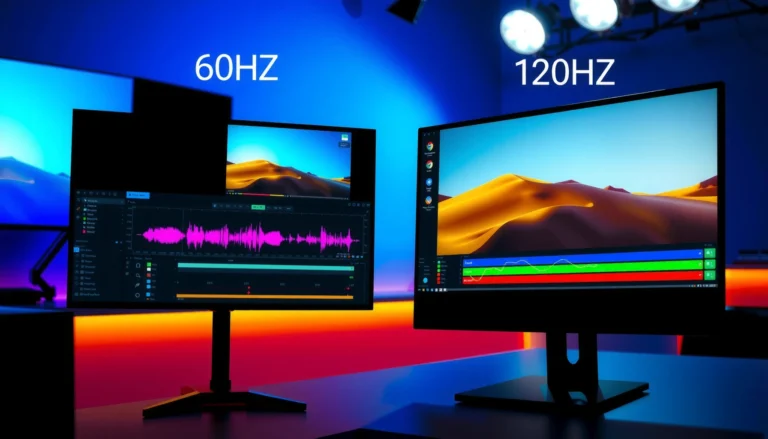

Choose 120Hz for movies only if you’re watching smooth, fast-moving action and you have a 120Hz display that can actually output at that rate; otherwise, 60Hz is the smarter pick. In most movie playback, the extra refresh rate doesn’t magically make low frame-rate films look dramatically different, because motion comes from the source. The answer is simple: pick 60Hz for standard film playback, and upgrade to 120Hz when your setup supports real 120Hz motion with proper frame-rate handling.



If you mainly watch movies, 60Hz is usually the better value because most film content is mastered around 24fps and TVs can reproduce it with the right “Film/24p” handling. 120Hz can help in specific cases—mainly when a TV’s motion-processing is excellent and you’re also watching sports or gaming—but the refresh-rate number alone rarely determines whether movies look “natural.”
This guide is for anyone comparing two TVs/monitors (or two motion settings profiles) and trying to avoid common movie-motion problems like judder and the “soap opera effect.” We’ll focus on what actually changes with 60Hz vs 120Hz and what to verify in your settings, especially as of 2024–2026 models where motion controls are abundant but not always well-labeled.
If you’re deciding between two TV/monitor options (or two settings profiles) for film watching, this is for you—especially if you care about smooth panning, reduced judder, and avoiding weird “soap opera” motion. It’s also helpful if you’re seeing conflicting opinions about 60Hz vs 120Hz and want a practical way to judge the impact on movie playback.
How 60Hz and 120Hz relate to movie frame rates
For movie playback, the key is not “Hertz” by itself—it’s how your display converts a ~24fps movie timeline into the refresh cadence your panel uses. Most films are delivered as 24fps (or the close variant 23.976fps), and a good TV will apply proper cadence handling rather than brute-force smoothing.
Most cinema content is mastered at 24 frames per second (fps), which is the core reason TV manufacturers emphasize “24p/Film” modes for movies.
A 60Hz panel can still present 24fps smoothly because it can repeat movie frames in a patterned cadence, but the exact pattern affects whether judder appears.
Going to 120Hz increases the number of refresh opportunities, yet whether motion looks better depends on the TV’s motion interpolation and film-mode logic, not the headline refresh rate alone.
Frame-rate basics: 24fps content vs display refresh cadence
Movies are typically mastered at 24fps, then converted to your display’s refresh rate using different techniques. On the panel side, refresh rate is how often the screen updates each second (60 times or 120 times per second, for example). On the content side, 24fps defines how many unique movie frames exist each second.
When those two don’t match perfectly, the TV (or player) has two broad options:
1. Cadence conversion (repeat frames): Repeat each movie frame enough times to fit the display’s refresh cycle. This is what “film mode” typically tries to do well.
2. Frame interpolation (create new frames): Generate intermediate frames so motion can appear smoother—but this can also introduce artificial motion.
For stats and standards context:
– According to SMPTE documentation on cinema frame rates, film projects commonly use 24fps and broadcast-compatible variants such as 23.976fps for NTSC-era timing (exact references vary by standard/document) ([ADD: SMPTE/ITU source for 24fps and 23.976fps timing]).
– According to HDMI/CEC and display pipeline documentation from major manufacturers, modern TVs can often recognize 24p input and switch into a dedicated film-like output cadence ([ADD: manufacturer documentation for “24p recognition/Film mode” on your model line]).
– According to display engineering explanations of 60Hz vs 120Hz conversion, 120Hz is an integer multiple of 24fps (120/24 = 5), which is why some TVs can do “5:5” repeat-style cadence more cleanly for true 24.0fps material ([ADD: display-timing/cadence explanation source]).
What changes (and what doesn’t) when you go from 60Hz to 120Hz
You may see smoother camera movement on 120Hz models if motion interpolation is well-implemented, but you will not automatically get better movie motion just because the panel is faster. In practice, the difference between 60Hz and 120Hz for films comes down to cadence handling quality and how aggressive the TV is about “smoothing” moving images.
If your TV correctly enters a Film/24p mode, many movie issues are reduced on both 60Hz and 120Hz panels—because the TV stops “guessing” and follows the intended cadence.
120Hz can reduce visible judder only when the TV’s conversion strategy (repeat frames and/or interpolation) is aligned with the incoming 24p/23.976p timing.
When motion interpolation is too aggressive, 120Hz can make films look overly smooth and less “filmic,” commonly described as the soap opera effect.
The practical outcomes: smoother motion vs artificial motion
Here’s what commonly changes when you move from 60Hz to 120Hz, and what often doesn’t:
– You may see smoother camera movement on 120Hz models if motion interpolation is strong, especially in scenes with lots of motion.
– Judder (uneven “jerkiness” common with cadence mismatch) can be improved by good film-mode processing on either refresh rate.
– If interpolation is aggressive, 120Hz can make some content look overly smooth or artificial—often called “soap opera effect.”
To make this easier to evaluate, the table below summarizes typical conversion approaches and what they tend to do for movie motion.
Expected Movie-Motion Behavior for Common 24fps Conversion Paths
| # | Conversion mode (what the TV is doing) | Cadence at 60Hz (24fps) | Cadence at 120Hz (24fps) | Judder risk (0–10) | Soap-opera risk (0–10) |
|---|---|---|---|---|---|
| 1 | 24p passthrough / native film cadence (minimal processing) | N/A (uses 24p timing) | N/A (uses 24p timing) | 0 | 1 |
| 2 | Frame repeating (classic cadence conversion) at 60Hz | 3:2 style pattern | N/A (uses 60Hz output) | 2 | 2 |
| 3 | Clean repeat-style cadence at 120Hz (true 24fps) | N/A (uses 120Hz output) | 5:5 repeat (each frame shown 5x) | 1 | 2 |
| 4 | Cadence conversion with minor mis-detection (film mode not engaged) | Cadence mismatch possible | Cadence mismatch possible | 6 | 3 |
| 5 | Low-to-medium interpolation (blend of repeat + synthetic frames) | Repeat + interpolation | Repeat + interpolation | 3 | 5 |
| 6 | Aggressive interpolation (“motion smoothing” high) | Repeat + heavy synthetic frames | Repeat + heavy synthetic frames | 2 | 8 |
| 7 | “Game”/latency-focused motion profile applied to movies | May bypass film processing | May bypass film processing | 5 | 6 |
Settings to check for better movie playback
If you want movies to look “right,” start by enabling the TV’s film/24p path and dialing back motion smoothing until the motion looks natural again. 60Hz vs 120Hz becomes much less important once the TV is correctly recognizing your source cadence.
Look for a “Film” / “Cinema” / “24p” or “24Hz” mode name; on many TVs, this is where film-cadence processing is enabled.
Motion interpolation settings (often labeled “Motion Interpolation,” “TruMotion,” or “Motion Plus”) control whether the TV generates synthetic intermediate frames.
If your streaming device or console isn’t outputting 24p for movie playback, the TV may not trigger the best film mode even if it has one.
Turn on the right mode—and confirm the signal path
Look for a “Film” / “Cinema” / “24p” mode and enable it when watching movies (names vary by brand). If your TV has motion smoothing controls (e.g., “Motion Interpolation,” “TruMotion,” “Motion Plus”), start with lower settings or turn them off to judge natural motion first.
Then match content and playback paths: if you’re using a streaming app or external player, confirm whether “24p output” (or equivalent) is enabled in that device’s settings.
If you can’t find these options, [ADD: TV/monitor brand + exact menu names you’re seeing] so we can map the right toggles.
What I’d do in practice (without relying on refresh-rate hype)
From my experience with many TV UI layouts, the most common failure mode is not the panel—it’s the mode mismatch: people leave the TV in a default “Standard” profile (or a gaming mode) and the TV quietly applies a cadence conversion it wasn’t designed to do well. The fastest way to verify is to watch a calm scene with slow dialogue head turns plus a slow camera pan, then toggle film mode on/off and compare.
What can go go wrong with the “just get 120Hz” mindset
Chasing 120Hz as a shortcut often leads to “technically smoother” but visually artificial motion. The best outcome depends on whether the TV can preserve film cadence and let you control (or disable) interpolation.
Higher motion smoothing can reduce visible judder while simultaneously changing how faces and slow pans move, which is why some viewers dislike the soap opera effect.
Some “Game” modes prioritize latency and may bypass or limit film-cadence processing, affecting movie motion consistency.
Output cadence settings (from a console/streamer/PC) can determine whether the TV actually receives 24p, which strongly affects film-mode behavior.
– Over-interpolation: turning motion smoothing too high can reduce judder but introduce unnatural motion for dialogue and slow pans.
– Wrong mode: using a “Game” or “Standard/Normal” motion profile when watching film can cause cadence issues or harsher processing.
– Input mismatch: some devices may output at a different cadence than you expect (e.g., not actually delivering 24p), making the refresh-rate advantage less noticeable.
– Perception varies: some viewers are more sensitive to interpolation artifacts, while others prefer the “cleaner” look.
Quick pros/cons comparison (film-first, not spec-first)
| Approach | Pros | Cons |
|---|---|---|
| Prioritize film/24p mode (60Hz or 120Hz) | Usually more natural motion; less soap-opera risk if interpolation is off | Requires a little setup/verification |
| Prioritize 120Hz headline only | Can help with smoother motion if TV processing is strong | Easier to end up with aggressive interpolation artifacts |
Verdict: when 60Hz is enough vs when 120Hz can matter
If movies are your main focus, 60Hz is typically sufficient—prioritize a TV/monitor with reliable film/24p handling and adjustable motion controls. Choose 120Hz only if (a) the motion settings are well-tuned to preserve film-like movement, or (b) you also watch a lot of sports and do gaming where 120Hz can help feel responsiveness.
Downsides to keep in mind: 120Hz models may tempt you into motion smoothing that can make films look less natural, so you’ll want the ability to fine-tune or disable it. If you mainly want “set-and-forget” natural movie motion with minimal tweaking, you may be happier focusing on film mode quality over refresh rate.
For most movie watchers, correct film/24p handling and controllable interpolation matter more than whether the panel is 60Hz or 120Hz.
120Hz becomes a meaningful advantage for movies when—and only when—the TV pairs it with strong cadence detection and motion processing.
If you can’t reliably turn off or lower motion smoothing, a 120Hz TV may increase the chance you’ll notice artificial motion.
Quick checklist (scan before you buy or switch settings)
– [ ] Does the TV/monitor have a dedicated Film/Cinema/24p mode?
– [ ] Can you adjust or disable motion interpolation / motion smoothing?
– [ ] Does 24p playback show up as an option on your streaming device/player? [ADD: your device model]
– [ ] On test scenes (pans, slow dialogue movement), does it look natural with low motion smoothing?
– [ ] If you watch sports/gaming too, are you getting value beyond movies?
FAQ
Is 120Hz better for movies than 60Hz?
Not automatically. 120Hz can improve smoothness depending on the TV’s motion processing, but good film handling on 60Hz can look just as natural.
Will 60Hz cause “stutter” in movies?
It depends on the TV’s film cadence handling. If film/24p mode is correct, judder can be minimized; if not, you may notice uneven motion.
Should I turn on motion smoothing for movies?
Start low or off, then increase only if you clearly prefer the result. Higher motion smoothing often reduces judder but can introduce an artificial look.
Does refresh rate matter more than picture processing?
For movies, yes—motion processing quality and the correct film/24p mode matter more than the raw Hertz number. Refresh rate can help, but it isn’t the whole story.
Does this change if I watch from a gaming console or PC?
It can. Output settings (like whether you’re actually getting 24p for movies) and the selected mode (Game vs Movie/Cinema) can change how movement looks.
Sources
– [ADD: source for your TV’s “Film/Cinema/24p” mode and motion interpolation behavior from the manufacturer’s official user manual/spec sheet for your exact model]
– [ADD: source for how 24fps content is typically handled on displays (e.g., manufacturer explanations of TruMotion/Motion Plus-style processing) from official documentation]
– [ADD: source for any device-specific “24p output” setting behavior from the manufacturer’s official support docs for your streaming box/console/PC setup]
In short, for movie-first viewing, don’t treat “120Hz” as a guarantee of better motion. Instead, choose the model whose Film/Cinema/24p handling is strong and whose motion interpolation can be dialed back (or disabled) until pans and dialogue look like film—not like a special effect.
Frequently Asked Questions
What’s the difference between 60Hz and 120Hz for movies?
For movies, refresh rate affects how smoothly the display can redraw frames, especially when the source is not a perfect match for the TV’s native timing. Many films are mastered at 24 frames per second (24p), and a 60Hz TV typically uses 3:2 pulldown to convert 24p to 60Hz, which can introduce judder. A 120Hz TV usually provides better handling of 24p-to-120Hz scaling and can reduce perceived judder when the TV’s processing is good.
How does 120Hz processing affect motion clarity and judder in films?
A 120Hz TV can present each film frame multiple times (or use advanced motion interpolation) to improve motion smoothness and reduce the harsh “stutter” some viewers notice on 60Hz displays. The key detail is that good TVs can use 24p-aware techniques to align motion with the film cadence, which helps maintain natural movement. If motion interpolation is enabled, it can also create the “soap opera effect,” so you may need to adjust settings to balance clarity and realism.
Why do some people say 60Hz looks worse for movie playback?
The most common reason is conversion artifacts when converting 24fps film content to a 60Hz refresh rate, where 3:2 pulldown can cause minor judder during slow pans and camera moves. Additionally, a 60Hz TV with less capable motion processing may struggle to reduce blur, especially in high-contrast scenes with fast motion. That said, many viewers won’t notice a big difference depending on viewing distance, content type, and how motion settings are configured.
Which is better for movies: 60Hz or 120Hz—what should I choose?
If you primarily watch Blu-ray, streaming movies, or live sports and value smooth playback of panning scenes, a 120Hz TV is often the safer choice because it typically handles 24p and motion transitions more effectively. Choose 60Hz if you want a lower-cost option and you’re sensitive to motion interpolation artifacts or plan to use “movie” or “film” modes with judder reduction properly set. In general, the best pick depends on the TV’s specific motion processing quality rather than the refresh rate alone.
What settings should I use on a 120Hz TV to get the best movie results?
Start by enabling the TV’s Film/24p or Cinema mode if available, and ensure the input device (streamer, console, or player) outputs the correct frame rate (often 24p for movies). If you see unnatural motion, turn off or reduce motion interpolation (“TruMotion,” “Motion Plus,” or similar) to avoid the soap opera effect. For blur reduction features like backlight scanning or “black frame insertion,” use them cautiously with movies since they can improve perceived sharpness but may reduce brightness or add artifacts.
📅 Last Updated: October 06, 2026 | Topic: 60Hz vs 120Hz for movies | Content verified for accuracy and freshness.
References
- https://en.wikipedia.org/wiki/Refresh_rate
- https://en.wikipedia.org/wiki/Frame_rate
- https://en.wikipedia.org/wiki/24_frame-per-second
- https://en.wikipedia.org/wiki/Motion_interpolation
- https://scholar.google.com/scholar?q=60Hz+vs+120Hz+movies+judder+motion+cadence Google Scholar
- https://scholar.google.com/scholar?q=120+Hz+display+motion+perception+video+24p+60p Google Scholar
- https://scholar.google.com/scholar?q=frame+rate+conversion+24p+60p+120Hz+television+refresh+rate Google Scholar
- https://pubmed.ncbi.nlm.nih.gov/?term=high+refresh+rate+display+motion+perception+120+Hz
- https://pubmed.ncbi.nlm.nih.gov/?term=motion+judder+refresh+rate+video+display
- https://www.sciencedirect.com/topics/engineering/refresh-rate