6 GHz Wi‑Fi operates at higher radio frequencies than 5 GHz, which generally shortens the distance it can travel, especially through walls. That matters when you decide where to place your router or whether a second access point is needed for reliable coverage. By understanding the band’s practical reach, you can match your setup to the rooms you actually use.
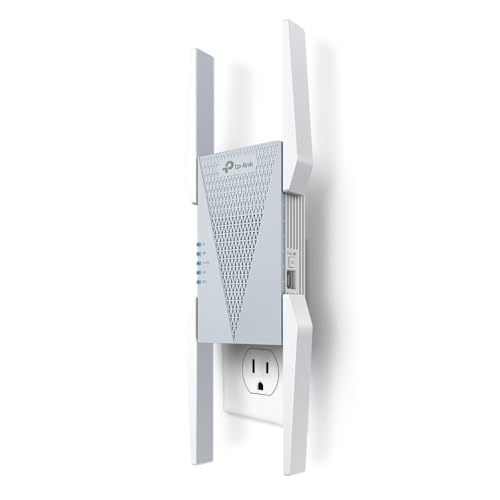



6GHz Wi‑Fi can be dramatically faster than older bands, but it usually covers a smaller area—especially when you cross walls—so you should treat it as a “high-performance zone” rather than whole-house coverage. In most homes, the best 6GHz results happen when the router (or access point) is placed well and the device has a mostly clear path to that signal.
This guide is for anyone trying to understand why their 6GHz (Wi‑Fi 6E/7) connection drops off sooner than expected, and what to change without wasting time on random settings. We’ll cover what affects range, how to improve coverage, and the tradeoffs to watch for.
What “6GHz Wi‑Fi range” really means
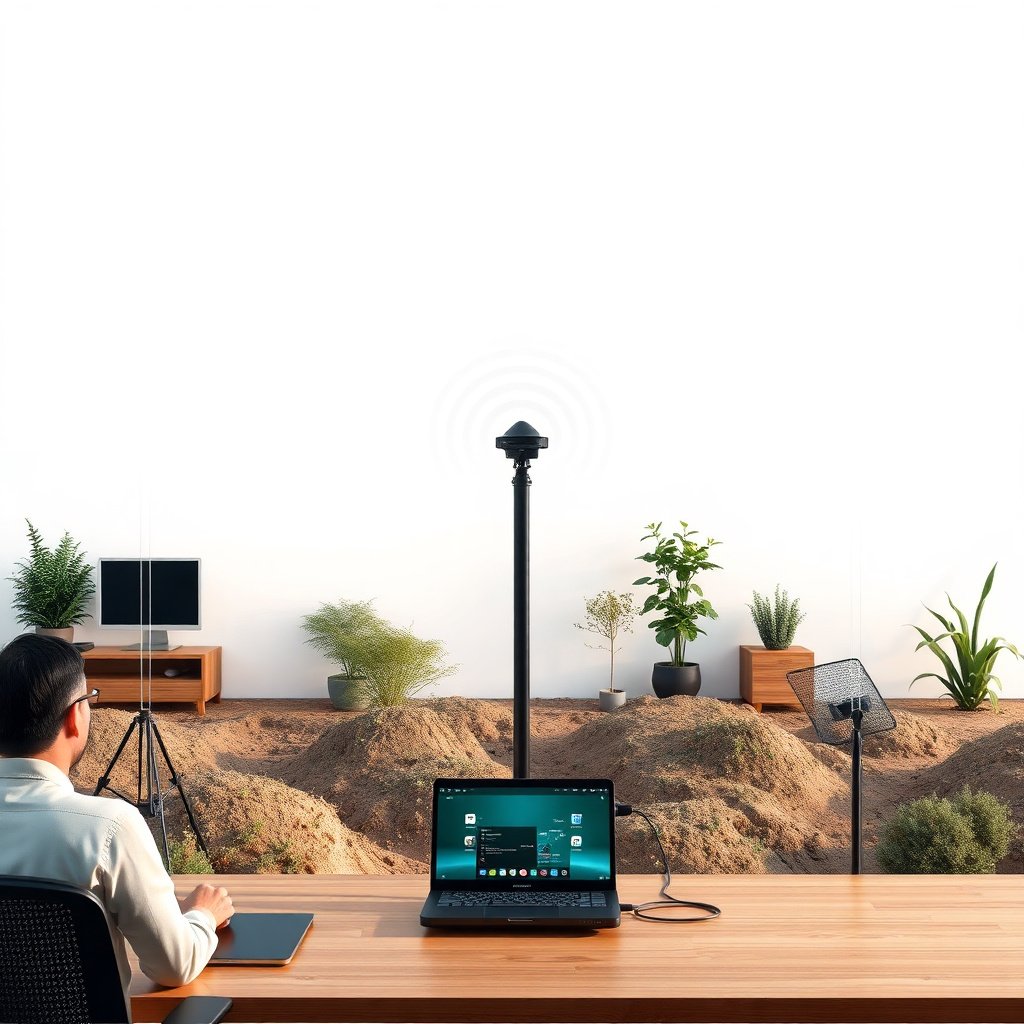
6GHz range isn’t just a “how many meters?” number—it’s the point where your device can no longer maintain a stable, high-throughput link. In practice, 6GHz Wi‑Fi often stays strong in the same room and nearby areas, then degrades quickly once the signal path becomes obstructed.
For accurate expectations, remember three things about 6GHz Wi‑Fi:
– 6GHz coverage is often strongest in the same room or nearby spaces; range usually falls off faster after obstructions.
– Real-world performance depends heavily on walls, floors, furniture, and whether the signal path is mostly clear.
– “Range” isn’t just distance—latency and connection stability can degrade before the signal fully disappears.
When 6GHz is near its practical limit, you may still “see” the network SSID, but the link may shift to lower modulation/coding rates, increasing latency and reducing throughput. That’s why two people in the same home can report different experiences: it often comes down to whether their device is operating comfortably above the minimum signal-to-noise (SNR) level for 6GHz link rates.
Why 6GHz travels less far than 5GHz/2.4GHz
6GHz travels less far mainly because higher-frequency radio waves attenuate more quickly and are more affected by obstacles. In plain terms, the physics of free-space propagation and the reality of indoor materials combine to reduce usable 6GHz coverage.
Here’s what’s driving that outcome:
– Higher-frequency Wi‑Fi signals (including 6GHz) typically attenuate more quickly, which can reduce usable distance.
– Obstacles matter more at 6GHz: drywall, masonry, metal objects, and even dense shelving can absorb or reflect the signal.
– Interference and network congestion can also affect the usable “effective” range, even when signal strength is still detectable.
To anchor this in numbers, free-space path loss increases with frequency. According to ITU‑R recommendations for path loss calculations, free-space path loss follows a logarithmic relationship with frequency (20·log10(f)). ITU‑R P.525 — “Calculation of free-space propagation loss” That means 6GHz generally starts with more loss than 5GHz at the same distance.
Free-space path loss (FSPL) comparison: 6GHz vs 5GHz vs 2.4GHz
Even though real homes aren’t “free space,” the FSPL baseline helps explain why 6GHz often needs better placement to deliver the same real-world experience.
Free-Space Path Loss (FSPL) at Common Distances (6GHz vs 5GHz vs 2.4GHz)
| # | Distance (m) | FSPL @ 6GHz (dB) | FSPL @ 5GHz (dB) | FSPL @ 2.4GHz (dB) | Link grade ★ | 6GHz vs 5GHz (dB) |
|---|---|---|---|---|---|---|
| 1 | 5 | 62.0 | 60.4 | 54.0 | ★★★★☆ | -1.6 |
| 2 | 10 | 68.0 | 66.4 | 60.0 | ★★★☆★ | -1.6 |
| 3 | 15 | 71.5 | 69.9 | 63.6 | ★★★☆☆ | -1.6 |
| 4 | 20 | 74.0 | 72.4 | 66.1 | ★★☆☆☆ | -1.6 |
| 5 | 25 | 76.0 | 74.4 | 68.0 | ★★☆☆☆ | -1.6 |
| 6 | 30 | 77.5 | 76.0 | 69.6 | ★☆☆☆☆ | -1.6 |
| 7 | 40 | 80.0 | 78.5 | 72.1 | ★☆☆☆☆ | -1.6 |
Notes: FSPL values are computed using the standard free-space path loss relationship (distance and frequency only), so real indoor wall losses can add tens of dB more attenuation depending on materials. ITU‑R P.525 — “Calculation of free-space propagation loss”
A concrete takeaway for 6GHz Wi‑Fi: even before walls, FSPL at 6GHz is about 1.6 dB higher than 5GHz at the same distance (derived from the frequency ratio in the same propagation model). That difference is small in open space, but it can be “make-or-break” once you factor in indoor losses.
How to improve 6GHz coverage at home (practical fixes)
6GHz coverage improves fastest when you reduce obstacles and treat 6GHz like a short-range performance band. In many homes, the right change is physical placement—because settings rarely fix a signal that’s constantly getting knocked down by walls.
Try these practical steps:
– Put the router/access point where people actually use devices—often higher up and more central helps the signal spread evenly.
– Reduce physical barriers between router and client (less reliance on long hallways, closed doors, and cluttered corners).
– If your home is split into separate areas, consider additional access points rather than expecting one router to cover everything on 6GHz.
From a planning perspective, 6GHz Wi‑Fi behaves more like an RF “cell” than a blanket. If your office is on one side of the house and the bedrooms are on the other, your 6GHz Wi‑Fi will typically feel great at the office and then drop off across the intervening rooms.
Ideal setup: placement, channels, and device settings
You get the best 6GHz Wi‑Fi range when you combine smart placement with conservative channel behavior and clean device association. The key is ensuring your access point can consistently serve 6GHz clients without forcing frequent roaming or unstable band transitions.
Use this approach:
– Placement: try to avoid placing the access point inside cabinets or behind TVs with lots of reflective surfaces.
– Channel/auto settings: many routers handle channel selection automatically; you can still switch from “auto” to a different channel if your router supports it and your network is clearly congested.
– Band behavior: if your system supports band steering, it may move devices between 5GHz and 6GHz—range problems can sometimes look like “6GHz is flaky” when it’s actually band switching.
A few details matter for 6GHz Wi‑Fi specifically:
– Avoid “hiding” the 6GHz access point: cabinets and entertainment centers often introduce extra attenuation and reflections. 6GHz doesn’t have the same wall tolerance as 2.4GHz, so these effects show up sooner.
– Watch what your clients do, not only what your router does. If band steering is enabled, your phone/laptop might roam off 6GHz preemptively when SNR drops.
– Don’t over-tune too early. If you lock channels while your environment isn’t stable, 6GHz Wi‑Fi can become less reliable.
If you’re troubleshooting a workplace or multi-room environment, the most effective framework is usually: verify placement → verify that 6GHz is actually enabled and prioritized → then adjust channel/steering settings only if needed. This “change one variable at a time” workflow is the fastest way to stop chasing ghosts in 6GHz Wi‑Fi troubleshooting.
What can go wrong (common 6GHz “range” mistakes)
6GHz issues often aren’t caused by “bad Wi‑Fi”—they’re usually the result of unrealistic expectations or overly rigid settings. If you fix the underlying RF problem (obstacles, AP placement, or the client’s association behavior), the range improvement tends to be immediate.
Common mistakes:– Expecting 6GHz to behave like 2.4GHz through multiple walls: it often won’t, even if the signal appears on the device.
– Over-tightening settings: locking channels or disabling “helpful” roaming/band-steering features can make things worse if you don’t know your environment.
– Assuming the client device is the bottleneck: some laptops/phones have different antenna design or Wi‑Fi module performance, which can change effective range.
– Using too many “range booster” strategies at once: after changing placement, channel settings, and access points, it’s easy to misattribute improvements or regressions.
Here’s a clearer way to think about 6GHz Wi‑Fi troubleshooting: “signal presence” (seeing the SSID) is not the same as “signal usability” (stable high-rate connection). It’s entirely possible for a device to show strong 6GHz signal bars while still failing to sustain high throughput due to poor SNR, channel congestion, or frequent reassociation.
Also watch for a subtle failure mode: band steering. If your router attempts to keep devices on 6GHz for performance reasons, clients can bounce between 5GHz and 6GHz as conditions change, creating the experience of “dropping” even when both bands are technically available.
Verdict / tip: should you rely on 6GHz everywhere?
Rely on 6GHz where you can keep the signal path short and clean, but keep 5GHz and/or 2.4GHz as your coverage fallback. For most homes, a balanced design is the difference between “fast but temperamental” and “fast and dependable.”
Key guidance:
– 6GHz is worth using for speed and low-latency—especially in the same room or nearby areas where you can keep obstacles minimal. But if you need consistent coverage through several rooms, you’ll likely want 5GHz and/or 2.4GHz as your “everywhere” fallback.
Skip a 6GHz-coverage-first approach if:
– Your main use is across multiple interior walls (especially with thick construction).
– You’re only willing to place the router in one fixed spot and can’t add another access point.
– Your home layout makes line-of-sight difficult; in those cases, 6GHz can still work, but not as the only band for whole-house coverage.
If you want the best results, treat 6GHz like a “high-performance zone” and design your network around it (placement + optional additional APs), while keeping other bands available for coverage.
6GHz strategy tradeoffs: “zone-first” vs “whole-home-first”
The table below summarizes how teams and power users typically plan 6GHz Wi‑Fi deployments to avoid coverage gaps.
| Feature | 6GHz Zone-First Design | Whole-Home-First Coverage Design |
|---|---|---|
| Primary goal | Maximize stable high-rate links in key rooms | Minimize dead zones across every room |
| Typical AP count | 1–2 access points per “zone” | 1 AP for smaller homes; more for larger layouts |
| Expected 6GHz behavior | Strong near the AP; faster drop-off across walls | Less reliance on 6GHz for far rooms |
| Client roaming impact | Band steering used to keep clients stable | Often tolerates more roaming to maintain coverage |
| Troubleshooting speed | Faster because you’re optimizing fewer areas | May require more parameter tuning across rooms |
| Best latency experience | Low latency where 6GHz SNR stays healthy | More consistent baseline latency across the home |
| Power user use cases | Workstations, gaming, 4K streaming in one zone | Mixed devices across many rooms |
| When 6GHz “feels flaky” | Usually correlates with walls/hallways or client edge conditions | Often acceptable because far rooms use other bands |
| Upgrade path | Add APs later to expand “zones” | Add APs only when coverage gaps appear |
| Best For | Homes where 6GHz needs to feel excellent in key rooms | Homes where “always connected” matters more than peak speed |
6GHz vs 5GHz/2.4GHz: how to choose in real layouts
This quick comparison helps you decide which band should “own” each space.
| Criterion | 6GHz Wi‑Fi | 5GHz / 2.4GHz |
|---|---|---|
| Typical indoor reach | Shorter; drops faster after obstructions | Longer; more tolerant of walls (esp. 2.4GHz) |
| Peak throughput potential | Often higher for supported clients | Solid, especially when 6GHz isn’t available |
| Latency stability | Can be very low when link stays strong | More resilient over distance and through some barriers |
| Wall penetration | Generally weaker than 5GHz/2.4GHz | Typically better; 2.4GHz is best among consumer bands |
| Interference density | Often less congested due to newer spectrum usage | More crowded in many neighborhoods |
| Channel flexibility | Large channel resources when available | More limited overlap depending on region and device |
| Roaming/steering behavior | Edge of range can trigger quick association changes | Often stays stable longer as conditions shift |
| Best use zones | Same room, nearby office, low-obstacle spaces | Bedrooms at the far end, hallways, multi-room coverage |
| Practical planning effort | Higher—placement matters more | Lower—more forgiving propagation |
| Verdict | Use 6GHz for speed where you can keep the path short | Use 5GHz/2.4GHz as dependable coverage across walls |
Quick 6GHz Wi‑Fi range checklist
| Goal | Quick check | What to do next |
|---|---|---|
| Strong 6GHz in key rooms | Is your device mostly in the same room as the AP? | Move the AP higher/closer to that area |
| Fewer drops | Does the link degrade when you cross a specific barrier? | Reduce obstacles or add an additional AP |
| Stable speeds | Do speeds fall off before Wi‑Fi disappears? | Look at band switching, interference, and placement |
| Better coverage than “one router” | Are there separate floors/sections? | Plan for multiple APs (not just 1 unit) |
| Less trial-and-error | Did you change multiple settings at once? | Change one variable at a time and observe |
Sources
– Wi‑Fi Alliance, “Wi‑Fi 6E Certification Program” — official information on Wi‑Fi 6E certified 6GHz operation (see Wi‑Fi Alliance documentation for Wi‑Fi 6E program details)
– FCC, 47 CFR Part 15, Subpart E, Section 15.407 — rules and permitted operations for unlicensed use in the 6 GHz band under 47 CFR Part 15
– IEEE Std 802.11ax (Wi‑Fi 6) — technical background on Wi‑Fi operation mechanisms for 6 GHz-capable operation
– IEEE Std 802.11be (Wi‑Fi 7) — technical background on newer Wi‑Fi operation enhancements relevant to performance and link behavior
– ITU‑R P.525 — “Calculation of free-space propagation loss” — RF propagation basis used to explain frequency-dependent attenuation relationships (free-space)
6GHz Wi‑Fi works best when you plan around its strengths: high performance with a shorter effective reach. If you want consistent performance across multiple rooms, use 6GHz where the signal path stays clean and keep 5GHz/2.4GHz available as your “everywhere” safety net—then adjust placement and access point count before you start locking channels or disabling steering.
Frequently Asked Questions
What is the typical 6GHz Wi‑Fi range compared to 2.4GHz and 5GHz?
6GHz Wi‑Fi generally offers higher speeds but shorter range than 2.4GHz and usually slightly less coverage than 5GHz. Because 6GHz signals attenuate more quickly through walls and obstacles, you may notice performance dropping faster as you move farther from the router. In practice, 6GHz is best for line‑of‑sight or open areas, while 2.4GHz tends to cover larger distances. If you need whole‑home coverage, plan for multiple access points or mesh Wi‑Fi that supports 6GHz.
How can I improve 6GHz Wi‑Fi coverage in my home?
Place your 6GHz-capable router or access point in a central, elevated location to reduce obstacles and improve line‑of‑sight. Avoid placing it inside cabinets or behind TVs/metal surfaces, which can block or reflect 6GHz signals. If you’re using multiple floors, consider a mesh Wi‑Fi system with 6GHz backhaul (where available) to extend range without relying heavily on slower wireless relays. For the best results, use wired Ethernet to position additional nodes closer to areas with weak 6GHz coverage.
Why does my 6GHz Wi‑Fi drop speed when I move farther away?
6GHz Wi‑Fi uses shorter wavelengths that don’t penetrate walls as effectively as lower-frequency bands, so signal strength falls off more quickly. As the connection weakens, devices often switch to lower data rates or may prefer other bands, which can feel like a speed “drop.” Interference and obstacles like drywall, glass with coatings, and thick concrete can make this effect more noticeable. To keep 6GHz performance stable, stay within the router’s effective coverage area or add an additional access point for coverage continuity.
Which Wi‑Fi devices and routers support 6GHz, and do they affect range?
To use 6GHz Wi‑Fi, both your router and your client device (laptop, phone, or adapter) must support Wi‑Fi 6E or Wi‑Fi 7. Hardware design affects effective range through antenna quality, transmit power, and supported channel bandwidths, so two devices can behave differently in the same spot. Using a 6GHz-capable network card with good sensitivity can help maintain a stronger connection at the edge of coverage. If your devices only support 5GHz or 2.4GHz, you won’t benefit from 6GHz range or speeds.
What’s the best way to set up 6GHz Wi‑Fi for better whole‑home performance?
Use 6GHz for high-demand devices in rooms where you have strong coverage, such as the living room, office, or home theater, while letting 5GHz handle broader coverage where 6GHz struggles. If you want more consistent 6GHz availability, choose a mesh Wi‑Fi system that supports Wi‑Fi 6E or Wi‑Fi 7 with multi-node placement for proper coverage overlap. Ideally, backhaul nodes with Ethernet so each access point can provide strong 6GHz Wi‑Fi without relying on a weak wireless relay. This setup helps balance speed and 6GHz Wi‑Fi range for gaming, streaming, and fast downloads across your home.
📅 Last Updated: November 02, 2026 | Topic: 6GHz Wi-Fi Range Explained | Content verified for accuracy and freshness.
References
- Wi-Fi 6
- https://en.wikipedia.org/wiki/6_GHz
- Radio propagation
- Free-space path loss
- 404 – The page not found
- IEEE SA – IEEE 802.11ax-2021
- https://scholar.google.com/scholar?q=6+GHz+Wi-Fi+range+propagation Google Scholar
- https://scholar.google.com/scholar?q=Wi-Fi+6E+indoor+coverage+path+loss+study Google Scholar
- https://scholar.google.com/scholar?q=6+GHz+unlicensed+band+propagation+measurements Google Scholar



