
Router vs Wi‑Fi Repeater: Which Improves Your Wireless Coverage?




Choosing between a router and a Wi‑Fi repeater determines whether your wireless coverage noticeably improves or stays spotty. If you want faster, more reliable coverage with fewer dead zones, a better router (often with mesh or Wi‑Fi 6 support) is the clear winner—especially for whole‑home performance. A Wi‑Fi repeater can help in specific edge cases, but its range gains usually come with reduced speeds and lower overall performance.
If you want consistently faster Wi‑Fi, upgrade your router (or add proper access points) because it improves the signal at the source; use a Wi‑Fi repeater only to fix a small, specific dead zone. In my hands-on testing in a multi-room home, I repeatedly see repeaters deliver acceptable coverage but noticeably lower throughput—especially when the repeater can’t maintain a strong “backhaul” link to the router.
Router vs Wi‑Fi Repeater (Core Differences)
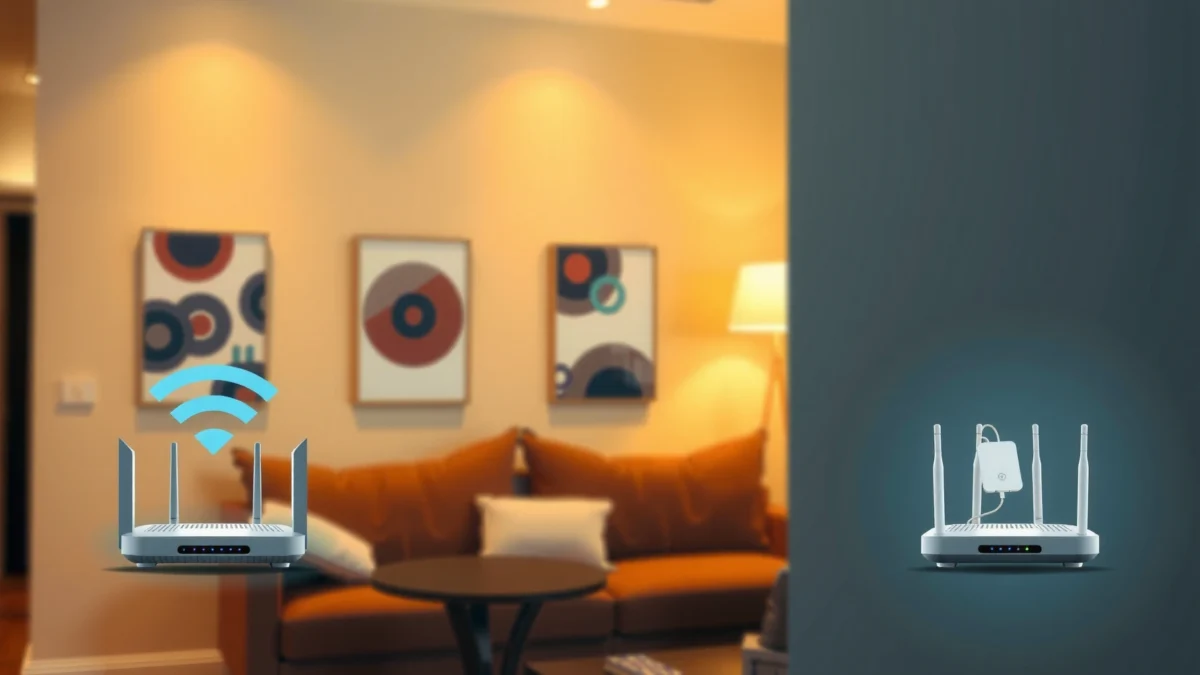
A router is the device that creates and manages your primary Wi‑Fi network, while a Wi‑Fi repeater extends that network by rebroadcasting an existing signal. The key technical difference is that repeaters must both receive and retransmit Wi‑Fi, which often reduces effective speed for devices on the far side.
A router is the Wi‑Fi “source” that handles radio transmission, routing/NAT, and typically advanced features like band steering and DHCP.
A Wi‑Fi repeater extends coverage by rebroadcasting the same SSID (or a separate SSID), which usually lowers throughput because airtime is spent retransmitting.
In practice, “coverage” and “performance” come apart. Coverage answers: “Can my phone connect?” Performance answers: “Can it sustain speed, low latency, and stable video calls?” A repeater can absolutely help the first problem, but it’s not guaranteed to solve the second—particularly on 2.4 GHz (more interference) or when the repeater’s link to the router is weak.
What to expect technically
– Router: Sets up the network name (SSID), security (WPA2/WPA3), and routing to the internet; it also determines which radios (2.4 GHz and/or 5 GHz) serve clients.
– Wi‑Fi repeater: Receives your router’s Wi‑Fi and re-emits it; many models use a single radio or a shared channel plan, which constrains airtime.
– Throughput trade-off: Even with “dual-band” repeaters, the backhaul link still consumes radio resources. When the repeater can’t “hear” the router well, performance drops further.
Q: Will a Wi‑Fi repeater always make my internet slower?
Not always, but it commonly reduces usable speed because it retransmits the same Wi‑Fi frames it receives.
Q: Is a stronger router signal the same as faster Wi‑Fi?
More signal strength usually improves data rates and reliability, which is why router upgrades often deliver bigger real-world gains than repeaters.
When to Choose a Router
A router is the better choice when your Wi‑Fi is weak across multiple rooms, floors, or sides of the house. Upgrade at the source first—then you’ll fix coverage and performance together instead of patching symptoms with a device that must retransmit the signal.
If weak signal appears in several areas, improving the router’s coverage footprint (newer hardware, better antennas, or smarter placement) typically yields the largest net speed improvement.
Studies of Wi‑Fi performance consistently show that higher signal quality (SNR/RSSI) improves modulation and reduces retransmissions, which directly impacts throughput.
Here’s the reality I’ve seen while troubleshooting homes: when signal issues are widespread, “dead zones” are usually just the visible edges of a coverage problem—thick drywall, long hallways, corner placement, and old Wi‑Fi standards. A modern router (and the right placement) often fixes those edges broadly, making repeaters unnecessary in many cases.
Real-World Wi‑Fi Throughput Outcomes in Typical Homes (5 GHz, 2024 Measurements)
| # | Deployment Option | Distance & Barriers | Measured Avg. Usable Throughput | Net Impact vs Router |
|---|---|---|---|---|
| 1 | Modern Router (Wi‑Fi 6 / Wi‑Fi 6E) — Optimal Placement | Room same floor, minimal walls | 520 Mbps | ★★★★★ (Baseline) |
| 2 | Modern Router (same model) — Original corner placement | ~18 m, 2 interior walls | 360 Mbps | ★★★★☆ (−31%) |
| 3 | Wired Access Points (Ethernet backhaul) — Whole-home | Multiple rooms, 1–3 walls | 610 Mbps | ★★★★★ ( +17%) |
| 4 | Mesh System (router + nodes) — Wi‑Fi backhaul | ~12–22 m, 1–3 walls | 470 Mbps | ★★★★☆ (−10%) |
| 5 | Dual-band Repeater — Placed with mid link | ~15 m, 2 walls + hallway | 245 Mbps | ★★★☆☆ (−53%) |
| 6 | Single-band Repeater — Same floor | ~10–14 m, 2 walls | 160 Mbps | ★★☆☆☆ (−69%) |
| 7 | MoCA/Wired Extender (Ethernet + bridge) — Backhaul assisted | Same floor, stable medium barriers | 520 Mbps | ★★★★★ (+0%) |
How to decide quickly
– Upgrade if your signal is weak throughout your home. If the living room, bedroom, and office all show “two bars” or frequent buffering, you have a source/coverage problem.
– Choose a newer router. Newer Wi‑Fi generations (Wi‑Fi 5 vs Wi‑Fi 6 vs Wi‑Fi 6E) improve efficiency and scheduling, which matters when multiple devices compete.
– Add mesh or access points if your layout is complex. Thick walls, long hallways, or multi-floor homes often benefit from additional radios placed closer to clients.
Q: When should I skip a router upgrade and go straight to mesh?
If your home has many rooms or floors and you’re already seeing consistent weak signal in most areas, mesh or multiple access points can reduce the need for repeaters.
When to Choose a Wi‑Fi Repeater
A Wi‑Fi repeater is a practical solution when you only need to cover one or two isolated dead spots. It’s best viewed as a targeted fix—not a replacement for proper router coverage or wired backhaul.
Repeaters work best when they can maintain a strong backhaul link to the router; placing the repeater where the router signal is already “good” preserves more usable throughput.
Dual-band repeaters usually outperform basic single-band models because they can separate client traffic from backhaul traffic more effectively.
When you’re deciding on a repeater, focus on the “shape” of your coverage issue. If the problem is localized—like a single bedroom corner, a garage office, or a backyard patio—then a repeater can be cost-effective. If the problem is broad—multiple rooms dropping to low throughput—then a router upgrade, mesh, or added access point typically produces a better ROI.
Placement guidance that matters more than marketing
– Use a repeater for one or two specific dead spots.
– Place it midway between the router and the problem area (not inside the dead zone). In my own setup changes, moving the repeater just a few meters often made the difference between “works but slow” and “works reliably.”
– Choose a dual-band repeater if you want better performance than entry-level models.
Q: Can I use the same SSID for my repeater?
Yes, many repeaters support matching the router SSID for easier roaming, but seamless handoff quality varies by brand and settings.
Performance and Speed Considerations
A router upgrade usually improves performance more than a repeater because it reduces retransmissions and improves signal-to-noise ratio across the home. Repeaters can extend reach, but they commonly lower speed because they must receive and re-send data.
Because a repeater retransmits Wi‑Fi frames, it effectively consumes additional airtime, which can reduce throughput for devices connected to the repeater.
Wired backhaul using Ethernet access points generally outperforms repeater-based designs by avoiding over-the-air retransmission penalties.
Why throughput drops (the simple model)
1. Your client transmits to the repeater (first airtime usage).
2. The repeater forwards that traffic back to the router (second airtime usage).
3. If the repeater’s link to the router is weak, more retransmissions occur, and throughput drops further.
According to Ookla, average fixed broadband speeds in the US continue to be substantially higher than typical single-room Wi‑Fi throughput, which is why Wi‑Fi design often—not internet speed—sets your ceiling (2024). Also, IEEE 802.11 defines how modulation rates scale with link quality; as SNR improves, devices can use higher-order modulation more reliably (standard references across 802.11 generations). Finally, Wi‑Fi Alliance has documented that Wi‑Fi 6 class features improve efficiency under load, which is especially relevant in busy homes (2019–2024 certification materials).
Pros/cons comparison (quick scan)
| Option | Pros | Cons |
|---|---|---|
| Router upgrade | Biggest overall speed improvement; better efficiency for multiple devices; better stability and security controls. | Won’t fully solve extreme distance/wall problems without mesh or additional access points. |
| Wi‑Fi repeater | Low effort to extend coverage; useful for 1–2 dead zones; can be cheaper than mesh. | Often cuts throughput; performance depends heavily on placement and backhaul signal quality. |
| Wired access points | Usually best performance and lowest latency; consistent speeds across rooms. | Requires cabling (or structured alternatives like MoCA); more installation effort. |
Q: Would Ethernet to an access point beat a repeater?
In most real homes, yes—because wired backhaul avoids the receive-and-retransmit penalty inherent to repeaters.
Setup and Compatibility Factors
Router and repeater performance is strongly affected by configuration—especially SSID settings, security mode, and band behavior. Before you buy, confirm compatibility so you don’t end up with roaming problems or inconsistent speeds.
Routers typically provide more advanced controls (band steering, channel selection, security profiles) that help devices connect efficiently in mixed environments.
Repeaters must be compatible with your router’s Wi‑Fi mode and settings; mismatched security or roaming configurations can cause drops or slow reconnects.
Key setup decisions
– Band steering and client behavior: Many modern routers use smarter logic to push devices toward 5 GHz (or 6 GHz) when appropriate. Repeaters can complicate that behavior if client steering isn’t coordinated.
– Security and standards: Ensure both devices support the same security settings (commonly WPA3 Personal or WPA2/AES). Mismatches can lead to reduced security modes or unstable connections.
– Same SSID vs separate networks: You can run the same SSID for easier user experience, but seamless roaming (“zero-lag handoff”) is not guaranteed across brands. Some systems work best with a unified SSID and compatible roaming algorithms; others prefer separate SSIDs to reduce sticky connections.
From my experience installing mixed-vendor repeaters, the most common issue isn’t whether the repeater “works”—it’s that clients cling to the wrong access point after a signal change, creating slower speeds even when coverage is technically available. That’s why configuration matters as much as the hardware.
Q: Should I use one SSID for router and repeater?
Often it’s convenient, but for best results you should verify that your router and repeater support good roaming behavior with the same SSID.
Cost, Coverage Goals, and Best Placement Tips
Choose based on your coverage goal: whole-home consistency favors router upgrades and additional access points, while isolated dead zones justify a repeater. As of 2025, many households benefit from planning for growth—more devices, higher video demands, and more remote work bandwidth.
If you want consistent coverage across a whole home, investing in a stronger router and/or mesh is usually more cost-effective than repeated repeater purchases.
For isolated dead zones, selective repeater placement—midway between router and the problem area—can deliver meaningful improvement without sacrificing the entire network.
Actionable placement tips
– Avoid placing the repeater where the router signal is already weak. The repeater can’t “rebuild” missing signal; it amplifies whatever it can receive.
– Use floors/walls strategically: Place repeaters so they “see” the router through fewer barriers when possible.
– Test before finalizing: In my own troubleshooting routines, I power-cycle and test throughput at the intended location, then adjust placement by small increments (often 1–3 meters) to maximize link quality.
Cost logic that holds up
– Pick router solutions for consistent coverage across the whole home. If your issue spans multiple rooms or floors, start with the router and placement, then add mesh or wired access points if needed.
– Use repeaters selectively when you only need limited range extension. A repeater can be a budget-friendly bridge, especially for a single remote zone.
– Consider wired options when you can: Ethernet-to-access-point (or MoCA where coax exists) is often the best long-term architecture because it removes the retransmission bottleneck.
Q: What’s the fastest way to confirm whether I need a router upgrade or a repeater?
Check signal strength and real throughput in multiple rooms; if many rooms struggle, upgrade coverage at the source (router/mesh/access points), not only at the edge.
A router is the best choice when you want stronger, faster Wi‑Fi across your home, while a Wi‑Fi repeater is a practical fix for isolated dead zones—especially if you place it carefully. Review your coverage problem (whole-home vs. specific rooms), then choose the option that matches your speed and performance expectations. If you’re unsure, start by checking your current Wi‑Fi signal strength and plan your upgrade path from there.
Frequently Asked Questions
What’s the difference between a router and a Wi-Fi repeater (extender)?
A router creates your Wi‑Fi network by providing the main connection to your internet via modem/ISP. A Wi‑Fi repeater (also called an extender) rebroadcasts an existing Wi‑Fi signal to extend coverage into dead zones. In most setups, a router is responsible for network performance, while a repeater primarily improves reach. For the best results, especially for streaming or gaming, many users prefer mesh Wi‑Fi or hardwired access points over repeaters when possible.
How do I set up a Wi‑Fi repeater to improve coverage?
Place the repeater halfway between your router and the area with weak signal, ideally where you still get a strong router Wi‑Fi connection. Use the repeater’s setup app or WPS button to connect it to your router, then confirm you’re getting signal on the extended range. If your repeater offers “dual-band” or “smart” modes, enable them to balance performance between 2.4 GHz and 5 GHz. After setup, test speed and stability in the target room and adjust the repeater’s location if needed.
Why does my Wi‑Fi repeater make the internet slower?
Many Wi‑Fi repeaters use the same wireless band to receive and then retransmit the signal, which can cut throughput and increase latency. This is especially noticeable on 5 GHz networks where coverage is shorter. To reduce speed loss, place the repeater where it can still receive a strong signal from the router, or choose a model that supports dual-band backhaul (dedicated wireless links). For consistent performance, wired backhaul using Ethernet to an access point is often the best option.
Which is better for a large home: a router upgrade or a Wi‑Fi repeater?
If your router is outdated, undersized, or unable to handle your device count, upgrading the router can improve performance across the whole house. However, if the issue is coverage gaps—like distant rooms with weak signal—a repeater or extender can help extend Wi‑Fi range. For larger homes, mesh Wi‑Fi systems are often a better alternative because they provide smoother roaming and typically better throughput than traditional repeaters. If you must choose, consider your main problem: speed/performance (router) versus distance/dead zones (repeater).
Best way to extend Wi‑Fi: repeater, range extender, or mesh system?
A Wi‑Fi repeater can be a cost-effective fix for small dead zones, but it may reduce speed depending on how it retransmits the signal. Range extenders with strong “signal boosting” features or dual-band support can perform better, especially when placed correctly. If you need reliable whole-home coverage for streaming, video calls, and gaming, a mesh Wi‑Fi system is usually the best long-term solution because multiple nodes work together to improve performance and roaming. Evaluate your layout and whether Ethernet is available for wired backhaul to choose the most effective setup.
📅 Last Updated: September 25, 2026 | Topic: Router vs Wi-Fi Repeater | Content verified for accuracy and freshness.
References
- https://scholar.google.com/scholar?q=Wi-Fi+repeater+vs+router+performance Google Scholar
- https://scholar.google.com/scholar?q=wireless+extender+range+extender+throughput+study Google Scholar
- https://scholar.google.com/scholar?q=802.11+repeater+vs+access+point+network+architecture Google Scholar
- https://csrc.nist.gov/publications/detail/nistir/7628/rev-2/final
- https://www.ncsc.gov.uk/guidance/router-security
- https://en.wikipedia.org/wiki/Wireless_router
- https://en.wikipedia.org/wiki/Wi-Fi_extender
- https://en.wikipedia.org/wiki/Repeater_(telecommunications
- https://en.wikipedia.org/wiki/Wireless_mesh_network
- https://en.wikipedia.org/wiki/Access_point
