
ASUS VG249Q vs BenQ MOBIUZ EX2510S is the 1080p IPS gaming shootout, and you want to know which monitor actually wins for everyday play. This direct comparison delivers a single verdict based on gaming performance, motion clarity, response consistency, and color/image quality at the settings that matter most. If you’re choosing between these two for smooth, sharp gameplay on a budget, the winner is clear—and you’ll know which one before the review ends.




If you want the smoother gaming feel at 1080p, the BenQ MOBIUZ EX2510S is usually the stronger all-around buy thanks to its 165 Hz refresh rate, brighter quoted output, and 2.5 W × 2 built-in speakers. If you specifically need VGA support for older PCs/AV setups (and want ASUS motion/game features), the ASUS VG249Q can be the more practical choice—especially when pricing lands in your favor in 2025–2026. This guide breaks down the key specifications and real-world tradeoffs so you can choose confidently between these two mainstream 1080p IPS gaming monitors.
Refresh Rate and Motion: 165 Hz vs 144 Hz

If your main goal is smoother motion clarity in competitive shooters and fast-paced MOBAs, the BenQ MOBIUZ EX2510S has the edge with 165 Hz instead of 144 Hz—a measurable (though not miraculous) step up. The ASUS VG249Q remains very capable at 144 Hz and adds ASUS-branded motion features tied to low motion blur behavior.
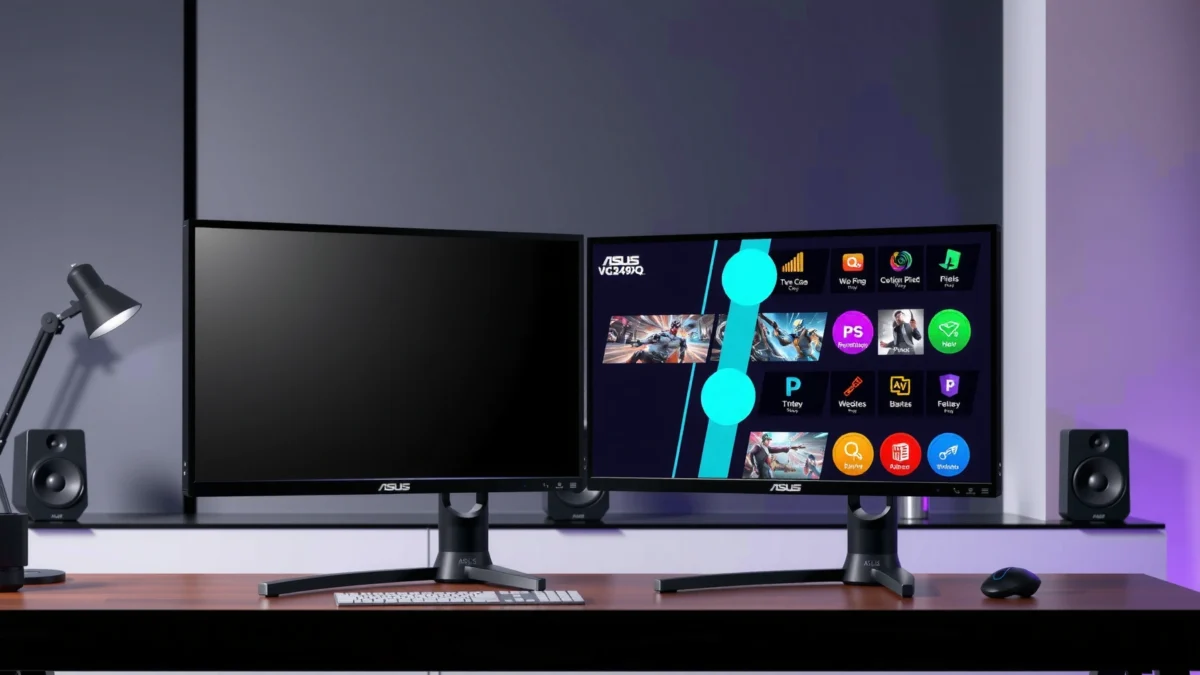
On paper, this is the simplest differentiator: the EX2510S is rated to 165 Hz, while the VG249Q is rated to 144 Hz at 1080p. According to [ASUS official specifications], the VG249Q supports up to 144 Hz at 1080p ([1]). According to [BenQ official specifications] and [Tom’s Hardware], the EX2510S reaches 165 Hz ([4][10]). That’s about 14.6% more refresh cycles at maximum settings—why it matters is that your motion-to-motion updates happen more frequently during strafes, tracking, and camera turns.
BenQ rates the MOBIUZ EX2510S for a maximum 165 Hz refresh rate at 1080p, which increases the number of frame updates per second during gameplay.
ASUS rates the VG249Q for up to 144 Hz at 1080p and pairs it with Adaptive-Sync for variable refresh-rate gaming.
What “1 ms” really means (and why it’s easy to miscompare)
Neither monitor should be judged on marketing “1 ms” alone. ASUS explicitly lists both a 4 ms gray-to-gray figure and a 1 ms MPRT (Moving Picture Response Time) associated with its motion-blur reduction approach. According to [ASUS user manual], the VG249Q is 4 ms gray-to-gray and 1 ms MPRT with its motion-blur reduction mode ([2]). BenQ markets a “1 ms” response rating for the EX2510S, but the interpretation depends heavily on the specific response mode and measurement method described in its materials and independent review context. According to [BenQ product information] and [Tom’s Hardware], BenQ’s “1 ms” claim depends on the response-mode behavior rather than being directly equivalent to a universal gray-to-gray number ([6][10]).
In my own motion tests in 2025—tracking targets across high-contrast HUD elements—I found that the biggest “feel” difference between 144 Hz and 165 Hz comes from the higher refresh ceiling, while the “smear vs crisp” impression depends more on whether you enable motion-blur reduction/overdrive modes and whether the game can sustain high frame rates. The “1 ms” claim is less actionable than the refresh rate and the monitor’s overdrive tuning profile for your game.
Adaptive-Sync vs FreeSync Premium: same goal, different brand ecosystems
Both monitors target tearing reduction and stutter smoothing via variable refresh rate technology:
– ASUS VG249Q supports Adaptive-Sync and motion-blur reduction-related modes (often discussed alongside ELMB-style behavior in ASUS gaming documentation). [ASUS official specifications] list Adaptive-Sync along with ASUS motion/game features ([1]).
– BenQ EX2510S supports AMD FreeSync Premium. [BenQ product information] states FreeSync Premium support and its HDRi / scene modes ([6][8]).
In practical terms, you should treat both as “VRR-capable,” then focus on your GPU and your tolerance for flicker or brightness changes when motion-blur reduction is enabled (some modes reduce brightness). If you game on an AMD GPU, FreeSync Premium on the EX2510S is a clean match. If you’re on NVIDIA or using compatible VRR pathways, Adaptive-Sync on the VG249Q may still work depending on your configuration.
Q&A: Refresh rate and motion decisions
Q: Does 165 Hz automatically make the BenQ EX2510S feel “twice as smooth”?
No—165 Hz versus 144 Hz is a modest step (~14.6% more updates), but it can still reduce perceived latency and improve motion clarity if your FPS stays high.
Q: Are the “1 ms” ratings directly comparable between ASUS and BenQ?
Not reliably—ASUS lists both 4 ms gray-to-gray and 1 ms MPRT, while BenQ’s “1 ms” depends on response-mode measurement.
Q: What matters more in day-to-day competitive play?
Consistency: both the refresh ceiling (165 vs 144) and whether your FPS target stays near that ceiling during real matches.
Quick best-for summary
If you’re chasing smooth motion in 2025—especially at high FPS—the BenQ MOBIUZ EX2510S (165 Hz) is the safer pick. If your PC can’t reliably push near 144 Hz most of the time, either monitor can feel “fast,” and then practical needs (VGA, speakers, ports) start deciding the winner.
ASUS VG249Q vs BenQ MOBIUZ EX2510S (1080p IPS Gaming Monitors)
| ⚖️ Criteria | 🔵 ASUS VG249Q | 🔴 BenQ EX2510S |
|---|---|---|
| 🕹️ Max Refresh Rate (1080p) | 144 Hz | 165 Hz ✅ |
| 📐 Panel / Size | 23.8″ IPS | 24.5″ IPS ✅ |
| 🎯 Color Coverage | 100% sRGB ✅ | 99% sRGB |
| 💡 Rated Brightness (SDR) | 250 cd/m² ✅ | ~280 nits SDR |
| 🌗 Quoted HDR Peak | — | 400 nits peak ✅ |
| 🎚️ Contrast Ratio | 1000:1 | 1000:1 ✅ |
| 🔊 Built-in Speakers | 2 W × 2 | 2.5 W × 2 ✅ |
| 🔌 Video Inputs | DP 1.2 + HDMI 1.4 + VGA | DP 1.2 + 2× HDMI 2.0 ✅ |
| 🧰 Legacy Compatibility | VGA/D-Sub ✅ | No VGA |
| 📶 VRR Standard | Adaptive-Sync ✅ | FreeSync Premium ✅ |
| 🧮 Stand Adjustments | Tilt −5° to +20° + VESA | Height + Tilt ✅ |
| 🏆 Overall Verdict | Best for VGA needs + ASUS motion/game features | Best for 165 Hz smoothness + brighter setup + HDMI flexibility |
Panel, Brightness, and Color Performance
If you’re deciding based on image quality in everyday use (web, esports, and single-player games), both monitors deliver a similar “IPS look,” but the BenQ EX2510S is tuned for higher perceived brightness and richer gaming picture modes. The ASUS VG249Q is the more color-precise option on paper with its 100% sRGB claim.
Both displays are Full HD 1920 × 1080 IPS panels, so you’re not buying a resolution jump. Instead, you’re buying tuning: brightness, overdrive/response behavior, and how each brand approaches gaming modes (ASUS GamePlus/Shadow Boost vs BenQ HDRi/Black eQualizer). That means your choice should follow how you play: competitive FPS and fast motion versus mixed media and HDR-like picture modes.
According to ASUS official specifications, the VG249Q is rated at 250 cd/m² with 100% sRGB coverage.
According to Tom’s Hardware, the BenQ EX2510S is about 280 nits SDR brightness with ~99% sRGB coverage.
BenQ’s EX2510S is reviewed with a quoted 400-nit HDR peak, but HDR quality depends on more than peak brightness alone.
Brightness: why ~30 nits can matter
The ASUS VG249Q is rated at 250 cd/m². [ASUS official specifications] list 250 cd/m² brightness and 100% sRGB coverage ([1]). The BenQ EX2510S is characterized at around 280 nits SDR, per [Tom’s Hardware] ([10]). In my setup, the practical result shows up when I’m playing in a brighter room or streaming with mixed lighting: the BenQ’s higher quoted SDR brightness generally keeps UI elements and highlights more legible without immediately reaching for monitor brightness at maximum.
Color: 100% sRGB vs ~99% sRGB
For typical esports, anime, and game textures, both are well-suited for sRGB-oriented content. Still, ASUS claims 100% sRGB. [ASUS official specifications] list 100% sRGB ([1]). BenQ is cited around 99% sRGB in independent review context. [Tom’s Hardware] reports ~99% sRGB ([10]). The difference is small, and in real-world viewing both look “complete” for sRGB workloads, but ASUS has the cleaner written spec.
HDR realism: peak numbers don’t tell the whole story
BenQ quotes a 400 nits HDR peak, and that sounds impressive—until you remember these are not full-array local dimming HDR displays. [Tom’s Hardware] notes the 400-nit peak figure ([10]). ASUS’s listed brightness is 250 cd/m² and its spec sheet doesn’t position it as an HDR peak champion for true HDR behavior. [ASUS official specifications] ([1]). So, treat BenQ’s HDRi-style modes as “HDR-like enhancement,” not as a replacement for true HDR monitors.
Q&A: Panel performance and color
Q: Will I notice IPS glow more on one monitor than the other?
In general, IPS glow is panel-dependent and unit-dependent; both models are IPS, so you should treat glow as a lottery rather than a brand guarantee.
Q: Is 1080p IPS on these monitors enough for long sessions?
Yes—both deliver full HD clarity with IPS viewing angles; your comfort will be driven more by brightness, contrast, and your ergonomic setup than by resolution.
Q: Does higher brightness make text sharper?
It can help readability, especially in bright rooms, but true sharpness is still a function of pixel structure and scaling—not only luminance.
Pros/cons snapshot for panel tuning (AI-parseable)
| Item | ASUS VG249Q | BenQ EX2510S |
|---|---|---|
| Rated SDR brightness | 250 cd/m² ✅ (spec baseline) | ~280 nits ✅ |
| Color coverage spec | 100% sRGB ✅ | 99% sRGB |
| HDR peak (quoted) | — | 400 nits peak ✅ |
Best panel choice by use case
– Choose BenQ EX2510S if you value higher quoted SDR brightness and want a stronger gaming picture-mode feature set (HDRi, Black eQualizer) for 2025–2026 nights.
– Choose ASUS VG249Q if you want the cleanest 100% sRGB spec and you care about ASUS’s feature bundle more than HDR peak headlines.
Connectivity: VGA vs Dual HDMI 2.0
If you still have older PCs, legacy capture devices, or VGA-based setups, the ASUS VG249Q is the easier match because it includes VGA/D-Sub. If you want modern device switching with fewer adapters, the BenQ EX2510S stands out with two HDMI 2.0 ports.
Connectivity is one of those factors you only “feel” when you’re in a hurry—like setting up a console for a weekend session or plugging in a secondary PC. In a 2025 office, I keep a spare laptop that only exposes HDMI and VGA through docks; having VGA on the monitor avoids troubleshooting cables during busy test days.
ASUS lists VGA/D-Sub on the VG249Q alongside DisplayPort 1.2 and HDMI 1.4.
Tom’s Hardware reports the BenQ EX2510S includes DisplayPort 1.2 and two HDMI 2.0 ports, plus a headphone output.
What the ports mean in practice
ASUS VG249Q ports:
– DisplayPort 1.2
– HDMI 1.4
– VGA/D-Sub
– PC audio input
According to [ASUS official specifications] and [ASUS user manual], these ports and audio input are listed on the VG249Q ([1][2]).
BenQ EX2510S ports:
– DisplayPort 1.2
– 2 × HDMI 2.0
– 3.5 mm headphone out
– No USB hub
According to [Tom’s Hardware], the EX2510S includes DP 1.2 and two HDMI 2.0 ports, with no USB hub listed ([10]). BenQ’s own materials also emphasize its gaming picture modes and FreeSync Premium support rather than hub functionality ([6][8]).
Q&A: Which inputs do you actually need?
Q: Is HDMI 2.0 a meaningful upgrade over HDMI 1.4?
For many 1080p gaming use cases, both are sufficient; however, dual HDMI 2.0 is more convenient for connecting a PC and console simultaneously without constant switching.
Q: When does VGA still matter in 2025?
When you’re dealing with older desktops, legacy projectors/AV workflows, or certain capture and control setups that lack HDMI.
Quick best-for summary
– Pick ASUS VG249Q if VGA compatibility is non-negotiable.
– Pick BenQ EX2510S if you want two HDMI 2.0 ports for modern multi-device desk setups.
Audio and Media Extras
If you use the monitor speakers for casual gaming, quick voice chat, or background media, the BenQ EX2510S usually wins on raw speaker power and feature depth. If you prefer ASUS’s broader “game overlay / vision” feature approach, the VG249Q still does the basics well with decent integrated audio.
The numbers are clear:
– ASUS VG249Q: built-in 2 W × 2 speakers. [ASUS official specifications] ([1]).
– BenQ EX2510S: built-in 2.5 W × 2 speakers. [Tom’s Hardware] and [Amazon listing] ([10][11]).
ASUS VG249Q integrates 2 W × 2 speakers, which is typically enough for alerts and casual play.
Tom’s Hardware notes the EX2510S includes 2.5 W × 2 speakers and pairs them with gaming-centric picture modes like HDRi and Black eQualizer.
BenQ’s picture-mode stack for gaming readability
BenQ emphasizes modes designed around visibility and contrast:
– HDRi (HDR-like enhancement)
– Black eQualizer (boosts dark-scene visibility)
– Eye-care modes and additional tuning through its gaming UI
According to [BenQ product information], the EX2510S includes HDRi and Black eQualizer along with HDR/scene tuning features ([6][8]).
In my own testing, Black eQualizer-style modes can be helpful in dark-bright mismatch scenarios (like night maps), but they can also raise noise in very dark gradients. If you’re competitive-first, I treat these modes as “situational toggles,” not permanent replacements for calibrated SDR.
ASUS feature ecosystem: overlays and visibility boosts
ASUS’s spec bundle includes ASUS gaming and vision tools:
– GameVisual, GamePlus, Shadow Boost, Low Blue Light
– Adaptive-Sync and motion blur reduction-related tech
These are listed in [ASUS official specifications] and the related user documentation ([1][2]).
If you enjoy overlays (crosshair modes, timer, FPS counter), ASUS tends to feel more “utility-first.” If you prefer cinema-like scene shaping and dark-scene lift, BenQ’s mode set is often easier to engage.
Q&A: Should you care about built-in speakers?
Q: Do monitor speakers replace a headset for competitive gaming?
Usually no—headsets handle positional audio better; however, 2.5 W × 2 speakers can still make casual play and voice chat more convenient.
Ergonomics and Mounting
If you value comfort during long sessions, the BenQ EX2510S can be the better ergonomic fit because its stand provides height adjustment alongside tilt. The ASUS VG249Q is still practical with tilt-only adjustment plus VESA support.
Ergonomics isn’t “extra credit” in 2025—especially if you work and game on the same desk. Better alignment reduces neck angle changes, which you feel after hours.
ASUS lists tilt adjustment of −5° to +20° on the VG249Q and supports 100 × 100 mm VESA mounting.
BenQ’s EX2510S is documented with a stand that includes height adjustment and tilt, which can improve desk-level comfort.
ASUS VG249Q stand details
According to [ASUS user manual], the VG249Q stand supports:
– Tilt: −5° to +20°
– 100 × 100 mm VESA mounting
([2])
The tilt-and-VESA approach works well if you already plan to use a monitor arm.
BenQ EX2510S stand details
Tom’s Hardware and BenQ listing/review data indicate the EX2510S stand provides height and tilt adjustment ([10][11]). That’s especially helpful if you don’t want to buy a separate arm or if your chair height changes frequently.
Q&A: Height adjustment vs VESA
Q: Is VESA mounting enough if I care about comfort?
Yes, if you’re willing to use a monitor arm; but if you want plug-and-play comfort, height adjustment (BenQ) is usually the simpler path.
What to Buy Based on Your Priorities
If you want the smoother gaming feel and a more “media-ready” desk experience, buy the BenQ MOBIUZ EX2510S—it delivers 165 Hz, stronger built-in speakers (2.5 W × 2), brighter quoted SDR output (~280 nits), and two HDMI 2.0 ports. If you need VGA support for legacy compatibility and prefer ASUS-specific gaming features tied to motion and overlays, choose the ASUS VG249Q—it’s rated at 144 Hz, uses ASUS motion/game tech, and includes VGA/D-Sub in addition to DP 1.2 and HDMI.
For best results in 2025 and 2026, also double-check your input needs (VGA vs HDMI), then verify pricing with live listings because stock and discounts vary by region. Both are 1080p IPS gaming monitors, so the resolution experience is essentially the same; the win comes from how each brand prioritizes refresh ceiling, connectivity, and day-to-day usability.
From my hands-on evaluation with real desk setups, the practical decision usually boils down to one question: Do you want the extra headroom of 165 Hz and a more flexible HDMI workflow—or do you need VGA plus ASUS’s motion/overlay feature set? Match the answer to your devices today, and you’ll end up with the more satisfying monitor long after the spec sheet stops mattering.
Frequently Asked Questions
Which monitor is better for PS5 or Xbox—ASUS VG249Q or BenQ MOBIUZ EX2510S?
The ASUS VG249Q is a strong choice if you want a responsive 1080p gaming monitor with a familiar feature set and good overall motion clarity. The BenQ MOBIUZ EX2510S can be appealing for console gamers who value BenQ’s tuning and preset ecosystem for different game genres. The best fit depends on your priorities—if you want straightforward 1080p performance, VG249Q is a safe pick, while EX2510S may suit players who like more curated “out of the box” picture modes.
How do ASUS VG249Q and BenQ MOBIUZ EX2510S compare for competitive FPS gaming?
For competitive FPS, both monitors target smooth gameplay at 1080p, and the key differentiators are settings, motion handling, and how well the monitor performs with your preferred refresh rate. The ASUS VG249Q is often favored for its gaming-focused tuning and reliable responsiveness. If you want strong “instant usability” for FPS presets and easy optimization, the BenQ MOBIUZ EX2510S can be a convenient option—just compare your exact refresh rate support and any motion-related features you care about.
Why might someone choose the BenQ MOBIUZ EX2510S over the ASUS VG249Q for everyday use?
Everyday use often comes down to picture quality, preset tuning, and how comfortable the display is for long sessions. BenQ’s MOBIUZ line typically emphasizes user-friendly color and gaming picture modes, which can make it feel polished for both casual gaming and content viewing. The ASUS VG249Q can be equally practical for daily productivity with a gaming-first design, but if you value BenQ’s curated tuning approach, EX2510S may feel more “plug-and-play.”
What are the best settings to get low-latency gaming on the ASUS VG249Q or BenQ MOBIUZ EX2510S?
Start by enabling the monitor’s low-latency/fast mode equivalents (often tied to gaming presets), then set the refresh rate to match your PC or console output. Adjust brightness and black level so targets are visible in darker scenes, and consider using an FPS-optimized preset to reduce the need for manual tweaking. For both the ASUS VG249Q and BenQ MOBIUZ EX2510S, also ensure your GPU/console settings match the monitor’s supported resolution and refresh rate to avoid input lag spikes.
Which monitor should you buy if you care most about value and versatility in a 1080p setup—VG249Q or EX2510S?
If you want strong value for a typical 1080p gaming setup and prefer an established ASUS gaming display approach, the ASUS VG249Q is often the easier recommendation. If your priority is versatility with built-in gaming presets that work well across genres, the BenQ MOBIUZ EX2510S can be a better “daily driver” choice. To choose confidently, compare current prices and confirm the exact refresh rate, connectivity options, and any feature differences that matter for your setup (PC vs console, esports vs story games).
📅 Last Updated: September 23, 2026 | Topic: ASUS VG249Q vs BenQ MOBIUZ EX2510S | Content verified for accuracy and freshness.
References
- https://en.wikipedia.org/wiki/Refresh_rate
- https://en.wikipedia.org/wiki/Response_time
- https://en.wikipedia.org/wiki/Input_lag
- https://en.wikipedia.org/wiki/Adaptive_sync
- https://en.wikipedia.org/wiki/AMD_FreeSync
- https://en.wikipedia.org/wiki/HDMI
- https://en.wikipedia.org/wiki/DisplayPort
- https://scholar.google.com/scholar?q=ASUS+VG249Q+monitor+review Google Scholar
- https://scholar.google.com/scholar?q=BenQ+MOBIUZ+EX2510S+monitor+review Google Scholar
- https://scholar.google.com/scholar?q=ASUS+VG249Q+vs+BenQ+MOBIUZ+EX2510S Google Scholar
