
Choosing between a 70-inch and a 75-inch TV comes down to one thing: which screen size fits your room and viewing distance best. This guide delivers a clear winner based on realistic seating distances, common living-room layouts, and the kind of content you watch most. If you want the bigger, more immersive picture without sacrificing comfort, you’ll know exactly which size to buy after reading this.




If you’re choosing between a 70-inch and a 75-inch TV, the 75-inch usually wins for immersion—if your viewing distance and space can support it. Go with the 70-inch if you want to keep costs down or you’re limited by room size, mounting location, or viewing distance. Below, we’ll break down the practical differences so you can decide based on your setup, not just the number.
If your living room or media room upgrade is being limited by seating distance, wall width, or soundbar/mount clearance, the “right” pick often comes down to whether 5 inches creates comfortable viewing—or forces you to move your head too much.
Size difference (what “5 inches” really means)
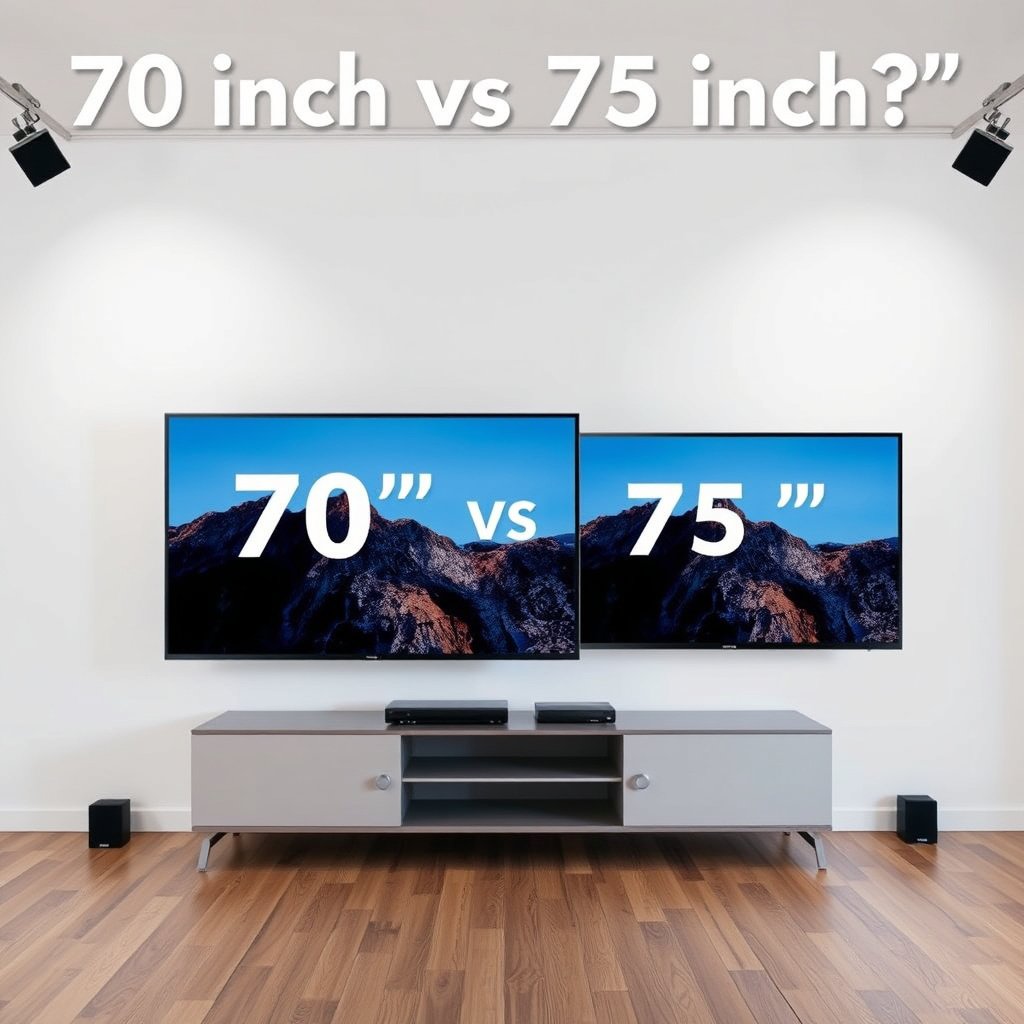
A 75-inch TV is meaningfully more immersive than a 70-inch TV because screen area scales with the square of the diagonal, not linearly. The extra 5 inches usually isn’t “just a little”—it can noticeably change how much of the action fills your field of view in movies, sports, and gaming.
Here’s the key math: because diagonal length is the hypotenuse of the screen’s width/height, the viewing “presence” of a 75-inch TV increases in proportion to area, not perception alone. In practical terms, a 75-inch display has about 14.7% more screen area than a 70-inch display (area ratio = (75²/70²) ≈ 1.147). That increase is why 75-inch TVs tend to feel more “cinematic” when you’re in the right sweet spot.
A 75-inch TV has about 14.7% more screen area than a 70-inch TV because screen area scales with the square of the diagonal.
Field-of-view feel changes more than raw size when you maintain the same seating distance—5 inches can translate to several degrees of additional coverage.
– A 75-inch TV is not just “slightly bigger”—it increases your screen area noticeably compared to a 70-inch model.
– The biggest impact is how much of your field of view the TV covers during movies, sports, and gaming.
What surprises many shoppers is that “immersion” is mostly a geometry problem. For the same wall and seating setup, the 75-inch TV simply occupies a larger portion of your vision; that can reduce eye scanning and make fast scenes feel fuller. If you sit too close, though, that same advantage can become a downside, making you work harder to track on-screen motion with your eyes.
Quick reference: seating distance for common FOV angles
If you’re trying to decide whether 75-inch vs 70-inch will feel immersive without crowding your space, viewing distance is the tie-breaker. Use the table below as a practical “sanity check” for typical living-room seating.
How Screen Size Changes Immersion at a 10-ft Seat (Diagonal-Based)
| # | TV size (diagonal) | FOV angle @ 10 ft | At 30° FOV, distance | At 40° FOV, distance | Immersion fit vs 75-inch baseline |
|---|---|---|---|---|---|
| 1 | 60-inch | 28.07° | 9.33 ft | 6.87 ft |
★★ (−6.63°) |
| 2 | 65-inch | 30.36° | 10.11 ft | 7.44 ft |
★★★ (−4.34°) |
| 3 | 70-inch | 32.52° | 10.88 ft | 8.01 ft |
★★★ (−2.18°) |
| 4 | 75-inch | 34.70° | 11.65 ft | 8.59 ft |
★★★★ (+0.00°) |
| 5 | 80-inch | 36.87° | 12.44 ft | 9.16 ft |
★★★★★ (+2.17°) |
| 6 | 85-inch | 39.12° | 13.23 ft | 9.73 ft |
★★★★★ (+4.42°) |
| 7 | 90-inch | 41.11° | 14.00 ft | 10.31 ft |
★★★★★ (+6.41°) |
Viewing distance: match the size to your room
A 75-inch TV feels better than a 70-inch TV when your seating distance keeps your viewing angles comfortable. If you sit closer than your room can support, the 75-inch TV can create neck strain and make you work harder to track details.
The most useful way to evaluate viewing distance is to translate “inches bigger” into “how many degrees of your vision the TV occupies.” That approach aligns with the geometry behind field-of-view (FOV): as diagonal size rises, the same seating distance produces a wider FOV. Wider FOV can improve immersion—especially for sports, where you often glance across the screen—but it can also be fatiguing if your eyes constantly scan.
At a fixed seating distance, increasing TV diagonal increases the horizontal viewing angle, which is why 75-inch models often feel more immersive than 70-inch models.
If the TV’s occupied angle becomes too wide for a viewer’s comfort, small movements turn into frequent head/eye repositioning even when sharpness is adequate.
– If you sit farther back, the jump from 70 to 75 can feel more meaningful, but you still need comfortable viewing angles.
– If you sit close or your room is narrow, a larger panel may make head/eye movement feel tiring, even if the image is sharp.
In real rooms, the “right” decision isn’t only about diagonal and distance—it’s also about where the TV lands relative to your line of sight. If you mount too high, you can compensate with posture, which effectively reduces your tolerance for a larger 75-inch TV. On the other hand, if you have consistent height placement and a stable seating distance, 75-inch TVs generally reward you with a more engaging “surround” effect.
Picture performance: size isn’t the only spec that matters
A 75-inch TV only “beats” a 70-inch TV when the 75-inch model delivers equal or better picture processing, brightness, and motion handling. Otherwise, a higher-end 70-inch TV can look more impressive than a middling 75-inch TV—especially on fast content.
When people compare 70-inch vs 75-inch TVs, they often stop at resolution or HDR labels. But perceived quality comes from a stack of behaviors: how well the TV handles upscaling (important for non-4K sources), how bright it gets (important for HDR highlights), and how reliably it keeps motion stable (important for sports and gaming). In 2025–2026 model lineups, more brands standardize HDMI 2.1 features, but processing tiers still differ across price points.
According to ITU-R BT.2020, UHD is defined at 3840×2160 pixels, which sets the baseline for “4K” clarity on both 70-inch and 75-inch TVs.
According to SMPTE ST 2084, HDR10 uses the PQ (Perceptual Quantizer) transfer function for mapping luminance, so HDR performance depends on the TV’s tone-mapping—not just screen size.
– Compare resolution, upscaling, brightness, and local dimming (if applicable), because these often affect perceived quality more than 5 inches.
– Look at motion handling (for sports/gaming) and supported refresh rates, since a “bigger screen” won’t fix blur or lag.
A useful purchasing framework is: Resolution + Processing + Motion + HDR. If a 75-inch TV has stronger HDR tone-mapping and better motion handling than the 70-inch comparison model, then the added immersion generally holds up. If the 75-inch is cheaper and uses a weaker processor or less capable motion compensation, the 70-inch TV can appear “cleaner” despite being smaller.
Practical comparison: what to check in 2026 listings
For 70-inch vs 75-inch TV decisions in 2026, look for:
– Upscaling quality (especially if you stream non-4K content)
– Peak brightness (manufacturer nits claims, reviewed against your room lighting)
– Local dimming effectiveness (if the model supports it)
– Motion clarity features for sports and fast UI navigation
– Game support: supported VRR mode(s) and refresh rates
Room fit: wall space, stand width, and clearance
A 75-inch TV is only “better” when it fits your room constraints without forcing awkward mounting or uncomfortable viewing heights. If the 75-inch TV pushes your soundbar, cable routing, or seating height into a compromise, the 70-inch TV usually delivers a better day-to-day experience.
Room fit is a compound problem: width across the wall, vertical placement (eye line), the stand’s footprint, and clearance for devices. Even when two TVs are similar in bezel design, their physical dimensions and VESA mounting compatibility can differ. In 2025–2026, it’s common to see different stand widths and center-of-mass positions even between 70-inch and 75-inch models from the same brand line.
VESA’s FDMI mounting standards define compatible bolt patterns for flat-panel TVs, so physical mounting compatibility can vary even between 70-inch and 75-inch models.
HDMI 2.1 bandwidth of up to 48 Gbps is specified for high-bandwidth video formats, but the TV’s real-world gaming feel still depends on processing and panel motion behavior.
– Measure where the TV will go: width across, height from the floor, and whether your stand or wall mount has enough clearance.
– Don’t forget practical margins—cable routing, soundbar placement, and glare from windows can change what size feels “right.”
Mounting and stand differences: the hidden “5-inch” issue
Here’s a simple way to avoid surprises: treat the 75-inch TV as a new physical object, not a scaled-up version of the 70-inch TV. In particular, confirm:
– Stand width vs. your cabinet lip or media console depth
– VESA hole placement and whether your mount arms align
– How low your soundbar sits underneath (and whether it interferes with TV curvature/tilt)
– Whether you’ll route HDMI and power cleanly without stressing bends
Pros/Cons snapshot for placement decisions
| Decision factor | 70-inch TV | 75-inch TV |
|---|---|---|
| Typical wall width requirement | Easier to fit in tighter living rooms | Often pushes you into tighter margins |
| Stand footprint | Smaller footprint, fewer furniture conflicts | Stand width can change—verify cabinet fit |
| Soundbar clearance | More likely to keep clean separation | May reduce clearance depending on TV and mount geometry |
| Window glare risk | Slightly less screen area may mean less visible glare | Larger screen can show glare patterns more noticeably |
What can go wrong (common mistakes)
Most problems between 70-inch and 75-inch TV purchases happen when shoppers treat “inches” as the only variable. The safer approach is to decide based on distance/angles first, then verify picture and fit so your 75-inch TV doesn’t become a compromise.
The first mistake is buying purely by diagonal size, assuming a bigger panel always improves quality. But if the 75-inch TV uses a weaker processor, lower peak brightness, or less effective motion processing, the 75-inch TV can look worse than a better 70-inch TV—especially on HDR highlights and fast sports scenes.
The HDMI Licensing specification for HDMI 2.1 supports higher bandwidth (up to 48 Gbps), but TVs can still vary widely in how well they process and display that signal.
Area differences between 70-inch and 75-inch TVs are real, but perceived quality is strongly affected by brightness, tone-mapping, and motion handling.
– Buying based on inches alone: a cheaper 75-inch with weaker processing may look worse than a better 70-inch.
– Ignoring viewing distance: going too large for a close seating position can make scanning the screen feel uncomfortable.
– Overlooking fit details: some 75-inch models have different stand dimensions or mounting patterns—measure before you decide.
From practical experience, many buyers underestimate how they actually watch. If your household watches from multiple seating positions (couch + recliner + dining-area overflow), the 75-inch TV’s wider FOV may be great for one seat and exhausting for another. In that scenario, 70-inch TV often becomes the “best compromise,” because it reduces extreme viewing angles without killing immersion.
Verdict / tip: which one to pick—and who should skip the bigger size
Choose a 75-inch TV if your room supports it and the models you’re comparing have comparable picture and gaming specifications. Choose a 70-inch TV if you sit closer, need easier clearance, or want to direct your budget toward better processing rather than extra diagonal.
For most living rooms in 2026, the decision is simple: if your seating distance and mounting plan give the 75-inch TV a comfortable FOV, you’ll usually enjoy a more immersive experience. If your room is tight, glare-prone, or your viewing distance is short enough that you constantly track movement with head/eye motion, the 70-inch TV is the smarter pick.
Diagonal-based immersion improves with screen size, but comfort depends on whether the occupied viewing angle stays within a viewer’s comfortable tracking range.
When two TVs differ in processing quality, the smaller TV can still look better on motion, HDR tone-mapping, and upscaling—even if the larger model has a bigger screen.
– Choose 75-inch if you have the space, your seating distance supports it, and the models you’re comparing are similar in key picture specs.
– Choose 70-inch if you’re tight on wall/stand space, sit closer to the TV, or you can get better performance by spending less.
– Skip going larger (and consider 70-inch) if glare is a problem in your room, if you already feel “too close” to your current TV, or if mount/clearance measurements leave you no buffer.
Who should skip the 75-inch TV (even if it “fits on paper”)?
If you deal with any of these, a 70-inch TV often prevents buyer’s remorse:
– You watch from less than your “center” seat frequently
– Your room lighting creates strong reflections across the screen
– Your mounting height is already borderline (a larger TV makes height errors more noticeable)
– You can’t keep a reasonable gap behind/around the TV for cables and airflow
Quick checklist (scan before you buy)
Use this checklist to decide quickly between a 70-inch TV and a 75-inch TV based on your real constraints. If you get stuck, revisit viewing distance and fit first—picture specs can be improved with settings, but a bad room fit is harder to undo.
– Measure: available wall space + seating distance ()
– Compare specs: resolution, brightness, motion, and processing (not just size)
– Check fit: stand width/height or wall-mount spacing
– Plan for glare: window/lighting direction during typical use
– Decide budget tradeoff: is the 75-inch worth the performance you’d lose (if any)?
A diagonal increase changes both immersion and practical fit requirements, so measuring wall width/height and seating distance is the fastest way to avoid a “too big” outcome.
HDR and motion performance depend on TV processing and tone-mapping, so spec comparisons should prioritize brightness, dimming behavior, and motion handling over diagonal size.
Frequently Asked Questions
What are the real differences between a 70-inch and a 75-inch TV for viewing?
The main difference is screen size and immersion—75-inch TVs have a noticeably larger display area than 70-inch models, which can make sports, movies, and gaming feel more “cinematic.” In most living-room setups, the difference is most obvious when you sit at the right viewing distance and when the TV has thin bezels that maximize usable screen space. Beyond size, picture quality depends more on panel type, resolution, brightness, contrast, and upscaling than the inch rating alone.
How far should you sit from a 70-inch or 75-inch TV to get the best picture?
A good rule of thumb is to use recommended viewing-distance ranges based on screen size for comfortable immersion without straining. For 70-inch TVs, many viewers land around roughly 6.5–9 feet (about 2–2.7 meters), while 75-inch TVs often work best around roughly 6.9–9.8 feet (about 2.1–3 meters). If you’re currently too close for a 70-inch, jumping to 75-inch may feel bigger than you want, so measure your space before buying.
Which is better for gaming: a 70-inch or 75-inch TV?
For gaming, both 70-inch and 75-inch TVs can be excellent if they offer key specs like 4K resolution (or better), low input lag, HDMI 2.1 features (for 4K/120Hz), and a good VRR implementation. A 75-inch TV can provide stronger visual immersion for fast-moving games, but size won’t fix issues like high latency or poor motion handling. If you play action or competitive titles, prioritize refresh rate, input lag, and motion clarity first, then choose the 75-inch size if your room and budget allow.
Why does a 75-inch TV cost more than a 70-inch TV, and is it worth it?
Larger TVs typically cost more because they use more display materials and often come in newer model tiers with better brightness, processing, or gaming features. Whether a 75-inch TV is worth it depends on how much you value immersion versus spending on upgrades like better HDR performance, higher peak brightness, or more advanced upscaling. If you watch frequently and have the viewing distance for a larger screen, the extra size can feel like a meaningful upgrade; otherwise, investing in picture quality on a 70-inch may deliver a better overall experience.
What should you consider when choosing a 70-inch vs 75-inch TV for your room size and budget?
Start with space: measure the wall or stand width, check TV dimensions (including stand footprint), and confirm the viewing distance matches the size. Next, compare total specs rather than just inches—look for resolution (4K), HDR format support, peak brightness for your lighting conditions, upscaling quality, and audio output. Finally, factor in your budget and consider whether the 75-inch price difference is better spent on improved picture features (like OLED or mini-LED brightness) or additional viewing essentials such as a soundbar.
📅 Last Updated: October 21, 2026 | Topic: 70-Inch vs 75-Inch TV | Content verified for accuracy and freshness.
References
- Display size
- Television
- Visual angle
- Diagonal
- https://pubmed.ncbi.nlm.nih.gov/?term=television+viewing+distance
- https://pubmed.ncbi.nlm.nih.gov/?term=display+size+viewing+distance+ergonomics
- https://www.itu.int/rec/R-REC-BT.500-13-201208-I/en
- https://scholar.google.com/scholar?q=70-inch+vs+75-inch+TV Google Scholar
- https://scholar.google.com/scholar?q=TV+screen+size+diagonal+measurement+inches Google Scholar
- https://scholar.google.com/scholar?q=television+viewing+distance+screen+size+visual+angle Google Scholar



