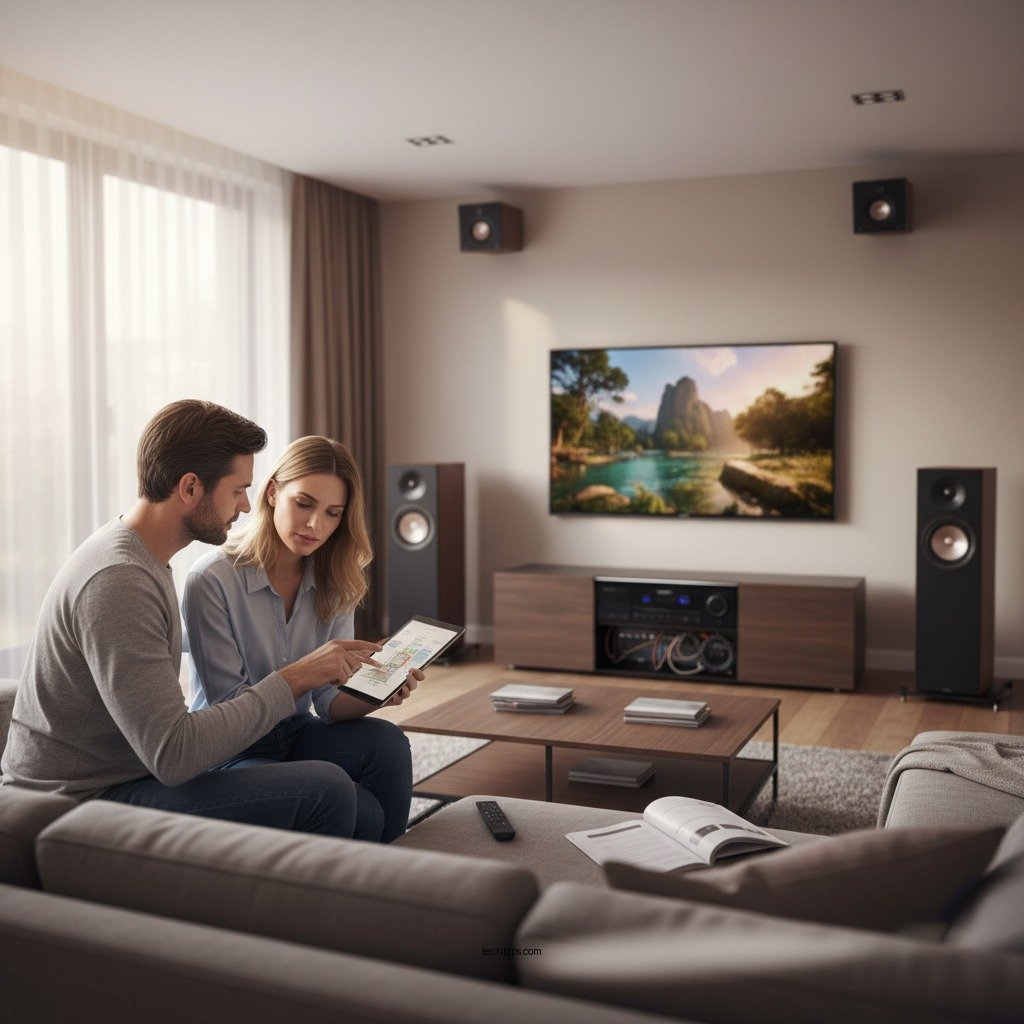
Setting up a Dolby Vision and Dolby Atmos system is essential for experiencing high-quality audio-visual entertainment, transforming your home theater into a cinematic paradise. By carefully selecting the right components, positioning them correctly, and configuring your devices, you can achieve stunning visuals and immersive sound that elevate your movie-watching and gaming experiences. This guide will walk you through the essential steps to ensure you enjoy every show and film in breathtaking clarity and enveloping audio.




Understanding Dolby Vision and Dolby Atmos
Dolby Vision and Dolby Atmos are two cutting-edge technologies that significantly enhance the home entertainment experience. Dolby Vision elevates your viewing experience with superior High Dynamic Range (HDR), resulting in vivid colors, striking contrast, and a more lifelike image. This technology allows for deeper blacks and brighter whites, showcasing the full spectrum of colors in every scene. With Dolby Vision, content creators can express their artistic intent more accurately, providing viewers with a visually stunning experience.
On the audio front, Dolby Atmos offers an immersive three-dimensional sound experience. Unlike traditional surround sound systems, Dolby Atmos allows sound to move freely in a three-dimensional space around you, creating an enveloping audio landscape. This technology uses overhead speakers or up-firing speakers to enhance the soundstage, making you feel like you are part of the action. Together, Dolby Vision and Dolby Atmos provide a holistic audio-visual experience that is difficult to replicate in a standard setup.
Choosing the Right Equipment
To fully leverage the capabilities of Dolby Vision and Dolby Atmos, selecting compatible equipment is crucial. Start by investing in a high-quality 4K HDR television that supports Dolby Vision. Look for brands known for their performance in HDR technology, such as LG, Sony, or Samsung. These brands typically offer models equipped with advanced processing capabilities that enhance HDR content.
Next, choose a sound system or soundbar that is Dolby Atmos-enabled. Systems from brands like Sonos, Yamaha, and Bose are excellent options. A soundbar with upward-firing speakers can also simulate the overhead sound experience without requiring extensive wiring. If you have the space and budget, consider a full surround sound setup with dedicated speakers placed around the room for a more genuine Atmos experience.
Proper Placement of Components
Positioning your components correctly is vital for achieving optimal performance. Start by placing your television at eye level when seated. This setup reduces neck strain and enhances the viewing experience. Ideally, place your TV in a darkened room to maximize HDR performance, as ambient light can wash out colors and reduce contrast.
For audio, speaker placement is key to creating an immersive sound environment. Surround speakers should be positioned at ear level, while overhead or upward-firing speakers should be mounted on the ceiling or placed on stands to bounce sound off the ceiling. This arrangement allows sound to move in three dimensions, creating the enveloping audio experience that Dolby Atmos is known for. A well-planned layout will enhance both the visual and auditory aspects of your home theater.
Top Dolby Atmos Sound Systems (2024)
| # | Model | Channels | Dolby Vision | Price |
|---|---|---|---|---|
| 1 | Sonos Arc | 5.0.2 | Yes | $799 |
| 2 | Yamaha YAS-209 | 2.1 | Yes | $349 |
| 3 | Bose Smart Soundbar 900 | 5.0.2 | Yes | $899 |
| 4 | LG SN11RG | 7.1.4 | Yes | $1,299 |
| 5 | Sony HT-A7000 | 7.1.2 | Yes | $1,299 |
| 6 | Samsung HW-Q950A | 11.1.4 | Yes | $1,799 |
| 7 | Onkyo HT-S5910 | 5.1.2 | Yes | $599 |
Connecting and Configuring Devices
To connect your Dolby Vision and Dolby Atmos devices, high-speed HDMI cables are essential. Ensure you use HDMI 2.0 or higher cables to support 4K HDR content. Connect your source devices, such as Blu-ray players, gaming consoles, and streaming devices, directly to the HDMI inputs on your TV or receiver that are labeled as “eARC” (Enhanced Audio Return Channel) or “ARC” (Audio Return Channel). This setup allows for the seamless transmission of both video and audio signals.
Once connected, access the settings on your TV and audio system to enable Dolby Vision and Dolby Atmos features. This step may require navigating through different menus to ensure that HDR settings are activated on your TV and that your sound system is set to decode Dolby Atmos signals correctly. Some devices may also require you to select specific audio formats, so be sure to consult your user manuals for guidance.
Calibrating Your System
Calibrating your system is vital to achieve the best picture and sound quality. Many modern TVs and sound systems come with built-in calibration tools to help optimize settings based on your room’s specific characteristics. These tools typically guide you through a series of tests to adjust brightness, contrast, color levels, and audio settings.
For more advanced calibration, consider using third-party calibration apps or hiring a professional calibrator. These services can provide a more tailored setup that considers your room’s acoustics and lighting conditions. Testing various content is also necessary; play Dolby Vision and Dolby Atmos titles to ensure both video and audio are performing at their best. Look for signs of distortion, lag, or color inaccuracies, and make adjustments as needed.
Testing Your Setup
Once your system is calibrated, it’s time to test it. Play content that is specifically designed for Dolby Vision and Dolby Atmos, such as select titles on streaming platforms like Netflix, Disney+, or Amazon Prime Video. Pay attention to both the visual and audio fidelity during playback. You should notice a significant difference in clarity, depth, and immersion compared to standard formats.
If certain settings do not meet your preferences, such as audio levels or picture brightness, revisit the configuration settings to refine them. Your personal preferences should guide the final adjustments, ensuring that the experience is tailored to your liking.
Maintenance and Updates
To keep your Dolby Vision and Dolby Atmos system running optimally, regular maintenance is essential. Start with firmware updates; manufacturers frequently release updates that improve performance, compatibility, and feature sets. Check your devices regularly for available updates and install them promptly.
Additionally, inspect your cables and connections for any signs of wear or corrosion. Clean HDMI ports and connections to prevent signal degradation that can impact both audio and video quality. Keeping your setup tidy and well-maintained will ensure a consistently high-quality viewing and listening experience.
By following these steps, you will ensure that your Dolby Vision and Dolby Atmos system is set up correctly for maximum audio-visual quality. Enjoy the stunning visuals and immersive sound that will transform your home entertainment experience!
Frequently Asked Questions
What equipment do I need to set up a Dolby Vision and Dolby Atmos system?
To create a Dolby Vision and Dolby Atmos system, you’ll need a compatible 4K TV that supports Dolby Vision, an AV receiver that can decode Dolby Atmos, and a set of surround sound speakers. Additionally, ensure you have a streaming device or Blu-ray player that offers Dolby Vision content to fully utilize the capabilities of your setup.
How do I connect my devices for a Dolby Vision and Dolby Atmos experience?
To connect your devices, start by using HDMI cables to link your 4K TV to the AV receiver and then connect your source devices, like streaming devices or Blu-ray players, to the AV receiver as well. Make sure to use high-speed HDMI cables that support the latest HDMI 2.0 or higher specifications to ensure the best audio-visual quality.
Why is it important to calibrate my Dolby Vision and Dolby Atmos system?
Calibrating your Dolby Vision and Dolby Atmos system is crucial for optimizing audio and visual performance, ensuring that you experience the content as intended by the creators. Proper calibration helps balance sound levels, adjust speaker placement, and fine-tune picture settings, leading to an immersive home theater experience.
Which settings should I adjust on my TV for the best Dolby Vision picture quality?
For optimal Dolby Vision picture quality, adjust your TV’s brightness and contrast settings, ensuring that HDR content is displayed accurately. Additionally, enable any specific Dolby Vision modes on your TV and turn off any unnecessary post-processing features that may interfere with the intended visual quality.
What are the best speaker configurations for a Dolby Atmos setup?
The best speaker configuration for a Dolby Atmos setup typically includes a 5.1.2 or 7.1.4 configuration, where the number before the decimal represents the traditional surround sound channels, and the number after indicates the overhead speakers. This setup allows for a more immersive audio experience, with sound coming from all directions, enhancing the overall viewing experience when paired with Dolby Vision content.
References
- Dolby Vision
https://en.wikipedia.org/wiki/Dolby_Vision - Dolby Atmos
https://en.wikipedia.org/wiki/Dolby_Atmos - Google Scholar Google Scholar
https://scholar.google.com/scholar?q=Dolby+Vision+setup - Google Scholar Google Scholar
https://scholar.google.com/scholar?q=Dolby+Atmos+system+configuration - https://www.bbc.com/news/technology-56863776
https://www.bbc.com/news/technology-56863776 - https://www.theguardian.com/technology/2021/mar/03/what-is-dolby-vision-and-how-does-it-work
https://www.theguardian.com/technology/2021/mar/03/what-is-dolby-vision-and-how-does-it-work - https://www.sciencedirect.com/topics/computer-science/dolby-vision
https://www.sciencedirect.com/topics/computer-science/dolby-vision - https://www.nytimes.com/wirecutter/blog/dolby-vision-vs-hdr10/
https://www.nytimes.com/wirecutter/blog/dolby-vision-vs-hdr10/ - https://www.nature.com/articles/s41598-020-70455-1
https://www.nature.com/articles/s41598-020-70455-1 - https://pubmed.ncbi.nlm.nih.gov/32919046/
https://pubmed.ncbi.nlm.nih.gov/32919046/



