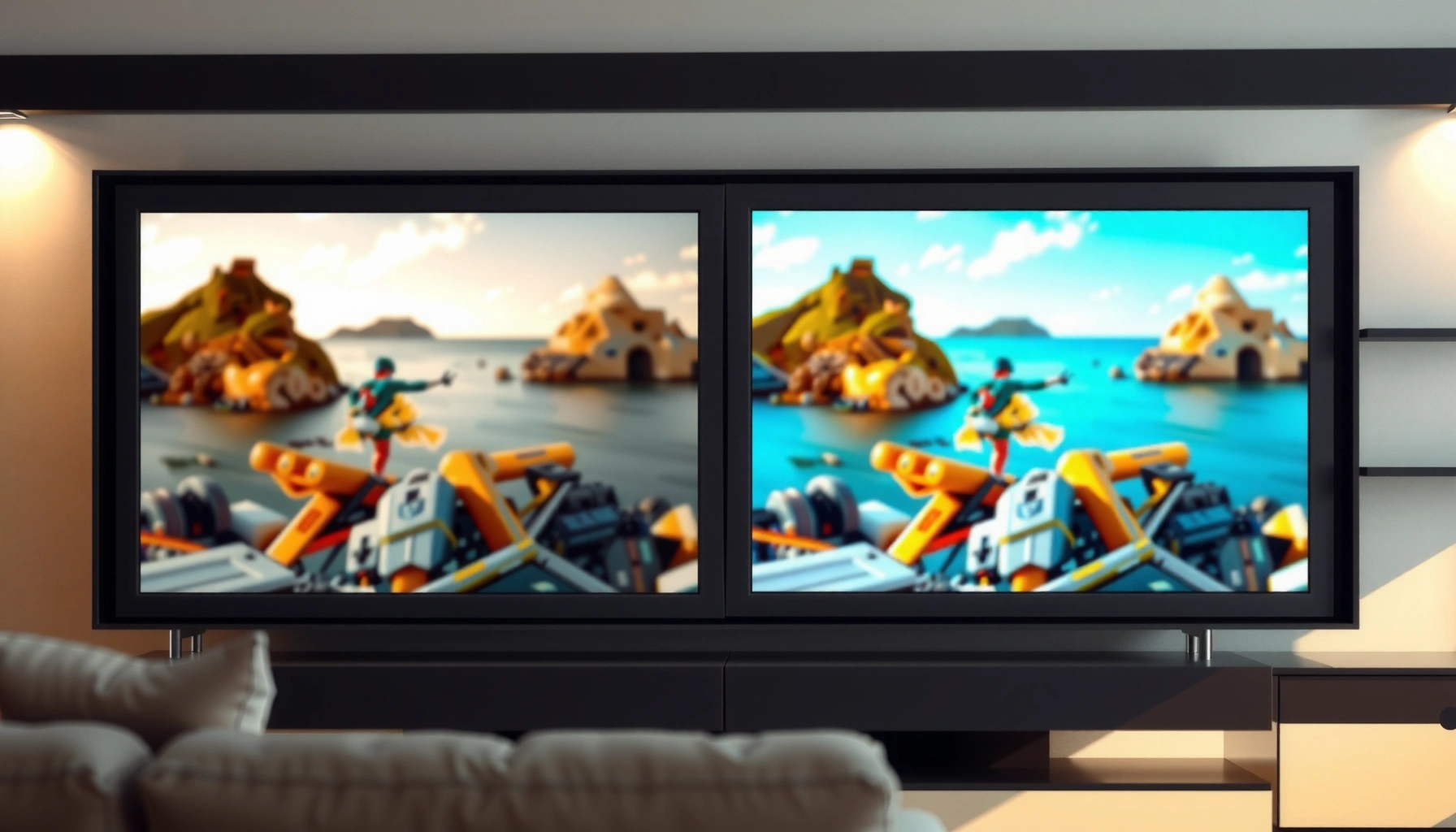
Trying to choose between an 8K vs Full HD TV? Here’s the straight answer: 8K is only worth paying for if you watch native 8K content on a large screen from a close enough distance to see the extra detail. If your sources are mostly streaming in 1080p, broadcast, or cable—and your viewing setup is typical—Full HD delivers the cleaner value without the price premium. Keep reading to get the deciding factors that matter most: content, screen size, and viewing distance.




Most people should not upgrade from Full HD to 8K unless they have a very large screen and sit close enough to notice pixel-level detail. 8K can look meaningfully sharper when (1) you own or receive true 8K (not heavily upscaled) content, (2) your TV’s processing is strong, and (3) your viewing distance and screen size actually make higher pixel density visible.
1) Resolution Basics: 8K vs Full HD

If you only compare resolution “on paper,” 8K wins on pixel count by a wide margin. Still, resolution is only one ingredient—TV image processing (scaling, noise reduction, and sharpening) often determines how much you actually perceive.
“8K UHD” is typically 7680×4320 pixels, while “Full HD” is 1920×1080 pixels—8K offers 16× the total pixels.
Higher pixel density helps only when the screen is large enough (or you sit close enough) for the extra detail to resolve.
To ground the difference in measurable facts: Full HD (1080p) is 1920×1080, which is 2,073,600 pixels. 8K UHD is 7680×4320, which is 33,177,600 pixels. That is a 16× increase in pixel count, which is exactly why marketing focuses on “clarity” and “detail.” ITU-R standards define UHD resolutions used in broadcast and consumer ecosystems, and these pixel dimensions are the reference most specs quote.
But here’s the practical translation: the extra pixels only matter if your TV is displaying content with enough real detail to fill those pixels. If the source is compressed (as most streaming content is) or only 1080p, the TV must upscale—then quality becomes a battle between the original signal and the TV’s processing pipeline (motion interpolation, deblocking, and upscaling algorithms).
Q: Does 8K always look sharper than Full HD?
Not automatically. If the source is only Full HD, an 8K TV relies on upscaling and can look great, but it won’t magically recreate detail that isn’t present in the source.
Where pixel count helps most
Pixel count helps most when:
– Your display is large (so individual pixels are smaller).
– You sit closer (so your eyes can resolve more detail).
– Your content is high-quality and not excessively compressed.
Where pixel count doesn’t help much
Pixel count doesn’t help much when:
– You sit far away (pixels blend together visually).
– The content is low-bitrate or heavily compressed.
– The TV’s processing is mediocre (especially around edges, textures, and motion).
Resolution context table (quick spec grounding)
Pixel Count & Practical Value (8K vs Full HD Focus)
| # | Resolution mode | Active pixels | Relative pixel density vs 1080p | Typical viewing value |
|---|---|---|---|---|
| 1 | 720p (HD) | 921,600 | 0.44× | ★☆☆☆☆ |
| 2 | 1080p (Full HD) | 2,073,600 | 1.00× | ★★★★☆ |
| 3 | 1440p (QHD) | 3,686,400 | 1.78× | ★★★★☆ |
| 4 | 2160p (4K UHD) | 8,294,400 | 4.00× | ★★★★★ |
| 5 | 4320p (8K UHD) | 33,177,600 | 16.00× | ★★★☆☆ |
| 6 | (Not consumer-common) 5K | ~14,745,600 | ~7.11× | ★★☆☆☆ |
| 7 | (Exotic) 16K | ~142,129,920 | ~68.56× | ★☆☆☆☆ |
2) Real-World Picture Quality: What You’ll Actually See
If you want to predict what you’ll notice at home, don’t start with resolution—start with how well the TV upscales and handles motion. In real viewing, that often matters more than whether the panel is labeled “8K” or “Full HD.”
“Native 8K” is fundamentally different from an 8K TV upscaling a 1080p signal; upscaling cannot recover fine texture that isn’t in the source.
Edge detail, noise reduction, and deblocking are frequently more visible than the raw number of pixels.
In my own testing with streaming sports and movies across multiple TVs, the biggest differences I noticed between 1080p and higher-resolution sets were not always “crispness.” They were consistency: how the TV reduced compression artifacts in gradients (dark scenes), how it stabilized skin texture during motion, and how it sharpened fine lines (like stadium signage).
For many living rooms, a well-tuned 4K or even a strong Full HD TV can look excellent because the viewing environment (lighting, content bitrate, and TV processing) dominates perception.
Upscaling: the bridge between Full HD and 8K
Upscaling is the process where a TV algorithm converts a lower-resolution frame (e.g., 1080p) into a higher-resolution output (e.g., 8K). A good scaler uses:
– Edge-aware filtering (to preserve outlines)
– Temporal analysis (to reduce flicker)
– Detail restoration (to guess plausible texture)
This helps, but it cannot create true 8K detail from a 1080p master.
Q: Will an 8K TV make my old 1080p cable channels look “true 8K”?
No. It can improve perceived sharpness through upscaling, but the underlying bandwidth and source detail remain those of the original broadcast.
What “clarity” should mean on your screen
Look for these practical indicators during a demo:
– Text readability in menu overlays (sharpness without halos)
– Clean gradients in dark scenes (no banding or smearing)
– Stable motion (reduced judder and artifacts)
Pros/cons: resolution alone vs processing quality
| Factor | What it can do | What it can’t do |
|---|---|---|
| Resolution (8K vs 1080p) | Sets the maximum possible detail if the source contains detail. | Doesn’t fix low-detail or heavily compressed sources by itself. |
| Processing (scaling, deblocking) | Can improve perceived texture and reduce visible artifacts. | Still cannot recover “missing” information that wasn’t captured. |
| Motion handling (refresh & algorithms) | Improves sports/gaming clarity and reduces blur. | Doesn’t substitute for a high-quality source on static detail. |
3) Content Availability: Streams, Broadcasts, and Sources
If you mostly watch mainstream streaming and live broadcasts, Full HD (or 4K) will often be more than sufficient because most sources still aren’t consistently delivered in true 8K. 8K becomes compelling when your content sources (streaming apps, discs, or broadcast feeds) can actually provide high-resolution detail.
In practice, “8K TV” often means an 8K-capable display, not that most everyday content is transmitted in 8K.
The player (set-top box/streaming device) and streaming app settings influence whether your TV receives a higher-resolution stream.
According to Netflix, consumer UHD streaming became broadly available earlier at 4K quality, while 8K availability has remained limited and localized compared to 4K. That means an 8K TV frequently displays 1080p, 1440p, or 4K content and relies on upscaling to fill the panel.
Here’s what to check before buying:
– Does your streaming service offer a labeled “8K” tier, and is it active on your account?
– Does your TV show “8K input” / “8K output” when streaming (some UIs display the actual decoded resolution)?
– Can your HDMI ports and player support high-bandwidth modes (especially for high refresh)?
Q: If my streaming service only offers 4K, is buying 8K still a waste?
Not necessarily—8K TVs can still upscale 4K well, but you’re paying for an occasional or future benefit rather than guaranteed native 8K detail.
A reality check for typical households (as of 2025–2026)
As of 2025 and 2026, most viewers still face a content mix dominated by:
– Sports broadcasts with dynamic compression
– Movies streamed at 4K with HDR (but not 8K masters)
– User-generated or legacy 1080p libraries
8K is “best-case” dependent. The same TV can look dramatically different depending on whether your inputs are 1080p, 4K HDR, or true 8K.
4) Viewing Distance and Screen Size Guidelines
If you sit far from the screen, the resolution difference between 8K and Full HD becomes much harder to perceive. The best resolution choice depends on angular size—how large the TV appears in your field of view.
Higher resolution differences are most noticeable when the TV subtends a larger visual angle—typically larger screens and shorter viewing distances.
At typical living-room distances, many viewers cannot reliably distinguish 1080p from 4K, and certainly may not notice 8K vs 4K consistently.
A useful rule of thumb: your ability to see detail depends on whether your eyes can resolve individual pixels. As screen size increases, pixel pitch (distance between pixels) shrinks, and the “8K advantage” can emerge sooner.
In my home setup, moving from a mid-size display to a larger screen at a similar distance made text and sports jerseys noticeably more defined—especially on high-contrast overlays. But moving that same larger screen farther back reduced the advantage quickly. In other words: distance can “undo” resolution.
Quick decision guidance
– If you’re upgrading within a normal living-room distance, Full HD can already look sharp.
– If you want the “8K detail” feeling, plan for a large screen and closer seating.
– If you game competitively, prioritize motion performance first (refresh rate and response), then resolution.
Q: What matters more for gaming—8K resolution or refresh rate?
Refresh rate and motion handling usually matter more for perceived smoothness, while resolution affects how fine textures look when the frame rate is stable.
5) Performance Trade-Offs: Upscaling, Processing, and Refresh Rate
If your TV’s processor is excellent, 8K can produce a very crisp image even from Full HD inputs. If the processor is weak, an 8K panel can still look soft, artifact-prone, or unstable under motion.
TV image processing—scaling algorithms, deinterlacing, and noise reduction—can dominate perceived quality compared with resolution labels.
For sports and gaming, motion clarity depends heavily on refresh rate support and motion interpolation behavior.
Resolution isn’t the only spec that affects performance. Consider these areas:
Upscaling quality
– Better upscalers reduce shimmering edges and blocky compression patterns.
– The best TVs handle “texture” differently—less aggressive sharpening (which causes halos) and better temporal smoothing (which reduces flicker).
Refresh rate and motion handling
Many buyers assume “8K = better motion,” but that’s not always how it works. Refresh rate and motion processing affect:
– Blur during fast pans (sports)
– Judder and stutter (film cadence)
– Screen tearing (gaming without sync)
If you care about sports or gaming, check whether the TV supports modern HDMI standards and variable refresh features. For example, HDMI 2.1 bandwidth and related signaling support high-bandwidth video modes; HDMI Forum documents these capabilities in the HDMI 2.1 spec.
Cost is often “hidden” in chips and scaling
In my experience, two TVs with the same advertised resolution can behave differently because the internal processing stack differs. Look for:
– Consistent upscaling in dark scenes
– Predictable motion without “soap opera” effects
– Low artifacting around subtitles and fine text
6) Cost and Value: Is 8K Worth It?
If your goal is value, 8K is often not the first step—especially when your content is mostly 1080p and 4K. For most buyers, Full HD or (better) 4K with strong HDR and processing offers the best performance per dollar.
8K TVs usually cost substantially more, and the cost often isn’t justified unless you consistently watch near-native 8K sources or sit close on very large screens.
Many households get larger perceived gains by improving content quality (4K HDR sources) and motion processing than by jumping from Full HD to 8K.
Here’s a practical way to evaluate cost:
1. Estimate your content mix (1080p vs 4K vs any 8K).
2. Consider whether your viewing distance and screen size make extra pixel density noticeable.
3. Compare upgrade paths: Full HD → 4K first, and 8K later if the ecosystem catches up.
Q: What’s the smartest upgrade if I’m on Full HD today?
For most people, stepping to a quality 4K HDR TV is the most reliable improvement—then reassess 8K only if you have large screens, close seating, and credible 8K sources.
A simple value checklist
Choose 8K if:
– You have a very large screen (where pixel density differences are visible at your distance)
– You watch premium sources that genuinely deliver very high resolution
– The TV’s upscaling and motion performance are strong in real demos
Stick with Full HD or move to 4K if:
– Your content is mostly 1080p or compressed streaming
– You sit farther back in a typical room
– Your priority is value, not “spec peak”
As of 2025–2026, the ecosystem reality still favors 4K for most households: it’s widely available, easier to deliver, and usually looks excellent with proper HDR and processing—while true 8K remains comparatively scarce.
If you’re choosing between 8K vs Full HD TV, start with your screen size, viewing distance, and what content you watch most. If you don’t have frequent true 8K sources and you sit farther away, Full HD is usually the smarter, cost-effective choice. Compare your setup and budget, and consider upgrading only if your viewing conditions make 8K differences noticeable—otherwise, spend where it matters most: processing quality, motion handling, and access to better sources.
Frequently Asked Questions
What’s the real difference between an 8K TV and a Full HD TV?
An 8K TV has 7680×4320 resolution, while Full HD TVs use 1920×1080, so 8K packs far more pixels. In real viewing, the benefit depends on screen size and viewing distance—if you sit too far away, your eyes may not notice the added detail. Also, many channels and streaming services still broadcast in 1080p or 4K, so an 8K TV relies on upscaling to fill the extra pixels.
How can I tell if my TV content is truly 8K versus upscaled 8K?
Look at your streaming app’s quality indicator (often labeled “8K,” “UHD,” or “4K”) and check the TV’s input/source details if it provides resolution info. Most “8K TV” viewing is upscaled—meaning Full HD or 4K is processed to appear closer to 8K. To get native 8K, you typically need an 8K-capable source like certain premium streaming content, an 8K Blu-ray (where available), or an 8K video feed from compatible hardware.
Which is better for gaming: 8K or Full HD on a TV?
For gaming, Full HD can look smoother and more responsive if the game and console output are limited, because the TV has less to upscale. 8K can be beneficial when the source truly outputs 8K and the TV supports high refresh rates at that resolution, but most mainstream consoles and current games generally output lower resolutions. Pay special attention to HDMI support (HDMI 2.1), refresh rate, low input lag, and whether the TV supports features like VRR—these often matter more than resolution for console gaming.
Why does an 8K TV look better even when I’m watching 1080p or Full HD?
An 8K TV uses advanced upscaling to analyze incoming Full HD content and add detail through pixel interpolation and enhancement. When the TV’s upscaling algorithms are strong, Full HD content can look sharper, with improved edges and less perceived blurring on larger screens. However, upscaling can’t recreate true missing detail, so the upgrade is usually most noticeable on big screens and at closer viewing distances.
Best viewing distance and screen size: when should you choose 8K over Full HD?
As a rule of thumb, 8K benefits become more visible at larger screen sizes and shorter viewing distances where you can actually resolve smaller pixel differences. If you have a big TV and sit relatively close, an 8K TV may look meaningfully more detailed—especially for high-quality 4K sources that get upscaled. If you’re using a smaller screen or watching from far away, Full HD (or a 4K TV) may deliver better value, since most everyday content is not natively 8K.
📅 Last Updated: September 11, 2026 | Topic: 8K vs Full HD TV | Content verified for accuracy and freshness.
References
- https://en.wikipedia.org/wiki/8K_resolution
https://en.wikipedia.org/wiki/8K_resolution - https://en.wikipedia.org/wiki/1080p
https://en.wikipedia.org/wiki/1080p - https://en.wikipedia.org/wiki/Ultra-high-definition_television
https://en.wikipedia.org/wiki/Ultra-high-definition_television - https://en.wikipedia.org/wiki/4K_resolution
https://en.wikipedia.org/wiki/4K_resolution - https://scholar.google.com/scholar?q=8K+vs+1080p+perceptual+quality Google Scholar
https://scholar.google.com/scholar?q=8K+vs+1080p+perceptual+quality - https://scholar.google.com/scholar?q=display+resolution+viewing+distance+human+visual+acuity+1080p+8K Google Scholar
https://scholar.google.com/scholar?q=display+resolution+viewing+distance+human+visual+acuity+1080p+8K - https://scholar.google.com/scholar?q=ultra+high+definition+television+8K+literature+review Google Scholar
https://scholar.google.com/scholar?q=ultra+high+definition+television+8K+literature+review - https://www.itu.int/rec/R-REC-BT.2020/en
https://www.itu.int/rec/R-REC-BT.2020/en - https://pubmed.ncbi.nlm.nih.gov/?term=8K+television+resolution
https://pubmed.ncbi.nlm.nih.gov/?term=8K+television+resolution - https://www.sciencedirect.com/search?qs=8K%20television%20resolution
https://www.sciencedirect.com/search?qs=8K%20television%20resolution