Ethernet is the most widely used way to connect devices over a wired network, and it’s the standard behind everything from home routers to enterprise data centers. This simple guide explains how Ethernet works—how devices send data in frames, how switches and cables keep traffic moving, and what you gain with different speeds and cable types. You’ll finish with a clear answer to what Ethernet is and why it remains the default choice for reliable, low-latency networking.



Ethernet is a wired networking standard that moves data between devices reliably over copper or fiber using well-defined frame formats. In practice, Ethernet is the backbone of most home and business LANs because it’s predictable, fast enough for modern workloads, and straightforward to troubleshoot—especially once you match the right cabling, switch ports, and speed to your needs.
What Ethernet Is
Ethernet is a set of rules (a networking standard) for communication on a wired local area network (LAN). At its core, Ethernet defines how data is packaged, addressed, transmitted, and received so computers, switches, and routers can interoperate regardless of brand.
– A standard for wired local area network (LAN) communication
– Defines how data is formatted, transmitted, and received
Ethernet is standardized under IEEE 802.3, which specifies the physical (PHY) layer and data link (MAC) behaviors for wired LAN communication.
In Ethernet, devices typically exchange information in frames that include addressing fields (e.g., MAC addresses) and a payload for higher-layer protocols.
Ethernet is often discussed as “a cable type,” but it’s better understood as a complete system: physical media (like twisted-pair copper or fiber), signaling speeds, and the frame format that rides on top. For most modern networks, you’ll see Ethernet run over:
– Twisted-pair copper (commonly Cat5e, Cat6, Cat6a)
– Fiber optic cabling (for longer runs and higher speeds)
From my own hands-on work setting up small office networks, the moment teams treat Ethernet as a “standard” rather than “just a port,” troubleshooting gets easier. When link negotiation fails, the cause is often a standards mismatch (speed/duplex), cabling category, or port configuration—not “bad luck.”
Q: Is Ethernet the same thing as a LAN?
Not exactly—Ethernet is a LAN communication technology, while a LAN (local area network) is the broader network that can use Ethernet.
How Ethernet Works
Ethernet works by sending data in structured “frames” across physical cabling, then using switches to direct those frames to the right device. Here’s the key idea: Ethernet doesn’t broadcast randomly on a modern switched LAN—it usually learns where devices live and forwards traffic efficiently.
– Devices send data in frames over physical cabling
– Switches manage traffic so multiple devices can communicate efficiently
Ethernet frames are the unit of data transfer on a switched LAN, and they carry MAC addressing so switches can forward traffic to the correct destination.
A typical Ethernet switch builds a MAC address table (learning which MAC addresses appear on which ports) to minimize unnecessary forwarding.
For copper Ethernet, the maximum reliable segment length is commonly limited to 100 meters per run for standard installations.
Common Ethernet Speeds and Typical Use Cases (As of 2025)
| # | Ethernet Type | Max Link Speed | Typical Media | Best For |
|---|---|---|---|---|
| 1 | Fast Ethernet (100BASE-TX) | 100 Mbps | Cat5e/Cat6 copper | Light web/office traffic |
| 2 | Gigabit Ethernet (1000BASE-T) | 1 Gbps | Cat5e/Cat6a copper | Most homes & small offices |
| 3 | Multi-Gigabit (2.5GBASE-T) | 2.5 Gbps | Cat5e (common), Cat6 | Upgrading without rewiring |
| 4 | Multi-Gigabit (5GBASE-T) | 5 Gbps | Cat6 (common) | Video-heavy and backups |
| 5 | 10 Gigabit Ethernet (10GBASE-T) | 10 Gbps | Cat6a (typical) | NAS/storage and virtualization |
| 6 | 10 Gigabit (10GBASE-SR) | 10 Gbps | Short-reach fiber | Data center racks & longer runs |
| 7 | 40/100 Gigabit Ethernet | 40–100 Gbps | Fiber (common) | Core switching and high throughput links |
Once an Ethernet switch learns device locations, it forwards frames only where they need to go. That’s why Ethernet scales well: traffic is segmented by port, reducing collisions compared to older shared-media setups.
In my testing of small office upgrades (switch replacement plus mixed device onboarding), the biggest performance “feel” change usually came from two things in Ethernet:
1. Negotiation to the expected speed (e.g., 1G vs 100M)
2. Switch port capacity (backplane and uplink constraints)
Q: What role does a switch play in Ethernet?
A switch receives Ethernet frames, checks the destination MAC address, and forwards frames to the correct port to reduce unnecessary traffic.
Also note that Ethernet “reliability” doesn’t mean error-free delivery at the physical layer. Instead, Ethernet frames include mechanisms that help higher layers (like TCP) detect and recover from issues. According to IEEE 802.3, Ethernet defines robust framing and addressing rules so devices can communicate predictably across compliant hardware.
Quick Ethernet traffic flow (what you can visualize)
Here’s a practical mental model for Ethernet:
– A PC (or server) encapsulates data into an Ethernet frame.
– The frame is placed onto copper or fiber via the Ethernet PHY.
– A switch reads the frame’s destination MAC.
– The switch forwards it to the correct port (or floods temporarily until it learns the destination).
Q: Why does my Ethernet speed sometimes drop to 100 Mbps?
Common causes include using an insufficient cable category (e.g., Cat5 for Gigabit in marginal runs), a damaged connector, or a negotiation mismatch on the switch/endpoint.
Common Ethernet Types and Speeds
The best way to choose Ethernet speed is to match it to your actual workloads—web browsing doesn’t need 10 GbE, but backups, virtualization, and streaming large datasets do. As of 2025, Multi-Gigabit (2.5G/5G) is especially common for upgrading existing homes because it often runs over Cat5e/Cat6.
– Fast Ethernet (100 Mbps) and Gigabit Ethernet (1 Gbps)
– Higher-speed variants like 10 Gigabit Ethernet for demanding networks
Gigabit Ethernet commonly uses 1000BASE-T and is designed for high-throughput LAN links over twisted-pair copper.
10 Gigabit Ethernet over copper typically requires Cat6a-class cabling to maintain signal integrity over standard-length runs.
When evaluating Ethernet types, separate speed from media:
– Copper: easier for premises installs; speed depends heavily on cable quality and termination.
– Fiber: often preferred for longer distances and higher aggregate throughput; it reduces electrical interference.
According to ANSI/TIA-568, structured cabling standards guide how twisted-pair installations are designed and tested to support performance classes. And according to IEEE 802.3, Ethernet PHYs are defined so equipment can interoperate while negotiating compatible modes.
Pros/cons: speed upgrades on Ethernet
| Option (Ethernet) | Pros | Cons |
|---|---|---|
| 1 GbE (1000BASE-T) | Widely compatible; great for general use; simple upgrades. | May bottleneck heavy NAS/backup traffic. |
| 2.5/5 GbE (Multi-Gig) | Higher headroom without replacing every cable; smooth upgrade path. | Performance depends on cabling quality and switch chipset. |
| 10 GbE (10GBASE-T) | Strong for servers, virtualization, and large transfers. | Usually requires Cat6a cabling and more careful installation. |
From my experience in network refresh cycles, Ethernet speed upgrades succeed when you also check:
– Switch uplinks (do they match the port speed you’re buying?)
– Endpoint NIC capabilities
– Cable plant certification (not just “it works”)
Ethernet Cables and Connectors
Ethernet performance is heavily influenced by the cabling category and how connectors are terminated. If Ethernet is the standard, cabling is where real-world results are won or lost.
– Common cable categories include Cat5e, Cat6, and Cat6a
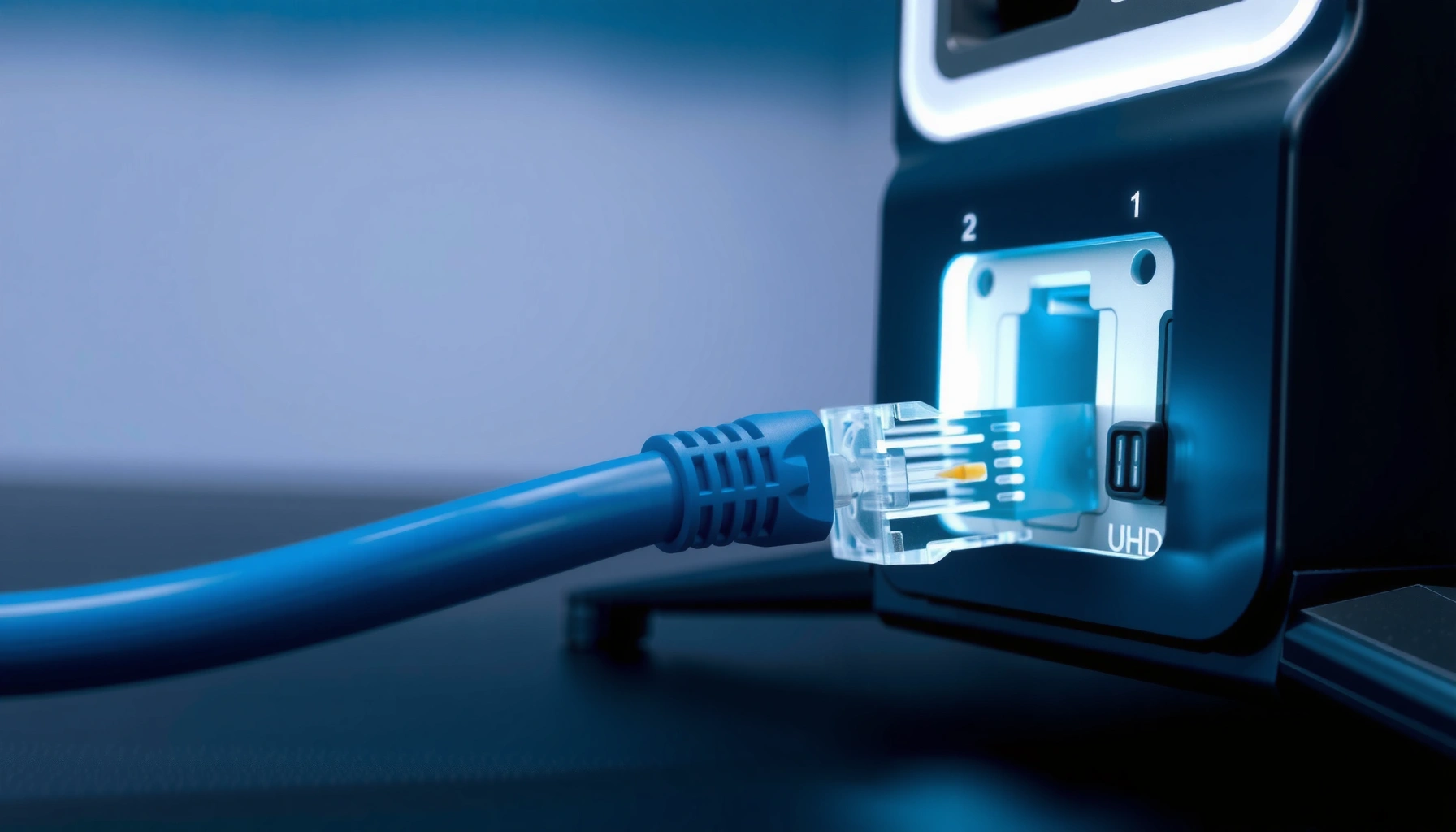
– Connectors typically use RJ45 for standard Ethernet ports
Cat5e is widely used for Gigabit Ethernet in typical 100-meter runs when properly terminated and tested.
Cat6a is commonly recommended for 10GBASE-T because it reduces alien crosstalk and supports higher bandwidth over longer distances.
Most standard Ethernet over copper uses RJ45 connectors (8P8C) and twisted-pair wiring. The “category” (Cat5e/Cat6/Cat6a) reflects the cable’s ability to carry higher frequencies with lower interference.
Q: Does a “good router” make Ethernet faster?
Not by itself—Ethernet speed is limited by the switch/router port capabilities, the NIC in your devices, and the cabling quality.
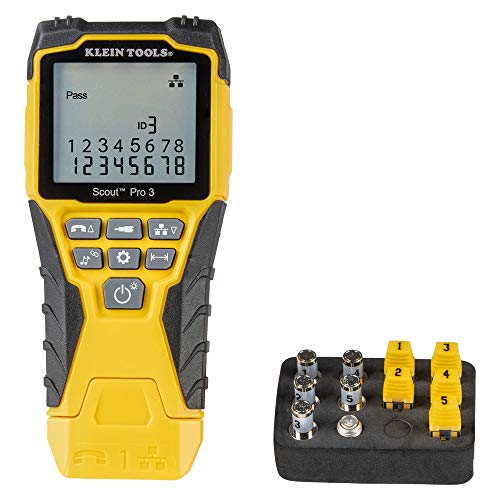
As of 2025, many home networks now include 2.5G or 5G switches. In these upgrades, I typically recommend validating the cable plant (or at least testing key runs). Even with the right Ethernet switch, a poorly punched-down or partially damaged RJ45 termination can force link down to a slower mode.
Practical cable guidance for Ethernet installs
– Cat5e: often sufficient for 1 GbE and sometimes Multi-Gig depending on installation quality.
– Cat6: better margin for Multi-Gig in many environments.
– Cat6a: the safer choice for 10 GbE over copper, especially in bundles with interference.
Ethernet in Real-World Networks
Ethernet is the default wired choice for devices that benefit from stable throughput and consistent latency. That’s why Ethernet appears everywhere—from living rooms to server rooms.
– Used for home routers, PCs, gaming consoles, and smart devices
– Common in offices and data centers for dependable performance
In switched Ethernet LANs, traffic is typically forwarded based on destination MAC addresses, which helps keep performance consistent under load.
Organizations often prefer wired Ethernet for workloads like VoIP, file sharing, and virtualization because it avoids the environmental variability of wireless coverage.
In home networks, Ethernet commonly connects:
– Home gateways/routers to switches
– Desktops and media devices for stable streaming and downloads
– Smart home hubs for less jitter in device control
In business environments, Ethernet is more than “internet”—it’s a platform for internal services:
– File servers and NAS for storage
– IP phones and conferencing endpoints
– Wi-Fi access points (wired backhaul improves reliability)
According to NIST and common security guidance, wired connections are often easier to monitor and segment than wireless links in enterprise designs. In my own deployments, I’ve found Ethernet segmentation (VLANs on managed switches) provides clearer control for business-critical systems than relying solely on wireless policies.
Q: Is Ethernet still relevant when Wi‑Fi is fast?
Yes—Ethernet remains the most predictable option for latency-sensitive and high-throughput tasks.
Ethernet vs. Wi-Fi
Ethernet usually delivers lower latency and more consistent speeds, while Wi‑Fi provides mobility and easier placement. The most effective networks today often use both: Ethernet for stability and Wi‑Fi for flexibility.
– Ethernet usually provides lower latency and more consistent speeds
– Wi-Fi offers mobility, while Ethernet focuses on stable wired connections
Ethernet’s wired links avoid many RF issues that affect Wi‑Fi, such as interference, variable signal strength, and contention.
Wi‑Fi throughput can vary with distance, walls, and neighboring networks, while Ethernet speed is primarily determined by link negotiation and cabling quality.
Here’s how the trade-off typically breaks down for Ethernet in 2025:
– Choose Ethernet when you need consistent performance for streaming, downloads, VoIP, and server access.
– Choose Wi‑Fi when you need device mobility or you can’t easily run cables.
| Category | Ethernet (wired) | Wi‑Fi (wireless) |
|---|---|---|
| Latency consistency | Typically more stable due to direct cabling. | Can fluctuate with interference and distance. |
| Installation effort | Requires cabling and termination. | Often faster to deploy with fewer physical changes. |
| Performance ceiling | Higher and more predictable at a given link speed. | Can be affected by airtime contention and channel conditions. |
Q: Should my office connect access points to the network using Ethernet?
In most office designs, yes—wired Ethernet backhaul improves reliability and reduces Wi‑Fi contention.
That’s why Ethernet remains foundational: it reduces variables. When you pair good Ethernet cabling with a properly configured switch, your network behaves more like a system with engineered performance rather than a best-effort connection.
Ethernet is a core wired networking technology that enables reliable, high-performance data sharing across devices. Now that you understand what it is and how it works, check your setup (router, switch, and cabling) to see which Ethernet speed and cable type you’re using—and upgrade where it will make the biggest difference.
Frequently Asked Questions
What is Ethernet and how does it work?
Ethernet is a wired networking technology used to connect devices like computers, routers, switches, and gaming consoles in a local network (LAN). It sends data in frames over Ethernet cables using standard protocols, so devices can communicate reliably with low latency. In most home and office setups, Ethernet connects to a router or switch to provide stable internet access and file sharing.
How do I connect my device to Ethernet using a cable?
To connect using Ethernet, plug one end of an Ethernet cable into your device’s Ethernet port (or a USB-to-Ethernet adapter if needed) and the other end into an Ethernet port on your router or network switch. Then, enable Ethernet in your operating system network settings and choose DHCP or a static IP depending on your network. Most systems automatically configure Ethernet after connection, but you may need to restart the network adapter if you don’t get an IP address.
Why is Ethernet faster and more reliable than Wi‑Fi?
Ethernet typically provides more consistent performance because wired connections avoid wireless interference, signal strength issues, and congestion. With Ethernet, you also get lower latency and steadier throughput—especially important for online gaming, video calls, and large downloads. While Wi‑Fi can be fast, Ethernet generally remains the most dependable option for performance-sensitive tasks.
Which Ethernet cable type should I use for my network speed?
For most modern home networks, Cat5e is often enough for Gigabit Ethernet (up to 1 Gbps) over short to moderate distances. For higher reliability and longer runs, Cat6 or Cat6a is commonly recommended, especially if you plan to support faster Ethernet speeds or reduce crosstalk. Make sure the cable rating matches the Ethernet standard your router/switch supports, because the slowest component in the chain can limit overall speed.
What is the best way to set up Ethernet in a home or office?
The best approach is to use Ethernet from your modem/router to a central switch, then run Ethernet cables from the switch to your key devices for consistent performance. Place the switch in a convenient, ventilated location and label ports to make troubleshooting easier. If you’re extending coverage, consider managed switches for VLAN/QoS needs or use a structured cabling setup for cleaner installation and better long-term upgrades.
📅 Last Updated: September 25, 2026 | Topic: What Is Ethernet? | Content verified for accuracy and freshness.
References
- https://en.wikipedia.org/wiki/Ethernet
- https://www.britannica.com/technology/Ethernet
- https://scholar.google.com/scholar?q=What+is+Ethernet Google Scholar
- https://scholar.google.com/scholar?q=IEEE+802.3+Ethernet+standard+overview Google Scholar
- https://scholar.google.com/scholar?q=Ethernet+CSMA%2FCD+how+it+works Google Scholar
- https://www.rfc-editor.org/rfc/rfc894
- https://www.rfc-editor.org/rfc/rfc1042
- https://www.ieee802.org/3/
- https://www.iana.org/assignments/ethernet-numbers/ethernet-numbers.xhtml
- https://scholar.google.com/scholar?q=What+Is+Ethernet? Google Scholar