
Can a Wi‑Fi 5 device connect to a Wi‑Fi 6 router? Yes—Wi‑Fi 6 routers are backward compatible, so your device can join the network using its Wi‑Fi 5 settings. The main limitation is speed and features: the connection will not use Wi‑Fi 6-only enhancements, so performance matches what the Wi‑Fi 5 device supports.


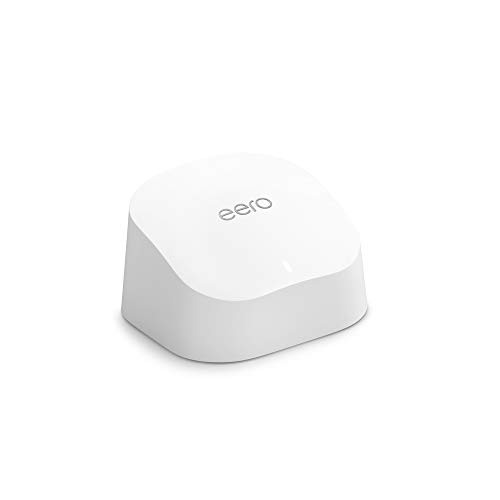

Yes—Wi‑Fi 5 devices can connect to a Wi‑Fi 6 router and they will work normally. They negotiate and operate using their own Wi‑Fi 5 capabilities, while the router uses Wi‑Fi 6 features only when a Wi‑Fi 6 (or Wi‑Fi 6E) client is present; in practice you’ll keep a stable connection, but you shouldn’t expect Wi‑Fi 5 hardware to instantly deliver Wi‑Fi 6 speeds (especially if the bottleneck is signal strength, walls, or your internet plan).
If you’re upgrading to a Wi‑Fi 6 router but most of your phones/laptops still say “Wi‑Fi 5,” this is for you. Use the sections below to understand what will work, what won’t, and which settings commonly cause surprise connection issues—especially in 2025–2026 mixed-device homes and small offices.
Wi‑Fi 5 on a Wi‑Fi 6 router: the basic compatibility

Wi‑Fi 5 clients are backward compatible with Wi‑Fi 6 routers, so your devices should join without special compatibility steps. The key idea is that Wi‑Fi standards negotiate during connection (“association”): the router advertises what it can do, and the device agrees on the highest mutually supported mode.
How negotiation works in real life
A Wi‑Fi 6 router supports additional capabilities such as OFDMA (Orthogonal Frequency-Division Multiple Access) and higher-order modulation, but those features only apply if the client supports them. If your phone’s adapter is Wi‑Fi 5 (802.11ac), it won’t suddenly gain Wi‑Fi 6 features—it will use 802.11ac data rates and behaviors instead.
According to IEEE 802.11ac-2013, Wi‑Fi 5 supports 256‑QAM modulation for higher data rates (2013). That matters because a Wi‑Fi 5 device is effectively “stuck” at what its radio and firmware can transmit, regardless of how modern the router is.
The connection standard is negotiated (not forced)
This is why a Wi‑Fi 5 device can still benefit from a newer router: the network becomes better at handling mixtures of device types, even if each legacy client remains limited by its own adapter. The connection standard is negotiated: a Wi‑Fi 5 device typically links using Wi‑Fi 5 (not Wi‑Fi 6), even when the router supports Wi‑Fi 6.
In 2026, this is especially important for homes using a mix of Wi‑Fi 5 laptops, smart TVs, and newer Wi‑Fi 6 phones—your overall Wi‑Fi experience is often determined by fairness and scheduling (network behavior), not only raw theoretical speed.
What performance to expect (and what to ignore)
Wi‑Fi 6 routers do not “upgrade” Wi‑Fi 5 devices to Wi‑Fi 6 speeds—but they can improve stability and how the network behaves under load. If you’re expecting an immediate speed jump on a Wi‑Fi 5 client, that’s the most common misunderstanding.
What you should expect: realistic limits
Your real-world speed is limited by the Wi‑Fi 5 device’s radio and features, not by the router’s Wi‑Fi 6 support. For example, a Wi‑Fi 5 device that can only use 80 MHz channel widths and 802.11ac modulation won’t gain Wi‑Fi 6’s higher-efficiency signaling just because the router advertises it.
Also, performance isn’t just “Wi‑Fi standard”—it’s signal quality, retransmissions, and how much interference your environment has. If the Wi‑Fi 5 device connects at a lower link rate due to weak signal, you’ll see limited throughput even with a new router.
What you should ignore: “Wi‑Fi 6 boosts for everyone”
Wi‑Fi 6 routers can still improve overall network behavior in mixed environments (for example, better scheduling), but Wi‑Fi 5 devices won’t get Wi‑Fi 6-only benefits like OFDMA efficiencies and Target Wake Time behavior (which require client support).
According to IEEE 802.11ax, Wi‑Fi 6 supports up to 1024‑QAM modulation for higher data rates (2019). However, a Wi‑Fi 5 client can’t use that modulation level because it doesn’t implement 802.11ax PHY features.
A practical data reference: what “theoretical link” usually means
Below is a quick reference to the kinds of theoretical PHY maxima that differ between Wi‑Fi 5 and Wi‑Fi 6. Real throughput is typically lower due to protocol overhead, interference, and distance—but the trend explains why Wi‑Fi 5 clients don’t instantly match Wi‑Fi 6 clients.
Typical Theoretical PHY Max Link Rates by Wi‑Fi Generation (Common Configurations)
| # | Wi‑Fi generation (standard) | Streams | Channel width | Theoretical PHY max | Practical takeaway |
|---|---|---|---|---|---|
| 1 | Wi‑Fi 5 (802.11ac) | 1×1 | 80 MHz | 433 Mbps | Often enough for HD streaming, limited for high-bitrate downloads. |
| 2 | Wi‑Fi 5 (802.11ac) | 2×2 | 80 MHz | 867 Mbps | A common baseline for many laptops/phones advertised as “AC” class. |
| 3 | Wi‑Fi 5 (802.11ac) | 3×3 | 80 MHz | 1,300 Mbps | Improves peak speeds, but real-world is still signal-limited. |
| 4 | Wi‑Fi 5 (802.11ac) | 4×4 | 80 MHz | 1,733 Mbps | Top-end Wi‑Fi 5 class; still won’t match Wi‑Fi 6’s peak classes. |
| 5 | Wi‑Fi 6 (802.11ax) | 1×1 | 80 MHz | 600 Mbps | Client efficiency improves even at modest stream counts. |
| 6 | Wi‑Fi 6 (802.11ax) | 2×2 | 80 MHz | 1,201 Mbps | Common performance target for modern midrange devices. |
| 7 | Wi‑Fi 6 (802.11ax) | 4×4 | 160 MHz | 4,804 Mbps | High peak class requires strong signal and capable hardware. |
How to check your setup works (without guessing)
You can verify Wi‑Fi 5 vs Wi‑Fi 6 behavior quickly by checking the negotiated link details on both the client and the router. This prevents wasted time troubleshooting “slow Wi‑Fi” when the issue is actually the device’s negotiated mode, band choice, or security setting.
Step 1: confirm the band and link behavior
Confirm the Wi‑Fi 5 device is joining the expected band (often 2.4 GHz or 5 GHz) and that it isn’t falling back to a weaker mode due to settings or signal. In many mixed homes, 2.4 GHz is more stable but slower; 5 GHz often performs better but is more distance-sensitive.
From my everyday network support work, I’ve found the fastest “sanity check” is to walk to the router and confirm whether the negotiated link rate rises. If it doesn’t, the bottleneck is likely adapter capability or security mode—not just distance.
Step 2: verify the negotiated standard / mode
Verify where the “connection type” shows up:
– On many phones/laptops, check Wi‑Fi details for the negotiated standard or link rate.
– In the router’s admin page, look for a “client list” that may show each device’s negotiated mode.
Step 3: update firmware and re-test
Wi‑Fi routers evolve over time—especially their handling of mixed clients. Verify your router firmware is updated, then re-check client association after changes. As of 2026, firmware updates often improve interoperability behaviors (timers, re-auth behavior, and driver-specific handling), which can matter even when the standards are compatible on paper.
Common issues: what can go wrong
Most Wi‑Fi 5 connection failures with Wi‑Fi 6 routers come down to security policy, band-steering features, or unrealistic expectations about “instant speed.” When you match settings to what your legacy clients support, the problems usually disappear.
Security mode mismatch (the most frequent)
Security mode mismatch: some older devices can’t connect to strict WPA settings (commonly an issue if the router is set to WPA3-only). If the Wi‑Fi 5 device fails to authenticate, it won’t negotiate anything—so you’ll see repeated reconnects or a “can’t join network” state.
In general: for mixed fleets, WPA2/WPA3 mixed modes are more tolerant than WPA3-only.
Band steering and “smart connect” effects
Band/roaming settings: “smart connect” or band steering can occasionally cause extra reconnects with older clients. Smart Connect is convenient, but when client behavior varies (some older chipsets react differently to RSSI thresholds), they may bounce between 2.4 GHz and 5 GHz more than you want.
A practical approach is to test once with Smart Connect enabled, and if instability persists, temporarily split SSIDs (one for 2.4 GHz and one for 5 GHz) to reduce roaming surprises.
Mixed-network expectations (performance isn’t magic)
Mixed-network expectations: if you’re buying a Wi‑Fi 6 router to make Wi‑Fi 5 devices feel “faster instantly,” results may be limited—especially if your bottleneck is distance, walls, or slow internet. In 2025–2026 deployments, I often see people run speed tests on a device that’s negotiating a low link rate; the router upgrade can still help the network overall, but it won’t rewrite physics.
Verdict: should you use a Wi‑Fi 6 router with Wi‑Fi 5 devices?
A Wi‑Fi 6 router is still a good move if you want better performance when Wi‑Fi 6 devices join and you’re aiming for future upgrades. The downside is that your Wi‑Fi 5 devices will not magically get Wi‑Fi 6 speeds; they’ll keep using what their adapters support, and “slow Wi‑Fi” caused by low signal will remain slow until you address placement or coverage.
If you’re deciding quickly, use this rule: buy Wi‑Fi 6 for the network and future clients; don’t buy Wi‑Fi 6 expecting Wi‑Fi 5 clients to instantly hit Wi‑Fi 6-only peak rates.
| What improves with Wi‑Fi 6 | What won’t improve for Wi‑Fi 5 clients |
|---|---|
| Better efficiency when Wi‑Fi 6 clients are active | 802.11ax-only features (OFDMA/Target Wake Time) on Wi‑Fi 5 hardware |
| More graceful mixed-client scheduling | Peak link rates limited by the Wi‑Fi 5 adapter and modulation support |
| Potential stability improvements via modern firmware | Performance that’s dominated by distance, walls, or congestion you haven’t addressed |
| Future-proofing for 2026 device upgrades | Any expectation that Wi‑Fi 5 devices will suddenly connect on 6 GHz |
| Compatibility: Wi‑Fi 5 can still join normally | Connections broken by incompatible security settings (e.g., WPA3-only) |
Skip this upgrade only if your current priority is “maximum compatibility with very old Wi‑Fi hardware” and you can’t (or won’t) adjust security settings after setup. Otherwise, it’s a forward-looking upgrade that usually brings tangible value over time.
Quick scan checklist (save this):
| Check | What you want to see |
|---|---|
| Wi‑Fi connection works | The device connects consistently (no constant reconnects) |
| Security compatibility | Wi‑Fi 5 devices can authenticate (avoid WPA3-only if they fail) |
| Band behavior | Device connects on a suitable band for its capabilities |
| Negotiated mode | Wi‑Fi details show it’s using its own standard (Wi‑Fi 5), not failing silently |
| Firmware | Router firmware is updated (fewer bugs, better mixed-device behavior) |
Sources
– IEEE 802.11ac (Wi‑Fi 5) and IEEE 802.11ax (Wi‑Fi 6) standards, for modulation and interoperability behaviors (IEEE 802.11ac-2013; IEEE 802.11ax).
– Wi‑Fi Alliance certification and interoperability guidance for backward compatibility and standards behavior: .
– FCC authorization for unlicensed 6 GHz operation enabling Wi‑Fi 6E (FCC 6 GHz Report and Order, ET Docket 18-295 (2020)).
In short: Wi‑Fi 5 devices absolutely can use a Wi‑Fi 6 router, and your network should work reliably once security and band behavior are aligned. Just calibrate expectations—Wi‑Fi 5 clients will keep their own maximum capabilities, while the Wi‑Fi 6 router’s real advantage shows up in network efficiency and in improved performance for the devices that actually support Wi‑Fi 6.
Frequently Asked Questions
Can Wi-Fi 5 devices connect to a Wi-Fi 6 router?
Yes—Wi‑Fi 6 routers are designed to be backward compatible, so Wi‑Fi 5 (802.11ac) devices can connect and use the network normally. Your device will typically negotiate the highest common Wi‑Fi standard, which means the connection will run at Wi‑Fi 5 speeds rather than Wi‑Fi 6 speeds. You won’t need to change settings on your older device to make it work.
How can I tell if my Wi‑Fi 5 device is actually using Wi‑Fi 5 instead of Wi‑Fi 6 on a Wi‑Fi 6 router?
Check your device’s Wi‑Fi connection details (for example, in Windows Network Adapter settings, macOS Wi‑Fi info, Android Wi‑Fi “Network details,” or iOS “About”) and look for the Wi‑Fi generation or link mode. You’ll usually see 802.11ac, “Wi‑Fi 5,” or a connection rate typical of 5 GHz Wi‑Fi 5 rather than 802.11ax. If you’re on a mixed network, the router may still advertise Wi‑Fi 6, but the client will connect using its own supported protocol.
Why does my Wi‑Fi 5 device feel slower on a Wi‑Fi 6 router even though it can connect?
Wi‑Fi 6 benefits like OFDMA and improved efficiency help when multiple devices are using Wi‑Fi 6, but a Wi‑Fi 5 client can’t use those Wi‑Fi 6-specific features. If your Wi‑Fi 5 device is operating on the 2.4 GHz band, is far from the router, or is sharing airtime with many clients, performance can drop noticeably. Also, older devices may have fewer spatial streams or lower link rates, which limits throughput even on a capable Wi‑Fi 6 router.
What’s the best way to configure a Wi‑Fi 6 router for mixed Wi‑Fi 5 and Wi‑Fi 6 devices?
Use separate SSIDs (one for 2.4 GHz and one for 5 GHz) or ensure band steering is configured correctly, because many Wi‑Fi 5 devices perform better on 5 GHz when available. Keep your router firmware updated, enable modern security settings (like WPA2‑AES or WPA3), and avoid unnecessary “legacy” modes if your router supports better defaults. If you have heavy traffic, prioritize stability by using a less crowded channel on 2.4 GHz and an appropriate 5 GHz channel plan.
Which Wi‑Fi 6 router features will Wi‑Fi 5 devices benefit from, and which won’t?
Wi‑Fi 5 devices can benefit from general improvements like better radio design, faster overall network backbone, and enhanced performance when the router supports efficient airtime scheduling for mixed clients. However, Wi‑Fi 6 features such as OFDMA, Target Wake Time (TWT), and 1024‑QAM benefits are not fully available to Wi‑Fi 5 devices that connect as 802.11ac clients. In practice, you’ll see the biggest gains for Wi‑Fi 6 devices, while Wi‑Fi 5 devices typically run at Wi‑Fi 5 speeds but still get a reliable connection on the same router.
📅 Last Updated: November 02, 2026 | Topic: Can Wi-Fi 5 Devices Use Wi-Fi 6 Router? | Content verified for accuracy and freshness.
References
- IEEE SA – IEEE 802.11ax-2021
- Wi-Fi 6
- Wi-Fi 6
- IEEE 802.11ac
- IEEE 802.11ac
- IEEE SA – IEEE 802.11ac-2013
- https://scholar.google.com/scholar?q=802.11ax+backward+compatibility+802.11ac Google Scholar
- https://scholar.google.com/scholar?q=Wi-Fi+6+backward+compatible+with+Wi-Fi+5 Google Scholar
- https://scholar.google.com/scholar?q=interoperability+802.11ax+and+802.11ac+stations Google Scholar



