To resolve connection issues between your soundbar and smart TV, first, ensure that both devices are compatible and properly connected. Many users experience frustrating audio problems due to incorrect settings, damaged cables, or compatibility issues. In this guide, we will explore various troubleshooting steps that can help you diagnose and fix these common connection issues, ensuring an optimal audio experience.



Check Physical Connections

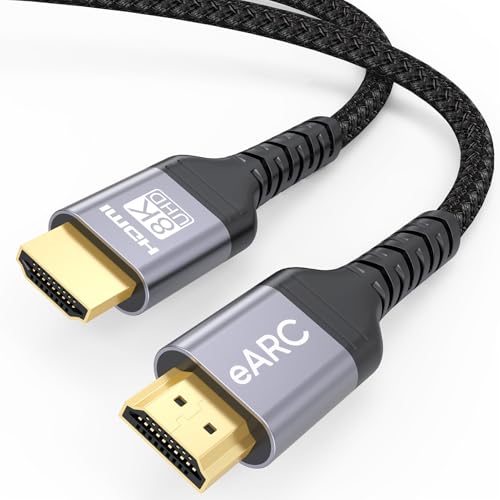
The first step in addressing soundbar and smart TV connection issues is to verify all physical connections. Begin by inspecting all cables, ensuring they are securely connected at both ends. Common connections include HDMI, optical audio, and auxiliary cables. Look for any signs of wear or damage, such as frayed cables or bent connectors, which could disrupt the audio signal.
Next, check that the correct input source is selected on your TV. For instance, if your soundbar is connected via HDMI ARC, ensure your TV is set to that specific HDMI port. Most smart TVs have an input menu that allows you to cycle through connected devices. If the input is not correct, the TV will not send audio to the soundbar, resulting in silence or default audio output through the TV’s built-in speakers.
Verify Compatibility

Compatibility between your soundbar and smart TV is crucial for seamless operation. First, confirm that your soundbar supports the audio formats your TV outputs. For example, if your TV uses Dolby Digital but your soundbar does not support it, you may encounter issues. Check the user manuals or manufacturer’s websites for detailed specifications.
If you are using a wireless connection, such as Bluetooth, ensure that both devices are compatible with Bluetooth technology. Some older soundbars may lack modern Bluetooth profiles, which could lead to connection failures. Additionally, ensure that both devices are updated to the latest firmware, as this can often resolve compatibility issues.
Adjust Audio Settings on the TV
Once you have verified physical connections and compatibility, the next step is to adjust the audio settings on your smart TV. Navigate to the TV’s audio settings menu, where you should find options for selecting the audio output device. Ensure that your soundbar is selected as the primary output source. This step is essential, as the TV may default to using its internal speakers if the soundbar is not recognized.
Moreover, consider disabling the TV’s built-in speakers to avoid any audio conflicts. This action can often prevent sound from playing through both the TV and soundbar simultaneously, which may cause echo or sound distortion.
Top 7 Soundbars with Smart TV Compatibility (2024)
| # | Soundbar Model | Audio Format Support | Bluetooth Version | Price |
|---|---|---|---|---|
| 1 | Sonos Arc | Dolby Atmos, DTS:X | 5.0 | $799 |
| 2 | Bose Soundbar 700 | Dolby Digital, DTS | 4.2 | $799 |
| 3 | Samsung HW-Q800A | Dolby Atmos, DTS:X | 4.1 | $699 |
| 4 | LG SN11RG | Dolby Atmos, DTS:X | 5.0 | $799 |
| 5 | Sony HT-G700 | Dolby Digital, DTS | 4.2 | $399 |
| 6 | Vizio SB36512-F6 | Dolby Atmos, DTS | 4.0 | $549 |
| 7 | JBL Bar 9.1 | Dolby Atmos, DTS:X | 5.0 | $999 |
Update Firmware and Software
Keeping your soundbar and smart TV updated is essential for smooth operation. Manufacturers often release firmware updates to fix bugs, enhance performance, and improve compatibility with other devices. Check both the soundbar and TV settings for update notifications.
To update your devices, access the settings menu on both the soundbar and TV, usually found under the ‘About’ or ‘System’ sections. If an update is available, follow the on-screen instructions to download and install it. After updating, restart both devices to ensure that the changes take effect.
Failure to update can lead to persistent connection issues, especially as new technologies and formats are introduced. Regular updates can also enhance features, improve sound quality, and extend the longevity of your devices.
Troubleshoot Wireless Connections
For those using Bluetooth or Wi-Fi connections to link their soundbar and smart TV, troubleshooting becomes slightly different from wired connections. Start by ensuring that both devices are correctly paired if you’re using Bluetooth. Go to the Bluetooth settings on both devices to check their connection status. If they are not connected, follow the pairing instructions provided in the user manuals.
Additionally, if you experience connectivity issues, consider moving the devices closer together to minimize interference from walls or other electronic devices. Wi-Fi networks can also be crowded, so ensure that your soundbar is within a strong signal range. If possible, use a different Wi-Fi channel to avoid congestion.
Test with Different Devices
If the previous steps have not resolved the connection issues, it may be time to isolate the problem by testing with different devices. Connect your soundbar to another TV or audio source to determine whether the issue lies with the soundbar or the smart TV.
Conversely, you can also connect a different soundbar to your TV to see if it resolves the issue. This step can help clarify whether the problem is with the soundbar’s functionality or the TV’s output settings. If the soundbar works with another device, the issue may stem from your original TV settings or compatibility.
Consider Professional Help
If problems persist despite trying all of the above solutions, it may be time to consult the user manuals for both devices for additional troubleshooting tips. Manufacturers often provide specific instructions for common issues, which may not be covered in general troubleshooting guides.
If you still cannot resolve the issue, don’t hesitate to contact customer support for your soundbar or TV. They can provide specialized assistance and suggest solutions tailored to your devices. Keep all relevant information handy, such as model numbers and a description of the issues faced, to expedite the support process.
Common Connection Issues and Solutions (2024)
By following these steps, you can effectively address and resolve connection issues between your soundbar and smart TV. Make sure to try each solution systematically to identify the root cause. For further guidance, don’t hesitate to reach out to the support teams of your devices. A successful setup ensures that you can fully enjoy the enhanced audio experience that a soundbar provides, vastly improving your overall viewing pleasure.
Frequently Asked Questions
What are the most common causes of connection issues between soundbars and smart TVs?
Common causes of connection issues between soundbars and smart TVs include incorrect input selection, outdated firmware, and incompatible audio formats. Additionally, physical obstructions or faulty cables can hinder the connection, so it’s important to check all connections and ensure the soundbar and TV are set to the same audio output settings.
How can I troubleshoot my soundbar not connecting to my smart TV?
To troubleshoot your soundbar not connecting to your smart TV, start by checking all cable connections and ensuring they are securely plugged in. Next, verify that the TV is set to the correct audio output setting, and try resetting both devices. Updating the firmware on both the soundbar and the TV can also resolve compatibility issues.
Why is my soundbar not producing sound even though it’s connected to my smart TV?
If your soundbar is connected to your smart TV but not producing sound, it may be due to improper audio settings on the TV. Check the audio output settings to ensure they are directed to the soundbar, and confirm that the soundbar is powered on and set to the correct input source. Additionally, make sure the volume is turned up and not muted.
What is the best way to connect a soundbar to a smart TV for optimal sound quality?
The best way to connect a soundbar to a smart TV for optimal sound quality is to use an HDMI ARC (Audio Return Channel) connection, as it allows for high-quality audio transmission and simplifies control via a single remote. If HDMI ARC is not available, optical cables are a good alternative, though they may not support advanced audio formats like Dolby Atmos.
Which audio settings should I adjust on my smart TV for a soundbar connection?
To ensure a seamless connection between your smart TV and soundbar, adjust the audio settings by selecting the sound output to the appropriate HDMI ARC or optical output, depending on your connection. Additionally, disable any internal speakers and enable features such as passthrough or PCM format to ensure the best audio performance through the soundbar.
References
- https://www.lifewire.com/how-to-pair-soundbar-to-smart-tv-4686954
https://www.lifewire.com/how-to-pair-soundbar-to-smart-tv-4686954 - Google Scholar Google Scholar
https://scholar.google.com/scholar?q=Soundbar+Smart+TV+connection+issues - Google Scholar Google Scholar
https://scholar.google.com/scholar?q=troubleshooting+soundbar+TV+connection - Google Scholar Google Scholar
https://scholar.google.com/scholar?q=connect+soundbar+to+smart+TV+guide - https://www.bbc.com/news/technology-43110016
https://www.bbc.com/news/technology-43110016 - Google Scholar Google Scholar
https://scholar.google.com/scholar?q=How+to+Solve+Connection+Issues+Between+Soundbars+and+Smart+TVs - How to Solve Connection Issues Between Soundbars and Smart TVs – Search results
https://en.wikipedia.org/wiki/Special:Search?search=How+to+Solve+Connection+Issues+Between+Soundbars+and+Smart+TVs - https://www.ncbi.nlm.nih.gov/search/research-articles/?term=How+to+Solve+Connection+Issues+Between+Soundbars+and+Smart+TVs
https://www.ncbi.nlm.nih.gov/search/research-articles/?term=How+to+Solve+Connection+Issues+Between+Soundbars+and+Smart+TVs



